

Headless CMS for Gatsby Website using Google Sheets


This project uses Google Sheets as a headless CMS to manage and deploy content to a Gatsby website. It leverages Google Apps Script to automate content creation, markdown conversion, and deployment via GitHub and Netlify, simplifying website updates and streamlining the content workflow.
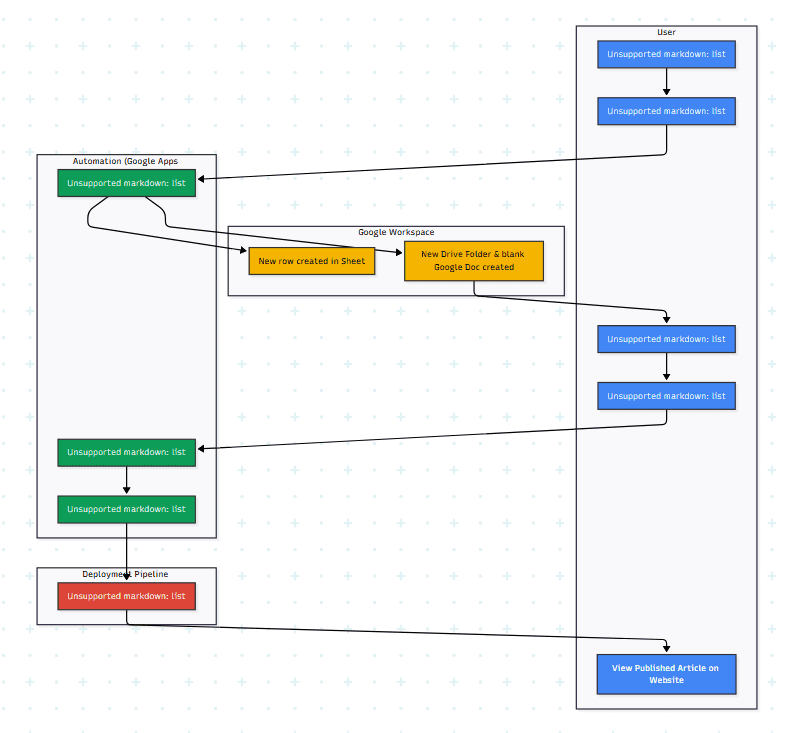
AI-Generated Diagram: Cross-Functional Flowchart for Google Sheets-Powered Headless CMS
The Problem:
Traditional content management systems (CMS) can be complex and require technical expertise. This project offers a simpler, more accessible approach using familiar tools like Google Sheets. It’s particularly useful for individuals or small teams who want a lightweight, cost-effective CMS solution without sacrificing the performance and flexibility of a static site generator like Gatsby.
Workflow/User Journey:
-
Content Input: User enters article details (title, short description, keywords, tags) into a designated Google Sheet. Each row represents a new article.
-
Automated Setup (Script Triggered): Upon clicking a button or using a form submission, a Google Apps Script runs. It creates a new row in a separate sheet containing the article’s Google Doc link, Drive folder URL, and generated slug. It also creates the corresponding Google Drive folder and a blank Google Doc within that folder.
-
Content Creation: The user opens the newly created Google Doc and writes the article content, adding text, images, video links, etc.
-
**Markdown Conversion and Deployment: **After completing the article, the user triggers another Apps Script function. This script converts the Google Doc content to a Markdown (.mdx) file and automatically uploads the Markdown file and associated images to the designated Gatsby project repository on GitHub.
-
**Automated Gatsby Build & Deploy (Netlify): **The changes pushed to the GitHub repository trigger an automated build and deployment process on Netlify, publishing the updated website with the new article.
The Client/Target Audience:
- This is a personal project for my own website (timkhachhang.net). Using this system help me to streamline content updates, faster publishing times, and improved content organization.
Technology Used:
-
Google Apps Script: Core automation logic for content creation, folder/file management, and Markdown conversion.
-
Google Workspace APIs (Sheets API, Drive API, Docs API): Seamless integration with Google Workspace services.
-
Headless CMS Development: Implementing a headless CMS architecture using Google Sheets as the data source.
-
Gatsby.js: Building and deploying the static website.
-
GitHub & Netlify: Version control and automated deployment pipeline.
-
Markdown (MDX): Content formatting and management.
-
SEO Optimization (if applicable): Implementing SEO best practices within the content workflow.
Key Metrics/Achievements:
- Time Savings: Reduced the time to create a high-quality blog post, personalized cover letter from an average of 60 minutes to under 05 minutes when use this workflow with my AI Agents system.
Alternative Project Name Options:
-
Google Sheets-Powered Gatsby CMS
-
Dynamic Content Management with Google Sheets and Gatsby
-
Decoupled Gatsby Website with Spreadsheet CMS
-
Content Management Simplified: Google Sheets and Gatsby


Table Of Contents
Portfolios
Related Posts
Quick Links
Legal Stuff