

Prevent Retail Inventory Stockouts Using AppSheet and Apps Script


Empty shelves do more than cost you a single sale—they drive loyal customers to competitors and trigger expensive operational chaos. Discover the true impact of retail stockouts and learn how to identify your greatest vulnerabilities to build a more resilient, profitable supply chain.
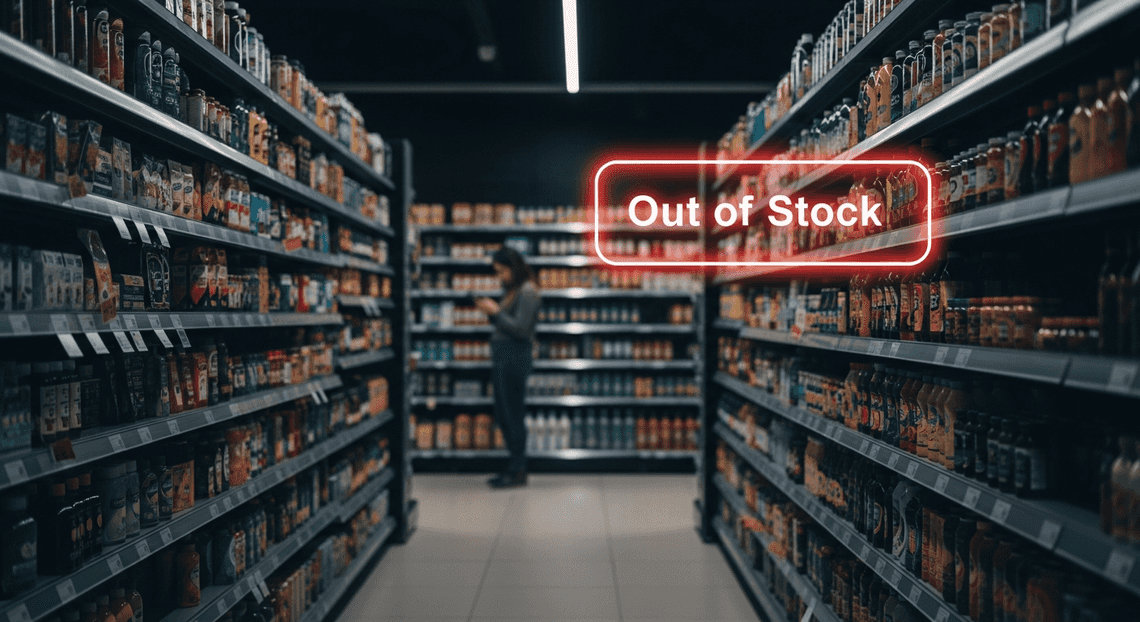
The High Cost of Retail Stockouts
In the hyper-competitive retail landscape, an inventory stockout is much more than a temporary operational hiccup—it is a direct hit to your bottom line and brand reputation. When a customer encounters an empty shelf or a “out of stock” badge online, the immediate consequence is a lost sale. However, the cascading effects are far more damaging. Industry data consistently shows that repeated stockouts drive consumers directly into the arms of competitors, severely eroding long-term brand loyalty.
Beyond the lost revenue, stockouts create a ripple effect of operational inefficiencies. Supply chain teams are forced into a reactive stance, often relying on expensive, expedited shipping to rush replacement products to the floor. Store associates waste valuable time searching for phantom inventory in the backroom, degrading the overall customer experience. To engineer a resilient retail operation, we first have to understand where the greatest vulnerabilities lie and why legacy systems are failing to catch them.
Identifying High Velocity Inventory Risks
Not all inventory behaves the same way, and treating every SKU with a uniform replenishment strategy is a recipe for stockouts. The greatest vulnerability lies in high velocity inventory—the fast-moving consumer goods, seasonal hits, or trending products that drive a disproportionate amount of your daily sales volume.
The primary risk with high velocity items is demand volatility. A sudden spike in consumer interest can drain your safety stock in a matter of hours, long before standard purchasing cycles trigger a reorder. Identifying these risks requires shifting from static inventory management to dynamic velocity tracking. You must continuously calculate the “runway” of a product: comparing the real-time sales velocity (units sold per hour or day) against the current on-hand quantities and the supplier lead time. If an item is moving at a rate where it will deplete before the next shipment arrives, it crosses a critical risk threshold. Recognizing these high-velocity risks in real-time is the only way to pivot from reactive firefighting to proactive replenishment.
Why Traditional Tracking Methods Fail
Historically, retail managers have relied on manual clipboard counts, static spreadsheets, or legacy ERP systems that rely on end-of-day batch processing. In today’s on-demand economy, these traditional methods are fundamentally broken for several reasons:
- Data Latency: Traditional systems often sync inventory data periodically—usually overnight. This means your database might show 50 units of a high-velocity item at noon, completely unaware that a morning rush wiped out the entire physical stock. This latency creates a dangerous blind spot.

-
Human Error: Manual cycle counts and spreadsheet updates are inherently prone to human error. A single transposed number or forgotten entry can create “phantom inventory,” where the system believes stock exists that isn’t actually there, preventing automated reorder triggers from firing.
-
Lack of Proactive Alerting: A static spreadsheet cannot tap a store manager on the shoulder to warn them about an impending stockout. Traditional methods require a human to actively pull a report, analyze the data, and manually identify the problem. By the time the analysis is complete, the stockout has already occurred.
-
Siloed Information: Legacy tools often trap data on a single local machine or within a rigid back-office system, making it inaccessible to the floor staff who actually need to make rapid restocking decisions.
To eliminate stockouts, modern retail operations require a paradigm shift. They need a system that offers real-time data ingestion, automated logic, and instant mobile accessibility—capabilities that traditional clipboards and disconnected spreadsheets simply cannot provide.
Designing a Resilient Inventory Tracking Architecture
To effectively eliminate retail stockouts, you need more than just a digital ledger; you need a cohesive, event-driven architecture that bridges the gap between the warehouse floor and the procurement office. A resilient inventory tracking system must capture data at the edge (where the physical goods are handled), store it reliably, and act upon it autonomously. By leveraging the Automatically create new folders in Google Drive, generate templates in new folders, fill out text automatically in new files, and save info in Google Sheets ecosystem, we can construct a lightweight yet highly scalable architecture. This triad forms a powerful, low-code/pro-code hybrid solution that ensures inventory levels are monitored and managed in real-time.
AI-Powered Invoice Processor as the Mobile Front End
At the edge of our architecture sits Google AMA Patient Referral and Anesthesia Management System, serving as the interactive mobile front end for retail staff and warehouse workers. In a fast-paced retail environment, data entry needs to be frictionless. AppSheetway Connect Suite allows us to rapidly deploy a custom, no-code application directly to the smartphones or tablets of on-the-floor employees, completely bypassing traditional, lengthy mobile development cycles.
Crucially, OSD App Clinical Trial Management brings enterprise-grade features to the frontline. We can leverage native device capabilities, such as camera-based barcode and QR code scanning, to instantly log stock movements and drastically reduce human data-entry errors. Furthermore, AppSheet’s offline sync capabilities ensure that even in areas with poor Wi-Fi connectivity—like the deep corners of a dense stockroom—staff can continue to record inventory deductions and additions. Once connectivity is restored, the app seamlessly pushes the state changes to our backend, ensuring no critical transaction data is ever lost or delayed.
Google Sheets as the Central Data Hub
Every resilient architecture requires a robust single source of truth, and in this ecosystem, Google Sheets acts as our central data hub. While traditional relational databases like Cloud SQL are powerful, Google Sheets offers unparalleled agility, immediate visibility, and native integration within the Workspace ecosystem, making it an ideal lightweight database for agile retail operations.
When AppSheet pushes a transaction, it writes directly to structured tables within Google Sheets. By organizing our data into normalized tabs—such as Products_Master, Current_Inventory, and Transaction_Logs—we maintain a clean, auditable ledger of every item’s lifecycle. Google Sheets handles concurrent updates gracefully, ensuring that when multiple employees are logging stock movements simultaneously, the data hub remains accurate. Additionally, having the data reside in Sheets democratizes access. It allows business analysts and store managers to easily generate pivot tables, connect the sheet to Looker Studio for advanced dashboard visualization, or perform ad-hoc audits without needing advanced SQL expertise.
Automated Logic with AI Powered Cover Letter Automation Engine
Data collection and storage are only half the battle; the true prevention of stockouts relies on proactive, automated intervention. This is where Genesis Engine AI Powered Content to Video Production Pipeline steps in as the intelligent middleware of our architecture. Built on a modern JavaScript runtime, Apps Script allows us to inject custom, event-driven logic directly into our central data hub.
By configuring event-driven triggers (such as onChange) or time-driven cron jobs, Apps Script continuously monitors the inventory levels recorded in Google Sheets. We can program the script to evaluate current stock quantities against predefined, dynamic reorder thresholds. When a product’s inventory dips below its critical minimum, Apps Script instantly executes a remediation workflow. This can include automatically generating a purchase order draft in Google Docs, sending a high-priority alert via Gmail to the procurement team, or dispatching an asynchronous webhook to a Google Chat space to notify store managers. This automated logic transforms a passive tracking system into an active, self-monitoring engine that anticipates and prevents stockouts before they ever impact the customer experience.
Step by Step Implementation Guide
Transforming a static spreadsheet into a dynamic, automated inventory management system requires bridging the gap between user interface, data storage, and backend automation. In this guide, we will connect AC2F Streamline Your Google Drive Workflow tools to create a seamless flow of information from the stockroom floor directly to your team’s communication channels.
Building the AppSheet Interface
The first step is to provide your retail staff with an intuitive, mobile-friendly interface to log inventory changes. AppSheet excels here by turning your data into a fully functional app without requiring traditional coding.
-
Connect Your Data Source: Start by creating a new app in AppSheet and selecting your primary Google Sheet as the data source. AppSheet will automatically parse your columns and generate a basic application.
-
**Configure Data Types: Navigate to the Data > Columns menu. Ensure your columns are mapped to the correct data types. For example, set your
SKUto Text,Item Nameto Name, andCurrent Stockto Number. -
Enable Barcode Scanning: To make the app truly retail-ready, set the
SKUorBarcodecolumn type to Text and check the Scannable box. This allows staff to use their mobile device’s camera to scan items directly on the shop floor, drastically reducing manual entry errors. -
Design the Views: Go to the UX tab and create two primary views:
-
**Inventory List: A Deck or Table view displaying all items, their images, and current stock levels.
-
**Update Form: A Form view that allows staff to quickly adjust the
Current Stocknumber when receiving new shipments or auditing shelves.
- Sync and Deploy: Customize your branding, ensure offline sync is enabled (crucial for stockrooms with poor Wi-Fi), and deploy the app to your team’s devices.
Setting Up Inventory Thresholds in Sheets
While AppSheet handles the frontend user experience, Google Sheets acts as your robust backend database. To prevent stockouts, the system needs to know exactly when to trigger an alert. This requires defining dynamic thresholds.
-
Establish Threshold Columns: In your Google Sheet, ensure you have dedicated columns for
Current StockandMinimum Threshold. The threshold value can vary per item—fast-moving consumer goods might need a threshold of 50, while high-ticket items might only need a threshold of 5. -
Create a Status Indicator: Add a new column titled
Stock Status. You can use a simple ArrayFormula to automatically flag items that require attention. Place this formula in the header row (assuming row 1 is headers,Cis Current Stock, andDis Minimum Threshold):
={"Stock Status"; ARRAYFORMULA(IF(ISBLANK(A2:A), "", IF(C2:C <= D2:D, "Low Stock", "Optimal")))}
- Data Integrity: Protect these formula-driven columns in Google Sheets so that AppSheet users or manual editors do not accidentally overwrite the logic. AppSheet will read this
Stock Statuscolumn in real-time, serving as the trigger point for our backend automation.
Automating Alerts with Apps Script and Google Chat API
With the interface built and the data logic in place, the final piece of the puzzle is proactive notification. We will use Architecting Multi Tenant AI Workflows in Google Apps Script to monitor the inventory sheet and the Google Chat API (via Incoming Webhooks) to ping the team when an item hits “Low Stock”.
- Configure the Google Chat Webhook:
-
Navigate to the Google Chat space where you want the alerts to appear.
-
Click the space name at the top > Apps & integrations > Manage webhooks.
-
Create a new webhook, name it “Inventory Bot”, and copy the generated Webhook URL.
- Write the Apps Script:
Open your Google Sheet and navigate to* Extensions > Apps Script**.
- Replace the default code with the following script, which scans the sheet and pushes a formatted message to Google Chat for any low-stock items.
const CHAT_WEBHOOK_URL = 'YOUR_GOOGLE_CHAT_WEBHOOK_URL_HERE';
function checkInventoryAndAlert() {
const sheet = SpreadsheetApp.getActiveSpreadsheet().getSheetByName('Inventory');
const data = sheet.getDataRange().getValues();
const headers = data[0];
const itemNameIndex = headers.indexOf('Item Name');
const stockIndex = headers.indexOf('Current Stock');
const thresholdIndex = headers.indexOf('Minimum Threshold');
const statusIndex = headers.indexOf('Stock Status');
let lowStockItems = [];
// Loop through rows (skipping header)
for (let i = 1; i < data.length; i++) {
let row = data[i];
if (row[statusIndex] === 'Low Stock') {
lowStockItems.push(`• *${row[itemNameIndex]}* (Current: ${row[stockIndex]} | Min: ${row[thresholdIndex]})`);
}
}
// Send alert if low stock items exist
if (lowStockItems.length > 0) {
sendChatAlert(lowStockItems);
}
}
function sendChatAlert(items) {
const message = {
"text": "🚨 *INVENTORY ALERT: Low Stock Detected*\n\nThe following items have dropped below their minimum thresholds and require immediate reordering:\n\n" + items.join('\n')
};
const options = {
"method": "post",
"contentType": "application/json",
"payload": JSON.stringify(message)
};
UrlFetchApp.fetch(CHAT_WEBHOOK_URL, options);
}
- Set Up the Automation Trigger:
In the Apps Script editor, click the* Clock icon** (Triggers) on the left sidebar.
Click* Add Trigger**.
Set the function to checkInventoryAndAlert, the event source to* Time-driven**, and configure it to run at a cadence that suits your retail operations (e.g., Hourly or Every morning at 8 AM).
- Alternatively, you can trigger this script directly from an Architecting Autonomous Data Entry Apps with AppSheet and Vertex AI Bot whenever a row is updated, providing near-instantaneous alerts the moment a staff member logs a stock reduction.
Scaling Your Supply Chain Operations
Once your initial AppSheet and Apps Script solution is deployed and actively preventing stockouts, the next logical step is preparing for growth. Retail environments are highly dynamic; what works for a single warehouse with a few hundred SKUs will eventually be tested by SKU proliferation, multi-location fulfillment, and increased transaction volumes. Scaling your supply chain operations requires a strategic shift from merely reacting to low-stock alerts to building a robust, enterprise-grade architecture that can handle exponential data growth without compromising performance.
Ensuring Data Reliability and Accuracy
In retail inventory management, data is only as valuable as it is accurate. A “ghost inventory” scenario—where your system shows available stock that doesn’t physically exist—completely undermines your efforts to prevent stockouts. As your user base of warehouse staff and store managers grows, maintaining a single source of truth becomes paramount.
To ensure high data reliability within your AppSheet environment, you must implement strict data governance directly at the point of entry.
-
Advanced Data Validation: Utilize AppSheet’s
Valid Ifconstraints to enforce strict formatting for SKU inputs, preventing manual entry errors. You can also leverage barcode and QR code scanning features natively within AppSheet to eliminate keystroke mistakes entirely. -
Concurrency and Conflict Resolution: As multiple employees update inventory levels simultaneously, concurrent edits can cause discrepancies. Ensure you have configured AppSheet’s delayed sync and conflict resolution settings appropriately.
-
Migrating the Backend: While Google Sheets is an excellent starting point for rapid prototyping, it has inherent cell limits and lacks the transactional integrity of a relational database. As your operations scale, consider migrating your AppSheet backend from Google Sheets to Google Cloud SQL (PostgreSQL or MySQL). AppSheet integrates seamlessly with Cloud SQL, providing ACID compliance, faster query execution, and the ability to handle millions of rows of inventory data without breaking a sweat.
-
Automated Auditing with Apps Script: You can write time-driven Apps Script triggers to run nightly reconciliation routines. These scripts can cross-reference daily sales data against inventory deductions, flagging any anomalies or missing data points for review before the next business day begins.
Expanding Your Custom Tech Stack
Preventing stockouts is just the baseline. To build a truly resilient supply chain, your AppSheet and Apps Script foundation should serve as a launchpad into the broader Google Cloud ecosystem. By expanding your custom tech stack, you can transition from reactive alerts to predictive forecasting and automated procurement.
Integrating Predictive Analytics
By connecting your Cloud SQL or Google Sheets backend to BigQuery, you unlock enterprise data warehousing capabilities. Once your historical inventory data, seasonal trends, and stockout events are in BigQuery, you can leverage built-in machine learning (BigQuery ML) or Building Self Correcting Agentic Workflows with Vertex AI to build predictive models. Instead of waiting for a SKU to hit a static reorder point, your system can dynamically predict when a stockout is likely to occur based on upcoming weather patterns, marketing promotions, or historical sales spikes.
Automating Supplier Communications
Apps Script’s UrlFetchApp service is incredibly powerful for expanding your stack outward. You can script automated workflows that communicate directly with your suppliers’ APIs. When AppSheet registers that a critical item has dropped below its threshold, Apps Script can automatically generate a purchase order and push it directly into your vendor’s ERP system (like SAP or NetSuite), drastically reducing procurement lead times.
Event-Driven Architecture
If your supply chain logic becomes too complex or computationally heavy for standard Apps Script execution limits, you can offload background processing to Google Cloud Functions or Cloud Run. By setting up webhooks in AppSheet to publish messages to Google Cloud Pub/Sub, you can create a decoupled, event-driven architecture. For example, an inventory deduction in AppSheet can trigger a Pub/Sub message that simultaneously updates a live Looker Studio dashboard, alerts the purchasing team via a Google Chat webhook, and recalculates the dynamic safety stock levels in the background.
Next Steps for Your Retail Supply Chain
Now that you understand the mechanics of preventing stockouts using the powerful combination of AppSheet and Google Apps Script, it is time to translate this knowledge into actionable momentum. Implementing a custom inventory management solution is a transformative step, but to truly modernize your retail operations, you must look at the broader picture. The goal is no longer just maintaining baseline stock levels; it is about building a resilient, agile, and data-driven supply chain ecosystem. Here is how you can take the next critical steps to future-proof your business.
Audit Your Current Architecture
Before deploying new automation workflows or building out complex AppSheet interfaces, you need a comprehensive understanding of your existing technical landscape. A thorough architecture audit ensures that your new solutions integrate seamlessly rather than creating additional technical debt or fragmented processes.
As you evaluate your current retail tech stack, focus on the following core areas:
-
Identify Data Silos: Are your point-of-sale (POS) systems, warehouse management tools, and procurement spreadsheets operating in isolation? AppSheet excels at unifying disparate data sources, but you must first map out exactly where your critical inventory data currently lives and how it flows.
-
Evaluate Infrastructure Scalability: If your retail footprint expands, can your current backend handle the increased transaction volume? Assess whether you need to transition your data foundation from standard Google Sheets to a more robust, enterprise-grade backend like Google Cloud SQL, or utilize BigQuery for advanced inventory analytics.
-
Analyze Automation Gaps: Review your existing manual processes. Where are your supply chain managers and warehouse staff spending the most time? Whether it is manually generating purchase orders, sending low-stock alerts, or reconciling end-of-day inventory counts, pinpointing these bottlenecks will dictate exactly where your Apps Script automations will deliver the highest Return on Investment (ROI).
-
Assess Security and Governance: Ensure that your current and future setups adhere to your organizational security policies. With Automated Client Onboarding with Google Forms and Google Drive., you have granular control over user permissions. A proper audit will help you define access roles effectively, ensuring that warehouse staff, store managers, and executives only see the AppSheet views and data relevant to their specific duties.
Book a GDE Discovery Call with Vo Tu Duc
Transitioning from legacy systems to a modernized, cloud-native architecture can be a complex endeavor. However, you do not have to navigate this digital transformation alone. To ensure your retail inventory solution is built on a solid foundation of Google Cloud and Automated Discount Code Management System best practices, the most strategic next step is to consult with a recognized industry authority.
We highly recommend booking a discovery call with Vo Tu Duc, a recognized Google Developer Expert (GDE). Engaging with a GDE provides you with unparalleled, elite-level insights directly from the forefront of Google’s technology ecosystem. During this tailored discovery session, you can expect to:
-
Validate Your Architecture: Get expert, unvarnished feedback on your proposed AppSheet data models and Apps Script logic to ensure they are optimized for high performance, reliability, and scale.
-
Uncover Advanced Capabilities: Learn about underutilized, cutting-edge features within Automated Email Journey with Google Sheets and Google Analytics and Google Cloud that can further streamline your supply chain operations—such as integrating machine learning APIs for predictive demand forecasting or utilizing AppSheet’s native OCR capabilities for automated barcode scanning.
-
**Mitigate Deployment Risks: Identify potential technical pitfalls and integration roadblocks in your deployment strategy before they impact your live retail environment, ultimately saving your business time, capital, and operational headaches.
By leveraging the deep technical expertise of a GDE like Vo Tu Duc, you can confidently accelerate your digital transformation, ensuring your retail business remains agile, fully stocked, and perfectly positioned to meet customer demand.


Stop Doing Manual Work. Scale with AI.
Want to turn these blog concepts into production-ready reality for your team?
Table Of Contents
Portfolios
Related Posts
Quick Links
Legal Stuff