

Scaling Event Driven AI with GCP PubSub for Workspace Workflows


Traditional synchronous systems simply cannot handle the unpredictable timing of generative AI and human collaboration. Discover why shifting to an Event-Driven Architecture is essential for building intelligent, real-time enterprise workflows.
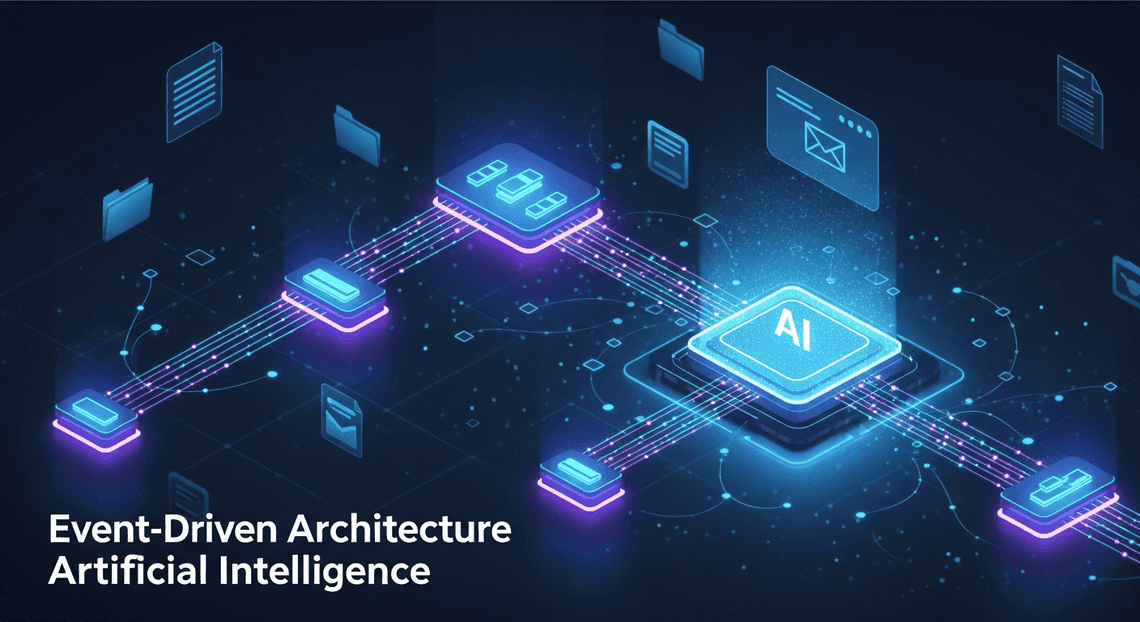
The Imperative for Event Driven Architecture
When integrating artificial intelligence into enterprise workflows, the architecture you choose dictates not just performance, but the fundamental viability of the solution. Traditional synchronous architectures—where a system requests data, waits for a response, and then acts—rapidly degrade when introduced to the unpredictable timing of human collaboration in Automatically create new folders in Google Drive, generate templates in new folders, fill out text automatically in new files, and save info in Google Sheets and the variable compute times of generative AI models. To build intelligent systems that react natively to user behaviors—such as summarizing a Google Doc the moment it is finalized or categorizing an incoming customer email in real-time—you must shift from a request-driven mindset to an event-driven one. Event-Driven Architecture (EDA) is no longer just a best practice for microservices; it is an absolute imperative for scaling AI across your organization’s productivity layer.
The Hidden Latency and Costs of API Polling
Historically, developers attempting to automate AC2F Streamline Your Google Drive Workflow relied on API polling. This involves setting up a cron job or a continuous loop to repeatedly ask the Automated Client Onboarding with Google Forms and Google Drive. APIs, “Has anything changed? Are there new emails? Was a new file added to this Shared Drive?”
While conceptually simple, polling is an architectural anti-pattern for AI integrations, introducing severe hidden costs and systemic latency.
First, consider the latency. If your system polls a Gmail inbox every five minutes, a critical email requiring an automated AI response might sit untouched for four minutes and fifty-nine seconds. In an era where users expect AI to act as a real-time copilot, this artificial delay shatters the illusion of seamless intelligence.
Second, consider the compute and quota costs. Polling is inherently wasteful. The vast majority of API calls will return empty payloads, meaning you are paying for Cloud Run invocations or Cloud Functions execution time simply to find out that nothing has happened. Furthermore, Automated Discount Code Management System APIs enforce strict rate limits. Aggressive polling quickly exhausts your organizational API quotas, resulting in 429 Too Many Requests errors. This not only throttles your AI application but can inadvertently break other critical integrations across your Automated Email Journey with Google Sheets and Google Analytics tenant that share the same quota pool. Moving away from polling to a “push” model—where Workspace actively notifies your infrastructure the millisecond a state change occurs—is the only sustainable way to trigger AI workflows.
Decoupling Cloud Events from Workspace Actions
The true power of an Event-Driven Architecture is realized through decoupling. In a tightly coupled system, a trigger in Workspace (e.g., a new row added to Google Sheets) is directly wired to the AI processing script. If the AI model API experiences a latency spike, or if a sudden surge of user activity overwhelms the system, the entire workflow bottlenecks, potentially dropping data or crashing the application.
By introducing GCP Pub/Sub as the central nervous system between Automated Google Slides Generation with Text Replacement and your AI services, you fundamentally decouple the producer of the event from the consumer of the event.
When a user interacts with Workspace, a lightweight push notification is sent directly to a Pub/Sub topic. Workspace’s job is now complete; it doesn’t need to know how, when, or even if the AI will process the data. On the other side of the topic, your AI microservices—perhaps hosted on Cloud Run—subscribe to these events. This decoupling provides several massive engineering advantages:
-
Asynchronous Scaling: If a team uploads 1,000 PDFs to Google Drive simultaneously, Pub/Sub absorbs the massive spike in events. Your AI processing pipeline can then scale up to handle the queue at its own optimal pace without dropping a single file or timing out the Workspace UI.
-
Fault Tolerance and Retries: AI APIs (like Building Self Correcting Agentic Workflows with Vertex AI or third-party LLMs) can occasionally fail or rate-limit your requests. With Pub/Sub, if the AI processing fails, the message isn’t lost. It can be automatically retried with exponential backoff or routed to a Dead Letter Queue (DLQ) for engineering review.
-
Extensibility: Once Workspace events are flowing into Pub/Sub topics, you can attach multiple independent AI consumers to the same event. A single “New Email” event could simultaneously trigger one microservice that generates a draft response, another that extracts action items into a Google Task list, and a third that logs How to build a Custom Sentiment Analysis System for Operations Feedback Using Google Forms AppSheet and Vertex AI into BigQuery—all without rewriting the original integration.
Decoupling transforms your architecture from a fragile, linear script into a robust, reactive ecosystem capable of handling the heavy lifting required by modern AI.
Architecting a Robust Event Bus Tech Stack
To successfully bridge the gap between dynamic Automated Order Processing Wordpress to Gmail to Google Sheets to Jobber activities and resource-intensive AI models, you need an architecture that prioritizes decoupling, scalability, and security. Building an event-driven system means moving away from brittle point-to-point integrations and polling mechanisms. Instead, we construct a resilient, reactive pipeline where events—such as a new document being uploaded to Google Drive or an email arriving in a shared Gmail inbox—flow seamlessly into our AI processing layer.
The foundation of this architecture relies on three critical pillars: a highly available message broker, an auto-scaling serverless compute layer, and a bulletproof identity and access management (IAM) strategy.
GCP PubSub as an Asynchronous Message Bus
At the heart of our event-driven architecture lies Google Cloud Pub/Sub, acting as the central nervous system for our Workspace workflows. When dealing with AI integrations, synchronous processing is an anti-pattern; AI inference (whether it’s generating a summary, extracting entities, or classifying intent) introduces variable latency that can easily cause upstream API timeouts.
Pub/Sub solves this by providing a globally distributed, asynchronous message bus. When a Workspace event occurs, a webhook or an intermediate ingestion service publishes a lightweight message to a designated Pub/Sub Topic. This immediately acknowledges the event back to Workspace, freeing up the source system.
By leveraging Pub/Sub, we gain several enterprise-grade advantages:
-
Decoupling: Publishers (Workspace event sources) and Subscribers (AI processors) operate entirely independently. You can swap out your underlying AI models without touching the ingestion logic.
-
Traffic Shaping and Buffering: If a sudden spike in Workspace activity occurs—like a massive batch of invoices being dropped into a Drive folder—Pub/Sub absorbs the shock. It buffers the messages, preventing your AI endpoints or compute quotas from being overwhelmed.
-
Guaranteed Delivery: Pub/Sub offers at-least-once delivery. Combined with Dead Letter Queues (DLQs), you ensure that unprocessable messages (e.g., a malformed payload or a temporary AI API outage) are safely parked for later inspection and replay, guaranteeing zero data loss.
Leveraging Cloud Functions for Stateless Execution
With our events safely queued in Pub/Sub, we need a compute layer to consume these messages, orchestrate the AI logic, and execute the resulting actions. Google Cloud Functions (specifically 2nd Gen, powered by Cloud Run and Eventarc) are the ideal fit for this task.
Cloud Functions allow us to write single-purpose, event-driven code that scales automatically from zero to thousands of concurrent instances based on the volume of incoming Pub/Sub messages. Because AI inference tasks are inherently compute-heavy but independent, the stateless nature of Cloud Functions is a perfect match.
When designing these functions, adhering to statelessness is critical:
-
**Idempotency: Because Pub/Sub guarantees at-least-once delivery, your Cloud Function might occasionally process the same event twice. Designing your function to be idempotent ensures that duplicate processing doesn’t result in duplicate AI actions (like sending the same AI-generated email response twice).
-
Ephemeral Compute: The function wakes up, parses the Pub/Sub message payload, securely calls the AI model (e.g., Vertex AI or OpenAI), formats the response, and pushes the result back to Workspace. Once the execution finishes, the environment spins down. No local state is saved, eliminating memory leaks and cross-contamination between workflow executions.
-
Concurrency: By tuning the concurrency settings in 2nd Gen Cloud Functions, you can optimize how many Pub/Sub messages a single instance handles simultaneously, maximizing throughput while keeping cold starts to a minimum.
Securing Workspace APIs with Service Accounts
The final piece of the architectural puzzle is security. Once your Cloud Function has generated an AI-driven insight, it needs to act on it—perhaps by appending a row to Google Sheets, adding a comment to a Google Doc, or drafting a Gmail reply. To do this, your GCP compute layer must securely authenticate against Automated Payment Transaction Ledger with Google Sheets and PayPal APIs without requiring human intervention.
This is achieved by leveraging Google Cloud Service Accounts combined with Domain-Wide Delegation (DWD).
Unlike standard OAuth 2.0 flows that require a user to click an “Allow” consent screen, Service Accounts act as non-human identities. Here is how to architect this securely:
-
Domain-Wide Delegation: A Google Docs to Web Super Admin grants the Service Account’s Client ID specific OAuth scopes across the entire Workspace domain. This allows the Cloud Function to impersonate a specific user (e.g.,
ai-<a href="https://votuduc.com/Automated-Job-Creation-in-Jobber-from-Gmail-p115606">Automated Job Creation in Jobber from Gmail</a>@yourdomain.com) when interacting with the APIs, ensuring that files created or emails sent have the correct ownership and audit trails. -
Principle of Least Privilege: When configuring the Service Account, restrict its IAM roles within GCP strictly to what it needs (e.g.,
Pub/Sub Subscriber,Vertex AI User). Similarly, when configuring DWD in the Workspace Admin Console, grant only the exact OAuth scopes required for the workflow (e.g.,https://www.googleapis.com/auth/documentsinstead of full Drive access). -
Seamless Authentication: Because the Cloud Function runs natively within GCP, it automatically inherits the credentials of its attached Service Account via the metadata server. You do not need to manage, rotate, or hardcode JSON key files. Using the Google API Client Libraries, you simply initialize the client with Google Application Default Credentials (ADC) and specify the subject (the user being impersonated), resulting in a highly secure, zero-maintenance authentication pipeline.
Constructing the Automated Pipeline
To turn theoretical event-driven AI into a tangible, scalable reality, we need a robust pipeline. This pipeline acts as the connective tissue between your intelligent models and the day-to-day operations happening within SocialSheet Streamline Your Social Media Posting 123. By leveraging Google Cloud’s serverless ecosystem, we can build a system that is not only highly responsive but also capable of handling massive spikes in workload without breaking a sweat. Let’s break down the architecture into its three core operational phases.
Capturing Cloud Events via PubSub Topics
At the heart of any scalable event-driven architecture lies a highly reliable message broker. In the Google Cloud ecosystem, Pub/Sub serves as the central nervous system for our AI workflows. Whenever an AI model completes an inference task—whether that’s classifying an urgent customer email, generating a financial summary, or detecting an anomaly in user behavior—it emits an event.
Instead of hardcoding point-to-point connections, we publish these events directly to specific Pub/Sub topics. This fundamentally decouples the AI processing layer from the downstream execution layer.
For instance, you might create a topic dedicated specifically to high-priority AI insights:
gcloud pubsub topics create ai-workspace-insights
By routing events through Pub/Sub, you gain immediate access to asynchronous messaging, guaranteed at-least-once delivery, and the ability to fan out a single AI event to multiple downstream subscribers. This means a single AI trigger could simultaneously update a Google Sheet, draft a Gmail response, and alert an administrator, all without the original publisher waiting for these tasks to complete. It provides the ultimate buffer, ensuring that even if your AI models generate thousands of events per second, your pipeline will absorb the spike gracefully.
Configuring Reliable Cloud Function Triggers
With our events securely captured in Pub/Sub, the next step is processing them. Google Cloud Functions (2nd gen), built on top of Cloud Run and Eventarc, are the perfect serverless compute option for this job. They scale from zero to thousands of instances in milliseconds, perfectly aligning with the bursty, unpredictable nature of AI event generation.
However, in enterprise environments, simply triggering a function isn’t enough; reliability is paramount. When configuring your Cloud Function to subscribe to a Pub/Sub topic, you must design for failure:
-
**Idempotency: Because Pub/Sub guarantees at-least-once delivery, your Cloud Function might occasionally receive the exact same event twice. Your code must be idempotent, ensuring that processing a duplicate event doesn’t result in duplicate Workspace actions (like sending the same client email twice).
-
Retry Policies: Enable retries on your function triggers. If a downstream Workspace API experiences a transient error or rate limit, the function will automatically back off and try again.
-
Dead-Letter Queues (DLQs): For events that repeatedly fail to process (e.g., due to a malformed AI payload), route them to a DLQ. This prevents “poison pill” messages from endlessly looping and clogging your pipeline, allowing your engineering team to inspect and replay them later.
gcloud functions deploy process-ai-insight \

--gen2 \

--runtime python311 \

--trigger-topic ai-workspace-insights \

--retry \

--entry-point handle_pubsub_event
Executing High Stakes Workspace Tasks
The final leg of our pipeline is where the actual business value is realized: interacting with SocialSheet Streamline Your Social Media Posting. This is where the processed AI insights are translated into concrete actions using the Workspace APIs (Docs, Sheets, Gmail, Drive, or the Admin SDK).
Executing high-stakes tasks—such as automatically provisioning user access based on AI security policies, or drafting sensitive client communications—requires rock-solid authentication and execution logic. To achieve this securely, your Cloud Function should run under a dedicated Google Cloud Service Account. By granting this Service Account Domain-Wide Delegation (DWD) within your Speech-to-Text Transcription Tool with Google Workspace tenant, the function can programmatically impersonate specific users to perform actions on their behalf, maintaining proper audit logs and strict access controls.
Consider a workflow where an AI model detects a critical contract anomaly. The pipeline executes the following high-stakes Workspace tasks in milliseconds:
-
Google Drive API: Creates a secure, restricted folder for the incident.
-
Google Docs API: Generates a detailed incident report from a template, dynamically injecting the AI’s findings and formatting the text.
-
Gmail API: Drafts a high-priority email to the legal team, attaching the newly created Doc and saving it in the General Counsel’s drafts folder.
When interacting with these APIs, it is crucial to implement exponential backoff strategies within your Cloud Function to respect Workspace API quota limits. By combining the elastic scale of Pub/Sub and Cloud Functions with the collaborative power of Workspace APIs, you transform passive AI insights into automated, high-impact business operations.
Ensuring Reliability in Production
When you bridge Google Workspace with event-driven AI, you are connecting highly asynchronous human workflows—like editing a Google Doc, updating a Sheet, or receiving a Gmail message—with computationally intensive machine learning models. In a production environment, assuming the “happy path” is a recipe for disaster. AI APIs can rate-limit, network partitions occur, and malformed Workspace payloads can crash your consumers. To scale this architecture successfully, you must engineer for failure. Reliability in GCP Pub/Sub isn’t just about keeping the lights on; it’s about guaranteeing zero data loss and maintaining a seamless, predictable experience for your Workspace users.
Managing Retries and Dead Letter Queues
In an event-driven AI architecture, transient failures are inevitable. Perhaps your Vertex AI endpoint is temporarily overwhelmed, or your Google Workspace API quota has been momentarily exhausted. Pub/Sub’s default behavior is to redeliver a message if the subscriber doesn’t acknowledge (ACK) it within the configured deadline. However, aggressive, immediate retries can exacerbate rate-limiting issues, essentially self-DDoSing your own AI services.
To handle this gracefully, you must configure Exponential Backoff in your Pub/Sub subscription retry policies. By setting a minimum and maximum backoff duration, you give your downstream AI services the breathing room they need to recover from traffic spikes without dropping the Workspace event.
But what happens when a message is fundamentally flawed? Consider a “poison pill” payload—a Workspace event containing an attachment format your AI model simply cannot parse. Infinite retries will block your pipeline, consume unnecessary compute cycles, and rack up costs. This is where Dead Letter Queues (DLQs) become essential.
By configuring a Dead Letter Topic on your subscription, you can instruct Pub/Sub to route a message away from the main processing pipeline after a specified number of failed delivery attempts (e.g., 5 attempts).
Cloud Engineering Pro-Tip: Don’t just let messages rot in a DLQ. Attach a lightweight Cloud Function to your Dead Letter Topic to parse the failed messages, log the exact exception, and sink the payload into BigQuery or Cloud Storage. This allows your engineering team to inspect the failed Workspace events, debug the AI parsing logic, and seamlessly replay the messages once the underlying bug is patched.
Implementing Mission Critical Monitoring
You cannot ensure reliability if you are flying blind. When a Workspace user triggers an AI workflow, they expect a timely result. If the system degrades, you need to know before your users start filing support tickets. Google Cloud’s Operations Suite (Cloud Monitoring and Cloud Logging) serves as the command center for your event-driven architecture.
For a Pub/Sub-backed AI pipeline, your monitoring strategy should focus on a few specific golden signals:
-
num_undelivered_messages(Backlog Size): A sudden spike in this metric indicates that your AI consumers (e.g., Cloud Run instances or Cloud Functions) are failing, or they are scaling too slowly to handle a sudden influx of Workspace events. -
oldest_unacked_message_age(Processing Latency): This is arguably the most critical metric for user experience. If this number climbs, it means Workspace events are languishing in the queue. It almost always points to high AI model inference latency or insufficient consumer concurrency. -
DLQ Publish Rate: Any message hitting the Dead Letter Queue should trigger an alert, as it represents a dropped Workspace workflow that requires human intervention.
Beyond basic metrics, you should implement Cloud Trace to achieve distributed tracing across the entire lifecycle of the request. A single trace should capture the initial Workspace webhook, the Pub/Sub publish event, the consumer pull, the AI model inference time, and the final Workspace API update.
Couple this tracing with Log-based Alerts in Cloud Logging to immediately page your on-call engineers (via Slack, PagerDuty, etc.) if your AI consumer starts throwing HTTP 429 Too Many Requests or HTTP 500 Internal Server Error codes. By establishing these mission-critical monitoring guardrails, you transform your event-driven AI architecture from a fragile experiment into a robust, enterprise-grade engine.
Scaling Your Cloud Infrastructure
As your organization’s reliance on Google Workspace deepens and your AI initiatives mature, the volume of data flowing through your systems will inevitably skyrocket. Every new document created in Google Drive, every email arriving in Gmail, and every calendar event updated represents a potential trigger for intelligent, automated action. However, routing these high-frequency events directly into AI models for synchronous processing is a recipe for bottlenecks, timeouts, and dropped data.
To truly scale event-driven AI, you must transition from rigid, point-to-point integrations to a decoupled, asynchronous architecture. This is where Google Cloud Pub/Sub becomes the central nervous system of your infrastructure. By positioning Pub/Sub between Google Workspace webhooks and your AI processing layers (such as Vertex AI or custom models hosted on Cloud Run), you create an elastic buffer. Pub/Sub absorbs massive spikes in Workspace activity—guaranteeing at-least-once delivery—while allowing your AI workloads to consume and process these events at their own optimal pace. Scaling your infrastructure in this way ensures high availability, fault tolerance, and the ability to seamlessly handle millions of events without overwhelming your compute resources or hitting API rate limits.
Evaluating Your Current Automated Quote Generation and Delivery System for Jobber Workflows
Before you can architect a highly scalable, Pub/Sub-backed infrastructure, you must critically assess your existing Automated Work Order Processing for UPS landscape. Many teams begin their Workspace automation journey using AI Powered Cover Letter Automation Engine or third-party iPaaS tools (like Zapier or Make). While these solutions are excellent for prototyping and lightweight tasks, they quickly show their limitations when tasked with heavy AI inference.
To determine if your current workflows are ready for an event-driven overhaul, evaluate them against the following technical criteria:
-
Execution Limits and Timeouts: Genesis Engine AI Powered Content to Video Production Pipeline has strict execution time limits (typically 6 minutes). If your workflow involves sending a document’s text to a Large Language Model (LLM) for summarization and waiting for the response, you risk synchronous timeouts. An event-driven model offloads this wait time entirely.
-
Coupling and Fault Tolerance: In your current setup, what happens if the AI API is temporarily unavailable? If your Workspace trigger fails to reach the AI endpoint, is the event lost forever? Evaluating your workflows for tight coupling will reveal the need for Pub/Sub’s dead-letter queues (DLQs) and automated retry policies.
-
Throughput and Quota Exhaustion: Are you frequently hitting Google Workspace API quota limits or experiencing throttling? Direct polling architectures waste API calls. Shifting to a push-based model, where Workspace pushes notifications directly to a Pub/Sub topic, drastically reduces API overhead and optimizes your quota usage.
-
Observability: Can you trace an event from a Gmail inbox all the way through your AI processing pipeline and back? Legacy workflows often lack granular logging. Modernizing with GCP allows you to leverage Cloud Logging and Cloud Trace to monitor the exact latency and health of your AI workflows.
If your evaluation reveals brittle connections, lost events, or scaling ceilings, it is time to modernize your architecture by decoupling ingestion from AI execution.
Book a GDE Discovery Call with Vo Tu Duc
Transitioning from basic automations to an enterprise-grade, event-driven AI architecture using Google Cloud Pub/Sub requires strategic foresight and deep technical expertise. If you are ready to future-proof your Google Workspace integrations but need guidance on the optimal architectural patterns, it is highly recommended to consult with an expert.
Take the guesswork out of your cloud engineering by booking a discovery call with Vo Tu Duc, a recognized Google Developer Expert (GDE) in Google Cloud. During this focused session, you will have the opportunity to:
-
Review Your Architecture: Walk through your current Workspace and AI workflows to identify hidden bottlenecks and security vulnerabilities.
-
Design for Scale: Receive tailored advice on implementing Pub/Sub, Cloud Run, and Vertex AI to build resilient, asynchronous pipelines.
-
Optimize Costs and Performance: Learn advanced GCP engineering strategies to minimize latency and control cloud spend as your event volume grows.
Leveraging the insights of a GDE ensures that your infrastructure is built on Google Cloud best practices from day one. Whether you are struggling with complex event routing or looking to seamlessly integrate the latest Gemini models into your daily Workspace operations, a discovery call with Vo Tu Duc will provide the actionable roadmap you need to scale with confidence.


Stop Doing Manual Work. Scale with AI.
Want to turn these blog concepts into production-ready reality for your team?
Table Of Contents
Portfolios
Related Posts
Quick Links
Legal Stuff