

Architecting an Event-Driven Workspace with PubSub Firebase and Gemini


Before we can build the event-driven systems of the future, we must first understand the fundamental limitations of the tightly-coupled solutions we rely on today.

The Challenge with Tightly-Coupled [Automatically create new folders in Google Drive, generate templates in new folders, fill out text automatically in new files, and save info in [Automated Web Scraping with [Multilingual Text-to-Speech Tool with SocialSheet Streamline Your Social Media Posting 123](https://votuduc.com/Multilingual-Text-to-Speech-Tool-with-Google-Workspace-p809282)](https://votuduc.com/Automated-Web-Scraping-with-Google-Sheets-p292968)](https://workspace.google.com/marketplace/app/auto_create_folder_and_files/430076014869) Solutions
Before we dive into the architecture of an event-driven future, we need to understand the limitations of the present. For many developers, [AI Powered Cover Letter [Automated Job Creation in Real Time Jobber and Google Sheets Integration from Gmail](https://votuduc.com/Automated-Job-Creation-in-Jobber-from-Gmail-p115606) Engine](https://votuduc.com/AI-Powered-Cover-Letter-Automated Quote Generation and Delivery System for Jobber-Engine-p111092) is the go-to tool for automating and extending AC2F Streamline Your Google Drive Workflow. It’s powerful, accessible, and deeply integrated. However, the most common architectural pattern—a simple, direct call from a user interface to a backend script—is a deceptive trap. It’s easy to start with, but it creates solutions that are brittle, slow, and frustratingly difficult to scale.
Let’s dissect the core issues with this traditional, tightly-coupled approach.
Why Synchronous Operations Create UI Bottlenecks
Picture this common scenario: a user clicks a button in your custom sidebar in Google Sheets labeled “Generate Quarterly Report.” The UI dutifully shows a spinner, and the user waits. And waits. And waits. The entire interface is locked, held hostage by a single, long-running operation on the backend.
This is the classic symptom of a synchronous bottleneck. While the google.script.run call is technically asynchronous from the browser’s JavaScript perspective (it doesn’t freeze the browser tab), the user experiences it as a synchronous, blocking process. Their intent (“generate a report”) is directly tied to the immediate and complete execution of a server-side function.
Think of it as ordering a coffee at a cafe where the entire operation grinds to a halt until your specific latte is brewed, poured, and in your hand. No other orders can be taken; no other work can be done. It’s inefficient and creates a terrible customer experience.
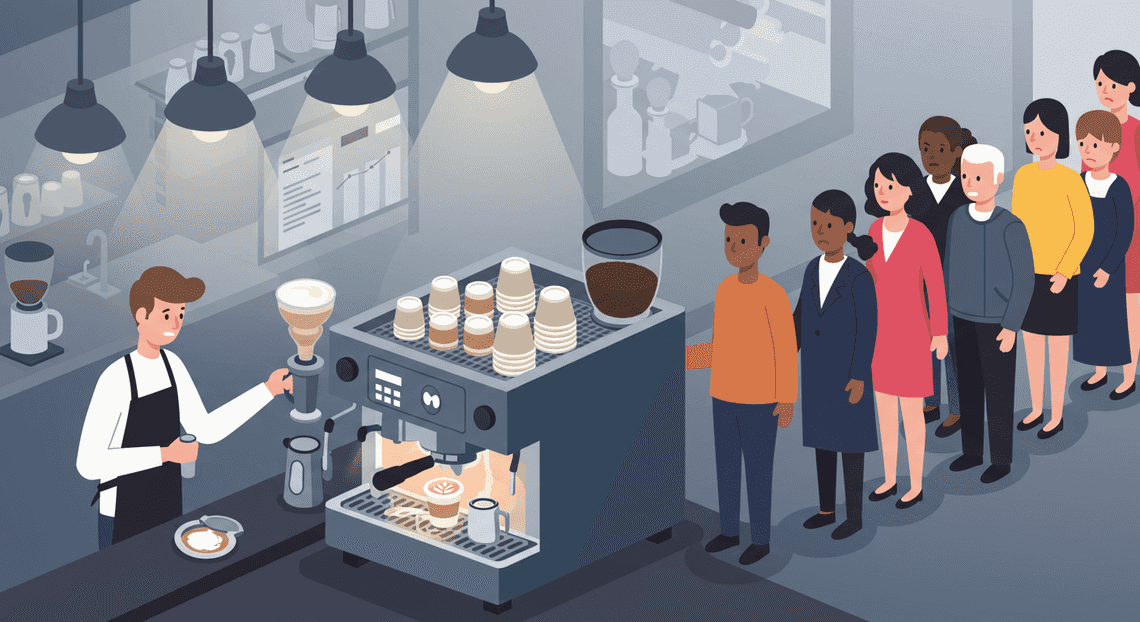
In the context of a Workspace Add-on, this translates to:
-
Unresponsive Interfaces: Buttons are disabled, inputs are frozen, and the user can’t interact with your add-on or sometimes even the host application.
-
Perceived Slowness: Any task that takes more than a couple of seconds feels broken. A process that involves fetching data, calling external APIs (like Gemini), and manipulating a document can easily exceed this threshold.
-
Hitting Execution Limits: Apps Script has a hard execution limit (6 minutes for standard accounts). A user triggering a complex task could simply hit a timeout, resulting in a failed operation with no clear feedback or recovery path. The UI was waiting for a response that was never going to arrive.
This model forces the user to be a patient, synchronous participant in a backend process, which is fundamentally at odds with the expectations of a modern, fluid web experience.
The Scalability Limits of Traditional Apps Script Models
The problem extends beyond a single user’s poor experience. As your solution gains traction and is used by multiple people simultaneously, the tightly-coupled model begins to fracture under the load.
Apps Script, for all its power, is a shared, managed environment, not a dedicated, auto-scaling backend. This introduces several scalability ceilings:
-
Concurrency Quotas: Google Cloud and Apps Script enforce quotas on how many scripts can run simultaneously for a given user or domain. If ten users in a company all click “Generate Report” at 9:01 AM, some of them will be queued, or their requests will fail outright. The system has no elastic capacity to handle these concurrent bursts.
-
“Noisy Neighbor” Problems: Because you’re running on a shared infrastructure, a particularly resource-intensive script from one user can impact the performance and execution time for others. Your script’s performance isn’t isolated or guaranteed.
-
Brittle, Monolithic Executions: In a typical script, a single function might be responsible for fetching data from a Sheet, calling a CRM API, then calling the Gemini API for analysis, and finally writing the results to a Google Doc. If any single step in this chain fails—a network blip, a transient API error—the entire operation fails catastrophically. There’s no built-in mechanism for retries, no dead-letter queue for failed tasks, and no way to resume the process from the point of failure.
This model doesn’t scale because it treats complex, multi-stage business processes as a single, atomic, and fragile transaction.
Identifying the Anti-Pattern: Heavy Logic in the User Interface Layer
So, how do you know if you’ve fallen into this trap? The primary anti-pattern is placing complex, multi-step business logic directly behind a single UI-triggered event.
You are likely dealing with this anti-pattern if your code looks something like this:
-
Client-Side (JavaScript): A button’s
onClickhandler makes a single call:google.script.run.withSuccessHandler(showResults).doEverythingAtOnce(formData); -
Server-Side (Apps Script): The
doEverythingAtOnce()function is a massive, monolithic beast that:
-
Reads 500 rows from the active spreadsheet.
-
Loops through each row.
-
Makes an
UrlFetchAppcall to an external service for each row. -
Aggregates all the results in memory.
-
Performs a complex calculation.
-
Calls the Gemini API to summarize the aggregated data.
-
Writes the final summary and detailed results back to a new sheet.
-
Returns a simple “Success!” message.
This is a violation of the Single Responsibility Principle. The UI’s job should be to capture user intent and dispatch a command or event—“A request to generate a report for Q2 was submitted.” It should not be to directly invoke and wait for the entire, complex fulfillment of that request.
By coupling the user’s click directly to a long-running, monolithic backend process, we create a system that is slow, unscalable, and difficult to maintain or debug. To build a truly robust and responsive Workspace solution, we must break this chain. We need to decouple the user’s action from the system’s reaction.
Solution Blueprint: An Event-Driven Architecture for Decoupling
To build a responsive, scalable, and intelligent workspace, we’re ditching the old-school, monolithic request/response pattern. A synchronous API call that waits for a database write, a notification dispatch, and an AI model to return a summary is a recipe for a sluggish user experience and a brittle backend. Instead, we’re embracing an event-driven architecture (EDA). This approach decouples our services, allowing them to operate independently and asynchronously. The result? A system that’s not only faster for the end-user but also infinitely more flexible and resilient. When one component fails, the others don’t even notice. When we want to add a new feature, we just add a new listener—no need to rip apart the existing codebase.
Core Principles of Event-Driven Systems
Before we map out the data flow, let’s ground ourselves in the core principles that make this architecture tick. This isn’t just a random collection of services; it’s a design philosophy.
-
**Events are Immutable Facts: An event is a small, lightweight notification that a significant state change has occurred. It’s a record of something that happened in the past. For example,
DocumentCreated,CommentAdded, orUserMentioned. It doesn’t contain a command telling another service what to do; it simply announces the fact, carrying just enough data (like adocumentIdoruserId) for other services to react. -
Producers and Consumers are Decoupled: The service that creates the event (the Producer) knows nothing about the services that will react to it (the Consumers). It simply fires its event into the void and moves on. Likewise, consumers don’t know where the event came from; they only care about the event itself. This is the essence of decoupling.
-
The Event Broker is the Central Nervous System: A central message bus, or Broker, sits between producers and consumers. In our stack, this is Google Cloud Pub/Sub. The producer publishes an event to a topic on the broker. The broker then ensures that event is delivered to all the consumers that have subscribed to that topic. This intermediary is the secret sauce that makes true decoupling possible.
-
Communication is Asynchronous: The producer doesn’t wait for a response. This “fire-and-forget” model is fundamental. When a user saves a document, our API can immediately return a
200 OKresponse, confirming the save. The heavy lifting—summarization by Gemini, indexing for search, sending notifications—all happens in the background, without making the user wait.
Architectural Overview: The Flow from Event to UI Update
Let’s trace the journey of a single user action, like creating a new document, to see how these principles manifest in our stack. Imagine this flow as a series of dominoes, where each one triggers the next without being physically connected.
-
Initiation (The Client): A user in the web application finishes typing a document and hits “Save.” The frontend application makes a standard
POSTrequest to a secure backend API endpoint. -
Ingestion & Production (Cloud Function - HTTP Trigger): An HTTP-triggered Cloud Function receives the request. Its job is minimal but critical:
-
It validates the incoming data.
-
It performs the primary, synchronous action: writing the new document’s content to a collection in Firestore. This ensures the data is safely persisted.
-
Upon a successful write, it constructs an event payload, e.g.,
{ "eventType": "DOCUMENT_CREATED", "documentId": "xyz-123", "authorId": "abc-789" }.
It* produces** this event by publishing it to a specific Pub/Sub topic, let’s call it workspace-events.
- It immediately returns a success response to the client. The user’s UI now shows the document is saved.
-
Distribution (Google Cloud Pub/Sub): Pub/Sub receives the
DOCUMENT_CREATEDevent. It’s now the broker’s responsibility to fan this event out to any and all subscribed consumers. -
Consumption & Processing (Cloud Functions - Pub/Sub Triggers): This is where the magic happens. Multiple, independent Cloud Functions are listening for messages on the
workspace-eventstopic. As soon as our event arrives, they all spring to life simultaneously:
-
The Gemini AI Consumer: This function is triggered. It reads the
documentIdfrom the event payload, fetches the full document from Firestore, and sends the content to the Gemini API for processing (e.g., generating a summary, extracting keywords, or determining sentiment). -
The Search Indexer Consumer: Another function is triggered. It also fetches the document and updates our search index (e.g., Algolia or Elasticsearch) so the new content is immediately searchable.
-
The Notification Consumer: A third function wakes up. It might check the document for
@mentionsand trigger other processes to send emails or in-app notifications.
- State Synchronization & UI Update (Firebase & The Client): Once the Gemini AI Consumer gets a result back from the Gemini API, it doesn’t try to “push” it to the client. Instead, it performs one final, simple action: it writes the AI-generated summary to a specific field within the original document in Firestore (e.g.,
documents/xyz-123/ai_summary).
-
Because our frontend application has an active, real-time listener attached to the Firestore document (using the Firebase SDK), this write operation is instantly detected by the client.
-
The client’s state is updated with the new summary, and the UI re-renders to display it—all without a single page refresh or additional API call from the client.
The Role of Each Component in the Stack
Every piece of our chosen tech stack plays a distinct and vital role in making this event-driven flow seamless.
-
Frontend (React/Vue/etc.): The Initiator and Presenter. It captures user intent, makes the initial synchronous API call, and then passively listens to Firebase for state changes, which it reflects in the UI. It’s responsible for the beginning and the very end of the user experience loop.
-
Cloud Functions (HTTP Trigger): The API Gateway and Event Producer. This is the public-facing door to our system. It handles authentication, validation, and the single most critical synchronous task (persisting the initial data). Its most important architectural role is to reliably publish the event that kicks off all downstream asynchronous work.
-
Google Cloud Pub/Sub: The Decoupling Broker. This is the heart of the architecture. It’s the message bus that allows our producer to be completely ignorant of its consumers, and vice-versa. It provides durability (ensuring messages aren’t lost) and scalability, effortlessly handling spikes in event volume.
-
Cloud Functions (Pub/Sub Trigger): The Asynchronous Workers (Consumers). These are our specialized, single-purpose microservices. One knows how to talk to Gemini, another knows how to update a search index. They are cheap to run (only executing when an event occurs), independently scalable, and can be developed, deployed, and debugged in isolation.
-
Firebase (Firestore): The Single Source of Truth and Real-time State Layer. Firestore serves two masters here. It’s the primary, durable database for our application’s core data. Crucially, it’s also the mechanism for closing the loop. By leveraging its real-time capabilities, our backend consumers can update the application state, and the frontend will be notified instantly, creating a fluid and dynamic UI.
-
Gemini API: The Intelligent Processor. It’s the specialized brain we call upon for heavy-duty cognitive tasks. By placing it within a Pub/Sub-triggered consumer, we isolate its latency and complexity from our core API, ensuring that a slow AI response never degrades the primary user experience.
Deep Dive: The Technology Stack in Action
To truly appreciate the elegance of this event-driven architecture, let’s dissect the role each component plays. Think of it as a biological system: you have a nervous system for communication, a brain for processing, memory for state, and limbs for interaction. Our tech stack maps to this surprisingly well.
GCP Pub/Sub as the Central Nervous System
At the heart of our system lies Google Cloud Pub/Sub. It’s not just a message queue; it’s the fully-managed, globally-scalable central nervous system that decouples every component from every other.
How it works:
When a user performs an action in our Google Sheet—say, requesting a summary for a list of URLs—the Apps Script doesn’t call a specific function or API directly. Instead, it packages the request into a message and publishes it to a Pub/Sub Topic (e.g., gemini-tasks).
This act of publishing is a “fire-and-forget” operation. The sender’s job is done. It doesn’t know, nor does it need to care, who will receive this message or when. This decoupling is the cornerstone of a resilient and extensible architecture.
Key advantages in our context:
-
Durability: Pub/Sub guarantees that once a message is published, it will be delivered at least once to all its subscribers, even if downstream services are temporarily unavailable.
-
Scalability: It effortlessly handles unpredictable bursts of activity. If 100 users trigger actions simultaneously, Pub/Sub ingests all 100 events without breaking a sweat.
-
Extensibility: Need to add a new service, like a logging or analytics processor? You simply create a new Subscription to the
gemini-taskstopic. The original application remains completely unchanged.
Firebase Firestore for Real-Time State Management
If Pub/Sub is the nervous system, Firestore is the system’s memory or its single source of truth. It’s a highly-scalable NoSQL document database, but its killer feature for our use case is its real-time update capability.
How it works:
After a Cloud Function processes an event, it doesn’t just send the result back into the void. It writes or updates the state in a Firestore document. For example, it might create a document in a tasks collection with a unique ID. Initially, this document could look like this:
// tasks/{taskId}

{

"status": "processing",

"prompt": "Summarize the content from URL...",

"result": null,

"timestamp": "2023-10-27T10:00:00Z"

}
Once Gemini completes its work, the function updates this same document:
// tasks/{taskId}

{

"status": "complete",

"prompt": "Summarize the content from URL...",

"result": "This is the Gemini-generated summary...",

"timestamp": "2023-10-27T10:00:00Z",

"completedAt": "2023-10-27T10:00:15Z"

}
Any client subscribed to this document—in our case, the Google Sheet via Apps Script—receives this update instantly. This is what enables the “live” feeling in the user interface without manually refreshing the page.
Cloud Functions as the Asynchronous Event Processor
Cloud Functions are the brains and muscles of the operation. These are serverless, event-driven compute units that execute a single piece of logic in response to a trigger.
How it works:
We deploy a Cloud Function and configure its trigger to be our Pub/Sub topic (gemini-tasks). Now, this function is a subscriber.
-
Activation: When a new message appears in the topic, a new instance of our Cloud Function is automatically spun up.
-
Execution: The function receives the message payload (e.g., the cell range, the prompt, and a unique task ID).
-
Processing: This is where the heavy lifting happens. The function’s code:
-
Updates the task’s status in Firestore to
processing. -
Makes a secure, authenticated API call to the Gemini API.
-
Waits for the response from Gemini.
-
Parses the result.
- State Update: Upon receiving the result, it updates the corresponding Firestore document with the
completestatus and the generated content.
The beauty of this is its asynchronous and stateless nature. The function runs, does its job, updates the state in Firestore, and shuts down. It costs nothing when idle and can scale to thousands of concurrent executions to handle any workload.
Apps Script with Firebase Listeners for Dynamic UI Updates in Sheets
Finally, we close the loop by bringing the results back to the user. Genesis Engine AI Powered Content to Video Production Pipeline acts as the bridge between the Automated Client Onboarding with Google Forms and Google Drive. UI and our cloud backend.
How it works:
Apps Script plays two critical roles in this architecture:
-
The Initiator (Publisher): A custom menu item or button in the Google Sheet is tied to an Apps Script function. When clicked, this function gathers context from the sheet, creates a task ID, writes the initial
pendingstate to Firestore, and publishes the event message to Pub/Sub. This kicks off the entire asynchronous workflow. -
The Renderer (Subscriber): This is the magic. Using the
FirebaseApplibrary for Apps Script, we can listen for changes on the specific Firestore document we just created. While Apps Script doesn’t support true, persistent websocket connections, we can effectively simulate this by setting up a listener on a specific document path (e.g.,tasks/{taskId}). When the Cloud Function updates the document’s status fromprocessingtocomplete, the listener in Apps Script fires. The script then grabs theresultpayload from the document and uses theSpreadsheetAppservice to write the Gemini-generated content back into the correct cell, change the cell’s background color, and display a “Done!” notification.
This completes the round trip, providing a seamless, responsive experience for the user, all orchestrated by a robust, event-driven backend.
Step-by-Step Implementation Guide
Alright, theory is great, but it’s time to get our hands dirty. We’re going to wire up the core event pipeline, starting from a message being published and ending with data appearing in a Google Sheet. Follow along as we build each component of our event-driven architecture.
Step 1: Publishing a Message to a Pub/Sub Topic
This is the entry point of our entire workflow. An action occurs somewhere in your system—a file is uploaded, a form is submitted, a button is clicked—and it needs to dispatch an event. Instead of calling a specific service directly, it simply tosses a message into a Pub/Sub topic, blissfully unaware of who or what will handle it.
We’ll use the Node.js client library for Google Cloud Pub/Sub. This code could live in a backend service, another Cloud Function, or even a simple script.
First, ensure you have the library installed:
npm install @google-cloud/pubsub
Now, let’s write the script to publish a message. Imagine we want to trigger a summarization task for a document.
publishTask.ts
import { PubSub } from '@google-cloud/pubsub';

// 1. Initialize the Pub/Sub client

const pubSubClient = new PubSub();

// 2. Define the topic name and the message payload

const topicName = 'workspace-events'; // Make sure this topic exists in your GCP project

const payload = {

taskId: `task-${Date.now()}`,

action: 'SUMMARIZE_DOCUMENT',

documentUrl: 'gs://my-workspace-bucket/reports/quarterly-review.pdf',

requestedBy: '[email protected]',

};

async function publishMessage() {

try {

// 3. Convert the JSON payload to a Buffer, which is what Pub/Sub expects

const dataBuffer = Buffer.from(JSON.stringify(payload));

// 4. Publish the message and get back the message ID

const messageId = await pubSubClient.topic(topicName).publishMessage({ data: dataBuffer });

console.log(`Message ${messageId} published to ${topicName}.`);

console.log('Payload:', payload);

} catch (error) {

console.error(`Received error while publishing:`, error);

process.exit(1);

}

}

publishMessage();
What’s happening here?
-
We import and instantiate the Pub/Sub client. It automatically uses the authentication context from your environment (e.g., gcloud CLI, service account).
-
We define our event payload. This structured JSON object is the “contract” for our event. It contains all the necessary information for a downstream service to act upon it.
-
We serialize our JSON object into a
Buffer. Pub/Sub transmits data as a byte stream, so this step is mandatory. -
We call
publishMessageon our target topic. The system is now fully decoupled. The publisher’s job is done.
Step 2: Triggering a Cloud Function to Process the Event
Now we need a subscriber to catch and process the message. This is the perfect job for a Cloud Function, which can be configured to trigger automatically whenever a new message lands in our workspace-events topic.
We’ll use the Firebase Functions V2 SDK, which provides a clean, declarative way to define event-driven functions.
functions/src/index.ts
import { onMessagePublished } from "firebase-functions/v2/pubsub";

import * as logger from "firebase-functions/logger";

// Define the function to trigger on messages to the 'workspace-events' topic.

export const processWorkspaceEvent = onMessagePublished("workspace-events", (event) => {

logger.info("New event received from Pub/Sub!", { event });

// 1. The message payload is Base64 encoded. We need to decode it.

const messagePayload = event.data.message.data;

if (!messagePayload) {

logger.error("No data in Pub/Sub message!");

return;

}

const decodedPayload = Buffer.from(messagePayload, 'base64').toString();

const taskData = JSON.parse(decodedPayload);

logger.info("Decoded task data:", { taskData });

// 2. Business logic goes here.

// Based on `taskData.action`, you would route to the correct logic.

switch (taskData.action) {

case 'SUMMARIZE_DOCUMENT':

console.log(`Initiating summarization for task: ${taskData.taskId}`);

//

// TODO: This is where you would call the Gemini API

// with the documentUrl and other context.

//

break;

default:

logger.warn(`Unknown action received: ${taskData.action}`);

break;

}

// 3. For now, we'll just log. In the next step, we'll update Firestore.

return;

});
Key Points:
-
Base64 Decoding: This is a critical and often-missed step. The data you receive in the Cloud Function event is not the raw JSON string you sent; it’s a Base64 encoded version of it. You must decode it first before parsing it as JSON.
-
Event-Driven Logic: The function is completely stateless. It wakes up, inspects the event payload (
taskData), performs an action, and shuts down. This is the essence of a serverless, event-driven design. -
Gemini Placeholder: We’ve left a clear placeholder comment where the core AI processing would happen. The function’s role is to orchestrate this call, handling the inputs and outputs.
Step 3: Updating the State in Firestore
Once our function has processed the event (or at least started the process), we need to record the state. Firestore is our source of truth. It allows other parts of our system, like a web UI or our Google Sheet, to observe the status of the task in real-time.
Let’s modify our Cloud Function to write the task’s initial state to a tasks collection in Firestore.
functions/src/index.ts (Updated)
import { onMessagePublished } from "firebase-functions/v2/pubsub";

import * as logger from "firebase-functions/logger";

import { initializeApp } from "firebase-admin/app";

import { getFirestore, FieldValue } from "firebase-admin/firestore";

// Initialize the Firebase Admin SDK

initializeApp();

const db = getFirestore();

export const processWorkspaceEvent = onMessagePublished("workspace-events", async (event) => {

logger.info("New event received from Pub/Sub!", { event });

const messagePayload = event.data.message.data;

if (!messagePayload) {

logger.error("No data in Pub/Sub message!");

return;

}

const decodedPayload = Buffer.from(messagePayload, 'base64').toString();

const taskData = JSON.parse(decodedPayload);

logger.info("Decoded task data:", { taskData });

// Use the taskId from the payload as the document ID in Firestore

const taskRef = db.collection("tasks").doc(taskData.taskId);

try {

// 1. Write the initial state of the task to Firestore.

await taskRef.set({

...taskData, // Store the original event data

status: 'processing',

createdAt: FieldValue.serverTimestamp(), // Use server-side timestamp

updatedAt: FieldValue.serverTimestamp(),

});

logger.info(`Task ${taskData.taskId} created in Firestore.`);

// 2. Business logic (e.g., calling Gemini) would happen here.

// After the Gemini call completes, you would update the document:

// await taskRef.update({

//   status: 'completed',

//   summary: 'This is the generated summary...',

//   updatedAt: FieldValue.serverTimestamp(),

// });

} catch (error) {

logger.error(`Error writing task ${taskData.taskId} to Firestore:`, error);

// Optionally update Firestore with an 'error' status

await taskRef.set({ status: 'error', error: String(error) }, { merge: true });

}

});
What changed?
-
Firestore Integration: We imported the
firebase-adminSDK, initialized it, and got a reference to our Firestore database. -
State Persistence: We now use
taskRef.set()to create a new document in thetaskscollection. The document’s ID is the uniquetaskIdfrom our event, ensuring idempotency. We enrich the original payload with status and timestamp metadata. -
Future State: The commented-out
taskRef.update()call shows the logical next step: once the long-running process (like a Gemini call) is complete, the function would update the same document with the result and acompletedstatus.
Step 4: Listening for Firestore Changes in Google Sheets via Apps Script
This is the final piece of the puzzle: making the results visible to a non-technical user in a familiar environment like Google Sheets. While Apps Script can’t maintain a persistent, real-time listener like a web client, we can create a function to fetch the latest state from Firestore on demand. This can be triggered by a custom menu item, a button, or a time-based trigger (e.g., every 5 minutes).
Setup:
-
In your Apps Script editor, go to Libraries and add the FirestoreApp library. You can find it with this script ID:
1VUSl4b1r1eoNcRWotZM3e87ygKxXj_lYF_t9_o2ekvDCcCn_DRf0Pl24. -
You’ll need a Google Cloud Service Account with Firestore access. Create one, download its JSON key, and copy the contents.
-
In Apps Script, go to Project Settings > Script Properties and add three properties:
client_email,private_key, andproject_id, pasting the corresponding values from your service account JSON key.
Code.gs
/**

* Adds a custom menu to the spreadsheet to trigger the data sync.

*/

function onOpen() {

SpreadsheetApp.getUi()

.createMenu('Workspace Sync')

.addItem('Fetch Task Statuses', 'syncTasksFromFirestore')

.addToUi();

}

/**

* Fetches all documents from the 'tasks' collection in Firestore

* and populates the active sheet with the data.

*/

function syncTasksFromFirestore() {

const sheet = SpreadsheetApp.getActiveSpreadsheet().getActiveSheet();

const scriptProperties = PropertiesService.getScriptProperties();

// 1. Retrieve service account credentials from Script Properties

const privateKey = scriptProperties.getProperty('private_key');

const clientEmail = scriptProperties.getProperty('client_email');

const projectId = scriptProperties.getProperty('project_id');

// 2. Authenticate with Firestore using the service account

const firestore = FirestoreApp.getFirestore(clientEmail, privateKey, projectId);

// 3. Fetch all documents from the 'tasks' collection, ordered by creation time

const tasks = firestore.getDocuments("tasks", { orderBy: "createdAt,desc" });

// Clear the sheet before populating

sheet.clear();

if (!tasks || tasks.length === 0) {

sheet.getRange(1, 1).setValue("No tasks found.");

return;

}

// 4. Define headers and extract data

const headers = ['Task ID', 'Status', 'Action', 'Created At', 'Document URL'];

const dataRows = tasks.map(task => {

const fields = task.fields;

// Firestore timestamps are objects; convert them to a readable format

const createdAt = fields.createdAt ? new Date(fields.createdAt.timestampValue) : 'N/A';

return [

task.name.split('/').pop(), // Extract document ID from the full path

fields.status ? fields.status.stringValue : '',

fields.action ? fields.action.stringValue : '',

createdAt,

fields.documentUrl ? fields.documentUrl.stringValue : ''

];

});

// 5. Write the data to the Google Sheet

sheet.getRange(1, 1, 1, headers.length).setValues([headers]).setFontWeight("bold");

sheet.getRange(2, 1, dataRows.length, dataRows[0].length).setValues(dataRows);

SpreadsheetApp.getUi().alert('Sync Complete!', `Fetched ${tasks.length} tasks from Firestore.`, SpreadsheetApp.getUi().ButtonSet.OK);

}
How it Works:
-
Authentication: The script securely loads the service account credentials from Script Properties to authenticate its requests to Firestore.
-
Data Fetch: It uses the
FirestoreApplibrary to make a REST API call to fetch all documents from ourtaskscollection. -
Data Transformation: The script then iterates through the returned documents, pulling out the specific fields we care about and formatting them into a 2D array that Google Sheets understands. Note the special handling for the timestamp object.
-
Sheet Update: Finally, it clears the existing content and writes the new headers and data rows into the sheet.
Now, whenever a user clicks “Workspace Sync” > “Fetch Task Statuses”, they get a near-real-time view of the state of all tasks being managed by your event-driven system.
Intelligent Augmentation Integrating the Gemini API
An event-driven system excels at decoupling services and handling data flow, but its true potential is unlocked when we move beyond simple data transport and introduce intelligence into the stream. By integrating a powerful generative AI model like Google’s Gemini, we can transform raw event data into high-value, contextual insights. This augmentation layer acts as an analytical engine, interpreting the significance of events as they occur.
Use Case: Generating Automated Summaries or Insights from Event Data
Consider our Architecting an Event Driven Workspace with Pub Sub Firebase and Gemini. Events might represent a variety of actions: a user completes a task, a new file is uploaded to a shared drive, a critical comment is posted on a design document, or a build pipeline fails. While a log of these events is useful, it’s often noisy and requires manual interpretation.
This is the ideal entry point for Gemini. Our use case is to create an automated “activity summarizer.” Instead of just storing a raw event like {"user": "alex", "action": "task_completed", "taskId": "T-123", "project": "Phoenix"}, we can use Gemini to generate a human-readable, context-aware summary.
Example Transformation:
-
Input Event Data: A collection of events over a short time window, or a single, complex event with a large data payload.
-
Gemini-Generated Insight: “Alex just completed task T-123 for the Phoenix project, moving it into the ‘Done’ column. This unblocks the QA team for final review.”
This summary is far more valuable than the raw JSON. It can be pushed to a team chat channel, added to a daily digest email, or displayed on a project dashboard. It reduces the cognitive overhead for team members, allowing them to quickly grasp the state of the workspace without sifting through event logs.
Architectural Placement for the Gemini API Call
The most logical and efficient place to integrate the Gemini API call is within the Cloud Function that is already subscribed to our Pub/Sub topic. This function serves as the processing hub for each event.
The enhanced workflow looks like this:
-
Event Trigger: A service publishes an event message to a Pub/Sub topic (e.g.,
workspace-events). -
Function Invocation: The Cloud Function, configured as a subscriber to this topic, is automatically triggered.
-
Data Processing: The function receives and decodes the event payload from the Pub/Sub message.
-
[Prompt Engineering for Reliable Autonomous Workspace Agents for Reliable Autonomous Workspace Agents](https://votuduc.com/prompt-engineering-for-reliable-autonomous-workspace-agents-p-20260319404106): The function’s code formats the event data into a carefully constructed prompt for the Gemini API. This is a critical step; the quality of the prompt directly determines the quality of the generated insight.
-
API Call: The function makes a secure, authenticated API request to the Gemini API endpoint, sending the engineered prompt.
-
Response Handling: The function awaits the response from Gemini.
-
Action & Persistence: Upon receiving the generated text, the function can perform a subsequent action. This could involve:
- Storing the insight in a Firestore document for historical record.
Publishing the summary to a different* Pub/Sub topic (e.g., workspace-insights) for other services to consume.
- Calling a webhook to post the summary directly to a Slack or Teams channel.
Placing the logic here keeps the intelligence layer tightly coupled with the event consumption process, ensuring that insights are generated in near-real-time. It also leverages the serverless, scalable nature of Cloud Functions, which can handle fluctuating event volumes without manual intervention. A key consideration is to configure the function’s timeout setting to be long enough to accommodate the network latency of the API call to Gemini.
Code Snippet: Enhancing the Cloud Function with Gemini
Let’s put this into practice. Here is a Node.js example of a Cloud Function that consumes an event, queries the Gemini API for a summary, and logs the result.
First, ensure you have the necessary package installed in your package.json:
{

"dependencies": {

"@google-cloud/functions-framework": "^3.0.0",

"@google/generative-ai": "^0.1.0"

}

}
Next, configure your Cloud Function. You will need to securely store your Gemini API key, for instance, using Google Cloud Secret Manager.
index.js - Cloud Function Code:
const functions = require('@google-cloud/functions-framework');

const { GoogleGenerativeAI } = require("@google/generative-ai");

// It's best practice to fetch the API key from a secure source like Secret Manager.

// For this example, we'll assume it's set as an environment variable.

const GEMINI_API_KEY = process.env.GEMINI_API_KEY;

const genAI = new GoogleGenerativeAI(GEMINI_API_KEY);

// This function is triggered by a message on the 'workspace-events' Pub/Sub topic.

functions.cloudEvent('summarizeWorkspaceEvent', async (cloudEvent) => {

// The Pub/Sub message is passed as the cloudEvent.data.message.

// The data is base64-encoded.

const base64data = cloudEvent.data.message.data;

const eventDataString = base64data ? Buffer.from(base64data, 'base64').toString() : '{}';

console.log('Received raw event data:', eventDataString);

let eventData;

try {

eventData = JSON.parse(eventDataString);

} catch (e) {

console.error('Error parsing JSON from event data:', e);

return; // Exit if data is not valid JSON

}

// 1. Prompt Engineering: Create a detailed prompt for Gemini.

const prompt = `

You are an expert project management assistant. Based on the following JSON event data,

generate a concise, human-readable summary of what happened. The summary should be a single sentence.

Event Data:

\`\`\`json

${JSON.stringify(eventData, null, 2)}

\`\`\`

Example Summary Format: "User [username] just performed the action '[action]' on project '[project]'."

Generated Summary:

`;

try {

// 2. API Call: Interact with the Gemini Pro model.

const model = genAI.getGenerativeModel({ model: "gemini-pro" });

const result = await model.generateContent(prompt);

const response = await result.response;

const summary = response.text();

console.log('Gemini-generated summary:', summary);

// 3. Action & Persistence: Here, you would save the summary to Firestore

// or publish it to another topic.

// For example:

// await saveToFirestore(eventData.eventId, summary);

// await publishToInsightsTopic(summary);

} catch (error) {

console.error('Error calling Gemini API:', error);

}

});
This code snippet provides a robust template. It safely decodes the incoming event, constructs a specific and context-rich prompt, calls the Gemini API, and handles the response. By replacing the final // TODO comments with your desired persistence logic, you fully integrate an intelligent summarization layer directly into your event-driven architecture.
Conclusion: From Architecture to Action
We’ve journeyed from the conceptual blueprint of an event-driven system to a tangible implementation using the powerful trio of Pub/Sub, Firebase, and Gemini. This architecture isn’t just a technical curiosity; it’s a paradigm shift in how we build responsive, intelligent, and scalable applications. By moving from tightly-coupled, monolithic request/response cycles to a decoupled, message-based flow, we unlock a new level of flexibility and resilience. Now, let’s crystallize the key takeaways and chart a course for taking this architecture from a proof-of-concept to a production-ready powerhouse.
Recap: Key Benefits of a Decoupled Event-Driven Approach
The beauty of this architecture lies in how its components work together asynchronously. Let’s briefly revisit the core advantages we’ve unlocked:
-
Enhanced Scalability: Each component—the Firebase front-end, the Pub/Sub topic, and the Gemini-processing Cloud Function—operates independently. If a sudden influx of users generates thousands of events, Pub/Sub acts as a durable buffer, absorbing the load and allowing your backend services to process messages at their own pace. You can scale your consumer functions without ever touching the event-producing client.
-
Inherent Resilience and Fault Tolerance: In a traditional system, if the AI processing service goes down, the user’s request fails. Here, if the Gemini-processing function encounters an error, the event remains safely in the Pub/Sub subscription, ready for a retry. This decoupling prevents cascading failures, ensuring the core application remains available and responsive even when downstream services are temporarily offline.
-
Unmatched Extensibility: This is perhaps the most powerful benefit. Need to add a new feature, like sending an email notification after an analysis is complete? Simply deploy a new Cloud Function that subscribes to the same Pub/Sub topic. The original application is completely unaware and unaffected. You can add logging, analytics, data warehousing, or other AI enrichment services in parallel, creating a rich ecosystem around your core events without ever increasing the complexity of the original publisher.
Considerations for Production Environments: Security and Error Handling
Moving from a local testbed to a live production environment requires a deliberate focus on robustness and security. Here are critical considerations:
-
Security Posture:
-
Principle of Least Privilege (IAM): Your Cloud Function’s service account should not have the “Editor” role. Grant it only the specific permissions it needs:
pubsub.subscriberto pull messages,datastore.userto write back to Firestore, and the necessary role to invoke the Gemini API. Store your Gemini API key securely in Secret Manager, not in code. -
Firebase Security Rules: Your primary line of defense. Ensure that only authenticated users can write the documents that trigger the event-publishing function. Likewise, lock down the “results” collection so users can only read their own data.
-
Pub/Sub Authentication: For more advanced use cases, you can configure your Pub/Sub topic to require authentication, ensuring that only trusted publishers can push messages.
-
Robust Error Handling:
-
Dead-Letter Queues (DLQs): What happens if a message is malformed or an unrecoverable error occurs? A message that repeatedly fails processing can get stuck in a retry loop, costing money and creating noise. Configure a DLQ on your Pub/Sub subscription. After a set number of failed delivery attempts, Pub/Sub will automatically move the problematic message to a separate “dead-letter” topic for you to inspect and debug manually.
-
Idempotency: Pub/Sub guarantees “at-least-once” delivery, which means your function might occasionally process the same event more than once. Design your consumers to be idempotent. A simple strategy is to use the event ID as the document ID in Firestore. A second attempt to create a document with the same ID will fail harmlessly, preventing duplicate processing.
-
Monitoring and Alerting: Use Google Cloud’s operations suite (formerly Stackdriver). Set up alerts in Cloud Monitoring for a high number of undelivered messages or a spike in Cloud Function execution errors. Detailed logging within your function is invaluable for tracing the lifecycle of an event.
Next Steps: Scaling Your Workspace Architecture
The foundation we’ve built is just the beginning. The event-driven pattern is a launchpad for incredible sophistication and functionality. Here are some avenues to explore as you scale:
-
Advanced Event Routing with Attributes: As your system grows, you might not want every event to trigger every subscriber. You can add attributes to your Pub/Sub messages (e.g.,
{'eventType': 'document_analysis', 'priority': 'high'}). Then, you can configure your Pub/Sub subscriptions with filters to only receive messages that match specific attributes. This allows you to route events to specialized functions without needing multiple topics. -
Expand the Service Ecosystem: Think about what other services could benefit from the events your workspace generates.
-
Vector Embeddings: Add another subscriber that uses a Gemini model to generate vector embeddings from the document content and stores them in a vector database (like [Building Self Correcting Agentic Workflows with Building Self-Correcting Agentic Workflows with Vertex AI](https://votuduc.com/building-self-correcting-agentic-workflows-with-vertex-ai-p-20260321542526) Vector Search). This unlocks powerful semantic search capabilities for your workspace.
-
Analytics Pipeline: Create a subscriber that streams all events into BigQuery for long-term analysis of user behavior and workspace usage patterns.
-
Compliance and Auditing: A dedicated subscriber could log every significant event to a secure, immutable storage bucket for auditing purposes.
-
Cost and Performance Optimization: As you scale, keep an eye on performance and cost. You can configure the maximum number of instances for your Cloud Functions to control costs, adjust memory allocation, and explore using Pub/Sub Lite for scenarios where lower costs are more important than the ordering and delivery guarantees of standard Pub/Sub.


Stop Doing Manual Work. Scale with AI.
Want to turn these blog concepts into production-ready reality for your team?
Table Of Contents
Portfolios
Related Posts
Quick Links
Legal Stuff