

Architecting a Source of Truth Agent for Google Docs and Sheets


The very feature that makes Google Drive a collaboration titan—its frictionless, decentralized nature—is also the source of your biggest data headache. Learn how to tame the chaos and reclaim control.

The Challenge of Data Fragmentation in [Automatically create new folders in Google Drive, generate templates in new folders, fill out text automatically in new files, and save info in [Automated Web Scraping with [Multilingual Text-to-Speech Tool with SocialSheet Streamline Your Social Media Posting 123](https://votuduc.com/Multilingual-Text-to-Speech-Tool-with-Google-Workspace-p809282)](https://votuduc.com/Automated-Web-Scraping-with-Google-Sheets-p292968)](https://workspace.google.com/marketplace/app/auto_create_folder_and_files/430076014869)
AC2F Streamline Your Google Drive Workflow is an undisputed titan of cloud-based collaboration. Its genius lies in its decentralized, accessible nature—anyone can spin up a Google Doc for meeting notes, a project proposal, or technical specifications in seconds. This frictionless creation is a double-edged sword. While it fuels rapid collaboration, it inadvertently seeds a complex and often chaotic digital landscape. Over time, critical business information becomes scattered across hundreds, if not thousands, of individual documents, creating a fragmented reality where no single, authoritative version of the truth exists. This digital entropy isn’t just messy; it’s a significant operational liability.
Why Scattered Google Docs Create Operational Risk
When information is decentralized without a system for consolidation, it actively works against organizational efficiency and security. The very tools meant to enhance productivity become sources of friction and risk.
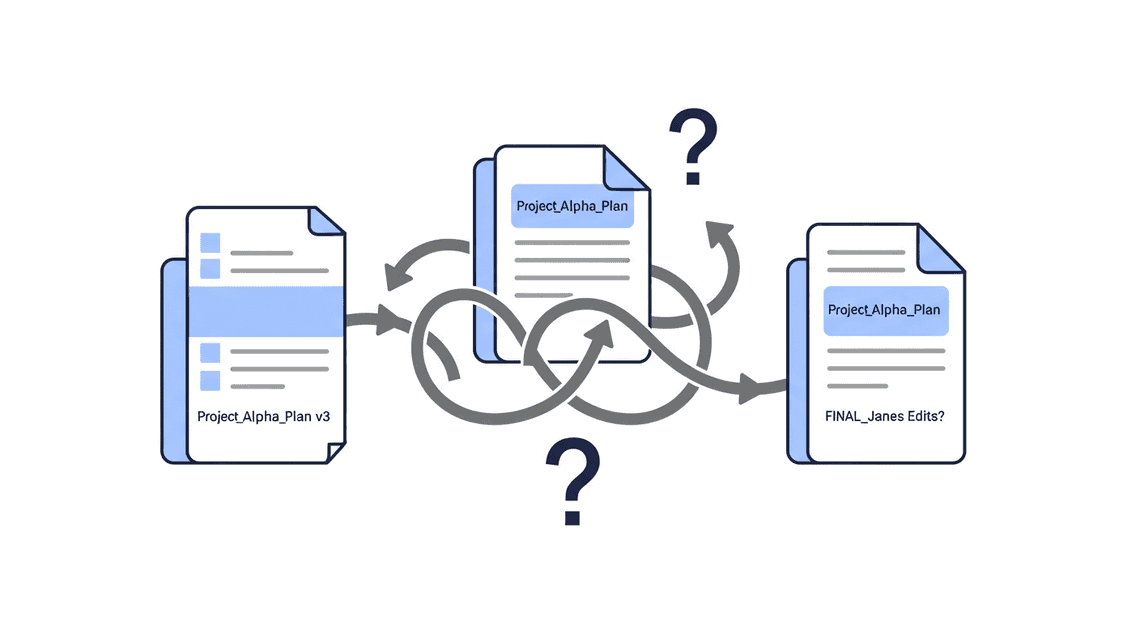
- Version Control Chaos and Data Inconsistency: The most immediate problem is the “which-doc-is-the-right-doc?” dilemma. Teams end up with multiple documents—
Project_Alpha_Plan_v3,Project_Alpha_Plan_FINAL,Project_Alpha_Plan_FINAL_JanesEdits—each containing slightly different data points, timelines, or stakeholder lists. Decisions are made based on outdated or incomplete information, leading to misaligned efforts, missed deadlines, and wasted resources.
-
Productivity Drain: Knowledge workers spend an inordinate amount of time on low-value “digital scavenger hunts,” searching through Drive, asking colleagues in Slack, and manually copy-pasting data from various Docs into a summary spreadsheet. This isn’t just inefficient; it’s a morale-killer that pulls skilled individuals away from strategic work.
-
Impaired Strategic Decision-Making: For leadership, this fragmentation creates a fog of war. It becomes nearly impossible to get a real-time, accurate overview of project statuses, key risks, or team-wide OKR progress. Strategic planning relies on a clear view of the landscape, and a landscape littered with conflicting documents provides anything but.
-
Compliance and Security Gaps: A distributed and poorly managed document ecosystem is a nightmare for governance and security. How can you ensure PII or confidential company IP is properly secured when it might exist in a dozen different documents, each with its own unique sharing settings? Auditing for compliance with regulations like GDPR or SOC 2 becomes a monumental, manual task, and the risk of an accidental data leak increases with every new document created.
Introducing the ‘Source-of-Truth’ Agent as a Centralized Solution
To combat this digital entropy, we need to move beyond manual consolidation. The solution is to architect an automated, intelligent system: a ‘Source-of-Truth’ Agent. This agent is not merely a passive data warehouse. It is an active, programmatic entity that lives within your Automated Client Onboarding with Google Forms and Google Drive. environment.
Its core mission is to:
-
Scan: Systematically traverse specified folders in Google Drive to identify relevant documents.
-
Parse: Extract the raw text and structural content from each Google Doc.
-
Understand: Leverage a Large Language Model (LLM) to apply contextual understanding, identifying and extracting key entities like project names, deadlines, budgets, action items, and sentiment.
-
Consolidate: Write this newly structured, high-value information into a single, centralized Google Sheet, which serves as the definitive source of truth.
This agent transforms a chaotic collection of unstructured narratives into a structured, queryable, and always-up-to-date database. It replaces the error-prone, time-consuming manual processes with tireless, intelligent [Automated Job Creation in Real Time Jobber and Google Sheets Integration from Gmail](https://votuduc.com/Automated-Job-Creation-in-Jobber-from-Gmail-p115606), creating a single pane of glass through which teams and leaders can view their most critical operational data.
Overview of the Core Technology Stack: DriveApp, Gemini, and SheetsApp
The elegance of this solution lies in its ability to be built almost entirely within the Google ecosystem, primarily using [AI Powered Cover Letter Automated Quote Generation and Delivery System for Jobber Engine](https://votuduc.com/AI-Powered-Cover-Letter-Automated Work Order Processing for UPS-Engine-p111092) as the orchestration layer. Apps Script provides the serverless execution environment that connects the key services required to bring our agent to life.
DriveApp: The Seeker
This is the agent’s sensory input for navigating the file system. The DriveApp service within Apps Script is the programmatic interface to Google Drive. We will use it to perform foundational tasks like iterating through folders, finding files based on naming conventions or modification dates, accessing file metadata, and, most importantly, reading the content of each Google Doc. It’s the component that finds and retrieves the raw, unstructured data for processing.
- Gemini: The Brain
This is where the magic happens. Once we have the text from a document, we need to make sense of it. Simply searching for keywords is too brittle. We need genuine comprehension. By making API calls from our Apps Script to a powerful LLM like Google’s Gemini, we can perform sophisticated Natural Language Processing (NLP). We’ll instruct Gemini to act as an expert analyst, providing it with the raw text and asking it to extract specific, structured information—for example, “From this project update document, return a JSON object containing the project name, the current status, a list of blockers, and the projected completion date.” Gemini transforms unstructured prose into structured, machine-readable data.
SheetsApp: The Ledger
This is the agent’s destination and organizational tool. After Gemini has extracted the structured data, the SheetsApp service allows our script to interact with Google Sheets. We will use it to write the extracted information into the appropriate cells of our designated “source-of-truth” Sheet. It can append new rows for new documents, update existing rows when a document is modified, apply formatting for readability, and even create charts or pivot tables. This service turns the processed information into a clean, accessible, and highly usable dashboard for human consumption.
Core Architectural Principles for Data Synchronization
Building a robust Source of Truth agent requires moving beyond simplistic, brittle scripts that run on a schedule. True synchronization is not about periodic, brute-force checks; it’s about creating a responsive, intelligent, and resilient system. The architecture must be designed to handle events as they happen, interpret data from diverse formats, and treat its sources with the appropriate level of structure. We’ll anchor our design in three core principles: a reactive event-driven model, the strategic use of Sheets as a database, and the intelligent application of AI for unstructured data.
Designing an Event-Driven System for Real-Time Updates
The most common anti-pattern in data synchronization is polling. A cron job that runs every five minutes to “check for changes” is inefficient, latent, and scales poorly. It hammers APIs with redundant requests, creating unnecessary cost and complexity. Worse, it introduces a built-in delay between an update and its propagation, failing the “source of truth” test in a world that expects real-time data.
An Event-Driven Architecture (EDA) flips this model on its head. Instead of asking “has anything changed?”, the system is told when a change occurs.
The Flow of an Event:
-
Event Source (The Trigger): The process begins within Automated Discount Code Management System itself. We leverage the Google Drive API’s Push Notifications (
changes.watchmethod). By subscribing to a specific file (a Doc or Sheet) or an entire folder, we instruct Google to send us a notification whenever a change occurs. This is our trigger—a low-cost, highly efficient signal. -
Event Ingestion & Queuing (The Decoupler): The notification from Google is sent to a dedicated webhook endpoint. This endpoint’s sole job is to be a reliable receiver. It should do minimal work—ideally, just validating the request and placing the event payload onto a message queue or event bus like Google Cloud Pub/Sub or AWS SQS. This is a critical decoupling step. It ensures that even if our processing logic is down or slow, the event is not lost. The queue acts as a durable buffer, allowing us to process changes at our own pace and handle sudden spikes in activity without dropping data.
-
Event Consumption (The Worker): Subscribed to the message queue are one or more event consumers. These are typically lightweight, stateless services like Google Cloud Functions or AWS Lambda. When a new message appears in the queue, a consumer is invoked. Its job is to parse the event payload (which might simply contain the ID of the modified file), use the relevant API to fetch the latest content from the Doc or Sheet, and then execute the core business logic—be it parsing the data, validating it, or propagating it to downstream systems.
This event-driven approach provides near-instantaneous data propagation, drastically reduces API costs by eliminating polling, and creates a highly scalable and resilient system where components can be developed, deployed, and scaled independently.
Leveraging Google Sheets as a Lightweight Scalable Database
It’s time to reframe our perception of Google Sheets. It is not merely a spreadsheet application; it’s a highly accessible, collaborative, version-controlled, and API-first structured data store. For a vast category of use cases, it serves as a more effective and user-friendly database than a traditional SQL or NoSQL solution.
Why Sheets Excels as a “Human-in-the-Loop” Database:
-
Unmatched User Interface: The primary advantage is its universal accessibility. Business users, project managers, and content creators can directly and intuitively interact with the data without needing a custom-built admin panel or database client. This dramatically lowers the barrier for data entry and maintenance.
-
Inherent Structure: A sheet imposes a tabular structure of rows and columns, making it a natural fit for storing lists of objects, configuration parameters, product catalogs, or any entity-attribute data.
-
Robust and Granular API: The Google Sheets API is powerful, offering batch operations for high-performance updates, granular control over cell ranges, formatting, and data validation. Using named ranges in your code instead of static A1 notation (
A1:B20) makes your integration resilient to users adding or removing columns. -
“Free” Enterprise-Grade Features: You get version history, granular cell-level commenting, and sophisticated role-based access control (viewer, commenter, editor) out of the box. Building these features into a custom application would be a significant engineering effort.
Understanding its “Scalability”:
Google Sheets is not a replacement for a high-throughput transactional database like PostgreSQL. It has a limit of 10 million cells per workbook. However, for its intended use case—managing data sets with tens or hundreds of thousands of rows—it is exceptionally scalable. It’s the perfect backend for configuration management, feature flag definitions, marketing campaign trackers, or any system where data integrity and human oversight are paramount. The key is to treat it like a database: design a clear schema with dedicated tabs, enforce data validation rules, and interact with it programmatically via a well-architected service layer.
The Strategic Role of Generative AI in Unstructured Data Parsing
While Sheets provides structure, Google Docs represent the opposite challenge: unstructured, free-form content. A project brief, meeting notes, or a marketing one-pager contains valuable data, but it’s locked in prose, tables, and bullet points. Historically, extracting this data required a fragile web of regular expressions and rule-based parsers that would break the moment a human editor changed a heading or rephrased a sentence.
This is where Generative AI, and Large Language Models (LLMs) in particular, become a transformative architectural component.
From Brittle Rules to Intelligent Interpretation:
Instead of writing code to find the data, we write a prompt to ask an LLM to understand and extract it.
The Modern Parsing Workflow:
-
Trigger and Fetch: Our event-driven system notifies us that a Google Doc has been updated. A function fetches the raw text content of the document via the Google Docs API.
-
[Prompt Engineering for Reliable Autonomous Workspace Agents for Reliable Autonomous Workspace Agents](https://votuduc.com/prompt-engineering-for-reliable-autonomous-workspace-agents-p-20260319404106) for Structure: This content is then embedded into a carefully engineered prompt for a model like Google’s Gemini or OpenAI’s GPT-4. The prompt provides context and a clear directive. For example:
“You are an expert data extraction system. Analyze the following project proposal document. Extract the project name, the primary contact’s email, a list of key deliverables, and the final due date. Return this information as a valid JSON object. The
deliverableskey should be an array of strings, and thedueDateshould be inYYYY-MM-DDformat.”
- Structured Output with Function Calling: To make this process even more robust, we leverage modern LLM features like Function Calling (or Tool Use). Instead of just asking for a JSON string in the response, we provide the model with a function schema (e.g.,
update_project_database(projectName: string, contactEmail: string, deliverables: array, dueDate: string)). The LLM’s response is not the data itself, but a call to this function with the arguments correctly populated and typed. This eliminates the risk of parsing malformed JSON and guarantees the output conforms to our application’s data model.
By integrating an LLM as a parsing layer, we build a system that is not only powerful but also incredibly resilient to the natural variations of human-generated content. We can now treat unstructured documents as a reliable source of structured truth, unlocking vast amounts of data that were previously inaccessible to automated systems.
Phase 1 Change Detection with DriveApp
The foundational layer of our agent is its ability to perceive change. Before it can act as a source of truth, it must first be a reliable sensor for modifications within its designated documents. In this initial phase, we leverage the native capabilities of Genesis Engine AI Powered Content to Video Production Pipeline and the Drive API to build a robust, albeit coarse-grained, change detection system. This approach combines reactive triggers for immediate notification with a proactive polling mechanism to ensure completeness and resilience.
Setting Up Triggers to Monitor Document Modifications
[Architecting Multi Tenant AI Workflows in Building Modular Agentic Apps Script with Gemini Function Calling](https://votuduc.com/architecting-multi-tenant-ai-workflows-in-google-apps-script-p-20260321290501) provides event-driven triggers that serve as our first line of defense. These triggers execute a function in response to a specific event, such as a document being edited. The primary tool for this is the onChange installable trigger.
While simple triggers like onEdit(e) exist, they are limited to Google Sheets and have execution constraints that make them unsuitable for a robust agent. The onChange(e) trigger is more versatile, firing in response to a wider array of change types (e.g., insertions, deletions, format changes) across Docs, Sheets, and Slides.
To implement this, we first define the function that the trigger will execute. This function receives an event object e containing contextual information about the change.
/**

* Responds to change events in a Google Doc or Sheet.

* This function is intended to be run by an installable onChange trigger.

*

* @param {Object} e The event object.

*/

function respondToChange(e) {

// e.changeType can be 'EDIT', 'INSERT_ROW', 'REMOVE_COLUMN', 'FORMAT', 'OTHER', etc.

console.log(`Change event detected: ${e.changeType}`);

// Get the source document

const doc = DocumentApp.getActiveDocument(); // Or SpreadsheetApp.getActiveSpreadsheet()

const fileId = doc.getId();

// At this stage, we simply log the event.

// In a full implementation, this would queue a processing task.

console.log(`Document with ID ${fileId} was modified.`);

// Note: For Docs, the event object is less granular. It tells you a change

// happened, but not what the specific content change was.

}
This function must be linked to a document via an installable trigger. This can be done manually through the Apps Script editor (Triggers > Add Trigger) or programmatically, which is preferable for automated deployments.
/**

* Creates an installable onChange trigger for the active document.

* This function should be run once to set up the monitoring.

*/

function createOnChangeTrigger() {

const docId = DocumentApp.getActiveDocument().getId();

ScriptApp.newTrigger('respondToChange')

.forDocument(docId)

.onChange()

.create();

console.log('onChange trigger created successfully.');

}
The key takeaway is that onChange provides an immediate, push-based notification that a modification has occurred. However, it doesn’t detail the content of the change and can potentially miss events if the script is undergoing maintenance or experiences execution errors. This necessitates a more resilient, polling-based backup.
Using Change Logs and Start Page Tokens for Efficient Polling
To guarantee that no modification goes unnoticed, we supplement our reactive triggers with a proactive polling mechanism using the advanced Drive API service. The Drive API maintains a chronological log of all changes to files. By periodically querying this log, our agent can reconcile any events missed by the onChange trigger.
The naive approach of repeatedly fetching all file metadata and comparing modifiedDate timestamps is grossly inefficient. The correct method involves using the Changes collection and startPageToken.
A startPageToken is a pointer to a specific moment in the Drive change log. When you query for changes, you provide the last token you received. The API then returns only the changes that have occurred since that point. This transforms an expensive state comparison into an efficient log-reading operation.
First, enable the “Drive API” in your Apps Script project under “Services +“.
/**

* Polls the Drive API for changes to monitored files since the last check.

*/

function pollDriveChanges() {

const properties = PropertiesService.getScriptProperties();

let pageToken = properties.getProperty('driveStartPageToken');

// If no token is stored, get a new one. This marks the beginning of our change history.

if (!pageToken) {

const response = Drive.Changes.getStartPageToken();

pageToken = response.startPageToken;

properties.setProperty('driveStartPageToken', pageToken);

console.log('Initial startPageToken saved.');

return; // Exit on the first run; we'll start polling from this point forward.

}

// Poll for changes since the last saved token.

const options = {

pageToken: pageToken,

fields: 'newStartPageToken, items(fileId, removed, file(id, mimeType, modifiedDate))'

};

let changeList;

try {

changeList = Drive.Changes.list(options);

} catch (e) {

console.error(`Failed to fetch Drive changes: ${e.toString()}`);

// Handle potential errors, e.g., invalid page token. May need to reset the token.

return;

}

const changes = changeList.items;

if (changes && changes.length > 0) {

// Process the changes (covered in the next section)

processDetectedChanges(changes);

} else {

console.log('No new changes detected.');

}

// IMPORTANT: Save the new token for the next poll.

const newStartPageToken = changeList.newStartPageToken;

properties.setProperty('driveStartPageToken', newStartPageToken);

}

/**

* Placeholder for processing logic.

* @param {Array} changes A list of change objects from the Drive API.

*/

function processDetectedChanges(changes) {

console.log(`Processing ${changes.length} detected changes...`);

// Filtering and processing logic will go here.

}
This pollDriveChanges function should be executed by a time-driven trigger, configured to run at a suitable interval (e.g., every 5 or 10 minutes), balancing responsiveness with API quota usage.
Filtering Events to Isolate Relevant Document Updates
The Drive change log is verbose. It includes every modification, from the renaming of a photo in a personal folder to the creation of a new spreadsheet. Our agent must intelligently filter this stream to isolate events relevant only to our designated source-of-truth documents.
The filtering logic should be implemented within our change processing function. We need a definitive list of file IDs that our agent is responsible for monitoring. This list could be hardcoded, but a more flexible solution is to store it in PropertiesService or within a configuration Sheet.
A change object from the API contains crucial fields for filtering:
-
fileId: The unique ID of the modified file. -
removed: A boolean that istrueif the file was deleted or trashed. -
file: An object containing the file’s metadata, such asmimeTypeandmodifiedDate.
Here is the refined processing logic that incorporates this filtering.
/**

* Processes a list of change objects from the Drive API, filtering for

* relevant source-of-truth documents.

*

* @param {Array} changes A list of change objects from the Drive API.

*/

function processDetectedChanges(changes) {

// Assume we have a list of file IDs we care about.

// In a real application, this would be retrieved from a configuration store.

const MONITORED_FILE_IDS = ['DOC_ID_1', 'SHEET_ID_2'];

const relevantChanges = changes.filter(change => {

// Rule 1: Is the change related to a file we are monitoring?

return MONITORED_FILE_IDS.includes(change.fileId);

});

if (relevantChanges.length === 0) {

console.log('Detected changes were not for monitored files.');

return;

}

console.log(`Found ${relevantChanges.length} relevant changes.`);

for (const change of relevantChanges) {

// Rule 2: Was the file deleted?

if (change.removed) {

console.log(`ALERT: Monitored file ${change.fileId} was removed or trashed.`);

// Trigger a process to handle deletion/archival.

continue; // No further processing needed for this item.

}

// Rule 3: Is it the correct file type? (A sanity check)

const mimeType = change.file.mimeType;

if (mimeType !== 'application/vnd.google-apps.document' && mimeType !== 'application/vnd.google-apps.spreadsheet') {

console.warn(`Monitored file ${change.fileId} has an unexpected MIME type: ${mimeType}. Skipping.`);

continue;

}

// If all checks pass, we have a confirmed modification to a source-of-truth document.

console.log(`Confirmed modification for file ${change.file.id} at ${change.file.modifiedDate}.`);

// This is the handoff point. Queue this fileId for a deeper analysis

// in Phase 2, which would involve fetching content and performing a diff.

queueForContentAnalysis(change.file.id);

}

}

/**

* Placeholder for the next phase of the agent's logic.

* @param {string} fileId The ID of the file to analyze.

*/

function queueForContentAnalysis(fileId) {

console.log(`Queueing ${fileId} for deep content analysis.`);

}
With this combination of reactive triggers and robust, filtered polling, we have established a reliable system for detecting that a change has occurred. This concludes Phase 1. The agent is now aware of modifications, setting the stage for the next critical task: understanding the substance of those changes.
It appears the ‘INCOMPLETE TEXT’ you provided is empty. To continue writing as requested, I need the text that was cut off. Please provide the actual incomplete text, and I will be happy to complete it for you.
Phase 3 Database Operations with SheetsApp
With our conceptual architecture defined, we now descend into the engine room. This is where the abstract “Source of Truth” materializes into tangible operations within Google Sheets. Our primary tool is SheetsApp, a service within Google Apps Script that provides the API to treat a spreadsheet not as a mere grid of cells, but as a structured data store. While it lacks the ACID guarantees of a traditional RDBMS, with careful design, we can build a surprisingly robust and resilient system. This phase is about imposing database-like discipline onto a spreadsheet’s inherent flexibility.
Designing the Master Google Sheet Schema for Data Integrity
Before a single line of CRUD logic is written, the schema must be forged. A poorly designed schema is the root of instability, leading to brittle code that breaks when a user innocently inserts a column. A robust schema is the foundation of a reliable agent.
1. The Sheet-as-Table Mental Model:
Each sheet (tab) within your Google Sheet workbook represents a table. Each row is a record, and each column is a field. The first row must be a frozen header row containing programmatic, immutable names for your fields (e.g., record_id, source_doc_id, created_timestamp, record_status). Avoid spaces and special characters; use snake_case or camelCase.
2. The Non-Negotiable Primary Key:
Every record requires a unique identifier. Relying on row number is a fatal mistake, as it changes the moment rows are sorted or deleted.
-
Strategy: Dedicate the first column (Column A) to a unique
record_id. -
Implementation: Use a UUID (Universally Unique Identifier). While a simple incrementing number seems easier, a UUID is superior as it’s non-sequential and can be generated independently, which is vital if multiple processes or future distributed systems need to create records. A simple Apps Script function can generate these.
3. Enforcing Type and Structure with Data Validation:
Leverage the built-in power of Google Sheets to enforce data integrity at the source, preventing invalid data from ever being entered, whether by a user or a faulty script.
-
Enumerated Types: For fields like
record_status, use Data Validation to create a dropdown list from a range (e.g., ‘PENDING’, ‘ACTIVE’, ‘ARCHIVED’). This prevents typos and ensures consistency. -
Format Constraints: Use custom formulas in Data Validation to enforce patterns. For example, ensure a
source_doc_idcolumn matches the expected format of a Google Doc ID or that a date column is a valid date.
4. Metadata and System Columns:
A source of truth needs to know its own history. Reserve columns for system-managed metadata:
-
created_timestamp: An ISO 8601 timestamp set once upon record creation. -
updated_timestamp: Updated every time a record is modified. -
last_modified_by: The user or script identity that last touched the record. -
content_hash: An MD5 or SHA256 hash of the record’s key data fields. This is a powerful tool for quickly detecting changes without comparing every single field, crucial for efficient reconciliation.
Example Schema for Tracking Google Docs:
| record_id (PK) | source_doc_id | doc_title | record_status | created_timestamp | updated_timestamp | content_hash |
| :--- | :--- | :--- | :--- | :--- | :--- | :--- |
| uuid-v4-string | google-doc-id | Project Phoenix Spec | ACTIVE | 2023-10-27T10:00:00Z | 2023-10-27T12:30:00Z | md5-hash-of-data |
Finally, your script should never hardcode column numbers (e.g., row[2]). On initialization, it should read the header row and build a map or object that translates field names to column indices ({record_id: 0, source_doc_id: 1, ...}). This makes your code resilient to column reordering.
Implementing CRUD (Create Read Update Delete) Logic
With a solid schema, we can build the core functions that manipulate our data. All logic should be encapsulated in dedicated functions within your Apps Script project.
Create (createRecord)
This function is responsible for adding new records to the sheet.
-
Input: Takes a JavaScript object representing the new record (e.g.,
{source_doc_id: '...', doc_title: '...'}). -
Enrichment: The function generates the
record_id(UUID), sets the initialcreated_timestampandupdated_timestamp, and sets a defaultrecord_status(e.g., ‘PENDING’). It also calculates the initialcontent_hash. -
Insertion: It constructs an array representing the new row, ordered according to your schema’s column index map.
-
Execution: Uses
sheet.appendRow(newRowArray)to add the data to the first empty row. This is an atomic and efficient operation. -
Output: Returns the full record object, including the newly generated system fields.
Read (getRecordById, findRecords)
Retrieving data efficiently is key.
getRecordById(id): For fetching a single, known record. Avoid iterating over the entire sheet. Use theTextFinderAPI, which is highly optimized for this task.
const finder = sheet.createTextFinder(id).matchEntireCell(true);

const range = finder.findNext();

if (range) {

const rowData = sheet.getRange(range.getRow(), 1, 1, sheet.getLastColumn()).getValues()[0];

// Convert array to a structured object using the header map

return arrayToObject(rowData);

}

return null;
findRecords(query): For more complex queries (e.g., find all records whererecord_statusis ‘ACTIVE’).
-
Read the entire data set into memory with
sheet.getDataRange().getValues(). -
Convert this 2D array into an array of objects for easier filtering.
-
Filter this array in your script based on the query parameters.
-
Be mindful of performance. For sheets with tens of thousands of rows, this operation can be slow and hit execution time limits.
Update (updateRecord)
Modifying existing records requires precision.
-
Input: Takes a
record_idand an object containing only the fields to be changed. -
Find: First, locate the row number for the given
record_idusing the sameTextFinderlogic as the read operation. If not found, throw an error. -
Prepare: Calculate the new
content_hashbased on the proposed changes. Compare it to the existing hash. If they match, the record is unchanged; abort the operation to save resources and avoid unnecessary writes. -
Execute: If the hash differs, update the
updated_timestamp. Use the header map to identify the specific column indices for the fields that need changing. Userange.offset(0, colIndex).setValue(newValue)for each field to perform targeted cell updates, which is more efficient than rewriting the entire row. -
Output: Returns the updated record object.
Delete (deleteRecord)
In a Source of Truth system, data is rarely truly deleted.
-
Hard Delete (Discouraged):
sheet.deleteRow(rowNumber)permanently removes the row. This is destructive and loses historical context. Avoid it unless absolutely necessary for data privacy or cleanup tasks. -
**Soft Delete (Recommended): This is the architecturally sound approach. The
deleteRecord(id)function does not delete the row. Instead, it performs an update operation, changing therecord_statusfield from ‘ACTIVE’ to ‘ARCHIVED’ or ‘DELETED’. This preserves the record for auditing, history, and potential restoration, maintaining the integrity of the source of truth.
Building Reconciliation and Error-Handling Mechanisms
A script that only performs CRUD is not an agent. An agent is autonomous, resilient, and aware of its environment. This requires robust mechanisms for handling the messy reality of concurrency, failure, and state drift.
Concurrency and Locking
What happens if two triggers fire simultaneously and attempt to update the same record? This is a race condition that leads to data corruption.
- Solution: Use Google’s
LockService. Before any critical read-modify-write sequence, acquire a script-level lock.
const lock = LockService.getScriptLock();

const success = lock.waitLock(30000); // Wait up to 30s for the lock

if (!success) {

throw new Error("Could not obtain lock on the script.");

}

try {

// ... perform your critical operations here ...

// e.g., read a value, calculate a new one, write it back

} finally {

lock.releaseLock(); // ALWAYS release the lock, even if an error occurs

}
This ensures that only one execution thread can operate on the critical section of your code at a time, serializing access and preventing race conditions.
Idempotency and Reconciliation
Your agent will run on a schedule. It must be designed to produce the same outcome regardless of how many times it runs with the same input state. This is idempotency.
- The Reconciliation Loop: This is the agent’s core function, typically run on a time-based trigger. It’s not just waiting for events; it’s proactively verifying its world.
-
Fetch State: Get all ‘ACTIVE’ records from the Sheet.
-
Verify External Reality: For each record, use the appropriate service (
DocumentApp,DriveApp, etc.) to check the actual status of the linked artifact. Does the Google Doc still exist? Has its title changed? -
Correct Drift: If the external reality has diverged from the Source of Truth, the agent corrects it.
-
If a Doc was deleted, soft-delete the corresponding record in the Sheet.
-
If a Doc’s title was changed manually, update the
doc_titlefield in the Sheet.
- Use the Hash: The
content_hashis your best friend here. Before performing a full check on an artifact, you can quickly verify if anything has changed by re-calculating the hash and comparing it to the stored value.
Robust Error Handling and Logging
Scripts fail. Networks glitch. APIs change. A production-ready agent anticipates this.
-
try...catchEverything: Wrap all major operations, especially API calls and sheet modifications, intry...catchblocks. -
Log to a Sheet: The simplest and most effective logging mechanism is to create a dedicated “Logs” sheet in the same workbook. When an error is caught,
appendRowa new log entry with: -
A timestamp.
-
The function name where the error occurred.
-
The error message and stack trace.
-
Contextual information (e.g., the
record_idbeing processed). -
Alerting: For critical failures (e.g., failure to get a lock, inability to parse the header row), use
MailAppor aUrlFetchAppcall to a webhook (like Slack or Discord) to send an immediate notification to the system administrator. Do not let your agent fail silently.
Implementation Blueprint and Scaling Considerations
Transitioning from a conceptual architecture to a tangible, production-ready system requires a detailed blueprint. This section breaks down the core implementation patterns, from the initial authentication handshake with Google’s APIs to the architectural decisions that will allow your agent to scale gracefully as its workload and complexity grow.
Step-by-Step Code Structure and Authentication Flow
At the heart of any Automated Email Journey with Google Sheets and Google Analytics integration is a secure and reliable authentication mechanism. For a backend agent designed to run non-interactively, a Service Account is the industry-standard approach. Unlike OAuth 2.0 flows that require user consent via a browser, a service account is a special non-human user that authenticates with its own credentials.
Authentication Flow with a Service Account:
-
Create the Service Account: In your Google Cloud Console, navigate to “IAM & Admin” > “Service Accounts.” Create a new account, giving it a descriptive name like
source-of-truth-agent. -
Generate a Key: Once created, generate a JSON key for the service account. This file contains the private credentials your application will use to authenticate. Treat this file like a password; store it securely (e.g., using a secret manager like Google Secret Manager, AWS Secrets Manager, or HashiCorp Vault) and never commit it to version control.
-
Enable APIs: In the Google Cloud Console, ensure the “Google Docs API” and “Google Sheets API” are enabled for your project.
-
Grant Domain-Wide Delegation (Critical for Access): A service account, by itself, has no access to user files. To allow it to read Docs and Sheets, you must grant it domain-wide delegation.
-
Go to your Automated Google Slides Generation with Text Replacement Admin console (
admin.google.com). -
Navigate to “Security” > “Access and data control” > “API controls.”
-
In the “Domain-wide Delegation” panel, add a new API client.
-
Enter the service account’s unique “Client ID” (found in the service account details in the Cloud Console).
-
Provide the necessary OAuth scopes. For a read-only agent, these are typically:
-
https://www.googleapis.com/auth/documents.readonly -
https://www.googleapis.com/auth/spreadsheets.readonly -
https://www.googleapis.com/auth/drive.readonly(useful for finding files and checking metadata likemodifiedTime)
With this setup, the service account can now act on behalf of users in your domain, constrained by the scopes you’ve authorized.
Proposed Code Structure (JSON-to-Video Automated Rendering Engine Example):
A modular structure is key to a maintainable agent. Consider organizing your code into logical components:
source_of_truth_agent/

├── main.py                 # Main orchestrator and entry point

├── config.py               # Handles configuration (env vars, constants)

├── google_clients/

│   ├── __init__.py

│   └── auth.py             # Handles authentication and service creation

│   └── sheets_client.py    # Logic specific to fetching and parsing Sheets data

│   └── docs_client.py      # Logic specific to fetching and parsing Docs data

└── processing/

├── __init__.py

└── transformer.py      # Transforms raw data into a canonical model

└── models.py           # Defines data structures (e.g., Pydantic models)
Simplified Authentication and Client Logic (auth.py):
# google_clients/auth.py

from google.oauth2 import service_account

from googleapiclient.discovery import build

SCOPES = [

'https://www.googleapis.com/auth/spreadsheets.readonly',

'https://www.googleapis.com/auth/documents.readonly'

]

SERVICE_ACCOUNT_FILE = 'path/to/your/credentials.json'

def get_credentials(subject_user_email=None):

"""Creates credentials, optionally impersonating a user."""

creds = service_account.Credentials.from_service_account_file(

SERVICE_ACCOUNT_FILE, scopes=SCOPES

)

if subject_user_email:

return creds.with_subject(subject_user_email)

return creds

def get_sheets_service(creds):

"""Builds and returns the Sheets API service object."""

return build('sheets', 'v4', credentials=creds)

def get_docs_service(creds):

"""Builds and returns the Docs API service object."""

return build('docs', 'v1', credentials=creds)
The subject_user_email parameter is crucial. When you use domain-wide delegation, you must specify which user the service account is impersonating to access their files. The agent can only read files that this impersonated user has access to.
Managing Automated Order Processing Wordpress to Gmail to Google Sheets to Jobber Execution Quotas and Permissions
A proof-of-concept can ignore API limits, but a production system will fail without robust quota management. Google APIs enforce quotas to ensure fair usage and system stability.
Understanding Quotas:
-
Per-Project Limits: Most standard API quotas are applied per-project. For the Sheets and Docs APIs, a common default limit is 300 requests per minute per project.
-
Per-User Limits: Some quotas are also refined on a per-user basis (e.g., 60 requests per minute per user per project). When your service account impersonates different users, be mindful of this nuance.
Strategies for Staying Within Limits:
-
Batch Operations: This is the single most effective technique. Instead of fetching 10 different cell ranges from a Sheet with 10 separate API calls, use the
spreadsheets.values.batchGetmethod to retrieve them all in a single call. -
Smart Caching: Don’t re-process files that haven’t changed. Before fetching the full content of a Doc or Sheet, make a lightweight call to the Google Drive API (
files.getwithfields=modifiedTime) to check the last modification timestamp. If it matches the timestamp from your last successful run, you can skip the file. -
**Exponential Backoff: Your agent’s code must handle transient errors gracefully. When you receive a
429 (Too Many Requests)or a5xxserver error, don’t just fail. Implement an exponential backoff-and-retry strategy. Most official Google API client libraries have this logic built-in, but ensure it’s enabled and configured correctly. -
Monitor and Alert: Use the Google Cloud Console’s API dashboards to monitor your usage. Set up alerting to notify you when you approach, for example, 80% of your quota. This gives you time to optimize your code or formally request a quota increase before your service is impacted.
Permissions and the Principle of Least Privilege:
-
**Scoped Access: Only grant the service account the permissions it absolutely needs. If the agent only reads data, use
readonlyscopes everywhere. Avoid granting broad permissions likehttps://www.googleapis.com/auth/drive, which would allow it to see all files of the impersonated user. -
Explicit Sharing: For the agent to access a file, either the impersonated user must have access, or the service account’s email address (
...gserviceaccount.com) must be directly shared on the Doc or Sheet’s “Share” dialog, just like a regular user. This provides a clear and auditable access trail.
Future-Proofing Your Architecture for Increased Volume and Complexity
An agent that processes ten documents a day has very different architectural needs than one that processes thousands. Planning for scale from the beginning will prevent painful rewrites later.
Scaling for Volume (More Documents, Higher Frequency):
The simple cron job model breaks down under heavy load. The solution is to decouple the detection of a change from the processing of that change using an event-driven architecture.
-
Shift from Polling to Push: Instead of checking every file on a schedule, use the Google Drive Push Notifications API. This allows you to subscribe to changes on a specific file or folder. When a document is updated, Google sends a webhook notification to an endpoint you control. This is vastly more efficient and provides near real-time updates.
-
Introduce a Message Queue: Your webhook endpoint should do one thing: receive the notification, validate it, and place a simple message (e.g.,
{ "fileId": "...", "userEmail": "..." }) onto a message queue like Google Pub/Sub or AWS SQS. This makes your ingestion point fast and resilient. -
Scale with Asynchronous Workers: The heavy lifting of fetching, parsing, and transforming the document is handled by a separate pool of worker processes (e.g., Cloud Functions, Cloud Run services). These workers subscribe to the message queue, pull tasks, and can be scaled horizontally and independently of the ingestion endpoint. If you have a sudden influx of 1,000 document updates, the system can automatically scale up the number of workers to handle the load.
Scaling for Complexity (Varied Document Structures):
As you add more types of documents to your “source of truth” ecosystem, a monolithic parser becomes unmanageable.
- Adopt a Strategy Pattern: Implement a factory that selects a specific “extractor” or “parser” class based on the document type. You could identify the type via a naming convention (
INV-2023-001_...), a tag in the file’s metadata, or by looking it up in a central configuration registry. This allows you to add support for a new document structure by simply adding a new parser class, without touching the core orchestration logic.
# Simplified example

def get_parser(file_name):

if "invoice" in file_name.lower():

return InvoiceSheetParser()

elif "project_plan" in file_name.lower():

return ProjectPlanDocParser()

else:

return DefaultParser()
-
Schema-Driven Transformation: Define the desired output structure for each document type using a formal schema (e.g., Pydantic models in Python, JSON Schema). The role of each parser is to extract raw data and map it to its corresponding, strongly-typed schema. This enforces a clean data contract, provides automatic validation, and makes the data immediately usable by downstream systems.
-
**Externalize Configuration with a Control Plane: For a large-scale system, managing configuration in files or environment variables is brittle. A “control plane”—which could be as simple as a dedicated Google Sheet or a proper database—should become the agent’s source of truth about itself. This control plane would store metadata for each managed document:
-
document_id -
document_type(to select the right parser) -
target_system_endpoint -
is_active(boolean flag to enable/disable processing) -
last_sync_status -
last_sync_timestamp
Your agent’s main loop would first query this control plane to determine its workload, making the entire system more dynamic, observable, and manageable.
Conclusion: Unify Your Organization’s Knowledge Base
We’ve journeyed through the architectural blueprints of creating a dynamic, intelligent Source of Truth Agent for Google Docs and Sheets. Moving beyond theoretical concepts, we’ve outlined a tangible path to transform scattered documents and spreadsheets from passive repositories into an active, queryable intelligence layer. The architecture, centered around robust data ingestion pipelines, sophisticated embedding models, and the power of Retrieval-Augmented Generation (RAG), isn’t just a technical exercise—it’s a fundamental shift in how your organization interacts with its own knowledge.
The Transformative Impact of a Centralized Source of Truth
The true power of this system lies in its ability to shatter information silos. No longer will critical data be locked away in a forgotten Sheet tab or a buried Doc paragraph. By creating a unified semantic index, you democratize access to information, ensuring consistency and eliminating the costly errors that arise from outdated or conflicting data.
The impact is immediate and far-reaching:
-
Accelerated Onboarding: New team members can query the system for processes, project histories, and best practices, getting up to speed in days, not weeks.
-
Enhanced Decision-Making: Leadership can access real-time, aggregated insights from across all project documentation, leading to more informed and agile strategic planning.
-
Boosted Productivity: Your teams are liberated from the drudgery of information hunting. Time previously spent searching through drives and pinging colleagues for links is reclaimed for high-value, innovative work.
Ultimately, you’re not just building a search tool; you’re cultivating a collective intelligence. You are empowering every individual in your organization with the full weight of its accumulated knowledge, accessible through a simple, conversational interface.
Ready to Scale Your Architecture? Book Your Solution Discovery Call
The architecture we’ve discussed provides a powerful and scalable blueprint. However, every organization’s data landscape is unique, with its own set of complexities, security requirements, and integration points. Implementing a solution that is not only powerful but also secure, compliant, and perfectly tailored to your workflows is paramount.
This is where expert guidance becomes invaluable. If you’re ready to move from architectural diagrams to a fully realized Source of Truth that can redefine your operational efficiency, let’s connect.
[Book Your Complimentary Solution Discovery Call Today]
In this no-obligation call, we will:
-
Dive deep into your specific knowledge management challenges.
-
Assess how this agent architecture can be customized for your Automated Payment Transaction Ledger with Google Sheets and PayPal environment and other data sources.
-
Outline a strategic roadmap for a proof-of-concept and phased implementation.
Stop letting your most valuable asset—your institutional knowledge—lie dormant. Let’s build the solution that unlocks it.


Stop Doing Manual Work. Scale with AI.
Want to turn these blog concepts into production-ready reality for your team?
Table Of Contents
Portfolios
Related Posts
Quick Links
Legal Stuff