

Architecting Long Term Memory for Workspace Agents using Firestore Vector Search


Standard AI tools act like brilliant assistants with total amnesia, forcing you to constantly re-explain your ongoing projects. Discover why persistent context is the missing ingredient for building truly seamless, intelligent workflows across your Google Workspace.
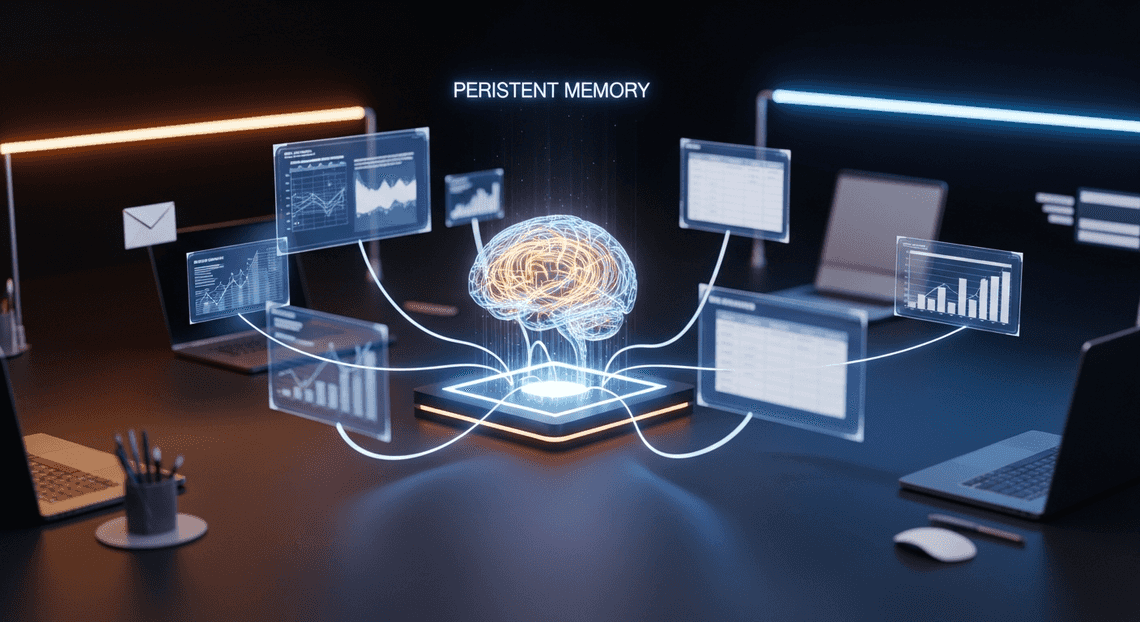
The Need for Persistent Context in Workspace AI
Imagine hiring a highly capable executive assistant who possesses an encyclopedic knowledge of the world, writes beautifully, and analyzes data with lightning speed. Now, imagine that every time you leave the room and come back, this assistant suffers from total amnesia. You have to re-introduce yourself, re-explain your ongoing projects, and hand them the same stack of background documents all over again.
This is the exact paradigm we face when building standard AI agents for Automatically create new folders in Google Drive, generate templates in new folders, fill out text automatically in new files, and save info in Google Sheets. While modern Large Language Models (LLMs) are incredibly powerful, their default mode of interaction is inherently episodic. In an enterprise environment where workflows span across Gmail threads, Google Docs, Drive folders, and weeks of ongoing collaboration, an AI agent’s utility is bottlenecked not by its reasoning capabilities, but by its inability to remember. To transition from a novel chatbot to a deeply integrated, autonomous team member, Secure Workspace AI Agents Using Apps Script OAuth Scopes and Data Governance require persistent context.
Limitations of Stateless AI Agents
At their core, LLMs are stateless functions. When you send a prompt to an API, the model processes the input, generates a sequence of tokens, and returns a response. Once the transaction is complete, the model retains zero memory of the exchange.

To create the illusion of a conversation, developers typically append the history of the current session to every new prompt. However, this approach introduces severe limitations in an enterprise context:
-
The Context Window Bottleneck: While models like Gemini 1.5 Pro boast massive context windows, relying solely on in-context learning for long-term memory is computationally expensive and introduces high latency. Shoving a user’s entire Google Drive history and months of chat logs into a prompt every time they ask a simple question is an architectural anti-pattern.
-
Prompt Fatigue and Cognitive Load: With stateless agents, the burden of providing context falls entirely on the user. If a user asks, “Draft a follow-up to last week’s architecture review,” a stateless agent will fail unless the user manually retrieves and pastes the meeting notes, the previous emails, and the architectural diagrams into the prompt. This friction defeats the purpose of an intelligent assistant.
-
Loss of Implicit Preferences: Stateless agents cannot learn from user behavior over time. They forget formatting preferences, the specific tone a user prefers for client emails, or the internal acronyms unique to a specific AC2F Streamline Your Google Drive Workflow domain. Every interaction starts from a blank slate, preventing the agent from becoming more personalized and efficient as it is used.
-
Siloed Interactions: In a collaborative Workspace environment, knowledge is distributed. A stateless agent interacting with User A has no way to leverage the insights it generated yesterday for User B, leading to duplicated efforts and fragmented organizational intelligence.
Defining Long Term Memory in Enterprise Workspaces
To overcome the limitations of statelessness, we must architect a system where memory is decoupled from the LLM’s immediate context window and managed as a persistent, queryable infrastructure layer. In the realm of enterprise Workspaces, Long Term Memory (LTM) is not just a database of chat logs; it is a dynamic, semantic index of an organization’s ongoing work and interactions.
Defining LTM for Workspace agents involves several critical dimensions:
-
**Semantic Persistence: LTM requires storing information in a way that captures its meaning, not just its raw text. By converting documents, emails, and past agent interactions into vector embeddings, the agent can perform semantic similarity searches. This allows the agent to recall a past decision about “database scaling” even if the user asks about “handling more traffic.”
-
Temporal Awareness: Enterprise memory isn’t static. An effective LTM architecture must understand the recency and frequency of information. A Google Doc updated yesterday should carry more weight than a deprecated project spec from three years ago.
-
Entity and Relationship Mapping: True LTM understands the graph of the Workspace. It knows that a specific Google Meet transcript is related to a specific project folder in Drive, and that certain users are the primary stakeholders for that project.
-
Contextual Retrieval (The RAG Paradigm): Rather than loading everything into the prompt, LTM relies on Retrieval-Augmented Generation (RAG). When a user issues a command, the system queries the LTM layer to fetch only the most highly relevant historical context, injecting it into the prompt behind the scenes.
-
Security and Access Control: In Automated Client Onboarding with Google Forms and Google Drive., memory must be strictly bound by Identity and Access Management (IAM). An agent’s LTM must respect document-level permissions, ensuring it never recalls or synthesizes information from a Drive file that the current user does not have authorization to view.
By defining and building this persistent LTM layer, we transform the AI from a transient text generator into a stateful, context-aware collaborator that grows smarter and more aligned with the enterprise’s workflows over time.
Designing the Retrieval Augmented Generation Architecture
To build a Workspace agent capable of recalling a specific email thread from six months ago or synthesizing data across dozens of Google Drive documents, we need to move beyond the limited context windows of standard LLMs. This is where a well-architected Retrieval Augmented Generation (RAG) pipeline becomes essential. By designing a system that seamlessly ingests, embeds, and retrieves enterprise data, we can give our agents a robust, persistent long-term memory.
Core Components and Tech Stack Overview
A production-grade RAG architecture for Automated Discount Code Management System requires a symphony of managed services that can handle ingestion, vectorization, storage, and generation securely. Here is the blueprint of our tech stack:
-
Automated Email Journey with Google Sheets and Google Analytics APIs & Cloud Storage: The primary data sources. We use the Drive, Gmail, and Docs APIs to extract raw text, alongside Cloud Storage to temporarily stage larger files during the ingestion phase.
-
Cloud Run / Cloud Functions: The orchestration layer. These serverless compute options handle the event-driven ingestion pipelines (chunking documents) and host the agent’s conversational backend.
-
Building Self Correcting Agentic Workflows with Vertex AI Embeddings API: The translator. We utilize Google’s
text-embedding-geckoor the newertext-embedding-004models to convert chunks of Workspace data into high-dimensional vector representations. -
Firestore: The operational database and primary memory store. It holds the document chunks, rich metadata (timestamps, authors, access control lists), and the vector embeddings.
-
Vertex AI (Gemini Models): The reasoning engine. Once the relevant context is retrieved from our memory stores, Gemini synthesizes the final response for the user.
How Firestore Enables Rapid RAG Lookups
Historically, building a RAG application meant maintaining two separate databases: a NoSQL document store for your application data and a dedicated vector database for your embeddings. Firestore’s introduction of native vector search fundamentally changes this paradigm, making it an absolute powerhouse for Workspace agents.
By supporting the vector data type and K-Nearest Neighbor (KNN) search natively, Firestore allows you to store your vector embeddings right alongside your document chunks and metadata. This unified approach eliminates the complex, error-prone synchronization logic previously required between disparate databases.
When an agent needs to recall information, Firestore enables rapid RAG lookups through hybrid search. For a Workspace agent, data privacy and tenant isolation are non-negotiable. Because the vectors live inside Firestore, you can execute a query that first applies standard metadata filters—such as owner_id == '[email protected]' or doc_type == 'presentation'—and then performs a vector similarity search (using Cosine, Euclidean, or Dot Product distances) strictly within that filtered subset. This ensures that the agent retrieves information at lightning speed, without ever crossing IAM boundaries or hallucinating data from unauthorized documents.
Integrating Vertex AI Vector Search
While Firestore’s native vector search is incredibly efficient for most operational workloads, enterprise Workspace environments often scale into the millions or billions of document chunks. When your agent requires ultra-low latency, high-throughput approximate nearest neighbor (ANN) retrieval at a massive scale, integrating Vertex AI Vector Search (formerly Matching Engine) into the architecture becomes the logical next step.
In this advanced architectural pattern, Firestore and Vertex AI Vector Search work in tandem. Firestore remains the absolute source of truth—storing the raw text chunks, metadata, and managing the application state. Meanwhile, Vertex AI Vector Search acts as a highly specialized, high-performance index.
To integrate the two, we implement an event-driven synchronization pipeline:
-
When a new Workspace document is ingested, a Cloud Function chunks the text and calls the Vertex AI Embeddings API.
-
The chunks, metadata, and embeddings are saved to a Firestore document.
-
A Firestore trigger (via Eventarc) detects this new write and asynchronously pushes the embedding and the corresponding Firestore Document ID to the Vertex AI Vector Search index.
During a user query, the agent quickly converts the prompt into an embedding, queries the Vertex AI Vector Search index to retrieve the top-K Document IDs with sub-millisecond latency, and then performs a rapid batch read from Firestore to fetch the actual text payloads. This integration gives you the best of both worlds: the massive, billion-scale retrieval capabilities of Vertex AI’s ScaNN algorithms, backed by the robust, serverless document management of Firestore.
Implementing Vector Embedding Storage in Firestore
To equip a Workspace Agent with true long-term memory, we need a robust mechanism to store, index, and retrieve semantic representations of user data. Google Cloud has natively integrated vector search capabilities directly into Firestore, transforming it from a highly scalable NoSQL database into a fully-fledged vector database. This architectural choice is highly advantageous for Workspace integrations, as it allows us to keep our agent’s operational state, metadata, and semantic memory within a single, unified, and serverless database.
Generating Embeddings with Gemini 2.5 Pro
Before we can store anything in Firestore, we must translate our unstructured Automated Google Slides Generation with Text Replacement data—such as Google Docs, Gmail threads, and Drive PDFs—into high-dimensional mathematical vectors. This is where the Gemini 2.5 Pro architecture shines. By leveraging the latest Vertex AI embedding models powered by the Gemini 2.5 Pro engine, we can capture deep semantic nuances, context, and even multimodal relationships within complex Workspace documents.
The process involves chunking the extracted Drive documents into manageable token limits and passing them through the embedding model. Here is how you can generate these embeddings using the Vertex AI JSON-to-Video Automated Rendering Engine SDK:
import vertexai

from vertexai.language_models import TextEmbeddingModel

# Initialize Vertex AI with your project and location

vertexai.init(project="your-gcp-project-id", location="us-central1")

def generate_workspace_embeddings(text_chunks: list[str]) -> list[list[float]]:

"""

Generates embeddings for chunked Google Drive document text

using the Gemini-era text embedding model.

"""

# Utilizing the latest embedding model optimized for complex reasoning

model = TextEmbeddingModel.from_pretrained("text-embedding-004")

# Generate embeddings for the provided chunks

embeddings = model.get_embeddings(text_chunks)

# Extract the vector values (list of floats)

return [embedding.values for embedding in embeddings]

# Example usage for a parsed Google Doc chunk

doc_chunk = "Project Phoenix Q3 Roadmap: Focus on integrating LLM agents into Drive."

vector_embedding = generate_workspace_embeddings([doc_chunk])[0]
Structuring Firestore Documents for Vector Data
Storing vectors in Firestore requires a thoughtful schema design. A vector in isolation is useless to a Workspace Agent; it must be tightly coupled with the original text chunk and, crucially, Workspace metadata. Because Workspace data is highly sensitive, your Firestore documents must include Access Control Lists (ACLs) or Drive File IDs to ensure the agent only retrieves memories the querying user is authorized to see.
Firestore introduces a specific VectorValue data type to handle embeddings. A best-practice schema for a workspace_memories collection should look like this:
-
content(String): The actual text chunk from the Drive file. -
embedding(Vector): The high-dimensional vector generated by Gemini. -
file_id(String): The Google Drive File ID. -
mime_type(String): The type of document (e.g.,application/vnd.google-apps.document). -
allowed_users(Array of Strings): Email addresses of users with read access. -
last_modified(Timestamp): For prioritizing recent memories.
Here is how you write this structured data to Firestore:
from google.cloud import firestore

from google.cloud.firestore_v1.vector import Vector

db = firestore.Client(project="your-gcp-project-id")

def store_memory_in_firestore(file_id, content, embedding_values, allowed_users):

"""

Stores the document chunk and its vector embedding in Firestore.

"""

collection_ref = db.collection("workspace_memories")

doc_data = {

"file_id": file_id,

"content": content,

# Convert the standard Python list to a Firestore Vector object

"embedding": Vector(embedding_values),

"allowed_users": allowed_users,

"timestamp": firestore.SERVER_TIMESTAMP

}

# Add the document to Firestore

collection_ref.add(doc_data)

print(f"Successfully stored memory for Drive File: {file_id}")
Indexing and Querying Historical Drive Data
To perform fast similarity searches across millions of historical Drive documents, Firestore requires a composite vector index. Without an index, vector queries will fail. You can create this index using the Google Cloud CLI, specifying the collection, the vector field, the dimensions of your embedding model (e.g., 768 for standard Vertex AI text embeddings), and the distance metric (Cosine similarity is generally recommended for text embeddings).
gcloud alpha firestore indexes composite create \

--collection-group=workspace_memories \

--query-scope=COLLECTION \

--field-config=vector-config='{"dimension":"768", "flat": "{}"}',field-path=embedding
Once the index is built, your Workspace Agent can query historical Drive data to answer user prompts. When a user asks a question, the agent embeds the query using the same Gemini 2.5 Pro embedding model and performs a K-Nearest Neighbors (KNN) search against Firestore using the find_nearest method.
We can also chain standard Firestore filters (like checking the allowed_users array) with the vector search to enforce Workspace security boundaries natively during retrieval:
from google.cloud.firestore_v1.base_vector_query import DistanceMeasure

def retrieve_relevant_memories(user_query: str, user_email: str, limit: int = 5):

"""

Embeds the user's query and searches Firestore for semantically

similar Drive documents that the user is authorized to view.

"""

# 1. Embed the user's query

query_vector = generate_workspace_embeddings([user_query])[0]

# 2. Reference the collection

collection_ref = db.collection("workspace_memories")

# 3. Build the query: Filter by user access, then perform vector search

base_query = collection_ref.where(filter=firestore.FieldFilter("allowed_users", "array_contains", user_email))

vector_query = base_query.find_nearest(

vector_field="embedding",

query_vector=Vector(query_vector),

distance_measure=DistanceMeasure.COSINE,

limit=limit

)

# 4. Execute and return results

results = vector_query.stream()

memories = []

for doc in results:

data = doc.to_dict()

memories.append({

"file_id": data["file_id"],

"content": data["content"],

# Firestore injects the distance score into the document metadata

"similarity_score": doc.get("distance_result")

})

return memories
By combining Gemini 2.5 Pro’s dense embeddings with Firestore’s native vector indexing and pre-filtering capabilities, we establish a highly secure, scalable, and low-latency long-term memory architecture. This allows the Workspace Agent to instantly recall historical context from years of Drive data, all while strictly adhering to Automated Order Processing Wordpress to Gmail to Google Sheets to Jobber access controls.
Managing Cross Session Context and Document Retrieval
To build a truly intelligent Automated Payment Transaction Ledger with Google Sheets and PayPal agent, simply generating embeddings and throwing them into a database isn’t enough. The magic happens when the agent can seamlessly recall a Google Doc you discussed last Tuesday while drafting a Gmail response for you today. This requires a robust architecture that marries semantic document retrieval with persistent, cross-session conversational context. In this tier of cloud engineering, Firestore serves a dual purpose: acting as a low-latency NoSQL store for conversational state and a highly scalable vector database for semantic search.
Handling Multi Session Agent States
An agent’s “memory” is fundamentally divided into two categories: semantic memory (the knowledge embedded in Workspace documents) and episodic memory (the history of interactions with the user). Handling multi-session agent states means effectively managing this episodic memory so the agent doesn’t suffer from amnesia every time a user opens a new chat window.
To achieve this in Google Cloud, we structure Firestore to maintain a hierarchical state of user interactions. Instead of passing the entire conversation history to the LLM—which quickly exhausts token limits and drives up Vertex AI costs—we store conversation turns as discrete documents within a user-specific collection.
A highly effective Firestore schema for this looks like:
users/{userId}/

├── profile/

│   └── preferences (Document: stores user tone, frequent collaborators, etc.)

└── sessions/{sessionId}/

├── metadata (Document: session summary, active Workspace context)

└── turns/{turnId}/

└── (Document: role, content, timestamp, vector_embedding)
When a user initiates a new session, the agent performs a two-step state hydration process:
-
Contextual Retrieval: It fetches the user’s global
preferencesand the summarizedmetadataof recent sessions. -
**Semantic History Search: It uses Firestore Vector Search to query the
turnscollection across past sessions. By embedding the user’s current prompt and performing a similarity search against historical conversation vectors, the agent retrieves only the most relevant past interactions.
This architecture allows the agent to maintain a continuous persona and deep context. If a user says, “Draft an email to Sarah using the project timeline we discussed yesterday,” the agent queries the multi-session state, identifies the specific session where “Sarah” and “project timeline” were mentioned, extracts the relevant Google Drive file IDs, and proceeds with the task—all without requiring the user to re-link the documents.
Optimizing Query Latency for Workspace Data
While Firestore Vector Search is incredibly powerful, querying across thousands of embedded Gmail threads, Google Slides, and Docs can introduce latency if not architected correctly. For a Workspace agent, response times must feel near-instantaneous. Optimizing query latency requires a combination of smart indexing, metadata pre-filtering, and strategic chunking.
1. Leveraging Metadata Pre-filtering
The most effective way to speed up a vector search is to reduce the search space before the distance metrics are even calculated. Firestore allows you to combine standard NoSQL equality and inequality filters with vector search. When ingesting Workspace data, always tag your vector documents with rich metadata.
If a user asks about a recent financial report, your query shouldn’t scan their entire Gmail history. Instead, apply pre-filters:
-
mimeType == 'application/vnd.google-apps.spreadsheet' -
lastModified >= [timestamp] -
owner == '[email protected]'
By narrowing the dataset using standard indexed fields, Firestore’s vector search only executes against a tiny fraction of the embeddings, drastically reducing latency.
2. Approximate Nearest Neighbor (ANN) vs. Exact Search
For small datasets (under a few thousand vectors), Exact Nearest Neighbor (KNN) provides perfect accuracy with negligible latency. However, as a user’s Workspace footprint grows, you must transition to Approximate Nearest Neighbor (ANN) search. Firestore supports ANN indexes (using the ScaNN algorithm developed by Google Research), which trade a microscopic amount of recall accuracy for massive gains in query speed. Ensure you have explicitly created vector indexes on your embedding fields in the Google Cloud Console to enable this high-speed retrieval.
3. Optimized Chunking and Embedding Generation
Latency isn’t just about database retrieval; it’s also about how quickly you can process the retrieved data. When syncing Workspace data to Firestore, avoid embedding massive, monolithic documents. Instead, use context-aware chunking:
-
Google Docs: Chunk by headers or paragraphs.
-
Gmail: Chunk by individual messages within a thread rather than the entire thread.
-
Google Slides: Chunk by individual slides, including speaker notes.
Smaller, well-defined chunks mean the retrieved vectors map to highly specific pieces of text. This allows the LLM to process the injected context much faster, reducing the overall time-to-first-token (TTFT) for the end user. Furthermore, caching frequently accessed embeddings (like the user’s core team directory or active project briefs) in Memorystore for Redis can bypass the database entirely for the most common agent queries.
Scaling Your AI Architecture for Enterprise Needs
Transitioning a Workspace Agent from a promising proof-of-concept to a production-grade enterprise solution requires a fundamental shift in how you handle data volume, latency, and security. When your agent’s long-term memory is tasked with indexing millions of Google Docs, Sheets, Slides, and Gmail threads, scaling becomes a multidimensional challenge. It is no longer just about generating accurate vector embeddings; it is about ensuring high availability, managing API rate limits, optimizing costs, and strictly enforcing Workspace Access Control Lists (ACLs) at the retrieval layer.
To meet enterprise demands, your architecture must be resilient enough to handle sudden spikes in document creation while maintaining sub-second retrieval times for end-user queries. By leveraging Google Cloud’s serverless primitives alongside Firestore’s native vector search capabilities, you can build a system that scales elastically without the operational overhead of managing dedicated vector database clusters.
Reviewing the Architectural Pattern
To understand how this system handles enterprise loads, let’s break down the holistic architectural pattern that powers our Workspace Agent’s long-term memory. The design relies on a decoupled, event-driven ingestion pipeline and a highly optimized retrieval mechanism.
-
Event-Driven Ingestion: The lifecycle begins in Google Docs to Web. Instead of relying on heavy, periodic batch polling, the system utilizes Google Drive Activity API and Workspace Webhooks. When a document is created or modified, an event is published to Cloud Pub/Sub.
-
Serverless Processing & Chunking: Cloud Run or Cloud Functions subscribe to these Pub/Sub topics. They extract the raw text from the Workspace documents and apply intelligent chunking strategies (e.g., semantic or recursive character splitting) to ensure the data is optimized for vectorization.
-
Embedding Generation: The serverless compute layer calls Vertex AI (using models like
text-embedding-geckoortext-multilingual-embedding) to convert these text chunks into high-dimensional vector representations. -
Unified Storage in Firestore: This is where the architecture truly shines for enterprise use cases. Firestore stores the generated vector embeddings alongside rich, structured metadata. This metadata includes the original text chunk, document IDs, timestamps, and crucially, the Workspace ACLs (who has read/write access to the source document).
-
Secure Agentic Retrieval: When an enterprise user interacts with the Workspace Agent, their query is embedded and sent to Firestore. Firestore performs a highly efficient K-Nearest Neighbors (KNN) Vector Search. Because the metadata lives alongside the vectors, Firestore can perform pre-filtering based on the user’s identity, ensuring the agent only retrieves context from documents the user is explicitly authorized to view. The filtered context is then passed to an LLM (like Gemini) to generate a grounded, hallucination-free response.
This pattern scales effortlessly because it leans on fully managed infrastructure. Pub/Sub acts as a shock absorber during periods of high Workspace activity, preventing Vertex AI quota exhaustion. Meanwhile, Firestore automatically scales its read and write capacity, providing a seamless, zero-maintenance long-term memory store that inherently respects your organization’s data governance policies.
Book a GDE Discovery Call with Vo Tu Duc
Designing, deploying, and securing a long-term memory architecture for AI agents involves navigating a complex ecosystem of Google Cloud and SocialSheet Streamline Your Social Media Posting 123 services. Whether you are struggling with embedding optimization, implementing complex RBAC (Role-Based Access Control) in your vector searches, or scaling your serverless ingestion pipelines, expert guidance can significantly accelerate your time to production.
If you are ready to elevate your enterprise AI strategy, we highly recommend booking a discovery call with Vo Tu Duc. As a recognized Google Developer Expert (GDE) in Google Cloud and SocialSheet Streamline Your Social Media Posting, Vo Tu Duc brings unparalleled, hands-on expertise in Cloud Engineering and AI architecture.
During a discovery session, you can:
-
Validate your current AI agent architecture and identify potential scaling bottlenecks.
-
Explore advanced techniques for integrating Vertex AI and Firestore Vector Search.
-
Discuss tailored strategies for securely bridging your corporate Workspace data with generative AI models.
Connect with a proven industry leader and ensure your enterprise AI initiatives are built on a foundation of scalability, security, and operational excellence. Reach out today to schedule your GDE discovery call with Vo Tu Duc and take the next step in your cloud engineering journey.


Stop Doing Manual Work. Scale with AI.
Want to turn these blog concepts into production-ready reality for your team?
Table Of Contents
Portfolios
Related Posts
Quick Links
Legal Stuff