

Automating Defect Detection in AppSheet with Vertex AI


Human error in visual inspection doesn’t just slow down production—it directly causes costly recalls, scrapped materials, and damaged brand trust. Discover why relying on the human eye is bottlenecking modern quality control and putting your bottom line at risk.

The High Cost of Human Error in Visual Inspection
In any manufacturing, logistics, or field service operation, quality assurance is the ultimate gatekeeper. Historically, this has meant relying heavily on human visual inspection—a frontline worker physically examining a product, part, or facility for anomalies. While the human eye is remarkably adaptable, relying on it as a primary mechanism for defect detection at scale is an expensive and risky proposition. Human error isn’t just a minor operational inconvenience; it translates directly into scrapped materials, costly product recalls, and eroded brand trust. As production lines speed up and supply chains become increasingly complex, the financial toll of letting a defective unit slip through the cracks—or falsely rejecting a perfectly good one—compounds exponentially.
Challenges in Traditional Quality Control
Traditional quality control processes are fundamentally bottlenecked by human limitations. Even the most experienced and diligent inspectors are subject to cognitive and visual fatigue. When tasked with examining hundreds or thousands of items per shift, the accuracy of manual inspection inevitably degrades. This reliance on manual checks introduces several systemic challenges to an organization:
-
Inconsistency and Subjectivity: What one inspector considers a critical scratch or structural flaw, another might pass as a minor, acceptable blemish. This lack of standardization makes it nearly impossible to maintain a uniform quality baseline across different shifts or geographic locations.
-
Scalability Constraints: Scaling up a manual inspection process requires hiring, training, and retaining more specialized staff. This is a slow and capital-intensive endeavor, particularly in tight labor markets where skilled quality assurance technicians are hard to find.
-
Slow Feedback Loops: Manual inspections often involve disconnected data entry, such as paper forms or isolated spreadsheets. This delays the identification of upstream manufacturing issues. By the time a defect trend is noticed and reported, thousands of faulty units may have already been produced.
-
High Opportunity Cost: Tying up your workforce in repetitive, mind-numbing inspection tasks prevents them from focusing on higher-value problem-solving, preventative maintenance, and process improvement initiatives.
The Shift Toward AI Driven Defect Detection
To mitigate these risks and eliminate the bottlenecks of manual inspection, forward-thinking organizations are pivoting toward Computer Vision and Machine Learning. The shift toward AI-driven defect detection represents a fundamental transformation in how quality control is executed. By leveraging advanced neural networks to analyze images and video feeds, businesses can achieve a level of precision, speed, and consistency that is biologically impossible for human workers.
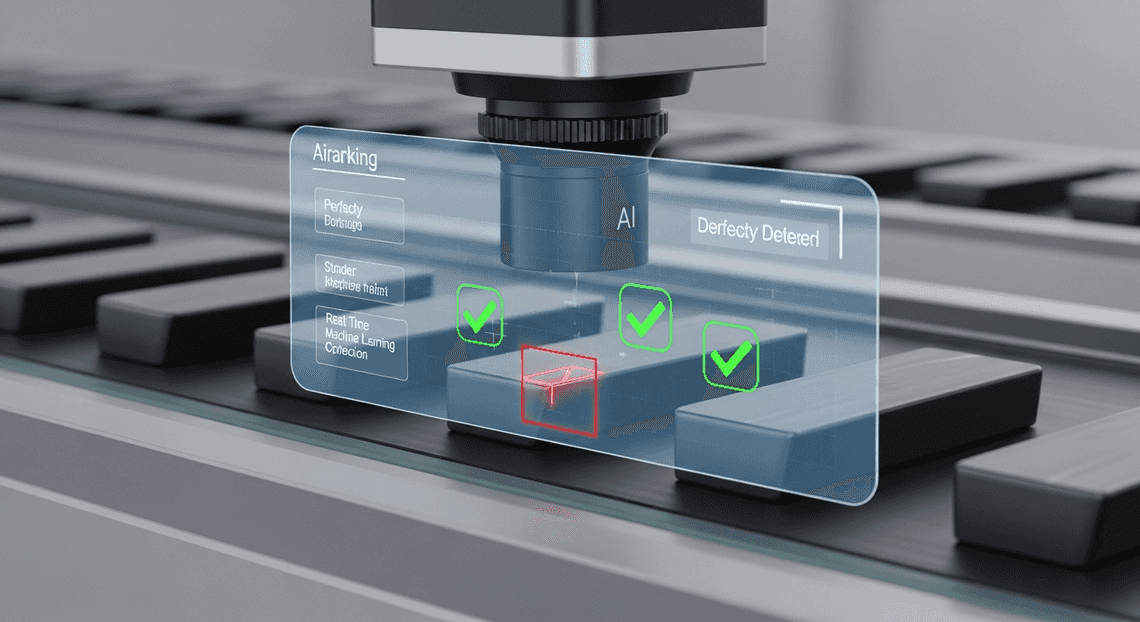
Modern AI models don’t get tired, they don’t get distracted, and they apply the exact same rigorous evaluation criteria to the ten-thousandth image as they did to the first. More importantly, the barrier to entry for this transformative technology has plummeted. We are no longer in an era where deploying computer vision requires a massive, dedicated team of data scientists building infrastructure from scratch.
Today, cloud engineering has democratized access to machine learning. With enterprise-grade platforms like Google Cloud’s Building Self Correcting Agentic Workflows with Vertex AI, organizations can train highly accurate, custom vision models using their own operational image data with minimal friction. When these powerful AI capabilities are seamlessly integrated into agile, no-code operational tools like Automatically create new folders in Google Drive, generate templates in new folders, fill out text automatically in new files, and save info in Google Sheets’s AI-Powered Invoice Processor, the paradigm shifts entirely. The power of automated defect detection is pushed directly to the frontline worker’s mobile device, transforming a standard smartphone or tablet into an intelligent, real-time quality assurance scanner that operates with the full backing of cloud-scale AI.
Designing the Automated Defect Detection Architecture
Building an enterprise-grade defect detection system requires bridging the gap between field operations and advanced machine learning. The architecture we are designing leverages the serverless, low-code capabilities of AC2F Streamline Your Google Drive Workflow alongside the high-performance machine learning infrastructure of Google Cloud. By decoupling the user interface from the inference engine, we create a highly scalable, maintainable, and secure solution that can process visual data in near real-time.
At a high level, this architecture relies on an event-driven model. Field workers act as the edge nodes, capturing visual data which is then routed through a secure pipeline to our cloud-hosted AI for immediate evaluation.
Core Components AMA Patient Referral and Anesthesia Management System and Vertex AI Vision
To understand this architecture, we must break down its foundational pillars. The solution is primarily driven by two distinct but deeply integrated Google platforms, supported by a serverless middleware layer.
-
AppSheetway Connect Suite (The Intelligent Front-End): OSD App Clinical Trial Management serves as the primary interface for field technicians and quality assurance teams. As a declarative, no-code platform, it excels at rapid deployment across mobile and web. In this architecture, AppSheet is responsible for data ingestion—specifically, capturing high-resolution images of products, machinery, or infrastructure. It also handles the local metadata (e.g., timestamp, location, inspector ID, and item serial number) and provides the UI where the final defect analysis will be surfaced to the user.
-
Vertex AI Vision (The Inference Engine): Vertex AI acts as the “brain” of our architecture. For defect detection, we utilize a custom-trained computer vision model (often built via Vertex AI AutoML for images) deployed to a scalable Vertex AI Endpoint. This model is specifically trained on historical data to recognize anomalies, structural flaws, or manufacturing defects. It receives image payloads, processes the visual matrix, and outputs bounding box coordinates, defect classifications, and confidence scores.
-
Google Cloud Functions (The Connective Middleware): Because AppSheet and Vertex AI operate in different environments, we use a Google Cloud Function (Node.js or JSON-to-Video Automated Rendering Engine) as an API gateway and orchestrator. It receives webhook triggers from AppSheet, formats the image data into base64 or retrieves it from Cloud Storage, constructs the prediction request, and securely communicates with the Vertex AI REST API.
How the Image Processing Workflow Operates
The true power of this architecture lies in its seamless, automated data flow. When a field worker inspects an item, the underlying workflow executes a complex series of operations in a matter of seconds. Here is the step-by-step breakdown of the image processing lifecycle:
-
Image Capture and Synchronization: A technician uses the AppSheet mobile app to snap a photo of a potential defect. The app immediately synchronizes this record to the underlying database (such as Google Sheets or Cloud SQL) and uploads the raw image file to a designated Google Cloud Storage bucket.
-
Automated Job Creation in Jobber from Gmail Trigger: The synchronization event acts as a catalyst. An AppSheet Automated Quote Generation and Delivery System for Jobber Bot detects the new row creation and fires a Webhook action. This webhook sends a JSON payload containing the record ID and the Cloud Storage URI of the newly uploaded image to our deployed Google Cloud Function.
-
Payload Preparation: The Cloud Function receives the webhook. Using the Google Cloud Storage client library, it fetches the image bytes. It then formats these bytes into the specific JSON structure required by the Vertex AI Prediction API, handling any necessary image resizing or base64 encoding on the fly.
-
AI Inference: The Cloud Function invokes the Vertex AI Endpoint. The vision model analyzes the image tensor, scanning for learned defect patterns. Once the analysis is complete, Vertex AI returns a response payload detailing the detected anomalies, including their specific labels (e.g., “scratch,” “dent,” “corrosion”) and confidence thresholds.
-
Data Write-Back and UI Update: The Cloud Function parses the Vertex AI response. It extracts the highest-confidence defect labels and uses the AppSheet API to patch the original record in the database.
-
Actionable Feedback: The AppSheet app syncs the updated data. The field technician instantly sees the AI’s verdict on their screen, complete with defect categorization and recommended next steps, allowing for immediate, data-driven decision-making on the factory floor or out in the field.
Step by Step Implementation Guide
To bring this automated defect detection system to life, we need to orchestrate a seamless flow of data between Automated Client Onboarding with Google Forms and Google Drive. and Google Cloud. The architecture relies on three core pillars: secure object storage, a robust machine learning endpoint, and an intuitive mobile front-end.
Here is the technical roadmap to wire these components together.
Configuring Google Cloud Storage for Image Hosting
While AppSheet natively defaults to Google Drive for storing images, enterprise-grade machine learning pipelines demand the performance, security, and direct integration capabilities of Google Cloud Storage (GCS). Vertex AI needs rapid, secure access to the images your frontline workers capture.
-
Create the Storage Bucket: Navigate to the Google Cloud Console and create a new GCS bucket. To minimize latency and avoid egress charges, ensure the bucket is created in the same region where you plan to deploy your Vertex AI endpoint. Use Standard storage class for high-frequency access during the inspection process.
-
Configure IAM and Access Control: Security is paramount. Instead of making the bucket public, enforce Uniform Bucket-Level Access. Create a dedicated Google Cloud Service Account (e.g.,
appsheet-vision-sa@<project-id>.iam.gserviceaccount.com) and grant it theStorage Object Adminrole. -
Integrate with AppSheet: In your AppSheet editor, navigate to My Account > Sources and add a new Cloud Storage data source. Provide the necessary Service Account JSON key. Once connected, update your AppSheet app’s table settings to use this GCS bucket as the default image folder path. Now, every photo snapped on the factory floor is instantly routed to enterprise cloud storage.
Setting Up the Vertex AI Vision API
With our storage layer in place, we need the “brain” of the operation. Depending on your specific use case, you might use Vertex AI’s pre-trained Vision API, but for proprietary defect detection (e.g., identifying a specific type of scratch on a custom manufactured part), deploying a custom AutoML image classification or object detection model is the standard approach.
-
Enable the APIs: In your GCP project, ensure the Vertex AI API and Cloud Build API are enabled.
-
Deploy the Model to an Endpoint: Once your custom defect detection model is trained in Vertex AI Studio, deploy it to an online prediction endpoint. Note the Endpoint ID and the Location (e.g.,
us-central1), as you will need these for the API routing. -
Deploy a Cloud Function Middleware (Best Practice): While AppSheet can make direct webhook calls, handling dynamic OAuth 2.0 bearer tokens for Google Cloud APIs directly inside AppSheet can be cumbersome. The architectural best practice is to deploy a lightweight Google Cloud Function (Node.js or Python) to act as a secure middleware bridge.
-
Write a function that accepts a JSON payload containing the image’s GCS URI.
-
The function, running under a Service Account with the
Vertex AI Userrole, authenticates seamlessly, calls the Vertex AI Endpoint with the image data, and parses the prediction response. -
Finally, the function formats the AI’s confidence scores and defect labels into a clean JSON response.
Building the AppSheet Capture and Logging Interface
The final step is building the interface that your field technicians will actually use. AppSheet’s no-code platform allows us to wrap our sophisticated cloud architecture in a user-friendly mobile app.
- Define the Data Schema: Connect AppSheet to your primary database (Google Sheets or Cloud SQL). Create a table named
Quality_Inspectionswith the following essential columns:
-
Inspection_ID(Key, Text, Initial Value:UNIQUEID()) -
Timestamp(DateTime, Initial Value:NOW()) -
Defect_Image(Image) -
Detected_Defect_Type(Text) -
AI_Confidence_Score(Decimal)
-
Design the UI: In the AppSheet Views tab, create a “Form” view for the
Quality_Inspectionstable. Hide theDetected_Defect_TypeandAI_Confidence_Scorefields from the initial input form—these will be populated automatically by our AI pipeline. -
Configure the Automated Work Order Processing for UPS Bot: Navigate to the Automation tab in AppSheet and create a new Bot.
-
Event: Set the bot to trigger on
Addsto theQuality_Inspectionstable. -
Process (Webhook Task): Add a task to “Call a webhook”. Point the URL to the HTTP trigger of the Cloud Function you deployed in the previous step.
-
Payload: Configure the JSON body to pass the
Inspection_IDand the relative path of theDefect_Image.
- Close the Loop: Update your Cloud Function so that once Vertex AI returns a prediction, the function makes a standard REST API
PATCHrequest back to the AppSheet API. This updates the original row matching theInspection_IDwith theDetected_Defect_TypeandAI_Confidence_Score.
Within seconds of a worker snapping a photo, the image is stored, analyzed, and the results are populated right back into their mobile dashboard.
Best Practices for Scaling Your Quality Control System
Transitioning your automated defect detection system from a successful proof-of-concept to a full-scale production environment requires a strategic approach. When you deploy an AppSheet application powered by Vertex AI to dozens or hundreds of frontline workers, you introduce new variables: unpredictable network conditions, massive data influxes, and compounding cloud costs. To ensure your quality control (QC) system remains robust, responsive, and cost-effective at scale, you need to optimize both the data you capture and the infrastructure that supports it.
Optimizing Image Quality for Better AI Accuracy
The old data science adage “garbage in, garbage out” is especially true for computer vision. Vertex AI’s ability to accurately identify manufacturing defects, surface anomalies, or structural damage is directly tied to the clarity and consistency of the images captured via your AppSheet app.
-
Tuning AppSheet Image Resolution: By default, AppSheet compresses images to optimize sync times. While this is great for standard data collection, aggressive compression can destroy the pixel-level details Vertex AI needs to spot micro-defects. Navigate to your AppSheet column settings and adjust the image resolution. Finding the “Goldilocks” zone—typically the “High” setting rather than “Full”—ensures enough detail for the AI without causing massive payload latency over cellular networks.
-
Standardizing Capture Conditions: Train your Vertex AI model on images that reflect real-world factory or field conditions, but also guide your users to take better photos. Use AppSheet’s
Showtype columns to display visual instructions, overlay guides, or reference images directly in the form. Ensure consistent lighting and angles; if possible, utilize device flash controls or external lighting to eliminate shadows that the AI might misinterpret as defects. -
Pre-processing via Cloud Functions: Before sending an image directly to your Vertex AI endpoint, consider routing the webhook through a Google Cloud Function. You can use lightweight Python libraries (like OpenCV or Pillow) to automatically crop, resize, or normalize the contrast of the image. This standardization not only improves model inference accuracy but also reduces the payload size sent to the Vertex AI API.
Managing Database Performance and API Costs
As your frontline workers capture thousands of QC images daily, the underlying architecture must handle the load gracefully. Scaling efficiently means preventing database bottlenecks and keeping your Google Cloud billing predictable.
-
Migrating to Enterprise-Grade Databases: While Google Sheets is an excellent starting point for AppSheet prototyping, a high-volume defect detection app will quickly hit performance ceilings. As you scale, migrate your AppSheet backend to Google Cloud SQL (PostgreSQL or MySQL). Cloud SQL provides the robust indexing, relational integrity, and concurrent write capabilities necessary for a fleet of inspectors working simultaneously.
-
Optimizing AppSheet Sync Times: Large datasets slow down app syncs, frustrating workers on the floor. Implement AppSheet Security Filters to ensure devices only download relevant, active inspection records (e.g., today’s shifts or assigned tasks) rather than the entire historical database. Furthermore, ensure your AppSheet app is configured to store image files in a dedicated Google Cloud Storage (GCS) bucket. This keeps your core database lightweight, storing only the image file paths, metadata, and the resulting Vertex AI JSON responses.
-
Controlling Vertex AI API Costs: Vertex AI bills per prediction. To avoid runaway costs, do not trigger an AI prediction on every single image capture unconditionally. Use AppSheet Automations with strict condition formulas (e.g.,
AND(ISNOTBLANK([Defect_Image]), [Status] = "Pending AI Review")) to ensure only finalized, relevant images are sent to the model. -
Asynchronous Batch Processing: If real-time inference isn’t strictly necessary for your operational flow, decouple the AI prediction from the immediate app sync. You can configure AppSheet to simply write the records to your database, and then use a scheduled Cloud Run job or Eventarc trigger to batch-process the new GCS images through Vertex AI. This asynchronous approach maximizes API quota efficiency, allows for easy retry logic if an API call fails, and keeps the AppSheet UI lightning-fast for the end-user.
Next Steps for Your AppSheet Architecture
Now that you understand the mechanics of integrating Vertex AI for automated defect detection within AppSheet, the next phase is evolving this proof-of-concept into a robust, enterprise-grade architecture. Building the initial model and connecting the API is just the beginning; scaling it to handle thousands of daily inspections requires a strategic approach grounded in solid Cloud Engineering principles.
To truly productionize your defect detection system, consider implementing the following architectural enhancements:
-
Robust Data Pipelines: Instead of relying solely on AppSheet’s default storage, route your inspection images and metadata into Google Cloud Storage and BigQuery. This allows for long-term retention, advanced analytics, and creates a rich dataset for continuously retraining your Vertex AI models.
-
MLOps and Continuous Monitoring: Machine learning models can experience “drift” over time as manufacturing environments, lighting conditions, or product designs change. Implement Vertex AI Model Monitoring to automatically detect performance degradation and trigger retraining pipelines.
-
Advanced Automated Discount Code Management System Integration: Extend the workflow beyond the AppSheet app. Use Google Cloud Functions or AppSheet Automations to trigger real-time alerts in Google Chat spaces or dispatch automated Gmail notifications to quality assurance managers the moment a critical defect is flagged.
-
Security and IAM Optimization: Ensure your architecture adheres to the principle of least privilege. Fine-tune your Google Cloud IAM roles so that your AppSheet service accounts only have the exact permissions necessary to invoke specific Vertex AI endpoints.
Transitioning from a functional app to a highly available, secure, and scalable cloud architecture is a critical step that dictates the long-term ROI of your automation efforts.
Book a GDE Discovery Call with Vo Tu Duc
Navigating the intricacies of Google Cloud, Vertex AI, and AppSheet can be complex, especially when designing for enterprise scale. Bridging the gap between a no-code platform and advanced machine learning infrastructure requires deep, specialized knowledge.
To accelerate your deployment and ensure your architecture aligns with industry best practices, we highly recommend booking a discovery call with Vo Tu Duc, a recognized Google Developer Expert (GDE) in Google Cloud and Automated Email Journey with Google Sheets and Google Analytics.
During this personalized, one-on-one session, you will have the opportunity to:
-
Review Your Current Architecture: Walk through your existing AppSheet data models and Vertex AI integration points to identify potential bottlenecks or security vulnerabilities.
-
Strategize for Scale: Discuss customized strategies for handling high-volume image processing, optimizing API latency, and managing cloud costs effectively.
-
Solve Specific Roadblocks: Get expert answers to your most pressing technical challenges, whether it’s configuring complex OAuth flows, setting up CI/CD for AppSheet, or fine-tuning your computer vision models.
-
Map Your Future Roadmap: Discover untapped opportunities to leverage other Google Cloud services that can further enhance your quality control workflows.
Don’t leave your enterprise architecture to guesswork. Leverage the expertise of a GDE to build a defect detection system that is not only intelligent but structurally flawless. Book your discovery call with Vo Tu Duc today and take the next definitive step in your cloud engineering journey.


Stop Doing Manual Work. Scale with AI.
Want to turn these blog concepts into production-ready reality for your team?
Table Of Contents
Portfolios
Related Posts
Quick Links
Legal Stuff