

Automating Retail Portal Security Audits Using Google Workspace API


Retail’s volatile mix of seasonal spikes and high employee turnover creates a monumental Identity and Access Management challenge. Discover why enforcing strict access controls across cloud collaboration platforms is no longer just a best practice, but a critical mandate for protecting your sensitive operational data.

The Critical Need for Strict Access Control in Retail
The retail industry operates on a uniquely volatile identity lifecycle. Unlike traditional corporate environments with predictable hiring phases, retail experiences massive seasonal spikes, high turnover rates, and a constant influx of part-time or temporary contractors. This rapid ebb and flow of personnel creates a monumental Identity and Access Management (IAM) challenge. When retail operations rely on cloud-based collaboration platforms like Automatically create new folders in Google Drive, generate templates in new folders, fill out text automatically in new files, and save info in Google Sheets to disseminate critical information—ranging from inventory manifests and loss prevention protocols to employee onboarding materials—the principle of least privilege is no longer just a best practice; it is a critical operational mandate.
Failing to strictly control who has access to what, and for how long, exposes retail organizations to severe risks. A misconfigured sharing setting or an improperly offboarded seasonal employee can easily lead to the exposure of proprietary pricing strategies, customer Personally Identifiable Information (PII), or internal security procedures. In an era where data breaches directly impact brand trust and bottom-line revenue, retail IT and cloud engineering teams must architect access control mechanisms that are as agile and dynamic as the workforce they support.
Vulnerabilities in Dynamic Staff Portals
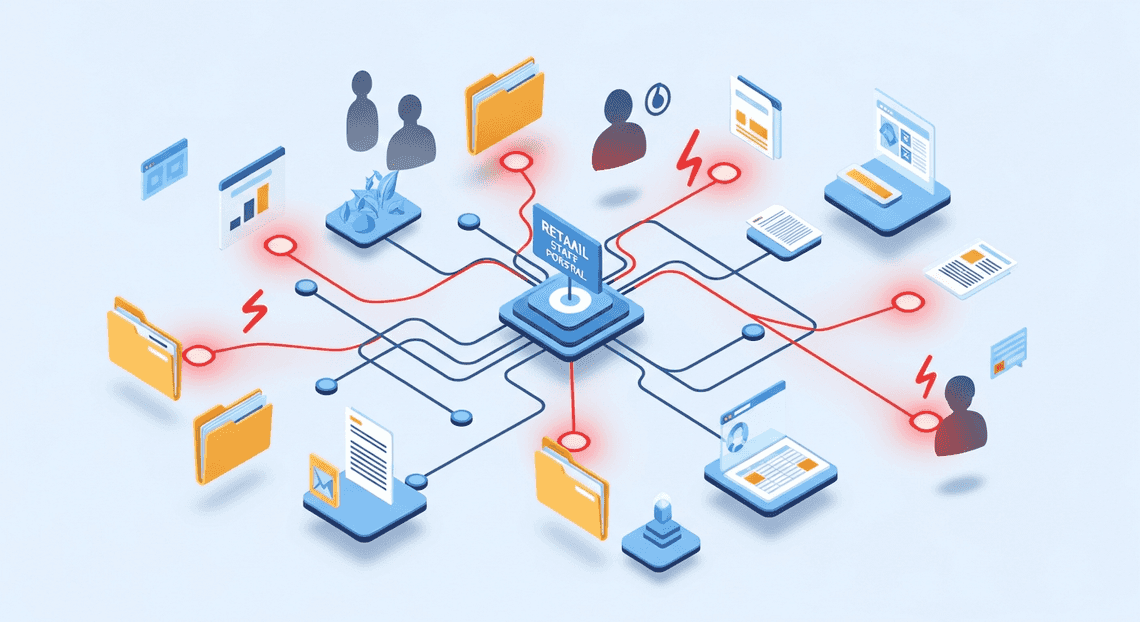
To streamline communication across geographically dispersed storefronts, many retailers deploy dynamic staff portals. Often built using Google Sites, backed by shared Google Drives, and populated with Google Docs and Sheets, these portals serve as the central nervous system for daily operations. However, the very features that make these tools excellent for rapid collaboration also introduce significant security vulnerabilities.
The most prevalent vulnerabilities in these dynamic environments include:
-
Permission Creep and Orphaned Access: As employees transition between stores, get promoted, or leave the company entirely, their digital access often outlives their tenure. Seasonal workers may retain access to internal training portals or shift-scheduling sheets long after the holiday rush has ended.
-
Overly Permissive Link Sharing: In the rush to get a new store manager access to an operational playbook, a well-meaning employee might change a document’s sharing settings to “Anyone in the organization with the link.” In a retail company with tens of thousands of frontline workers, this effectively makes sensitive data public to the entire workforce.
-
Shadow IT and Unmanaged Workspaces: Store managers sometimes create their own ad-hoc Google Drive folders to manage local store schedules or team communications, completely bypassing central IT governance. These unmanaged assets are rarely audited and frequently lack basic access restrictions.
-
Lateral Movement Risks: If a frontline worker’s account is compromised, a lack of strict compartmentalization within the staff portal can allow bad actors to move laterally, escalating their access from basic store schedules to regional financial roll-ups.
Moving from Manual Checks to Forensic Automated Job Creation in Jobber from Gmail
Historically, IT administrators have attempted to manage these vulnerabilities through manual audits—periodically exporting sharing reports from the AC2F Streamline Your Google Drive Workflow Admin Console and spot-checking permissions. In a modern retail environment, this manual approach is mathematically impossible to scale. By the time a manual audit is completed, the workforce has already changed, rendering the findings obsolete.
To secure retail portals effectively, cloud engineering teams must transition from reactive, manual checks to proactive, forensic Automated Quote Generation and Delivery System for Jobber. This involves leveraging the deep programmatic access provided by Google Cloud and the Automated Client Onboarding with Google Forms and Google Drive. APIs to build self-healing security architectures.
Forensic Automated Work Order Processing for UPS goes beyond simple reporting. By integrating the Automated Discount Code Management System Admin SDK Directory API, Drive API, and Reports API, organizations can establish a continuous, event-driven security posture:
-
Continuous Monitoring: Instead of weekly checks, automated scripts or Google Cloud Functions can listen for real-time events via the Automated Email Journey with Google Sheets and Google Analytics Alert Center API or Drive Activity API. If a sensitive portal document is suddenly shared outside a specific organizational unit (OU), the system registers the anomaly immediately.
-
Automated Remediation: Automation allows for instant course correction. If a script detects that a file within a restricted “Loss Prevention” Shared Drive has been modified to allow broad link-sharing, a Google Cloud function can immediately execute a Drive API call to revoke those permissions, effectively neutralizing the threat in milliseconds.
-
Forensic Logging and Attribution: True forensic automation ensures that every access change is logged immutably. By routing Workspace audit logs into Google Cloud Logging and BigQuery, security teams can perform complex forensic analysis. They can query exactly who granted access, when the anomaly occurred, and what data was exposed, creating an undeniable audit trail for compliance and incident response.
By shifting to API-driven automation, retail IT teams can finally keep pace with their dynamic workforce, ensuring that staff portals remain powerful tools for collaboration rather than open doors for data exfiltration.
Architecting the Security Audit Workflow
A robust security audit automation isn’t just a collection of disconnected scripts; it is a meticulously engineered pipeline that reconciles your organization’s “expected state” with its “actual state.” In a fast-paced retail environment, where seasonal hiring, role shifts, and high turnover are the norm, relying on manual access reviews is a recipe for compliance violations and security breaches. To solve this, we need to architect a workflow that programmatically bridges the gap between Human Resources data and IT access controls.
The architecture of our automated audit relies on two primary pillars: a dynamic source of truth for employee data and a programmatic way to interrogate current system permissions. By leveraging Google Cloud serverless functions (like Cloud Functions or Cloud Run) to orchestrate the logic, we can create a continuous auditing loop.
Establishing a Master Staff List in Google Sheets
Every automated identity and access management (IAM) workflow requires a definitive source of truth. While enterprise organizations might use complex HRIS platforms like Workday, Google Sheets remains an incredibly agile, accessible, and widely adopted solution for retail operations to track active personnel. Store managers and HR coordinators can easily update a spreadsheet, making it the perfect bridge between non-technical staff and your automated cloud infrastructure.
To architect this, we designate a specific, highly restricted Google Sheet as the Master Staff List. This document acts as the “expected state” of our retail portal’s access matrix.
For the automation to consume this data effectively via the Google Sheets API, the data must be strictly structured. A standard schema should include:
-
Employee_Email: The primary key for the user’s Automated Google Slides Generation with Text Replacement account. -
Store_ID: The specific retail location the employee is assigned to. -
Job_Title: The employee’s current role (e.g., Store Manager, Cashier, Inventory Specialist). -
Employment_Status: A binary or categorical state (e.g., Active, Suspended, Terminated).
By authenticating a Google Cloud Service Account with domain-wide delegation or specific read-only access to this Sheet, our audit script can securely fetch the rows using the spreadsheets.values.get method. This data is then parsed into a structured JSON object or a dictionary in memory, creating a baseline against which all active system access will be evaluated. If an employee is marked as “Terminated” in the Sheet but still retains access in the system, the audit workflow will immediately flag the anomaly.
Mapping Workspace Group Memberships to Access Roles
With the expected state defined by our Master Staff List, the next step is to determine the “actual state” of access. Modern retail portals typically implement Role-Based Access Control (RBAC) by mapping internal application roles to Automated Order Processing Wordpress to Gmail to Google Sheets to Jobber Groups via Single Sign-On (SSO) or SAML/OIDC claims. Therefore, auditing portal access fundamentally means auditing Workspace Group memberships.
To achieve this, we utilize the Automated Payment Transaction Ledger with Google Sheets and PayPal Admin SDK Directory API. Our automation script calls the groups.members.list endpoint to iterate through all security groups associated with the retail portal.
The architectural magic happens in the mapping logic. We must establish a programmatic dictionary that translates a Google Group into its corresponding retail portal permission level. For example:
-
[email protected]maps to Portal_Admin_Access -
[email protected]maps to Register_Access -
[email protected]maps to Stockroom_Read_Write
Once the automation fetches the current members of these groups, it executes a cross-referencing algorithm against the Master Staff List. The logic evaluates three critical security vectors:
-
Orphaned Access: Is there a user in a Workspace Group who is marked as “Terminated” or is entirely missing from the Master Staff List?
-
Privilege Creep: Does a “Cashier” currently reside in the
retail-managersgroup, violating the principle of least privilege? -
Missing Access: Is an “Active” employee missing from the groups required to perform their daily retail duties?
By systematically mapping Workspace Group memberships to these access roles and comparing them against the Sheets-driven source of truth, the workflow generates a comprehensive, actionable audit report. This programmatic reconciliation eliminates human error, ensures continuous compliance, and drastically reduces the attack surface of your retail operations.
Building the Audit Engine with AI Powered Cover Letter Automation Engine
To automate our retail portal security audits, we need a centralized engine capable of reading our expected state (the employee roster) and comparing it against our actual state (the active Google Docs to Web accounts). Genesis Engine AI Powered Content to Video Production Pipeline (GAS) is the perfect serverless environment for this task. Because it lives entirely within the Google ecosystem, it provides native, frictionless authentication to both Google Sheets and the Workspace Admin SDK.
Let’s break down the construction of this audit engine into three distinct phases: data extraction, directory querying, and anomaly detection.
Extracting Roster Data Using SheetsApp
In most retail environments, the “source of truth” for active employees—whether generated by an HRIS (Human Resources Information System) or maintained manually by store managers—frequently lands in a Google Sheet. Our first step is to programmatically ingest this roster.
Using the built-in SpreadsheetApp class, we can quickly extract the data matrix and transform it into a collection of structured JavaScript objects. This makes the data much easier to manipulate during the cross-referencing phase.
/**

* Extracts the employee roster from the designated Google Sheet.

* @returns {Array<Object>} Array of employee objects containing expected state.

*/

function getExpectedRosterData() {

// Bind to the specific audit spreadsheet using its ID

const spreadsheetId = 'YOUR_SPREADSHEET_ID_HERE';

const sheet = SpreadsheetApp.openById(spreadsheetId).getSheetByName('Active_Roster');

// Fetch all data including headers

const data = sheet.getDataRange().getValues();

// Shift off the header row

const headers = data.shift();

// Map the 2D array into an array of objects

const roster = data.map(row => {

return {

email: row[0].trim().toLowerCase(),

storeId: row[1],

role: row[2],

status: row[3]

};

});

// Filter for only active employees based on the HR status column

return roster.filter(employee => employee.status === 'Active');

}
By standardizing the email addresses (trimming whitespace and converting to lowercase), we prevent false positives later caused by simple data entry typos.
Querying Directory Data via the Admin SDK
With our expected state loaded into memory, we now need to query the actual state of our environment. To do this, we utilize the Admin SDK Directory API. (Note: You must enable the Admin Directory API in the Advanced Google Services menu within your Apps Script editor).
The Directory API allows us to fetch a list of all active users within our retail domain. Because retail organizations can have thousands of employees, it is crucial to handle pagination properly using pageToken.
/**

* Queries the <a href="https://votuduc.com/SocialSheet-Streamline-Your-Social-Media-Posting-p737017">SocialSheet Streamline Your Social Media Posting</a> Directory for all active users.

* @returns {Array<Object>} Array of active Workspace user objects.

*/

function getActualWorkspaceUsers() {

let activeUsers = [];

let pageToken;

do {

// Query the directory for users who are NOT suspended

const response = AdminDirectory.Users.list({

domain: 'yourretaildomain.com',

maxResults: 500,

query: "isSuspended=false",

pageToken: pageToken

});

if (response.users && response.users.length > 0) {

// Map the complex API response to a simplified object

const simplifiedUsers = response.users.map(user => ({

email: user.primaryEmail.toLowerCase(),

orgUnit: user.orgUnitPath,

lastLogin: user.lastLoginTime

}));

activeUsers = activeUsers.concat(simplifiedUsers);

}

pageToken = response.nextPageToken;

} while (pageToken);

return activeUsers;

}
In this snippet, we are explicitly querying for isSuspended=false. If a user is suspended, their access to the retail portal is already revoked, so our primary security concern is identifying accounts that are active but shouldn’t be.
Developing the Cross Referencing Logic for Anomaly Detection
This is the brain of the audit engine. We now have two datasets: rosterData (who should have access) and workspaceUsers (who actually has access). The cross-referencing logic reconciles these lists to detect anomalies.
To ensure our script runs efficiently and doesn’t time out—even with thousands of records—we will use JavaScript Set objects for O(1) time complexity lookups, avoiding nested loops (O(n^2)).
/**

* Compares the HR roster against Workspace directory to find anomalies.

* @param {Array<Object>} rosterData - The expected active employees.

* @param {Array<Object>} workspaceUsers - The actual active Workspace accounts.

* @returns {Object} An object containing categorized anomalies.

*/

function detectSecurityAnomalies(rosterData, workspaceUsers) {

// Create Sets for high-performance lookups

const rosterEmails = new Set(rosterData.map(emp => emp.email));

const workspaceEmails = new Set(workspaceUsers.map(user => user.email));

// Define a list of authorized system/admin accounts to ignore during the audit

const systemAccounts = new Set(['[email protected]', '[email protected]']);

const anomalies = {

unauthorizedAccess: [], // Active in Workspace, but NOT in HR Roster (High Risk)

missingAccounts: []     // In HR Roster, but NOT active in Workspace (Operational Issue)

};

// 1. Detect Unauthorized Access (Orphaned Accounts)

workspaceUsers.forEach(user => {

if (!rosterEmails.has(user.email) && !systemAccounts.has(user.email)) {

anomalies.unauthorizedAccess.push({

email: user.email,

orgUnit: user.orgUnit,

lastLogin: user.lastLogin

});

}

});

// 2. Detect Missing Accounts (Failed Onboarding)

rosterData.forEach(employee => {

if (!workspaceEmails.has(employee.email)) {

anomalies.missingAccounts.push({

email: employee.email,

storeId: employee.storeId,

role: employee.role

});

}

});

return anomalies;

}
This logic categorizes our findings into two actionable buckets. Unauthorized Access represents a severe security risk: these are users who have been terminated or transferred according to HR, but whose Speech-to-Text Transcription Tool with Google Workspace accounts remain active, granting them continued access to the retail portal. Missing Accounts, conversely, represent an operational bottleneck where an employee is on the payroll but hasn’t been provisioned an active account.
By filtering out known systemAccounts, we prevent the engine from falsely flagging IT administrators or service accounts that naturally wouldn’t appear on a store-level HR roster.
Deploying Continuous Monitoring and Alerting
A point-in-time security audit is merely a snapshot of your retail portal’s security posture. In a dynamic retail environment—where seasonal staff are constantly onboarded, external vendors are granted temporary access, and inventory data is frequently shared—a snapshot becomes obsolete the moment it is taken. To truly secure your Google Workspace environment, you must transition from reactive, manual audits to a proactive, continuous monitoring paradigm. By deploying automated monitoring and alerting, you drastically reduce the window of vulnerability between when a misconfiguration occurs and when it is remediated.
Scheduling Periodic Scans with Apps Script Time Driven Triggers
To achieve continuous monitoring without provisioning dedicated compute resources, Architecting Multi Tenant AI Workflows in Google Apps Script provides a robust, serverless scheduling mechanism: Time-Driven Triggers. These triggers act as the cron jobs of the Google Workspace ecosystem, allowing your security audit scripts to execute automatically at predefined intervals.
For a retail portal, the frequency of these scans should align with your operational risk. High-risk areas, such as external file sharing on customer data drives or super-admin role assignments, might require hourly scans. Less critical audits, such as verifying organizational unit (OU) structures, can be scheduled daily or weekly.
You can configure these triggers manually via the Apps Script IDE, but for a scalable, Infrastructure-as-Code approach, it is best to generate them programmatically. Here is an example of how to programmatically create an hourly trigger to run your main audit function:
/**

* Creates a time-driven trigger to run the security audit every hour.

* Run this function once to initialize the continuous monitoring.

*/

function createHourlyAuditTrigger() {

// Clear existing triggers to prevent duplicates

const existingTriggers = ScriptApp.getProjectTriggers();

existingTriggers.forEach(trigger => {

if (trigger.getHandlerFunction() === 'runRetailSecurityAudit') {

ScriptApp.deleteTrigger(trigger);

}

});

// Create a new hourly trigger

ScriptApp.newTrigger('runRetailSecurityAudit')

.timeBased()

.everyHours(1)

.create();

console.info("Hourly security audit trigger successfully deployed.");

}
Architectural Considerations: When scheduling these triggers, keep Google Apps Script quotas in mind. Scripts have a maximum execution time (typically 6 minutes). If your retail organization has thousands of users or millions of Drive files, you must design your runRetailSecurityAudit function to handle pagination and utilize continuation tokens, ensuring the script can pick up exactly where it left off in the next execution window.
Generating Forensic Logs and Security Alerts
Detecting a security anomaly is only half the battle; the system must also record the event for compliance and immediately notify the security operations team. This requires a two-pronged approach: generating immutable forensic logs and dispatching real-time security alerts.
Forensic Logging:
For long-term retention and forensic analysis, your Apps Script project should be linked to a standard Google Cloud Platform (GCP) project. Once linked, any console.log(), console.warn(), or console.error() statements automatically flow into Google Cloud Logging. This allows you to leverage Cloud Logging’s advanced filtering, export logs to BigQuery for historical compliance reporting, and maintain an immutable audit trail of what the script evaluated.
A well-structured forensic log should include the Who, What, When, and Where. For example:
function logSecurityEvent(userEmail, action, resourceId, severity) {

const logPayload = {

timestamp: new Date().toISOString(),

environment: "Retail_Portal_Production",

actor: userEmail,

violation: action,

resource: resourceId,

severityLevel: severity

};

// Flows directly into Google Cloud Logging as structured JSON

console.error(JSON.stringify(logPayload));

}
Real-Time Security Alerts:
While logs are for the auditors, alerts are for the first responders. When a critical violation is detected—such as a retail vendor being granted full edit access to the central financial reporting folder—an immediate alert must be routed to your security team.
Integrating Google Apps Script with Google Chat via Webhooks is a highly effective way to surface these alerts. By sending a formatted JSON payload to a Chat space, you provide the team with immediate context and actionable next steps:
/**

* Sends a high-priority alert to a dedicated Google Chat security space.

*/

function sendSecurityAlert(violationDetails) {

const webhookUrl = PropertiesService.getScriptProperties().getProperty('CHAT_WEBHOOK_URL');

const messagePayload = {

"cards": [{

"header": {

"title": "🚨 Security Audit Alert",

"subtitle": "Retail Portal Policy Violation"

},

"sections": [{

"widgets": [

{

"textParagraph": {

"text": `<b>Violation:</b> ${violationDetails.type}<br />` +

`<b>Resource:</b> ${violationDetails.resource}<br />` +

`<b>Detected At:</b> ${new Date().toLocaleString()}`

}

}

]

}]

}]

};

const options = {

method: 'post',

contentType: 'application/json',

payload: JSON.stringify(messagePayload)

};

UrlFetchApp.fetch(webhookUrl, options);

}
By coupling time-driven triggers with robust logging and instant webhook alerting, your Workspace environment transforms into a self-monitoring ecosystem. It actively enforces your retail security baseline, ensuring that accidental misconfigurations or malicious insider actions are flagged and addressed before they can evolve into costly data breaches.
Scaling Your Security Architecture
When dealing with a retail portal, security isn’t a static checklist—it is a dynamic, high-volume operational necessity. While a standalone script querying the Google Workspace API might suffice for a small boutique with a single domain, it will quickly buckle under the weight of a multi-region retail enterprise. Scaling your security architecture requires transitioning from scheduled, monolithic scripts to resilient, event-driven microservices hosted on Google Cloud.
As your retail operations grow, so does the complexity of your organizational units (OUs), the number of external vendor accounts, and the sheer volume of daily authentication events. To maintain a hardened security posture, your automation must scale seamlessly alongside your workforce.
Adapting the Logic for Enterprise Level Deployments
To elevate your security audits to an enterprise tier, the underlying logic of your automation must be optimized for volume, speed, and reliability. Here is how you can adapt your Google Workspace API integrations for a massive retail deployment:
-
Event-Driven Auditing with Pub/Sub: Instead of relying solely on cron jobs to poll the Directory API or Reports API, implement Google Workspace push notifications. By routing these webhooks through Google Cloud Pub/Sub, you can trigger Cloud Functions or Cloud Run containers in real-time the moment a user’s privileges are escalated, a new vendor is added, or a suspicious login occurs.
-
Handling Quotas and Pagination: The Google Workspace Admin SDK enforces strict API quota limits to protect infrastructure. Enterprise logic must implement robust error handling—specifically exponential backoff algorithms—to gracefully manage
403 Rate Limit Exceedederrors. Furthermore, efficient pagination handling usingpageTokenis mandatory when auditing tens of thousands of retail employees across multiple geographic OUs. -
Centralized Threat Intelligence via BigQuery: Storing audit logs in flat files or basic databases is insufficient for enterprise compliance frameworks like PCI-DSS. By streaming your Google Workspace audit data directly into BigQuery, your security team can perform petabyte-scale SQL queries to identify anomaly patterns over time. You can then connect this data warehouse to Looker to generate real-time security posture dashboards for your C-suite.
-
Secure Authentication at Scale: Relying on individual admin credentials for automation is a massive security risk. Enterprise deployments must utilize tightly scoped Google Cloud Service Accounts with Domain-Wide Delegation. By adhering to the principle of least privilege, you ensure your automation pipeline can audit specific retail portal OUs without exposing super-admin credentials to the underlying compute instances.
Booking a Discovery Call for Custom Infrastructure Solutions
Implementing an automated, enterprise-grade security audit system across Google Workspace and Google Cloud requires more than just writing code—it requires strategic architectural planning. Every retail organization has a unique digital footprint, encompassing complex vendor supply chains, high seasonal staff turnover, and strict regulatory compliance requirements.
If you are looking to move beyond basic API scripts and want to build a resilient, automated security infrastructure tailored to your specific retail operations, expert guidance can accelerate your deployment and eliminate architectural blind spots. Our team of Cloud Engineers specializes in designing custom Google Cloud and Google Workspace integrations that secure your environment without creating friction for your users.
Book a Discovery Call Today to discuss your current security posture, explore custom infrastructure solutions, and learn how we can help you engineer an automated, scalable security audit pipeline for your retail portal.


Stop Doing Manual Work. Scale with AI.
Want to turn these blog concepts into production-ready reality for your team?
Table Of Contents
Portfolios
Related Posts
Quick Links
Legal Stuff