

Automating RFI Tracking Using Gemini and Google Sheets


Managing critical Requests for Information (RFIs) through standard email is a recipe for lost attachments, siloed conversations, and project chaos. Discover why treating your inbox as an RFI database is fundamentally flawed and how to finally take control of your workflow.

The Challenge of Managing Project RFIs in Email
In any complex engineering, construction, or software development initiative, Requests for Information (RFIs) are the lifeblood of project clarity. They bridge the gap between ambiguous specifications and actionable execution. Yet, despite living in an era of advanced cloud infrastructure and collaborative workspaces, a shocking number of organizations still rely on standard email to manage this critical workflow.
Treating an email inbox as an RFI database is fundamentally flawed. Email is inherently unstructured; it is designed for communication, not for state management, tracking, or analytics. When project teams attempt to force RFI workflows into Gmail or Outlook, they immediately run into a wall of nested threads, disconnected attachments, and siloed conversations. What begins as a simple question quickly devolves into a convoluted chain of replies, forwards, and CCs, making it nearly impossible to determine the current status of an RFI at a glance.
Why Manual RFI Tracking Fails Project Engineers
Project engineers are hired for their technical acumen and problem-solving skills, yet manual RFI tracking often reduces them to glorified data-entry clerks. The traditional workflow usually involves a dual-system nightmare: reading an unstructured email, mentally extracting the critical data points (project ID, priority, question, deadline), and manually copy-pasting that information into a static spreadsheet.
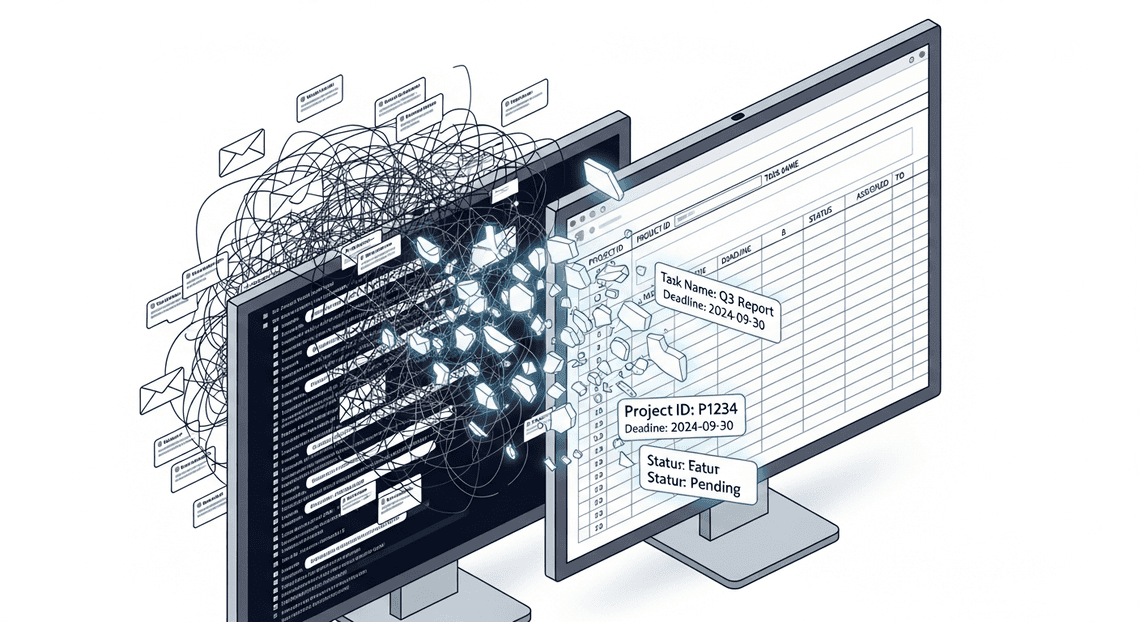
This manual tracking fails for several critical reasons:
-
Context Switching: Engineers are forced to constantly toggle between their inbox and their tracking sheets, breaking their state of flow and increasing the likelihood of cognitive fatigue.
-
Siloed Information: When an RFI is answered in a direct email reply, the tracking spreadsheet doesn’t automatically know. The engineer must remember to update the tracker, creating a dangerous dependency on human memory.
-
Unstructured Data Complexity: RFIs rarely arrive in a standardized format. One contractor might bury their question in the third paragraph of an email, while another might attach a marked-up PDF. Manually parsing this unstructured data is tedious and highly prone to human error.
-
Version Control Nightmares: As emails bounce back and forth, determining the “single source of truth” becomes a forensic exercise. Which thread contains the final, approved answer?
Without a system to automatically parse and route this data, the project engineer becomes the single point of failure in the communication chain.
The Cost of Lost Information and Missed Deadlines
The friction of manual RFI management extends far beyond administrative annoyance; it has severe, quantifiable impacts on a project’s bottom line. When an inbox is overflowing, critical RFIs inevitably slip through the cracks, leading to a cascading series of failures.
First and foremost is the cost of schedule delays. If a field team or development pod cannot proceed without an answer to an RFI, a buried email translates directly to idle time. Every hour spent waiting for clarification is an hour of burned capital. Furthermore, when deadlines are missed because an RFI was lost in a cluttered inbox, project timelines are pushed back, often triggering contractual penalties or delayed time-to-market.
Beyond the schedule, there is the hidden cost of lost information. When decisions are made deep within an email thread and never properly logged in a centralized tracker, the project loses its audit trail. If a dispute arises months later regarding why a specific architectural change was made or a material was substituted, finding the justification requires digging through archived emails—assuming the person who handled the RFI is even still with the company. This lack of traceability introduces massive compliance and financial risks, ultimately eroding stakeholder trust and eating into project margins.
Designing an Automated RFI Tracking System
When dealing with Requests for Information (RFIs), the most significant bottleneck is rarely the work itself, but rather the manual triage process. Project managers and engineers often spend hours sifting through dense email threads, extracting critical details, and copy-pasting them into tracking spreadsheets. To eliminate this friction, we need to design a system that acts as an intelligent, invisible assistant—one that intercepts, comprehends, and catalogs RFIs without requiring human intervention.
Core Architecture and Workflow Logic
At its core, this solution relies on a lightweight, event-driven architecture orchestrated entirely within the Automatically create new folders in Google Drive, generate templates in new folders, fill out text automatically in new files, and save info in Google Sheets and Google Cloud ecosystems. The workflow logic is designed to be linear, robust, and highly scalable, ensuring no RFI slips through the cracks.
The data flow follows a distinct four-step lifecycle:
-
Ingestion & Filtering: The cycle begins in the inbox. The system is configured to monitor incoming communications, using specific search queries (e.g., subject lines containing “RFI,” specific vendor domains, or a dedicated “New RFI” Gmail label) to isolate relevant emails.
-
Payload Extraction: A time-driven trigger initiates a script that fetches the raw text, attachments, and metadata (sender, timestamp, subject) of these unread emails, preparing them for analysis.
-
AI Processing: The raw, unstructured email payload is securely passed to the Large Language Model via API. A carefully crafted system prompt instructs the AI to act as an RFI parser, extracting key entities such as the project name, priority level, specific technical questions, and requested deadlines.
-
Structured Output & Logging: The AI returns a clean, structured JSON object. The system parses this JSON and appends a new row to a designated tracking spreadsheet. Finally, it tags the original email as “processed” to prevent duplicate database entries on the next run.
The Technology Stack: GmailApp, Gemini 3.0 Pro, and SheetsApp
To bring this architecture to life, we leverage three powerful tools, bound together seamlessly by AI Powered Cover Letter Automation Engine.
-
GmailApp: This serves as our ingestion engine. As a built-in Genesis Engine AI Powered Content to Video Production Pipeline service,
GmailAppallows us to programmatically search, read, and modify emails directly from the server side. By querying specific inbox threads, it efficiently isolates the exact RFI data we need to process. It acts as the perfect lightweight trigger mechanism, bypassing the need for complex third-party email webhooks. -
Gemini 3.0 Pro: This is the cognitive powerhouse of the operation. While older LLMs often struggled with the complex, multi-layered jargon found in enterprise or construction RFIs, Gemini 3.0 Pro excels at deep contextual understanding and massive context windows. By utilizing its robust API, we can feed it messy, unstructured email threads—and even OCR data from attached PDFs—relying on its advanced reasoning to extract precise data points. Crucially, its native ability to enforce strict JSON schema outputs ensures that the data returned is perfectly formatted for programmatic handling.
-
SheetsApp: The system’s database and primary user interface. Once Gemini 3.0 Pro extracts the RFI details, the Google Sheets service (often referred to via the
SpreadsheetAppclass) takes over. It maps the parsed JSON keys to the corresponding columns in your tracking document—such as ‘Date Received’, ‘Sender’, ‘RFI Description’, and ‘Status’. This instantly transforms an unstructured email into a trackable, actionable database entry that your entire team can collaborate on.
Step by Step Implementation Guide
Let’s dive into the core of our automation pipeline. We will build a robust, serverless architecture utilizing Architecting Multi Tenant AI Workflows in Google Apps Script as our orchestration layer. This approach seamlessly binds Gmail, the Gemini API, and Google Sheets without the need to spin up external compute resources or manage complex authentication flows.
Configuring the Gmail Inbox Monitor
To kick off the process, we need a reliable mechanism to detect incoming RFIs. While enterprise architectures might leverage Google Cloud Pub/Sub for real-time push notifications via the Gmail API, a time-driven Google Apps Script trigger is highly effective, natively integrated, and much easier to maintain for this specific workflow.
We will use the GmailApp service to query the inbox. To ensure we only process relevant emails, it is best practice to set up a Gmail filter that automatically applies a label (e.g., RFI-Pending) to incoming emails based on sender domains or subject line keywords.
Here is how you configure the script to monitor the inbox for these specific, unread messages:
function processNewRFIs() {

// Search for unread emails with the specific RFI label

const searchQuery = 'label:RFI-Pending is:unread';

const threads = GmailApp.search(searchQuery, 0, 10); // Process in batches of 10

if (threads.length === 0) {

Logger.log('No new RFIs found.');

return;

}

threads.forEach(thread => {

const messages = thread.getMessages();

const latestMessage = messages[messages.length - 1]; // Get the most recent email in the thread

const emailData = {

id: latestMessage.getId(),

subject: latestMessage.getSubject(),

sender: latestMessage.getFrom(),

date: latestMessage.getDate(),

body: latestMessage.getPlainBody()

};

// Pass the extracted text to Gemini for processing

const extractedData = extractWithGemini(emailData.body);

if (extractedData) {

logToSheet(emailData, extractedData);

// Mark as read and remove pending label to prevent duplicate processing

thread.markRead();

// Optional: thread.removeLabel(GmailApp.getUserLabelByName('RFI-Pending'));

}

});

}
By running this function on a time-driven trigger (e.g., every 15 minutes), your Workspace environment acts as an automated polling engine.
Extracting RFI Data with Gemini 3.0 Pro JSON Output
This is where the true power of generative AI comes into play. Historically, parsing unstructured email text required brittle Regular Expressions or training custom NLP models. With Gemini 3.0 Pro, we can leverage its advanced reasoning capabilities alongside its native Structured Outputs feature.
By configuring the API request with response_mime_type: "application/json" and providing a strict response_schema, we guarantee that Gemini returns a perfectly formatted JSON object. This eliminates the need for post-processing or worrying about the model returning conversational filler text.
Here is the implementation using UrlFetchApp to call the Gemini API:
function extractWithGemini(emailBody) {

const apiKey = PropertiesService.getScriptProperties().getProperty('GEMINI_API_KEY');

const endpoint = `https://generativelanguage.googleapis.com/v1beta/models/gemini-3.0-pro:generateContent?key=${apiKey}`;

const payload = {

"contents": [{

"parts": [{"text": `Extract the RFI details from the following email:\n\n${emailBody}`}]

}],

"generationConfig": {

"temperature": 0.1, // Low temperature for deterministic extraction

"response_mime_type": "application/json",

"response_schema": {

"type": "OBJECT",

"properties": {

"projectName": { "type": "STRING", "description": "The name of the project" },

"clientName": { "type": "STRING", "description": "The company requesting the information" },

"submissionDeadline": { "type": "STRING", "description": "The due date for the RFI in YYYY-MM-DD format" },

"coreRequirements": {

"type": "ARRAY",

"items": { "type": "STRING" },

"description": "A list of 3-5 main technical requirements mentioned"

},

"urgencyLevel": { "type": "STRING", "enum": ["Low", "Medium", "High"] }

},

"required": ["projectName", "clientName", "submissionDeadline", "coreRequirements"]

}

}

};

const options = {

'method': 'post',

'contentType': 'application/json',

'payload': JSON.stringify(payload),

'muteHttpExceptions': true

};

try {

const response = UrlFetchApp.fetch(endpoint, options);

const jsonResponse = JSON.parse(response.getContentText());

// Extract the strict JSON string returned by Gemini

const extractedJsonString = jsonResponse.candidates[0].content.parts[0].text;

return JSON.parse(extractedJsonString);

} catch (error) {

Logger.log(`Error calling Gemini API: ${error}`);

return null;

}

}
Notice how we define the exact schema we want. Gemini 3.0 Pro acts as an intelligent data parser, reading the messy, human-written email and transforming it into clean, predictable key-value pairs.
Logging Extracted Data into the Master RFI Sheet
Once Gemini returns the structured JSON payload, the final step is to persist this data into our Master RFI tracking sheet. This creates a centralized, easily searchable database for your sales and engineering teams.
Using the SpreadsheetApp service, we can quickly map the JSON properties to our spreadsheet columns and append a new row.
function logToSheet(emailMetadata, rfiData) {

// Replace with your actual Google Sheet ID

const sheetId = PropertiesService.getScriptProperties().getProperty('SHEET_ID');

const sheet = SpreadsheetApp.openById(sheetId).getSheetByName('Incoming RFIs');

// Flatten the core requirements array into a readable string

const requirementsString = rfiData.coreRequirements ? rfiData.coreRequirements.join('\n• ') : 'N/A';

// Construct the row array matching your sheet's column layout

const newRow = [

new Date(),                             // Timestamp of processing

emailMetadata.sender,                   // Original Sender

rfiData.clientName || 'Unknown',        // Extracted Client Name

rfiData.projectName || 'Unknown',       // Extracted Project Name

rfiData.submissionDeadline || 'TBD',    // Extracted Deadline

rfiData.urgencyLevel || 'Medium',       // Extracted Urgency

`• ${requirementsString}`,              // Formatted Requirements

`https://mail.google.com/mail/u/0/#inbox/${emailMetadata.id}` // Direct link to the email thread

];

// Append the data to the next available row

sheet.appendRow(newRow);

// Optional: Apply formatting to the newly added row

const lastRow = sheet.getLastRow();

sheet.getRange(lastRow, 1, 1, newRow.length).setVerticalAlignment('top').setWrap(true);

Logger.log(`Successfully logged RFI for project: ${rfiData.projectName}`);

}
This function not only logs the AI-extracted data but also includes valuable metadata, such as the timestamp of processing and a direct hyperlink back to the original Gmail thread. This ensures that if a team member needs full context, the original communication is just one click away.
Testing and Validating the Automated Workflow
Building an automation pipeline with AC2F Streamline Your Google Drive Workflow and Google Cloud is only half the battle; ensuring it behaves predictably in a production environment is where true cloud engineering shines. When dealing with Large Language Models (LLMs) like Gemini, validation is critical. Because LLMs are inherently probabilistic, your system needs to be robust enough to handle both textbook inputs and chaotic, unstructured data. Before rolling this out to your project managers and engineering teams, we need to rigorously test the workflow.
Running Test Scenarios with Sample Project Emails
To validate our pipeline, we need to simulate the real-world chaos of construction, engineering, or software project communications. Do not test with just one perfectly formatted email; you need a diverse dataset of sample Requests for Information (RFIs).
Here is the best approach to setting up your test environment:
-
Create a Dedicated Testing Label: In Gmail, create a label called
RFI-Test-Pipeline. Modify your Google Apps Script to only pull unread emails from this specific label during the testing phase. -
Curate a Sample Dataset: Send yourself or forward several types of RFI emails into this label:
-
The “Perfect” RFI: A clearly structured email with explicit headers (e.g., Project Code, Question, Impact, Deadline).
-
The “Messy Thread” RFI: A deeply nested forwarded email chain where the actual RFI is buried under three layers of signatures and “FYI”s.
-
The “Incomplete” RFI: An email asking a technical question but entirely missing the project name or due date.
-
Execute and Monitor: Run your Apps Script manually from the Apps Script Editor. Watch the execution log to monitor the API calls to Gemini.
-
Inspect the Output: Open your target Google Sheet. Verify that Gemini correctly extracted the key entities (RFI Number, Sender, Project Name, Question Summary, Urgency) and that the Apps Script appended them to the correct columns. Pay close attention to the “Question Summary”—did Gemini accurately distill a 500-word email into a concise, actionable sentence?
By running these varied scenarios, you establish a baseline of how well your current Gemini prompt performs and identify where the extraction logic might be falling short.
Handling Edge Cases and Extraction Errors
When integrating generative AI into deterministic systems like Google Sheets, edge cases are inevitable. An email might be too large, the API might timeout, or Gemini might return a response that breaks your script. Building resilience into your Google Apps Script is non-negotiable.
Here are the most common edge cases in this workflow and how to engineer your way around them:
1. The Malformed JSON Error
Even if you prompt Gemini to “Return ONLY valid JSON,” it will occasionally wrap the response in Markdown formatting (e.g., json { ... } ). If you pass this directly into JSON.parse() in Apps Script, the script will crash.
- The Fix: Implement a regex cleanup function before parsing the payload.
let cleanText = geminiResponse.replace(/```json/g, "").replace(/```/g, "").trim();

let rfiData = JSON.parse(cleanText);
2. Hallucinations and Missing Data
If an email lacks a specific deadline, Gemini might try to guess one based on the context, which is dangerous for project tracking.
- The Fix: Refine your system prompt. Explicitly instruct Gemini: “If a piece of information, such as the deadline or project code, is not explicitly stated in the email, output ‘REQUIRES MANUAL REVIEW’ for that JSON key. Do not infer or guess missing data.” You can then use Google Sheets Conditional Formatting to highlight cells containing “REQUIRES MANUAL REVIEW” in red, instantly alerting the project manager.
3. API Rate Limits and Timeouts
If your project suddenly receives a burst of 50 RFIs in a single hour, your script might hit Google Cloud API quota limits or Apps Script execution time limits (which cap at 6 minutes per execution).
- **The Fix: Implement a
try...catchblock with exponential backoff for the Gemini API call. Furthermore, do not mark the Gmail thread asreador remove theRFI-Pendinglabel until after the row has been successfully appended to Google Sheets. This ensures that if the script times out, the unprocessed emails will simply be picked up during the next time-driven trigger execution.
4. Logging Failures Gracefully
Instead of letting the script fail silently, create a secondary tab in your Google Sheet named Error Logs. If JSON.parse() fails or the API throws an error, catch the exception and append the Email Subject, Date, and Error Message to this tab. This gives you a clear audit trail to debug stubborn emails without disrupting the rest of the automated workflow.
Scaling Your Project Engineering Architecture
While a standalone Google Sheet paired with Apps Script and Gemini is an excellent proof-of-concept for automating Request for Information (RFI) workflows, enterprise-level engineering portfolios require a more robust approach. As your organization takes on more concurrent projects, the architecture must evolve from a simple script-based integration into a resilient, highly available, and secure cloud ecosystem. By leveraging the broader Google Cloud Platform (GCP), you can transform a localized automation tool into an enterprise-grade project management engine.
Expanding the System for Multiple Projects
When dealing with dozens of construction sites or software deployments, relying on a single monolithic Google Sheet for RFI tracking quickly becomes a bottleneck. To scale effectively without sacrificing the user-friendly interface of Automated Client Onboarding with Google Forms and Google Drive., we must transition to a distributed, event-driven architecture.
Here is how you can expand the system to handle multiple projects simultaneously:
-
The Hub-and-Spoke Data Model: Instead of forcing all project managers into a single document, deploy individual Google Sheets for each project (the spokes). Use a centralized Apps Script library or a Automated Discount Code Management System Add-on to ensure every sheet runs the exact same code version, making updates and maintenance seamless across the portfolio.
-
Event-Driven Cloud Functions: Shift the heavy lifting off the client-side Apps Script. Configure your project sheets to act purely as data entry points. When a new RFI is logged, Apps Script should simply fire a lightweight HTTP POST request containing the RFI payload to a centralized Google Cloud Function or Cloud Run service.
-
Centralized Gemini Processing: By using Cloud Functions as middleware, you centralize your Gemini API calls. This architecture allows you to manage API quotas effectively, implement exponential backoff for retry logic, and maintain a single, secure environment for your Prompt Engineering for Reliable Autonomous Workspace Agents. Gemini can analyze the incoming RFIs from any project, extract key entities, assess risk levels, and draft initial responses.
-
Enterprise Analytics with BigQuery: Once Gemini processes the RFI, the Cloud Function should stream the structured data directly into Google BigQuery. BigQuery acts as your centralized data warehouse, aggregating RFI metrics across all projects. From here, PMOs (Project Management Offices) can connect Looker Studio to visualize cross-project bottlenecks, track average RFI resolution times, and identify systemic engineering issues.
-
Intelligent Routing via Pub/Sub: Integrate Google Cloud Pub/Sub to handle asynchronous messaging. If Gemini flags a specific RFI from Project A as a “Critical Path Delay,” Pub/Sub can instantly trigger a workflow that alerts the lead structural engineer via a targeted Google Chat webhook, bypassing standard email delays.
Book a GDE Discovery Call with Vo Tu Duc
Scaling an AI-driven architecture across a complex engineering portfolio requires careful planning around data governance, IAM (Identity and Access Management), and cloud infrastructure. Transitioning from a simple Google Sheets automation to a fully-fledged GCP architecture is a significant step, and expert guidance can drastically accelerate your deployment while mitigating technical debt.
If you are looking to implement this automated RFI tracking system, optimize your current Automated Email Journey with Google Sheets and Google Analytics workflows, or design a custom, scalable Google Cloud architecture, we highly recommend speaking with an expert.
Vo Tu Duc is a recognized Google Developer Expert (GDE) with deep expertise in Google Cloud, Workspace automation, and AI integration. Book a discovery call with Vo Tu Duc to discuss your organization’s specific engineering challenges. During this session, you can explore tailored strategies for securely integrating Gemini into your daily operations, optimizing your cloud footprint, and transforming how your teams manage critical project data.


Stop Doing Manual Work. Scale with AI.
Want to turn these blog concepts into production-ready reality for your team?
Table Of Contents
Portfolios
Related Posts
Quick Links
Legal Stuff