

Building Stateful AI Agents with Firestore for Gemini Long Term Memory


Users expect seamless AI conversations, but out-of-the-box LLMs inherently suffer from short-term memory loss. Discover why this fragmentation happens and how to overcome stateless limitations to build truly intelligent, continuous applications.

The Challenge of Fragmented AI Sessions
When users interact with modern AI, they naturally expect a human-like conversational flow—a continuous dialogue where past statements inform future answers. However, out-of-the-box AI integrations rarely behave this way. Instead, developers often find themselves wrestling with fragmented AI sessions, where the agent suffers from an extreme case of short-term memory loss. To build truly intelligent applications, we first have to understand why this fragmentation happens and the friction it introduces into the user experience.
Understanding Stateless AI Limitations
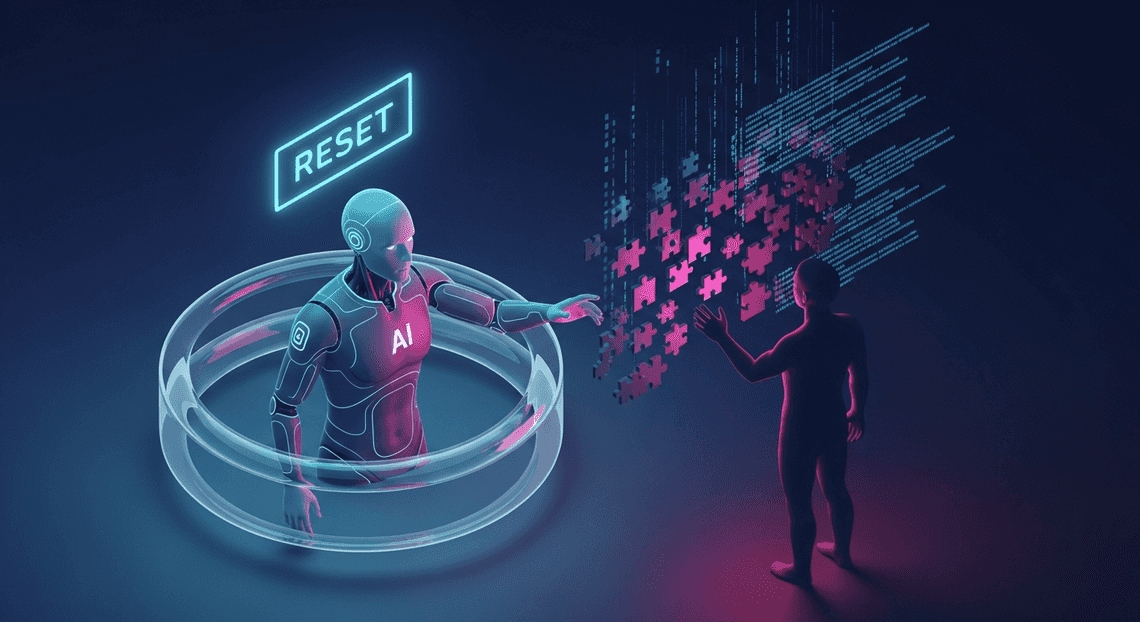
Under the hood, Large Language Models (LLMs) like Gemini are inherently stateless. When you interact with the Gemini API via REST or gRPC, each request is treated as a completely independent transaction. The model does not retain a persistent memory of your previous prompts or its own previous completions.
To create the illusion of a continuous conversation, developers typically have to append the entire conversational history to every new prompt. While this works for short exchanges, this stateless architecture introduces several critical limitations:
-
Token Exhaustion: Every time you pass the conversation history back to the API, you consume tokens. As the session grows, you rapidly approach the model’s context window limit, forcing you to truncate or summarize older messages.
-
Increased Latency and Cost: Sending massive payloads of historical text back and forth across the network increases both response latency and API billing costs. You are essentially paying to re-process the exact same context over and over again.
-
Session Volatility: If a user refreshes their browser, switches devices, or closes the application, the in-memory array holding the conversation history is wiped out. The AI agent resets to zero, completely forgetting the user’s preferences, progress, and context.
Without an external storage mechanism to persist these interactions, your AI application is trapped in a perpetual state of “first contact.”
Why Context Matters for Workspace Developers
For Automatically create new folders in Google Drive, generate templates in new folders, fill out text automatically in new files, and save info in Google Sheets developers, overcoming this stateless limitation isn’t just a technical optimization—it is a fundamental product requirement. The AC2F Streamline Your Google Drive Workflow ecosystem (Gmail, Docs, Drive, Chat) is deeply collaborative and heavily reliant on context.
Imagine building a Google Chat app or a Automated Client Onboarding with Google Forms and Google Drive. Add-on powered by Gemini. If a user asks your agent to “summarize the Q3 roadmap document,” and then follows up with “draft an email to the marketing team based on the second bullet point,” the agent must remember what the Q3 roadmap document contained and what the second bullet point was.
In the enterprise Workspace environment, context is king:
-
Workflow Continuity: Users jump between emails, spreadsheets, and documents. An effective AI agent needs to maintain a thread of logic across these different surfaces over hours, days, or even weeks.
-
Personalization: A stateful agent can learn a user’s formatting preferences, preferred tone for emails, or frequently referenced Drive files, applying this context to future interactions without needing to be re-prompted.
-
Complex Task Execution: Multi-step workflows—like gathering data from a Sheet, analyzing it, and drafting a Doc—require the AI to hold onto intermediate states.
If your Workspace integration lacks long-term memory, it devolves from a proactive digital assistant into a simple, repetitive query tool. To elevate these integrations into true enterprise-grade agents, developers need a robust, low-latency database to anchor the AI’s memory.
Architecting Long Term Memory for Gemini
By default, large language models like Gemini are inherently stateless. Every API call is an isolated event, meaning the model has no built-in recollection of the prompt you sent five minutes ago, let alone the conversation you had last week. To transform Gemini from a simple text-generation engine into a highly capable, context-aware agent, we must engineer a robust memory architecture around it. Architecting long-term memory requires capturing conversational context, storing it efficiently, and dynamically injecting it back into the model’s context window at runtime.
Core Components of a Stateful AI System
Building a stateful AI system requires moving beyond simple point-to-point API calls and establishing a multi-tier architecture. A truly agentic system relies on three foundational pillars working in unison:
-
The Cognitive Engine (Gemini): This is the brain of your operation. Gemini processes the injected context, understands user intent, and generates the appropriate responses or tool-call commands.
-
The Persistent Memory Store (Database): This is where conversational history, user preferences, and agent states live. It must support high-frequency reads and writes, as every single interaction requires fetching past context and appending new messages.
-
The Orchestration Layer (Middleware): The connective tissue that sits between the user interface, the memory store, and the LLM. It handles the business logic: receiving user input, retrieving relevant historical context from the database, formatting the prompt for Gemini, and persisting the resulting interaction back into storage.
When these components are tightly integrated, the AI agent can maintain continuity, reference past decisions, and provide a highly personalized user experience.
Leveraging Firestore for Session State Management
When selecting a database for conversational memory, Google Cloud Firestore emerges as an ideal solution. As a fully managed, serverless NoSQL document database, Firestore is practically tailor-made for the hierarchical, JSON-like structure of chat histories.
To effectively manage session state, you can leverage Firestore’s document-subcollection model. A highly effective schema design looks like this:
-
users(Collection): Stores user-level metadata and long-term preferences. -
{userId}(Document): Represents a specific user. -
sessions(Subcollection): Groups individual conversational threads. -
{sessionId}(Document): Contains session metadata (e.g., timestamps, summary). -
messages(Subcollection): The actual chronological log of the conversation.
Because Firestore guarantees strong consistency and offers single-digit millisecond latency for document lookups, your middleware can retrieve a user’s entire session history instantly before routing the prompt to Gemini. Furthermore, Firestore’s native support for Time-To-Live (TTL) policies allows you to automatically purge stale conversational data, keeping your storage costs optimized and your context windows free of irrelevant, outdated noise.
Apps Script as Your Agentic Middleware
While you could build your orchestration layer using Cloud Run or Cloud Functions, AI Powered Cover Letter Automation Engine provides a uniquely powerful, low-friction environment for building agentic middleware—especially if your workflows intersect with Automated Discount Code Management System.
Apps Script acts as the serverless glue binding Gemini and Firestore together. When a user interacts with your agent (perhaps via a Google Chat app, a custom Google Doc sidebar, or a web app), Apps Script intercepts the request. Here is how it orchestrates the stateful loop:
-
State Retrieval: Using the
UrlFetchAppservice (or a dedicated Firestore library for Apps Script), the script queries Firestore for the currentsessionIdand retrieves the array of previous messages. -
Context Assembly: The script formats these historical messages into the specific JSON structure required by the Building Self Correcting Agentic Workflows with Vertex AI or Gemini API, appending the user’s latest prompt to the end of the array.
-
LLM Invocation: Apps Script calls the Gemini API with the full, state-injected payload.
-
State Persistence: Once Gemini returns its response, Apps Script simultaneously delivers the output to the user and writes the new prompt-response pair back into the Firestore
messagessubcollection.
Beyond just routing data, Apps Script’s native integration with Workspace means your Gemini agent can take real actions based on its memory. If the Firestore history indicates a user has been brainstorming a project for three days, the Apps Script middleware can instruct Gemini to summarize the state, and then use the DocumentApp or DriveApp services to automatically generate a project proposal in Google Docs—creating a truly stateful, action-oriented AI assistant.
Designing the Firestore Memory Schema
When building stateful AI agents, the database schema acts as the cognitive architecture for your application. While Gemini boasts a massive context window, feeding it an entire unstructured database on every prompt is neither cost-effective nor performant. Google Cloud Firestore, with its flexible NoSQL document model, is perfectly suited for this. However, designing for an AI agent requires a paradigm shift: you are not just storing data; you are structuring the agent’s short-term and long-term memory.
A well-architected Firestore schema ensures that your Gemini agent can instantly recall user-specific instructions, seamlessly continue past conversations, and scale globally without hitting read/write bottlenecks.
Structuring User Profiles and Preferences
Long-term memory is what makes an AI agent feel personalized and intelligent. This layer of memory dictates how the agent should behave based on past interactions, explicit user settings, and implicitly learned traits.
In Firestore, this is best handled at the root level using a users collection. Each document in this collection represents a unique user and contains their global state. Instead of appending preferences to every prompt, your application retrieves this document once per session and injects it into Gemini’s system_instruction.
Here is an optimal document structure for a user profile:
// Collection: users

// Document ID: {userId}

{

"profile": {

"displayName": "Alex",

"role": "Senior Cloud Architect",

"timezone": "America/New_York"

},

"agentPreferences": {

"tone": "technical and concise",

"preferredLanguage": "<a href="https://votuduc.com/JSON-to-Video-Automated-Rendering-Engine-p618510">JSON-to-Video Automated Rendering Engine</a>",

"avoidTopics": ["basic tutorials", "marketing fluff"]

},

"learnedFacts": [

"Currently migrating from AWS to Google Cloud",

"Uses Terraform for infrastructure as code"

],

"createdAt": "2023-10-01T12:00:00Z",

"lastActive": "2023-10-25T09:30:00Z"

}
By isolating agentPreferences and learnedFacts, you create a clean payload that can be dynamically updated. You can even configure a background Gemini process to periodically analyze conversation histories and extract new “learned facts” to append to this array, effectively giving your agent a continuous learning loop.
Managing Multi Turn Conversation Histories
If the user profile is long-term memory, the conversation history is the agent’s working memory. Gemini requires a sequential list of messages (alternating between user and model) to maintain the context of a multi-turn chat.
To model this in Firestore, leverage subcollections. This prevents your top-level user documents from exceeding Firestore’s 1MB document size limit and allows you to query individual conversation threads efficiently. The recommended hierarchy is users/{userId}/conversations/{conversationId}/messages/{messageId}.
The messages subcollection should closely mirror the schema expected by the Gemini API’s Content object to minimize data transformation overhead in your application layer:
// Subcollection: users/{userId}/conversations/{conversationId}/messages

// Document ID: auto-generated

{

"role": "user", // or "model"

"parts": [

{

"text": "How do I configure a composite index in Firestore?"

}

],

"timestamp": "2023-10-25T09:31:15Z",

"tokenCount": 14,

"metadata": {

"safetyRatings": [],

"latencyMs": 0

}

}
By storing the tokenCount alongside the message, your application can intelligently calculate how many historical messages it can safely pull into Gemini’s context window before hitting token limits or budget constraints.
Optimizing Read and Write Operations
An AI agent that chats in real-time can generate a massive volume of database operations. Without optimization, this can lead to sluggish response times and inflated Google Cloud billing.
To optimize your Firestore architecture for Gemini, implement the following cloud engineering best practices:
1. Context Window Pagination via Indexed Queries
Never load an entire conversation history into memory. Instead, create a composite index on conversationId and timestamp (descending). When a user sends a new prompt, query Firestore to fetch only the last N messages or the last N tokens:
const messagesRef = firestore.collection(`users/${userId}/conversations/${conversationId}/messages`);

const recentHistory = await messagesRef

.orderBy('timestamp', 'desc')

.limit(10) // Only fetch the last 10 turns

.get();
Note: Because you queried in descending order to get the most recent messages, remember to reverse the array in your application code before passing it to Gemini, as the model expects chronological order.
2. Implementing Rolling Summaries
As conversations grow, fetching even a limited number of messages can consume too many tokens. Implement a Cloud Function triggered by Firestore writes. Once a conversation hits a certain length (e.g., 50 messages), the function prompts Gemini to summarize the oldest 40 messages. The function then writes this summary to a summary field on the parent conversation document and deletes the raw message documents. This drastically reduces both Firestore read costs and Gemini token usage.
3. Utilizing Firestore Time-To-Live (TTL)
Not all conversations need to be stored forever. For ephemeral chats or debugging sessions, enable Firestore TTL policies. By adding an expiresAt timestamp field to your messages or conversations documents, Firestore will automatically delete stale data in the background at no additional cost, keeping your database lean and performant.
Integrating Gemini Pro with Apps Script
Genesis Engine AI Powered Content to Video Production Pipeline serves as the perfect serverless orchestrator to bridge your Automated Email Journey with Google Sheets and Google Analytics environment with the advanced AI capabilities of Google Cloud. To build a truly stateful AI agent, Apps Script must act as the middleman—retrieving historical context from Firestore, structuring the payload for Gemini Pro, and logging the resulting interactions back into the database. Because Apps Script natively supports HTTP requests via UrlFetchApp, integrating with the Gemini API (whether through Vertex AI or Google AI Studio) is both seamless and highly customizable.
Fetching Contextual Data from Firestore
The foundation of a stateful agent is its ability to “remember.” Before we even construct our request to Gemini, we need to pull the user’s conversational history from Firestore. In Apps Script, this is typically handled either by leveraging the native REST API or by utilizing a community-supported library like FirestoreApp to simplify authentication and querying.
To maintain a performant context window, we query the database for a specific session ID, order the results chronologically, and limit the payload to the most recent interactions.
function getSessionHistory(sessionId) {

// Assuming Firestore is initialized with your service account credentials

const firestore = getFirestoreInstance();

const path = `sessions/${sessionId}/messages`;

try {

// Fetch the last 10 messages to maintain a rolling context window

const documents = firestore.query(path)

.orderBy("timestamp", "asc")

.limit(10)

.execute();

return documents || [];

} catch (error) {

console.error("Error fetching Firestore context: ", error);

return [];

}

}
By retrieving these documents, we extract the raw material required to give Gemini its long-term memory. Each document should ideally contain the role (either “user” or “model”), the text content, and a timestamp.
Injecting Memory Objects into Gemini Prompts
Gemini Pro’s API expects multi-turn conversations to be formatted as an array of objects within a contents array. Once we have our historical data from Firestore, we must map these database records into the exact JSON schema that Gemini requires, appending the user’s newest prompt at the very end.
This injection process transforms a stateless API call into a continuation of an ongoing dialogue.
function buildGeminiPayload(historyDocs, newPrompt) {

// Map Firestore documents to Gemini's expected schema

const contents = historyDocs.map(doc => {

return {

role: doc.fields.role.stringValue,

parts: [{ text: doc.fields.content.stringValue }]

};

});

// Inject the current user query into the context array

contents.push({

role: "user",

parts: [{ text: newPrompt }]

});

return {

contents: contents,

generationConfig: {

temperature: 0.4,

maxOutputTokens: 1024

}

};

}
This structured payload ensures that Gemini evaluates the newPrompt not in isolation, but through the lens of the preceding historyDocs. If the user refers to a topic discussed three messages ago, the injected memory objects provide the necessary context for Gemini to resolve the reference accurately.
Processing and Storing the AI Response
Once the payload is constructed, we dispatch it to the Gemini API. However, the lifecycle of a stateful agent doesn’t end when the AI generates a response. To keep the memory loop intact, we must parse the API’s output and immediately write both the user’s initial prompt and the model’s response back to Firestore.
This two-part write operation ensures that the next time the script runs, the database accurately reflects the complete, updated conversation.
function generateAndStoreResponse(sessionId, newPrompt, payload) {

const geminiEndpoint = `https://generativelanguage.googleapis.com/v1beta/models/gemini-pro:generateContent?key=${API_KEY}`;

const options = {

method: "post",

contentType: "application/json",

payload: JSON.stringify(payload),

muteHttpExceptions: true

};

// 1. Call the Gemini API

const response = UrlFetchApp.fetch(geminiEndpoint, options);

const responseData = JSON.parse(response.getContentText());

if (responseData.error) {

throw new Error(`Gemini API Error: ${responseData.error.message}`);

}

// 2. Extract the generated text

const aiText = responseData.candidates[0].content.parts[0].text;

const firestore = getFirestoreInstance();

const path = `sessions/${sessionId}/messages`;

// 3. Store the user's prompt in Firestore

firestore.createDocument(path, {

role: "user",

content: newPrompt,

timestamp: new Date().toISOString()

});

// 4. Store the AI's response in Firestore

firestore.createDocument(path, {

role: "model",

content: aiText,

timestamp: new Date().toISOString()

});

return aiText;

}
By executing this sequence, you effectively create a closed-loop system. Apps Script handles the transient execution, Gemini provides the cognitive reasoning, and Firestore acts as the persistent brain. Every time this function runs, the agent grows slightly more context-aware, resulting in a robust, stateful AI experience built entirely on Google Cloud infrastructure.
Advanced Considerations for AI Engineers
Transitioning a stateful AI agent from a proof-of-concept to a production-grade system requires more than just wiring an LLM to a database. When building with Gemini and Firestore, Cloud Engineers must architect for scale, cost-efficiency, and performance. Below are the critical architectural considerations for optimizing your agent’s long-term memory.
Handling Token Limits and Context Windows
While Gemini 1.5 Pro boasts an industry-leading context window of up to 2 million tokens, blindly injecting a user’s entire lifetime interaction history from Firestore into every prompt is a severe anti-pattern. Maximizing the context window unnecessarily inflates Vertex AI inference costs, increases time-to-first-token (TTFT), and can occasionally dilute the model’s attention on the immediate task.
To intelligently manage context windows using Firestore, implement the following patterns:
-
Semantic Memory Retrieval (Vector Search): Instead of chronologically fetching all past conversations, leverage Firestore’s native Vector Search capabilities. By generating embeddings for user interactions and storing them as
vectorfields in Firestore, your agent can perform a K-Nearest Neighbors (KNN) search to retrieve only the historical context semantically relevant to the current prompt. -
Rolling Summarization: Implement an event-driven architecture using Eventarc and Cloud Functions. After a specific threshold of interactions (e.g., every 50 messages), trigger a background function that reads the recent history, prompts Gemini to generate a compressed state summary, and updates a dedicated
agent_statedocument. The prompt context then only requires this dense summary plus the few most recent messages, rather than the raw history. -
Sliding Windows and TTL: For chronological context, utilize Firestore’s indexing to query only the most recent $N$ messages using
orderBy("timestamp", "desc").limit(N). Furthermore, apply Firestore Time-to-Live (TTL) policies on granular message documents to automatically purge or archive ephemeral agent scratchpad data that no longer serves long-term memory needs.
Ensuring Low Latency in Agentic Workflows
Agentic workflows—particularly those utilizing ReAct (Reasoning and Acting) frameworks or complex Chain-of-Thought—often involve multiple iterative loops of planning, tool execution, and observation. If every step in this loop requires a synchronous database read/write, Firestore’s network latency will compound, resulting in an unacceptably slow user experience.
To ensure ultra-low latency in your agentic architecture:
-
Geographical Colocation: Network physics matter. Ensure that your Firestore database, your compute layer (Cloud Run, GKE, or Cloud Functions), and your Vertex AI API endpoint are all provisioned in the exact same Google Cloud region (e.g.,
us-central1). This eliminates cross-region network hops during the agent’s internal reasoning loops. -
Asynchronous State Persistence: Never block the agent’s execution loop on a database write. When the agent generates an intermediate thought or tool output, use asynchronous operations (such as
asyncio.create_taskin Python or non-blocking Promises in Node.js) to persist the memory to Firestore in the background while the agent immediately initiates the next Gemini API call. -
Optimized Data Modeling: Avoid the “fat document” trap. Do not append every new message into an array within a single Firestore document, as the document size will grow linearly, slowing down read times and eventually hitting the 1MB document limit. Instead, store the agent’s lightweight metadata in a parent document and write turn-by-turn history into a
messagessubcollection. -
Real-Time Client Streaming: Take advantage of Firestore’s
onSnapshotreal-time listeners on the client side. As your backend agent asynchronously writes its intermediate steps and final responses to Firestore, the client application can listen to these document changes and stream the UI updates instantly, masking backend processing time from the user.
Scale Your AI Architecture
Transitioning a stateful AI agent from a local prototype to a production-grade, globally distributed application requires a robust infrastructure strategy. When pairing Gemini’s advanced reasoning capabilities with Firestore’s serverless document database, you are inherently building on an architecture designed for massive scale. However, true scalability is about more than just handling increased traffic; it is about maintaining low latency, optimizing costs, and ensuring high availability as your user base grows.
Because Gemini itself is stateless, the scalability of your agent’s “memory” is entirely dependent on your database layer. Firestore shines here by offering automatic multi-region replication, strong consistency, and seamless horizontal scaling. As your application handles thousands of concurrent conversational threads, Firestore manages the underlying sharding and load balancing without requiring manual intervention. To maximize this architecture, cloud engineers should implement best practices such as utilizing Firestore’s real-time listeners for asynchronous state updates, implementing TTL (Time-To-Live) policies to automatically purge stale conversational data, and leveraging Cloud Run or Cloud Functions to elastically scale the compute layer that bridges Gemini and Firestore.
Reviewing the Stateful Agent Lifecycle
To fully appreciate how this architecture scales, it is crucial to understand the continuous loop that powers your AI’s long-term memory. The stateful agent lifecycle is a highly orchestrated dance between user input, database retrieval, LLM inference, and state mutation.
Here is the step-by-step breakdown of a single turn in the lifecycle:
-
Session Initialization & Identity Routing: A user submits a prompt. The application layer authenticates the request and extracts the unique
session_idoruser_id. -
Context Retrieval (Read Phase): Before Gemini is even invoked, the application queries Firestore for the user’s historical state. This includes past conversation summaries, user preferences, and specific entity relationships stored in previous interactions.
-
Prompt Augmentation: The retrieved Firestore data is dynamically injected into the system instructions or context window of the Gemini prompt. This step transforms a generic LLM into a highly personalized agent.
-
Inference Execution: The augmented prompt is sent to the Gemini API. Because the context is heavily optimized, Gemini can generate a highly relevant, context-aware response without hallucinating past interactions.
-
State Mutation (Write Phase): Once Gemini returns the response, the application parses the output. It identifies new facts, updated user preferences, or shifts in the conversation’s context.
-
Memory Commit: The application executes an ACID-compliant write operation to Firestore, updating the user’s state document. This ensures that the very next prompt will benefit from the context generated just milliseconds prior.
By decoupling the memory (Firestore) from the brain (Gemini), this lifecycle ensures that your agent remains lightweight, fast, and capable of picking up a conversation exactly where it left off, whether the last interaction was five minutes or five months ago.
Book a GDE Discovery Call with Vo Tu Duc
Building enterprise-grade AI architectures requires navigating complex design decisions, from optimizing Gemini token usage to structuring NoSQL databases for lightning-fast retrieval. If you are looking to accelerate your development timeline, validate your system architecture, or overcome specific engineering hurdles, expert guidance can be invaluable.
Take the guesswork out of your cloud engineering journey by booking a one-on-one discovery call with Vo Tu Duc, a recognized Google Developer Expert (GDE) in Google Cloud and Automated Google Slides Generation with Text Replacement. With deep expertise in deploying scalable AI solutions, serverless architectures, and advanced API integrations, Vo Tu Duc can help you:
-
Audit Your Architecture: Review your current Gemini and Firestore implementation for bottlenecks, security vulnerabilities, and scalability limits.
-
Optimize Cloud Costs: Learn advanced strategies to minimize Firestore read/write costs and manage Gemini API token consumption efficiently.
-
Accelerate Deployment: Get actionable advice on CI/CD pipelines, infrastructure as code (IaC), and deploying your stateful agents on Google Cloud.
Ready to transform your AI concepts into production-ready realities? Click here to book your GDE Discovery Call with Vo Tu Duc today and start building smarter, more resilient cloud applications.


Stop Doing Manual Work. Scale with AI.
Want to turn these blog concepts into production-ready reality for your team?
Table Of Contents
Portfolios
Related Posts
Quick Links
Legal Stuff