

Secure Medical Record Analytics Using Firebase and Apps Script


Healthcare data holds the power to revolutionize patient care, but analyzing Protected Health Information (PHI) brings immense ethical and legal challenges. Discover how to architect secure, compliant analytics pipelines that balance data-driven innovation with non-negotiable privacy mandates.

Introduction to PHI Security in Analytics
Healthcare organizations are sitting on a goldmine of data. When leveraged correctly, this data can drive predictive diagnostics, optimize hospital operations, and personalize patient care. However, analyzing Protected Health Information (PHI) is fundamentally different from analyzing standard application telemetry or e-commerce data. The stakes are exponentially higher, both ethically and legally. In the realm of cloud engineering, balancing the demand for agile data analytics with the rigid, non-negotiable mandates of healthcare compliance—such as HIPAA in the US or GDPR in Europe—requires a meticulously architected approach. Security cannot be an afterthought; it must be the foundational layer upon which your analytics pipelines are built.
The Challenge of Exposing Medical Records
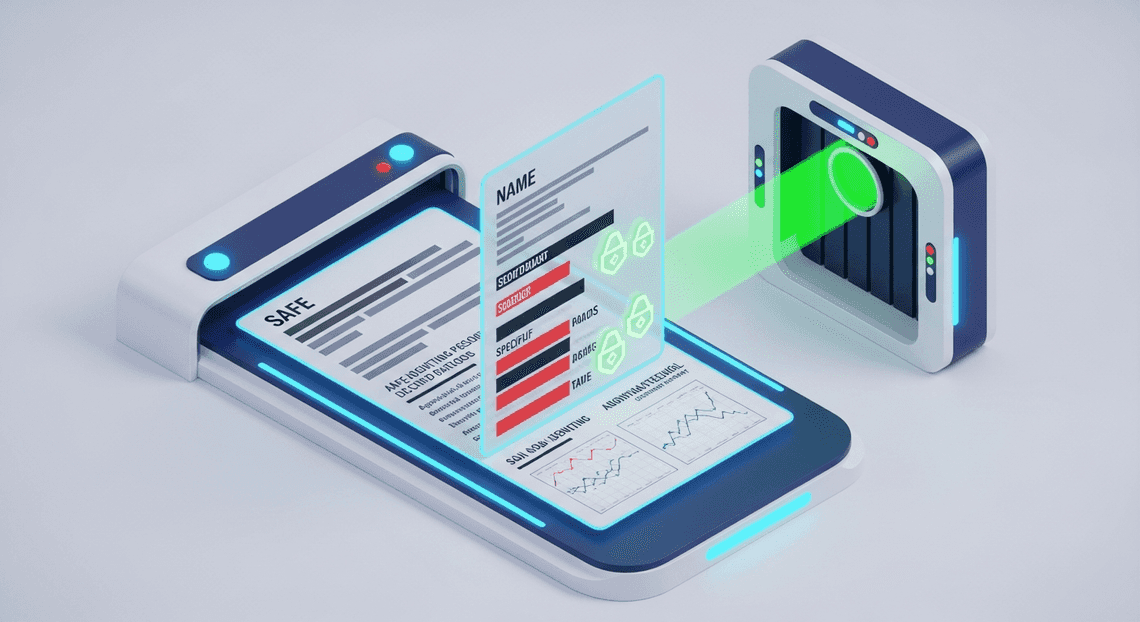
Medical records are inherently complex and deeply sensitive. A single document often contains a dense mixture of clinical data (diagnoses, treatment plans) and Personally Identifiable Information (PII) like names, social security numbers, and contact details. The primary challenge in medical analytics lies in extracting actionable clinical or operational insights without exposing this highly sensitive identity data to unauthorized personnel or vulnerable downstream systems.
When data scientists, researchers, or business analysts need to run reports, they rarely need to know who the patient is; they only need the demographic or clinical variables. Yet, traditional data extraction methods often take an “all-or-nothing” approach, dumping raw, unmasked records into data lakes, BI tools, or spreadsheets. This over-exposure violates the principle of least privilege and drastically expands the attack surface. Every time a medical record is moved, copied, or exposed to an analytics environment without proper sanitization, the risk of a data breach—whether through malicious exfiltration, insider threat, or simple accidental misconfiguration—skyrockets.
Why Direct Database Access Fails Compliance
A common, yet deeply flawed, architectural shortcut is granting analytics teams direct read-only access to the production database. In a Firebase ecosystem, this might look like handing out broad Google Cloud Identity and Access Management (IAM) roles or writing overly permissive Firestore security rules to allow analysts to query collections directly. From a compliance perspective, this is a massive red flag.
Direct database access fails modern healthcare compliance standards for several critical reasons:
-
Lack of Granular Data Masking: Direct access bypasses application-layer business logic designed to mask or redact sensitive fields. If an analyst queries a Firestore collection directly, they retrieve the raw JSON document, exposing PHI that they have no legitimate business need to view.
-
**Inadequate Audit Trails: HIPAA and similar frameworks mandate strict, granular audit logs detailing exactly who accessed which patient record, and when. While Google Cloud offers robust Cloud Audit Logs, tracking read operations at the individual document level for analytics queries in a high-throughput NoSQL database can become incredibly complex and cost-prohibitive. Direct access makes it difficult to distinguish between routine application traffic and human-driven analytical queries.
-
Violation of Data Minimization: Compliance frameworks demand that only the minimum necessary data be accessed to perform a specific task. Direct database access inherently violates this by exposing entire schemas and collections.
-
Operational Risk: Direct access intertwines operational and analytical workloads. Unoptimized, heavy analytical queries run directly against a production database can lead to performance degradation or rate-limiting on systems that are mission-critical for live patient care.
To maintain compliance and protect patient trust, direct access must be strictly prohibited. Instead, an intermediary abstraction layer is required—one that enforces data minimization, handles real-time redaction, and securely logs access before the data ever reaches the analyst’s screen.
Designing a Secure Proxy Architecture
When handling Protected Health Information (PHI) and sensitive medical records, exposing your primary data warehouse directly to client-facing applications is a critical security anti-pattern. A direct connection expands the attack surface, complicates audit logging, and makes it notoriously difficult to enforce granular, context-aware access controls. To mitigate these risks, cloud engineers employ a secure proxy architecture.
In this design, a middleware layer sits between the client interfaces—such as custom dashboards or Automatically create new folders in Google Drive, generate templates in new folders, fill out text automatically in new files, and save info in Google Sheets tools—and the backend data warehouse. This proxy acts as a secure gatekeeper, ensuring that every request is authenticated, authorized, sanitized, and logged before it ever reaches the underlying medical datasets. By decoupling the client from the data layer, you establish a Zero Trust environment where the backend database only trusts requests originating from the tightly controlled proxy, effectively shielding your analytical infrastructure from direct external exposure.
The Role of Firebase as a Middleware Layer
In our architecture, Firebase serves as the intelligent middleware layer, transforming from a traditional backend-as-a-service into a robust, secure proxy. Rather than storing the heavy analytical medical records in Firestore, we leverage Firebase Authentication, Firebase App Check, and Cloud Functions for Firebase to construct an impenetrable API gateway.
When a clinician or data analyst requests a specific analytical report, the request first hits a Cloud Function. This function acts as the proxy compute instance and performs several critical security validations:
-
Identity Verification: It validates the user’s identity via Firebase Authentication tokens, ensuring the requester is a known entity within the organization’s identity provider (e.g., Google Cloud Identity).
-
App Attestation: Using Firebase App Check, the middleware verifies that the incoming request is originating from an authorized, untampered application, blocking malicious scripts or automated botnets.
-
Input Sanitization: The Cloud Function rigorously sanitizes the incoming query parameters to prevent injection attacks.
-
Contextual Authorization: The middleware checks custom user claims to ensure the requester has the specific role-based access control (RBAC) permissions required to view the requested medical cohort.
Only after these checks pass does the Cloud Function assume the identity of a tightly scoped Google Cloud Service Account. It then securely queries the backend data warehouse on behalf of the user, formats the analytical results, strips out any unrequested Personally Identifiable Information (PII), and returns the payload to the client. This ensures the backend database schema remains completely abstracted and hidden from the end-user.
Integrating Apps Script with BigQuery Safely
AC2F Streamline Your Google Drive Workflow, powered by AI Powered Cover Letter Automation Engine, is frequently the interface of choice for healthcare administrators and analysts who rely on Google Sheets for data visualization and reporting. However, integrating Apps Script with a powerful analytics engine like BigQuery requires strict security guardrails, especially when medical records are involved.
The safest method to bridge Apps Script and BigQuery is to route the traffic through the Firebase middleware proxy we established, rather than provisioning direct database access to end-users. Here is how to execute this integration safely:
-
Token-Based Authentication: Instead of hardcoding BigQuery credentials or service account keys into the Apps Script code (which is highly insecure), the script should utilize the
ScriptApp.getOAuthToken()method or a dedicated Firebase Auth REST call to generate a short-lived Bearer token. -
Proxied Execution via
UrlFetchApp: The Apps Script uses theUrlFetchAppservice to send an HTTPS request to the Firebase Cloud Function, passing the Bearer token in the authorization header. The script never speaks directly to BigQuery; it only speaks to the proxy. -
Enforcing Least Privilege in BigQuery: On the BigQuery side, the Service Account utilized by the Firebase Cloud Function must be granted the absolute minimum permissions required—typically just
roles/bigquery.dataViewerandroles/bigquery.jobUser. -
Row-Level and Column-Level Security: To add a defense-in-depth layer, BigQuery should be configured with Row-Level Security (RLS) and Column-Level Security (CLS) policies. Even if the proxy is somehow bypassed, these native BigQuery policies ensure that the service account can only retrieve anonymized, aggregated data, explicitly blocking access to columns containing direct patient identifiers (like names or SSNs) unless explicitly authorized by a specialized policy tag.
By forcing Apps Script to communicate through the Firebase proxy and locking down BigQuery with granular IAM and data policies, you create a seamless yet highly secure pipeline. Analysts can pull complex medical analytics directly into their spreadsheets, while cloud engineers maintain strict, HIPAA-compliant control over the data flow.
Implementing Granular Data Masking
When dealing with medical records, the tension between data utility and data privacy is constant. Analytics teams need robust datasets to identify trends, optimize resource allocation, and improve patient outcomes. However, regulatory frameworks like HIPAA and GDPR strictly prohibit the exposure of Protected Health Information (PHI) to unauthorized personnel. This is where granular data masking becomes the linchpin of your cloud architecture.
By implementing granular data masking, you can ensure that your analytics tools—powered by Automated Client Onboarding with Google Forms and Google Drive. and Apps Script—receive high-fidelity data without ever exposing the underlying sensitive identifiers.
Defining Firebase Security Rules for Healthcare Data
In a Google Cloud ecosystem, data security begins at the database layer. If you are using Cloud Firestore to store patient records, Firebase Security Rules act as your first and most critical line of defense. For healthcare data, a default “allow read/write if authenticated” rule is a massive compliance violation waiting to happen. Instead, you must implement strict Role-Based Access Control (RBAC) using Firebase Authentication custom claims.
To protect PHI from being accessed by analytics teams directly, you can structure your rules to differentiate between clinical staff (who need raw data) and analysts (who only need aggregated or sanitized data).
Here is an example of how you can configure your firestore.rules to enforce this separation:
rules_version = '2';

service cloud.firestore {

match /databases/{database}/documents {

// Helper functions to validate custom claims securely

function isClinicalProvider() {

return request.auth != null && request.auth.token.role == 'provider';

}

function isDataAnalyst() {

return request.auth != null && request.auth.token.role == 'analyst';

}

// Main patient records containing raw PHI (Name, SSN, exact DOB)

match /patients/{patientId} {

// Only clinical providers can read the raw medical record

allow read, write: if isClinicalProvider();

// Analysts are explicitly denied access to raw PHI

allow read: if false;

}

// A separate subcollection or aggregated view specifically for analytics

match /patients/{patientId}/analytics_view/{docId} {

// Analysts can read this pre-sanitized data

allow read: if isDataAnalyst();

}

}

}
By leveraging custom claims (request.auth.token.role), these rules ensure that even if an analyst attempts to query the /patients collection directly via the client SDK, the Firestore backend will reject the request. This zero-trust approach guarantees that PHI never leaves the database unless the requester has the explicit clinical authorization to view it.
Anonymizing Protected Health Information on the Fly
While Firebase Security Rules prevent unauthorized access, your analytics team still needs data to work with. Instead of maintaining two separate databases, you can use Genesis Engine AI Powered Content to Video Production Pipeline as a secure middleware to fetch, anonymize, and export data on the fly.
Apps Script can authenticate with Firebase using a privileged Service Account. This allows the script to read the raw data, apply masking algorithms in memory, and push the sanitized dataset into a Google Sheet or BigQuery table for the analysts.
When anonymizing PHI on the fly, you should employ three primary techniques:
-
Data Minimization: Completely dropping fields that are irrelevant to analytics (e.g., Patient Names, Phone Numbers).
-
Pseudonymization: Replacing direct identifiers with cryptographic hashes (e.g., hashing a Patient ID).
-
Generalization: Reducing the precision of a data point (e.g., converting an exact Date of Birth into an age bracket).
Here is how you can implement this logic within Architecting Multi Tenant AI Workflows in Google Apps Script:
/**

* Fetches raw patient data from Firestore, masks PHI,

* and prepares it for Google Sheets analytics.

*/

function processAndMaskMedicalRecords() {

// Assume 'firestore' is an initialized FirestoreApp instance authenticated via Service Account

const rawPatients = firestore.getDocuments('patients');

const sanitizedDataset = [];

rawPatients.forEach(doc => {

const data = doc.fields;

// Constructing a new object, explicitly leaving out Name, SSN, and Address

const maskedRecord = {

// Pseudonymization: Hash the document ID to track unique patients without revealing identity

patientHash: generateSecureHash(doc.name),

// Generalization: Convert exact DOB to an age bracket (e.g., "40-49")

ageBracket: calculateAgeBracket(data.dateOfBirth.stringValue),

// Generalization: Extract only the first 3 digits of the zip code (HIPAA Safe Harbor method)

zipCodeRegion: data.zipCode.stringValue.substring(0, 3),

// Safe Clinical Data: Keep diagnosis and outcome for analytics

icd10Code: data.diagnosisCode.stringValue,

treatmentOutcome: data.outcome.stringValue

};

sanitizedDataset.push(maskedRecord);

});

// Output sanitizedDataset to a Google Sheet for the analytics team

exportToAnalyticsSheet(sanitizedDataset);

}

/**

* Generates a SHA-256 hash using Apps Script Utilities

*/

function generateSecureHash(inputString) {

const rawHash = Utilities.computeDigest(Utilities.DigestAlgorithm.SHA_256, inputString);

return Utilities.base64Encode(rawHash);

}

/**

* Converts a specific date string (YYYY-MM-DD) into a generalized age bracket

*/

function calculateAgeBracket(dobString) {

const birthYear = new Date(dobString).getFullYear();

const currentYear = new Date().getFullYear();

const age = currentYear - birthYear;

if (age < 18) return "0-17";

if (age < 30) return "18-29";

if (age < 50) return "30-49";

if (age < 70) return "50-69";

// HIPAA requires ages 89 and over to be aggregated into a single category

if (age >= 89) return "89+";

return "70-88";

}
By executing this transformation in memory within the Automated Discount Code Management System cloud environment, the raw PHI is never written to the destination sheet. The analytics team receives a highly valuable dataset containing demographic trends and treatment outcomes, while the organization remains strictly compliant with healthcare data privacy regulations.
Step by Step Technical Implementation
To build this secure, HIPAA-compliant architecture, we need to establish a clear separation of concerns. BigQuery will act as our robust, encrypted data warehouse; Firebase Cloud Functions will serve as our secure, stateless proxy layer; and Google Apps Script will drive the front-end logic within Automated Email Journey with Google Sheets and Google Analytics.
Here is the step-by-step process to wire these components together.
Setting Up the BigQuery Analytics Backend
The foundation of our medical record analytics pipeline is Google BigQuery. Because we are dealing with sensitive health data, we must ensure that our data warehouse is configured with the principle of least privilege and robust audit logging.
- Create the Dataset and Table:
Navigate to the Google Cloud Console and create a new BigQuery dataset named medical_analytics. Ensure you select a region that complies with your data residency requirements. Next, define your table schema. It is highly recommended to store only de-identified or pseudonymized Protected Health Information (PHI).
CREATE TABLE `your-project.medical_analytics.patient_metrics` (

patient_pseudo_id STRING,

admission_date DATE,

diagnosis_code STRING,

treatment_outcome_score FLOAT64,

last_updated TIMESTAMP

);
- Configure IAM Permissions:
To maintain a secure perimeter, no user or external application should query this table directly. Instead, we will grant access exclusively to the service account used by our Firebase proxy.
Navigate to* IAM & Admin**.
- Locate the default App Engine service account (or preferably, create a dedicated service account for Firebase).
Grant it the* BigQuery Data Viewer** (roles/bigquery.dataViewer) and BigQuery Job User (roles/bigquery.jobUser) roles.
Configuring the Firebase Proxy Layer
Exposing a direct BigQuery connection to a client-side application or Apps Script environment introduces unnecessary security risks. By deploying a Firebase Cloud Function as a proxy layer, we can enforce strict authentication, sanitize inputs, and ensure that only aggregate or filtered data leaves the Google Cloud perimeter.
- Initialize the Firebase Environment:
Ensure you have the Firebase CLI installed. In your local terminal, initialize a new Firebase project and select Functions:
firebase login

firebase init functions

cd functions

npm install @google-cloud/bigquery
- Write the Proxy Logic:
In your index.js file, we will create an HTTPS-triggered function. This function will verify the incoming request, execute a parameterized query against BigQuery (to prevent SQL injection), and return the results.
const functions = require('firebase-functions');

const { BigQuery } = require('@google-cloud/bigquery');

const bigquery = new BigQuery();

exports.getMedicalAnalytics = functions.https.onRequest(async (req, res) => {

// 1. Enforce Authentication (e.g., checking a Bearer token)

const authHeader = req.headers.authorization || '';

if (!authHeader.startsWith('Bearer ')) {

return res.status(401).send('Unauthorized');

}

// 2. Extract and sanitize parameters

const diagnosisFilter = req.body.diagnosisCode;

if (!diagnosisFilter) {

return res.status(400).send('Missing diagnosisCode parameter');

}

// 3. Execute Parameterized BigQuery

const query = `

SELECT diagnosis_code, AVG(treatment_outcome_score) as avg_score, COUNT(*) as patient_count

FROM \`your-project.medical_analytics.patient_metrics\`

WHERE diagnosis_code = @diagnosis

GROUP BY diagnosis_code

`;

const options = {

query: query,

location: 'US',

params: { diagnosis: diagnosisFilter },

};

try {

const [rows] = await bigquery.query(options);

// 4. Return sanitized JSON payload

res.status(200).json({ data: rows });

} catch (error) {

console.error('BigQuery execution error:', error);

res.status(500).send('Internal Server Error');

}

});
- Deploy the Function:
Deploy your proxy layer using firebase deploy --only functions. Note the secure HTTPS URL generated upon successful deployment.
Writing the Apps Script Query Logic
With our backend and proxy secured, we can now connect Automated Google Slides Generation with Text Replacement (such as a Google Sheet used by hospital administrators) to our analytics pipeline using Google Apps Script.
- Update Manifest Scopes:
To securely call our Firebase endpoint, Apps Script needs to generate an OpenID Connect (OIDC) token. Open your appsscript.json manifest file and ensure you have the required scopes:
{

"oauthScopes": [

"https://www.googleapis.com/auth/script.external_request",

"openid",

"https://www.googleapis.com/auth/userinfo.email"

]

}
- Develop the Fetch Logic:
In your Code.gs file, write the function to communicate with the Firebase proxy. We will use ScriptApp.getIdentityToken() to authenticate the request, ensuring that the Firebase function can verify the identity of the Automated Order Processing Wordpress to Gmail to Google Sheets to Jobber user making the request.
function fetchAnalyticsData() {

const firebaseUrl = "https://us-central1-your-project.cloudfunctions.net/getMedicalAnalytics";

const identityToken = ScriptApp.getIdentityToken();

const payload = {

"diagnosisCode": "J45.909" // Example ICD-10 code for Asthma

};

const options = {

"method": "post",

"contentType": "application/json",

"headers": {

"Authorization": "Bearer " + identityToken

},

"payload": JSON.stringify(payload),

"muteHttpExceptions": true

};

try {

const response = UrlFetchApp.fetch(firebaseUrl, options);

const responseCode = response.getResponseCode();

if (responseCode === 200) {

const json = JSON.parse(response.getContentText());

populateSheet(json.data);

} else {

Logger.log("Error fetching data: " + response.getContentText());

}

} catch (e) {

Logger.log("Network or execution error: " + e.message);

}

}

function populateSheet(data) {

const sheet = SpreadsheetApp.getActiveSpreadsheet().getActiveSheet();

// Clear previous results

sheet.getRange("A2:C100").clearContent();

if (!data || data.length === 0) return;

// Map JSON data to a 2D array for Google Sheets

const rows = data.map(record => [

record.diagnosis_code,

record.avg_score,

record.patient_count

]);

sheet.getRange(2, 1, rows.length, rows[0].length).setValues(rows);

}
By executing fetchAnalyticsData(), Apps Script securely requests the aggregated metrics via the Firebase proxy, which in turn queries BigQuery. The result is seamlessly written directly into the user’s spreadsheet, providing powerful medical analytics without ever exposing raw PHI to the client layer.
Ensuring Continuous Compliance and Monitoring
Building a secure healthcare analytics platform is not a one-and-done endeavor. Once your Firebase and Apps Script architecture is deployed, the operational focus must immediately shift to maintaining a continuous state of compliance. In the highly regulated healthcare sector—governed by stringent frameworks like HIPAA, HITRUST, or GDPR—continuous monitoring is the absolute backbone of your security posture. It ensures that anomalous behaviors are detected in real-time, data access is strictly accounted for, and your infrastructure evolves securely alongside your application.
Audit Logging for Security Engineers
For security engineers, granular visibility is non-negotiable. When dealing with Protected Health Information (PHI) flowing between Firebase databases and Automated Payment Transaction Ledger with Google Sheets and PayPal via Apps Script, you must be able to definitively answer the “who, what, where, and when” of every single data interaction.
To achieve this, your architecture must heavily leverage Google Cloud’s native logging ecosystem:
-
Cloud Audit Logs: By default, Google Cloud records Admin Activity logs, but for healthcare applications, you must explicitly enable Data Access logs for services like Cloud Firestore, Cloud Storage, and Cloud Functions. This ensures that every read, write, and query against a medical record is cryptographically recorded.
-
Apps Script Cloud Logging Integration: Google Apps Script natively integrates with Google Cloud Logging (formerly Stackdriver). By linking your Apps Script project to a standard Google Cloud Project (GCP), you can use
console.log(),console.info(), andconsole.error()to generate structured logs. Crucial Security Note: Ensure developers log the execution context (e.g., “User X initiated analytics report generation”) without ever logging the actual PHI payload. -
Log Routing and Retention: Regulatory frameworks often require logs to be retained for several years. Use Cloud Logging Sinks to automatically route your audit logs to BigQuery for long-term, cost-effective retention and forensic analytics. Alternatively, route logs via Pub/Sub to stream them directly into a third-party SIEM (Security Information and Event Management) platform like Splunk, Datadog, or Google SecOps.
-
Proactive Alerting: Logs are only useful if they are monitored. Configure Log-based Alerts in Cloud Monitoring to notify your SecOps team immediately if specific thresholds are breached—such as a sudden spike in Firestore
PERMISSION_DENIEDerrors, which could indicate a brute-force attempt or a misconfigured Apps Script service account.
DevOps Best Practices for Healthcare Apps
Integrating security deeply into your deployment pipeline—often referred to as DevSecOps—is critical to preventing vulnerabilities from ever reaching production. When managing a hybrid architecture of Firebase and Google Docs to Web, your DevOps strategy must prioritize data isolation, automated validation, and strict access controls.
-
Strict Environment Segregation: Never mix development and production data. Utilize entirely separate Google Cloud Projects for Development, Staging, and Production environments. Under no circumstances should real PHI be used in non-production environments; instead, use synthesized or anonymized dummy data for testing analytics scripts.
-
Firebase Local Emulator Suite: To prevent accidental data leakage during the development phase, engineering teams should rely on the Firebase Local Emulator Suite. This allows developers to test Cloud Functions, Firestore Security Rules, and database interactions entirely locally, ensuring zero risk to live medical records.
-
Automated Security Rules Testing: Treat your Firestore Security Rules as mission-critical code. Write comprehensive unit tests for your rules and enforce them in your CI/CD pipeline (using tools like Cloud Build or GitHub Actions). If a developer submits a pull request that inadvertently opens read access to a protected patient collection, the automated pipeline should fail the build immediately.
-
Centralized Secret Management: Connecting Apps Script to external APIs or authenticating custom Firebase services often requires API keys or service account JSONs. Never hardcode these credentials in your repository or Apps Script properties. Utilize Google Cloud Secret Manager to securely store, version, and inject sensitive configuration data at runtime, ensuring that only authorized services can access them via IAM roles.
-
Infrastructure as Code (IaC): Manage your Firebase resources, IAM policies, and BigQuery datasets using IaC tools like Terraform. This guarantees that your infrastructure is reproducible, version-controlled, and easily auditable by compliance officers during a security review.
Next Steps for Your Cloud Architecture
Building a secure foundation with Firebase and Google Apps Script is a highly effective way to bootstrap your medical record analytics. It provides agility, seamless integration, and rapid deployment. However, as your healthcare application gains traction, your data volume, query complexity, and regulatory requirements will inevitably grow. To future-proof your system and maintain strict compliance, you must evolve your architecture to leverage the broader, enterprise-grade capabilities of the Google Cloud ecosystem.
Scaling Your Secure Analytics Pipeline
While Firebase and Apps Script excel at operational workflows and lightweight automation, analyzing hundreds of thousands—or millions—of patient records requires dedicated analytical horsepower. Scaling your pipeline means transitioning from operational data stores to robust data warehousing, reinforced by advanced security perimeters.
To scale securely, consider integrating the following Google Cloud components into your architecture:
-
Google BigQuery for Enterprise Analytics: Bridge the gap between your operational database and your analytics engine by utilizing the Firebase Extensions to stream Firestore data directly into BigQuery. BigQuery is a serverless, highly scalable data warehouse that allows you to run complex, petabyte-scale SQL queries in seconds. This enables deep clinical analytics and machine learning models without impacting the performance of your patient-facing applications.
-
**Cloud Data Loss Prevention (DLP): When handling Protected Health Information (PHI), data privacy is non-negotiable. Integrate Cloud DLP into your data pipeline to automatically discover, classify, and de-identify (mask or tokenize) sensitive medical data before it reaches your analytics dashboards. This ensures your data scientists can analyze trends without ever exposing raw patient identities.
-
Event-Driven Microservices: As your processing logic outgrows Apps Script execution limits, migrate your heavy-lifting automation to Cloud Functions or Cloud Run. These serverless compute options offer virtually limitless scalability, support for robust languages like JSON-to-Video Automated Rendering Engine and Go, and the ability to process complex medical datasets asynchronously.
-
VPC Service Controls and Advanced IAM: To meet stringent HIPAA and HITRUST compliance frameworks, you must lock down your data perimeters. Implement VPC Service Controls to mitigate data exfiltration risks, and use granular Identity and Access Management (IAM) combined with Cloud Audit Logs to maintain an immutable, verifiable record of exactly who accessed which medical record and when.
Book a GDE Discovery Call with Vo Tu Duc
Navigating the intricacies of healthcare compliance, data governance, and scalable cloud architecture can be daunting. Designing a system that perfectly balances high-performance analytics with impenetrable security requires deep, specialized knowledge of Google’s infrastructure. You don’t have to figure it out alone.
If you are ready to elevate your medical analytics platform, book a discovery call with Vo Tu Duc, a recognized Google Developer Expert (GDE) in Google Cloud and SocialSheet Streamline Your Social Media Posting.
During this one-on-one session, you will receive expert, tailored guidance on:
-
Evaluating and optimizing your current Firebase and Apps Script architecture.
-
Mapping out a seamless, zero-downtime migration path to BigQuery and advanced GCP analytics.
-
Implementing bulletproof security measures to ensure your pipeline exceeds industry compliance standards.
Whether you are a fast-moving health-tech startup or an established healthcare provider, leveraging the insights of a GDE can save your team months of engineering trial-and-error, optimize your cloud spend, and fundamentally de-risk your architecture. Reach out today to schedule your consultation and take the next step in your cloud journey.


Stop Doing Manual Work. Scale with AI.
Want to turn these blog concepts into production-ready reality for your team?
Table Of Contents
Portfolios
Related Posts
Quick Links
Legal Stuff