

Streamline Supplier Onboarding with Automated Contracts and Data Extraction


Manual supplier onboarding does more than cause administrative headaches—it silently drains your profit margins, introduces compliance risks, and wastes valuable talent. Uncover the hidden financial toll of legacy vendor management and learn why automating your process is essential for staying competitive.

The Hidden Costs of Manual Supplier Onboarding
When organizations rely on manual processes to onboard new suppliers, the immediate pain points—like tedious data entry and endless email chains—are obvious. However, the true financial and operational toll runs much deeper. Manual supplier onboarding introduces a cascade of hidden costs that erode profit margins and stifle business agility. These costs manifest as delayed procurement cycles, compliance vulnerabilities due to human error, and the massive opportunity cost of having highly skilled procurement teams performing robotic data entry instead of strategic sourcing. In an era where cloud engineering and intelligent Automated Job Creation in Jobber from Gmail are readily accessible, clinging to legacy onboarding methods is a severe competitive disadvantage.
Identifying Bottlenecks in Paper Based Vendor Management
To understand these hidden costs, we must first isolate the friction points within traditional, paper-based (or static PDF-based) vendor management. The typical manual workflow is riddled with operational bottlenecks that slow down the entire supply chain:
-
Manual Data Extraction: Procurement teams spend countless hours manually transcribing critical data—such as tax IDs, banking details, and SLA terms—from static W-9s and NDAs into ERP systems. This is not only agonizingly slow but highly susceptible to transcription errors, which can lead to costly payment failures or compliance breaches down the line.
-
Version Control Nightmares: Contracts are often passed back and forth via email attachments. This inevitably leads to the classic “Vendor_Agreement_v4_FINAL_revised.docx” scenario, where tracking the authoritative version becomes nearly impossible without a centralized, cloud-native collaborative workspace.
-
Approval Latency: Routing physical documents or static files for internal approvals and signatures creates massive delays. A contract might sit unread in an inbox for days, stalling the vendor’s time-to-value.
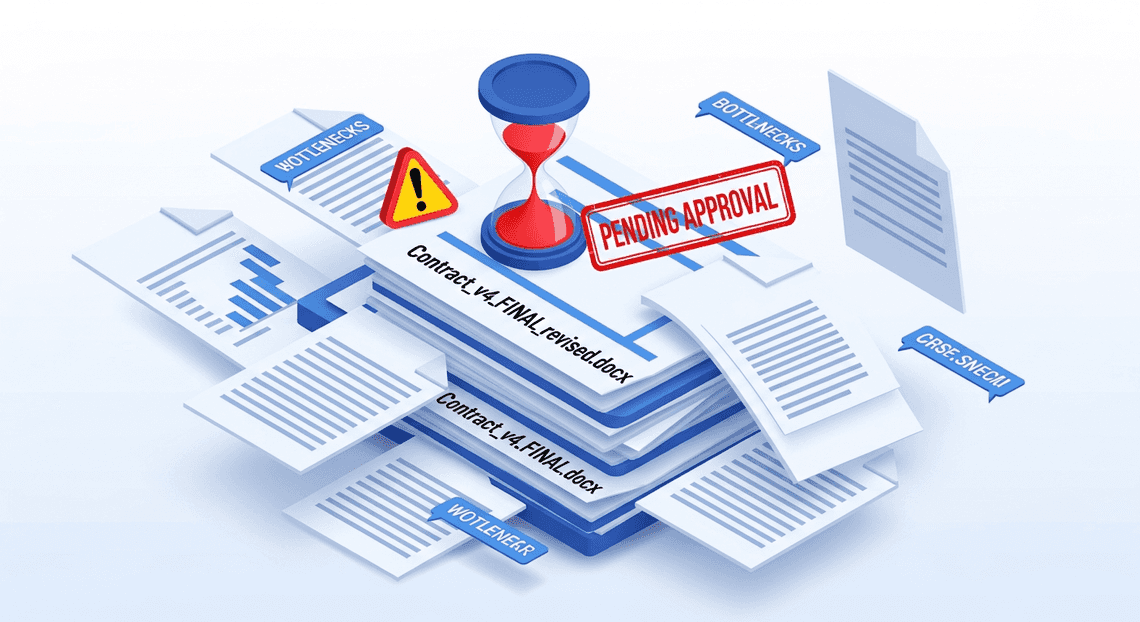
Without leveraging advanced cloud capabilities—such as Google Cloud’s Document AI to instantly extract structured data from unstructured documents, or Automatically create new folders in Google Drive, generate templates in new folders, fill out text automatically in new files, and save info in Google Sheets integrations to centralize document collaboration—organizations remain trapped in a cycle of high-friction, low-value administrative tasks.
Why Operations Managers Need Scalable Workflows
For Operations Managers, the inability to scale vendor management is a critical operational risk. When a business experiences rapid growth, enters new markets, or needs to quickly pivot its supply chain to mitigate disruptions, a manual onboarding process inevitably breaks down under the increased load. If onboarding fifty suppliers requires fifty times the administrative effort of onboarding one, the workflow is fundamentally unscalable and will require constant, expensive increases in headcount.
Operations Managers need systems that decouple business growth from administrative overhead. By implementing scalable workflows, organizations can handle massive volume spikes with zero degradation in speed or accuracy. Utilizing event-driven architectures—such as Google Cloud Functions triggered by Google Drive events, or custom no-code approval applications built on Google AI-Powered Invoice Processor—managers can automate the entire lifecycle. Automated contract generation, intelligent OCR data extraction, and dynamic routing ensure that the operational friction remains near zero, regardless of volume. Ultimately, scalable workflows empower operations teams to shift their focus from acting as human routers for paperwork to driving strategic vendor relationship management.
Designing an Automated Onboarding Workflow
When scaling procurement operations, manual data entry and disjointed communication channels are the enemies of efficiency. Designing an automated onboarding workflow transforms this friction into a seamless, event-driven pipeline. By leveraging the native interoperability of AC2F Streamline Your Google Drive Workflow and the robust processing power of Google Cloud, we can architect a system that requires zero human intervention to initiate. The goal here is to create a deterministic flow: raw data enters the system, triggers a sequence of serverless actions, and outputs a highly accurate, ready-to-sign legal document. Let’s break down the foundational stages of this architecture.
Triggering the Process with Google Forms
Every automated pipeline needs a reliable, structured ingestion point. For supplier onboarding, Google Forms serves as the perfect frontend. It is ubiquitous, highly accessible, and enforces data validation right at the source. Instead of relying on unstructured email threads or messy PDF questionnaires, you can design a form that strictly captures essential vendor metadata—such as Company Name, Primary Contact, Tax Identification Number, and Service Categories.
From a Cloud Engineering perspective, a Google Form is much more than a user interface; it is an event generator. When a supplier clicks “Submit,” the form logs the payload into a connected Google Sheet. Using AI Powered Cover Letter Automation Engine, we can bind an onFormSubmit installable trigger to this action.
For a more decoupled, enterprise-grade architecture, this Apps Script can act as a lightweight forwarder, securely pushing the JSON payload to a Google Cloud webhook. By routing the submission to Cloud Pub/Sub or directly invoking a Cloud Function via Eventarc, you bridge the gap between Workspace and Google Cloud. This ensures that the moment a supplier provides their details, your orchestration engine is instantly awakened to process the data with strict schema validation.
Generating Dynamic Contracts with Google Docs
Once the supplier’s data is successfully ingested and validated, the immediate next step is drafting the legal agreement. Manually copying and pasting vendor details into a boilerplate contract is a high-risk vector for human error and compliance issues. Instead, we automate this entirely using the Google Docs API and a smart templating strategy.
The process begins by creating a master contract template in Google Docs. Within this document, variable data points are replaced with standardized, easily identifiable placeholder tags, such as \{\{SUPPLIER_NAME\}\}, \{\{EFFECTIVE_DATE\}\}, and \{\{TAX_ID\}\}.
When the onboarding workflow is triggered, our backend logic—whether executing via Apps Script or a Node.js/JSON-to-Video Automated Rendering Engine Cloud Function—runs the following automated sequence:
-
Cloning the Template: The script calls the Google Drive API to create a fresh copy of the master template document. This guarantees the original boilerplate remains pristine and untouched for future runs.
-
Injecting the Payload: Using the Google Docs API’s
batchUpdatemethod, the system programmatically scans the newly created document. It performs a precise global text replacement, swapping the placeholder tags with the exact values parsed from the Google Form submission. -
Finalizing the Asset: The newly populated document is dynamically renamed using a standardized naming convention (e.g., VendorAgreement_CompanyX_YYYY-MM-DD), saved to a designated, secure Google Drive folder with restricted IAM permissions, and optionally exported as a locked PDF.
This dynamic generation accelerates the onboarding timeline from days to mere seconds. More importantly, it ensures 100% data fidelity between what the supplier submitted and what is legally bound in the contract.
Executing Electronic Signatures and Data Extraction
Once a customized supplier contract is dynamically generated, the next critical phase is executing the agreement and capturing the finalized data. Relying on manual email routing and manual data entry creates bottlenecks, introduces human error, and delays the overall time-to-value for new vendor relationships.
By leveraging the deep integration between Automated Client Onboarding with Google Forms and Google Drive. and Google Cloud, we can orchestrate a fully automated electronic signature workflow. Whether you are piping the document through a third-party e-signature API (like DocuSign or Adobe Acrobat Sign) or utilizing Automated Discount Code Management System’s native eSignature capabilities, the process can be triggered programmatically. Following execution, tools like Google Cloud Document AI can be invoked to parse the signed PDF, extracting critical key-value pairs—such as finalized payment terms, effective dates, and authorized signatories—directly into your downstream ERP or procurement systems.
To build the foundation of this workflow, we first need to automate the secure delivery of the contract and establish a robust tracking mechanism for the extracted metadata.
Automating Contract Delivery via GmailApp
To initiate the signature process, the contract must reach the supplier’s inbox securely and reliably. Genesis Engine AI Powered Content to Video Production Pipeline provides a highly efficient way to handle this through the GmailApp service. Instead of procurement officers manually drafting emails and attaching PDFs, we can programmatically dispatch the generated contract using standardized, brand-compliant email templates.
Here is an example of how you can use Apps Script to automate the delivery of a contract blob (the generated PDF) directly to the supplier:
/**

* Sends the generated contract to the supplier via Gmail.

*

* @param {string} supplierEmail - The email address of the supplier.

* @param {string} supplierName - The name of the supplier company.

* @param {GoogleAppsScript.Base.Blob} contractBlob - The PDF blob of the contract.

* @returns {boolean} - Returns true if successful, false otherwise.

*/

function sendContractToSupplier(supplierEmail, supplierName, contractBlob) {

const subject = `Action Required: Supplier Onboarding Contract for ${supplierName}`;

const body = `Dear ${supplierName} Team,\n\n` +

`Welcome to our supplier network. Please find attached your onboarding contract. ` +

`Kindly review, sign, and return this document at your earliest convenience so we can finalize your setup.\n\n` +

`Best regards,\n` +

`Automated Procurement Team`;

try {

GmailApp.sendEmail(supplierEmail, subject, body, {

attachments: [contractBlob],

name: 'Procurement Operations',

replyTo: '[email protected]'

});

Logger.log(`[SUCCESS] Contract dispatched to ${supplierEmail}`);

return true;

} catch (error) {

console.error(`[ERROR] Failed to send contract to ${supplierEmail}: ${error.message}`);

return false;

}

}
This script takes the PDF blob generated in the previous step, attaches it to a dynamically populated email, and sends it on behalf of the procurement team. By utilizing the replyTo and name parameters, you ensure that any supplier replies are routed to the correct operational inbox, maintaining a professional and organized communication channel.
Logging Critical Metadata to Google Sheets
Sending the contract is only half the battle; tracking its lifecycle and storing the extracted data is equally important. To maintain a single source of truth for your onboarding pipeline, you can log the contract’s metadata directly into a Google Sheet using the SpreadsheetApp service.
This Google Sheet acts as a lightweight, highly accessible database. It tracks the status of the contract (e.g., “Sent”, “Signed”, “Data Extracted”) and serves as the repository for the data points eventually parsed by Document AI.
Below is an Apps Script function designed to log this critical metadata the moment the contract is dispatched:
/**

* Logs the contract dispatch event and prepares a row for extracted data.

*

* @param {string} supplierName - The name of the supplier.

* @param {string} supplierEmail - The email address of the supplier.

* @param {string} documentId - The unique ID of the generated contract.

*/

function logContractMetadata(supplierName, supplierEmail, documentId) {

// Replace with your actual tracking Spreadsheet ID

const sheetId = 'YOUR_SPREADSHEET_ID_HERE';

const sheet = SpreadsheetApp.openById(sheetId).getSheetByName('OnboardingTracker');

if (!sheet) {

console.error('[ERROR] Tracking sheet not found.');

return;

}

const timestamp = new Date();

const initialStatus = 'Contract Sent';

// Array representing columns:

// [Timestamp, Supplier Name, Email, Document ID, Status, Extracted Payment Terms, Extracted Signatory]

const rowData = [

timestamp,

supplierName,

supplierEmail,

documentId,

initialStatus,

"Pending Extraction",

"Pending Extraction"

];

try {

// appendRow is an efficient O(1) operation to add data to the bottom of the sheet

sheet.appendRow(rowData);

Logger.log(`[SUCCESS] Metadata logged for supplier: ${supplierName}`);

} catch (error) {

console.error(`[ERROR] Failed to write metadata to Google Sheets: ${error.message}`);

}

}
By executing logContractMetadata immediately after sendContractToSupplier, you create an auditable trail of the onboarding process. Later in the architecture, when a webhook confirms the document has been signed, a secondary script can trigger Document AI, parse the finalized PDF, and update this exact row in Google Sheets with the newly extracted operational data.
The Technology Stack Behind the Automation
To transform a manual, error-prone supplier onboarding process into a streamlined, automated engine, you need a robust and scalable technology stack. By combining the collaborative power of Automated Email Journey with Google Sheets and Google Analytics with the advanced machine learning capabilities of Google Cloud, we can build an architecture that handles everything from document ingestion to data extraction and contract generation. This stack isn’t just about replacing human effort; it’s about creating an interconnected, event-driven ecosystem where data flows securely and intelligently from the moment a vendor submits their paperwork.
Leveraging Architecting Multi Tenant AI Workflows in Google Apps Script for Seamless Integration
At the heart of this automation lies Google Apps Script, a versatile, JavaScript-based platform that acts as the connective tissue between Automated Google Slides Generation with Text Replacement applications and Google Cloud services. In the context of supplier onboarding, Apps Script serves as the primary orchestrator of the entire workflow.
When a prospective supplier submits their initial documentation—such as uploading a W-9, insurance certificates, or company profile to a designated Google Drive folder via a Google Form—Apps Script event triggers instantly spring into action. Instead of relying on manual polling or cron jobs, these event-driven triggers execute custom functions that securely route the uploaded documents to Google Cloud’s Document AI for intelligent data extraction.
Once Document AI parses the necessary entities (such as legal company name, tax ID, and primary address), Apps Script retrieves this structured JSON payload. It then leverages the Google Docs API to dynamically populate placeholders within a standardized contract template, effectively generating a bespoke vendor agreement in a matter of seconds. Finally, the script updates a master Google Sheet tracking the onboarding pipeline and automatically emails the generated contract to the supplier for signature. By handling these API calls, authentication, and data transformations natively within the Google ecosystem, Apps Script eliminates the need to maintain complex, third-party middleware or external servers.
Ensuring Data Accuracy and Operational Security
Automating contract generation and data extraction introduces critical responsibilities around data integrity and security. When dealing with sensitive supplier information, financial details, and legal agreements, “good enough” is not an option.
Data Accuracy: To ensure the extracted data is reliable, the solution relies on Google Cloud Document AI’s advanced natural language processing (NLP) and pre-trained machine learning models. However, a truly robust cloud engineering architecture accounts for edge cases by implementing confidence score thresholds. If Document AI returns an extraction with a confidence score below a predefined acceptable limit (e.g., 85%), the Apps Script workflow automatically flags the record in the tracking Google Sheet for a Human-in-the-Loop (HITL) review. This hybrid approach guarantees that high-confidence data flows straight through to the contract generation phase, while ambiguous data—such as a blurry scan or a heavily handwritten form—receives the necessary human oversight before a legal document is drafted.
Operational Security: From a security perspective, protecting this pipeline is paramount. The entire workflow operates under the principle of least privilege using Google Cloud Identity and Access Management (IAM). The Apps Script project is bound to a standard Google Cloud Project, utilizing service accounts with granular permissions restricted solely to the required APIs (Document AI, Drive API, Docs API).
Furthermore, all supplier data remains strictly within the Google ecosystem, benefiting from Google’s enterprise-grade encryption both in transit and at rest. OAuth 2.0 scopes within the Apps Script manifest are strictly defined, ensuring that the automation only accesses the specific folders and files necessary for the onboarding process. This zero-trust approach to internal API communication mitigates the risk of unauthorized data exposure and ensures compliance with enterprise data governance policies.
Scaling Your Operational Architecture
Transitioning from manual data entry to automated contract parsing is not just a quick fix for administrative bottlenecks; it is a fundamental upgrade to your operational architecture. When you replace fragile, human-dependent workflows with an event-driven, automated pipeline, you lay the groundwork for exponential business growth.
Leveraging the combined power of Google Cloud Platform (GCP) and Automated Order Processing Wordpress to Gmail to Google Sheets to Jobber allows you to build an elastic procurement ecosystem. Imagine a seamless, serverless workflow: a new supplier uploads a signed contract to a secure Google Drive folder. This simple action triggers a Google Cloud Function via Pub/Sub, which immediately routes the file to Google Cloud Document AI. The AI extracts critical entities—such as tax IDs, payment terms, and service-level agreements (SLAs)—with high precision. The structured data is then automatically pushed into BigQuery for compliance tracking, while Google Apps Script generates and emails a customized onboarding packet to the vendor.
Because this architecture relies on serverless compute options like Cloud Run and Cloud Functions, it scales dynamically. Whether your procurement team is onboarding five suppliers a month or five thousand, the underlying infrastructure handles the load seamlessly without requiring a proportional increase in headcount or manual oversight.
Measuring the ROI of Automated Vendor Onboarding
To justify the engineering effort and cloud infrastructure investments, it is crucial to quantify the Return on Investment (ROI) of your automated onboarding pipeline. In a well-architected cloud environment, ROI manifests across several measurable dimensions:
-
Accelerated Time-to-Value: By automating data extraction and contract generation, the end-to-end vendor onboarding cycle is often reduced from weeks to mere hours. This velocity allows your business to activate critical supply chains and services faster.
-
Drastic Reduction in Error Rates: Manual data entry is notoriously prone to human error. Utilizing machine learning models like Document AI ensures high-fidelity data extraction, mitigating the costly downstream impacts of incorrect payment routing or missed compliance clauses.
-
Optimized Resource Allocation: Automation liberates your procurement and legal teams from tedious administrative tasks. Instead of chasing down missing contract fields, your top talent can focus on strategic vendor negotiations and relationship management.
-
Predictable Infrastructure Costs: By utilizing GCP’s pay-as-you-go serverless models, you eliminate the need for expensive, always-on legacy software. You pay strictly for the compute time and API calls used during the onboarding events, resulting in a highly cost-effective operational model.
Booking a Discovery Call for Custom Business Solutions
While the core architectural principles of automated vendor onboarding are universal, your specific integration points, legacy ERP systems, and industry compliance requirements are entirely unique. Off-the-shelf solutions often fall short when dealing with highly specialized contracts or complex, multi-tiered approval routing.
This is where bespoke cloud engineering bridges the gap. Whether you need to seamlessly integrate Automated Payment Transaction Ledger with Google Sheets and PayPal with a proprietary vendor portal, train a custom Document AI processor for niche legal documents, or build a secure, zero-trust data pipeline in Google Cloud, a tailored approach is essential.
If you are ready to modernize your procurement pipeline and eliminate onboarding friction, it is time to explore a solution designed specifically for your operational needs. Book a discovery call with our cloud engineering experts today. Together, we will analyze your current vendor onboarding bottlenecks, map out a scalable, automated architecture using Google Cloud and Google Docs to Web, and define a clear, actionable roadmap to transform your supplier lifecycle management.


Stop Doing Manual Work. Scale with AI.
Want to turn these blog concepts into production-ready reality for your team?
Table Of Contents
Portfolios
Related Posts
Quick Links
Legal Stuff