

Accelerate Supplier Contract Negotiation with a Gemini Chat Assistant


Slow, manual contract negotiations are more than just an inconvenience; they are a significant operational drag that directly impacts your revenue, risk, and relationships.

The High Cost of Traditional Supplier Contract Negotiations
In the fast-paced world of modern business, speed is a competitive advantage. Yet, one of the most critical business processes—supplier contract negotiation—often remains mired in slow, manual, and inefficient workflows. This isn’t just a minor inconvenience; it’s a significant operational drag that directly impacts revenue, risk, and relationships. Before we can build a faster, smarter process, we must first dissect the anatomy of the traditional, high-friction approach and understand the true cost it imposes on the organization.
Identifying the Bottlenecks in Manual Procurement
The journey of a contract from initial draft to final signature is often a labyrinth of manual handoffs, version control chaos, and communication breakdowns. These bottlenecks are not just frustrating for the teams involved; they represent points of failure where time, money, and opportunity are lost.
-
Serial Processing and Endless Email Chains: The typical workflow involves a sequential chain of reviews: Procurement drafts, sends to Legal, Legal redlines, sends back, Procurement sends to the business stakeholder, who adds comments, and so on. Each handoff is a potential delay, and the entire process is managed through email, creating a cluttered and untraceable record of communication.
-
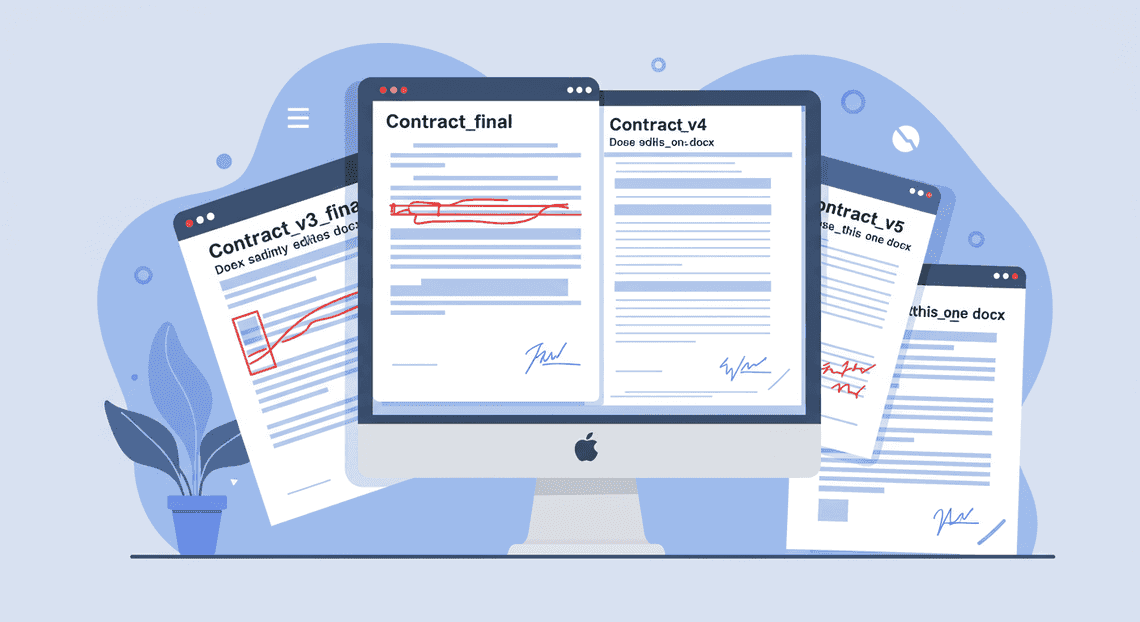
Version Control Nightmares: How many times have you seen a file named
Supplier_Agreement_v5_final_FINAL_use_this_one.docx? Without a single source of truth, teams risk working from outdated drafts, leading to rework and the re-negotiation of already-agreed-upon terms. Tracking changes across multiple documents is a tedious, error-prone task that consumes hours of high-value employee time.
-
Information Silos: Critical information needed for negotiation—such as past contract terms, supplier performance data, or pre-approved legal clauses—is often scattered across disparate systems. It might be buried in a lawyer’s inbox, a shared drive with arcane folder structures, or a local spreadsheet. This forces negotiators to “reinvent the wheel” for every contract, slowing down the process and leading to inconsistent terms.
-
Manual Risk and Compliance Checks: Ensuring a contract aligns with company policy, regulatory requirements (like GDPR or CCPA), and internal risk tolerance is a painstaking manual review process. Legal teams must meticulously read every line to spot non-standard language or problematic clauses, a repetitive task that is a prime candidate for human error.
Why Slow Contract Cycles Hurt Your Bottom Line
The friction in manual negotiations translates directly into tangible business costs and strategic disadvantages. A slow contract cycle is more than just an operational headache; it’s a direct threat to your financial health and market position.
-
Increased Operational Costs: Every hour your legal and procurement teams spend manually comparing document versions, searching for boilerplate language, or chasing approvals is an hour they aren’t spending on strategic activities like sourcing new suppliers or negotiating better enterprise-level deals. These “soft costs” of wasted time add up to a significant drain on your operating budget.
-
Missed Revenue and Savings Opportunities: Time is money. A delay in finalizing a contract with a key supplier can postpone a product launch, delaying time-to-market and forfeiting revenue. Furthermore, slow negotiations can cause you to miss out on time-sensitive discounts, favorable pricing tiers, or early payment incentives, directly impacting the profitability of the deal.
-
Strained Supplier Relationships: A cumbersome and lengthy negotiation process creates a poor first impression. It signals that your organization is bureaucratic and difficult to work with, potentially damaging the relationship before it even begins. In a competitive market, the best suppliers will gravitate toward partners who are efficient and easy to do business with.
-
Elevated Risk Exposure: When deadlines loom, teams are often pressured to rush final reviews. This can lead to critical oversights, such as accepting unfavorable liability clauses, missing key compliance requirements, or agreeing to ambiguous terms. A single overlooked clause can expose the company to significant financial and legal risk long after the ink has dried.
Introducing an Automated Solution Built on [Automatically create new folders in Google Drive, generate templates in new folders, fill out text automatically in new files, and save info in [Automated Web Scraping with [Multilingual Text-to-Speech Tool with SocialSheet Streamline Your Social Media Posting 123](https://votuduc.com/Multilingual-Text-to-Speech-Tool-with-Google-Workspace-p809282)](https://votuduc.com/Automated-Web-Scraping-with-Google-Sheets-p292968)](https://workspace.google.com/marketplace/app/auto_create_folder_and_files/430076014869)
The solution to this systemic problem doesn’t require ripping and replacing the tools your teams use every day. The foundation for a more efficient process already exists within the collaborative ecosystem of AC2F Streamline Your Google Drive Workflow—Google Docs, Drive, and Gmail. The problem isn’t the tools; it’s the lack of an intelligent, automated layer to connect them and guide the process.
This is where an AI-powered contract assistant built on Gemini comes in. Imagine a copilot embedded directly within your Automated Client Onboarding with Google Forms and Google Drive. environment, designed to eliminate the manual friction and empower your teams. Instead of replacing human expertise, this solution augments it, acting as a tireless assistant that can:
-
Analyze contract drafts in Google Docs in real-time, comparing them against your company’s predefined legal playbook.
-
Identify risky or non-standard clauses and instantly suggest pre-approved, compliant alternatives.
-
Summarize complex legal language into clear, concise business terms for stakeholders.
-
Automate the workflow by streamlining the review and approval process, ensuring the right people see the right version at the right time.
By integrating this intelligence directly into the familiar Automated Discount Code Management System interface, you can transform a fragmented, manual process into a streamlined, collaborative, and data-driven workflow without a steep learning curve for your team.
Architecting the AI-Powered Negotiation Assistant
Building a robust AI assistant doesn’t require a labyrinthine, from-scratch infrastructure. By leveraging the tightly integrated, secure, and powerful services within the Automated Email Journey with Google Sheets and Google Analytics and Google Cloud ecosystem, we can construct an elegant and effective solution. The architecture is designed for seamless data flow, from the user’s initial query in a familiar chat interface to the complex reasoning performed by the AI, all orchestrated by a secure backend. Let’s dissect the key components that bring this negotiation assistant to life.
The Core Components: Google Chat, Gemini, Sheets, and Docs
At the heart of our solution lies a quartet of powerful Google services, each playing a distinct yet interconnected role. Think of them as the foundational pillars of our architecture.
-
Google Chat: Serves as the conversational front-end—the primary interface where procurement managers interact with the assistant. Its ubiquity within the organization eliminates the need for new software training.
-
Gemini 3.5: This is the cognitive engine, the “brain” of the operation. It’s responsible for understanding natural language, analyzing complex contract terms, comparing them against historical data, and generating strategic, human-like responses and counter-proposals.
-
Google Sheets: Acts as our structured data repository. It’s a simple yet powerful database for storing and retrieving critical negotiation data like historical pricing, SKU details, supplier performance metrics, and pre-approved discount tiers.
-
Google Docs: Functions as both a source of unstructured data (by potentially analyzing past contracts) and the ultimate destination for the assistant’s output, such as drafting revised contract clauses or generating summary documents.
Together, these components form a cohesive ecosystem where data and instructions flow logically from one service to the next, creating a powerful feedback loop for the user.
User Interface: The Simplicity of Google Chat
The most effective tools are the ones people actually use. By building the assistant directly into Google Chat, we place it within the natural workflow of the procurement team. This approach avoids the friction of context-switching to a separate application and dramatically lowers the barrier to adoption.
The interaction model is straightforward and event-driven. A user can initiate a negotiation analysis by sending a direct message to the Chat bot or by invoking it in a group space using a slash command (e.g., /negotiate). They simply paste the text from a supplier’s email or proposal document. This single action triggers the entire backend process. The assistant’s analysis, suggestions, and drafted responses are delivered back into the same chat thread, creating a persistent, searchable record of the negotiation process. This conversational UI makes a complex analytical task feel as simple as messaging a colleague.
The Logic Engine: How Gemini 3.5 Processes Negotiation Terms
This is where the AI magic happens. When a user submits a set of terms to the Chat bot, the backend orchestrator initiates a multi-step process powered by the Gemini 3.5 API.
-
Data Ingestion: The raw text of the supplier’s proposal is received from the Chat interface.
-
Contextual Enrichment: The backend logic first parses the proposal to identify key entities like product SKUs, quantities, and proposed prices. It then queries the Google Sheet “database” to pull all relevant historical context for these items—last paid price, average price, highest/lowest price, and any supplier-specific notes.
-
[Prompt Engineering for Reliable Autonomous Workspace Agents for Reliable Autonomous Workspace Agents](https://votuduc.com/prompt-engineering-for-reliable-autonomous-workspace-agents-p-20260319404106): A sophisticated, context-rich prompt is dynamically constructed and sent to the Gemini API. This is far more than just passing the user’s text. The prompt includes the supplier’s terms, the retrieved historical data from Sheets, and a carefully crafted set of instructions. For example:
-
“You are an expert procurement assistant. Analyze the following supplier proposal.”
-
“Here is the historical pricing data for the mentioned items: {…data from Sheets…}”
-
“Compare the proposed price for each item against its historical average and last paid price.”
-
“Identify any terms that deviate from our standard agreements.”
-
“Generate a concise summary of the proposal and draft a polite but firm counter-offer that aligns with our target pricing.”
- AI-Powered Analysis & Generation: Gemini processes this comprehensive prompt. It performs semantic analysis to understand the nuances of the proposal, executes the logical comparison against the provided data, and generates a structured response. This response isn’t just a single block of text; it’s often a well-formatted message containing a summary, bullet points with specific recommendations, and a ready-to-use draft for the counter-proposal.
This entire cycle, from user input to AI-generated strategic advice, completes in a matter of seconds.
Data Foundation: Using Google Sheets for Historical Pricing
While a traditional SQL database could be used, Google Sheets offers an ideal balance of power and accessibility for this use case. It serves as our “single source of truth” for the quantitative data that grounds the AI’s recommendations.
By structuring a Sheet with clear columns—SKU, ProductName, Supplier, InvoiceDate, Quantity, UnitPrice—we create a simple but effective data store. The procurement team, who are the domain experts, can easily view, update, and maintain this data without needing a database administrator. The backend server interacts with this data source via the Google Sheets API, programmatically searching and retrieving rows relevant to the active negotiation. This approach democratizes data management and ensures the AI is always working with the most current information available to the team.
Secure Backend: The Role of the Workspace MCP Server
The entire system is orchestrated by a secure backend application, which can be built as a serverless function (e.g., Google Cloud Functions) or a containerized application (e.g., Google Cloud Run). This server acts as the central nervous system, connecting the user-facing Chat app with the various Google APIs.
Its primary responsibilities include:
-
Authentication & Authorization: The server uses OAuth 2.0 and Automated Google Slides Generation with Text Replacement service accounts to securely authenticate and manage permissions. This ensures the application operates under the principle of least privilege, only accessing the specific Sheets, Docs, and APIs it is explicitly authorized to use. All data transmission is encrypted.
-
Event Handling: It listens for events from the Google Chat API, such as new messages or slash commands directed at the bot.
-
API Orchestration: Upon receiving an event, it executes the business logic: calling the Google Sheets API to fetch data, constructing the prompt for the Gemini API, and formatting the final response to be sent back to the Google Chat API.
This server-side component is the invisible but critical glue that binds the architecture together, ensuring that all operations are performed securely, efficiently, and in the correct sequence.
The Automated Workflow From Chat Prompt to Final Contract
Moving from a high-level concept to a tangible, automated reality requires a clear, orchestrated workflow. The magic of a Gemini-powered assistant isn’t just its ability to understand language; it’s how it connects that understanding to a series of actions across your existing enterprise systems. This workflow transforms a time-consuming, multi-application process into a single, streamlined conversation. Let’s break down the journey from a simple chat message to a fully-drafted contract, step by step.
Step 1: Initiating the Negotiation with a Simple Chat Command
The entire process begins not in a complex [Build A Contract Lifecycle Agent Using Google Workspace And [Building Self Correcting Agentic Workflows with Building Self-Correcting Agentic Workflows with Vertex AI](https://votuduc.com/building-self-correcting-agentic-workflows-with-vertex-ai-p-20260321542526)](https://votuduc.com/build-a-contract-lifecycle-agent-using-google-workspace-and-vertex-ai-p-20260321873802) (CLM) platform or a sea of email chains, but with a single, natural language prompt in a chat interface. The user, whether a procurement manager or a legal team member, simply states their intent as if they were delegating to a human assistant.
This initial command contains all the necessary top-level instructions. It’s concise, context-rich, and requires no specialized syntax or coding knowledge.
For example, a user might type:
Draft a new Master Services Agreement for 'Innovatech Solutions Inc.' for a 24-month term. Base it on our standard MSA template, but include our updated data privacy addendum (Q2 2024 version) and set the payment terms to Net 45.
This simple prompt is the starting pistol for a sophisticated, automated race. The assistant immediately parses this request, identifying the key entities and parameters that will guide the subsequent steps.
Step 2: Gemini Accesses and Analyzes Supplier Data
Once the prompt is understood, the assistant acts as an intelligent orchestrator. It doesn’t just hold the information; it uses it to query and retrieve data from multiple, disparate systems of record. This is where the power of integration, often via function calling and APIs, comes into play.
- Entity Extraction: Gemini first breaks down the prompt into structured data:
-
Supplier: Innovatech Solutions Inc.
-
Contract Type: Master Services Agreement
-
Term: 24 months
-
Template: Standard MSA
-
Addendum: Data Privacy Addendum (Q2 2024)
-
Payment Terms: Net 45
- Data Enrichment: The assistant then triggers a series of background actions to gather the necessary details:
-
CRM Lookup: It queries your CRM (e.g., Salesforce) for “Innovatech Solutions Inc.” to pull the official legal name, registered address, and primary contact information.
-
Document Repository Access: It connects to your knowledge base or document management system (e.g., Google Drive, SharePoint) to locate and retrieve the latest versions of the “Standard MSA” template and the “Data Privacy Addendum (Q2 2024)“.
-
ERP/Finance System Check: It can optionally ping your financial system to verify standard payment terms or check for any pre-existing credit limits associated with the supplier.
In seconds, the assistant aggregates all the necessary information—user intent, supplier data, and legal templates—without the user ever having to leave the chat window.
Step 3: Generating a Complete Draft Contract in Google Docs
With all the required data and content assembled, the generative power of Gemini takes center stage. The model synthesizes the information into a coherent, properly formatted legal document.
Using the [Automated Order Processing Wordpress to Gmail to Google Sheets to Real Time Jobber and Google Sheets Integration](https://votuduc.com/Automated-Order-Processing-Wordpress-to-Gmail-to-Google-Sheets-to-Jobber-p649487) APIs, the assistant performs the following actions:
-
Creates a New Document: It generates a new Google Doc from the specified “Standard MSA” template, giving it a logical title like “Draft MSA - [Your Company] and Innovatech Solutions Inc. - [Date]“.
-
Populates Key Fields: It programmatically inserts the enriched data into the appropriate placeholders within the document. The supplier’s legal name and address are placed in the header, the 24-month term is inserted into the “Term and Termination” clause, and the “Net 45” detail is added to the payment section.
-
Integrates Clauses and Addenda: The system intelligently appends the full text of the “Data Privacy Addendum” in the correct location, ensuring seamless integration with the main body of the agreement.
The result is a complete, contextually accurate draft contract, created in a fraction of the time it would take a human to manually copy, paste, and format the same information.
Step 4: The Human-in-the-Loop Review and Approval Process
Automated Job Creation in Jobber from Gmail accelerates the tedious work, but it doesn’t—and shouldn’t—remove critical human oversight. The final step in the workflow is designed to empower your legal and procurement experts, not replace them.
Once the Google Doc is generated, the workflow initiates the human-in-the-loop (HITL) phase:
-
Notification: The system automatically notifies the original requestor or a pre-defined approver (e.g., the head of legal) via a chat message or email. This notification includes a direct link to the newly created Google Doc.
-
Review and Redline: The human expert opens the document and reviews the AI-generated draft. Using the familiar, collaborative features of Google Docs, they can make nuanced edits, add comments, or use “Track Changes” to redline specific clauses that may require further negotiation. The AI has handled the 90% of boilerplate work, freeing up the expert to focus on the critical 10% that requires strategic input.
-
Approval and Dispatch: After their review is complete, they can approve the document within the system or simply share it with the supplier using their standard process.
This final step ensures that every contract is vetted for legal compliance, strategic alignment, and business risk, combining the speed of machine generation with the indispensable wisdom of human experience.
Tangible Benefits for Your Procurement Team
Integrating a Gemini-powered chat assistant into your contract negotiation workflow isn’t just about adopting new technology; it’s about fundamentally upgrading your team’s capacity and strategic impact. The theoretical advantages of AI become concrete, measurable gains that directly address the most persistent challenges in procurement. Let’s break down the most significant benefits you can expect.
Drastically Reducing Contract Turnaround Time
The traditional contract lifecycle is notoriously slow, often measured in weeks or even months. It’s a process plagued by manual reviews, version control chaos, and communication delays between legal, procurement, and the supplier. A Gemini assistant acts as a powerful accelerator, compressing this timeline at every stage.
-
Instantaneous First-Pass Review: Instead of waiting days for a legal or senior team member to review a supplier’s initial draft or redlines, the assistant can perform a comprehensive analysis in seconds. It instantly cross-references the document against your company’s playbook, flagging deviations, identifying unacceptable risks, and highlighting ambiguous language.
-
Automated Counter-Proposals: The assistant can generate data-driven counter-proposals based on your predefined negotiation parameters and risk tolerance. This eliminates the significant time spent manually drafting responses to common supplier objections, allowing your team to move directly to strategic decision-making.
-
Eliminating Administrative Bottlenecks: By handling the repetitive, time-consuming tasks of clause comparison, definition checking, and formatting, the AI frees up your procurement professionals. Their time is reallocated from administrative drudgery to high-value activities like relationship building, strategic sourcing, and negotiating complex, non-standard terms. The result is a negotiation process that moves from weeks to days.
Enhancing Data Accuracy and Consistency Across Agreements
Inconsistency is the hidden risk in any large contract portfolio. When different negotiators concede on slightly different terms or work from outdated templates, the organization accumulates a fragmented and unpredictable set of obligations. A Gemini assistant enforces standardization and precision.
-
Unyielding Playbook Adherence: The AI is trained on your specific legal and commercial playbooks. It ensures that every clause it suggests and every revision it accepts aligns perfectly with your company’s approved positions. This systematically eradicates non-standard language and rogue clauses, creating a more uniform and manageable contract landscape.
-
Systematic Clause Validation: The assistant can instantly compare proposed terms against a master clause library, ensuring that definitions for terms like “Confidential Information” or “Net Payment Terms” are consistent across all new agreements. This prevents costly confusion and disputes down the line.
-
Flawless Data Extraction: Upon execution, the assistant can accurately extract critical metadata—such as renewal dates, liability caps, payment terms, and key obligations—and structure it for seamless integration into your Automate Contract Lifecycle Management with Google Drive and Vertex AI (CLM) system. This eliminates the manual data entry errors that corrupt reporting and lead to missed deadlines.
Maintaining a Secure and Auditable Negotiation Trail
Reconstructing the history of a negotiation from scattered email threads and confusingly named document versions is a nightmare for compliance and a liability in the event of a dispute. A chat-based negotiation interface provides a single, immutable source of truth.
-
Centralized and Immutable Record: The entire negotiation dialogue—from the initial document upload to the final accepted term—is captured in a single, timestamped, and unalterable log. Every query posed to the AI, every suggestion it generated, and every decision made by the human negotiator is recorded in context.
-
**“Why” Over “What”: Traditional version control shows you what changed. A Gemini assistant’s log shows you why it changed. You can easily review the justification for accepting a specific deviation from the playbook or the data used to support a counter-offer. This provides an invaluable, context-rich history that is impossible to replicate with email and Word documents.
-
Audit-Ready by Default: This comprehensive trail makes internal audits and external compliance checks incredibly efficient. Instead of hunting for documents and approvals, you have a complete, searchable, and defensible record of the entire process at your fingertips, demonstrating diligence and adherence to company policy.
Conclusion: Build Your Strategic Advantage in Procurement
Recap: The Power of AI in Supplier Management
We’ve journeyed from the conceptual framework to the practical implementation of a Gemini-powered chat assistant for contract negotiation. The takeaway is clear: this isn’t an incremental improvement; it’s a paradigm shift for procurement. By integrating a sophisticated AI agent into your workflow, you transform supplier management from a reactive, administrative bottleneck into a proactive, strategic powerhouse.
The core advantages are transformative:
-
Accelerated Velocity: Contract cycles that once took weeks are compressed into days, or even hours. Your team can close deals faster, onboard suppliers quicker, and realize value sooner, directly impacting your bottom line.
-
Enhanced Risk Mitigation: The Gemini assistant acts as a tireless paralegal, meticulously scanning every clause against your legal playbook, identifying deviations, and flagging potential risks that the human eye might miss under deadline pressure. This ensures consistency and compliance across the board.
-
Data-Driven Negotiation: Move beyond intuition. Your assistant provides instant analysis, comparing proposed terms against historical contract data and market benchmarks to arm your negotiators with the insights needed to secure the most favorable terms.
-
Strategic Empowerment: By automating the painstaking review process, you liberate your most valuable asset—your people. Procurement professionals can now dedicate their expertise to high-impact activities like strategic sourcing, supplier relationship management, and complex value engineering.
Ready to Scale Your Architecture? Book Your GDE Discovery Call
The potential is immense, but moving from a compelling demo to a production-grade enterprise solution requires specialized expertise. You need an architecture that is secure, scalable, and seamlessly integrated with your existing systems—from your Contract Lifecycle Management (CLM) platform to your ERP. This is where our Google Developer Experts (GDEs) in Cloud and AI come in. We bridge the gap between possibility and reality.
Book a complimentary GDE Discovery Call with our team. This is a no-obligation, strategic session focused entirely on your business. We’ll help you map your specific procurement challenges to a tangible AI architecture and provide a clear, actionable roadmap for implementation.
Stop theorizing about the future of procurement—let’s start building it together.


Stop Doing Manual Work. Scale with AI.
Want to turn these blog concepts into production-ready reality for your team?
Table Of Contents
Portfolios
Related Posts
Quick Links
Legal Stuff