

Build a Wealth Advisor Chat Assistant for Instant Portfolio Summaries


Today’s wealth advisors are constantly on the move, but their client data tools are stuck in the past. Discover the modern, conversational solution that delivers real-time portfolio access from anywhere.

The Modern Wealth Advisor’s Challenge Accessing Data on the Go
The archetype of a wealth advisor chained to a Bloomberg terminal is rapidly becoming obsolete. Today’s advisor is mobile, dynamic, and client-facing. They are in coffee shops, client offices, and airport lounges, conducting business far from the traditional four walls of their firm. This shift to a mobile-first work style has created a significant friction point: the tools for accessing critical client portfolio data were designed for a desktop-centric world. The result is a frustrating gap between the advisor’s need for real-time information and the cumbersome reality of legacy data retrieval systems. This section deconstructs that challenge and introduces a modern, conversational solution built on a platform you already use.
Why Traditional Reporting Falls Short in a Mobile World
The status quo of client reporting and data access is fundamentally broken for the mobile professional. The methods that work reasonably well on a dual-monitor setup at a desk completely fail in the palm of your hand.
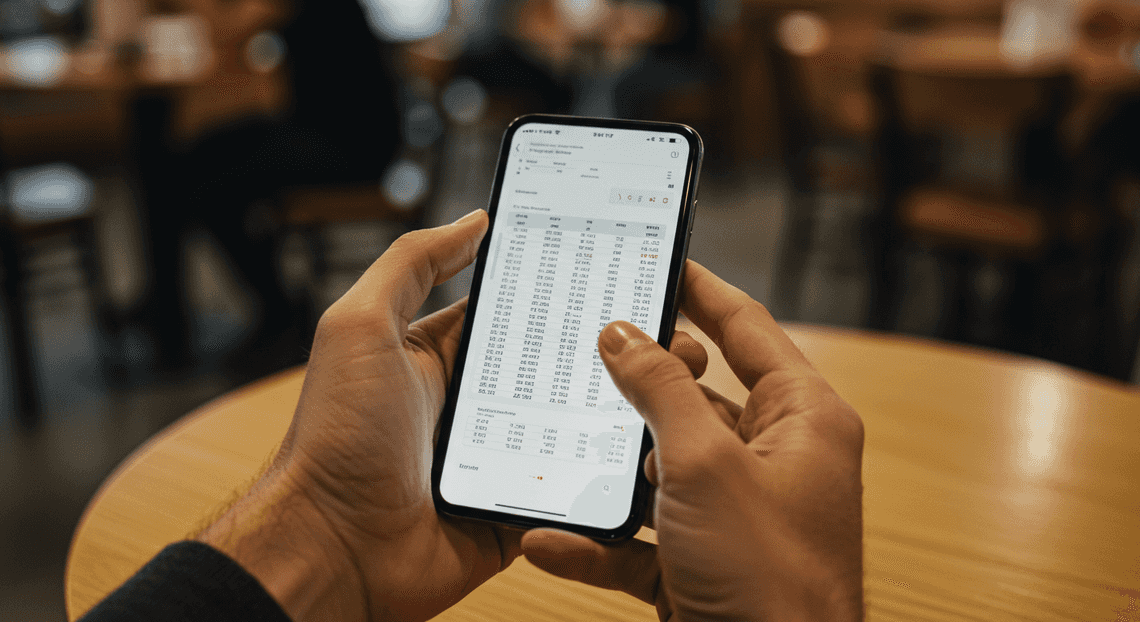
- The Static PDF Dilemma: The most common reporting tool, the quarterly or monthly PDF statement, is an artifact of a bygone era. It’s a static snapshot, often dozens of pages long, that’s difficult to navigate and impossible to query on a small screen. Finding a specific data point, like the year-to-date return on a single holding, requires tedious pinching, zooming, and scrolling. The data is, by definition, out of date the moment it’s generated.
-
The Portal and VPN Labyrinth: Gaining access to live data is often worse. The typical workflow involves connecting to a corporate VPN, navigating to a web portal, and enduring a multi-factor authentication process—all before even beginning to click through a complex UI not designed for touch input. This process is slow, requires a stable internet connection, and is far too cumbersome for a quick pre-meeting check.
-
The Lack of “At-a-Glance” Summaries: Traditional systems are built to provide comprehensive data dumps. They excel at generating detailed reports but fail at answering simple, direct questions. An advisor doesn’t need a 20-page document when all they want to know is, “What is Jane Doe’s total AUM and what’s her largest equity position?”
The Demand for Secure, Instantaneous Client Insights
In a world where we can ask a smart speaker for the weather and get an instant answer, the expectation for information access has fundamentally changed. Wealth advisors, like all professionals, now demand the same level of immediacy and convenience for their critical business data.
The need is most acute in high-stakes, time-sensitive moments. Imagine an advisor receiving an unexpected call from a top client while walking between meetings. The client has a question about a recent market fluctuation and its impact on their portfolio. The advisor needs key metrics—performance, asset allocation, major holdings—now. They don’t have time to fire up a laptop or navigate a clunky portal. They need a conversational, “ask and you shall receive” experience.
This demand for speed, however, cannot come at the expense of security. We are dealing with highly sensitive client financial information. Any solution must be built on an enterprise-grade security foundation, enforcing strict authentication and authorization to ensure that data is only accessible to the right person at the right time. The challenge, therefore, is to merge conversational immediacy with ironclad security.
Introducing a Solution Built on [Automatically create new folders in Google Drive, generate templates in new folders, fill out text automatically in new files, and save info in [Automated Web Scraping with [Multilingual Text-to-Speech Tool with SocialSheet Streamline Your Social Media Posting 123](https://votuduc.com/Multilingual-Text-to-Speech-Tool-with-Google-Workspace-p809282)](https://votuduc.com/Automated-Web-Scraping-with-Google-Sheets-p292968)](https://workspace.google.com/marketplace/app/auto_create_folder_and_files/430076014869)
Instead of building a new application from scratch, we can build a powerful, secure, and intuitive solution by leveraging the tools many advisory firms already use every day: AC2F Streamline Your Google Drive Workflow. This approach dramatically lowers the barrier to entry and integrates seamlessly into existing workflows.
Here’s the core concept we will build throughout this article: a custom chat assistant, living inside Google Chat, that can answer natural language questions about client portfolios.
-
The Interface (Google Chat): By using Google Chat as the front-end, we eliminate the need for advisors to install or learn a new app. It’s a familiar, secure environment that works flawlessly on desktop and mobile.
-
The Data Source (Google Sheets): For our purposes, a Google Sheet will serve as a simple, accessible, and easily managed database of client portfolio information. In a real-world scenario, this could connect to a firm’s primary CRM or portfolio management system via an API, but the principle remains the same.
-
The “Brain” ([AI Powered Cover Letter [Automated Job Creation in Real Time Jobber and Google Sheets Integration from Gmail](https://votuduc.com/Automated-Job-Creation-in-Jobber-from-Gmail-p115606) Engine](https://votuduc.com/AI-Powered-Cover-Letter-Automated Quote Generation and Delivery System for Jobber-Engine-p111092) & Gemini): We will use Genesis Engine AI Powered Content to Video Production Pipeline to create the backend logic for our chat assistant. This script will act as the connective tissue, fielding requests from Google Chat, querying the data in Google Sheets, and using a powerful Large Language Model (LLM) like Google’s Gemini to understand the user’s intent and formulate a concise, human-readable answer.
This architecture provides the best of all worlds: the conversational ease of a chatbot, the mobile accessibility of Google Chat, and the robust, built-in security of the Automated Client Onboarding with Google Forms and Google Drive. ecosystem. It transforms data retrieval from a cumbersome, multi-step process into a simple conversation.
Solution Blueprint: The Google Chat Portfolio Assistant
To build a tool that is both powerful and practical, we must first lay out a clear architectural plan. The goal is to create a seamless experience for the wealth advisor, minimizing friction and maximizing efficiency. Our blueprint relies on a tightly integrated ecosystem, transforming everyday tools into a specialized, automated assistant. This section details the architecture, the flow of data from query to response, and the rationale behind our technology choices.
Mapping the Architecture: Chat, Sheets, and Apps Script
The elegance of this solution lies in its simplicity. We are not building a monolithic application from scratch; instead, we are connecting three robust components within the Automated Discount Code Management System ecosystem, each playing a distinct and vital role.
-
Google Chat (The Frontend): This is the user interface. The wealth advisor interacts with the system directly from a Google Chat space. It’s the command center where they submit queries for client portfolio summaries.
-
Google Sheets (The Database): This acts as our data source. A dedicated spreadsheet will house all the necessary client portfolio data—client IDs, stock tickers, number of shares, purchase dates, and costs. Its simplicity makes it easy for non-developers to view and even manage the underlying data if needed.
-
[Architecting Multi Tenant AI Workflows in Building Modular Agentic Apps Script with Gemini Function Calling](https://votuduc.com/architecting-multi-tenant-ai-workflows-in-google-apps-script-p-20260321290501) (The Backend & Logic Layer): This is the serverless engine that powers the entire operation. Deployed as a web app linked to the Google Chat space, Apps Script acts as the central nervous system. It listens for messages, parses the user’s intent, communicates with Google Sheets to fetch data, performs necessary calculations, and formats the final summary to be sent back to Chat.
The entire workflow can be visualized as a simple, linear process:
1. User Query (Google Chat)

|

v

2. Event Trigger (Apps Script)

|

v

3. Data Retrieval (Google Sheets API)

|

v

4. Data Processing & Formatting (Apps Script)

|

v

5. Formatted Response (Google Chat Card)
This architecture creates a lightweight, serverless, and highly integrated solution that lives entirely within the secure confines of Automated Email Journey with Google Sheets and Google Analytics.
The User Journey: From Simple Query to Detailed Summary
Let’s walk through a typical interaction to understand how these components work in concert.
-
The Query: An advisor needs a quick summary for client
CUST-4277. They navigate to their dedicated Google Chat space and type a simple slash command:/portfolio CUST-4277. -
The Trigger: Google Chat recognizes this message as an interaction event. It securely sends a JSON payload containing the message text, user information, and conversation context to a predefined HTTPS endpoint—our published Automating Technical Debt Audits in Apps Script with AI Agents web app.
-
Data Retrieval: The
doPost(e)function in our Apps Script is triggered by the incoming request. The script parses the event payload to extract the client ID, “CUST-4277”. It then uses the built-inSpreadsheetAppservice to open our portfolio database Sheet. It searches the sheet for all rows matching the client ID. -
Processing and Enrichment: The script now has the raw portfolio data: tickers, share counts, and cost basis. It iterates through each holding and:
-
Calculates the current market value for each position, potentially using the
GOOGLEFINANCE()function directly within Sheets or an external API call. -
Computes the unrealized gain or loss for each holding and for the total portfolio.
-
Aggregates data to determine asset allocation percentages (e.g., equities vs. fixed income).
-
Summarizes key metrics like total portfolio value and overall return.
-
The Response: Instead of returning plain text, the script uses the
CardServiceto construct a rich, visually organized response. It builds a “Card V2” object, populating it with widgets like headers, dividers, and key-value pairs (e.g., “Total Value: $521,430.12”, “Overall Gain: +$84,112.90”). This structured format makes the data highly scannable and professional. -
Delivery: The completed card object is returned as the JSON response to the initial Google Chat request. Google Chat renders this JSON as a polished, interactive card directly in the conversation stream, providing the advisor with an instant, comprehensive portfolio summary without ever leaving their chat client.
Key Technologies and Why They Were Chosen for This Task
Every technology in this stack was selected deliberately to optimize for speed of development, low cost, and seamless integration.
-
Automated Google Slides Generation with Text Replacement (Chat & Sheets):
-
Why? It’s a pre-existing, secure, and collaborative environment. Most organizations already have a Automated Order Processing Wordpress to Gmail to Google Sheets to Jobber subscription, eliminating the need for new software procurement or user training. Advisors live in their communication tools, and bringing this functionality directly into Google Chat avoids costly context-switching. Sheets provides a universally understood, spreadsheet-based “database” that is transparent and easy to manage.
-
Key Benefit: Zero barrier to adoption. The solution meets users where they already work.
-
Google Apps Script:
-
Why? It is the native, serverless Automated Work Order Processing for UPS platform for Automated Payment Transaction Ledger with Google Sheets and PayPal. There are no servers to provision or manage, and authentication is handled automatically via the user’s Google identity. Its first-class integration with services like
SpreadsheetAppandCardServicemeans you can write powerful, interconnected code with minimal boilerplate. -
Key Benefit: Unmatched development velocity and zero infrastructure overhead. The entire backend can be contained in a single script file, and the generous free quotas are more than sufficient for this type of application.
-
Google Chat Cards V2:
-
Why? User experience is paramount. Plain text responses are functional but uninspiring. The Cards V2 framework allows us to present complex data in a structured, visually appealing, and digestible format. Using widgets for headers, text, and key-value pairs transforms a data dump into a professional report.
-
Key Benefit: Delivers a superior, application-like experience within the chat interface, making the information easier to consume and act upon.
Step-by-Step Guide to Building Your Assistant
With the high-level architecture in place, it’s time to roll up our sleeves and build this thing. We’ll move methodically from setting up our data source to writing the final piece of code that generates our reports.
Step 1: Structuring Your Client Data in Google Sheets
Your assistant is only as good as the data it can access. A well-organized Google Sheet is the foundation of this entire project. A flat, simple structure is all we need.
First, create a new Google Sheet. Let’s name it “Wealth Advisor Client Data”. Inside, rename the first sheet (tab) to “ClientPortfolios”. This exact name will be referenced in our script later.
Now, set up the columns. For our purposes, the following structure provides a solid starting point. The ClientID is crucial; it acts as the unique identifier our script will use to look up information.
| ClientID | ClientName | PortfolioValue | AssetAllocation_Stocks | AssetAllocation_Bonds | AssetAllocation_Cash | LastContactDate | Notes |
| :--- | :--- | :--- | :--- | :--- | :--- | :--- | :--- |
| C1001 | Jane Doe | 1,250,000 | 0.60 | 0.30 | 0.10 | 2023-10-15 | Nearing retirement, risk-averse. |
| C1002 | John Smith | 780,000 | 0.75 | 0.20 | 0.05 | 2023-11-01 | Young professional, high risk tolerance. |
| C1003 | Emily White | 2,500,000 | 0.55 | 0.40 | 0.05 | 2023-09-20 | Estate planning phase. |
Key Considerations:
-
Consistency is King: Ensure data formats are consistent. Use numerical values for monetary amounts (without currency symbols) and percentages as decimals (e.g., 60% becomes
0.60). Dates should follow a standardYYYY-MM-DDformat. -
Scalability: This simple structure is highly scalable. You can add thousands of rows, and the script’s performance will remain efficient for single lookups.
-
Single Source of Truth: This sheet becomes the definitive source for your assistant. Keeping it clean and up-to-date is paramount.
Step 2: Configuring Your Google Chat App Interface
Next, we need to create the Google Chat App itself. This involves setting up an Apps Script project and configuring its manifest to listen for slash commands.
-
Create an Apps Script Project: Navigate to
script.google.comand create a new project. Give it a descriptive name, like “Portfolio Summary Assistant”. -
Link to Google Cloud: Every Apps Script project is backed by a Google Cloud Platform (GCP) project. Click on the Project Settings (gear icon)
⚙️and find the GCP Project number. If one isn’t listed, create one. You’ll need this to enable the necessary APIs. -
Enable the Google Chat API: In your GCP project, navigate to the API Library and enable the “Google Chat API”.
-
Configure the Manifest File: Back in your Apps Script editor, view the manifest file by clicking
Project Settings ⚙️and checking the box for “Showappsscript.jsonmanifest file in editor”. Replace its contents with the following:
{

"timeZone": "America/New_York",

"dependencies": {

"enabledAdvancedServices": [

{

"userSymbol": "Docs",

"serviceId": "docs",

"version": "v1"

}

]

},

"exceptionLogging": "STACKDRIVER",

"runtimeVersion": "V8",

"chat": {

"slashCommands": [

{

"commandName": "/portfolio",

"description": "Fetches a portfolio summary for the specified client ID."

}

]

}

}
This manifest tells Google Docs to Web that our script exposes a slash command named /portfolio. We’ve also pre-emptively enabled the advanced Google Docs service, which we’ll need in Step 4.
- Deploy the App:
-
Click
Deploy>New deployment. -
Select
Add-onas the deployment type. -
Give it a description and click
Deploy. -
Copy the
Deployment ID.
- Configure the Chat API in GCP:
-
In the Google Cloud Console, go to the Google Chat API page.
-
Click on the
Configurationtab. -
Fill in your App Name (e.g., “Portfolio Assistant”), Avatar URL, and a description.
-
Under
App features, selectReceive 1:1 messagesandRespond to slash commands. -
In the
Connection settingssection, selectApps Script projectand paste yourDeployment IDfrom the previous step. -
Finally, set up your slash command:
-
Click
Add a slash command. -
Name:
/portfolio -
Command ID:
1(or any unique integer) -
Description:
Get a client portfolio summary. -
Opens a dialog: Leave this unchecked.
-
Under
Permissions, select who can install your app. For testing,Specific people and groupswith just your email is a good choice. -
Click
Save. Your app is now live and ready for the core logic. You can add it to a Google Chat space to test as we go.
Step 3: Writing the Core Apps Script Function to Fetch and Process Data
This is where we bring the assistant to life. We’ll write the Apps Script function that listens for the /portfolio command, fetches data from our Google Sheet, and presents it in a clean, interactive card in Google Chat.
Replace the default myFunction in Code.gs with the following code.
// The ID of your Google Sheet. Get this from the sheet's URL.

const SPREADSHEET_ID = 'YOUR_SPREADSHEET_ID_HERE';

// The name of the sheet/tab containing the client data.

const SHEET_NAME = 'ClientPortfolios';

/**

* Responds to user interactions in Google Chat.

* @param {Object} e The event object from Google Chat.

* @returns {Object} A card or text message to send back to the user.

*/

function onMessage(e) {

// Check if the interaction is a slash command we care about.

if (e.type === 'MESSAGE' && e.message.slashCommand) {

if (e.message.slashCommand.commandName === '/portfolio') {

const clientId = e.message.argumentText.trim();

if (!clientId) {

return { 'text': 'Please provide a Client ID. Usage: `/portfolio C1001`' };

}

return createPortfolioSummaryCard(clientId);

}

}

// Default response for other message types.

return { 'text': 'Command not recognized.' };

}

/**

* Fetches client data and builds a Google Chat card.

* @param {string} clientId The client ID to look up.

* @returns {Object} A JSON object representing a Card V2 message.

*/

function createPortfolioSummaryCard(clientId) {

try {

const sheet = SpreadsheetApp.openById(SPREADSHEET_ID).getSheetByName(SHEET_NAME);

const data = sheet.getDataRange().getValues();

const headers = data.shift(); // Remove header row and store it

// Find the client row

const clientRow = data.find(row => row[0].toString().toUpperCase() === clientId.toUpperCase());

if (!clientRow) {

return { 'text': `Client with ID "${clientId}" not found.` };

}

// Map the row data to a more readable object

const clientData = {

id: clientRow[0],

name: clientRow[1],

value: clientRow[2],

stocks: clientRow[3],

bonds: clientRow[4],

cash: clientRow[5],

lastContact: clientRow[6]

};

// Build the card response

const card = {

"cardsV2": [

{

"cardId": "portfolioSummary",

"card": {

"header": {

"title": "Portfolio Summary",

"subtitle": `${clientData.name} (${clientData.id})`,

"imageUrl": "https://www.gstatic.com/images/icons/material/system/2x/analytics_gm_blue_48dp.png",

"imageType": "CIRCLE"

},

"sections": [

{

"header": "Key Metrics",

"collapsible": false,

"widgets": [

{

"decoratedText": {

"topLabel": "Total Portfolio Value",

"text": `$${clientData.value.toLocaleString()}`,

"startIcon": { "knownIcon": "MONEY" }

}

},

{

"decoratedText": {

"topLabel": "Last Contact Date",

"text": new Date(clientData.lastContact).toLocaleDateString(),

"startIcon": { "knownIcon": "DATE_RANGE" }

}

}

]

},

{

"header": "Asset Allocation",

"collapsible": true,

"widgets": [

{ "decoratedText": { "text": `<b>Stocks:</b> ${(clientData.stocks * 100).toFixed(0)}%` } },

{ "decoratedText": { "text": `<b>Bonds:</b> ${(clientData.bonds * 100).toFixed(0)}%` } },

{ "decoratedText": { "text": `<b>Cash:</b> ${(clientData.cash * 100).toFixed(0)}%` } }

]

},

{

"widgets": [

{

"buttonList": {

"buttons": [

{

"text": "Generate Full Report",

"onClick": {

"action": {

"function": "generateDocumentReport",

"parameters": [

{ "key": "clientId", "value": clientData.id }

]

}

}

}

]

}

}

]

}

]

}

}

]

};

return card;

} catch (err) {

console.error(`Error in createPortfolioSummaryCard: ${err}`);

return { 'text': 'An error occurred while fetching the portfolio data.' };

}

}
Code Breakdown:
-
Constants: We define
SPREADSHEET_IDandSHEET_NAMEat the top. Remember to replace'YOUR_SPREADSHEET_ID_HERE'with the actual ID from your Google Sheet’s URL. -
onMessage(e): This is the main entry point. It’s triggered whenever the app is mentioned or receives a slash command. We check if the command is/portfolioand extract theargumentText(the Client ID). -
createPortfolioSummaryCard(clientId): This is the workhorse function.
-
It connects to our specified Google Sheet.
-
It uses
find()to efficiently search for the matchingclientId. The search is case-insensitive for robustness. -
If a client is found, it maps the array-based row data into a clean
clientDataobject. This makes the rest of the code much more readable. -
It constructs a JSON object that defines a
Card V2. This format allows for rich content like headers, sections, icons, and buttons—far superior to a simple text response. -
Crucially, the “Generate Full Report” button is configured with an
onClickaction that calls another function,generateDocumentReport, and passes theclientIdas a parameter. This is how we’ll chain our actions together.
After saving this code and deploying the latest version, you can go to your Google Chat space and type /portfolio C1001. You should see a professional-looking summary card appear instantly.
Step 4: Generating Professional Summaries Using the Google Docs API
The final step is to wire up the “Generate Full Report” button. When clicked, it will invoke a new function that creates a Google Doc, populates it with the client’s data, and replies with a link.
Add the following function to your Code.gs file.
/**

* Handles the button click to generate a Google Doc report.

* @param {Object} e The event object from the card click.

* @returns {Object} A message to post back to the chat.

*/

function generateDocumentReport(e) {

const clientId = e.common.parameters.clientId;

if (!clientId) {

return { 'text': 'Error: Client ID was not provided in the action.' };

}

// Re-fetch the data to ensure it's current

const sheet = SpreadsheetApp.openById(SPREADSHEET_ID).getSheetByName(SHEET_NAME);

const data = sheet.getDataRange().getValues();

data.shift(); // Remove header

const clientRow = data.find(row => row[0].toString().toUpperCase() === clientId.toUpperCase());

if (!clientRow) {

return { 'text': `Error: Could not re-fetch data for client "${clientId}".` };

}

const clientData = {

id: clientRow[0],

name: clientRow[1],

value: clientRow[2],

stocks: clientRow[3],

bonds: clientRow[4],

cash: clientRow[5],

lastContact: new Date(clientRow[6]),

notes: clientRow[7]

};

try {

// Create the Google Doc

const docName = `Portfolio Summary - ${clientData.name} - ${new Date().toISOString().slice(0, 10)}`;

const doc = DocumentApp.create(docName);

const body = doc.getBody();

// --- A more robust approach: Use a template document ---

// For this example, we'll build it programmatically.

// In a production app, you would copy a template and use replaceText().

// const templateId = 'YOUR_TEMPLATE_DOC_ID';

// const newDocId = DriveApp.getFileById(templateId).makeCopy(docName).getId();

// const doc = DocumentApp.openById(newDocId);

// const body = doc.getBody();

// body.replaceText('{{CLIENT_NAME}}', clientData.name);

// ... and so on for all placeholders.

// Populate the document

body.appendParagraph(docName).setHeading(DocumentApp.ParagraphHeading.TITLE);

body.appendParagraph(`Report generated on: ${new Date().toLocaleString()}`);

body.appendHorizontalRule();

body.appendParagraph('Client Details').setHeading(DocumentApp.ParagraphHeading.HEADING1);

body.appendParagraph(`Name: ${clientData.name}`);

body.appendParagraph(`Client ID: ${clientData.id}`);

body.appendParagraph(`Last Contact: ${clientData.lastContact.toLocaleDateString()}`);

body.appendParagraph('Portfolio Overview').setHeading(DocumentApp.ParagraphHeading.HEADING1);

const formattedValue = `$${clientData.value.toLocaleString(undefined, { minimumFractionDigits: 2, maximumFractionDigits: 2 })}`;

body.appendParagraph(`Total Portfolio Value: ${formattedValue}`);

body.appendParagraph('Asset Allocation').setHeading(DocumentApp.ParagraphHeading.HEADING2);

const allocationData = [

['Asset Class', 'Percentage', 'Value'],

['Stocks', `${(clientData.stocks  *100).toFixed(1)}%`, `$${(clientData.value*  clientData.stocks).toLocaleString()}`],

['Bonds', `${(clientData.bonds  *100).toFixed(1)}%`, `$${(clientData.value*  clientData.bonds).toLocaleString()}`],

['Cash', `${(clientData.cash  *100).toFixed(1)}%`, `$${(clientData.value*  clientData.cash).toLocaleString()}`]

];

body.appendTable(allocationData);

body.appendParagraph('Advisor Notes').setHeading(DocumentApp.ParagraphHeading.HEADING1);

body.appendParagraph(clientData.notes || 'No notes on file.');

doc.saveAndClose();

const docUrl = doc.getUrl();

// Respond in chat with a link to the new document

return {

"actionResponse": {

"type": "NEW_MESSAGE",

"message": {

"text": `📄 Here is the full report for ${clientData.name}: ${docUrl}`

}

}

};

} catch (err) {

console.error(`Error in generateDocumentReport: ${err}`);

return { 'text': 'An error occurred while generating the document.' };

}

}
Code Breakdown:
-
generateDocumentReport(e): This function is triggered by the button click. The event objecteis different here; theclientIdwe passed is now located ine.common.parameters.clientId. -
Re-fetch Data: The function re-queries the spreadsheet for the client’s data. This is a good practice, ensuring the report is always generated with the most up-to-date information, rather than relying on potentially stale data from when the card was first created.
-
Create and Populate: It uses
DocumentApp.create()to make a new Google Doc. Then, it systematically appends paragraphs, headings, a horizontal rule, and even a table usingbody.append...()methods. This programmatic approach gives you full control over the document’s structure. -
Template-based Alternative: The commented-out code block shows a glimpse of a more advanced and maintainable pattern. You could create a Google Doc template with placeholders like
{{CLIENT_NAME}}and{{PORTFOLIO_VALUE}}. The script would then copy this template and usebody.replaceText()to fill in the blanks. This separates your document design from your code. -
Respond with Link: After saving the doc, the function gets its URL and posts a new message back to the chat. The
actionResponsewithtype: "NEW_MESSAGE"is the correct way to have a card interaction generate a new, separate message in the chat thread.
Deploy this final version of your script. Now, when you click the “Generate Full Report” button on a summary card, the assistant will whir for a moment and then post a link to a brand new, professionally formatted Google Doc, ready for review or sending to the client.
Deploying and Using Your New Chat Assistant
With the core architecture built and the data pipelines established, we’ve reached the most rewarding stage: bringing our Wealth Advisor Chat Assistant to life. This is where the abstract concepts of vector databases and large language models transform into a tangible tool that delivers immediate value. In this section, we’ll walk through a practical demonstration, analyze the generated output, and cover the critical best practices for keeping your assistant secure, reliable, and efficient in a production environment.
A Live Demonstration of the Chat Interaction
Imagine you’re a wealth advisor preparing for a client meeting. You need a quick, up-to-the-minute summary of your client’s portfolio without digging through multiple dashboards or running complex reports. This is the exact scenario our assistant is designed for.
Let’s simulate a typical interaction. The advisor will query the system for a summary of a specific client portfolio, identified by a unique client ID.
Advisor:

"Good morning. I need a summary for client ID 9A74-B8E2-C15F."

Chat Assistant:

"Certainly. I am retrieving the latest portfolio data for client ID 9A74-B8E2-C15F. This may take a moment..."

(A few seconds pass while the assistant queries the vector database, retrieves relevant documents, and synthesizes a response with the LLM.)

Chat Assistant:

"Here is the portfolio summary for the period ending yesterday:"
This simple, natural language exchange is the front-end experience. Behind the scenes, your system has authenticated the user, parsed the intent, executed a Building a RAG Context Manager with Apps Script and Gemini Pro (RAG) query against the client’s latest performance data, and constructed a coherent, human-readable summary. The real power lies in the quality and structure of that final output.
Analyzing the Output: A Sample Portfolio Summary
The assistant’s response is more than just a data dump; it’s a synthesized analysis designed to be immediately useful. Let’s examine a sample output and break down its components to understand the value each part provides.
Here is the complete summary generated by our assistant in the demonstration above:
**Portfolio Summary: Client ID 9A74-B8E2-C15F**

*As of Market Close, YESTERDAY'S DATE*

**1. Overall Performance:**

*   **Total Portfolio Value:** $2,157,830.45

*   **Quarter-to-Date (QTD) Return:** +3.85% (+ $80,015.21)

*   **Year-to-Date (YTD) Return:** +7.12% (+ $143,209.77)

*   **Benchmark Comparison (YTD):** The portfolio is currently outperforming its blended benchmark (60% S&P 500 / 40% AGG) by 0.62%.

**2. Asset Allocation:**

*   **Equities:** 65% (Target: 60%)

*   **Fixed Income:** 30% (Target: 35%)

*   **Alternatives & Cash:** 5% (Target: 5%)

**3. Key Movers & Holdings:**

*   **Top Performer (QTD):** NVIDIA Corp (NVDA), +21.5% contribution to growth.

*   **Top Detractor (QTD):** Vanguard Real Estate ETF (VNQ), -4.2% contribution to growth.

*   **Largest Holding:** Apple Inc. (AAPL) at 8.9% of the total portfolio.

**4. Actionable Insights & Flags:**

*   **Allocation Drift:** The Equities allocation is 5% above its target, primarily due to strong market performance. Consider rebalancing.

*   **Concentration Alert:** The top holding (AAPL) is approaching the 10% individual security concentration threshold.
Let’s dissect this:
-
Overall Performance: This section provides the most critical, top-line numbers. It answers the fundamental questions: “How much is the portfolio worth?” and “How has it performed recently?” The inclusion of a benchmark comparison is crucial, as it provides context. A 7% return is good, but knowing it’s outperforming the market is even better.
-
Asset Allocation: This gives a bird’s-eye view of the portfolio’s structure and risk profile. By showing the current allocation versus the target, it immediately highlights strategic drift, which is a primary driver for client conversations.
-
**Key Movers & Holdings: Advisors need to explain why the portfolio performed the way it did. This section pinpoints the specific securities that drove returns or losses, providing clear talking points for a client review. Highlighting the largest holding is essential for risk management.
-
Actionable Insights & Flags: This is where the “assistant” truly earns its name. Instead of just presenting data, it interprets it. By flagging allocation drift and concentration risk, it proactively surfaces issues that require the advisor’s attention, turning raw data into a decision-support tool.
Best Practices for Security and Maintenance
Deploying an application that handles sensitive financial data carries significant responsibility. A “set it and forget it” approach is not an option. Adhering to rigorous security and maintenance practices is non-negotiable for protecting your clients and your firm.
Security Best Practices:
-
End-to-End Encryption: All data, whether in transit between services or at rest in your database, must be encrypted. Use TLS 1.2+ for API calls and leverage the native encryption capabilities of your cloud provider for storage and databases.
-
Strict Access Control: Implement Role-Based Access Control (RBAC) to ensure that advisors can only query data for clients they are authorized to manage. Use robust authentication mechanisms like OAuth 2.0 or SAML for user logins, and never hardcode API keys or credentials in your codebase.
-
Input Sanitization and Prompt Safety: Protect your system from Architecting Prompt Injection Defenses for Google Workspace AI Agents. This occurs when a malicious user crafts an input to manipulate the LLM’s behavior. Sanitize all user inputs to remove or neutralize potentially harmful instructions before they are passed to the model.
-
Data Anonymization: Whenever possible, work with anonymized or pseudonymized data in non-production environments. In production, ensure that Personally Identifiable Information (PII) is handled with extreme care, logged minimally (if at all), and protected by strict access policies.
-
Secure Infrastructure: Deploy your application within a secure network, such as a Virtual Private Cloud (VPC). Regularly scan your dependencies for vulnerabilities and apply security patches promptly.
Maintenance Best Practices:
-
Comprehensive Monitoring and Logging: Monitor all aspects of your system: API latency, error rates, data pipeline freshness, and LLM token usage. Set up alerts to be notified of anomalies, such as a sudden spike in costs or a failure in the data ingestion process. Log interactions for auditing and debugging, but be sure to scrub sensitive PII from the logs.
-
Cost Management: LLM API calls can become expensive at scale. Implement a caching layer to store results for frequently repeated queries. Set firm budget alerts in your cloud provider’s billing console to prevent unexpected costs. Periodically evaluate if a smaller, more cost-effective model could achieve similar results.
-
Model and Prompt Versioning: The quality of your assistant’s output depends on the underlying model and the prompts you use. Treat your prompts as code—store them in version control. When you update a prompt or switch to a new model version, run a suite of evaluation tests to ensure the output quality hasn’t degraded.
-
Data Pipeline Health Checks: Your assistant is only as good as its data. Schedule regular health checks for your data ingestion pipelines to ensure the information being fed into the vector database is accurate, complete, and timely. An assistant operating on stale data is worse than no assistant at all.
Scaling Your Architecture for Your Firm
The portfolio summary assistant we’ve outlined is a powerful proof-of-concept, but its true value is realized when it becomes a foundational piece of a larger, scalable architecture. A single-purpose tool can solve a single problem; a well-architected platform can transform how your firm operates. Moving from a prototype to a production-grade system requires thinking about extensibility, business impact, and strategic alignment from day one. This section explores how to evolve your initial build into a core asset for your entire firm.
Expanding Functionality Beyond Portfolio Summaries
The Retrieval-Augmented Generation (RAG) pattern used for portfolio summaries is a launchpad, not a final destination. The same core architecture—a language model connected securely to your proprietary data—can be extended to handle a vast array of tasks, moving from a simple “read-only” information retriever to a sophisticated “read-write” co-pilot for both clients and advisors.
Here are several high-impact avenues for expansion:
-
Transactional Capabilities: Enable clients to take action directly through the chat interface. This is the leap from passive inquiry to active management.
-
Examples: “Rebalance my portfolio to a 70/30 equity/bond split,” “Purchase $5,000 of VTI in my taxable account,” or “Set up a recurring monthly investment of $500 into my Roth IRA.”
-
Architectural Considerations: This requires robust, multi-step authentication, transaction confirmation flows, and secure API integrations with brokerage and custody platforms. The system must be idempotent to prevent duplicate orders and maintain a flawless audit trail.
-
Proactive Insights and Notifications: Shift the assistant from a reactive tool to a proactive partner. By monitoring data streams in the background, the system can identify opportunities and risks, then alert the appropriate party.
-
Examples: “Alert: Your allocation to the technology sector has drifted 7% above your target. Would you like to review rebalancing options?” or “A new research report on ESG investing trends has been published, which aligns with your stated interests.”
-
Architectural Considerations: This necessitates an Architecting an Event-Driven Workspace with PubSub Firebase and Gemini. You’ll need services that listen for market data changes, portfolio drift, or new content publication, which then trigger the language model to generate and deliver a personalized, context-aware notification.
-
Internal Advisor Co-pilot: The same technology that empowers clients can supercharge your advisors. By turning the lens inward, the assistant can become an indispensable tool for daily operations.
-
Examples: “Summarize my last three meetings with the Smith family and highlight any outstanding action items,” “Draft a follow-up email to John Doe regarding his updated risk tolerance questionnaire,” or “What is our firm’s official guidance on cryptocurrency allocations for conservative-growth clients?”
-
Architectural Considerations: This involves integrating with different data sources like your CRM (e.g., Salesforce), internal knowledge bases (e.g., Confluence, SharePoint), and communication logs. Fine-tuning models on internal documents and advisor-client conversations (with appropriate anonymization) can dramatically improve the relevance and accuracy of responses.
-
Holistic Financial Planning: Move beyond the investment portfolio to encompass a client’s entire financial life.
-
Examples: “Based on my linked checking account, analyze my monthly spending and suggest three areas where I could save more,” or “If I plan to retire in 15 years, am I on track to meet my income goals?”
-
Architectural Considerations: This requires secure integrations with data aggregators (like Plaid or Yodlee) and financial planning software. The complexity of the underlying models increases as you move from data retrieval to predictive financial modeling.
The Business Impact of Conversational Automation in Wealth Management
Implementing a sophisticated chat assistant is not merely a technology project; it’s a strategic business initiative with far-reaching impacts on efficiency, client satisfaction, and profitability. Understanding these benefits is key to securing buy-in and measuring the return on investment.
-
Radical Advisor Efficiency: The most immediate impact is the automation of routine, time-consuming tasks. Advisors spend countless hours answering repetitive questions about performance, balances, and basic market movements. Offloading these queries frees them to focus on high-value, uniquely human activities: building relationships, understanding complex client goals, and providing strategic, empathetic advice. This can reclaim 5-10 hours per advisor per week, directly boosting their capacity to manage more assets and cultivate new business.
-
Elevated Client Experience: Modern clients expect instant, 24/7 access to information. A conversational assistant meets this demand, providing immediate, accurate answers anytime, anywhere. This self-service capability not only improves client satisfaction but also fosters a sense of empowerment and transparency, strengthening the client-firm relationship and increasing retention rates.
-
Scalable Service Model: Conversational AI allows your firm to scale its services without a linear increase in headcount. A single, well-designed system can handle thousands of concurrent client conversations, ensuring a consistent and high-quality service level even as your client base grows. This is a critical competitive advantage for firms focused on growth.
-
Data-Driven Business Intelligence: Every question a client asks is a valuable data point. Aggregating and analyzing these interactions provides an unprecedented, real-time view into client sentiment, common concerns, and emerging interests. Are clients suddenly asking more about inflation? Is there confusion about a specific fund? This data can inform marketing campaigns, product development, and advisor training programs.
-
Enhanced Compliance and Risk Mitigation: A properly configured AI assistant can be a powerful compliance tool. It provides standardized, pre-approved answers to sensitive questions, reducing the risk of an advisor giving inaccurate or non-compliant advice. Furthermore, every interaction is logged, creating a perfect, searchable audit trail that can be invaluable during regulatory reviews.
How to Audit Your Needs for a Custom Solution
Before writing a single line of production code, a thorough internal audit is essential to ensure you’re building the right solution for your firm’s unique challenges. A “one-size-fits-all” approach rarely succeeds. Use this framework to guide your discovery process.
- Identify and Prioritize Pain Points: Where is the most friction in your current operations?
-
Survey Your Advisors: Ask them to log their most frequent and time-consuming tasks for a week. What questions do they answer over and over?
-
Analyze Support Tickets: Review call logs and support emails. What are the top 5-10 reasons clients contact your firm?
-
Map the Client Journey: Where do clients get stuck or express frustration? Is it during onboarding, finding documents, or understanding performance reports?
-
Goal: Create a prioritized list of use cases, starting with the one that offers the highest impact for the lowest initial effort (e.g., the portfolio summary assistant).
- Map Your Data and Technology Ecosystem: A great AI is useless without access to great data.
-
Data Sources: Where does the required information live? Identify your core systems: Portfolio Management (e.g., Orion, Addepar), CRM (e.g., Salesforce), Financial Planning (e.g., eMoney), and Document Storage.
-
API Accessibility: Do these systems have modern, well-documented APIs? If not, what is the plan to access this data? This is often the biggest technical hurdle.
-
Security & Permissions: How is data access controlled? Your AI solution must respect the same granular permissions as any human user. It should only be able to access data that the authenticated client or advisor is permitted to see.
- Define a Phased Rollout (Crawl, Walk, Run): Avoid the temptation to build a monolithic, all-encompassing system from the start.
-
Crawl (MVP): Define the Minimum Viable Product. This should be a single, high-value use case like the portfolio summary tool. The goal is to deliver value quickly and learn from real-world usage.
-
Walk (Phase 2): Based on feedback from the MVP, what are the next logical additions? This could be integrating market news, answering basic FAQ-style questions, or adding an internal-facing advisor tool.
-
Run (Long-Term Vision): What is the ultimate goal? This could be full transactional capabilities, proactive alerts, or holistic financial planning. Having a long-term vision ensures that your initial architectural decisions can support future complexity.
- Assess In-House vs. Vendor Capabilities: Make a strategic build-vs-buy decision.
-
Build (In-House): Do you have the necessary talent? This includes AI/ML engineers, data engineers, cloud architects (AWS, Azure, GCP), and security specialists. Building in-house offers maximum control and customization but requires significant investment and ongoing maintenance.
-
Buy (Vendor/Platform): Could a specialized third-party vendor or a platform-as-a-service (PaaS) accelerate your timeline? This can reduce upfront development costs and time-to-market, but may offer less flexibility and create vendor lock-in.
-
Hybrid: A common approach is to use a platform for core LLM capabilities while building the data integrations and user-facing application in-house.
- Establish Clear Success Metrics: How will you know if the project is successful?
-
Quantitative KPIs: Define measurable goals before you start. Examples include: “Reduce inbound calls for portfolio balances by 30%,” “Increase client portal engagement by 15%,” or “Decrease average advisor response time to client emails by 50%.”
-
Qualitative Feedback: Plan to regularly collect feedback from both clients and advisors through surveys and interviews. Their satisfaction is the ultimate measure of success.


Stop Doing Manual Work. Scale with AI.
Want to turn these blog concepts into production-ready reality for your team?
Table Of Contents
Portfolios
Related Posts
Quick Links
Legal Stuff