

Automate Meeting Action Items with Gemini and Google Sheets


Productive meetings feel great, but they often become a complete waste of time. Forgotten action items are the silent killers of progress, and their hidden costs are derailing your projects.

The High Cost of Forgotten Action Items
We’ve all been there. You walk out of a meeting feeling energized. The discussion was productive, ideas were flowing, and clear decisions were made. A list of action items was created, and everyone nodded in agreement. A week later, you realize that a critical task—the one your own work depended on—hasn’t been started. The momentum is gone, and the project has stalled.
This isn’t just a minor annoyance; it’s a significant drag on productivity and a source of hidden costs. Forgotten action items are the silent killers of progress. They lead to:
-
Stalled Projects: When tasks aren’t completed, dependencies are broken, and timelines slip. What seemed like a small oversight can cascade into major delays.
-
Wasted Resources: The time, energy, and brainpower invested in the original meeting are nullified if the outcomes aren’t acted upon. You essentially paid for a conversation with no return on investment.
-
Eroded Trust: A culture of accountability withers when commitments are consistently dropped. Team members become hesitant to rely on one another, leading to friction and duplicated effort.
-
Endless Rework: The same topics resurface in future meetings because the original action items were never resolved, trapping the team in a cycle of unproductive discussion.
The bottom line is that a meeting’s value isn’t determined by the quality of the discussion, but by the execution of its outcomes. Without a reliable system to capture and track those outcomes, you’re leaving success to chance.
Why meeting follow-ups fail
If everyone agrees that follow-through is important, why is it so notoriously difficult? The problem rarely stems from a lack of intention. Instead, the manual processes we rely on are fundamentally flawed and prone to failure.
The breakdown typically happens for a few key reasons:
-
Ambiguous Ownership and Vague Tasks: Action items are often recorded with passive language like, “Someone needs to look into the Q3 budget,” or “We should circle back on the API documentation.” Without a clearly assigned owner and a specific, actionable verb, the task floats in a void of collective responsibility, which is to say, no responsibility at all.
-
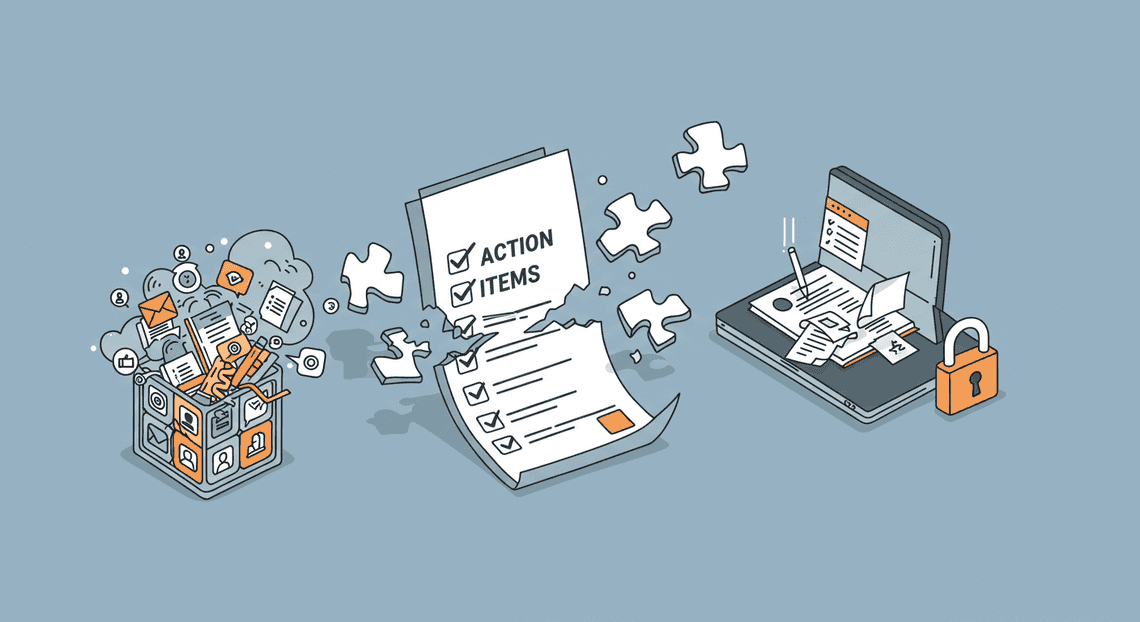
Information Silos: Where do your action items live? For most teams, the answer is “everywhere.” They’re scattered across individual notebooks, buried in long email threads, lost in a sea of Slack messages, or locked away in a dozen different Google Docs. There is no single source of truth, making it impossible to get a clear overview of who is doing what by when.
-
The Burden of Manual Tracking: The person diligent enough to take notes is often saddled with the thankless job of being the “Action Item Police.” This involves deciphering messy notes, formatting a summary, emailing it out, and then manually nudging colleagues for updates. This administrative overhead is tedious, time-consuming, and unsustainable. It’s a process so burdensome that it’s often skipped entirely.
-
“Out of Sight, Out of Mind”: Once the meeting summary email is sent and archived, the action items vanish from the team’s immediate attention. Without a persistent, visible dashboard or automated reminders, even the most well-intentioned team members will get pulled into other urgent tasks and forget their commitments.
Introducing an automated workflow for accountability
The solution isn’t to have more meetings, take more detailed notes, or send more follow-up emails. The solution is to fundamentally change the system. We need to remove the friction and manual labor that cause the process to fail.
Imagine a workflow where:
-
You paste your raw meeting notes or a transcript into a simple interface.
-
An intelligent system—powered by a large language model like Google’s Gemini—instantly parses the text.
-
It automatically identifies every action item, assigns it to the correct owner, and extracts a due date if one was mentioned.
-
Finally, it populates all this structured data into a centralized, always-up-to-date Google Sheet that serves as the team’s single source of truth.
This is the workflow we are going to build. By leveraging the power of Gemini for intelligent extraction and [Automated Web Scraping with [Multilingual Text-to-Speech Tool with SocialSheet Streamline Your Social Media Posting 123](https://votuduc.com/Multilingual-Text-to-Speech-Tool-with-Google-Workspace-p809282)](https://votuduc.com/Automated-Web-Scraping-with-Google-Sheets-p292968) for structured tracking, we can create a seamless bridge between conversation and action. This isn’t just about saving time; it’s about building a system of effortless accountability. It makes follow-through the path of least resistance, ensuring that the valuable outcomes of your meetings translate into tangible progress.
Architecting the [Automated Job Creation in Real Time Jobber and Google Sheets Integration from Gmail](https://votuduc.com/Automated-Job-Creation-in-Jobber-from-Gmail-p115606): A High-Level Overview
Before we dive into writing a single line of code, let’s zoom out and look at the blueprint for our Automated Quote Generation and Delivery System for Jobber. A solid understanding of the data flow and the role of each component is critical for building a robust and maintainable system. Think of this as our digital assembly line: it takes a raw, unstructured conversation and transforms it into a structured, actionable project plan.
Our pipeline can be visualized in a few key stages:
-
Ingestion: A new Google Meet recording is saved to Google Drive.
-
Transcription: The audio from the recording is converted into a raw text transcript.
-
Intelligent Processing: The transcript is sent to the Gemini API with a specific prompt.
-
Extraction & Structuring: Gemini analyzes the text and extracts action items, owners, and due dates into a clean, machine-readable format (JSON).
-
Loading: A [AI Powered Cover Letter Automated Work Order Processing for UPS Engine](https://votuduc.com/AI-Powered-Cover-Letter-Automation-Engine-p111092) parses the structured data and populates a Google Sheet.
Let’s break down each critical phase of this architecture.
From Google Meet recording to actionable data
The entire process kicks off with a digital artifact: a video recording of your meeting, automatically saved to a designated folder in Google Drive. This file is our source of truth, but in its raw video format, it’s essentially a locked box of information. Our first job is to unlock it.
The initial step involves transforming the spoken words from the meeting into written text. This means either extracting the audio track and running it through a speech-to-text service (like Google’s own Speech-to-Text API) or leveraging any built-in transcription features that may have generated a VTT file alongside the recording.
The output of this stage is a simple, yet powerful, text document: the meeting transcript. It’s a chronological log of the conversation, but it’s unstructured and noisy. It contains everything—the key decisions, the off-topic chatter, the “ums” and “ahs.” This raw text is the input for the real intelligence of our system.
The role of Gemini in intelligent extraction
This is where the magic happens. The raw, unstructured transcript is fed into the Gemini API, which acts as the cognitive engine of our automation. We don’t just ask it to “read” the text; we give it a very specific set of instructions via a carefully engineered prompt.
Gemini’s role is not just to find keywords. It’s to comprehend the context, semantics, and intent of the conversation. Our prompt will instruct it to perform several tasks:
-
Identify Action Items: Scan the entire conversation for phrases that imply a task, such as “Can you look into…”, “We need to finalize…”, or “I’ll take point on…“.
-
Assign Owners: Determine who is responsible for each action item by understanding conversational cues like “Okay, Alex, that’s on you,” or “Sarah will handle the follow-up.”
-
Extract Deadlines: Pinpoint any mention of dates or timelines, whether explicit (“by EOD Friday”) or relative (“by the next meeting”).
-
Structure the Output: Most importantly, we’ll instruct Gemini to return this information not as a prose summary, but in a structured format like JSON. This is a non-negotiable architectural decision, as it ensures the data is predictable and easily parsable by our script in the next step.
By leveraging a large language model, we move beyond simple text parsing and into the realm of genuine comprehension, turning a messy human conversation into clean, structured data.
Google Sheets as your dynamic project tracker
With structured data in hand, we need a place for it to live. While you could send this data to a dedicated project management tool, Google Sheets offers a powerful combination of simplicity, accessibility, and programmability that makes it a perfect destination for our system. It’s the front-end UI and the back-end database for our action items, all in one.
Here’s how it fits into the workflow:
A Genesis Engine AI Powered Content to Video Production Pipeline, triggered by the completion of the Gemini API call, will serve as the final link in the chain. This script will:
-
Parse the JSON: It will ingest the structured JSON output provided by Gemini.
-
Iterate and Populate: The script will loop through each identified action item.
-
Write to Rows: For each item, it will write the details into a new row in a designated spreadsheet. The columns will be clearly defined:
Task Description,Assigned To,Due Date, and aStatuscolumn we can default to “To Do”.
The result is a living document. What was once a fleeting conversation in a meeting is now a persistent, sortable, and filterable list of tasks. Your Google Sheet transforms from a static grid into a dynamic project tracker, automatically hydrated with actionable intelligence moments after your meeting concludes.
Step-by-Step Implementation Guide
Alright, let’s roll up our sleeves and build this thing. This section is the heart of the project, where we’ll connect Automatically create new folders in Google Drive, generate templates in new folders, fill out text automatically in new files, and save info in Google Sheets to the power of Gemini. We’ll move from initial setup to a fully functional script that pulls action items from a transcript and neatly organizes them in your spreadsheet.
Prerequisite Setup: Your AC2F Streamline Your Google Drive Workflow Environment
Before we write a single line of code, we need to prepare our digital workspace. This foundational setup ensures our script has the permissions and credentials it needs to communicate with Google’s services and the Gemini API.
- Create a Google Sheet:
Start by creating a new Google Sheet. This will be our destination for the extracted action items. Set up the header row with the following columns: Action Item, Assigned To, Due Date, and Status. You can, of course, customize this later.
Benefits for Project and Operations Management
Integrating Gemini with Google Sheets to automate action items isn’t just a clever tech trick; it’s a fundamental upgrade to your operational framework. For anyone managing projects, teams, or complex operational workflows, this system directly addresses the most persistent and costly challenges: disorganization, manual overhead, and human error. Let’s break down the transformative benefits.
Creating a single source of truth for tasks
Meetings are notorious for creating fragmented information. Action items get scattered across personal notebooks, ephemeral chat messages, and buried deep within meeting minute documents. This decentralization is a recipe for confusion, missed deadlines, and conflicting priorities.
By automating the capture of action items directly into a structured Google Sheet, you establish an immediate and undeniable single source of truth (SSOT). Every task, complete with its owner, due date, and context, lives in one centralized, accessible repository. This eliminates ambiguity and ends the “who was supposed to do that?” debate. Team members no longer need to hunt through emails or Slack channels to recall their commitments. Instead, they have a clear, queryable dashboard that provides complete visibility into project responsibilities, fostering a culture of clarity and alignment.
Boosting team productivity and reducing manual work
Consider the cumulative time spent by a project manager or team lead manually processing meeting outcomes. This involves deciphering handwritten notes, typing up action items, formatting them, assigning them to individuals, and sending follow-up reminders. This is low-value administrative work that drains hours of high-value strategic time.
This automation pipeline eradicates that manual drudgery. Gemini acts as an intelligent scribe, instantly parsing transcripts and structuring the data. The Google Sheet becomes a dynamic task list, not a static document. This shift has a profound impact on productivity:
-
Frees Up High-Value Time: Managers and team members can reinvest the time saved from administrative tasks into problem-solving, strategic planning, and creative work.
-
Reduces Context Switching: Team members can stay focused on their core tasks, knowing that action items are being captured and organized for them automatically.
-
Accelerates Project Velocity: The lag time between a decision being made in a meeting and it becoming an actionable, tracked task is reduced from hours or days to mere seconds.
Ensuring no critical action item is ever missed again
Even the most diligent note-taker is human. A momentary distraction, a fast-paced conversation, or a complex discussion can easily lead to a critical action item being overlooked. These small misses can snowball into significant project delays, budget overruns, or damaged client relationships.
An AI-powered system doesn’t get distracted. It systematically processes the entire conversation, ensuring every commitment and delegated task is identified and logged. This creates a powerful safety net that elevates team reliability and accountability. When every action item is captured without fail, you build a foundation of trust and dependability. Stakeholders can be confident that decisions made in a meeting will translate directly into action. This systematic capture closes the loop between discussion and execution, guaranteeing that nothing important ever falls through the cracks again.
Beyond Action Items: Scaling Your Automation
You’ve successfully built a powerful engine that turns unstructured meeting conversations into structured, actionable data. This is a significant achievement, but it’s just the beginning. The real value of this system isn’t just in capturing action items; it’s in its adaptability. Think of the solution you’ve built not as a finished product, but as a foundational platform for a much broader operational intelligence system. Let’s explore how to scale this foundation.
Expanding the system for different meeting types
Not all meetings are created equal. A client-facing sales call has a different purpose and different outputs than a daily engineering stand-up. Your automation should reflect this. By tailoring your Gemini prompt and your Google Sheet structure, you can extract context-specific insights far beyond simple to-do lists.
The key is to modify the JSON schema you ask the model to produce.
Example 1: Sales & Client Discovery Calls
For a sales meeting, you care about more than just action items. You want to capture buying signals, client pain points, and explicit commitments.
- Modified Prompt: Instruct Gemini to extract a richer set of data points. Your prompt’s JSON schema could evolve from a simple list of action items to this:
{

"action_items": [

{"task": "...", "owner": "...", "due_date": "..."}

],

"client_pain_points": [

"Description of a specific problem the client mentioned."

],

"client_commitments": [

"What the client agreed to provide or do next."

],

"upsell_opportunities": [

"Features or services mentioned by the client that represent an upsell."

]

}
- Google Sheet Adaptation: Your Sheet would now have separate columns or even separate tabs for “Pain Points,” “Commitments,” and “Opportunities.” Your Apps Script would be updated to parse this more complex JSON and route the data to the correct cells.
Example 2: Technical Project Syncs
In a technical meeting, blockers and key decisions are often more critical than standard action items.
- Modified Prompt: The focus shifts to project management and execution.
{

"action_items": [

{"task": "...", "owner": "...", "due_date": "..."}

],

"key_decisions": [

{"decision": "Decision made during the meeting.", "rationale": "Brief reason for the decision."}

],

"blockers": [

{"item": "What is blocked.", "owner": "Who is blocked.", "dependency": "What it's waiting on."}

],

"mentioned_tickets": [

"JIRA-123", "GH-456"

]

}
- Google Sheet Adaptation: Add columns for “Decision,” “Rationale,” “Blocker,” and “Dependency.” Capturing ticket numbers opens the door to powerful integrations, which we’ll discuss next.
The strategy is simple: define the critical outputs for each major meeting type in your organization, design a JSON structure to capture them, and adapt your Sheet and script accordingly. You could even add a “Meeting Type” dropdown in your Sheet that dynamically selects the correct prompt to send to the Gemini API.
Take your business automation to the next level
Google Sheets is an incredible hub, but it doesn’t have to be the final destination. The structured data you’re now collecting is a valuable fuel source that can power other critical business systems. This is where you transition from a personal productivity hack to a true, enterprise-grade workflow automation.
The magic ingredient here is [Architecting Multi Tenant AI Workflows in Building Modular Agentic Apps Script with Gemini Function Calling](https://votuduc.com/architecting-multi-tenant-ai-workflows-in-google-apps-script-p-20260321290501)‘s UrlFetchApp service, which allows your script to communicate with external APIs.
1. Integrate with Project Management Tools (Asana, Jira, Trello)
An action item sitting in a spreadsheet is good. An action item that automatically becomes a task in your team’s project management tool is game-changing.
-
How it works: When a new row is added to your “Action Items” sheet, trigger an Apps Script function. This function constructs an API request containing the task details (description, owner, due date) and sends it to the Asana or Jira API endpoint for creating tasks.
-
Conceptual Code Snippet (Asana):
function createTaskInAsana(task, assigneeEmail, dueDate) {

const ASANA_API_TOKEN = 'YOUR_PERSONAL_ACCESS_TOKEN';

const ASANA_PROJECT_ID = 'YOUR_PROJECT_ID';

const url = 'https://app.asana.com/api/1.0/tasks';

const payload = {

data: {

name: task,

due_on: dueDate,

assignee: assigneeEmail,

projects: [ASANA_PROJECT_ID]

}

};

const options = {

method: 'post',

contentType: 'application/json',

headers: {

'Authorization': 'Bearer ' + ASANA_API_TOKEN

},

payload: JSON.stringify(payload)

};

UrlFetchApp.fetch(url, options);

}
2. Push Notifications to Communication Platforms (Slack, Microsoft Teams)
Ensure accountability by meeting people where they work. When an action item is assigned, instantly notify the owner in their primary communication channel.
-
How it works: Most chat platforms support “Incoming Webhooks.” You generate a unique URL in Slack or Teams, and any data you send to that URL as a JSON payload gets posted as a message in a designated channel or as a direct message.
-
The Workflow: Your Apps Script function, triggered by a new row, would format a message like
"New Action Item Assigned to You: [Task Description] - Due: [Due Date]"and send it to the webhook URL usingUrlFetchApp. This closes the loop from conversation to awareness to action in seconds.
3. Update CRM Systems (Salesforce, HubSpot)
For your sales team, this is the holy grail. The insights extracted from a client call—pain points, commitments, interest in new features—can be automatically logged in your CRM.
- How it works: This is a more advanced integration, often requiring OAuth2 for authentication. However, the principle is the same. When your script processes a sales call transcript, it extracts the relevant data and uses
UrlFetchAppto make an API call to your CRM. It can find the relevant contact record (e.g., by email address) and append the meeting notes, pain points, or create a follow-up task for the account executive.
By connecting your Gemini-powered spreadsheet to these other systems, you create an automated, intelligent nervous system for your organization. Information flows seamlessly from spoken words in a meeting to the exact system where it can be tracked, actioned, and leveraged for business growth.


Stop Doing Manual Work. Scale with AI.
Want to turn these blog concepts into production-ready reality for your team?
Table Of Contents
Portfolios
Related Posts
Quick Links
Legal Stuff