

Automate Post Op Summaries with a Google Chat AI Assistant


The critical handoff of patient discharge is often bogged down by manual administrative tasks, creating friction and bottlenecks that impact both staff well-being and patient outcomes.
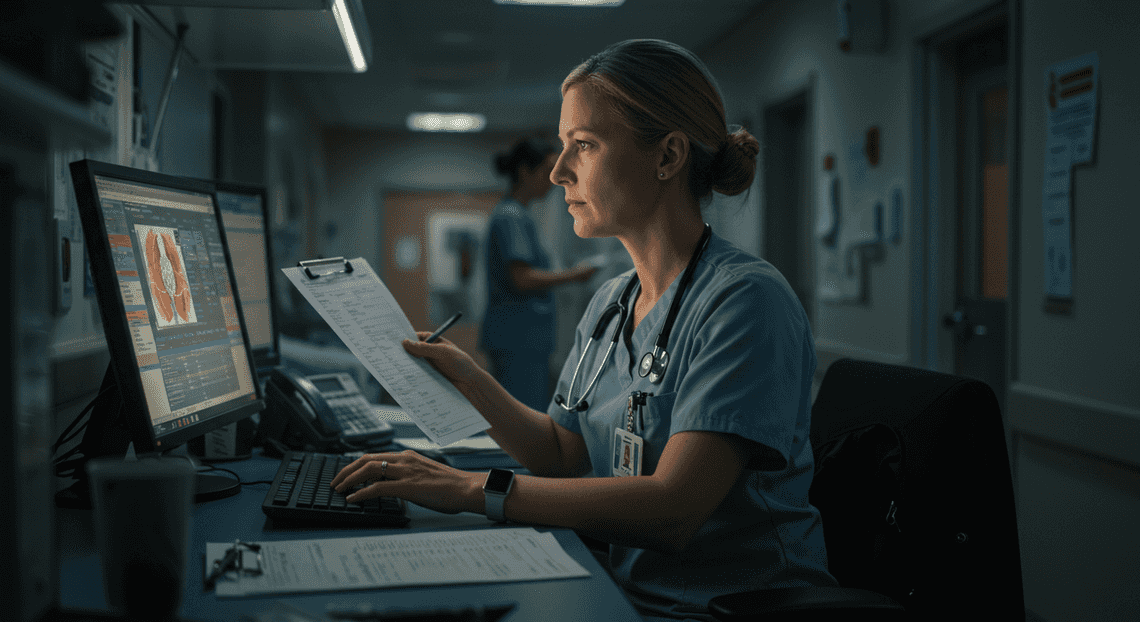
The Daily Challenge of Patient Discharge Coordination
The transition from hospital to home is a critical, yet often fraught, phase of the patient journey. For clinical staff, the discharge process represents a frantic convergence of administrative tasks and patient care responsibilities. It’s a high-stakes handoff where precision, clarity, and efficiency are paramount. However, the manual processes that underpin this workflow are often a significant source of friction, creating bottlenecks that can impact both staff well-being and patient outcomes.
Understanding the administrative burden of post-op care
In any post-operative unit, the moments leading up to a patient’s discharge are a controlled flurry of activity. The discharge coordinator or charge nurse is tasked with a complex synthesis of information. They must collate handwritten notes from the surgeon, digital entries from the anesthesiologist, and ongoing observations from the nursing team. This raw data, scattered across different formats and systems, must be meticulously transcribed and organized into a coherent summary.
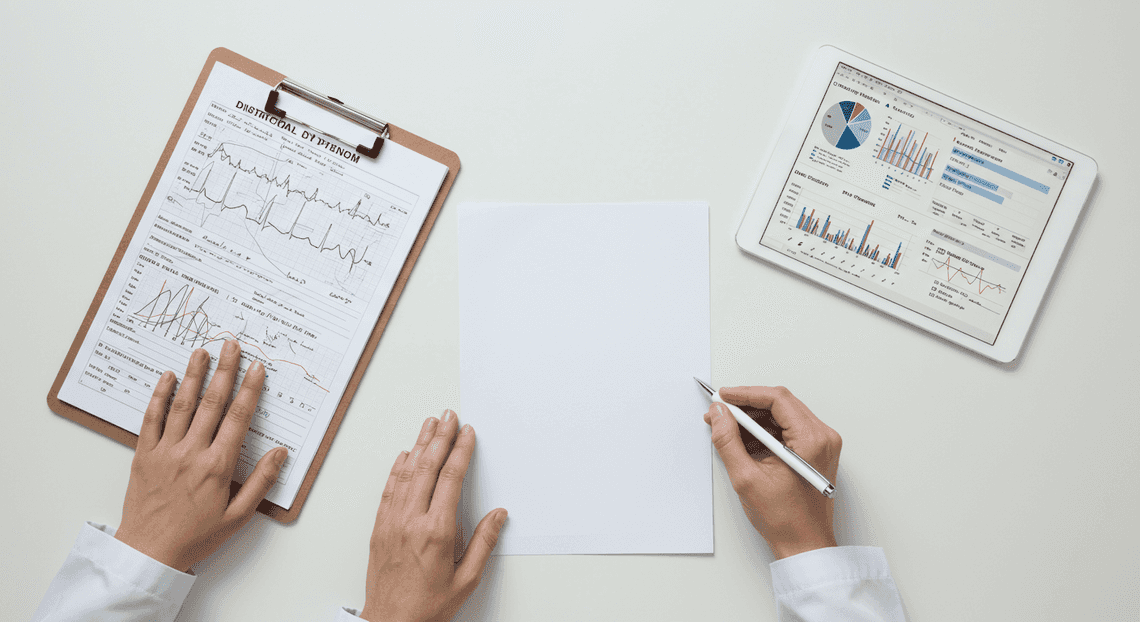
This is more than just copy-pasting. It involves:
-
Data Consolidation: Manually pulling details from the Electronic Health Record (EHR), surgical reports, and bedside charts.
-
Information Synthesis: Interpreting clinical shorthand and complex medical terminology to distill the essential points for a layperson.
-
Repetitive Entry: Typing out medication schedules, follow-up appointment details, and activity restrictions, often for multiple patients simultaneously.
This administrative overhead is immense. It’s a time-consuming, repetitive process that places a significant cognitive load on highly skilled medical professionals, diverting their focus from direct, hands-on patient care. The risk of burnout is high, and the potential for transcription errors under pressure is a constant concern.
The critical need for clear and accurate patient instructions
The final discharge summary is the last, most crucial link in the chain of care. It’s the primary tool that empowers patients and their families to manage recovery effectively at home. When these instructions are unclear, incomplete, or inaccurate, the consequences can be severe.
A poorly communicated medication schedule can lead to incorrect dosages. Vague guidelines on wound care can result in infection. A missed follow-up appointment can allow a preventable complication to escalate. These failures in communication not only jeopardize patient safety but also contribute to higher rates of hospital readmission, placing further strain on an already burdened healthcare system.
The challenge is to create instructions that are not only medically precise but also easily digestible for a patient who is likely tired, in pain, and anxious. The document must be structured, free of jargon, and unambiguous, serving as a reliable source of truth for the critical days and weeks following surgery.
Introducing an AI-powered solution built on [Automatically create new folders in Google Drive, generate templates in new folders, fill out text automatically in new files, and save info in [Automated Web Scraping with [Multilingual Text-to-Speech Tool with SocialSheet Streamline Your Social Media Posting 123](https://votuduc.com/Multilingual-Text-to-Speech-Tool-with-Google-Workspace-p809282)](https://votuduc.com/Automated-Web-Scraping-with-Google-Sheets-p292968)](https://workspace.google.com/marketplace/app/auto_create_folder_and_files/430076014869)
This is where we can fundamentally redesign the workflow. Instead of adding another complex, standalone system, we can leverage the collaborative tools that clinical teams already use every day. Imagine an intelligent assistant, integrated directly into the familiar interface of Google Chat, designed specifically to tackle the discharge summary bottleneck.
This AI-powered solution works within your existing AC2F Streamline Your Google Drive Workflow environment to:
-
Ingest Raw Data: Securely receive unstructured clinical notes, surgical summaries, and patient data.
-
Analyze and Structure: Use advanced language models to parse the information, identify key elements like medications, appointments, and restrictions, and organize them systematically.
-
Generate Clear Summaries: Automatically draft a patient-friendly discharge summary in a pre-defined template within a Google Doc.
-
Facilitate Review: Notify the responsible clinician via Google Chat that the draft is ready for a quick review and final approval.
By automating the most tedious aspects of the process, this AI assistant frees up clinical staff to focus on what they do best: caring for patients. It reduces the risk of human error, ensures a consistent and clear format for every patient, and transforms a high-friction administrative task into a streamlined, efficient, and safer workflow.
Our Solution: The Patient Care Assistant in Google Chat
To tackle the challenge of manual, time-consuming post-operative summaries, we’ve developed a streamlined, AI-powered solution that lives directly within the Automated Client Onboarding with Google Forms and Google Drive. ecosystem. We call it the “Patient Care Assistant”—a custom Google Chat application designed to be a clinician’s virtual partner in patient communication. It’s not about replacing clinical judgment but augmenting it with speed, consistency, and clarity.
What is the Patient Care Assistant?
The Patient Care Assistant is a specialized Google Chat app that acts as an intelligent summarization engine. At its core, it’s a conversational interface that allows authorized medical staff to paste raw, technical post-operative notes directly into a chat message. In moments, the assistant processes this complex information and returns a perfectly structured, easy-to-understand summary formatted for the patient.
The key benefits of this approach are:
-
Accessibility: It operates within Google Chat, a familiar tool for many clinical teams, eliminating the need for new software or complex training.
-
Efficiency: It transforms a 15-20 minute manual task into a sub-minute automated process.
-
Consistency: It ensures every patient summary follows a standardized format, reducing the risk of omitting critical information like follow-up instructions or warning signs.
-
Clarity: It translates dense medical jargon into plain language, improving patient comprehension and adherence to post-op care plans.
High-level overview of the automated workflow
The elegance of this solution lies in its simplicity from the user’s perspective. Behind the scenes, a sequence of events is orchestrated to deliver the final summary. Here is a step-by-step breakdown of the entire process:
-
Input: A clinician copies the complete, unstructured post-operative notes from the electronic health record (EHR) system. They navigate to a dedicated Google Chat space or a direct message with the “Patient Care Assistant” app and paste the text.
-
Trigger: Sending the message acts as the trigger. The Google Chat API securely forwards the message content to our backend logic, which is built entirely on [AI Powered Cover Letter [Automated Job Creation in Real Time Jobber and Google Sheets Integration from Gmail](https://votuduc.com/Automated-Job-Creation-in-Jobber-from-Gmail-p115606) Engine](https://votuduc.com/AI-Powered-Cover-Letter-Automated Quote Generation and Delivery System for Jobber-Engine-p111092).
-
API Call: The Apps Script function receives the raw text. It then wraps this text within a carefully engineered prompt and makes a secure API call to Google’s Gemini 1.5 Pro model.
-
AI Processing: Gemini 1.5 Pro analyzes the notes. Leveraging its vast context window and advanced reasoning capabilities, it identifies key information: the procedure performed, intraoperative findings, post-op instructions, prescribed medications, and follow-up appointments. It then synthesizes this data into a new, structured summary based on the instructions in our prompt.
-
Response: The Gemini API returns the generated summary as a structured JSON object to the Genesis Engine AI Powered Content to Video Production Pipeline function.
-
Formatting & Delivery: Our script parses the JSON response and dynamically builds a rich, easy-to-read “Card” message. This card neatly organizes the summary with clear headings, bolded text, and bullet points. The script then posts this card back into the Google Chat conversation for the clinician to review, copy, and paste into the patient portal.
The entire round trip, from pasting the notes to receiving the formatted summary, typically takes less than 30 seconds.
The technology stack: Gemini 1.5 Pro and [Architecting Multi Tenant AI Workflows in Building Modular Agentic Apps Script with Gemini Function Calling](https://votuduc.com/architecting-multi-tenant-ai-workflows-in-google-apps-script-p-20260321290501)
This powerful yet maintainable solution is built on just two core Google technologies, working in perfect harmony.
Automating Technical Debt Audits in Apps Script with AI Agents: The Orchestrator
Google Apps Script is the serverless JavaScript platform that serves as the connective tissue for our entire application. It’s the engine that powers the Chat App and orchestrates the workflow. We chose it for several key reasons:
-
Native Workspace Integration: Apps Script is designed to extend Automated Discount Code Management System. Building a Google Chat app is a native capability, which dramatically simplifies development, authentication, and deployment.
-
Serverless Architecture: There are no servers to provision or manage. The script simply executes in response to a trigger (a new chat message) and scales automatically. This makes the solution incredibly cost-effective and low-maintenance.
-
Simplified API Calls: With its built-in
UrlFetchAppservice, Apps Script can easily make authenticated REST API calls to external services, including the [Building Self Correcting Agentic Workflows with Building Self-Correcting Agentic Workflows with Vertex AI](https://votuduc.com/building-self-correcting-agentic-workflows-with-vertex-ai-p-20260321542526) API for Gemini.
In this project, Apps Script is responsible for receiving the message, communicating with the Gemini API, and formatting the final response card for Google Chat.
Gemini 1.5 Pro: The Brains
Gemini 1.5 Pro is the generative AI model that provides the intelligence for our assistant. It’s the component that actually understands the medical text and writes the summary. Its state-of-the-art capabilities make it uniquely suited for this task:
-
Massive Context Window: Gemini 1.5 Pro features a one-million-token context window. While a single set of post-op notes won’t fill this, it guarantees that even the most complex and lengthy surgical reports can be processed in a single pass without any truncation or loss of context.
-
Advanced Reasoning and Instruction Following: The model excels at deciphering specialized medical terminology and following the complex, multi-step instructions laid out in our system prompt. It can reliably extract specific data points and structure them precisely according to our predefined format.
-
Speed and Reliability: As a flagship Google model, Gemini 1.5 Pro delivers fast inference speeds, ensuring the user gets their summary back quickly, which is essential for a real-world clinical workflow.
How It Works: A Step-by-Step Technical Breakdown
The magic behind this AI assistant isn’t a single monolithic application but a choreographed sequence of API calls and data transformations orchestrated by Google Apps Script. This serverless execution environment acts as the connective tissue, binding together various Automated Email Journey with Google Sheets and Google Analytics services with the powerful generative capabilities of Gemini. Let’s dissect the workflow piece by piece.
Step 1: Parsing Clinical Notes from Google Docs
The entire process begins with a source document: the clinician’s raw, unfiltered notes residing in a Google Doc. The first technical challenge is to programmatically access and extract the textual content from this document, ignoring complex formatting, tables, or embedded images that could confuse the AI model.
Our Automated Work Order Processing for UPS uses a Google Apps Script function to handle this. The script is triggered and receives the unique ID of the target Google Doc. It then uses the DocumentApp service, a built-in Apps Script library for interacting with Google Docs.
The core logic is remarkably concise:
-
Open the Document: The script calls
DocumentApp.openById(docId)to get a programmatic handle on the document object. -
Access the Body: It then retrieves the main content area of the document using the
.getBody()method. -
Extract Text: Finally, a call to
.getText()pulls the entire text content of the body into a single string variable. This method effectively strips out all formatting, leaving us with the pure, unadulterated text needed for the next step.
Here’s a simplified code snippet illustrating this process:
/**

* Parses a Google Doc and returns its raw text content.

* @param {string} docId The ID of the Google Document.

* @returns {string} The plain text content of the document.

*/

function parseClinicalNotesFromDoc(docId) {

try {

const doc = DocumentApp.openById(docId);

const body = doc.getBody();

const rawText = body.getText();

if (rawText.trim().length === 0) {

throw new Error('Document is empty or contains no text.');

}

return rawText;

} catch (e) {

console.error(`Failed to parse document ID ${docId}: ${e.message}`);

// Handle the error appropriately, e.g., by notifying the user.

return null;

}

}
This function provides a clean, reliable string of clinical notes, ready to be passed to our language model.
Step 2: Simplifying Medical Jargon with Gemini 1.5 Pro
This is the intellectual core of the workflow. We take the dense, technical text from Step 1 and use Google’s Gemini 1.5 Pro model to translate it into clear, empathetic, and patient-friendly language. The quality of this step hinges almost entirely on the quality of the prompt we provide to the model.
The process involves making an authenticated API call to the Vertex AI API from our Apps Script environment using the UrlFetchApp service.
-
[Prompt Engineering for Reliable Autonomous Workspace Agents for Reliable Autonomous Workspace Agents](https://votuduc.com/prompt-engineering-for-reliable-autonomous-workspace-agents-p-20260319404106): We construct a detailed system prompt that instructs Gemini on its role, the desired output format, and the constraints it must follow. A well-designed prompt is crucial for ensuring accuracy, safety, and consistency.
-
API Call: The script packages the prompt and the extracted clinical text into a JSON payload and sends it to the Gemini 1.5 Pro API endpoint. This requires handling authentication, typically via an OAuth 2.0 token managed by Apps Script.
-
Response Handling: The script then parses the JSON response from the API to extract the generated, simplified text.
Here is an example of a robust system prompt designed for this task:
You are an expert medical scribe and patient communicator. Your task is to transform raw, technical post-operative clinical notes into a clear, simple, and empathetic summary for the patient.

**Instructions:**

1.  **Simplify Language:** Translate all medical jargon and complex terminology into plain language that a person with no medical background can easily understand.

2.  **Maintain Accuracy:** Do not add, omit, or change any critical medical information. The core facts of the procedure, findings, and instructions must be preserved.

3.  **Structure the Output:** Format the summary using the following Markdown sections:

- `### What Was Done`: Briefly explain the procedure in simple terms.

- `### Key Findings`: Describe what the clinical team observed.

- `### Your Next Steps`: List clear, actionable instructions for the patient's recovery (e.g., medication, follow-up appointments, activity restrictions).

4.  **Set the Tone:** The tone should be reassuring, professional, and supportive.

5.  **Include a Disclaimer:** End the summary with the following verbatim text: "This is a summary of your procedure and is not a substitute for a direct conversation with your care team. Please contact our office if you have any questions."

**Do not provide any medical advice that is not explicitly present in the source notes.**
By sending the raw notes along with this detailed prompt, we guide the model to produce a high-quality, structured, and safe summary.
Step 3: Generating a Patient-Friendly PDF in Google Drive
A plain text message isn’t ideal for official summaries. A branded, portable PDF is more professional and easier for patients to save and reference. We once again leverage the deep integration of Automated Google Slides Generation with Text Replacement services to accomplish this.
The strategy is to use a Google Doc as a template or an intermediary, which is then converted into a PDF.
-
Create a New Doc: The script can either create a blank Google Doc (
DocumentApp.create()) or, for better branding, make a copy of a pre-designed template document that contains a header, footer, and other styling (DriveApp.getFileById(templateId).makeCopy()). -
Populate the Doc: It then gets the body of this new document, clears any placeholder content, and programmatically inserts the simplified summary generated by Gemini. Apps Script allows for adding paragraphs, headings, and lists to structure the content cleanly.
-
Convert to PDF: Once the document is populated and saved (
doc.saveAndClose()), the script uses the powerful.getAs('application/pdf')method. This returns the document’s content as a “blob”—a data object representing the PDF file. -
Save to Drive: Finally, the script uses the
DriveAppservice to create a new file in a designated Google Drive folder from this blob, giving it a standardized name (e.g.,Summary-PatientName-YYYY-MM-DD.pdf).
This snippet demonstrates the core conversion and saving logic:
/**

* Creates a PDF in Google Drive from text content.

* @param {string} summaryText The simplified text from Gemini.

* @param {string} fileName The desired name for the PDF file.

* @param {string} folderId The ID of the destination folder in Google Drive.

* @returns {File} The newly created PDF file object.

*/

function createPdfInDrive(summaryText, fileName, folderId) {

const tempDoc = DocumentApp.create(fileName); // Create a temporary Doc

tempDoc.getBody().setText(summaryText); // Add the summary text

tempDoc.saveAndClose(); // Ensure all changes are written

const pdfBlob = tempDoc.getAs('application/pdf');

pdfBlob.setName(fileName);

const destinationFolder = DriveApp.getFolderById(folderId);

const pdfFile = destinationFolder.createFile(pdfBlob);

// Clean up the temporary Google Doc

DriveApp.getFileById(tempDoc.getId()).setTrashed(true);

return pdfFile;

}
Step 4: Delivering the Final Summary Securely via Chat
The final step is to close the loop and deliver the generated PDF to the requesting user in Google Chat. Simply pasting a raw Drive link is functional but lacks polish and context. A better approach is to use Google Chat’s Card V2 format to present the information in a structured, interactive way.
-
Set Permissions: This is a critical security step. Before sharing, the script must ensure the PDF’s permissions are correctly configured. This could involve sharing the file directly with the specific user who initiated the request (
file.addEditor(userEmail)) or ensuring the folder’s permissions are appropriately restricted to the organization. Never leave sensitive documents publicly accessible. -
Construct the Card Message: The script builds a JSON object that defines the layout and content of the Chat card. This card can include headers, text paragraphs, and, most importantly, buttons.
-
Create a Shareable Link: It gets the URL for the PDF using
pdfFile.getUrl(). -
Send the Message: The script uses
UrlFetchAppto send a POST request containing the card JSON to the appropriate Google Chat space’s incoming webhook URL.
The resulting message in Chat is clean, professional, and provides a direct, one-click action for the user. Here’s an example of the JSON payload for such a card:
{

"cardsV2": [

{

"cardId": "post-op-summary-card",

"card": {

"header": {

"title": "Post-Op Summary Ready",

"subtitle": "A patient-friendly summary has been generated.",

"imageUrl": "https://www.gstatic.com/images/icons/material/system/2x/task_alt_gm_blue_48dp.png",

"imageType": "CIRCLE"

},

"sections": [

{

"header": "Generated Document",

"collapsible": false,

"widgets": [

{

"decoratedText": {

"topLabel": "File Name",

"text": "Summary-JohnDoe-2023-10-27.pdf",

"startIcon": {

"knownIcon": "DESCRIPTION"

}

}

},

{

"buttonList": {

"buttons": [

{

"text": "Open PDF in Drive",

"onClick": {

"openLink": {

"url": "https://drive.google.com/file/d/YOUR_UNIQUE_FILE_ID/view"

}

}

}

]

}

}

]

}

]

}

}

]

}
Transforming Your Workflow Key Benefits for Discharge Teams
Integrating an AI assistant directly into your Google Chat environment isn’t just a novel tech implementation; it’s a fundamental shift in how discharge summaries are created and delivered. This automation moves the process from a manual, time-intensive task to a streamlined, supervised workflow. Let’s break down the core benefits this transformation brings to your clinical teams.
Dramatically reducing time spent on manual documentation
The traditional process of drafting a post-operative summary is an exercise in administrative friction. Clinicians often find themselves toggling between the EHR, surgical notes, and medication orders, manually compiling, rephrasing, and formatting information. This “copy, paste, and pray it’s all there” cycle can consume 15-20 minutes per patient, a significant time sink in a busy discharge unit.
An AI assistant fundamentally re-architects this workflow. By ingesting the structured and unstructured data from the patient’s record, the model can generate a comprehensive, well-organized draft in seconds. The role of the discharge nurse shifts from that of a primary author to a skilled editor and validator. Instead of building from scratch, they review a nearly complete document, making minor adjustments and confirming accuracy. This reduces the time spent on documentation for each patient to just a few minutes, freeing up hours in every shift and directly combating administrative burnout.
Improving patient comprehension and post-op adherence
A key failure point in the discharge process is the summary itself. Often laden with dense medical jargon and presented in monolithic blocks of text, these documents can be overwhelming for patients and their families. Poor comprehension leads directly to poor adherence to post-op care instructions, resulting in complications, unnecessary follow-up calls, and preventable readmissions.
This is where a generative AI model excels. You can explicitly instruct the assistant to tailor the output for a layperson audience. By including directives in the prompt like, “Explain this at a 6th-grade reading level,” or “Organize the output into clear sections: ‘Medication Schedule’, ‘Activity Restrictions’, and ‘When to Call Your Doctor’,” the AI produces a summary that is inherently more accessible. It can automatically translate clinical terminology into plain language (e.g., “tachycardia” becomes “a heart rate that is faster than normal”) and structure the information for maximum clarity. The result is a patient-centric document that empowers individuals to confidently manage their own recovery, improving outcomes and reducing the support burden on clinical staff.
Ensuring consistency and reducing the risk of human error
Manual processes are inherently variable. The quality and completeness of a discharge summary can differ based on the clinician writing it, their current workload, or simply the time of day. In a high-pressure environment, it’s easy to inadvertently omit a crucial detail, like a specific dietary restriction or a symptom to watch for.
Automating the initial draft with AI introduces a powerful layer of standardization. The system works from a consistent set of instructions and has access to the full scope of the patient’s data for that encounter. It doesn’t get tired or distracted. You can programmatically ensure that every summary includes critical safety checks, such as allergy reminders, follow-up appointment details, and specific medication side effects. This creates a reliable baseline of quality and completeness for every single patient, significantly mitigating the risk of human error and establishing a higher, more consistent standard of care.
Empowering staff to focus on high-value patient interaction
The cumulative effect of saving time, reducing cognitive load, and ensuring document quality is the most important benefit of all: it frees up your clinical staff to be more human. When nurses are not bogged down by the mechanics of documentation, they can invest that reclaimed time and mental energy where it matters most—at the patient’s bedside.
The AI-generated summary becomes a powerful tool to facilitate a better conversation. Instead of typing with their back to the patient, the nurse can sit down, review the clear and simple instructions with the patient and their family, and focus on answering their unique questions and alleviating their anxieties. This transforms the discharge process from a transactional, task-oriented event into a meaningful, educational interaction. Staff are empowered to operate at the top of their license, focusing on empathy, education, and clinical judgment, which not only elevates the patient experience but also dramatically improves job satisfaction.
Bringing AI Automation to Your Healthcare Practice
We’ve just walked through the end-to-end process of building a functional AI assistant inside Google Chat. But this proof-of-concept is more than just a technical exercise; it’s a blueprint for a fundamental shift in how your practice handles clinical documentation and administrative tasks. This is where the initial implementation transforms into a strategic advantage. Let’s break down the immediate value of what we’ve built and explore how to evolve this architecture into a robust, practice-wide solution.
Recap: The power of automating post-op summaries
The solution we’ve architected directly addresses one of the most time-consuming, repetitive, yet critically important tasks in any surgical practice. By automating the generation of post-operative summaries, you unlock several immediate and tangible benefits:
-
Time Reclaimed: The most obvious win is giving time back to your clinicians. Every minute not spent manually summarizing notes is a minute that can be redirected towards patient care, complex case review, or professional development.
-
Reduced Cognitive Load: The mental friction of switching from the high-stakes environment of a procedure to the administrative task of documentation is significant. This tool allows clinicians to offload that initial drafting burden, maintaining their focus on higher-value clinical work.
-
Enhanced Consistency and Accuracy: An AI model, guided by a well-crafted prompt, ensures that every summary adheres to a predefined structure and includes key information. This standardization improves clarity for referring physicians, reduces the risk of transcription errors, and creates a more reliable medical record.
-
Immediate Accessibility: By building this assistant within Google Chat, you’ve placed a powerful tool directly into the existing communication workflow. There’s no new app to install or separate portal to log into; it’s available on any device where your team already collaborates.
In essence, we’ve combined the ubiquity of Google Chat, the scalable and event-driven power of Cloud Functions, and the advanced reasoning of a large language model to create a system that is both powerful and remarkably lean.
Scaling this architecture for your specific needs
This serverless architecture is not a final product; it’s a foundation designed for evolution. As you consider moving from a prototype to a production-grade clinical tool, here are several key pathways for adaptation and scaling.
-
Direct EHR Integration: The most impactful upgrade is to eliminate the copy-paste step. Instead of relying on manual input, the system should pull data directly from your Electronic Health Record (EHR) system. Investigate your EHR’s API capabilities, specifically looking for support for modern interoperability standards like FHIR (Fast Healthcare Interoperability Resources). A secure, read-only API call can fetch the relevant operative notes automatically, making the entire process seamless.
-
Hardening for Security & Compliance: A production system handling Protected Health Information (PHI) requires a rigorous security posture. This is non-negotiable.
-
Leverage Google Cloud’s HIPAA-compliant services for every component in the architecture.
-
Use the Cloud Healthcare API to de-identify data before sending it to the LLM and then re-identify it upon return. This ensures the model itself never processes raw PHI.
-
Implement strict Identity and Access Management (IAM) roles to enforce the principle of least privilege for the Cloud Function and any associated service accounts.
-
Model Customization and Fine-Tuning: While a general-purpose model like Gemini is highly capable, its performance can be supercharged with fine-tuning. By creating a dataset of several hundred of your practice’s historical operative notes and their corresponding “gold standard” summaries, you can train a specialized version of the model. This teaches the AI your specific terminology, preferred formatting, and the unique stylistic nuances of your clinicians, dramatically increasing the accuracy and reliability of the generated drafts.
-
Expanding the Use Case: The core architectural pattern—an event trigger (like a Chat message), data fetching, AI processing, and returning a result—is incredibly versatile. Once the foundation is in place, you can apply it to other high-value tasks:
-
Referral Letter Generation: Summarize a patient’s chart history to draft a comprehensive referral letter to a specialist.
-
Pre-Authorization Drafts: Extract key procedural details and diagnostic codes from a note to auto-fill insurance pre-authorization forms.
-
Patient Communication: Generate simplified, patient-friendly summaries of their visit notes or post-procedure instructions, written in clear, accessible language.
Your next step towards a more efficient workflow
Moving from a working prototype to a fully integrated clinical tool requires a deliberate, iterative approach. Here are the actionable steps to take this project from your screen to your practice.
-
Deploy a Pilot in a Sandbox: Start by deploying this tool in a controlled, non-production environment. Use anonymized or synthetic data to thoroughly test the workflow, validate the quality of the output, and gather initial feedback without any risk to patient data.
-
Identify a Clinical Champion: Find a tech-forward clinician or administrator who acutely feels the pain of manual documentation. Partner with them. Their real-world insights will be invaluable for refining the prompts and the workflow, and their advocacy will be crucial for encouraging wider adoption.
-
Engage IT and Compliance Early: Do not treat security and compliance as an afterthought. Bring your IT security and compliance teams into the conversation from day one. Walk them through the architecture, the data flow, and the safeguards you plan to implement. Gaining their trust and buy-in early will prevent significant roadblocks later.
-
Iterate Relentlessly: Treat this implementation as a clinical product, not a one-off project. The first version will not be perfect. Establish a feedback loop to constantly collect input on the quality of the summaries. Are they too long? Are they missing key details? Use this feedback to continuously refine your system prompts and decide when it’s time to invest in fine-tuning. The journey from a 90% accurate summary to a 98% accurate, “clinician-ready” draft is where the true transformation occurs.
Ready to Scale Your Architecture
The framework we’ve built provides a powerful proof-of-concept for automating post-operative summaries. It demonstrates the immense potential of integrating generative AI directly into your clinical workflows via Google Chat. However, transitioning from a functional prototype to a robust, enterprise-grade solution introduces a new set of critical considerations.
Scaling is more than just handling increased volume. It’s about ensuring the architecture is secure, compliant, cost-effective, and seamlessly integrated into your existing technology ecosystem. How do you connect this assistant to your proprietary Electronic Health Record (EHR) system? How do you enforce strict data governance and meet HIPAA or GDPR requirements? How do you optimize your Google Cloud resource consumption to prevent unpredictable costs as adoption grows?
These are the pivotal questions that separate a clever project from a mission-critical business asset. Answering them correctly requires a strategic approach grounded in deep architectural expertise.
Book a GDE discovery call with Vo Tu Duc to audit your specific business needs.
To bridge the gap between your current implementation and a production-ready system, a personalized architectural review is the most effective next step. We invite you to schedule a complimentary discovery call with Vo Tu Duc, a Google Developer Expert (GDE) specializing in Google Cloud and AI.
This one-on-one session is not a sales pitch; it’s a collaborative deep dive into your unique environment and objectives. During the call, you can get expert guidance on:
-
Secure System Integration: Strategizing the best methods for connecting the AI assistant with your specific EHR/EMR systems, databases, and internal APIs while maintaining data integrity and security.
-
Compliance and Data Governance: Navigating the complex landscape of healthcare regulations. Discuss best practices for data anonymization, access control, and audit logging to ensure your solution is fully compliant.
-
Cost Optimization at Scale: Analyzing your current Google Cloud usage and designing a scalable architecture that minimizes costs without sacrificing performance or reliability.
-
Advanced AI Capabilities: Exploring opportunities to enhance the assistant beyond summarization. This could include implementing custom-trained models, adding multi-modal capabilities (analyzing images or charts), or extracting structured data for analytics.
-
High-Availability and Disaster Recovery: Architecting a resilient system that guarantees uptime and availability, ensuring your clinical teams can rely on it 24/7.
Take the guesswork out of scaling. Leverage the experience of a GDE to validate your architecture, identify potential roadblocks, and create a clear roadmap for a successful, enterprise-wide deployment.


Stop Doing Manual Work. Scale with AI.
Want to turn these blog concepts into production-ready reality for your team?
Table Of Contents
Portfolios
Related Posts
Quick Links
Legal Stuff