

Build a Gemini AI Agent to Automate Pitch Deck Research in Drive


That familiar dread of building a new pitch deck comes from the chaotic, time-consuming search for content. It’s time to end the digital archaeology and stop reinventing the wheel for every meeting.

The Challenge: The Endless Search for Pitch Deck Content
We’ve all been there. A high-stakes meeting is on the calendar, and the request comes in: “We need a new pitch deck. Tailor it for [Investor/Client/Partner Name].” The immediate reaction is a mix of determination and a subtle, creeping dread. You know the core information exists, but where? The scramble begins.
Creating a compelling pitch deck isn’t just about slick design; it’s about weaving a powerful narrative backed by hard data, relevant case studies, and consistent messaging. The process of gathering these components, however, is often a chaotic, time-consuming exercise in digital archaeology. It’s a recurring bottleneck that drains creative energy and stalls momentum before you’ve even designed the first slide.
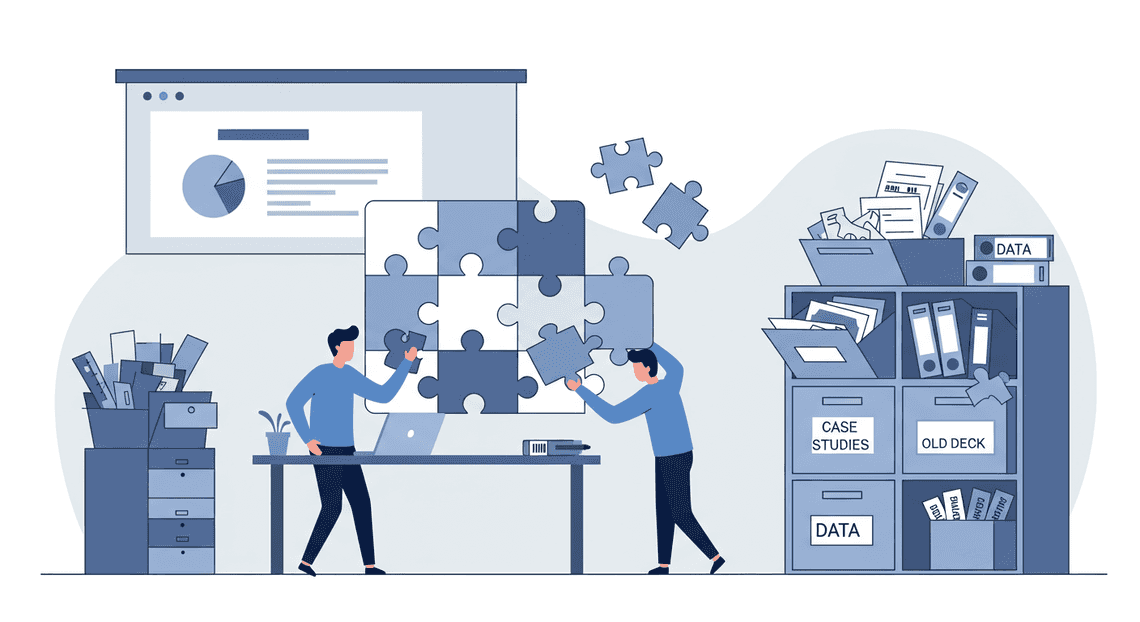
The Pain of Starting from Scratch Every Time
Each new deck feels like reinventing the wheel. You open a blank presentation and your mind races through a familiar, frustrating checklist:
-
The Data Hunt: “What was our latest monthly active user count? Where’s that market size report from Q2? I know I saw a slide with the perfect competitive analysis somewhere…”
-
The Case Study Search: You need to find that one powerful customer success story that perfectly matches the new target audience. You vaguely remember it was in a Google Doc from a project last year, but which one?
-
The Boilerplate Shuffle: You copy-paste the “About Us” slide from one deck, the “Team” slide from another, and the “Technology” section from a third, hoping they are all the most recent versions.
-
The Consistency Nightmare: Does this new deck align with the messaging in our latest one-pager? Is the mission statement current? This manual cross-referencing is tedious and prone to error.
This content scavenger hunt is more than just an annoyance; it’s a significant productivity drain. It forces your team to spend hours on low-value search and retrieval tasks instead of focusing on high-value strategy and storytelling.
Your Google Drive: A Goldmine of Untapped Knowledge
Here’s the irony: the answer to nearly every question is likely sitting right inside your team’s Google Drive. Think about it. Your Drive is a sprawling, living archive of your organization’s collective intelligence. It contains:
-
Dozens of previous pitch decks with slides on every conceivable topic.
-
In-depth market research reports and competitor analyses stored as PDFs.
-
Customer interviews, testimonials, and feedback captured in Google Docs.
-
Product roadmaps and technical specifications.
-
Financial models and KPI dashboards in [Automated Web Scraping with [Multilingual Text-to-Speech Tool with SocialSheet Streamline Your Social Media Posting 123](https://votuduc.com/Multilingual-Text-to-Speech-Tool-with-Google-Workspace-p809282)](https://votuduc.com/Automated-Web-Scraping-with-Google-Sheets-p292968).
Your Google Drive isn’t just a file storage system; it’s a vast, unstructured database of your company’s history, successes, and insights. The problem is that this knowledge is locked away. The standard search bar is helpful for finding files by name, but it can’t understand context, synthesize information from multiple documents, or answer a complex question like, “Find me three statistics that show our user growth in the enterprise sector over the last year.”
Introducing a Smarter Solution: An AI Research Agent
What if you could transform your chaotic digital archive into an intelligent, conversational research partner? What if, instead of manually digging through folders, you could simply ask your Drive for the information you need?
This is precisely the problem we’re going to solve. We will build a custom AI agent, powered by Google’s Gemini models, that connects directly to your Google Drive. Think of it as a research assistant that has read, indexed, and understood every single document your team has ever created.
This agent will allow you to:
-
Query your entire Drive using natural language. Ask complex questions and get synthesized answers with sources.
-
Instantly find specific data points, quotes, or slides buried deep within your files.
-
Accelerate the content creation process from hours of searching to minutes of asking.
By turning your Drive into an interactive knowledge base, you can finally stop starting from scratch. You can build on your collective wisdom, ensure consistency, and empower your team to create better, more data-driven pitch decks, faster than ever before. Let’s get building.
The Core Concept: RAG for Internal Knowledge Retrieval
Before we start writing a single line of code, it’s crucial to understand the “magic” that will power our AI agent. We’re not just plugging a chatbot into our Google Drive and hoping for the best. We’re implementing a sophisticated, powerful, and surprisingly intuitive pattern called Building a RAG Context Manager with Apps Script and Gemini Pro, or RAG. This architectural choice is the key to unlocking the value hidden within your documents and transforming a generic Large Language Model (LLM) into a specialized, internal knowledge expert.
What is Retrieval-Augmented Generation (RAG)?
At its core, a standard LLM like Gemini is a phenomenal feat of engineering, trained on a vast corpus of public internet data. It can write poetry, debug code, and explain quantum mechanics. However, it has two fundamental limitations for our use case:
-
The Knowledge Cutoff: Its knowledge is frozen at the time its training data was collected. It knows nothing about events, data, or documents created after that date.
-
The Privacy Barrier: It has absolutely no access to your private, internal data. It has never seen your company’s pitch decks, financial reports, or strategic memos stored securely in Google Drive.
Attempting to ask a standard LLM, “What was our projected Total Addressable Market in the Q3 2023 investor deck?” will result in a polite refusal or, worse, a confident-sounding but completely fabricated answer—a phenomenon known as “hallucination.”
This is where RAG comes in.
RAG is a technique that grounds an LLM on a specific set of external, private data, giving it the context it needs to answer questions accurately.
Think of it like an open-book exam. Instead of asking the student (the LLM) to recall an answer from memory, you give them the textbook (your documents) and allow them to find the relevant page before writing the answer. This dramatically improves accuracy and virtually eliminates hallucination.
The process works in two main phases:
-
**Retrieval: When you ask a question (the “query”), the system doesn’t immediately send it to the LLM. First, it searches a pre-indexed knowledge base of your documents to find the most relevant snippets of information. This isn’t a simple keyword search; it’s a semantic search that understands the meaning and intent behind your query to find conceptually related text, even if the exact words don’t match.
-
Augmentation & Generation: The system then takes the most relevant snippets it found, “augments” your original query by prepending this context, and sends the entire bundle to the LLM. The prompt effectively becomes: “Using ONLY the following information: [Relevant snippets from your pitch decks], answer this question: [Your original question]”. The LLM then generates a response based only on the provided context, ensuring the answer is grounded in your actual data.
Why RAG is the Perfect Fit for Your Unstructured Drive Data
Now that we understand the “what,” let’s focus on the “why.” For a project centered on automating research across a trove of pitch decks, PDFs, and Google Docs, RAG isn’t just a good choice—it’s the ideal architecture.
-
**It Tames Unstructured Chaos: Your Google Drive is a goldmine of unstructured data. Unlike a neat SQL database, this information is locked away in paragraphs, bullet points, and charts. RAG excels here. By converting your documents into a searchable vector space, it imposes a semantic structure on this chaos, allowing you to query the meaning of your data, not just the keywords within it.
-
**Context is King for Business Intelligence: Pitch decks are dense with specific, proprietary context—financial projections, team bios, competitive analysis, go-to-market strategies. A generic LLM knows none of this. RAG provides the exact slide, paragraph, or data point from the exact document needed to answer a nuanced business question with precision.
-
It Ensures Verifiability and Trust: In a business setting, an answer is useless if you can’t trust it. Because the RAG process explicitly retrieves the source of its information before generating an answer, you can build your agent to cite its sources. An answer like, “Our GTM strategy focuses on a PLG model (Source:
Series_B_Deck_Final.pptx, Slide 14)” is infinitely more valuable and trustworthy than a generic, unsourced response. -
It’s Fresh and Dynamic: Business moves fast. New decks are created, and old ones are archived. Retraining a multi-billion parameter LLM on new data is computationally and financially prohibitive. With RAG, keeping your agent’s knowledge up-to-date is as simple as processing new documents in your Drive and adding them to the knowledge base—a process that can be easily automated to run in near real-time.
A High-Level Look at Our Solution’s Architecture
Let’s zoom out and visualize how these pieces will fit together in the agent we’re about to build. Our system will have two distinct operational flows: an offline indexing process and an online query process.
(You can imagine this as a simple flowchart)
1. The Offline Flow: Ingestion & Indexing
This is the preparatory step where we build our “open book”—the searchable knowledge base.
-
Scan & Load: Our application will use the Google Drive API to find and access the relevant pitch decks (
.pptx,.pdf,.gdoc). -
Chunk: We can’t feed entire 50-page documents to the model. We’ll break them down into smaller, logical chunks (e.g., by slide or by a few paragraphs).
-
Embed: Each chunk of text is passed to a Gemini embedding model. This model converts the text into a high-dimensional numerical vector—a mathematical representation of its semantic meaning.
-
Store: These vectors, along with their corresponding text content, are stored in a specialized Vector Database. This database is optimized for incredibly fast and efficient similarity searches.
2. The Online Flow: Query & Generation
This is what happens in real-time when a user asks our agent a question.
-
User Query: The user asks a question, like “What are our key differentiators?”
-
**Embed Query: The user’s question is also converted into a vector using the same Gemini embedding model.
-
Retrieve: The system queries the Vector Database, asking it to find the text chunks whose vectors are mathematically closest to the query vector. These are our most relevant context snippets.
-
Augment & Generate: A carefully crafted prompt is constructed, combining the retrieved context with the original question. This augmented prompt is sent to a powerful Gemini generative model (like Gemini 1.5 Pro).
-
**Synthesize Answer: Gemini reads the context and the question, synthesizes a coherent and accurate answer based only on the provided information, and sends it back to the user.
Our Tech Stack: The Google Cloud Power Trio
To build a robust and intelligent agent, you need a stack where each component excels at its specific task while integrating seamlessly with the others. We’re building our solution entirely within the Google Cloud ecosystem, creating a powerful, secure, and scalable “power trio” to bring our agent to life. Each service acts as a specialized organ in our agent’s anatomy: one for accessing data, one for remembering it, and one for reasoning about it.
Google Drive API: For Securely Accessing Files
First, our agent needs a way to get its hands on the raw material: the pitch decks themselves. Since they reside in Google Drive, using the official Google Drive API is the only logical choice. It’s the native, secure, and fully-featured gateway to our content.
Here’s why it’s the perfect fit:
-
Secure by Design: The API operates on the principle of least privilege, using OAuth 2.0 for authentication. This is non-negotiable. Our agent will only ever have access to the files and folders that the authenticating user has permission to view. It inherits the robust security model of Google Drive, ensuring data privacy and compliance.
-
Direct, Programmatic Access: No clunky screen scraping or manual downloads. We can programmatically list files in a target folder, filter for specific types (like Google Slides or PDFs), and, most importantly, export their content in a machine-readable format. For this project, we’ll be exporting slides as raw text, which becomes the input for our knowledge base.
-
Rich Metadata: Beyond just the file content, the API gives us access to valuable metadata—filenames, creation dates, last modified times, and owners. This information can be used later to provide context for the answers our agent generates (e.g., “According to the Q3 2024 pitch deck…”).
In our architecture, the Google Drive API is the ingestion layer. It’s the bridge between the unstructured world of files in a shared drive and the structured, searchable knowledge base we’re about to build.
[Building Self Correcting Agentic Workflows with Building Self-Correcting Agentic Workflows with Vertex AI](https://votuduc.com/building-self-correcting-agentic-workflows-with-vertex-ai-p-20260321542526) Vector Search: For Creating a Smart Index
Once we have the text from the pitch decks, how do we search it effectively? A simple keyword search (Ctrl+F) is brittle and misses the point. It can’t understand synonyms, concepts, or context. If a pitch deck mentions “revenue growth” and you search for “sales increase,” a keyword search fails. We need a brain-like ability to search by meaning.
This is where Vertex AI Vector Search (formerly Matching Engine) comes in. It’s a high-performance, fully managed service for finding the most similar items in a massive dataset.
Here’s the magic behind it:
-
Semantic Understanding: We first use a language model (like Gemini) to convert chunks of text from our pitch decks into numerical representations called “vector embeddings.” These aren’t random numbers; they are high-dimensional coordinates that capture the semantic essence of the text. Text with similar meanings will have vectors that are “close” to each other in this high-dimensional space.
-
Blazing-Fast Retrieval: Vector Search builds a highly optimized index (using Approximate Nearest Neighbor algorithms) of these vectors. When a user asks a question, we convert that question into a vector and use Vector Search to find the most relevant text chunks from our entire library of pitch decks in milliseconds, even with millions of documents.
-
Scalable and Managed: Building and maintaining a vector database is a complex engineering challenge. Vertex AI handles all of it—the infrastructure, scaling, and optimization—allowing us to focus on the application logic.
Vector Search serves as the long-term memory for our agent. It’s a smart, scalable index that allows us to retrieve the most relevant pieces of information instantly, forming the foundation for the RAG (Retrieval-Augmented Generation) pattern.
Gemini API: For Natural Language Understanding and Summarization
We have our data source (Drive API) and our super-fast memory (Vector Search). Now we need the consciousness—the reasoning engine that ties it all together. The Gemini API provides the advanced language model capabilities required to understand, synthesize, and communicate.
Gemini plays several critical roles in our agent:
-
The Universal Translator (Text-to-Vector): We’ll use a Gemini model to generate the high-quality vector embeddings needed for Vector Search. Its deep understanding of language ensures that the vectors we create accurately capture the nuances of the source text.
-
The Inquisitor (Query Understanding): When the user asks a question like, “What was our go-to-market strategy in last year’s decks?”, Gemini understands the intent and converts this natural language query into a search vector for our memory system.
-
The Synthesizer (Answer Generation): This is its most important job. After Vector Search retrieves the most relevant text snippets, we pass these snippets—along with the original question—to Gemini in a carefully crafted prompt. Gemini then performs the magic of RAG: it reads the retrieved context, synthesizes the key points, and generates a coherent, accurate, and human-readable answer, citing its sources if we ask it to.
With its massive context window and sophisticated reasoning abilities, Gemini is the central processing unit (CPU) of our agent. It’s what enables the final, intelligent interaction, transforming raw, retrieved data into a concise and actionable insight.
Step-by-Step Guide to Building Your Research Bot
With the high-level architecture mapped out, let’s dive into the implementation. This guide will walk you through setting up your environment, processing your documents, and wiring up the AI components to create a powerful, automated research agent.
Step 1: Setting Up Your Google Cloud Project and Permissions
Before we write a single line of code, we need to establish a secure and properly configured foundation on Google Cloud. This ensures our bot has the necessary permissions to access Drive, Vertex AI, and other required services.
1. Create and Configure Your Project:
It’s a best practice to isolate projects. If you don’t have one already, create a new Google Cloud Project through the Cloud Console. Once created, make sure you have billing enabled.
2. Enable Required APIs:
Our application needs to communicate with several Google Cloud services. We’ll enable their APIs using the gcloud command-line tool. If you haven’t already, install and initialize the Google Cloud SDK.
Execute the following command in your terminal, replacing your-project-id with your actual project ID:
gcloud services enable \

aiplatform.googleapis.com \

drive.googleapis.com \

iam.googleapis.com \

--project=your-project-id
-
Vertex AI API (
aiplatform.googleapis.com): This is the gateway to Gemini models and Vector Search. -
Google Drive API (
drive.googleapis.com): This allows our application to read the pitch decks from your Drive folder. -
IAM API (
iam.googleapis.com): Needed for managing permissions.
3. Create a Service Account:
A service account is a special type of Google account intended to represent a non-human user (like our application). It allows our code to authenticate with Google Cloud services securely without using your personal credentials.
In the Google Cloud Console, navigate to* IAM & Admin > Service Accounts**.
Click* Create Service Account**.
- Give it a descriptive name (e.g.,
pitch-deck-research-agent) and a description.
Click* Create and Continue**.
-
Grant the service account the following roles:
-
Vertex AI User: Allows access to Vertex AI features like Gemini and Vector Search.
-
Service Account User: Allows the service account to be used by other services.
Click* Done**.
4. Generate and Secure Credentials:
Now, create a key for this service account that our application will use to authenticate.
Find your newly created service account in the list, click the three-dot menu on the right, and select* Manage keys**.
Click* Add Key > Create new key**.
Choose* JSON as the key type and click Create**. A JSON file will be downloaded to your computer.
Security Warning: Treat this JSON file like a password. Do not commit it to public source control. The standard practice is to set an environment variable that points to its location:
export GOOGLE_APPLICATION_CREDENTIALS="/path/to/your/keyfile.json"
5. Share Your Drive Folder:
The final permission step is crucial. Your service account needs access to the Google Drive folder containing the pitch decks.
- Find the email address of your service account in its details page (it will look something like
...gserviceaccount.com).
In Google Drive, right-click the folder with your pitch decks and click* Share**.
Paste the service account’s email address into the sharing dialog and grant it at least* Viewer** access.
Your environment is now fully configured. The application, authenticated via the service account key, has the necessary permissions to perform its tasks.
Step 2: Ingesting and Indexing Drive Documents into Vector Search
This is the data engineering heart of our project. We’ll pull documents from Drive, break them down into manageable pieces, and convert them into a machine-readable format using embeddings. These embeddings will then be stored in Vertex AI Vector Search for fast, semantic retrieval.
1. Document Loading and Text Extraction:
First, our JSON-to-Video Automated Rendering Engine script needs to list files in the designated Drive folder, download them, and extract their text content. We’ll use the google-api-python-client for Drive access and libraries like pypdf2 for parsing PDFs.
#

# Prerequisite: pip install --upgrade google-api-python-client google-auth-httplib2 google-auth-oauthlib pypdf2

#

import io

from googleapiclient.discovery import build

from googleapiclient.http import MediaIoBaseDownload

import PyPDF2

# Authenticates using the GOOGLE_APPLICATION_CREDENTIALS environment variable

drive_service = build('drive', 'v3')

FOLDER_ID = "your_google_drive_folder_id" # Replace with your folder's ID

def extract_text_from_drive():

"""

Downloads PDFs from a Drive folder and extracts text content.

"""

query = f"'{FOLDER_ID}' in parents and mimeType='application/pdf'"

results = drive_service.files().list(q=query, fields="nextPageToken, files(id, name)").execute()

items = results.get('files', [])

documents = []

for item in items:

file_id = item['id']

file_name = item['name']

print(f"Processing file: {file_name}")

request = drive_service.files().get_media(fileId=file_id)

fh = io.BytesIO()

downloader = MediaIoBaseDownload(fh, request)

done = False

while not done:

status, done = downloader.next_chunk()

fh.seek(0)

pdf_reader = PyPDF2.PdfReader(fh)

text = ""

for page in pdf_reader.pages:

text += page.extract_text()

documents.append({'source': file_name, 'content': text})

return documents

# documents = extract_text_from_drive()
2. Text Chunking:
LLMs have a limited context window. Feeding an entire 20-page PDF is inefficient and often impossible. We must break the extracted text into smaller, semantically meaningful chunks. A simple strategy is to split by a fixed character count with some overlap to preserve context across chunks.
#

# Prerequisite: pip install langchain

#

from langchain.text_splitter import RecursiveCharacterTextSplitter

def chunk_documents(documents):

"""

Splits document content into smaller chunks.

"""

text_splitter = RecursiveCharacterTextSplitter(

chunk_size=1000,

chunk_overlap=100,

length_function=len,

)

chunks = []

for doc in documents:

split_texts = text_splitter.split_text(doc['content'])

for i, text in enumerate(split_texts):

chunks.append({

'source': doc['source'],

'chunk_id': f"{doc['source']}-{i}",

'content': text

})

return chunks

# chunks = chunk_documents(documents)
3. Generating Embeddings:
Now we convert our text chunks into numerical vectors (embeddings) using a Vertex AI model. These vectors capture the semantic meaning of the text.
#

# Prerequisite: pip install --upgrade google-cloud-aiplatform

#

from vertexai.language_models import TextEmbeddingModel

def generate_embeddings(chunks):

"""

Generates embeddings for a list of text chunks.

"""

model = TextEmbeddingModel.from_pretrained("textembedding-gecko@003")

embeddings = []

for chunk in chunks:

# The API has a limit on the number of texts per call

response = model.get_embeddings([chunk['content']])

# Each response corresponds to one text input

vector = response[0].values

embeddings.append({

'id': chunk['chunk_id'],

'embedding': vector,

'content': chunk['content'], # Keep original text for context

'source': chunk['source']

})

return embeddings

# embedded_chunks = generate_embeddings(chunks)
4. Creating and Populating a Vector Search Index:
With our embeddings ready, we need a place to store and query them.
-
Create an Index: In the Google Cloud Console, navigate to Vertex AI > Vector Search. Create a new index. Configure it with the correct embedding dimensions (e.g., 768 for
textembedding-gecko@003) and usecosineas the distance measure, which is effective for text similarity. -
Create an Index Endpoint: Deploy your index to an endpoint to make it queryable. This can also be done via the UI.
-
Upsert Data: The final step is to upload our embeddings to the index. This process is called “upserting” (update or insert).
from google.cloud import aiplatform

# --- Configuration ---

PROJECT_ID = "your-project-id"

REGION = "us-central1"

INDEX_ENDPOINT_ID = "your-vector-search-index-endpoint-id"

DEPLOYED_INDEX_ID = "your-deployed-index-id"

def upsert_to_vector_search(embedded_chunks):

"""

Upserts the generated embeddings into the Vector Search index.

"""

aiplatform.init(project=PROJECT_ID, location=REGION)

# Format data for the API

datapoints = [

aiplatform.matching_engine.matching_engine_index_endpoint.Datapoint(

datapoint_id=item['id'],

feature_vector=item['embedding']

) for item in embedded_chunks

]

# Connect to the endpoint

index_endpoint = aiplatform.MatchingEngineIndexEndpoint(index_endpoint_name=INDEX_ENDPOINT_ID)

# Upsert the data in batches

index_endpoint.upsert_datapoints(

datapoints=datapoints,

deployed_index_id=DEPLOYED_INDEX_ID

)

print(f"Successfully upserted {len(datapoints)} vectors.")

# upsert_to_vector_search(embedded_chunks)
Your knowledge base is now indexed and ready for querying.
Step 3: Building the RAG Logic to Query Your Data
This step implements the “Retrieval” and “Augmentation” parts of RAG. We’ll take a user’s question, find the most relevant document chunks from our Vector Search index, and prepare them as context for the Gemini model.
1. Embed the User Query:
To find similar text, we must convert the user’s query into an embedding using the exact same model we used for the documents.
2. Query Vector Search:
We then use this query embedding to search our index. The index will return the IDs of the N most similar document chunks.
def find_relevant_chunks(query, top_k=5):

"""

Embeds a query and finds the most relevant document chunks from Vector Search.

"""

aiplatform.init(project=PROJECT_ID, location=REGION)

# 1. Embed the query

embedding_model = TextEmbeddingModel.from_pretrained("textembedding-gecko@003")

query_embedding = embedding_model.get_embeddings([query])[0].values

# 2. Query the index endpoint

index_endpoint = aiplatform.MatchingEngineIndexEndpoint(index_endpoint_name=INDEX_ENDPOINT_ID)

response = index_endpoint.find_neighbors(

deployed_index_id=DEPLOYED_INDEX_ID,

queries=[query_embedding],

num_neighbors=top_k

)

# The response contains neighbors for each query. We only have one.

relevant_chunk_ids = [neighbor.id for neighbor in response[0]]

return relevant_chunk_ids

# Example:

# user_query = "What are some innovative go-to-market strategies for SaaS companies?"

# relevant_ids = find_relevant_chunks(user_query)
3. Retrieve and Augment:
The search returns only the IDs. We need to retrieve the original text content associated with those IDs to create our context. This is why we kept the original text alongside the embeddings or stored it in a separate lookup (like a dictionary or database).
# Assuming 'chunks' from Step 2 is available in memory or a database

# For this example, we'll create a simple lookup dictionary

chunk_lookup = {chunk['chunk_id']: chunk['content'] for chunk in chunks}

def create_context_from_ids(ids, lookup):

"""

Retrieves the original text for a list of chunk IDs.

"""

context_parts = [lookup.get(id, "") for id in ids]

return "\n---\n".join(context_parts)

# retrieved_context = create_context_from_ids(relevant_ids, chunk_lookup)
With retrieved_context, we now have a highly relevant, condensed block of text ready to be passed to our generative model.
Step 4: Using the Gemini API to Generate an Inspiration Summary
This is the final step where the magic happens. We’ll use the powerful reasoning capabilities of Gemini to synthesize the retrieved context into a coherent and insightful answer to the user’s original query.
1. Craft a Powerful Prompt:
[Prompt Engineering for Reliable Autonomous Workspace Agents for Reliable Autonomous Workspace Agents](https://votuduc.com/prompt-engineering-for-reliable-autonomous-workspace-agents-p-20260319404106) is key to getting high-quality results. A good RAG prompt clearly instructs the model on its task, provides the context it must use, and restates the user’s question.
Here is a robust template:
def build_prompt(query, context):

"""

Builds a prompt for the Gemini model with clear instructions and context.

"""

return f"""

You are an expert business analyst and startup strategist. Your task is to answer a user's question based *only* on the provided context from a collection of pitch decks.

Synthesize the information from the different sources in the context into a single, cohesive, and insightful summary. Do not use any information outside of the provided context. If the context does not contain the answer, state that clearly.

CONTEXT:

{context}

QUESTION:

{query}

INSIGHTFUL SUMMARY:

"""
2. Call the Gemini API:
Using the Vertex AI SDK, we can now send our crafted prompt to the Gemini 1.0 Pro model and get our final answer.
#

# Prerequisite: pip install --upgrade google-cloud-aiplatform

#

import vertexai

from vertexai.generative_models import GenerativeModel

def generate_summary(query, context):

"""

Sends the prompt to the Gemini API and returns the generated summary.

"""

vertexai.init(project=PROJECT_ID, location=REGION)

model = GenerativeModel("gemini-1.0-pro")

prompt = build_prompt(query, context)

response = model.generate_content(prompt)

return response.text

# --- Putting It All Together ---

def research_assistant(user_query: str):

"""

The main function that orchestrates the entire RAG pipeline.

"""

print(f"Received query: '{user_query}'")

# Step 3: Retrieve relevant document chunks

print("Finding relevant documents in Vector Search...")

relevant_ids = find_relevant_chunks(user_query)

# Step 3: Augment by fetching the original text

print("Retrieving context...")

# This assumes 'chunk_lookup' is globally available or passed in

retrieved_context = create_context_from_ids(relevant_ids, chunk_lookup)

# Step 4: Generate the final summary

print("Generating summary with Gemini...")

final_summary = generate_summary(user_query, retrieved_context)

return final_summary

# --- Example Usage ---

# user_query = "Summarize the different pricing models mentioned in the decks."

# summary = research_assistant(user_query)

# print("\n--- RESEARCH COMPLETE ---")

# print(summary)
By connecting these four steps, you have successfully built a complete RAG pipeline. This bot can now take any natural language question, search through your entire library of pitch decks for relevant information, and generate a custom, synthesized summary in seconds.
Putting the Agent to Work: A Real-World Example
Theory and code are one thing, but the true test of any tool is its real-world application. Let’s move beyond the architecture and see how our Gemini AI agent performs when tasked with a common, high-stakes challenge: building the foundational research for a new pitch deck.
Imagine you’re the founder of a startup called “FinFlow,” an AI-powered personal finance app targeting Gen Z. Your goal is to create a compelling narrative for investors, which requires a deep understanding of market trends and the competitive landscape. Manually, this would involve hours of sifting through articles in your Google Drive, analyzing competitor websites, and synthesizing disparate data points. Instead, let’s delegate this to our agent.
From a Simple Prompt to a Structured Outline
The interaction begins with a clear, concise prompt. We’re not just asking a question; we’re issuing a directive to a research assistant that has access to our curated knowledge base in Google Drive.
Here’s the prompt we give our agent:
Prompt: “I’m building a pitch deck for ‘FinFlow’, a new AI-powered personal finance app for Gen Z that uses gamification to encourage saving and investing. I need a competitive analysis and a market trends summary. Please research the top 3 competitors (Robinhood, Acorns, Stash) and analyze recent articles (last 18 months) on Gen Z financial habits from my ‘Market Research’ folder in Google Drive. Synthesize the findings into a structured outline for my pitch deck.”
The agent gets to work. It uses the Google Drive API to scan the specified folder, identifying relevant PDFs and Google Docs. Simultaneously, it performs targeted web searches for the latest information on Robinhood, Acorns, and Stash. Gemini’s multi-modal and large context window capabilities are key here, allowing it to process information from various sources—be it a dense market report PDF, a Google Doc with notes, or a competitor’s press release.
After a few minutes, the agent delivers the following structured output:
**Pitch Deck Research Outline: FinFlow**

**1. Market Trends: Gen Z Financial Habits (Synthesized from Drive)**

*   **Preference for Digital-First Platforms:** Gen Z overwhelmingly prefers managing finances via mobile apps over traditional banking. They value seamless UI/UX and instant access. (Source: `gen_z_finance_report_q4_2023.pdf`)

*   **High Interest in Micro-Investing:** The concept of investing small, regular amounts is highly appealing, lowering the barrier to entry. Gamification and "round-up" features are proven engagement drivers. (Source: `fintech_trends_2024.docx`)

*   **Value-Driven Investing (ESG):** A significant portion of this demographic prioritizes investing in companies that align with their social and environmental values. (Source: `consumer_insights_gen_z.pdf`)

*   **Demand for Financial Education:** Despite being digitally native, there's a recognized "financial literacy gap." Apps that incorporate educational content are perceived as more trustworthy and valuable. (Source: `fintech_trends_2024.docx`)

**2. Competitive Landscape Analysis**

*   **A. Robinhood**

*   **Target Audience:** Primarily active traders, including Gen Z and Millennials, attracted by commission-free stock and crypto trading.

*   **Key Features:** Equities, ETFs, options, and cryptocurrency trading. Simple, streamlined interface.

*   **Monetization:** Payment for order flow (PFOF), Robinhood Gold subscription, stock loans.

*   **Key Weakness/Opportunity:** Perceived as a platform for active trading rather than long-term wealth building or guided investing. Lacks robust educational and goal-setting features.

*   **B. Acorns**

*   **Target Audience:** Novice investors and passive savers.

*   **Key Features:** "Round-Ups" on purchases for automatic micro-investing, pre-built ETF portfolios, retirement and checking accounts.

*   **Monetization:** Monthly subscription tiers ($3, $5, $9).

*   **Key Weakness/Opportunity:** The subscription model can be a deterrent for users with very small balances. Gamification elements are minimal.

*   **C. Stash**

*   **Target Audience:** Beginners who want to learn about investing while building a portfolio.

*   **Key Features:** Combines banking, investing (including fractional shares), and education. "Stock-Back" card rewards.

*   **Monetization:** Monthly subscription tiers ($3, $9).

*   **Key Weakness/Opportunity:** The user experience can feel cluttered compared to more focused apps. The educational content is present but not deeply integrated into the core user journey.

**3. Strategic Opportunities for FinFlow**

*   **The "Educate & Gamify" Niche:** Combine the educational depth of Stash with the automated, passive investing of Acorns, all wrapped in a highly engaging, game-like interface that Robinhood lacks.

*   **Hyper-Personalized Goals:** Leverage AI to create personalized savings/investing journeys based on user data, going beyond the generic portfolios offered by competitors.

*   **Integrated ESG Focus:** Make ESG investing a core, easily accessible feature, not just a filter, directly catering to the values identified in the market research.
Analyzing the AI-Generated Pitch Deck Inspiration
The output is more than just a data dump; it’s a strategic starting point. Let’s break down why this is so powerful.
First, the agent successfully fused internal and external knowledge. It didn’t just scrape the web; it contextualized its findings with the specific reports and notes you’ve already curated in your Google Drive. The citations (source: gen_z_finance_report_q4_2023.pdf) are crucial, providing a direct, verifiable link back to your own trusted data.
Second, the analysis is structured and comparative. Instead of giving you a long narrative about each competitor, it breaks them down into parallel categories (Target Audience, Key Features, etc.). This format makes it incredibly easy to spot patterns and gaps. You can immediately see that while all three competitors target a similar demographic, they do so with different value propositions, leaving clear openings in the market.
Finally, the “Strategic Opportunities” section is where the agent transitions from researcher to collaborator. It synthesizes the market trends and competitive weaknesses to propose actionable strategies. It identifies a clear market niche—the intersection of gamification, education, and AI-driven personalization—that FinFlow is perfectly positioned to capture. This isn’t the final strategy, but it’s an incredibly strong, data-backed foundation for building your pitch’s core narrative.
The Tangible Benefits: Speed, Accuracy, and Consistency
Stepping back from the specifics of the FinFlow example, the value proposition of using a custom AI agent for this task crystallizes around three core benefits.
-
Speed: The entire process, from prompt to structured outline, takes minutes. A human analyst performing the same task—locating the right documents in Drive, reading through them, conducting fresh web research, analyzing competitors, and synthesizing it all into a coherent structure—would likely take a full day of work, if not more. This is not a 10x improvement; it’s a 100x improvement, freeing up founders and strategists to focus on higher-level thinking.
-
Accuracy: The agent minimizes the risk of human error. It won’t forget to check a key document or overlook a competitor’s recent feature launch. By grounding its analysis in specific, cited sources, it provides a transparent and verifiable research trail. You can quickly double-check its sources, trusting that the initial synthesis is comprehensive and based on the data provided.
-
Consistency: This process is repeatable on demand. Need to refresh your competitive analysis next quarter? Simply run the agent again. It will apply the exact same analytical framework to the latest data in your Drive and on the web, delivering an updated outline in the same consistent format. This ensures your strategic documents remain living assets rather than static snapshots in time, which is invaluable in a fast-moving market.
Ultimately, the agent acts as a powerful force multiplier. It automates the laborious, time-consuming groundwork of research, allowing you to dedicate your most valuable resource—your creative and strategic energy—to crafting a story that wins over investors.
Conclusion: Beyond Pitch Decks
We’ve successfully architected and deployed an intelligent agent capable of dissecting and retrieving nuanced information from a complex corpus of pitch decks. This is more than a productivity hack; it’s a foundational shift in how teams interact with their own institutional knowledge. But the true power of this architecture lies not in what we’ve just built, but in what it enables you to build next. The pitch deck use case is just the beginning.
Recap: Stop Searching, Start Creating
Let’s distill the core achievement. We have transformed a passive, often-neglected archive of documents in Google Drive into an active, queryable knowledge base. The endless cycle of manual searching—opening files, skimming slides, trying to recall which deck contained that one crucial metric—is now obsolete.
By leveraging Gemini’s multimodal and contextual understanding, we’ve automated the discovery process. Your team’s cognitive energy is now liberated from the low-value task of information retrieval and can be refocused on high-value creation: analyzing trends, synthesizing insights, and building the next generation of compelling narratives. You’ve moved from searching for data points to generating strategic value from them.
Expanding the Agent: Onboarding, Legal, and More
The robust framework you’ve implemented is domain-agnostic. The same pattern of indexing, embedding, and querying unstructured data can be applied to virtually any document-centric workflow within your organization. Consider the immediate possibilities:
-
Human Resources & Onboarding: Point the agent to a Drive folder containing employee handbooks, benefits documentation, and policy PDFs. New hires could then ask natural language questions like, “What is the company’s 401(k) matching policy?” or “Summarize the process for submitting an expense report,” receiving instant, accurate answers sourced directly from official documents.
-
Legal & Compliance: Ingest a corpus of client contracts, NDAs, and internal compliance guidelines. Your legal team could execute complex queries in seconds: “Identify all contracts with a liability clause exceeding $1M” or “Does our standard MSA include data processing agreements compliant with GDPR?” This accelerates due diligence and risk assessment exponentially.
-
Sales Enablement: Connect the agent to a repository of case studies, white papers, and competitor battle cards. A sales representative preparing for a call could ask, “Provide three key differentiators against Competitor X for a client in the logistics industry,” and receive a concise, actionable summary complete with source links.
In each scenario, the fundamental architecture remains the same. You simply swap the data source and tailor the prompts to a new domain, effectively creating a fleet of specialized Architecting AI Agents for the Google Workspace Marketplace that dismantle information silos across your entire enterprise.
Ready to Scale? Your Architecture Awaits
The serverless, managed-service approach we’ve taken is not a proof-of-concept; it’s a production-ready foundation designed for scale. As you move beyond the initial use case, consider the following dimensions for growth:
-
Data Volume: Your current solution can handle hundreds or thousands of documents. To scale to millions, the core services like Vertex AI Search are engineered to handle the load. Its managed indexing and retrieval infrastructure ensures that performance remains consistent as your data corpus grows, without requiring you to manage the underlying vector databases or search clusters.
-
User Concurrency: Built on Cloud Functions and managed Vertex AI endpoints, the architecture is inherently elastic. As more users and departments begin to leverage the agent, the system will automatically scale its compute resources to meet demand, ensuring a responsive experience for everyone without manual intervention.
-
Functional Sophistication: The next frontier is moving from a retrieval agent to an action-oriented one. You can enhance its capabilities by:
-
Integrating other APIs: Allow the agent to not only query documents but also interact with other systems. For example, “Find the latest revenue projections for Project Alpha and create a new Google Slide with the data.”
-
Implementing Agentic Workflows: Use frameworks like Vertex AI Agents to chain multiple steps together. An agent could be tasked to “Analyze the top three competitor pitch decks, identify their core value propositions, and draft a counter-positioning one-pager.”
-
Fine-Tuning: For highly specialized domains like scientific research or patent law, you can fine-tune a Gemini model on your specific document set to improve its understanding of niche terminology and context, leading to even more precise and insightful responses.
You have constructed a powerful engine for knowledge discovery. The blueprints are in your hands. The only remaining question is: which information silo will you unlock next?


Stop Doing Manual Work. Scale with AI.
Want to turn these blog concepts into production-ready reality for your team?
Table Of Contents
Portfolios
Related Posts
Quick Links
Legal Stuff