

Building an Agentic Service Desk with Vertex AI and Google Sheets


Misrouted support tickets do more than just frustrate your team—they act as a hidden tax that quietly drains productivity and inflates operational costs. Discover how the endless cycle of manual triage is sabotaging your resolution times and what it is truly costing your organization.

The Hidden Cost of Misrouted Support Tickets
In the ecosystem of IT service management, the journey of a support ticket is often just as critical as its actual resolution. When an end-user submits a request, the ideal scenario is a straight line from submission to the exact specialist equipped to solve it. However, the reality in most organizations is far from linear. Tickets bounce between departments, sit idle in the wrong queues, and consume valuable engineering cycles before they ever reach the right desk.
While organizations meticulously track software licensing costs and infrastructure spend, the financial and operational drain of misrouted tickets often goes unnoticed. This “hidden cost” manifests as a compounding tax on your service desk—draining productivity, inflating operational expenses, and creating a culture of reactive firefighting rather than proactive engineering.
How Manual Triage Slows Down Resolution Times
At the heart of the misrouting problem is the reliance on manual triage. In a traditional setup, a dispatcher or Level 1 support agent acts as a human router. They read incoming requests—which are notoriously vague, such as “I can’t access my files” or “the system is slow”—and attempt to map them to the correct technical domain.
This manual intervention introduces several critical bottlenecks:
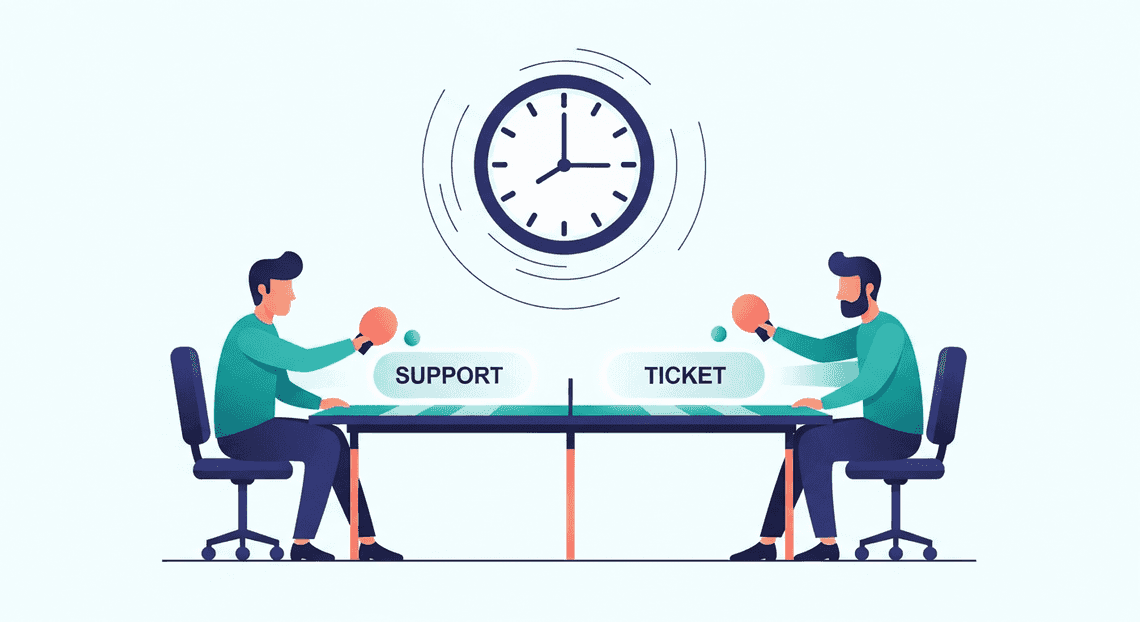
- The “Ping-Pong” Effect: When a ticket is ambiguous, a dispatcher might guess the appropriate queue. A ticket regarding a Automatically create new folders in Google Drive, generate templates in new folders, fill out text automatically in new files, and save info in Google Sheets login issue might be sent to the Network team instead of Identity and Access Management (IAM). The Network team investigates, realizes it’s not their domain, and kicks it back to the general queue. Every hop in this cycle adds hours, if not days, to the ticket’s lifecycle.
-
Inflated MTTR (Mean Time to Resolution): Resolution time doesn’t start when the right engineer begins working on the problem; it starts the moment the user clicks “submit.” Manual triage inherently inflates MTTR because the ticket spends a significant portion of its life in a holding pattern waiting to be categorized, rather than actively being worked on.
-
Vulnerability to Volume Spikes: Human triage does not scale. During a major incident or a sudden influx of requests (e.g., a post-migration Monday morning), the manual triage desk becomes a severe choke point. Tickets pile up, SLAs (Service Level Agreements) are breached, and critical issues get buried under a mountain of low-priority noise.
The Impact on Customer Satisfaction and Team Burnout
The consequences of manual triage and misrouted tickets extend far beyond skewed metrics on a dashboard; they take a profound toll on both the end-users and the engineering teams.
From the end-user’s perspective, a misrouted ticket is an exercise in frustration. It leads to repetitive conversations where the user is forced to explain their issue multiple times to different agents. This lack of continuity shatters trust in the IT department and plummets Customer Satisfaction (CSAT) scores. When employees feel that getting technical help is a convoluted, black-box process, they often resort to “shadow IT” workarounds, creating entirely new security and compliance risks.
On the other side of the screen, the impact on your technical staff is equally damaging. For Cloud Engineers and specialized support agents, dealing with misrouted tickets is the definition of toil—repetitive, non-value-adding work that scales linearly with growth.
-
Context Switching: Every time an engineer opens a ticket only to discover it belongs to another team, they suffer a cognitive penalty. Context switching breaks their flow state, reducing their overall throughput and cognitive bandwidth for complex problem-solving.
-
Decision Fatigue and Apathy: When highly skilled technicians spend a quarter of their day acting as traffic cops rather than problem solvers, morale plummets. They are paid to architect solutions and resolve complex technical debt, not to manually forward Google Sheets access requests to the correct Workspace administrator.
Ultimately, a service desk plagued by manual triage creates an environment where users feel ignored and engineers feel undervalued. Eradicating this friction requires moving away from human guess-work and embracing an intelligent, context-aware approach to ticket routing.
Introducing the Agentic Service Desk
For decades, IT Service Management (ITSM) and support desks have relied on rigid, deterministic workflows. A user submits a ticket, a static routing rule assigns it to a queue based on a drop-down menu selection, and a human agent eventually picks it up to investigate. While Automated Job Creation in Jobber from Gmail has improved this process, it has historically been limited to “if-this-then-that” logic.
The advent of advanced Large Language Models (LLMs) and orchestration frameworks on Google Cloud has paved the way for a paradigm shift: the Agentic Service Desk. By combining the cognitive capabilities of Building Self Correcting Agentic Workflows with Vertex AI with the ubiquitous, flexible data management of Google Sheets, we can build a support system that doesn’t just route data, but actually understands and acts upon it.
What Makes a Support Desk Agentic
To call a system “agentic” means it possesses a degree of autonomous Supermarket Chain’s Site Redesign Boosts Online Sales And Market Share. It moves beyond the capabilities of a standard conversational chatbot—which simply retrieves and summarizes information—and acts as an intelligent worker capable of executing multi-step workflows.
An agentic support desk powered by Vertex AI is defined by three core characteristics:
-
Reasoning and Decision Making: Instead of relying on hardcoded routing trees, an agentic system uses foundational models (like Google’s Gemini) as reasoning engines. When a complex issue arises, the agent can dynamically decide the best course of action, whether that means asking the user for clarifying information, querying a knowledge base, or escalating to a specific human tier.
-
Tool Use and Function Calling: An agentic desk interacts with its environment. Through Vertex AI’s function calling capabilities, the agent can execute external APIs. In our architecture, it can read, write, and update rows in Google Sheets, effectively using the spreadsheet as a dynamic, real-time database and system of record.
-
Stateful Context Management: An agentic system maintains the context of a support interaction over time. It remembers previous troubleshooting steps attempted by the user and adapts its strategy accordingly, ensuring a seamless and frustration-free experience.
In essence, an agentic service desk acts as a Level 1 support engineer—capable of understanding ambiguous requests, formulating a plan, using AC2F Streamline Your Google Drive Workflow tools to log and track the issue, and attempting resolution before human intervention is ever required.
Leveraging Natural Language Processing for Triage
The most notorious bottleneck in any service desk is the triage phase. Users often struggle to categorize their own problems accurately, leading to misrouted tickets, delayed response times, and frustrated employees. By leveraging Natural Language Processing (NLP) through Vertex AI, we can completely overhaul how triage is handled.
Instead of forcing users to navigate complex portals with endless drop-down menus, an agentic service desk allows them to describe their issue in plain, unstructured English. For example, a user might submit: “I can’t access the Q3 financial reports, it keeps giving me a permission error, and I need this for the board meeting in an hour!”
A traditional system would likely just log this as a generic “Access Issue.” However, an NLP-powered agent processes this unstructured text to extract deep, actionable metadata:
-
Intent Recognition: The model identifies the core issue (access denial to a specific financial document).
-
Entity Extraction: It pulls out key variables, such as the specific resource (“Q3 financial reports”) and the error type (“permission error”).
-
Urgency and How to build a Custom Sentiment Analysis System for Operations Feedback Using Google Forms AppSheet and Vertex AI: By parsing phrases like “board meeting in an hour,” the NLP engine accurately detects high urgency and elevated user stress, automatically bumping the priority level of the ticket.
Once Vertex AI processes this natural language input, the agentic system instantly structures the data and writes it directly into a designated Google Sheet. This transforms a messy, panicked user message into a neatly categorized, prioritized, and actionable database row—all in a matter of milliseconds. This intelligent triage ensures that critical issues are escalated immediately, while low-priority requests are queued appropriately or resolved autonomously by the agent.
Architecting the Automated Categorization Workflow
The true power of an agentic service desk lies in its ability to seamlessly bridge the gap between unstructured user communication and structured IT operations. To achieve this, we need a robust, event-driven architecture that acts as the central nervous system of our solution. This workflow relies on three distinct phases: ingesting the user’s problem, applying machine learning to understand the context, and logging the actionable data into a centralized tracking system.
By leveraging Google Cloud’s serverless compute, Vertex AI’s advanced language models, and the ubiquitous accessibility of Automated Client Onboarding with Google Forms and Google Drive., we can build a pipeline that operates in near real-time.
Capturing Incoming Support Chats
The first step in our architecture is establishing a frictionless entry point for the end-user. In a Automated Discount Code Management System environment, Google Chat serves as the ideal interface. Rather than forcing users to navigate complex ticketing portals, they can simply send a direct message or @mention our custom Service Desk Chat App.
Under the hood, this interaction is powered by the Google Chat API. When a user submits a message—for example, “My laptop screen keeps flickering and I have a major presentation in an hour”—the Chat API generates an interaction event. We configure the Chat App to route this event via an HTTP webhook to a serverless endpoint, typically a 2nd Gen Google Cloud Function or a Cloud Run service.
This serverless middleware is responsible for catching the incoming POST request and extracting the critical components from the JSON payload. Specifically, we parse out the message.text (the actual issue), the sender.displayName or sender.email (who is reporting it), and the createTime (when it was reported). Once this raw data is isolated in memory, the function immediately initiates the handoff to our intelligence layer.
Processing Text with Vertex AI Classification
With the unstructured chat text captured, we must transform it into categorized, actionable metadata. This is where Vertex AI becomes the brain of the operation. We route the extracted message text to a Vertex AI foundational model, such as Gemini 1.5 Flash, which is highly optimized for low-latency text processing tasks.
To ensure the model performs accurate triage, we utilize Prompt Engineering for Reliable Autonomous Workspace Agents to define its persona and boundaries. We instruct the model to act as an expert IT dispatcher. The prompt includes the user’s message alongside a predefined list of acceptable categories (e.g., Hardware, Software, Network, Access/Identity, Billing) and priority levels (e.g., P1-Critical, P2-High, P3-Medium, P4-Low).
A crucial cloud engineering best practice here is to enforce structured outputs. By configuring the Vertex AI API call with response_mime_type: "application/json" and providing a specific JSON schema, we guarantee that the model’s response is programmatically reliable.
For the flickering screen example, Vertex AI processes the urgency (“major presentation in an hour”) and the physical nature of the problem (“laptop screen”), returning a clean JSON object:
{

"category": "Hardware",

"priority": "P2-High",

"summary": "User experiencing flickering laptop screen prior to an urgent presentation.",

"sentiment": "Stressed"

}
This step eliminates the need for manual triage, instantly determining who needs to handle the issue and how quickly they need to respond.
Updating the Support Queue in Google Sheets
The final phase of the workflow is persisting this enriched data into a system of record. While enterprise environments often use heavy ITSM tools, Google Sheets provides an incredibly agile, collaborative, and highly visible queue that integrates natively with the rest of Automated Email Journey with Google Sheets and Google Analytics.
Armed with the original user details and the newly generated JSON payload from Vertex AI, our Cloud Function authenticates with the Google Sheets API. Using a Google Cloud Service Account with the appropriate IAM roles (and domain-wide delegation if necessary), the function targets a specific Spreadsheet ID.
We utilize the spreadsheets.values.append method to push a new row into the active support queue. The data array is mapped to the columns of the sheet, typically structured as: [Timestamp, User Email, Original Message, AI Summary, Category, Priority, Status].
Because this happens in milliseconds, the IT support team watching the Google Sheet sees a new, perfectly categorized ticket appear almost instantly after the user hits “send” in Google Chat. Furthermore, because the data is now structured in Sheets, it unlocks native Workspace capabilities—allowing the team to easily build Looker Studio dashboards for ticket analytics, or trigger subsequent Google Apps Scripts based on specific high-priority categories.
Technical Implementation Guide
Let’s roll up our sleeves and build the core engine of our agentic service desk. In this section, we will bridge the gap between Automated Google Slides Generation with Text Replacement and Google Cloud by wiring up Google Sheets, AI Powered Cover Letter Automation Engine, and Vertex AI. By the end of this guide, you will have a functional, automated pipeline capable of ingesting support requests and leveraging large language models to analyze them in real-time.
Configuring Vertex AI for Chat Analysis
Before writing any code, we need to prepare our Google Cloud environment to handle the natural language processing tasks. We will be using Vertex AI’s Gemini models, which are exceptionally well-suited for reasoning tasks like sentiment analysis, entity extraction, and ticket categorization.
-
Enable the Vertex AI API: Navigate to your Google Cloud Console, select your target project, and enable the Vertex AI API. Ensure you have a billing account linked, as API calls will incur usage charges.
-
Select the Right Model: For analyzing chat logs and support tickets, Gemini 1.5 Flash is highly recommended. It offers the perfect balance of low latency and high reasoning capability, making it ideal for synchronous service desk operations.
-
Design the System Prompt: The intelligence of your agentic service desk relies heavily on prompt engineering. You need to instruct the model on exactly how to parse the incoming text. A robust system prompt for this use case should look something like this:
“You are an expert IT Service Desk agent. Analyze the following user support request. Extract the following information and return it strictly as a JSON object: 1) Category (e.g., Hardware, Software, Access, Network), 2) Urgency (Low, Medium, High, Critical based on user impact), 3) Summary (A concise one-sentence description of the issue), and 4) Suggested Action (Next steps for the human agent).”
By enforcing a JSON output structure in your prompt, you ensure that the response can be easily parsed and mapped to specific columns in your Google Sheet.
Writing the Apps Script Integration
With Vertex AI ready, we move to Automated Order Processing Wordpress to Gmail to Google Sheets to Jobber. Genesis Engine AI Powered Content to Video Production Pipeline will act as the middleware, securely authenticating with Google Cloud and passing our spreadsheet data to the Gemini model.
Open your Google Sheet, navigate to Extensions > Apps Script, and set up your integration. First, you must update your appsscript.json manifest file to include the necessary OAuth scopes for Google Cloud:
{

"oauthScopes": [

"https://www.googleapis.com/auth/spreadsheets",

"https://www.googleapis.com/auth/script.external_request",

"https://www.googleapis.com/auth/cloud-platform"

]

}
Next, write the function to call the Vertex AI REST API. Here is a foundational snippet using UrlFetchApp to send a ticket description to Gemini:
function analyzeSupportTicket(ticketText) {

const projectId = 'YOUR_GCP_PROJECT_ID';

const location = 'us-central1'; // e.g., us-central1

const modelId = 'gemini-1.5-flash-001';

const endpoint = `https://${location}-aiplatform.googleapis.com/v1/projects/${projectId}/locations/${location}/publishers/google/models/${modelId}:generateContent`;

const payload = {

"contents": [{

"role": "user",

"parts": [{

"text": `Analyze this IT support ticket and return a JSON object with Category, Urgency, Summary, and Suggested Action. Ticket: "${ticketText}"`

}]

}],

"generationConfig": {

"temperature": 0.2,

"responseMimeType": "application/json"

}

};

const options = {

method: 'post',

contentType: 'application/json',

headers: {

Authorization: 'Bearer ' + ScriptApp.getOAuthToken()

},

payload: JSON.stringify(payload),

muteHttpExceptions: true

};

try {

const response = UrlFetchApp.fetch(endpoint, options);

const result = JSON.parse(response.getContentText());

const aiText = result.candidates[0].content.parts[0].text;

return JSON.parse(aiText);

} catch (e) {

Logger.log("Error calling Vertex AI: " + e.toString());

return null;

}

}
This script leverages ScriptApp.getOAuthToken() to authenticate seamlessly using the identity of the Workspace user (or the service account running the script), eliminating the need to hardcode API keys.
Connecting SheetsApp to Your Support Pipeline
Having a function that talks to Vertex AI is great, but an agentic service desk needs to operate autonomously. The final step is wiring this Apps Script function into your actual support ingestion pipeline.
1. Ingesting the Data:
Your Google Sheet needs to be the destination for incoming tickets. This can be achieved in several ways:
-
Google Forms: The simplest method. Users submit a form, and the data automatically populates a connected Sheet.
-
Webhooks (
doPost): You can deploy your Apps Script as a Web App. This provides a URL endpoint that third-party tools (like Slack, Jira, or a custom frontend) can send POST requests to whenever a new chat or ticket is created.
2. Automating the Analysis via Triggers:
To make the system reactive, set up an Apps Script Trigger. If you are using Google Forms, you can use the onFormSubmit installable trigger.
function processNewTicket(e) {

const sheet = SpreadsheetApp.getActiveSpreadsheet().getActiveSheet();

const row = e.range.getRow();

const ticketDescription = e.namedValues['Description'][0]; // Assuming 'Description' is a form field

// Call our Vertex AI function

const analysis = analyzeSupportTicket(ticketDescription);

if (analysis) {

// Write the AI's analysis back to the sheet in specific columns

sheet.getRange(row, 4).setValue(analysis.Category);

sheet.getRange(row, 5).setValue(analysis.Urgency);

sheet.getRange(row, 6).setValue(analysis.Summary);

sheet.getRange(row, 7).setValue(analysis.SuggestedAction);

}

}
3. Completing the Loop:
Once the trigger is active, the workflow becomes entirely hands-off. A user submits a ticket, the data lands in Sheets, the trigger fires, Apps Script securely queries Vertex AI, and the AI’s structured analysis is written directly into the adjacent columns. Your human support agents are instantly presented with a prioritized, categorized, and summarized queue, allowing them to focus on resolution rather than triage.
Measuring Success and Scaling Your Architecture
Deploying an agentic service desk powered by Vertex AI and Google Sheets is a massive leap forward for IT operations, but the launch is only the beginning. To truly maximize the return on your AI investment, you must establish a robust framework for monitoring performance and a clear roadmap for enterprise-scale expansion.
Tracking Ticket Resolution Metrics
An intelligent service desk is only as good as the time it saves and the friction it eliminates. While Google Sheets provides an excellent, accessible interface for logging and managing tickets, you need to extract actionable intelligence from that data.
To evaluate the effectiveness of your Vertex AI agent, focus on these core Key Performance Indicators (KPIs):
-
Deflection Rate: This is the percentage of support requests resolved entirely by the AI agent without requiring human intervention. A high deflection rate for Tier-1 issues (like password resets or software access requests) indicates a highly effective prompt design and agent logic.
-
Mean Time to Resolution (MTTR): Compare the lifecycle of an AI-handled ticket against historical data for human-handled tickets. Because the Vertex AI agent can process Google Sheets updates and trigger Apps Script functions in seconds, your MTTR for standard requests should drop dramatically.
-
Escalation Accuracy: When the agent encounters a complex issue (e.g., a nuanced IAM permission error or a hardware failure), does it correctly flag the row for human review? Tracking false positives (escalating unnecessarily) and false negatives (failing to escalate a critical issue) will help you fine-tune your model’s temperature and system instructions.
-
User Sentiment Analysis: You can leverage Vertex AI’s natural language processing capabilities to analyze the tone of the user’s initial request and their follow-up responses. Tracking sentiment over time helps ensure the automated experience remains empathetic and helpful.
The Cloud Engineering Approach: To visualize these metrics, relying solely on Google Sheets pivot tables won’t cut it at scale. The best practice is to set up a seamless data pipeline. You can use a scheduled Apps Script or Google Cloud Eventarc to periodically export your Sheets data into BigQuery. Once your ticket data is centralized in BigQuery, you can connect Looker Studio to build real-time, interactive dashboards for your IT management team, providing a bird’s-eye view of your agent’s performance.
Next Steps for Enterprise Support Automation
Google Sheets is a phenomenal tool for rapid prototyping, building Minimum Viable Products (MVPs), and managing lightweight workflows. However, as your organization grows and ticket volume increases, your architecture must evolve to handle higher concurrency, complex state management, and stricter compliance requirements.
Here is how you can scale your agentic service desk into a fully-fledged enterprise solution:
-
Migrating the Data Layer: As concurrency increases, transition your ticket repository from Google Sheets to a robust, ACID-compliant database like Cloud SQL for PostgreSQL or a NoSQL document database like Firestore. This allows for thousands of simultaneous read/write operations and deeper integration with custom front-end portals.
-
Integrating Enterprise ITSM Tools: While your custom solution is powerful, your organization might eventually adopt platforms like ServiceNow or Jira Service Management. You can decouple your Vertex AI agent logic and deploy it as a microservice on Cloud Run. Using Google Cloud Application Integration, you can seamlessly connect your AI microservice to these third-party ITSM APIs, allowing the agent to triage, update, and resolve tickets directly within enterprise systems.
-
Implementing RAG (Retrieval-Augmented Generation): To make your service desk agent truly autonomous, it needs access to your company’s internal knowledge base. By integrating Vertex AI Search, you can ground your Gemini models in your organization’s specific data. Point the search datastore at your Automated Payment Transaction Ledger with Google Sheets and PayPal (Google Drive, Docs, Sites) or internal wikis. When a user submits a ticket, the agent can securely retrieve proprietary troubleshooting steps and synthesize a highly accurate, cited response.
-
Unlocking Multi-modal Capabilities: IT support is highly visual. Users frequently encounter cryptic error screens or hardware damage. By upgrading your architecture to fully utilize the Gemini multimodal models, you can allow users to attach screenshots or photos to their tickets. The agent can analyze the image, read the error code directly from the screen, and instantly provide the exact remediation steps.


Stop Doing Manual Work. Scale with AI.
Want to turn these blog concepts into production-ready reality for your team?
Table Of Contents
Portfolios
Related Posts
Quick Links
Legal Stuff