

Architecting an Automated Knowledge Base with Gemini and Firestore


As engineering teams scale, their most valuable asset becomes trapped in knowledge silos, creating a self-inflicted obstacle that grinds productivity to a halt. Discover why the traditional documentation methods we all rely on are destined to fail.
The Persistent Challenge of Engineering Knowledge Silos
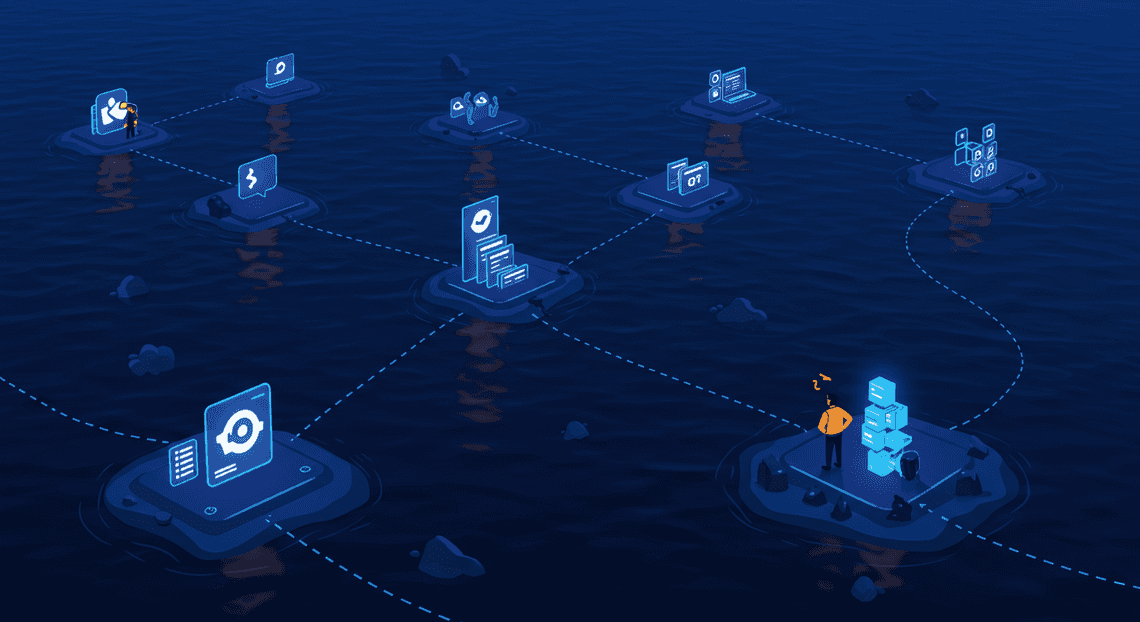
Every engineering organization, as it scales, inevitably collides with a formidable, self-inflicted obstacle: the knowledge silo. This isn’t a problem of incompetence or bad intentions. It’s an emergent property of growth, complexity, and the relentless pressure to ship. Knowledge, the most valuable asset an engineering team possesses, becomes fragmented, trapped in a digital archipelago of disconnected platforms. It’s in Slack threads, buried in pull request comments, scattered across countless Confluence pages, and locked away in the minds of a few key individuals. The result is a system that actively works against itself, creating friction where there should be flow.
Why traditional documentation methods fail at scale
We’ve all tried to solve this with the usual suspects: wikis, shared drives, and meticulously structured README files. While noble in their intent, these methods are built on a foundation of manual effort and human discipline—two resources that are notoriously scarce in a fast-moving tech environment. They buckle under pressure for a few key reasons:
- Documentation Rot: The most fundamental law of technical documentation is that it begins to decay the moment it’s written. Code evolves, architectures shift, and APIs are deprecated. The documentation, however, often remains a static snapshot of a bygone era.

-
The Discoverability Nightmare: Even if the information is accurate, can anyone find it? The knowledge is spread across a dozen platforms, each with its own subpar search function. An engineer might have to search Confluence, then Jira, then sift through Slack history, and finally grep through a Git repository just to find a single piece of information. This isn’t a search; it’s a digital scavenger hunt.
-
High Friction, Low Reward: Let’s be honest: writing good documentation is hard work. It takes time to distill complex thoughts into clear, accessible prose. For an engineer facing a deadline, the immediate reward for shipping a feature far outweighs the nebulous future benefit of documenting it. This creates a vicious cycle where a lack of good documentation makes it harder for others to contribute, further concentrating knowledge in the hands of a few.
-
The Ownership Void: A document is created by an engineer to explain a new service. Two years later, that engineer has left the company. The service has been modified a dozen times by five different people. Who owns the document now? Who is responsible for its accuracy? More often than not, the answer is “no one.” The document becomes a ghost ship—a potentially misleading and dangerous artifact floating in your knowledge base.
The hidden costs of inaccessible institutional knowledge
The frustration of not being able to find an answer is just the tip of the iceberg. The true cost of knowledge silos is a silent tax on every aspect of the engineering process, paid in wasted time, duplicated effort, and slowed innovation.
-
Onboarding Drag: The time it takes for a new engineer to become a productive contributor is directly proportional to their ability to access and understand existing systems. Without a reliable source of truth, they are forced to rely on “shoulder tapping” senior engineers, effectively interrupting two people’s work to answer a question that has likely been asked and answered dozens of times before.
-
Increased Mean Time to Resolution (MTTR): During a production incident, every second counts. The hunt for the right runbook, a relevant post-mortem, or the on-call person who understands a legacy service can turn a five-minute fix into a two-hour outage. This is where the “bus factor” becomes terrifyingly real; critical operational knowledge is often held by a single person.
-
Reinventing the Wheel: Somewhere in your organization, an engineer is likely spending weeks building a solution to a problem that another team already solved last quarter. The original solution might even be documented, but it’s buried so deep that it’s effectively invisible. This isn’t just inefficient; it’s a demoralizing waste of engineering talent.
-
The Innovation Tax: When engineers consistently spend 10-20% of their time just searching for basic information, that is cognitive overhead that can’t be spent on creative problem-solving, architectural improvements, or building the next great feature. Your team’s velocity is throttled not by a lack of skill, but by a lack of accessible knowledge.
The promise of AI-powered search and Building a RAG Context Manager with Apps Script and Gemini Pro (RAG)
For decades, we’ve been trying to solve this human-centric problem by demanding better human habits. What if we changed the approach? Instead of forcing people to conform to rigid documentation structures, we can use AI to meet them where they are, understanding and synthesizing the messy, organic knowledge they’ve already created. This is the promise of Retrieval-Augmented Generation (RAG).
Traditional search is based on keywords. You have to know the magic words—the exact project codename or function name—to find what you’re looking for. AI-powered semantic search is a leap forward, allowing you to search based on intent and meaning. You can ask “how do we handle user payments?” and it can find a document titled “Stripe Integration Service v3,” because it understands the concepts, not just the characters.
RAG takes this a giant step further. It’s a two-stage process that fundamentally changes how we interact with our knowledge base:
-
**Retrieval: When you ask a question, the system first acts as a brilliant, tireless research assistant. It performs a semantic search across all your knowledge sources—Confluence, Slack, Google Docs, Git repositories, etc.—to find the most relevant snippets of text, code, and conversation. It doesn’t just find whole documents; it finds the specific paragraphs and messages that directly relate to your query.
-
**Augmentation & Generation: The system then takes these retrieved snippets and feeds them as context to a powerful Large Language Model (LLM) like Gemini. The LLM doesn’t just use its general, pre-trained knowledge. It uses the specific, up-to-date information from your internal documents to synthesize a direct, coherent answer.
The result is transformative. Instead of a list of ten blue links you have to read through, you get a direct answer to your question, complete with citations pointing back to the source documents. It’s the difference between being handed a stack of library books and having a conversation with a librarian who has already read them all and can give you the exact summary you need. This approach doesn’t just find information; it creates knowledge on demand.
A Scalable Blueprint for Automated Knowledge Indexing
To build a system that automatically ingests and understands new information, we need more than just a script; we need a robust, scalable architecture. The goal is to create a pipeline that reliably transforms unstructured documents into a queryable, intelligent knowledge base with minimal human intervention. This blueprint is designed to be resilient, cost-effective, and deeply integrated into the Google Cloud ecosystem.
Core architectural principles: Event-driven, serverless, and intelligent
Our design rests on three fundamental principles that ensure the system is both powerful and efficient.
-
Event-driven: The entire process is reactive. Instead of constantly polling Google Drive to ask “Is there anything new?”, our system listens for specific events—a new file being created or an existing one being updated. This event-driven approach is highly efficient, triggering our pipeline only when necessary. It ensures near real-time updates to the knowledge base and minimizes wasted computational resources, forming a loosely coupled and highly responsive system.
-
Serverless: We are deliberately avoiding the management of virtual machines or servers. By leveraging serverless components like Cloud Functions and Firestore, we delegate the operational overhead of scaling, patching, and maintenance to Google Cloud. This has two major benefits:
-
Cost Efficiency: We only pay for the compute time we actually use. When no documents are being updated, our costs can scale down to zero.
-
Developer Focus: Our team can concentrate on writing the core business logic—parsing documents, generating embeddings, and storing data—rather than managing infrastructure.
- **Intelligent: The core of this system’s value lies in its intelligence, powered by a Large Language Model (LLM). We don’t just index keywords; we capture the semantic meaning of the content. By converting text into high-dimensional numerical representations called vector embeddings, we can perform searches based on conceptual similarity, not just lexical matches. This allows users to ask questions in natural language and find the most relevant documents, even if they don’t use the exact same terminology.
High-level system diagram: From Google Drive to queryable vectors
While a picture is worth a thousand words, a clear, step-by-step flow can be just as illuminating. Here’s the journey a single document takes from creation to becoming a searchable piece of knowledge:
graph TD

A[User adds/updates file in Google Drive] --> B{Google Drive Event Trigger};

B --> C[Cloud Function Invoked];

C --> D{1. Fetch & Parse Document Content};

D -- Text Content --> E[[Building Self Correcting Agentic Workflows with [Building Self-Correcting Agentic Workflows with Vertex AI](https://votuduc.com/building-self-correcting-agentic-workflows-with-vertex-ai-p-20260505760079)](https://votuduc.com/building-self-correcting-agentic-workflows-with-vertex-ai-p-20260321542526) Gemini API];

E -- Vector Embedding --> F{2. Generate Embedding};

F -- Embedding & Metadata --> G[3. Store in Firestore];

G --> H[Firestore Vector Index Updated];

I[User Application] -- Semantic Query --> G;

G -- Relevant Documents --> I;

style C fill:#f9f,stroke:#333,stroke-width:2px

style E fill:#bbf,stroke:#333,stroke-width:2px

style G fill:#9f9,stroke:#333,stroke-width:2px
The Data Flow Explained:
-
Trigger: A user creates or modifies a document (e.g., Google Doc, PDF) inside a designated Google Drive folder.
-
Event & Invocation: A pre-configured trigger (either via [AI Powered Cover Letter [Automated Job Creation in Real Time Jobber and Google Sheets Integration from Gmail](https://votuduc.com/Automated-Job-Creation-in-Jobber-from-Gmail-p115606) Engine](https://votuduc.com/AI-Powered-Cover-Letter-Automated Quote Generation and Delivery System for Jobber-Engine-p111092) or a Google Cloud event source) detects this change and invokes a serverless Cloud Function, passing along event metadata like the file ID.
-
Content Extraction: The Cloud Function uses the Google Drive API to securely access and download the content of the modified file, parsing it into clean, plain text.
-
Embedding Generation: This raw text is sent to a Vertex AI Gemini embedding model (e.g.,
textembedding-gecko). The model processes the text and returns a high-dimensional vector embedding—an array of floating-point numbers that numerically represents the document’s semantic meaning. -
Indexing and Storage: The Cloud Function constructs a new document to be saved in Firestore. This document contains the original text content (or a chunk of it), key metadata (file name, Drive URL, last modified timestamp), and the vector embedding generated in the previous step.
-
Ready for Query: Upon writing the document, Firestore’s Vector Search capability automatically and transparently indexes the new vector. The knowledge base is now updated and the new information is immediately discoverable through semantic search.
Choosing the right stack: DriveApp, Vertex AI Gemini, and Firestore Vector Search
The choice of technology is critical for realizing our architectural principles. Each component in our stack was selected for its specific strengths and seamless integration.
-
Google Drive & DriveApp: We start here because it’s where knowledge often lives in its rawest form. Google Drive is a ubiquitous collaboration platform, making it a natural source for our knowledge base. Using the Google Drive API (or the simplified
DriveAppservice within Genesis Engine AI Powered Content to Video Production Pipeline for rapid prototyping) gives us a robust, event-driven entry point into our pipeline. It provides the triggers and programmatic access needed to kickstart the entire ingestion process. -
Vertex AI Gemini: This is the intelligent engine of our system. Gemini represents Google’s most capable family of models. By using its text embedding models, we get state-of-the-art vector representations that excel at capturing nuance, context, and semantic relationships in text. Its integration as a managed service on Vertex AI means we get effortless scaling, reliability, and simple API access without needing to manage complex AI infrastructure.
-
Firestore Vector Search: This choice is arguably the most significant architectural simplification. By using Firestore with its native vector search capabilities, we get an all-in-one solution for data storage and retrieval.
-
Unified Data Store: We can store structured metadata, the raw text content, and the unstructured vector embedding within a single Firestore document. This eliminates the complexity of managing and synchronizing a traditional database with a separate, specialized vector database (like Pinecone or Weaviate).
-
Serverless and Real-time: It inherits all the serverless benefits of Firestore. The Approximate Nearest Neighbor (ANN) index that makes fast vector search possible is managed entirely by Google, updating in near real-time as we add or update documents.
-
**Hybrid Search Power: This is the killer feature. Firestore allows us to run powerful hybrid queries that combine traditional metadata filtering with semantic vector search in a single, efficient operation. For example: “Find documents semantically similar to ‘Q4 marketing strategy’ that were created by user X and modified in the last 30 days.” This fusion of search paradigms is incredibly powerful for building sophisticated knowledge discovery applications.
Implementation Deep Dive: Building the Automated Work Order Processing for UPS Pipeline
With our architecture mapped out, it’s time to roll up our sleeves and connect the dots. This section breaks down the core automation pipeline, transforming a simple document into a queryable, vectorized asset in our knowledge base. We’ll move step-by-step from the initial trigger in Google Drive to the final storage and indexing in Firestore.
Step 1: Setting up the Google Drive trigger with Apps Script
The entire process kicks off the moment a new document is added or an existing one is modified. [Architecting Multi Tenant AI Workflows in Building Modular Agentic Apps Script with Gemini Function Calling](https://votuduc.com/architecting-multi-tenant-ai-workflows-in-google-apps-script-p-20260321290501) is the perfect glue for this, living natively within the [Automatically create new folders in Google Drive, generate templates in new folders, fill out text automatically in new files, and save info in [Automated Web Scraping with [Multilingual Text-to-Speech Tool with SocialSheet Streamline Your Social Media Posting 123](https://votuduc.com/Multilingual-Text-to-Speech-Tool-with-Google-Workspace-p809282)](https://votuduc.com/Automated-Web-Scraping-with-Google-Sheets-p292968)](https://workspace.google.com/marketplace/app/auto_create_folder_and_files/430076014869) ecosystem. It allows us to monitor a Drive folder and initiate our workflow without managing any external servers.
Our approach will use a time-driven trigger. While a direct “on file create” event would be ideal, a reliable and robust method is to have a script run periodically (e.g., every 5-10 minutes) to scan for changes.
Here’s the logic our Apps Script will follow:
-
Identify the Target Folder: The script starts by referencing a specific Google Drive folder by its ID.
-
Scan for Files: It lists all files within that folder.
-
Check for Changes: For each file, the script compares its
lastUpdatedtimestamp against a stored value in Apps Script’sPropertiesService. This service acts as a simple key-value store to remember the last-known state of each file.
-
If a file is new (not in
PropertiesService), it’s added to a “to-process” list. -
If a file’s timestamp is newer than the stored one, it’s added to a “to-update” list.
-
Extract Content: For each file in our lists, we use the
DocumentAppservice (for Google Docs) to open the file and extract its raw text content. -
Trigger the Downstream Process: Instead of handling heavy processing within Apps Script (which has execution time limits), we’ll use it as a lightweight orchestrator. For each new or updated file, it will make a secure, authenticated HTTP request to a Cloud Function, passing along the
fileId,fileName, and the extracted text content.
This setup decouples the trigger mechanism from the intensive AI processing, creating a more scalable and resilient system.
Step 2: Generating text embeddings with the Vertex AI Gemini API
Once our Cloud Function receives the payload from Apps Script, its primary job is to convert the document’s text into a meaningful numerical format. This is where the power of Gemini’s text embedding models comes into play.
An embedding is a vector (a list of numbers) that captures the semantic essence of a piece of text. Documents with similar meanings will have vectors that are “closer” together in multi-dimensional space. We’ll use a model like text-embedding-004 for this task.
However, we can’t just feed an entire document into the model. There are two key reasons for this:
-
Token Limits: Embedding models have a limit on the amount of text they can process in a single request.
-
Search Granularity: Embedding an entire document results in a single vector representing its average meaning. For precise Q&A, we want to find the specific paragraph or section that answers a user’s query.
The solution is chunking. Our Cloud Function will implement the following logic:
-
Receive Text: Get the raw text from the Apps Script request.
-
Split into Chunks: Break the text into smaller, manageable chunks. A common strategy is to split by paragraphs or create fixed-size chunks (e.g., 500 tokens) with some overlap (e.g., 50 tokens) to ensure semantic context isn’t lost at the boundaries.
-
Call the Gemini API: Using the Vertex AI SDK for JSON-to-Video Automated Rendering Engine or Node.js, we’ll send a batch request to the Gemini API, passing our list of text chunks.
-
Receive Embeddings: The API will return a list of embeddings, with each embedding vector corresponding to one of our text chunks.
Now we have our original text, broken into chunks, and a corresponding high-dimensional vector for each one.
# Conceptual Python snippet for a Cloud Function

from google.cloud import aiplatform

from vertexai.language_models import TextEmbeddingModel

def generate_embeddings(text_chunks: list[str]) -> list[list[float]]:

"""Generates embeddings for a list of text chunks."""

aiplatform.init(project="your-gcp-project", location="us-central1")

model = TextEmbeddingModel.from_pretrained("text-embedding-004")

# The get_embeddings method handles batching automatically.

embeddings = model.get_embeddings(text_chunks)

# Return a list of embedding vectors

return [embedding.values for embedding in embeddings]
Step 3: Storing and indexing vectors in Firestore
With our text chunks and their corresponding vector embeddings in hand, we need a database that can not only store this data but also perform efficient vector similarity searches. Firestore’s native vector search support makes it an excellent choice.
We’ll design our data model to be intuitive and scalable:
-
Main Collection:
documents -
Each document in this collection will represent a single file from our Google Drive folder.
-
The Firestore Document ID will be the Google Drive
fileId. -
Fields will include metadata like
fileName,createdAt, andlastProcessed. -
Sub-collection:
chunks -
Nested under each document in the
documentscollection. -
Each document here represents a single chunk from the parent file.
-
Fields will include:
-
textContent: The raw text of the chunk. -
chunkNumber: The sequential order of the chunk (e.g., 0, 1, 2…). -
embedding: The vector array of floating-point numbers from Gemini. This is the field we will index.
Before we can perform searches, we must configure a vector index in Firestore on the embedding field within the chunks collection. During index creation, we’ll specify the vector dimension (e.g., 768 for text-embedding-004) and the distance measure (e.g., COSINE or EUCLIDEAN), which determines how “similarity” is calculated.
Once the index is configured, our Cloud Function will iterate through the chunks and their embeddings, writing each one as a new document to the appropriate chunks sub-collection in Firestore.
Step 4: Handling document updates and deletions efficiently
A knowledge base that can’t be updated is of limited use. Our architecture must gracefully handle the full lifecycle of a document.
Handling Updates:
When our Apps Script trigger detects a modified file, it’s not enough to just add the new chunks. Doing so would leave the old, stale data in Firestore, leading to incorrect search results. The correct update process is a “delete-then-insert” operation:
-
The Cloud Function receives the
fileIdfor the updated document. -
Crucial First Step: Before processing the new content, the function performs a query to find and delete all existing documents in the
documents/{fileId}/chunkssub-collection. This atomic cleanup is vital. -
With the old chunks purged, the function proceeds with the standard chunking, embedding, and storing process for the new document content.
-
It also updates the
lastProcessedtimestamp on the parent document in thedocumentscollection.
Handling Deletions:
Detecting deletions requires a slight change in our Apps Script logic. The script must:
-
Fetch the current list of all file IDs in the Drive folder.
-
Retrieve its own stored list of known file IDs from
PropertiesService. -
Compare the two lists. Any ID in the stored list but not in the current list has been deleted.
For each deleted fileId, the script triggers a “delete” event, likely calling a dedicated Cloud Function. This function’s job is to remove all traces of the document from Firestore.
This is more complex than it sounds due to a Firestore nuance: deleting a document does not automatically delete its sub-collections. You must delete the sub-collection documents manually. The deletion function will therefore need to:
-
Receive the
fileIdof the deleted document. -
Query all documents in the
documents/{fileId}/chunkssub-collection and delete them in a batch. -
Once the sub-collection is empty, delete the parent document (
documents/{fileId}).
By implementing this robust update and deletion logic, we ensure our automated knowledge base remains a current and accurate reflection of its source material in Google Drive.
Beyond Indexing: Querying and Scaling the System
With our knowledge base indexed and our document chunks transformed into meaningful vector embeddings, the foundational work is complete. However, an indexed system is only as good as our ability to retrieve information from it effectively, efficiently, and securely. This section transitions from the “what” and “how” of data ingestion to the critical aspects of querying, optimizing for real-world usage, and planning for future growth. We will explore the mechanics of semantic search, delve into strategies for managing cost and performance, and look ahead to advanced features that can elevate our automated knowledge base from a powerful tool to an indispensable organizational asset.
Performing semantic searches against your new vector database
The true power of this architecture is unlocked at query time. Instead of relying on keyword matching, we leverage the vector embeddings to find documents based on their conceptual meaning—a process known as semantic search. This is orchestrated through a Retrieval-Augmented Generation (RAG) pattern.
The RAG workflow consists of two primary stages:
-
Retrieval: Find the most relevant document chunks from our knowledge base.
-
Generation: Use a powerful language model, like Gemini, to synthesize an answer based on the retrieved information.
Here’s how it works in practice:
Step 1: Embed the User’s Query
When a user submits a query (e.g., “What were the key takeaways from the Q3 performance review?”), the first step is to convert this natural language question into a vector embedding. It is critically important to use the exact same embedding model (e.g., text-embedding-004) that was used to index the source documents. This ensures that the query vector and the document vectors exist in the same “semantic space,” making their comparison meaningful.
Step 2: Execute a Vector Search in Firestore
With the query vector in hand, we can now query our Firestore embeddings collection. Firestore’s native vector search functionality allows us to perform an Approximate Nearest Neighbor (ANN) search. We use the findNearest method to find the top k document chunks whose embeddings are most similar (i.e., have the smallest distance in vector space) to our query embedding.
Step 3: Augment and Generate
The vector search doesn’t give us the final answer; it gives us the raw material—the most relevant context. We then construct a carefully crafted prompt for a generative model like Gemini 1.5 Pro. This prompt combines the original user query with the retrieved document chunks.
A well-structured prompt might look like this:
**System Instruction:** You are a helpful assistant for our internal knowledge base. Answer the user's question based ONLY on the provided context. If the context does not contain the information needed to answer the question, state that you cannot find the answer in the available documents. Cite the sources you used by their document ID.

**Context:**

**Source (document_id: perf-review-q3-final.pdf, chunk: 2):**

"The Q3 performance review highlighted a 15% year-over-year growth in the enterprise sector, largely driven by the new 'Project Phoenix' initiative. Key challenges identified include supply chain delays and increased market competition in the SMB space."

**Source (document_id: q3-board-meeting-summary.docx, chunk: 1):**

"During the Q3 board meeting, the CEO emphasized that while overall growth was strong, margin compression in the SMB sector requires immediate attention. A task force will be formed to address the supply chain vulnerabilities discussed in the main performance review."

**User Question:** What were the key takeaways from the Q3 performance review?
By providing this context, we ground the LLM, compelling it to base its answer on factual information from our documents rather than its general pre-trained knowledge. Gemini then synthesizes the information from the provided chunks into a coherent, concise, and contextually accurate answer.
Here is a conceptual Python snippet illustrating the end-to-end query function:
# main.py - Example Cloud Function for handling queries

import google.ai.generativelanguage as genai

from google.cloud import firestore

# Assume clients are initialized

firestore_client = firestore.Client()

genai.configure(api_key="YOUR_GEMINI_API_KEY")

embedding_model = 'models/text-embedding-004'

generative_model = genai.GenerativeModel('gemini-1.5-pro-latest')

def query_knowledge_base(user_query: str, k: int = 5):

"""

Performs a RAG query against the Firestore vector database.

"""

# 1. Embed the user's query

query_embedding = genai.embed_content(

model=embedding_model,

content=user_query,

task_type="RETRIEVAL_QUERY"

)['embedding']

# 2. Perform vector search in Firestore

embeddings_collection = firestore_client.collection("embeddings")

# find_nearest requires a vector field and the query vector

# It also requires a distance measure and a limit for the number of results

nearest_neighbors = embeddings_collection.find_nearest(

vector_field="embedding_vector",

query_vector=query_embedding,

distance_measure="COSINE",

limit=k

)

context = ""

for neighbor in nearest_neighbors:

# neighbor is a DocumentSnapshot

doc_data = neighbor.to_dict()

context += f"Source (document_id: {doc_data.get('source_doc_id')}, chunk: {doc_data.get('chunk_id')}):\n{doc_data.get('text_content')}\n---\n"

# 3. Construct the prompt and generate the answer

prompt = f"""

Answer the following question based only on the provided context.

Context:

{context}

Question:

{user_query}

"""

response = generative_model.generate_content(prompt)

return response.text

# Example usage:

# answer = query_knowledge_base("What challenges were identified in Q3?")

# print(answer)
Strategies for cost optimization and performance tuning
Moving from a proof-of-concept to a production system requires careful consideration of cost and performance. An unoptimized system can quickly become expensive and slow, leading to a poor user experience.
Cost Optimization
-
Efficient Embedding: Embedding generation is a primary cost driver during ingestion.
-
Incremental Indexing: Implement a mechanism to avoid re-indexing unchanged documents. Before processing a file from Cloud Storage, calculate a hash (e.g., MD5, SHA-256) of its content. Store this hash in the source document’s metadata in Firestore. During subsequent runs, if the hash hasn’t changed, you can skip the entire chunking and embedding pipeline for that document.
-
Batching API Calls: When performing a large backfill, batch your documents before sending them to the Gemini Embedding API to reduce the number of API calls.
-
Firestore Cost Management:
-
Vector Indexing Costs: Be aware of Firestore’s pricing for vector indexes, which is based on the size of the indexed data. While generally cost-effective, it’s a new billing dimension to monitor.
-
Minimize Document Writes: Design your ingestion pipeline to use batched writes to Firestore, which is more cost-effective than individual writes for each chunk.
-
Regional Colocation: Ensure your Cloud Function or Cloud Run service that handles querying is deployed in the same region as your Firestore database. This minimizes network egress costs, which can be significant.
Performance Tuning
End-to-end latency is the sum of query embedding, vector search, and LLM generation latencies.
-
Vector Search Performance:
-
Pre-filtering: This is one of the most powerful performance levers. Firestore allows you to combine traditional metadata filters with a vector search. For example, if a user is only interested in documents from the “engineering” department created in the last year, you can apply those filters first. This dramatically reduces the search space for the vector similarity calculation, resulting in faster and often more relevant results.
# Example of pre-filtering

from google.cloud.firestore_v1.base_query import FieldFilter

query = embeddings_collection.where(

filter=FieldFilter("department", "==", "engineering")

).where(

filter=FieldFilter("created_at", ">=", last_year_timestamp)

)

# Then apply find_nearest to the filtered query

nearest_neighbors = query.find_nearest(...)
-
Tuning
k: The number of neighbors (k) you retrieve is a trade-off. A largerkprovides more context to the LLM, potentially improving answer quality, but increases the payload size and the time the LLM takes to process the prompt. Start with a smallk(e.g., 3-5) and tune based on results. -
LLM Generation Performance:
-
Model Selection: Not all queries require the most powerful model. For simpler Q&A, a model like Gemini 1.5 Flash can provide significantly lower latency and cost compared to Gemini 1.5 Pro. You could even implement a router that selects the model based on query complexity.
-
Streaming Responses: For a responsive user interface, don’t wait for the full answer to be generated. Stream the response token-by-token from Gemini back to the client. This provides immediate feedback to the user and dramatically improves perceived performance.
Future enhancements: Access control, multi-modal documents, and UI integration
The architecture we’ve designed is a robust foundation. Here are several high-impact enhancements to consider for a more mature system.
Access Control
In any real-world organization, not all users should have access to all information. Implementing granular access control is crucial.
-
Metadata-Based Filtering: The most direct approach is to enrich your document metadata during ingestion. When a document is processed, tag it with access control information, such as
allowed_roles: ['engineering', 'leadership']oraccess_level: 'confidential'. -
Query-Time Enforcement: At query time, your backend service must be aware of the current user’s identity and roles. This information is then used to add a
whereclause to the Firestore query, ensuring that the vector search is only performed on the subset of documents the user is authorized to view. This is a security-critical step that enforces permissions at the data retrieval layer.
Multi-modal Documents
Knowledge isn’t just text. It’s in diagrams, presentations, videos, and meeting recordings. Gemini’s multi-modal capabilities open up exciting possibilities.
-
Expanding the Ingestion Pipeline: You can adapt the ingestion Cloud Function to handle different file types. For a PDF with images or a PowerPoint presentation, you could use Gemini 1.5 Pro’s large context window to process the entire file. Gemini can “read” the text, “see” the images, and generate a comprehensive textual description and summary. This generated text is then what gets chunked and embedded.
-
Architecture: The original multi-modal file (e.g., the
.mp4video or.pptxpresentation) would be stored in Google Cloud Storage. The Firestore document for each chunk would contain the text embedding and a reference (GCS URI) back to the original source file, allowing a user to jump to the exact source for full context.
UI Integration
A polished user interface is key to adoption.
-
Building the Frontend: A simple web application can be built using frameworks like React or Vue. This UI would provide a search bar for users to enter queries.
-
Backend API: The query logic should be encapsulated in a secure backend service (e.g., a Cloud Function with HTTP trigger or a Cloud Run service). The frontend communicates with this API.
-
Key UI Features:
-
Streaming Responses: As mentioned, use technologies like Server-Sent Events (SSE) to stream the LLM’s answer for a real-time, “typing” effect.
-
Source Citation: The RAG response should always include citations that link back to the source documents. This builds user trust and allows for verification. The UI can display these as clickable links that open the original document stored in Cloud Storage.
-
Feedback Mechanism: Include simple “thumbs up/down” buttons to collect user feedback on the quality of the answers. This data is invaluable for fine-tuning your prompts and retrieval strategies over time.
Conclusion: Transform Your Knowledge Silos into a Strategic Asset
We’ve journeyed through the architecture of an intelligent system designed not just to store information, but to understand, connect, and surface it dynamically. By integrating the event-driven capabilities of Google Cloud with the analytical power of Gemini and the flexible structure of Firestore, we’ve laid the blueprint for an automated knowledge base. This isn’t merely a technical exercise; it’s a fundamental shift in how organizations manage their most valuable, non-human resource: institutional knowledge. You’re moving away from digital filing cabinets and towards a living, breathing ecosystem of information that works for you.
Recapping the business impact of a self-updating knowledge base
The technical elegance of this solution directly translates into profound business value. Let’s distill the impact down to its core components:
-
Eradicate Stale Information: The primary value is trust. When your teams know the knowledge base is continuously updated from source-of-truth systems, they rely on it. This simple fact accelerates decision-making, reduces errors born from outdated data, and minimizes the time wasted verifying information.
-
Demolish Knowledge Silos: This architecture acts as a central nervous system, ingesting data from disparate sources—code repositories, project management tools, support tickets, and internal documents. Gemini’s ability to create and query vector embeddings means it can find thematic connections across these domains, revealing insights that were previously impossible to see.
-
Boost Operational Velocity: Consider the compounding effect of saved time. New engineers onboard faster because they can ask complex, natural language questions about the codebase. Support teams resolve issues more quickly by accessing a unified history of similar problems and their solutions. Product managers can gauge project health by querying across commit histories and task updates simultaneously.
-
**Fortify Institutional Memory: Key personnel leave, and projects evolve. An automated knowledge base mitigates the risk of “knowledge drain” by creating a persistent, searchable record of the why behind the what. It captures the context of decisions and the evolution of processes, making your organization more resilient and adaptable to change.
Your path to building a truly scalable information architecture
The system we’ve outlined is not a monolithic, all-or-nothing endeavor. It’s a scalable pattern that you can implement incrementally to start delivering value almost immediately. Your journey forward can be a strategic one.
-
Start with a High-Pain, High-Gain Area: Don’t try to boil the ocean. Identify a single, critical knowledge domain that is currently fragmented and difficult to navigate. Is it your team’s technical documentation? Your customer support runbooks? Your API specifications? Begin there. Build the ingestion pipeline for that one source, prove the value, and build momentum.
-
Trust the Component-Based Architecture: The beauty of this design lies in its modularity. Firestore scales effortlessly as your document count grows. Cloud Functions provide a serverless, event-driven backbone that can trigger processing for any new data source you choose to integrate. Gemini’s API is built for enterprise-level scale. You can confidently add new data sources and more complex querying logic over time without needing to re-architect the core foundation.
-
Iterate, Refine, and Expand: Your first version is just the beginning. The real power is unlocked through iteration. Collect feedback from your users. Are the search results relevant? Can the summaries be improved? Use this feedback to refine your data chunking strategies, experiment with different embedding models, and fine-tune the prompts you send to Gemini. Once the initial use case is solidified, expanding is a matter of adding new trigger functions and parsers for the next data source on your list.
You now have the blueprint to stop managing documents and start leveraging knowledge. The tools are more accessible and powerful than ever before. By combining a serverless database, event-driven functions, and generative AI, you can build a system that not only answers questions but empowers your entire organization to build, innovate, and operate more intelligently. The path from siloed data to a strategic asset is clear. Now, it’s time to build.


Stop Doing Manual Work. Scale with AI.
Want to turn these blog concepts into production-ready reality for your team?
Table Of Contents
Portfolios
Related Posts
Quick Links
Legal Stuff