

Building an AI Safety Agent in Google Chat with Vertex AI Vision


Even with strict protocols, modern job sites are fraught with unseen dangers that traditional safety inspections fail to catch, costing far more than just money and time.
The High Cost of Unseen Dangers on Modern Job Sites
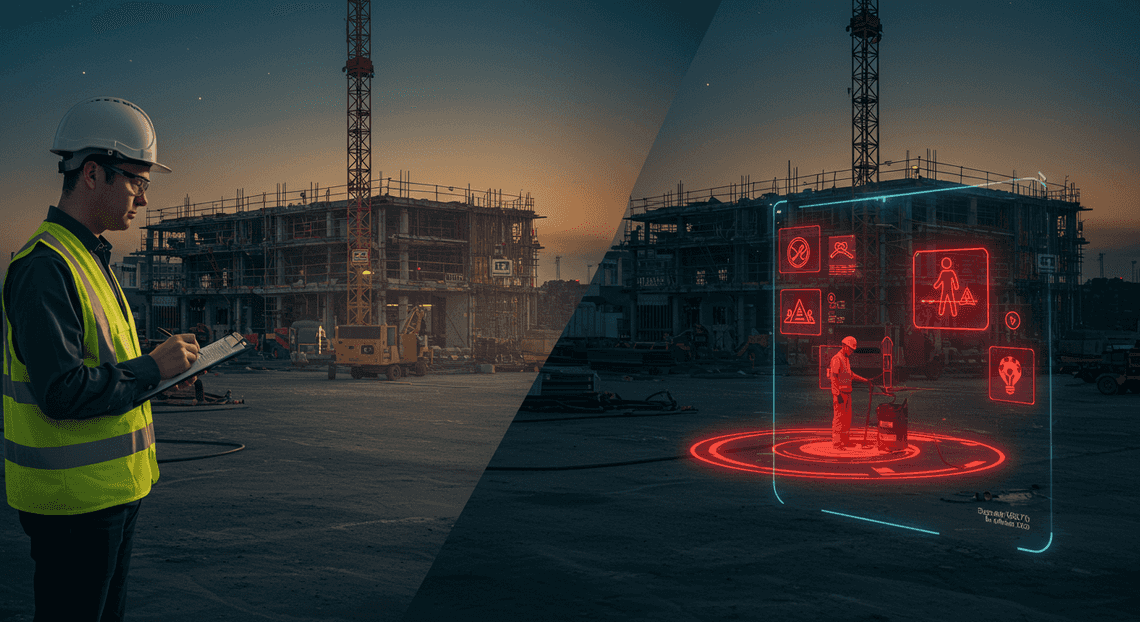
Modern job sites—be it a sprawling construction project, a bustling manufacturing floor, or a vast logistics warehouse—are ecosystems of controlled chaos. They are dynamic, complex, and inherently fraught with risk. While safety protocols and regulations have improved dramatically over the decades, the fundamental challenge remains: ensuring human well-being in environments where hazards can materialize in an instant. The cost of failure is measured not just in project delays and financial liabilities, but in life-altering injuries and fatalities. Every incident is a stark reminder that traditional safety measures, while essential, have their limits in the face of constant change and human fallibility.
The limitations of manual safety inspections
The cornerstone of site safety has always been the manual inspection. A trained safety officer walking the grounds, clipboard in hand, is a familiar and vital sight. This human-centric approach brings experience, intuition, and judgment to the forefront.

-
Periodic, Not Persistent: Inspections are snapshots in time. A site might be checked daily or even multiple times a day, but a hazard—like a misplaced tool, a fluid spill, or an unauthorized person entering a restricted zone—can appear and cause an accident in the minutes or hours between these checks.
-
Human Error and Fatigue: Safety officers are human. They can become fatigued after hours on a large site, their attention can be diverted, or they might simply miss a detail in a visually cluttered environment. This isn’t a failure of diligence, but a reality of human perception.
-
Delayed Reporting and Action: The process of documenting a hazard, filing a report, and communicating it to the relevant teams takes time. This data lag means that by the time a supervisor is alerted to an issue, it may be too late to prevent an incident.
-
Scalability Challenges: On a large-scale project with hundreds of workers and multiple active zones, it is physically impossible for a single inspector or even a small team to maintain comprehensive, continuous oversight of the entire area.
Introducing an automated solution: The Safety Hazard Agent
To bridge these gaps, we can augment human expertise with the power of artificial intelligence. Our solution is the Safety Hazard Agent, an automated system designed to serve as a tireless, digital set of eyes for your entire job site. This agent isn’t here to replace safety officers but to act as a force multiplier, equipping them with real-time intelligence to act proactively rather than reactively.
The Safety Hazard Agent leverages computer vision to continuously monitor camera feeds, identifying potential safety protocol violations or emerging hazards as they happen. Imagine a system that can:
-
Instantly detect if a worker in a designated “hard hat required” zone is not wearing one.
-
Identify unauthorized personnel or vehicles entering a restricted area.
-
Recognize potential trip hazards like spills or improperly stored equipment.
-
Alert supervisors immediately, with visual evidence, the moment a violation is detected.
By automating the detection process, we transform safety monitoring from a periodic, manual task into a continuous, data-driven operation, allowing human experts to focus their attention where it’s needed most.
Architectural overview: Google Chat, [Building Self Correcting Agentic Workflows with Building Self-Correcting Agentic Workflows with Vertex AI](https://votuduc.com/building-self-correcting-agentic-workflows-with-vertex-ai-p-20260321542526), and Antigravity 2.0
To bring the Safety Hazard Agent to life, we’ll orchestrate a few powerful components within the Google Cloud ecosystem. This architecture is designed for scalability, reliability, and ease of integration into existing team workflows.
At a high level, the data flows through three main stages:
Live Camera Feeds -> Vertex AI Vision (Analysis) -> Antigravity 2.0 (Orchestration) -> Google Chat (Notification)
Let’s break down each component’s role:
-
Google Chat: This is our user interface and notification layer. Instead of a custom mobile app or a complex dashboard, we deliver alerts directly into a tool that teams already use for daily communication. This ensures that notifications are seen immediately by the right people in the right context, enabling rapid response and collaboration.
-
Vertex AI Vision: This is the intelligent core of our agent. Vertex AI Vision is a managed service that simplifies the process of building and deploying computer vision applications. We will configure it to ingest video streams from on-site cameras, run them through pre-trained or custom-trained machine learning models to detect specific objects and actions (e.g., a person, a hard hat, their relative position), and trigger an event when a potential hazard is identified.
-
Antigravity 2.0: This is our custom-built orchestration layer—the “glue” that connects AI-driven insights to human action. In our implementation, Antigravity 2.0 is a lightweight service (e.g., a Cloud Function or Cloud Run instance) that listens for events from Vertex AI Vision. When it receives a hazard detection alert, its job is to:
-
Parse the raw data from the AI model.
-
Enrich it with contextual information like camera location and a timestamp.
-
Format a clear, concise, and actionable message.
-
Use the Google Chat API to push this formatted alert, along with a snapshot image of the incident, to a designated Chat space for the site safety team.
Designing the Real-Time Hazard Detection Architecture
At its core, our AI Safety Agent is an event-driven system designed for simplicity, scalability, and intelligence. The architecture is deliberately decoupled, with each component specializing in a specific task. This design ensures that we can modify or upgrade individual parts—like the AI model or the notification logic—without having to rebuild the entire system.
The workflow is straightforward:
-
A user uploads an image to a designated Google Chat space.
-
This action triggers an event that is sent to our central orchestration engine.
-
The orchestrator forwards the image to Vertex AI Vision for analysis.
-
Vertex AI Vision processes the image and returns structured data about detected objects.
-
The orchestrator applies our safety business logic to this data to identify potential hazards.
-
Finally, the orchestrator sends a formatted response back to the user in Google Chat and simultaneously records the event in a Google Sheet for auditing purposes.
Let’s break down each component’s role in this powerful and efficient architecture.
Why Google Chat serves as the perfect user-friendly front end
The most effective safety tool is one that people will actually use. By building our agent directly into Google Chat, we eliminate the friction of installing and learning a new application. Field workers, site managers, and safety inspectors can use the same communication tool they already rely on for their daily work.
Here’s why Google Chat is an ideal choice:
-
Ubiquity and Accessibility: As a core part of [Automatically create new folders in Google Drive, generate templates in new folders, fill out text automatically in new files, and save info in [Automated Web Scraping with [Multilingual Text-to-Speech Tool with SocialSheet Streamline Your Social Media Posting 123](https://votuduc.com/Multilingual-Text-to-Speech-Tool-with-Google-Workspace-p809282)](https://votuduc.com/Automated-Web-Scraping-with-Google-Sheets-p292968)](https://workspace.google.com/marketplace/app/auto_create_folder_and_files/430076014869), Chat is instantly available on desktop and mobile devices. This allows users to report potential hazards directly from the field using their smartphones, capturing critical information in the moment.
-
Intuitive User Interface: The interaction model is universally understood: simply attach an image and send it. This low barrier to entry ensures high adoption rates among non-technical users. There’s no complex form to fill out or new software to navigate.
-
Rich, Interactive Responses: The agent can respond with more than just plain text. Using Google Chat’s Card V2 format, we can present findings in a structured, visually appealing way. This could include displaying the analyzed image, highlighting detected hazards, and providing clear, actionable buttons like “Acknowledge” or “Escalate to Manager.”
-
Event-Driven Integration: The Google Chat API is fundamentally event-driven. When a user sends a message to the bot, Chat dispatches a JSON payload to a pre-configured webhook. This model fits perfectly with modern serverless architectures, allowing our backend to react to events in real-time without maintaining a persistent connection.
Leveraging Vertex AI Vision for intelligent image analysis
The brain of our operation is Google’s Vertex AI Vision. This managed platform provides access to powerful, pre-trained computer vision models, allowing us to perform complex image analysis without the overhead of training and deploying our own models from scratch.
For our safety agent, Vertex AI Vision provides several key advantages:
-
Powerful Pre-trained Models: We can immediately tap into Google’s state-of-the-art object detection models. These models can identify a vast catalog of common objects relevant to workplace safety, such as “person,” “hard hat,” “safety vest,” “ladder,” “fire extinguisher,” and “forklift.” This capability forms the foundation of our hazard detection logic.
-
**Structured Data Output: The service doesn’t just tell us if an object is present; it provides a detailed, machine-readable JSON output. This response includes the object’s label, a confidence score, and the precise coordinates of its bounding box within the image. This structured data is essential for our orchestration engine to apply specific safety rules.
-
Serverless and Scalable: As a fully managed service, Vertex AI Vision handles all the underlying infrastructure, scaling automatically to meet demand. We don’t need to worry about provisioning GPUs or managing MLOps pipelines. We simply make an API call with our image and receive the analysis, ensuring our solution is both cost-effective and highly reliable.
-
Extensibility: While we start with pre-trained models, Vertex AI Vision allows for customization. If we need to detect company-specific equipment or unique hazards, we can train a custom model on our own data and deploy it on the same platform, integrating it seamlessly into our existing workflow.
The role of Antigravity 2.0 as the orchestration engine
If Google Chat is the face and Vertex AI Vision is the brain, then Antigravity 2.0 is the central nervous system. This orchestration engine is the “glue” that connects our components and executes our business logic. In a real-world implementation, this could be a set of Google Cloud Functions, a Cloud Run service, or a state machine built with Google Cloud Workflows.
Antigravity 2.0 is responsible for several critical tasks:
-
Ingesting Events: It provides the secure webhook endpoint that receives event payloads from Google Chat. It validates these incoming requests to ensure they are legitimate.
-
Coordinating API Calls: Upon receiving an image, the orchestrator authenticates and makes a request to the Vertex AI Vision API. It handles the image data, passing it in the required format.
-
Executing Business Logic: This is its most crucial function. After receiving the analysis from Vertex AI, the orchestrator applies our safety rules. For example, the logic might be:
-
Rule 1 (PPE Compliance):
IF an object labeled 'person' is detected AND no object labeled 'hard_hat' is detected within the upper 20% of the 'person' bounding box, THEN flag a 'Missing Hard Hat' hazard. -
Rule 2 (Clear Egress):
IF an object labeled 'fire_extinguisher' is detected AND another object (e.g., 'box', 'pallet') is detected overlapping its bounding box, THEN flag an 'Obstructed Safety Equipment' hazard.
- Formatting and Dispatching Responses: Based on the outcome of the business logic, the orchestrator constructs a user-friendly response using the Google Chat Card V2 format and sends it back to the originating Chat space. It also triggers the logging process.
By centralizing this logic, we create a system that is easy to maintain and update. To add a new safety check, we simply modify the business logic within the orchestrator, with no changes needed to the front end or the AI model.
Using Google Sheets for secure and auditable logging
In any safety-critical application, a robust and accessible audit trail is non-negotiable. While a traditional SQL or NoSQL database is a valid option, using Google Sheets as our logging backend offers a unique combination of simplicity, accessibility, and security that is perfectly suited for this use case.
Here’s why Google Sheets is an excellent choice for our audit log:
-
Effortless Accessibility: Safety managers, compliance officers, and other stakeholders can view, sort, and filter safety reports using a familiar spreadsheet interface. This democratizes access to the data without requiring them to learn database query languages or use specialized software. They can even build charts and dashboards directly within Sheets.
-
Immutable Audit Trail: Each analysis is recorded as a new row in the sheet. We can programmatically log key information for every event: a unique event ID, a timestamp, the name of the user who submitted the image, the specific hazards detected, the confidence scores from the AI, and a link to the original image stored securely in Google Cloud Storage. This creates a clear, time-stamped record for incident reviews and compliance reporting.
-
Simple and Secure Integration: The Google Sheets API is well-documented and easy to integrate with serverless platforms like Cloud Functions. Our orchestration engine can securely authenticate using a service account and append a new row with a single API call.
-
Granular Access Control: Leveraging the robust permission model of AC2F Streamline Your Google Drive Workflow, we can tightly control who can view or edit the log sheet. Access can be restricted to specific individuals or groups (e.g., the “Safety Committee”), ensuring that sensitive information is protected.
A Forensic Walkthrough of the Implementation
Alright, let’s peel back the layers and inspect the machinery. We’ll trace the journey of a single image from the moment a user uploads it in Google Chat to its final resting place as a structured record in Google Sheets. This is where the abstract concepts of APIs and workflows become concrete lines of code.
Step 1: Configuring the Google Chat Dialog for image submission
The user experience begins with a simple, intuitive interface. We don’t want users fumbling with commands. Instead, we present a dialog (a “card” in Google Chat’s terminology) that prompts for exactly what we need: an image and its location.
This card is generated using [AI Powered Cover Letter [Automated Job Creation in Real Time Jobber and Google Sheets Integration from Gmail](https://votuduc.com/Automated-Job-Creation-in-Jobber-from-Gmail-p115606) Engine](https://votuduc.com/AI-Powered-Cover-Letter-Automated Quote Generation and Delivery System for Jobber-Engine-p111092)‘s CardService. The key component is the SelectionInput widget configured with the type ATTACHMENT. This tells Google Chat to render a native file upload button.
Here’s the Apps Script function that builds and returns this dialog:
function showSubmissionDialog() {

const card = CardService.newCardBuilder()

.setHeader(CardService.newCardHeader().setTitle('Submit Safety Observation'))

.addSection(

CardService.newCardSection()

.addWidget(

CardService.newTextInput()

.setFieldName('location')

.setTitle('Location')

.setHint('e.g., Warehouse Section B, Assembly Line 3')

)

.addWidget(

CardService.newSelectionInput()

.setFieldName('image_attachment')

.setTitle('Upload Hazard Image')

.setType(CardService.SelectionInputType.ATTACHMENT)

)

)

.setFixedFooter(

CardService.newFixedFooter().setPrimaryButton(

CardService.newTextButton()

.setText('Analyze Image')

.setOnClickAction(

CardService.newAction().setFunctionName('processImageSubmission')

)

)

)

.build();

// This special return format tells Apps Script to show a dialog

return CardService.newActionResponseBuilder()

.setNavigation(CardService.newNavigation().pushCard(card))

.build();

}
When the user clicks “Analyze Image,” the onClick action triggers our main processing function, processImageSubmission, and passes along all the form data in an event object.
Step 2: Triggering the Antigravity 2.0 workflow on upload
Once the dialog is submitted, the processImageSubmission(e) function is invoked. I call this our “Antigravity 2.0” workflow—it’s the central function that defies the complexity and holds everything together. The e parameter is the event object, a JSON payload containing all the context from the user’s interaction.
Our first job is to unpack this event object to get the submitted data. We need the location text and, most importantly, the reference to the uploaded image. The image isn’t sent directly; we get a resourceName which acts as a temporary pointer to the file stored on Google’s servers.
// This is the main function triggered by the dialog submission

function processImageSubmission(e) {

// 1. Extract form inputs from the event object

const location = e.formInput.location;

const attachmentData = e.formInput.image_attachment.attachmentData;

if (!attachmentData) {

return { text: 'Error: No image was attached. Please try again.' };

}

const resourceName = attachmentData[0].resourceName;

Logger.log(`Processing image for location: ${location} with resourceName: ${resourceName}`);

// 2. Download the image bytes from Google Chat's temporary storage

const imageBytes = Chat.Media.download(resourceName);

// ... next steps will use imageBytes and location ...

}
We use the built-in Chat advanced service and its Media.download() method to fetch the raw image bytes. This gives us the data we need to send to Vertex AI.
Step 3: Making the API call to Vertex AI Vision
This is the heart of the operation. We’re going to take the image bytes, package them into a request, and send it to the Vertex AI Vision API. We’ll be using the gemini-pro-vision model (or a similar multimodal model), which excels at Visual Question Answering (VQA).
The process involves three key parts:
-
Authentication: We get a temporary OAuth2 token using
ScriptApp.getOAuthToken()which grants our script permission to call Google Cloud APIs on behalf of the user. -
Base64 Encoding: The Vision API expects the image data to be a Base64 encoded string. We use Apps Script’s
Utilities.base64Encode()for this. -
Payload Construction: We build a JSON object that conforms to the API’s requirements. It includes the model’s configuration and the actual prompt, which consists of our instructional text and the Base64 image data.
The [Prompt Engineering for Reliable Autonomous Workspace Agents for Reliable Autonomous Workspace Agents](https://votuduc.com/prompt-engineering-for-reliable-autonomous-workspace-agents-p-20260319404106) here is critical. We don’t just ask “what’s in this image?” We give it a specific role and task:
“You are an expert workplace safety inspector. Analyze this image for any potential safety hazards, such as trip hazards, spills, improperly stored equipment, fire risks, or lack of personal protective equipment (PPE). Describe any hazards you find in a clear, concise list. If no hazards are visible, state ‘No hazards detected’.”
Here’s the code that assembles and sends the request:
// Part of the processImageSubmission function...

function callVertexAI(imageBytes) {

const projectId = 'your-gcp-project-id'; // Replace with your Project ID

const apiEndpoint = `https://us-central1-aiplatform.googleapis.com/v1/projects/${projectId}/locations/us-central1/publishers/google/models/gemini-pro-vision:streamGenerateContent`;

const accessToken = ScriptApp.getOAuthToken();

const base64Image = Utilities.base64Encode(imageBytes);

const payload = {

"contents": [

{

"parts": [

{

"text": "You are an expert workplace safety inspector. Analyze this image for any potential safety hazards, such as trip hazards, spills, improperly stored equipment, fire risks, or lack of personal protective equipment (PPE). Describe any hazards you find in a clear, concise list. If no hazards are visible, state 'No hazards detected'."

},

{

"inline_data": {

"mime_type": "image/jpeg", // Or image/png, etc.

"data": base64Image

}

}

]

}

],

"generation_config": {

"temperature": 0.2,

"top_p": 0.95,

"top_k": 40,

"max_output_tokens": 1024

}

};

const options = {

'method': 'post',

'contentType': 'application/json',

'headers': {

'Authorization': 'Bearer ' + accessToken

},

'payload': JSON.stringify(payload),

'muteHttpExceptions': true // Important for error handling

};

const response = UrlFetchApp.fetch(apiEndpoint, options);

const responseText = response.getContentText();

return JSON.parse(responseText);

}
Step 4: Processing the AI response and classifying hazards
The raw response from Vertex AI is a JSON object containing the model’s text output. It’s our job to parse this response and translate it into a simple, actionable classification: “Safe” or “Hazard Detected”.
A simple but effective approach is to check the AI-generated text for keywords. If the response includes phrases like “no hazards detected,” “appears safe,” or “clear of any immediate risks,” we can confidently classify the situation as safe. Any other descriptive text implies a hazard has been found.
// Part of the processImageSubmission function...

function parseAndClassifyResponse(vertexResponse) {

let analysisText = "Error: Could not parse AI response.";

let classification = "Review Required";

try {

// The response is an array, we need to get the text from the first candidate's content part.

analysisText = vertexResponse[0].candidates[0].content.parts[0].text;

// Simple keyword-based classification

const safeKeywords = ['no hazards detected', 'no visible hazards', 'appears safe'];

const isSafe = safeKeywords.some(keyword => analysisText.toLowerCase().includes(keyword));

if (isSafe) {

classification = "Safe";

} else {

classification = "Hazard Detected";

}

} catch (e) {

Logger.log(`Error parsing Vertex AI response: ${e.toString()}`);

analysisText = `Failed to parse response. Raw: ${JSON.stringify(vertexResponse)}`;

}

return { analysisText, classification };

}
This function gives us two crucial pieces of data: the raw descriptive text from the AI and our final binary classification.
Step 5: Writing detection results to Google Sheets via SheetsApp
The final step is to create a permanent, auditable record of the submission. A Google Sheet is the perfect tool for this—it’s simple, accessible, and easily integrated using Apps Script’s SheetsApp service.
We open our designated log sheet and append a new row containing all the relevant information: a timestamp, the location provided by the user, the AI’s full analysis, and our final classification.
// Part of the processImageSubmission function...

function logResultsToSheet(location, analysisText, classification) {

const sheetId = 'your-google-sheet-id'; // Replace with your Sheet ID

try {

const spreadsheet = SpreadsheetApp.openById(sheetId);

const sheet = spreadsheet.getSheetByName('Safety Log'); // Or your chosen sheet name

const timestamp = new Date();

// Append a new row with the results

sheet.appendRow([timestamp, location, analysisText, classification]);

Logger.log("Successfully logged results to Google Sheets.");

} catch (e) {

Logger.log(`Error writing to Google Sheets: ${e.toString()}`);

// Optionally, send a message back to the user about the logging failure

}

}
And with that, the loop is complete. A photo taken in a warehouse is transformed into a structured data point, analyzed by a powerful AI, and logged for review, all orchestrated by a few hundred lines of Apps Script code.
Putting the Agent to the Test: A Practical Use Case
Theory and architecture are essential, but the true value of any system is demonstrated through its application. Let’s move from the abstract to the concrete and walk through a real-world scenario. Imagine a busy manufacturing facility where Personal Protective Equipment (PPE) compliance is non-negotiable for worker safety. A floor supervisor needs a quick, reliable way to audit a work area without disrupting operations. This is where our AI Safety Agent becomes an indispensable partner.
From photo upload to actionable alert in seconds
The workflow is designed for speed and simplicity, transforming a manual observation into a documented, data-driven event in moments.
-
Capture and Upload: The supervisor, Jane, notices a potential issue in an assembly area. She takes a photo with her phone. She then opens the designated “Factory Floor Safety” Google Chat space and uploads the image directly from her device. There are no forms to fill out, no complex commands to type. The action is as simple as sharing a photo with a colleague.
-
The Automated Handshake: The moment the image is posted, the Google Chat API triggers our backend Cloud Function. This is the invisible, instantaneous start of the analysis pipeline. The user experiences no delay; they simply see their photo appear in the chat.
-
AI Inference: Our Cloud Function immediately forwards the image data to a Vertex AI Vision endpoint. The pre-trained model, optimized for object detection, analyzes the image pixels in milliseconds. It identifies objects it has been trained to recognize—in this case, ‘person’, ‘hard_hat’, and ‘safety_vest’.
-
Actionable Intelligence: The agent receives the structured data back from the AI. Its internal logic parses this data to check for compliance rules (e.g., “Does every ‘person’ object have a corresponding ‘hard_hat’ object?”). Within seconds of the initial upload, the agent posts a threaded reply directly under Jane’s photo.
The reply is concise and clear:
AI Safety Agent:
Analysis Complete.
• Persons Detected: 3
• Violations Found: 1
• Details: 1 individual detected without a hard hat.
Annotated image and details logged for review. (Event ID:
a7b3c9d1)
Jane now has immediate, documented confirmation of a safety violation, allowing her to address the situation with the specific individual promptly.
Analyzing a sample AI-annotated image
What the end-user sees is a simple text summary, but the data powering that summary is incredibly rich. The agent’s real power lies in its ability to interpret the detailed JSON output from the Vertex AI Vision API.
When the agent processes an image, it receives a payload that includes bounding box coordinates, object labels, and confidence scores for everything it identifies.
Here’s a simplified snippet of the JSON response for the scenario above:
{

"predictions": [

{

"displayName": "person",

"confidence": 0.92,

"bbox": [0.15, 0.20, 0.45, 0.90]

},

{

"displayName": "hard_hat",

"confidence": 0.98,

"bbox": [0.18, 0.21, 0.28, 0.30]

},

{

"displayName": "person",

"confidence": 0.88,

"bbox": [0.50, 0.22, 0.75, 0.91]

},

{

"displayName": "person",

"confidence": 0.95,

"bbox": [0.80, 0.18, 0.98, 0.88]

},

{

"displayName": "hard_hat",

"confidence": 0.96,

"bbox": [0.82, 0.19, 0.91, 0.28]

}

]

}
The agent’s business logic ingests this data and performs a spatial analysis. It iterates through each person detection. For each one, it searches for a hard_hat detection whose bounding box is located spatially above and within the person’s bounding box. In our example, it finds hard hats for the first and third persons but fails to find one for the second person (at bbox: [0.50, ...]), thus triggering the violation alert.
For auditing purposes, the agent can also generate and store an annotated version of the image, drawing these bounding boxes directly onto the photo to provide clear visual evidence of its findings.
Ensuring data integrity and creating a forensic trail
A real-time alert is useful, but for compliance, safety audits, and incident investigation, a verifiable record is critical. Our agent is built with this in mind, creating an immutable forensic trail for every image it processes.
-
Immutable Storage: Upon receiving an image, the first thing our Cloud Function does is upload the original, unaltered file to a secure, version-controlled Google Cloud Storage bucket. The bucket can be configured with a retention policy to meet regulatory requirements.
-
Cryptographic Hashing: At the same time, the function calculates a cryptographic hash (e.g., SHA-256) of the image file. This hash acts as a unique digital fingerprint. If the image is ever questioned, we can re-calculate the hash of the stored file to prove it has not been tampered with since the moment of upload.
-
Comprehensive Logging: Every step of the process is logged to a structured database like Firestore or BigQuery. A single record for an event contains:
-
Event ID: A unique identifier for the transaction.
-
Timestamp: An ISO 8601 timestamp of when the event occurred.
-
Originator: The Google Chat User ID of the person who uploaded the photo.
-
Image Hash: The calculated SHA-256 hash.
-
Storage URI: A direct link to the original image in the Cloud Storage bucket.
-
AI Raw Output: The complete, unabridged JSON response from the Vertex AI Vision API.
-
Agent Summary: The final text message posted back to the Google Chat space.
This comprehensive log provides an end-to-end, auditable trail. A safety manager can easily query all events from a specific date range, review the exact AI output, and access the original photo as evidence. This transforms the Google Chat interaction from a transient conversation into a robust, enterprise-grade safety monitoring and reporting system.
Scaling and Securing Your AI Safety System
A proof-of-concept is a great start, but moving your AI safety agent into a production environment requires thinking about scalability, accuracy, and security. The initial setup using pre-trained models is powerful, but true enterprise-grade value is unlocked when you tailor the system to your specific needs and harden it against real-world threats. Let’s explore how to take your agent to the next level.
Enhancing detection accuracy with custom model training
The general-purpose Vertex AI Vision models are remarkably capable, but they can’t know the specific visual nuances of your organization. What if you need to detect a proprietary piece of equipment being used without safety guards, or identify an internal document classification marking that shouldn’t be shared? This is where custom model training becomes a game-changer.
By fine-tuning a model on your own data, you can dramatically increase accuracy and reduce false positives for your unique use cases. Vertex AI provides a streamlined path for this:
-
Curate a High-Quality Dataset: This is the most critical step. Your model is only as good as the data it’s trained on. You’ll need to collect hundreds, or preferably thousands, of images that represent the conditions you want to detect. For a binary classification task (e.g., “safe” vs. “unsafe”), you’d create two sets of images. You can use Vertex AI Data Labeling to efficiently annotate this dataset with human labelers.
-
Choose Your Training Method:
-
Vertex AI AutoML: This is the fastest path to a custom model. You provide the labeled dataset, and AutoML handles the model architecture selection, training, and tuning for you. It’s a powerful low-code solution that produces high-quality models without requiring deep machine learning expertise.
-
Custom Training: For maximum control, you can develop your own model using frameworks like TensorFlow or PyTorch and use Vertex AI Training to run the training job on managed infrastructure. This approach is ideal if you have a specific model architecture in mind or need to implement complex custom logic.
- Deploy and Integrate: Once trained, your model is deployed to a Vertex AI Endpoint. This gives you a stable, scalable API for predictions. The final step is to update your Cloud Function’s code to call your new custom model endpoint instead of the pre-trained Vision API.
The result is an AI safety agent that understands the specific context of your business, leading to more reliable detections and greater trust in the system.
Integration possibilities with other enterprise systems
A detection is only useful if it triggers the right action. Your Google Chat agent shouldn’t be an information silo. By integrating it with other enterprise systems, you can transform it from a simple notification tool into the starting point for automated safety and compliance workflows. The Cloud Function at the heart of your agent is the perfect place to orchestrate these integrations.
Here are some powerful integration patterns:
-
Incident Management (Jira, ServiceNow): When a high-confidence violation is detected, the Cloud Function can make an API call to automatically create a ticket in your incident management system. The ticket can be pre-populated with crucial information: the user who sent the image, a link to the image (stored securely), the detected violation, and the model’s confidence score. This ensures every incident is tracked, assigned, and resolved according to your established processes.
-
Security Information and Event Management (SIEM) (Splunk, Google Chronicle): Forward every detection event to your SIEM platform. This allows your security operations team to correlate these events with other data sources. Is a user repeatedly trying to share sensitive content after failing a phishing test? This broader context, visible in a SIEM, provides a much richer security posture.
-
HR & Compliance Platforms: For serious or repeated violations, the system could trigger a workflow in your HR or compliance platform. This could range from sending a formal policy reminder to notifying a manager or compliance officer. Note: This level of Automated Work Order Processing for UPS requires careful planning and clear communication to ensure fairness and transparency.
-
Archival Storage (Google Cloud Storage): For audit and compliance purposes, automatically save a copy of every flagged image to a secure, access-controlled Google Cloud Storage bucket with a clearly defined retention policy. This creates an immutable record for future review.
By connecting these systems, you create a robust, automated response loop that extends far beyond a simple chat message.
Key security considerations for production deployment
When your system handles potentially sensitive employee-generated data, security cannot be an afterthought. Hardening your deployment is essential for protecting data, maintaining privacy, and ensuring the integrity of the system.
-
Identity and Access Management (IAM): Adhere strictly to the Principle of Least Privilege. The service account running your Cloud Function should have only the permissions it needs to operate. Avoid broad roles like
Editor. Essential roles might includeroles/run.invoker(to be triggered),roles/aiplatform.user(to call Vertex AI), androles/chat.bot(to post messages). Likewise, secure your Vertex AI Endpoint so that it can only be invoked by your Cloud Function’s service account. -
Data Security and Privacy:
-
Encryption at Rest: All data stored in Google Cloud Storage should be encrypted. For enhanced security and compliance, consider using Customer-Managed Encryption Keys (CMEK) so you have full control over the keys used to encrypt your data.
-
Data in Transit: All communication between services (Google Chat to Cloud Function, Cloud Function to Vertex AI) uses TLS encryption by default, protecting data from eavesdropping.
-
Data Retention and Minimization: Establish a clear data retention policy. How long are flagged images stored? Who has access? Avoid logging any Personally Identifiable Information (PII) in your Cloud Function’s logs unless absolutely necessary, and ensure those logs are also subject to strict access controls.
-
Secret Management: Never hardcode API keys, webhook URLs, or other credentials in your source code. Use a dedicated service like Google Secret Manager. Your Cloud Function’s service account can be granted permission to access these secrets securely at runtime. This prevents credentials from being exposed in your code repository or deployment artifacts.
-
Network Security: For a highly secure environment, use VPC Service Controls to create a service perimeter around your Google Cloud projects. This acts as a virtual firewall, preventing data from being exfiltrated by restricting data flows to only authorized networks and services, effectively mitigating risks from compromised credentials or insider threats.
-
Invocation Security: While Google Chat authenticates its requests to your webhook, it’s a best practice for your function to validate the JSON Web Token (JWT) in the
Authorizationheader of incoming requests. This cryptographically verifies that the request is genuinely from Google and not a spoofed request from a malicious actor.
Conclusion: Proactive Safety Through Intelligent Automation
We’ve journeyed from a simple concept—enhancing workplace safety—to a fully functional, AI-powered agent living within the collaborative fabric of Google Chat. This solution is more than just a technical demonstration; it’s a blueprint for shifting from a reactive to a proactive safety culture. By automating the initial, critical steps of hazard identification and notification, you free up your safety personnel to focus on high-impact intervention and education, transforming a manual, time-consuming process into an instantaneous, intelligent workflow.
Recap: The Synergy of Automated Client Onboarding with Google Forms and Google Drive. and Google Cloud
The true power of this agent lies not in any single component, but in the seamless integration between Automated Discount Code Management System and Google Cloud. Let’s break down this powerful synergy:
-
Google Chat as the Human Interface: We leveraged the familiarity and accessibility of Google Chat as our front end. Team members don’t need new apps or complex training; they use a tool they already rely on daily. This dramatically lowers the barrier to adoption and encourages immediate participation in safety protocols.
-
Genesis Engine AI Powered Content to Video Production Pipeline as the Orchestrator: Acting as the connective tissue, Apps Script masterfully handled the event-driven logic. It listened for messages in Chat, processed the incoming image data, and orchestrated the calls to our backend cloud services. Its native integration with Workspace is the key that unlocks this entire workflow.
-
Vertex AI as the Intelligent Engine: At the core, Vertex AI Vision provided the sophisticated computer vision capabilities. It moved beyond simple image storage, performing a deep analysis to identify specific safety concerns—in our case, the absence of personal protective equipment. This is where raw data is transformed into actionable insight.
-
A Scalable, Event-Driven Backend: By building on a serverless foundation with services like Cloud Functions and Pub/Sub, the entire system is designed for resilience and scale. Whether you have ten users or ten thousand, the architecture can handle the load without manual intervention, ensuring your safety agent is always on duty.
Together, these platforms create an ecosystem where collaborative tools are infused with enterprise-grade AI, bridging the gap between everyday communication and powerful cloud computation.
Build a Safer Future for Your Team
What we’ve built is a starting point, a foundational pattern for countless other intelligent automation solutions. We encourage you to take this framework and expand upon it. Consider the possibilities:
-
Expand the Vision Model: Train custom models to detect other specific hazards relevant to your environment, such as liquid spills on the floor, blocked fire exits, improper equipment storage, or sparks in a restricted area.
-
Incorporate Other AI Services: Integrate the Vertex AI Language APIs to understand text-based incident reports, summarize findings, or even translate safety alerts for a multilingual workforce.
-
Automate Escalation and Reporting: Enhance the workflow to automatically create a task in Google Tasks, log an incident in a Google Sheet, or escalate critical alerts to a dedicated “on-call” Space based on the severity of the detected hazard.
By embedding intelligence directly into your team’s communication channels, you empower every single employee to become an active participant in maintaining a safe workplace. You are not just building an app; you are fostering a culture of awareness and creating a digital guardian that works tirelessly to protect your most valuable asset: your people. The future of workplace safety is intelligent, automated, and collaborative—and you now have the tools to build it.


Stop Doing Manual Work. Scale with AI.
Want to turn these blog concepts into production-ready reality for your team?
Table Of Contents
Portfolios
Related Posts
Quick Links
Legal Stuff