

Automate Flawless Product Launches from Google Chat


The familiar chaos of a product launch isn’t a sign of a bad team; it’s the predictable result of a broken process fueled by disconnected tools.

The Familiar Chaos of a Modern Product Launch
It’s a scene that plays out in companies around the world. The launch is two weeks away. The engineering team is pushing the final build, marketing is scrambling to finalize ad copy, and the design team is exporting the fifth “final_final_v2” version of the hero image. Communication is a frantic blur of Google Chat pings, overflowing email threads, and last-minute huddles. Key information—the one crucial detail about a feature change—is buried somewhere in a 100-comment Google Doc, and no one is quite sure which Asana task reflects the actual state of the landing page.
This isn’t a sign of a dysfunctional team; it’s the predictable outcome of a broken process. Even the most talented and dedicated teams are hamstrung when their tools work against them. The modern product launch is a complex, multi-threaded operation, yet we often try to manage it with a patchwork of disconnected applications.
Why disjointed tools lead to disorganized campaigns
The modern collaboration stack is both a blessing and a curse. We have best-in-class tools for every specific function: Jira for engineering tickets, Figma for design collaboration, Google Docs for copy and briefs, Asana or Trello for marketing checklists, and Google Chat for real-time communication. Each tool excels at its job in isolation. The problem arises when the workflow has to cross the boundaries between them.
This fragmentation creates information silos. A critical decision made in a Google Chat room doesn’t automatically update the project brief in Google Docs. A new set of mockups approved in Figma doesn’t automatically create tasks for the web development team in Jira. The result is a constant, manual, and error-prone game of telephone.
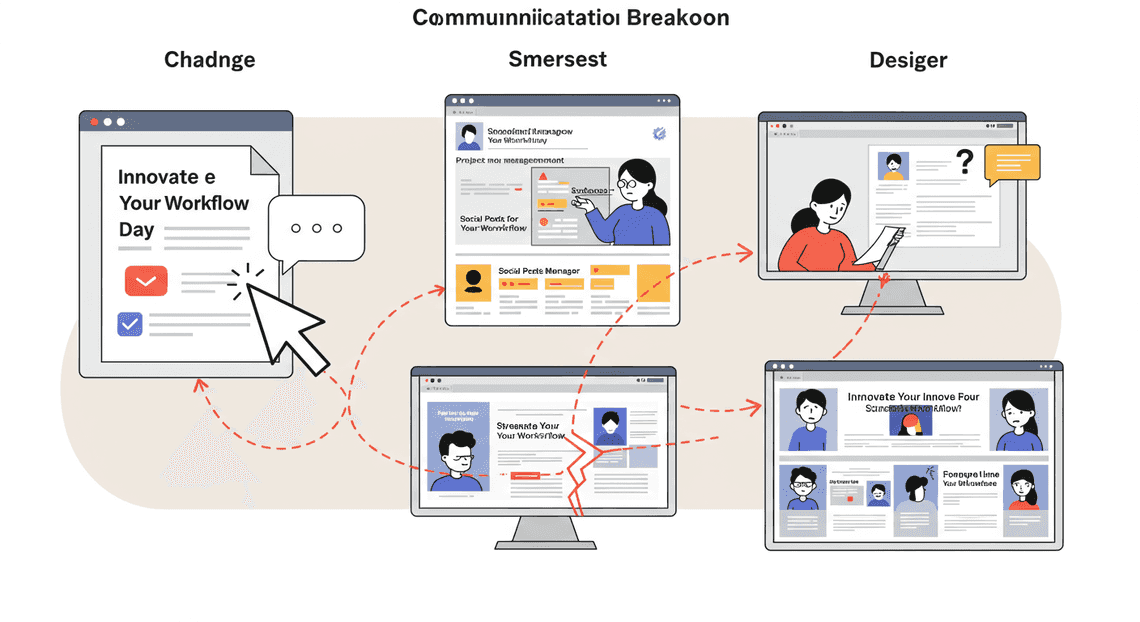
Consider this common scenario:
-
A product manager leaves a comment in a Google Doc: “Let’s change the headline from ‘Innovate Your Workflow’ to ‘Streamline Your Day’.”
-
The copywriter sees it and agrees.
-
The marketing manager, who is living in Asana, misses the comment and continues to plan social posts around the old headline.
-
The designer, working from an earlier brief, has already embedded the old headline into three different banner ads in Figma.
The “single source of truth” evaporates. Instead, you have multiple sources of conflicting information, leading to rework, wasted effort, and a launch campaign that feels disjointed and inconsistent.
The high cost of manual coordination for creative teams
Nowhere is this friction felt more acutely than with creative and marketing teams. Their work is highly dependent on clear briefs, timely feedback, and stable requirements. When information is scattered, they bear the brunt of the “coordination tax”—the immense overhead of simply trying to stay on the same page.
This tax is paid in hours spent:
-
Chasing Approvals: Pinging stakeholders in multiple channels to get a final sign-off on a design.
-
Hunting for Assets: Sifting through email threads and chat logs to find the link to the “absolute final” logo file.
-
Manual Status Updates: Finishing a task in Figma, then jumping over to Asana to check a box, and then posting an update in a Google Chat channel.
-
Redundant Meetings: Sitting in daily stand-ups to verbally relay information that should have been available asynchronously.
This isn’t just frustrating; it’s incredibly expensive. Every hour a designer or copywriter spends on administrative wrangling is an hour they aren’t spending on high-impact creative work. It leads to burnout, stifles creativity, and ultimately slows down your time-to-market. The cost isn’t just measured in salaries; it’s measured in lost momentum and competitive disadvantage.
Envisioning a single source of truth for every launch
What if your tools could talk to each other? What if your workflow wasn’t a series of manual handoffs, but an automated, intelligent system? This is the vision of a true single source of truth—not a single, monolithic piece of software, but an interconnected ecosystem.
Imagine a launch where:
-
Updating a task status in Jira from “In Progress” to “Ready for Review” automatically pings the QA lead in a dedicated Google Chat channel with a link to the staging environment.
-
A stakeholder clicking “Approve” on a mockup in Figma instantly creates a new task in Asana for the marketing team to “Incorporate New Visuals” and drops the final exported asset into a shared Google Drive folder.
-
All key decisions, approvals, and final assets are automatically logged in a central launch channel, creating a searchable, chronological record of the entire project.
In this model, the “single source of truth” is dynamic. It’s not a static document that’s obsolete the moment it’s published. It’s the operational flow itself, orchestrated from a central communication hub. It means less time managing tools and more time building and marketing a product that customers will love. This isn’t a far-off dream; it’s what becomes possible when you build your launch process around [Automated Job Creation in Real Time Jobber and Google Sheets Integration from Gmail](https://votuduc.com/Automated-Job-Creation-in-Jobber-from-Gmail-p115606), starting with the communication tools your team already lives in.
Introducing the Chat-Based Launch Coordinator
The chaos of a product launch is a familiar story. Communication is fragmented across email threads, project management boards, and a dozen different documents. Deadlines are calculated on a scratchpad, key stakeholders miss critical updates, and the “single source of truth” is anything but. We’re trading high-value strategic work for low-value coordination overhead.
What if we could orchestrate the entire launch sequence from the same place we have our conversations? What if a single command could unfurl a perfectly timed, multi-departmental campaign? That’s the promise of the Chat-Based Launch Coordinator—a system that transforms Google Chat from a simple messaging tool into a powerful, automated mission control for your product launches.
What it is: A central command center in Google Chat
At its heart, the Launch Coordinator is a bespoke Google Chat App that acts as an intelligent orchestrator. It’s not just another notification bot spamming a channel; it’s an interactive command center embedded directly within a dedicated Google Chat space.
Think of it as the air traffic controller for your launch. Team members don’t need to hunt for the right spreadsheet or remember which project board to update. Instead, they interact with the Coordinator using simple slash commands.
-
Initiate: Kick off a new launch campaign.
-
Status Checks: Get a real-time summary of upcoming deadlines or overdue tasks.
-
Updates: Mark key deliverables as complete, triggering downstream notifications or actions.
-
Reporting: Generate a quick summary of the launch’s progress to share with leadership.
By centralizing these critical functions in a conversational interface, you eliminate context switching and ensure that the entire launch team—from engineering to marketing to sales—is operating from the same playbook, in the same virtual room.
The core concept: From one date to a complete campaign
The magic of this system lies in its simplicity. The entire complex, multi-week launch process is reverse-engineered from a single piece of information: the target launch date.
Here’s the workflow:
-
The Trigger: A product manager navigates to the dedicated “Product Launches” Google Chat space and types a command, like
/launch-product. -
The Input: The Chat App prompts for the essential details: the product name and the target launch date (e.g., “Project Phoenix,” “October 26th”).
-
The Cascade: This is where the Automated Quote Generation and Delivery System for Jobber takes over. The system consults a predefined “launch playbook” (we’ll cover this later, but think of it as a master template in a Google Sheet). Based on the launch date, it calculates the precise deadlines for every single task by working backward and forward in time.
Within seconds, the Coordinator executes a flurry of actions:
-
Creates a Master Tracker: A new Google Sheet is generated from a template, listing all tasks, owners, and calculated due dates (e.g., “Draft Blog Post” due on T-14 days, “Finalize Press Release” due on T-7 days).
-
Populates Calendars: Key milestones like “Marketing Sync,” “Sales Enablement Training,” and “Go/No-Go Meeting” are automatically added as events to a shared team calendar, complete with attendees and agenda links.
-
Generates Documents: Standard launch documents—like a communications brief or a launch-day checklist—are created in a shared Google Drive folder from pre-built templates.
-
Assigns Tasks: If integrated with a tool like Asana or Jira, it can even create and assign the initial set of tasks directly to the responsible teams.
One date becomes the seed that grows an entire, perfectly coordinated campaign plan, saving dozens of hours of manual setup and eliminating the risk of human error in date calculations.
The simple tech stack powering the Automated Work Order Processing for UPS
You don’t need a massive budget or a dedicated DevOps team to build this. The beauty of the Launch Coordinator is that it runs almost entirely on the [Automatically create new folders in Google Drive, generate templates in new folders, fill out text automatically in new files, and save info in [Automated Web Scraping with [Multilingual Text-to-Speech Tool with SocialSheet Streamline Your Social Media Posting 123](https://votuduc.com/Multilingual-Text-to-Speech-Tool-with-Google-Workspace-p809282)](https://votuduc.com/Automated-Web-Scraping-with-Google-Sheets-p292968)](https://workspace.google.com/marketplace/app/auto_create_folder_and_files/430076014869) ecosystem you already use.
The stack is surprisingly lean and powerful:
-
Google Chat: The user interface. This is the front door for all commands and the primary surface for status updates and notifications. The entire experience is built around the Google Chat API and the functionality of Chat Apps.
-
AI Powered Cover Letter Automation Engine: The serverless brain. This is the connective tissue that powers the entire operation. Hosted by Google and tightly integrated with Workspace, Apps Script contains the logic that listens for Chat commands, reads the playbook from Google Sheets, and calls other APIs to perform actions. It’s the engine under the hood.
-
Google Sheets: The database and source of truth. A master spreadsheet acts as our launch playbook. It defines every task, the owner’s team, dependencies, and the timing relative to the launch date (e.g.,
-14for two weeks prior). This makes the entire launch process configurable by non-developers. Want to add a new legal review step? Just add a row to the Sheet. -
AC2F Streamline Your Google Drive Workflow APIs: The hands and feet. Apps Script uses the native APIs for Google Calendar, Google Docs, and Google Drive to create events, generate documents from templates, and manage file permissions automatically.
This core stack provides a robust foundation. From there, you can easily extend its capabilities by having Apps Script make UrlFetch calls to third-party APIs for tools like Jira, Asana, or Salesforce, truly integrating your entire GTM toolchain.
How It Works: A Four-Step Orchestration
This entire automated workflow isn’t magic; it’s a carefully orchestrated sequence of API calls and data handoffs between the tools you already use. By connecting Google Chat, Gemini, Drive, and Sheets, we transform a simple user command into a comprehensive launch kit. The process moves from a conversational trigger to generative AI, to structured file storage, and finally to a centralized tracking system—all in a matter of seconds. Let’s break down each step of this digital assembly line.
Step 1: Initiating the launch with a simple dialog in Chat
Everything starts where your team collaborates: Google Chat. The entry point to this entire automation is a custom slash command, like /launch-product. Invoking this command doesn’t just send a message; it triggers a Google Chat App to present the user with a structured dialog card.
This card acts as a standardized brief, ensuring all necessary information is captured upfront. The fields are simple but crucial:
-
Product Name: The official name of the product or feature being launched.
-
Target Audience: A concise description of the ideal customer profile.
-
Key Features & Benefits: A bulleted list of the top 3-5 value propositions.
-
Launch Date: The target go-live date.
-
Campaign Owner: Pre-populated with the user initiating the launch.
Submitting this dialog converts conversational intent into a structured JSON payload. This is the critical first step that eliminates ambiguity and replaces chaotic email chains or unstructured documents with a single, machine-readable source of truth. This structured data becomes the fuel for every subsequent step in the automation.
Step 2: Generating campaign copy instantly with Gemini
With the structured launch data in hand, our backend service—powered by Genesis Engine AI Powered Content to Video Production Pipeline or a Cloud Function—makes a call to the Gemini API. This is where raw information is transformed into creative content. We don’t just ask a generic question; we use [Prompt Engineering for Reliable Autonomous Workspace Agents for Reliable Autonomous Workspace Agents](https://votuduc.com/prompt-engineering-for-reliable-autonomous-workspace-agents-p-20260319404106) to request a specific set of marketing assets.
The script dynamically constructs a detailed prompt using the data from the Chat dialog. A simplified version of the system prompt might look like this:
You are a world-class marketing copywriter specializing in B2B SaaS product launches.

Based on the following information, generate a complete set of initial campaign copy.

**Product Name:** {product_name}

**Target Audience:** {target_audience}

**Key Features:**

- {feature_1}

- {feature_2}

- {feature_3}

**Generate the following assets:**

1.  **Announcement Tweet (under 280 characters):** A concise and engaging tweet with relevant hashtags.

2.  **LinkedIn Post (approx. 150 words):** A professional post targeting industry peers.

3.  **Internal Announcement (Slack/Chat):** An enthusiastic message for the internal team.

4.  **Email Subject Line:** A compelling subject line for a customer announcement email.

5.  **Email Body (under 200 words):** The body copy for the announcement email.
The Gemini API processes this request and returns a structured response containing all the requested copy. This step doesn’t aim to replace human marketers but to supercharge them. It provides a high-quality, consistent first draft in seconds, freeing up the team to focus on refinement, strategy, and personalization rather than starting from a blank page.
Step 3: Organizing all creative assets automatically in Drive
A successful launch requires meticulous organization. Manually creating folder structures is tedious and prone to human error. Our automation handles this flawlessly using the Google Drive API.
Immediately after receiving the generated copy from Gemini, the script performs a series of actions in Google Drive:
-
Create a Root Folder: It generates a new parent folder with a standardized naming convention, such as
YYYY-MM-DD_[Product Name]_Launch. This makes campaigns instantly sortable and identifiable. -
Build a Standard Sub-folder Structure: Inside the root folder, it creates a predefined set of sub-folders essential for any campaign:
-
01_Briefs_and_Copy -
02_Design_Assets -
03_Social_Media -
04_Final_Deliverables
- Store the Generated Copy: The script creates a new Google Doc titled
[Product Name] - V1 Campaign Copy, populates it with the full output from Gemini, and saves it directly into the01_Briefs_and_Copyfolder.
This step establishes an unbreakable organizational standard. Every team member knows exactly where to find or place assets for any given launch, eliminating wasted time searching for files and ensuring a single, centralized location for all campaign-related materials.
Step 4: Populating the master editorial calendar in Sheets
The final piece of the puzzle is visibility. The automation concludes by updating the team’s central planning document: the master editorial calendar in Google Sheets. Using the Sheets API, the script appends a new row to the calendar, effectively logging the launch and signaling its official kickoff.
The new row is populated with the key details from the initial dialog and links to the assets just created:
| Launch Date | Product Name | Status | Owner | Drive Folder Link |
| :--- | :--- | :--- | :--- | :--- |
| 2024-10-26 | Project Phoenix | Initiated | [email protected] | <Link to new Drive folder> |
This final action closes the loop. It provides immediate, organization-wide visibility into the launch pipeline. Stakeholders can see what’s coming without having to ask, and the campaign owner has a clear, trackable entry in the master plan. The direct link to the Drive folder connects the high-level plan directly to the granular assets, creating a seamless bridge between strategy and execution.
The Strategic Advantage for Brand and Creative Leaders
For leaders in brand and creative, the goal is not merely to execute but to inspire, to build a narrative, and to maintain a coherent brand universe. The operational friction of a product launch directly undermines this mission. Integrating launch automation into a conversational hub like Google Chat is more than an efficiency play; it’s a strategic maneuver to reclaim focus, enforce quality, and gain operational clarity. It transforms the launch process from a source of administrative debt into a well-oiled machine that amplifies creative impact.
Eliminating administrative drag to unlock creativity
The most valuable resource a creative team possesses is its collective cognitive energy. Yet, a significant portion of this energy is consistently squandered on low-value, administrative tasks: chasing down approvals, manually updating status trackers, searching for the latest asset versions, and answering repetitive questions about timelines. This “administrative drag” is the silent killer of momentum and innovation.
By automating the launch sequence from within Google Chat, you effectively outsource this cognitive load to the system. A simple command can trigger a cascade of predefined actions:
-
Spinning up a project in Asana or Jira with the correct template.
-
Creating shared folders in Google Drive with the right permission structures.
-
Notifying all relevant stakeholders in their designated channels.
-
Assigning the first set of tasks to the appropriate team members.
This isn’t just about saving time; it’s about preserving creative flow. When your team can initiate and manage complex workflows without leaving their primary communication tool, their focus remains on the strategic and creative challenges at hand—crafting the perfect headline, refining a design, or storyboarding a compelling video—rather than on the mechanics of project management. You clear the runway of procedural obstacles, allowing your team’s best ideas to take flight.
Ensuring brand consistency across every channel
A product launch is a brand’s moment of truth, and consistency is the bedrock of trust. In the high-pressure rush to go live, however, brand integrity is often the first casualty. Dispersed teams working on tight deadlines can inadvertently use outdated logos, incorrect color palettes, or off-message copy, leading to a fragmented and confusing customer experience.
Chat-based launch automation hardwires brand governance directly into the workflow. It creates a system of “consistency by default” by:
-
Centralizing Assets: Workflows can be configured to pull creative assets exclusively from a single source of truth, like a Digital Asset Management (DAM) platform, ensuring only the latest, approved versions are ever used.
-
Templating Messaging: Launch commands can automatically populate campaign briefs, social media posts, and email templates with pre-approved boilerplate text and key messaging points, eliminating copy-paste errors.
-
Automating Reviews: The system can enforce a mandatory brand review checkpoint for all external-facing assets, automatically routing them to the brand team for sign-off before they can proceed.
This transforms brand stewardship from a reactive, manual policing effort into a proactive, automated, and scalable system. It guarantees that every single touchpoint in your launch—from the first teaser tweet to the final thank-you email—is a perfect and powerful reflection of your brand.
Gaining real-time visibility into campaign progress
Effective leadership hinges on accurate, timely information. Yet, for most launch campaigns, obtaining a clear, holistic view of progress is a laborious task. It requires manually collating updates from disparate systems, chasing down individuals for status reports, and trying to synthesize conflicting information into a coherent picture—a picture that is often obsolete by the time it’s assembled.
Automating your launch from Google Chat centralizes not only execution but also reporting. By integrating with your entire toolchain (project management, analytics, ad platforms), the system becomes a single, conversational source for real-time intelligence. Leaders can:
-
Query Progress on Demand: Use a simple command like
/launch-status [campaign-name]to get an instant, cross-platform summary of task completion, budget spend, and key performance indicators directly within a chat window. -
Receive Proactive Alerts: Configure automated notifications for critical events, such as a task becoming blocked, a key deadline being missed, or a performance metric falling outside of expected parameters.
-
Generate Instant Reports: Pull up-to-the-minute dashboards showing the readiness of each channel, the status of all creative reviews, and the overall health of the launch timeline.
This provides a state of “ambient awareness,” where critical information flows to you effortlessly. It replaces the anxiety of the unknown with the confidence of data-driven oversight, enabling you to spot bottlenecks before they become roadblocks and make smarter, faster decisions to keep the launch on track for flawless execution.
Coordinate Your Next Launch with Confidence
Moving from chaotic, spreadsheet-driven launches to a streamlined, chat-based operation isn’t just a theoretical improvement—it’s a transformational shift in how your team collaborates and executes. By embedding your launch process directly into the conversational fabric of your organization, you create a system that is not only more efficient but also more resilient and transparent. The goal is to replace anxiety and ambiguity with clarity and control, ensuring every launch is smoother than the last.
Recap: The power of a centralized, automated system
Before we dive into a practical example, let’s quickly summarize the core advantages of orchestrating your product launches from a central hub like Google Chat. This approach fundamentally changes the game by establishing:
-
A Single Source of Truth: All launch-related communication, status updates, approvals, and automated alerts converge in one dedicated space. This eliminates the need to hunt through endless email threads, direct messages, and disparate project management tools to find critical information.
-
Real-time, Universal Visibility: When your CI/CD pipeline, project management board, and digital asset manager all report into the same Google Chat space, everyone from engineering to sales has immediate, unfiltered insight into the launch’s progress. Stakeholders can follow along without interrupting the core team.
-
Drastically Reduced Manual Overhead: Automation takes over the repetitive, low-value tasks that consume valuable time. No more manually reminding team members about deadlines, copy-pasting status updates between systems, or polling for approvals. This frees your team to focus on strategic problem-solving and creative execution.
-
Ironclad Consistency and Repeatability: By codifying your launch process into an automated workflow, you ensure that critical steps are never missed. Every launch, whether large or small, adheres to the same proven playbook, minimizing human error and guaranteeing a consistent standard of quality.
See these tools in action with the ContentDrive app ecosystem
Abstract benefits are one thing; seeing them work in a real-world scenario is another. Let’s walk through a hypothetical launch for a new feature, “Project Nova,” using a suite of integrated Google Chat apps from the fictional “ContentDrive” ecosystem.
Imagine a dedicated Google Chat space named #launch-project-nova.
1. Kickoff with a Simple Command
The Product Manager initiates the entire launch process with a single slash command right in the Chat space:
/launch start "Project Nova" --template=q3-feature-release
Instantly, the ContentDrive Planner app springs into action. It creates a new project board from the specified template, automatically assigning initial tasks to the marketing, engineering, and support leads. A rich card is posted back to the space, confirming the project’s creation and providing a direct link for everyone to see.
2. Seamless Asset Coordination
As the launch progresses, the design team finalizes the promotional images and uploads them to the ContentDrive Assets app. Once the assets are approved, the app automatically posts a notification in the space:
ContentDrive Assets: ✅ New assets for ‘Project Nova’ have been approved.
blog-header-final.png
social-campaign-carousel.mp4
All assets are now available in the official launch folder.
No more asking, “Are the final graphics ready?” The answer is delivered proactively to the entire team.
3. Real-time Deployment Updates
When the engineering team merges the feature into the main branch, your integrated CI/CD tool (like GitHub Actions or Jenkins) sends a webhook. A custom integration immediately translates this into a human-readable message in the Chat space:
GitHub Actions: 🚀 Build successful.
Project Novahas been deployed to the staging environment for final QA.
This keeps the non-technical team members perfectly in sync with development milestones without them ever needing to leave Google Chat.
4. The “Go-Live” Moment
With all checks passed, the Launch Manager gives the final green light:
/launch go "Project Nova"
This command triggers the final, multi-step automation sequence:
-
A webhook is sent to publish the corresponding blog post and update the marketing website.
-
An announcement is posted in the
#launch-project-novaspace and a company-wide#announcementsspace, tagging key stakeholders.
The* ContentDrive Analytics** app is activated, and it begins posting hourly performance metrics—like new user sign-ups and feature adoption rates—directly into the launch space.
From kickoff to post-launch monitoring, the entire process was coordinated from a single, transparent interface, driven by simple commands and intelligent automation. This is the power of a truly integrated system.


Stop Doing Manual Work. Scale with AI.
Want to turn these blog concepts into production-ready reality for your team?
Table Of Contents
Portfolios
Related Posts
Quick Links
Legal Stuff