

Automating Product Catalog Tagging with a Gemini Visual Search Agent in Google Drive


Stop letting terabytes of raw product images turn into unsearchable dark data. Discover how cloud engineering teams can conquer the architectural challenges of high-volume metadata management to streamline downstream ingestion and power seamless e-commerce experiences.

The Challenge of Managing High Volume Product Metadata
In the modern retail and e-commerce landscape, visual assets are the lifeblood of the customer experience. Every new product line introduces hundreds, if not thousands, of high-resolution images, lifestyle shots, and marketing creatives. However, an image is only as valuable as the metadata attached to it. Product metadata—encompassing attributes like color, material, style, brand, and seasonal category—powers everything from backend inventory routing to frontend faceted search.
For Cloud Engineering and IT teams, managing this high-volume product metadata presents a formidable data architecture challenge. When creative agencies or internal photography teams dump terabytes of raw images into a shared Google Drive, those assets are essentially “dark data.” Without structured, accurate tags, these files are unsearchable, making downstream ingestion into Product Information Management (PIM) systems, BigQuery, or Cloud SQL a logistical nightmare.
Manual Tagging Bottlenecks in Retail IT
Historically, bridging the gap between raw visual assets and structured catalog data has relied heavily on manual human intervention. Data entry teams or merchandisers are tasked with opening individual image files, visually identifying the product attributes, and manually keying those details into a Google Sheet or directly into a PIM system.
From an IT and operational standpoint, this manual tagging process introduces severe bottlenecks:
-
Lack of Scalability: Human throughput is linear. When a massive seasonal catalog drops, IT and merchandising teams often face crippling backlogs. This directly delays time-to-market for new SKUs and frustrates stakeholders.
-
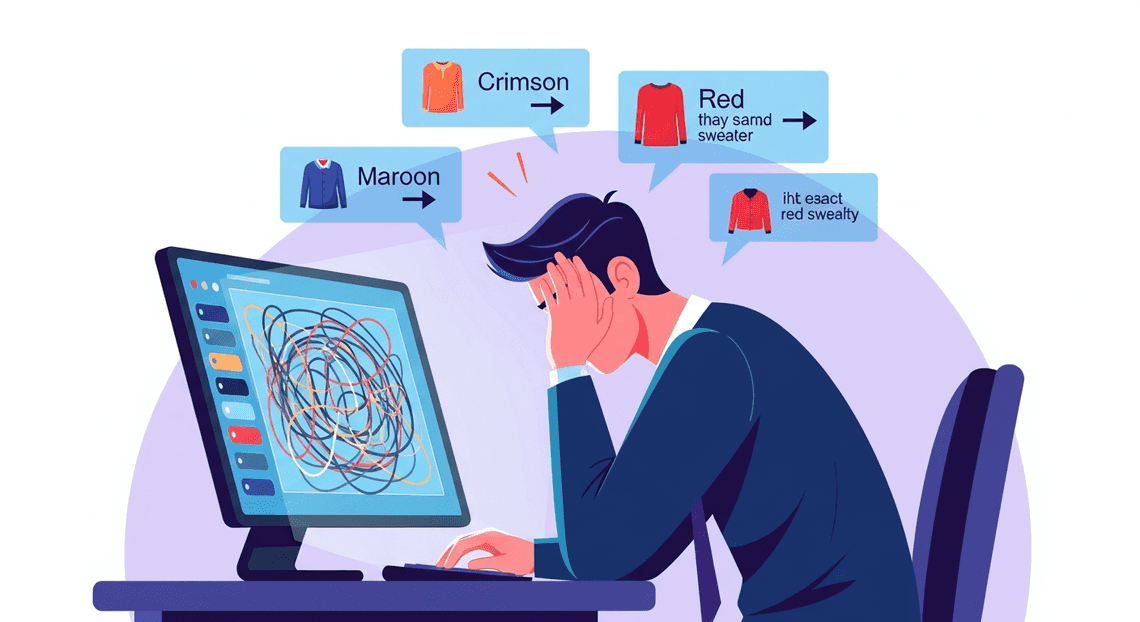
Inconsistent Taxonomy: Manual tagging is inherently subjective. One merchandiser might tag a sweater as “crimson,” while another uses “maroon” or simply “red.” This lack of standardization wreaks havoc on search algorithms, database queries, and ultimately, the customer’s ability to find products.
-
High Operational Costs: Utilizing human capital for repetitive data entry is an inefficient use of resources, driving up operational expenditures and pulling staff away from higher-value strategic tasks.
-
Workflow Friction: Creative teams live in collaborative environments like Automatically create new folders in Google Drive, generate templates in new folders, fill out text automatically in new files, and save info in Google Sheets, while catalog managers live in specialized database systems. The manual transfer of context between these environments often leads to dropped files, misnamed assets, and broken data pipelines.
The Need for Automated Visual Search
To eliminate these bottlenecks, retail IT architectures must evolve from reactive data entry to proactive data generation. This is where automated visual search and multimodal AI become critical. Instead of relying on humans to translate an image into text-based metadata, modern cloud architectures require systems that can “see” and understand the contents of an image natively.
By implementing an automated visual search mechanism directly where the assets reside—such as within Google Drive—organizations can instantly generate standardized metadata the moment a file is uploaded. This approach leverages advanced vision models to parse complex visual details (like patterns, textures, logos, and product types) and automatically map them to a predefined corporate taxonomy.
The result is a self-organizing product catalog. When an automated agent handles the heavy lifting of visual recognition and metadata tagging, Cloud Engineers can build seamless, event-driven pipelines that route fully enriched product data directly into downstream databases. This not only accelerates time-to-market but also ensures a highly accurate, searchable, and scalable foundation for modern e-commerce platforms.
Architecting the Visual Search Agent
Building an automated visual search and tagging agent requires a robust architecture that seamlessly bridges your storage, database, and machine learning models. Instead of relying on complex third-party integrations or provisioning heavy infrastructure, we can orchestrate this entire workflow natively within the Google ecosystem. Let’s break down how we construct this pipeline to transform raw product images into a structured, easily searchable catalog.
Core Components and Tech Stack Overview
At the heart of our visual search agent is a serverless, event-driven architecture. The tech stack is intentionally lean, relying on deeply integrated Google Cloud and AC2F Streamline Your Google Drive Workflow services to handle the heavy lifting:
-
Google Drive (Storage Layer): Acts as our raw data lake. This is the ingestion point where product photographers, vendors, or inventory managers drop new product images.
-
Google Sheets (Database/UI Layer): Serves as our lightweight, accessible product catalog. It stores the image metadata, direct Drive links, and the AI-generated tags in a structured, easily queryable format.
-
AI Powered Cover Letter Automation Engine (Orchestration Layer): The serverless JavaScript runtime that acts as the glue for our application. It monitors Drive, processes files, handles API requests to the AI model, and updates Sheets.
-
Gemini Pro Multimodal (Intelligence Layer): The brain of the operation. Accessed via Building Self Correcting Agentic Workflows with Vertex AI or Google AI Studio, this multimodal Large Language Model (LLM) ingests the product images and outputs highly accurate, context-aware descriptive tags.
The workflow is straightforward but powerful: Apps Script identifies unprocessed images in a designated Drive folder, converts them into a base64 format suitable for the Gemini API, parses the AI’s JSON response, and appends a new, fully tagged row to our Google Sheet.
Integrating DriveApp and SheetsApp
To manipulate our Workspace environment, we utilize Genesis Engine AI Powered Content to Video Production Pipeline’s native DriveApp and SheetsApp services. This completely eliminates the need for complex OAuth 2.0 flows, service accounts, or external API gateways, as the script executes directly within the trusted context of your Automated Client Onboarding with Google Forms and Google Drive. environment.
First, we use DriveApp.getFolderById('YOUR_FOLDER_ID') to target our specific “Incoming Products” folder. By iterating through the files using the getFiles() method, the script can identify newly uploaded images. Crucially, to send these images to Gemini, we need to extract the raw image data. We achieve this by calling file.getBlob() and then encoding it into a base64 string, which is the required format for the Gemini API’s inline data payload.
Once the AI processes the image and returns its generated tags, SheetsApp takes over. We use SpreadsheetApp.getActiveSpreadsheet().getSheetByName('Catalog') to locate our database. Using the appendRow() method, we can instantly write the structured data—such as the generated product ID, the Drive file URL, primary categories, and descriptive tags—directly into the spreadsheet. By attaching this script to a time-driven trigger, you create a continuous, automated data entry pipeline that scales as fast as you can upload images.
Leveraging Gemini Pro Multimodal Capabilities
The true differentiator in this architecture is the Gemini Pro multimodal model. Unlike traditional Optical Character Recognition (OCR) or basic image classification models that only return generic, pre-defined labels, Gemini possesses deep visual reasoning capabilities. It can understand context, style, material, and even intended use-cases simply by “looking” at a product photo.
To leverage this inside Apps Script, we construct a payload using UrlFetchApp to call the Gemini API endpoint. The magic of this integration lies in the Prompt Engineering for Reliable Autonomous Workspace Agents. Because Gemini is multimodal, our prompt includes both the base64-encoded image and strict text instructions. For a product catalog, a highly effective prompt looks like this:
“You are an expert retail merchandiser. Analyze this product image and return a strictly formatted JSON object containing the following keys: ‘primary_category’, ‘color_palette’, ‘material’, and an array of 5 ‘style_tags’. Do not include any markdown formatting or conversational text.”
By forcing a structured JSON output, we ensure the response is programmatically predictable. When Apps Script receives the response, it uses JSON.parse() to extract the individual data points. This allows the agent to intelligently categorize a “navy blue cotton v-neck t-shirt” not just broadly as “Apparel,” but with granular, searchable tags like ["casual", "summer", "breathable", "short-sleeve", "unisex"]. This multimodal approach transforms a simple folder of images into a highly organized, intelligent product database with zero manual data entry.
Building the Automation Logic Step by Step
To bring our visual search agent to life, we need to orchestrate a seamless pipeline that connects Automated Discount Code Management System with Google Cloud’s AI capabilities. The architecture relies on three primary actions: fetching the raw image data, processing it through our multimodal LLM, and storing the structured output.
For this implementation, we will use JSON-to-Video Automated Rendering Engine. This approach is highly scalable and can be easily deployed as a Google Cloud Function triggered by Eventarc whenever a new file is uploaded, or run as a batch cron job via Cloud Run.
Scanning Product Photos in Google Drive
The first step in our automation is to programmatically access the Google Drive folder where your product photographers or vendors upload new images. We will use the Google Drive API to query the folder, filter for image files, and retrieve the file content.
To ensure we are only processing relevant files, we utilize the q parameter in the Drive API to filter by MIME type and folder ID.
from googleapiclient.discovery import build

from google.oauth2 import service_account

import io

# Initialize the Drive API client

credentials = service_account.Credentials.from_service_account_file('service_account.json')

drive_service = build('drive', 'v3', credentials=credentials)

def get_unprocessed_images(folder_id):

"""Scans a specific Drive folder for image files."""

query = f"'{folder_id}' in parents and mimeType contains 'image/' and trashed = false"

results = drive_service.files().list(

q=query,

fields="nextPageToken, files(id, name, mimeType)",

pageSize=10

).execute()

items = results.get('files', [])

return items

def download_image_bytes(file_id):

"""Downloads the image into memory for Gemini to process."""

request = drive_service.files().get_media(fileId=file_id)

file_bytes = request.execute()

return file_bytes
By downloading the image directly into memory as a byte stream, we avoid the need to temporarily write files to local disk, keeping our cloud function stateless and highly performant.
Extracting Attributes with Gemini Vision
Once we have the image bytes, we hand the heavy lifting over to Gemini. Gemini 1.5 Pro and Gemini 1.5 Flash are natively multimodal, meaning they can analyze images and text simultaneously.
The secret to a reliable automation pipeline is structured output. Instead of asking Gemini for a generic description, we will engineer our prompt to demand a strict JSON schema. This ensures that the extracted attributes—such as color, material, category, and style—are consistently formatted for our database.
import vertexai

from vertexai.generative_models import GenerativeModel, Part, GenerationConfig

import json

# Initialize Vertex AI

vertexai.init(project="your-gcp-project-id", location="us-central1")

model = GenerativeModel("gemini-1.5-flash-001")

def extract_product_attributes(image_bytes, mime_type):

"""Passes the image to Gemini and extracts structured JSON metadata."""

# Prepare the image payload

image_part = Part.from_data(data=image_bytes, mime_type=mime_type)

# Define the extraction prompt

prompt = """

You are an expert e-commerce cataloging agent. Analyze this product image and extract the following attributes.

Return ONLY a valid JSON object with the following keys:

- "product_category": (e.g., Apparel, Footwear, Accessories, Electronics)

- "primary_color": (The dominant color of the item)

- "material": (Inferred material, e.g., Leather, Cotton, Metal. If unsure, output "Unknown")

- "style_tags": (An array of 3 descriptive tags, e.g., ["casual", "summer", "vintage"])

- "short_description": (A punchy, one-sentence marketing description)

"""

# Enforce JSON output via GenerationConfig

config = GenerationConfig(response_mime_type="application/json")

response = model.generate_content(

[image_part, prompt],

generation_config=config

)

# Parse the JSON response

try:

metadata = json.loads(response.text)

return metadata

except json.JSONDecodeError:

print("Failed to decode JSON from Gemini response.")

return None
Using the response_mime_type="application/json" configuration is a game-changer for Cloud Engineering. It eliminates the need for complex Regex parsing and guarantees that the LLM’s output can be directly ingested into downstream applications.
Logging Metadata Automatically to Google Sheets
With our structured metadata in hand, the final step is to log these attributes into our master product catalog. Google Sheets acts as an excellent, accessible database for business users to review the AI’s tags before they are pushed to the live e-commerce storefront.
We will use the Google Sheets API to append a new row for every processed image. We’ll include a hyperlink back to the original Google Drive file so the merchandising team can easily reference the source image.
sheets_service = build('sheets', 'v4', credentials=credentials)

def log_to_google_sheets(spreadsheet_id, file_name, file_id, metadata):

"""Appends the extracted Gemini metadata as a new row in Google Sheets."""

# Construct the Drive file URL

drive_link = f"https://drive.google.com/file/d/{file_id}/view"

# Flatten the style tags array into a comma-separated string

tags_string = ", ".join(metadata.get("style_tags", []))

# Define the row data mapping to our spreadsheet columns

row_data = [

file_name,

drive_link,

metadata.get("product_category", ""),

metadata.get("primary_color", ""),

metadata.get("material", ""),

tags_string,

metadata.get("short_description", "")

]

body = {

'values': [row_data]

}

# Append the row to the sheet named 'Catalog'

result = sheets_service.spreadsheets().values().append(

spreadsheetId=spreadsheet_id,

range="Catalog!A:G",

valueInputOption="USER_ENTERED",

insertDataOption="INSERT_ROWS",

body=body

).execute()

print(f"Successfully logged {file_name} to Google Sheets. Updated cells: {result.get('updates').get('updatedCells')}")
By setting valueInputOption to "USER_ENTERED", the Sheets API will automatically format the appended data—turning our constructed Drive URL into a clickable hyperlink just as if a human had typed it. This completes the automation loop, transforming a raw image upload into a fully categorized, searchable catalog entry without a single manual keystroke.
Best Practices for Scaling Your Ecommerce Architecture
Transitioning your Gemini-powered visual search agent from a localized proof-of-concept to a production-ready enterprise system requires a shift in architectural thinking. Processing a handful of product images in Google Drive is trivial; automatically tagging tens of thousands of seasonal SKUs across distributed teams demands a resilient, scalable, and highly optimized cloud infrastructure. To ensure your automated cataloging system remains robust under heavy loads, you must implement enterprise-grade cloud engineering patterns.
Handling Rate Limits and Large Datasets
Enterprise e-commerce catalogs are massive and constantly evolving. When processing large datasets of product photography stored in Automated Email Journey with Google Sheets and Google Analytics through Google Cloud’s AI services, you will inevitably encounter API quotas. Both the Google Drive API and Vertex AI (Gemini) enforce strict limits on Queries Per Minute (QPM) and concurrent requests.
To build a scalable pipeline, you must decouple data ingestion from model inference using an event-driven architecture:
-
Asynchronous Processing with Pub/Sub: Instead of writing synchronous loops that iterate over Drive folders, utilize Google Drive Push Notifications (webhooks). When a new image is uploaded to a designated catalog folder, trigger a lightweight Cloud Function or Cloud Run service. This service should immediately publish the file metadata to a Google Cloud Pub/Sub topic. Pub/Sub acts as a shock absorber, allowing you to control the flow of traffic to the Gemini API by configuring subscriber pull rates that stay safely below your Vertex AI quotas.
-
Exponential Backoff and Retry Logic: Network anomalies and quota exhaustion (
429 Too Many Requests) are facts of life in distributed systems. Implement exponential backoff with jitter in your API retry logic. If a Gemini API call fails due to rate limiting, the system should pause briefly, retry, and incrementally increase the wait time between subsequent attempts to prevent overwhelming the endpoint. -
Migrating Heavy Workloads to Cloud Storage (GCS): While Google Drive is excellent for human collaboration, it is not optimized for high-throughput machine learning pipelines. For massive, historical catalog backfills, consider using the Storage Transfer Service to sync Drive folders to Google Cloud Storage (GCS). GCS integrates natively with Vertex AI Batch Prediction jobs, which are significantly more cost-effective and efficient for processing massive datasets than real-time, synchronous API calls.
Ensuring Data Accuracy and Prompt Optimization
At scale, even a minor hallucination rate in product tagging can lead to thousands of miscategorized items, directly degrading search relevance and the end-user shopping experience. Optimizing how your visual search agent interacts with Gemini is paramount for maintaining high data fidelity.
-
System Instructions and Few-Shot Prompting: Treat your prompts as deployable code. Assign Gemini a highly specific persona using System Instructions (e.g., “You are an expert e-commerce merchandiser and taxonomist analyzing product photography…”). Furthermore, implement few-shot prompting by providing the model with 3 to 5 examples of perfectly tagged images alongside their desired output. This anchors the model’s understanding of your specific brand vocabulary and taxonomy.
-
Enforcing Structured Outputs (JSON Schema): Never rely on regex or manual text parsing to extract tags from the LLM’s response. Utilize Gemini’s Controlled Generation capabilities by passing a strict JSON schema in your Vertex AI API request. By forcing the model to return a predefined JSON structure (e.g.,
{"primary_color": "navy", "material": "cotton", "apparel_category": "outerwear"}), you guarantee that the output can be programmatically written back to Google Drive custom metadata or your downstream e-commerce database without parsing errors. -
Confidence Scoring and Human-in-the-Loop (HITL): Not all product images are straightforward. Abstract lifestyle shots or ambiguous lighting can confuse even the best multimodal models. Instruct Gemini to append a
confidence_score(0.0 to 1.0) to its JSON output. Establish a business logic threshold (e.g.,< 0.85); if the model’s confidence falls below this mark, route the image metadata to a Dead Letter Queue (DLQ) or automatically append it to a Google Sheet. This creates a highly efficient Human-in-the-Loop (HITL) workflow, ensuring that edge cases are manually reviewed by your merchandising team before they pollute your live catalog.
Next Steps for Your Retail IT Infrastructure
Successfully deploying a Gemini-powered visual search agent within Google Drive is a massive leap forward for your product catalog tagging process, but it is only the beginning. Once you have automated the extraction and categorization of metadata from product images, the immediate benefits—reduced manual data entry, faster time-to-market, and minimized human error—are undeniable. However, to truly capitalize on generative AI and cloud-native architectures, IT leaders must look beyond isolated workflows.
The next phase of your digital transformation involves scaling these intelligent agents across your entire retail ecosystem. This means seamlessly integrating your newly automated Automated Google Slides Generation with Text Replacement data with your primary ERP systems, PIM (Product Information Management) platforms, and e-commerce storefronts. By leveraging the broader Google Cloud ecosystem—such as Vertex AI for custom model tuning, Cloud Run for scalable microservices, and BigQuery for advanced inventory analytics—you can transform static product images into dynamic, highly searchable assets. The ultimate goal is to evolve your IT infrastructure from reactive automation to proactive, AI-driven retail operations that power highly personalized customer experiences.
Audit Your Business Needs with Vo Tu Duc
Every retail organization has a unique digital footprint, and scaling AI solutions requires a tailored approach rather than a one-size-fits-all deployment. To ensure your infrastructure is primed for the next generation of cloud engineering, the most critical next step is a comprehensive systems audit. Partnering with a Google Cloud and Workspace expert like Vo Tu Duc can bridge the gap between your current technical capabilities and your future AI ambitions.
During a tailored business needs audit, Vo Tu Duc will work directly with your engineering and operations teams to evaluate your existing data pipelines and assess the security and governance of your Google Drive repositories. This consultation is designed to identify high-impact areas where Gemini models and Google Cloud solutions can further reduce manual overhead. Key deliverables of this audit typically include:
-
Workflow Bottleneck Identification: Pinpointing where manual cataloging or legacy systems are slowing down your supply chain or e-commerce updates.
-
Architecture Review: Assessing how well your current Automated Order Processing Wordpress to Gmail to Google Sheets to Jobber setup integrates with external databases and APIs, ensuring seamless data flow.
-
AI Readiness Assessment: Evaluating your data quality to determine if you are ready to move beyond foundational Gemini models to custom-trained models on Vertex AI.
-
Actionable Roadmap: Developing a step-by-step cloud engineering strategy to scale your visual search agent, refine prompt engineering for better accuracy, and implement robust API gateways.
By aligning your IT infrastructure investments with your core retail objectives, a structured consultation with Vo Tu Duc will ensure that your AI initiatives deliver measurable ROI, enhanced scalability, and long-term operational resilience.


Stop Doing Manual Work. Scale with AI.
Want to turn these blog concepts into production-ready reality for your team?
Table Of Contents
Portfolios
Related Posts
Quick Links
Legal Stuff