

Build a No Code AppSheet Client Portal for Project Updates


That weekly status update email is more than just an annoyance; it’s part of a broken system that silently kills productivity and erodes client trust.
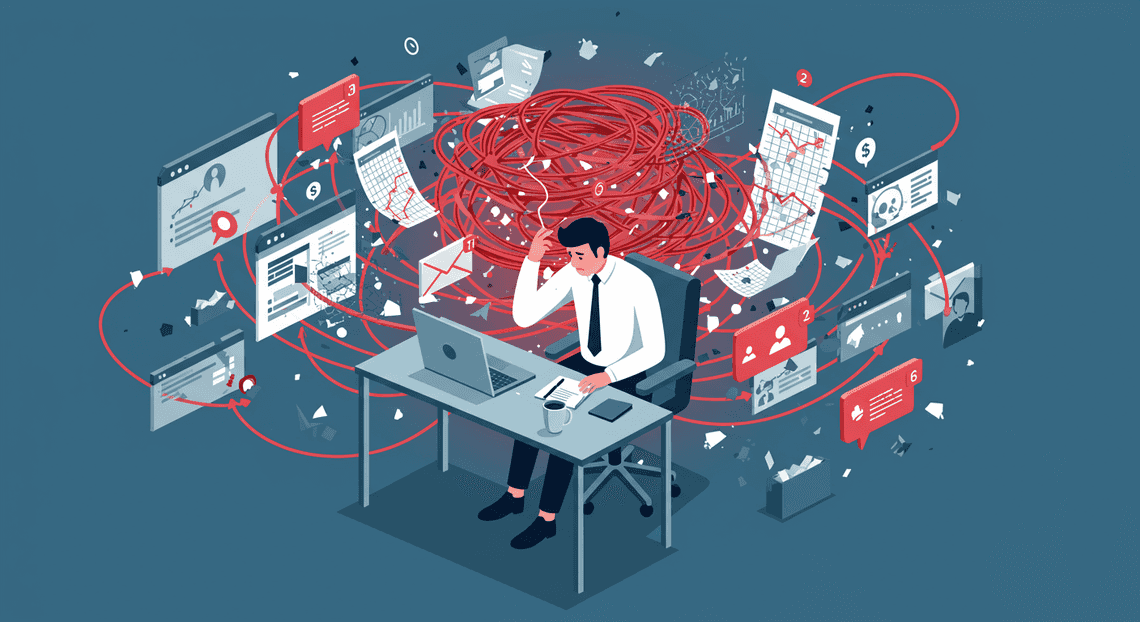
The Problem With Manual Project Communication
Before we dive into building the solution, let’s get brutally honest about the problem. We’ve all lived it. The project is humming along, your team is hitting its stride, but a significant portion of your day is consumed by something other than the actual work: managing client communication. This isn’t just a minor annoyance; it’s a systemic drag on productivity, a source of risk, and a silent killer of client trust. The traditional approach of managing updates through a patchwork of emails, spreadsheets, and phone calls is fundamentally broken. It creates more work, obscures the truth, and leaves both you and your client feeling perpetually out of sync.
The Hidden Costs of Status Update Emails
On the surface, sending a weekly status email seems simple enough. But peel back the layers, and you’ll find a cascade of hidden costs that drain time and introduce errors.
- The Scavenger Hunt: Crafting a comprehensive update isn’t a five-minute task. It’s an exercise in digital archaeology.

-
The “Reply-All” Nightmare: An email is not a static report; it’s the start of a conversation. The client replies with a few questions. A team member chimes in with a clarification. Someone else hits “Reply All” to add an unrelated point. Suddenly, your pristine update has splintered into a dozen branching threads. The official project status is now buried in an inbox, fragmented and easily misinterpreted. Who has the latest version? What was the final decision? Nobody knows for sure.
-
The Risk of Human Error: Every time information is manually copied from one system to another, you introduce an opportunity for error. A typo in a date, a misplaced decimal in a budget update, or a forgotten task can create confusion and set incorrect expectations. These aren’t just mistakes; they are credibility wounds that are entirely preventable.
Why Lack of Transparency Hurts Client Relationships
The real casualty of poor communication isn’t just lost time; it’s the client relationship itself. When clients are left in the dark, they don’t assume everything is going perfectly. They assume the worst.
This information vacuum breeds anxiety. They start to wonder: Are they working on my project? Did they forget about that key feature we discussed? Are we still on track? This uncertainty forces them into the uncomfortable position of having to constantly chase you for information. Every “Just checking in” email is a small withdrawal from the bank of trust you’ve worked so hard to build.
This lack of proactive transparency shifts the dynamic from a collaborative partnership to a transactional one. It makes your team feel like a black box where requests go in and, eventually, work comes out. The client loses visibility into the process, the challenges, and the small wins along the way. Without that shared journey, they feel disconnected from the project and, by extension, from your team. This erosion of trust is subtle but corrosive, and it can sour even the most successful project outcome.
The Vision: A Single Source of Truth for Project Status
Imagine a different reality. Instead of you pushing manually assembled updates to your clients, they can pull real-time information whenever they need it. This is the power of a “Single Source of Truth” (SSoT).
A Single Source of Truth, in this context, is a centralized, accessible, and always-current hub for all critical project information. It’s a dedicated space where both your internal team and your client can see the exact same data, at the exact same time.
-
For the Client: This means empowerment. They can check on a task’s status at 10 PM on a Sunday without having to send an email and wait for a response. They have 24/7 access to key milestones, pending approvals, and shared documents. This clarity replaces anxiety with confidence.
-
For Your Team: This means liberation. The time once spent on scavenger hunts and crafting emails is reclaimed for productive work. Interruptions decrease because common questions are answered by the system itself. Your conversations with the client can now elevate from mundane status checks to strategic discussions about the next phase.
This vision isn’t about replacing communication; it’s about upgrading it. It’s about automating the routine so you can focus on the relational. It’s about building a foundation of radical transparency that fosters unwavering trust and turns clients into true partners.
Our Solution Architecture: The Google and AI-Powered Invoice Processor Stack
Before we dive into the step-by-step build, let’s zoom out and look at the blueprint. A robust application, even a no-code one, is built from distinct, well-chosen components. For our client portal, we’re leveraging the powerful, seamlessly integrated, and incredibly cost-effective ecosystem of [Automatically create new folders in Google Drive, generate templates in new folders, fill out text automatically in new files, and save info in [Automated Web Scraping with [Multilingual Text-to-Speech Tool with SocialSheet Streamline Your Social Media Posting 123](https://votuduc.com/Multilingual-Text-to-Speech-Tool-with-Google-Workspace-p809282)](https://votuduc.com/Automated-Web-Scraping-with-Google-Sheets-p292968)](https://workspace.google.com/marketplace/app/auto_create_folder_and_files/430076014869) and AMA Patient Referral and Anesthesia Management System.
Think of it like building with high-tech LEGOs. Each piece has a specific function, but they are all designed to click together perfectly. Our architecture consists of three core layers: a data backend, a user-facing frontend, and an [Automated Job Creation in Real Time Jobber and Google Sheets Integration from Gmail](https://votuduc.com/Automated-Job-Creation-in-Jobber-from-Gmail-p115606) engine.
Backend Powerhouse: Using Google Sheets for Data Management
Every application needs a brain—a place to store, manage, and organize its data. For our portal, that brain is Google Sheets. It’s our single source of truth for every project, client, and update.
Why Google Sheets? It’s the ultimate no-code database for a few key reasons:
-
Universal Familiarity: Nearly everyone has used a spreadsheet. This flattens the learning curve dramatically. You already know how to enter and edit data, which means managing your app’s backend is immediately intuitive.
-
Structured & Relational: We won’t be using it as a simple list. We will structure our data across multiple sheets (or “tables”) that link to each other. For example, we’ll have:
-
A
Projectssheet to list all ongoing projects. -
A
Clientssheet with contact information. -
An
Updatessheet where each row is a new status update, linked to a specific project via a unique Project ID. -
A
Userssheet to manage who can access the portal. -
Cloud-Native & Collaborative: The data lives securely in the cloud, accessible from anywhere. You and your team can update project statuses in real-time, and the changes will instantly be ready for the frontend application to display.
By treating Google Sheets as a structured database, we lay a solid and scalable foundation for our entire client portal.
Frontend Simplicity: Building the Portal with AppSheetway Connect Suite
If Google Sheets is the brain, OSD App Clinical Trial Management is the face. It’s the magic layer that transforms our raw spreadsheet data into a polished, interactive, and professional web and mobile application that your clients will actually want to use.
AppSheet is Google’s no-code development platform, and it’s our tool of choice for building the user interface (UI) and user experience (UX) for several reasons:
-
Intelligent Data Connection: You simply point AppSheet to your Google Sheet, and it intelligently analyzes your columns. It automatically recognizes data types like dates, images, email addresses, and phone numbers, and it understands the relationships you’ve created between your sheets.
-
Dynamic, Customizable Views: AppSheet moves beyond static rows and columns. We can create rich, dynamic views like dashboards showing all of a client’s projects, detailed views for each project update (complete with photos and files), and easy-to-use forms for our team to submit new updates on the go.
-
**Built-in Security & Permissions: This is critical for a client portal. AppSheet allows us to implement robust security rules with simple expressions. We will configure it so that when a client logs in, they can only see the projects and updates associated with their account. This data segregation is handled automatically without complex coding.
Essentially, AppSheet does the heavy lifting of app development, allowing us to focus on designing a clean, functional, and secure experience for our clients.
Automated Quote Generation and Delivery System for Jobber Engine: Leveraging Apps Script for Notifications
A great portal provides information on demand, but an exceptional portal communicates proactively. We don’t want our clients to constantly wonder if they should check the portal for news. This is where our Automated Work Order Processing for UPS engine, AI Powered Cover Letter Automation Engine, comes in.
Apps Script is the powerful “glue” that lives inside the AC2F Streamline Your Google Drive Workflow ecosystem. It’s a low-code scripting platform based on JavaScript that can automate tasks between Google products. For our project, its primary role is to handle notifications.
Here’s the workflow we’ll build:
-
Trigger: When a team member adds a new row to our
Updatessheet in Google Sheets. -
Action: An Apps Script function automatically runs.
-
Process: The script reads the content of the new update, looks up the associated client’s email address from the
Clientssheet, and… -
Result: …sends a professionally formatted email notification directly to the client via Gmail. This email can contain the update details and a direct link to view it inside the AppSheet portal.
By integrating Apps Script, we elevate our portal from a passive data repository to an active communication tool. It ensures clients are informed the moment something new is available, saving everyone time and demonstrating a high level of professional service.
Building Your Client Portal: A High-Level Guide
With our goals defined, it’s time to roll up our sleeves and build. This section provides a high-level walkthrough of the four core phases of creating your AppSheet portal. We’ll move from structuring the raw data in Google Sheets to configuring the secure, client-specific access that makes this a true portal.
Step 1: Structuring Your Project Data in Google Sheets
Before you can build an app, you need a solid foundation. In AppSheet, that foundation is your data source—in this case, a Google Sheet. The way you structure your data here directly impacts your app’s capabilities and ease of use. A well-organized sheet makes for a powerful, intuitive app.
For a robust client portal, we recommend starting with at least two, and ideally three, separate sheets (tabs) in your Google Sheets workbook:
- Projects: This is the master list of all your projects. Each row is a unique project.
- Best Practice: Ensure you have a unique ID for each project and a column for the client’s email. This
ClientEmailcolumn is the key to securing the portal later.
| ProjectID | ProjectName | ClientEmail | Status | StartDate |
| :--- | :--- | :--- | :--- | :--- |
| P1001 | Website Redesign | [email protected] | In Progress | 2023-10-01 |
| P1002 | Q4 Marketing Campaign | [email protected] | Completed | 2023-09-15 |
| P1003 | Mobile App Scoping | [email protected] | On Hold | 2023-11-05 |
- Updates: This sheet will log every update, milestone, or communication for all projects. Each row is a single update linked to a specific project.
- Best Practice: The
ProjectIDcolumn here creates a relationship with theProjectssheet. This one-to-many relationship (one project has many updates) is the structural core of our portal.
| UpdateID | ProjectID | UpdateDate | UpdateText | Attachment |
| :--- | :--- | :--- | :--- | :--- |
| U501 | P1001 | 2023-10-15 | Initial wireframes are complete. See attached PDF for review. | Wireframes_v1.pdf |
| U502 | P1002 | 2023-10-18 | Campaign launched successfully. Initial metrics are positive. | |
| U503 | P1001 | 2023-10-22 | Feedback received. Revisions to the homepage mockup are underway. | |
- Clients (Optional, but Recommended): While you can just use the email in the
Projectssheet, a dedicatedClientssheet allows you to store more client information centrally.
| ClientEmail | ClientName | CompanyName |
| :--- | :--- | :--- |
| [email protected] | Sarah Jones | Innovate Corp |
| [email protected] | David Chen | Global Tech |
Step 2: Connecting Your Data to AppSheet
Now we bring our structured data to life. This step involves pointing AppSheet to your Google Sheet and letting its AI do the initial heavy lifting.
-
Start a New App: Log in to your AppSheet account (or create one using your Google account). Click “Create” -> “App” -> “Start with existing data”.
-
Name Your App: Give it a clear name, like “Client Project Portal”.
-
Choose Your Data: AppSheet will prompt you to select your data source. Navigate to your Google Drive and select the Google Sheet workbook you just structured.
AppSheet will analyze your sheets, identify the columns, and make intelligent guesses about the data types (e.g., it will recognize UpdateDate as a Date, and ClientEmail as an Email).
Your first task in the AppSheet editor is to verify these assumptions and establish the crucial relationship between your tables.
Go to the* Data** section in the AppSheet editor.
-
Select the
Updatestable. -
Find the
ProjectIDcolumn and click the pencil icon to edit it.
Change its* Type** to Ref.
For the* Source table**, select Projects.
This Ref (reference) type explicitly tells AppSheet that every ProjectID in the Updates table corresponds to a specific entry in the Projects table. This is what enables AppSheet to automatically display all the relevant updates when a client views a specific project.
Step 3: Designing Key Views for Your Clients
With the data connected, we can now focus on the user experience (UX). How will your clients navigate the app? We want to create a clean, intuitive interface that gives them exactly what they need without any clutter.
In the UX section of the AppSheet editor, you’ll create a few key views:
-
A “Projects” View: This will be the main landing screen for your clients. A
CardorDeckview works beautifully here, as it presents each project as a distinct visual block. You can configure it to show theProjectNameand its currentStatus. This view will automatically be filtered to only show projects belonging to the logged-in client (we’ll set that up in the next step). -
A “Project Detail” View: AppSheet automatically generates this view. When a client taps on a project from the main screen, they are taken to a detailed view. Here, you’ll see all the columns from your
Projectssheet (StartDate,Status, etc.). Because of theRefyou created in Step 2, AppSheet will also automatically display a list of all relatedUpdatesat the bottom of this view. This is the magic of the platform—no extra work required! -
Branding: Don’t forget to add your company’s branding. In the
UX->Brandsection, you can upload your company logo, choose a color scheme, and select a font to make the portal feel like a professional extension of your business.
Step 4: Configuring Secure Client-Specific Access
This is the most critical step in turning a simple app into a secure, multi-client portal. The goal is simple: a client must only ever see their own projects. We accomplish this with a powerful feature called a Security Filter.
A security filter is a rule you apply to a data table that filters its rows based on the current user’s email address.
Here’s how to set it up:
-
In the AppSheet editor, navigate to the Security section.
-
Click on Security Filters.
-
Find your
Projectstable in the list. -
In the filter condition formula box, enter the following expression:
[ClientEmail] = USEREMAIL()
Let’s break down this simple but powerful formula:
-
[ClientEmail]refers to the value in theClientEmailcolumn of yourProjectssheet for any given row. -
USEREMAIL()is a built-in AppSheet function that returns the email address of the user who is currently signed in to the app.
This one line of code tells the app: “For the person using the app right now, only show them the rows from the Projects table where the ClientEmail column exactly matches their own email address.”
And that’s it. With this filter in place, Sarah Jones ([email protected]) will log in and see only her “Website Redesign” and “Mobile App Scoping” projects. She will have no knowledge that David Chen’s projects even exist in the system. This creates a secure, private, and personalized experience for each of your clients.
Key Features of a High-Impact Client Portal
Before we jump into the nuts and bolts of AppSheet, let’s define what separates a mediocre client portal from a truly high-impact one. A great portal isn’t just a digital filing cabinet; it’s a dynamic, transparent, and collaborative workspace. It anticipates client needs, preempts questions, and builds trust by making them feel like a true partner in the project’s success. The goal is to move from reactive status updates to a proactive, shared understanding of progress. Here are the four foundational pillars to build upon.
Real-Time Project Timelines and Milestones
Forget static Gantt charts attached to weekly emails. The modern client expects to see progress as it happens. A high-impact portal provides a living, breathing timeline that visualizes the entire project journey from kickoff to completion.
This feature is all about managing expectations and eliminating the dreaded “Just checking in…” email. By connecting your AppSheet portal to a data source like a Google Sheet, you can display:
-
Key Project Phases: Break down the project into logical stages (e.g., Discovery, Design, Development, UAT).
-
Specific Milestones: List the critical deliverables within each phase.
-
Dynamic Status Updates: Clearly mark each milestone as
Not Started,In Progress,Awaiting Feedback, orCompleted. When you update the status in your backend sheet, the client sees the change instantly. -
Target vs. Actual Dates: Displaying planned completion dates alongside actual completion dates offers a transparent look at project velocity.
This single feature provides unparalleled clarity, giving clients the self-serve access they crave and freeing your team to focus on the actual work.
Centralized Document and Asset Repository
Project assets have a tendency to scatter across email threads, Slack channels, and various cloud storage folders. This chaos leads to version control nightmares and wasted time hunting for the “final_final_v3.docx”. A centralized repository within your portal solves this permanently.
Think of it as a single source of truth for every file related to the project. This isn’t just about uploading files; it’s about organizing them for effortless retrieval. With AppSheet, you can link directly to files stored in Google Drive, Dropbox, or Office 365, leveraging their robust security and storage capabilities.
A great repository should allow you to:
-
Organize by Category: Create logical folders for
Contracts,Invoices,Design Mockups,Meeting Notes, andFinal Deliverables. -
Provide Context: Display file names, upload dates, and version numbers clearly.
-
Control Access: Ensure clients can only see the documents relevant to them.
This feature eliminates ambiguity, ensures everyone is working from the latest versions, and provides a comprehensive archive of the project long after completion.
Interactive Dashboards for Progress Visualization
While a detailed task list is useful for your internal team, it can be overwhelming for a client. They need a high-level, at-a-glance view of project health. This is where interactive dashboards come in. They transform raw project data into easily digestible visual insights.
Instead of presenting a spreadsheet with hundreds of rows, a dashboard can tell a compelling story with:
-
Progress Charts: A donut or pie chart showing the percentage of tasks completed, in progress, and yet to start.
-
Budget Trackers: A simple bar chart visualizing the budget consumed versus the budget remaining.
-
Key Performance Indicators (KPIs): Big, bold numbers highlighting critical metrics like
Days Until Next Milestone,Open Action Items, orPending Approvals.
The key word here is interactive. These aren’t static images. They are live views connected directly to your project data. When a task is completed, the charts update automatically. This visual feedback loop is incredibly powerful for demonstrating momentum and building client confidence.
Direct Feedback and Communication Channels
Communication is the lifeblood of any project, but it can quickly become fragmented. A high-impact portal brings communication back into context by tying it directly to the work being done.
By moving conversations out of siloed inboxes and into the portal, you create a transparent and actionable record of all project-related dialogue. This is more than just a chat window; it’s about structured, contextual feedback.
Essential communication features include:
-
Commenting on Tasks and Deliverables: Allow clients to leave feedback directly on a specific design mockup, document, or milestone. This keeps the conversation tied to the item in question.
-
Approval Workflows: Implement simple buttons for clients to
ApproveorRequest Changeson a deliverable, which can automatically update the task status. -
Centralized Q&A: A dedicated space for clients to ask general questions, which can be seen by the entire project team, reducing duplicate queries.
When AppSheet powers this system, every comment or approval request can trigger an automated notification to the right team member, ensuring nothing falls through the cracks. This creates a seamless feedback loop that accelerates decision-making and keeps the project moving forward.
The Business Impact: From Manual Labor to Scalable System
Before we dive into the nuts and bolts of the build, let’s zoom out and focus on the why. Implementing a no-code client portal isn’t just a technical exercise; it’s a strategic business decision that fundamentally transforms how you deliver services and interact with clients. You’re moving away from a system that relies on manual effort, constant email chains, and the finite time of your team members. In its place, you’re building an automated, scalable asset that works for you 24/7. This shift has a profound impact on your efficiency, client relationships, and bottom line.
Boosting Client Trust Through Unprecedented Transparency
Trust is the currency of any service business, and nothing erodes it faster than uncertainty. When clients are left in the dark, they get anxious. They start sending “just checking in” emails, making follow-up calls, and questioning progress. This reactive cycle puts your team on the defensive and creates friction.
An AppSheet client portal flips this dynamic on its head by creating a single source of truth.
-
On-Demand Access: Clients no longer have to wait for your project manager to compile a status report. They can log in anytime, day or night, and see the exact status of their project, view key documents, and check off completed milestones.
-
Proactive Communication: The portal proactively answers the most common client questions before they’re even asked. This simple act of providing open access to information demonstrates confidence and organization, building a deep sense of trust.
-
Empowerment: You empower your clients by giving them visibility and control. They feel like active partners in the project rather than passive bystanders, which leads to stronger relationships, better collaboration, and a higher likelihood of repeat business and referrals.
Freeing Up Your Project Manager’s Time
Your Project Manager (PM) is one of your most valuable assets. Their expertise should be focused on strategic oversight, risk mitigation, and ensuring quality delivery—not on being a human router for information. Yet, in a manual system, PMs often spend an alarming percentage of their week on low-value, repetitive administrative tasks.
This is where the portal delivers a massive return on investment.
-
Eliminate Repetitive Updates: The endless cycle of compiling status updates, exporting spreadsheets to PDF, and emailing them to individual clients is completely automated. The portal displays live data, meaning the “report” is always up-to-date without any manual intervention.
-
**Deflect Routine Inquiries: By providing a self-service hub for information, you drastically reduce the volume of inbound emails and calls asking for status updates, copies of documents, or milestone dates. This can easily reclaim 5-10 hours of a PM’s time per week.
-
Shift to High-Value Work: With their time freed from administrative churn, your PM can now focus on what truly matters: solving complex problems, managing resources effectively, and providing strategic guidance to clients. They transition from being a reporter of information to a trusted advisor.
Creating a Professional, Scalable Client Experience
How a client interacts with your company is a direct reflection of your brand. A process built on scattered emails and attachments feels disorganized and small-scale. A dedicated client portal, however, presents a polished, professional, and modern front.
This isn’t just about aesthetics; it’s about building a system that can grow with you.
-
Consistency is Key: The portal ensures that every single client receives the same high-quality, consistent experience, regardless of which PM they’re assigned to or how busy your team is. This predictability is highly valued by clients.
-
Competitive Differentiation: In a crowded market, a seamless digital experience can be a powerful differentiator. It signals that your business is organized, tech-savvy, and invested in the client relationship, setting you apart from competitors still stuck in their inboxes.
-
Built for Growth: A manual process breaks under pressure. You can’t double your client load without doubling your administrative overhead. A portal-based system, however, is built to scale. Onboarding a new client is as simple as adding a new record. The system doesn’t care if it’s serving 10 clients or 100—the experience remains flawless, allowing you to grow your business without a proportional increase in costs.
Ready to Scale Your Client-Facing Operations
You’ve just walked through the fundamental steps to construct a dynamic, no-code client portal—a significant leap forward in operational efficiency. But building the tool is just the beginning. The real transformation happens when you integrate this new capability into the core of your business, creating a scalable framework for client communication.
Recap: The Power of an Automated Client Portal
Let’s take a moment to zoom out and appreciate the operational shift this represents. By moving away from manual updates and scattered communication channels, you’ve unlocked a more streamlined, professional, and scalable way of managing client relationships.
What you’ve built is more than just an app; it’s a system that delivers:
-
A Single Source of Truth: No more digging through email chains or reconciling conflicting spreadsheet versions. All project data, updates, documents, and communications are centralized, organized, and accessible 24/7.
-
Proactive Transparency: You’ve shifted from a reactive model (answering client “just checking in” emails) to a proactive one. Clients can self-serve, checking project status, viewing milestones, and accessing key files on their own schedule, which builds immense trust and confidence.
-
Reduced Administrative Overhead: Every automated update is time reclaimed for your team. By connecting your portal directly to your backend data source, you eliminate the double-entry and manual reporting that consumes valuable hours, freeing your team to focus on high-impact work.
-
Enhanced Professionalism: A dedicated, branded client portal presents a polished and modern image. It demonstrates a commitment to clear communication and a superior client experience, setting you apart from competitors who still rely on outdated methods.
This isn’t just an incremental improvement. It’s a foundational change that allows your business to handle more clients and more complex projects without a linear increase in administrative burden.
Your Next Step: A Custom Architecture Audit
The portal we’ve designed in this guide is a powerful and versatile starting point. For many businesses, it’s the perfect solution. But as your company scales, you’ll inevitably encounter unique challenges and opportunities that require a more tailored approach.
Ask yourself:
-
Are you looking to integrate this portal with other critical systems like your CRM (Salesforce, HubSpot), accounting software (QuickBooks), or other databases?
-
Do you need to manage complex user permissions, with different roles and access levels for various client stakeholders and internal team members?
-
Are you concerned about performance and data structure as your app grows to handle thousands of records and more intricate relationships?
-
Do you require a deeply customized user experience (UX) and interface (UI) that goes beyond AppSheet’s standard capabilities to perfectly match your brand identity?
If you answered “yes” to any of these, your next logical step is a Custom Architecture Audit.
An audit is a strategic deep dive where we analyze your specific workflows, data sources, and long-term business goals. We’ll map out a robust, secure, and scalable no-code architecture designed to grow with you. It’s the bridge between this powerful proof-of-concept and a fully integrated, enterprise-grade solution that becomes the backbone of your client-facing operations.
Don’t let technical roadblocks slow your momentum. Ensure the foundation you’re building today is engineered to support your success tomorrow.
[Ready to build a truly scalable system? Schedule your free Custom Architecture Audit today.]## Conclusion
You’ve taken the first, most crucial step toward modernizing your client operations. The journey from manual processes to an automated, scalable system is one of the most impactful investments a growing business can make. By embracing the power of no-code development, you are not just building a tool; you are building a more resilient, efficient, and client-centric future for your company. The path forward is clear, and the potential for growth is now limited only by your vision.


Stop Doing Manual Work. Scale with AI.
Want to turn these blog concepts into production-ready reality for your team?
Table Of Contents
Portfolios
Related Posts
Quick Links
Legal Stuff