

Build an AI Powered Feedback App with AppSheet and Gemini


Stop wasting time manually tagging user feedback and learn how to transform that raw, unstructured text into the actionable intelligence that builds successful products.
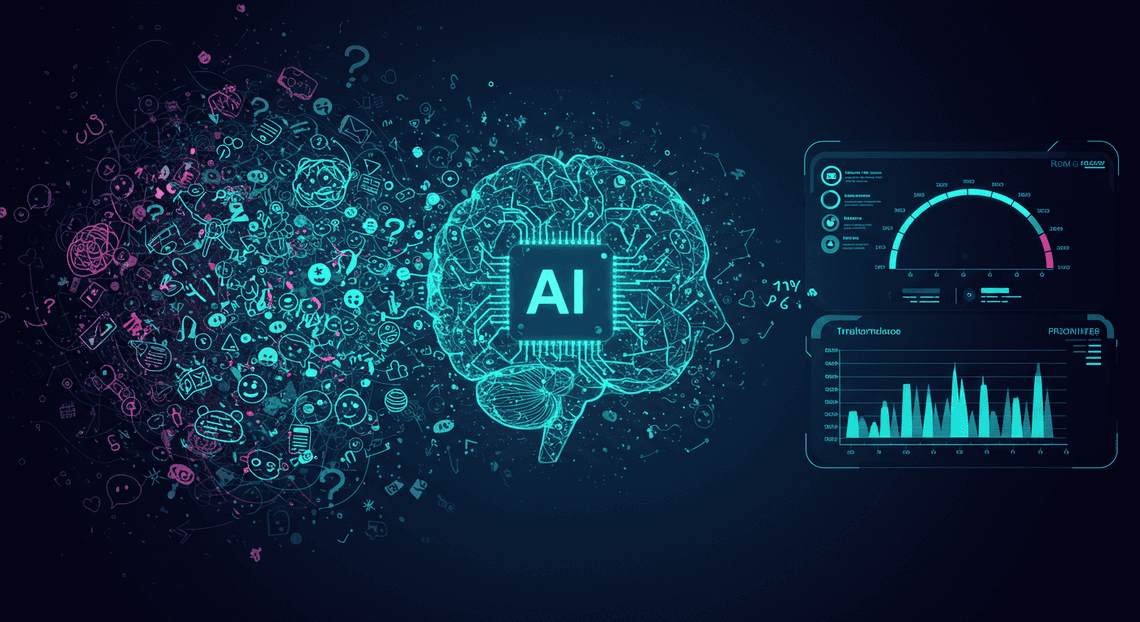
The Challenge: From Raw Feedback to Actionable Intelligence
Collecting user feedback is the easy part. You can set up surveys, in-app forms, or support channels, and soon you’ll have a steady stream of valuable input. The real challenge, the one that separates successful products from stagnant ones, lies in transforming that raw, unstructured stream of text into structured, actionable intelligence. It’s about finding the signal in the noise, and doing it at scale.
Why manual feedback processing is inefficient
If you’ve ever been tasked with managing a feedback spreadsheet, you know the pain. The process is a textbook example of a high-effort, low-yield workflow that simply doesn’t scale.
- It’s a Time Sink: Manually reading, interpreting, and tagging every single comment is incredibly time-consuming. A product manager or developer’s time is far better spent solving problems than on manual data entry and categorization. As volume increases, the backlog becomes an insurmountable mountain of unread insights.

-
Prone to Subjectivity and Bias: How one team member interprets a comment like “The new update is confusing” can be wildly different from another’s. The “loudest” or most recent feedback often gets prioritized, not necessarily the most critical or widespread issues. This introduces human bias, skewing product roadmaps away from true user needs.
-
**Lacks Real-Time Insights: Manual processing happens in batches—weekly, or even monthly. By the time you’ve synthesized the feedback from last month’s launch, you’re already behind. You miss the opportunity to spot emerging trends or react quickly to critical bugs that are impacting users right now.
-
It’s Fundamentally Unscalable: A system that works for 10 feedback entries a day completely collapses at 100. As your user base grows, your ability to understand them paradoxically shrinks because the manual process can’t keep up with the data firehose.
The vision: an automated semantic analysis system
Imagine a different reality. A new piece of feedback arrives through your app. Within seconds, a system automatically processes it, enriching the raw text with layers of understanding. This isn’t just about keyword matching; it’s about true semantic analysis.
Our vision is a system that can:
-
Perform [How to build a Custom Sentiment Analysis System for Operations Feedback Using Google Forms OSD App Clinical Trial Management and Building Self Correcting Agentic Workflows with Vertex AI](https://votuduc.com/How-to-build-a-Custom-Sentiment-Analysis-System-for-Operations-Feedback-Using-Google-Forms-AppSheet-and-Vertex-AI-p428528): Instantly determine if the feedback is Positive, Negative, or Neutral, allowing for quick emotional temperature checks of your user base.
-
Categorize with Nuance: Go beyond simple tags. Automatically classify feedback into meaningful categories like
Bug Report,Feature Request,UI/UX Complaint, orBilling Issue. -
Extract Key Entities: Pinpoint the specific features or parts of the app being discussed, such as
Dashboard,Login Process, orAPI Integration. -
Generate a Concise Summary: Condense a multi-paragraph rant into a single, actionable sentence that captures the core issue.
The goal is to create a closed-loop system where feedback is not just collected but is immediately triaged, analyzed, and routed. This frees up your team to focus on high-value tasks: validating the insights, designing solutions, and shipping improvements.
Introducing our tech stack: AI-Powered Invoice Processor, Vertex AI, and Apps Script
To bring this vision to life, we’ll orchestrate a powerful trio of Google Cloud technologies, each playing a distinct and crucial role.
-
AMA Patient Referral and Anesthesia Management System (The Front-End & UI): This is our no-code application platform. We’ll use AppSheetway Connect Suite to rapidly build the user-facing form for submitting feedback and the internal dashboard for viewing the analyzed results. It acts as the accessible interface for both our users and our internal teams, handling data capture and presentation without us writing a single line of front-end code.
-
Vertex AI with Gemini (The AI Brain): This is the core intelligence of our system. We will call the Gemini API, a powerful and versatile large language model (LLM) hosted on Google’s Vertex AI platform. Gemini will perform all the heavy lifting of our semantic analysis—the sentiment detection, categorization, entity extraction, and summarization. It’s the component that turns raw text into structured data.
-
Apps Script (The Connective Tissue): This is the [Automated Job Creation in Real Time Jobber and Google Sheets Integration from Gmail](https://votuduc.com/Automated-Job-Creation-in-Jobber-from-Gmail-p115606) engine that glues our system together. Running serverlessly, Apps Script will act as the intermediary. When new feedback is submitted in AppSheet (and lands in our underlying Google Sheet), an Apps Script trigger will fire. The script will grab the new text, format it for an API call, send it to Vertex AI for analysis, and then write the AI-generated insights (sentiment, category, summary) back into the Google Sheet, making them instantly visible in our AppSheet app.
Solution Architecture: A High-Level Overview
Before we dive into the nuts and bolts of building our application, let’s zoom out and look at the blueprint. Understanding how the different pieces of the puzzle fit together is crucial. Our solution elegantly combines the strengths of several Google Cloud services, creating a seamless flow from raw user feedback to actionable, AI-driven insights. At its core, this architecture is about using the right tool for the right job: a user-friendly front-end, a reliable data store, a flexible middleware layer, and a powerful intelligence engine.
Mapping the data flow from user input to categorized insight
The journey of a single piece of feedback is a well-orchestrated, automated process. Visualizing this data flow helps clarify the role each component plays.
-
Input: A user opens the AppSheet application on their phone or web browser and submits a piece of feedback through a simple form.
-
Storage: AppSheet instantly writes this submission as a new row in our designated Google Sheet. This sheet acts as our primary database.
-
Trigger: The creation of this new row acts as an event trigger for a function within [AI Powered Cover Letter Automated Quote Generation and Delivery System for Jobber Engine](https://votuduc.com/AI-Powered-Cover-Letter-Automated Work Order Processing for UPS-Engine-p111092).
-
API Call: The Apps Script function grabs the raw feedback text from the new row, formats it into a structured prompt, and makes a secure API call to the Vertex AI Gemini API endpoint.
-
AI Analysis: Gemini receives the text. Based on our prompt, it performs several Natural Language Understanding (NLU) tasks: it determines the sentiment, assigns a relevant category (e.g., “Bug Report,” “Feature Request”), and generates a concise summary.
-
Structured Response: Gemini returns its analysis in a clean, structured JSON format to our Apps Script function.
-
Data Enrichment: The Apps Script function parses this JSON response and extracts the sentiment, category, and summary.
-
Update: The script then writes these extracted insights back into the corresponding columns of the same row in the Google Sheet. The raw feedback is now enriched with AI-generated metadata.
-
Presentation: AppSheet automatically syncs with the updated Google Sheet. The user (likely an admin or product manager) can now view the enriched feedback in real-time within the app, often presented in dashboards, charts, and filterable galleries.
The role of AppSheet as the user interface and orchestrator
AppSheet is the face of our application. It’s where human interaction begins and ends. Its primary roles are:
-
No-Code User Interface (UI): AppSheet provides the entire front-end experience without requiring us to write a single line of UI code. It generates the forms for capturing feedback and the views (like dashboards, tables, and charts) for visualizing the categorized results. This interface is responsive and works across web and mobile devices out of the box.
-
Data Capture Engine: It serves as the primary mechanism for getting data into our system. By connecting directly to our Google Sheet, AppSheet handles the data entry, validation, and storage with robust simplicity.
-
Presentation Layer: After the backend processing is complete, AppSheet is responsible for presenting the enriched data in a meaningful way. We can build interactive dashboards that allow stakeholders to filter feedback by sentiment, slice data by category, and quickly identify trends.
The role of Apps Script as the middleware
If AppSheet is the face and Gemini is the brain, then Genesis Engine AI Powered Content to Video Production Pipeline is the central nervous system. It acts as the critical middleware, the “glue” that connects our simple data store to the advanced AI service.
-
The Bridge: Apps Script is the essential bridge between the [Automated Web Scraping with [Multilingual Text-to-Speech Tool with SocialSheet Streamline Your Social Media Posting 123](https://votuduc.com/Multilingual-Text-to-Speech-Tool-with-Google-Workspace-p809282)](https://votuduc.com/Automated-Web-Scraping-with-Google-Sheets-p292968) environment and the external Vertex AI API. Google Sheets itself cannot natively call an AI model, so Apps Script steps in to handle this communication.
-
Event-Driven Automation: It runs our logic automatically. By using triggers (like
onEditoronChange), our script can “listen” for new rows being added to the sheet and execute our AI processing function without any manual intervention. -
API Client & Data Transformer: Its core technical function is to act as an API client. It constructs the HTTP request to the Gemini API, handles the necessary authentication (OAuth2), and sends the feedback for analysis. Crucially, when it receives the JSON response from Gemini, it parses this data and transforms it into simple string or number values that can be cleanly written back into the spreadsheet’s cells.
The role of Vertex AI Gemini as the intelligence engine
This is where the magic happens. Vertex AI’s Gemini model is the powerful, scalable brain of our operation, turning unstructured text into structured, analyzable data.
-
The Brains of the Operation: Gemini is a sophisticated large language model (LLM) capable of understanding context, nuance, and intent within human language. We are leveraging this power to perform tasks that would otherwise require significant manual effort or complex custom-trained models.
-
Advanced NLU Tasks: Through carefully crafted prompts, we instruct Gemini to perform specific analyses on each piece of feedback. For this application, its key tasks are:
-
Sentiment Analysis: Classifying the feedback as Positive, Negative, or Neutral.
-
Categorization: Tagging the feedback with predefined categories like “UI/UX,” “Performance,” “Billing,” or “Feature Request.”
-
Summarization: Condensing the core point of the feedback into a single, concise sentence.
-
Structured Output Generation: A key advantage of using a model like Gemini is its ability to follow instructions, including formatting its output. We will prompt it to return its analysis in a predictable JSON object. This makes the response easy for our Apps Script middleware to parse, ensuring a reliable and robust data enrichment process.
Step 1: Configuring the AI Backend with Vertex AI and Apps Script
Before our AppSheet app can get smart, we need to build its brain. This “brain” will be a simple, powerful backend service that takes raw feedback text and uses the Gemini Pro model to analyze it. We’ll use two key Google Cloud services for this: Vertex AI as our gateway to Gemini, and [Architecting Multi Tenant AI Workflows in Building Modular Agentic Apps Script with Gemini Function Calling](https://votuduc.com/architecting-multi-tenant-ai-workflows-in-google-apps-script-p-20260321290501) to create a serverless API endpoint that AppSheet can easily call. This approach is fantastic because it’s entirely serverless, requires minimal setup, and lives right within the Google ecosystem.
Setting up your Google Cloud Project and enabling Vertex AI
First things first, we need to give our code a home and switch on the lights for the AI services.
- Select or Create a Google Cloud Project:
-
Navigate to the Google Cloud Console.
-
Ensure you have a project with billing enabled. The Vertex AI free tier is generous, but billing is required to activate the APIs.
From the project dropdown at the top of the page, either select an existing project or create a new one. Keep the* Project ID** handy; you’ll need it soon.
- Enable the Vertex AI API:
- In the Cloud Console search bar, type “Vertex AI API” and select the result under the “Marketplace” or “APIs & Services” category.
This will take you to the API’s dashboard. Click the big blue* “Enable”** button. This action grants your project permission to make calls to the Vertex AI platform, including the Gemini models.
It appears you have not provided any text for me to continue. Please paste the incomplete text in the designated section, and I will be happy to complete it for you.
It appears the text you want me to continue was not provided. Please paste the incomplete text, and I will be happy to pick up exactly where it left off and complete it for you.
Bringing It All Together: A Working Demonstration
Theory and setup are one thing, but seeing the system in action is where the real magic happens. We’ve connected the user-friendly front-end of AppSheet with the powerful analytical capabilities of Gemini, using Google Sheets and Apps Script as the connective tissue. Now, let’s walk through the end-to-end flow to see how a simple piece of user feedback is transformed into structured, actionable intelligence in real-time.
Submitting sample feedback through the AppSheet app
It all starts with the user. From their perspective, the process is incredibly simple, which is exactly what we want. They open the app, navigate to the “Submit Feedback” view, and are presented with a clean, straightforward form.
Let’s imagine a user, Jane, has just encountered a couple of issues with our application. She opens the feedback form and types in her comment:
“The new dashboard analytics are a fantastic addition, but the main chart is really slow to load on my phone. Also, when I try to export the report to PDF, the app just crashes. I had to force quit it twice. Very frustrating experience.”
She hits “Save”. On the front-end, the app confirms her submission. For Jane, the process is complete. She has shared her experience without needing to navigate complex menus or categorize the issue herself.
Conclusion: The Future of No-Code is AI-Enhanced
What we’ve constructed in this guide is more than just a clever feedback application; it’s a tangible glimpse into the future of software development. The era of treating no-code platforms and advanced AI as separate domains is over. By seamlessly integrating the analytical power of a Large Language Model like Gemini directly into an AppSheet application, we’ve demonstrated a paradigm shift. This fusion empowers builders, analysts, and business users to create sophisticated, intelligent systems without writing a single line of complex code. You are no longer just building apps that collect data; you are building apps that understand it.
Recap of the benefits of automated feedback analysis
Let’s step back and appreciate the transformation we’ve achieved. By moving from manual feedback processing to an AI-driven workflow, we’ve unlocked several critical advantages that directly impact business agility and intelligence.
-
From Hours to Seconds: The most immediate benefit is the elimination of manual drudgery. The process of reading, interpreting, tagging, and summarizing customer feedback—a task that could take a team hours or days—now happens in near real-time. This frees up your team to focus on strategic action rather than administrative overhead.
-
Uncovering Deeper Insights: Human analysis is prone to bias and can miss subtle patterns in large datasets. Gemini can identify sentiment, extract key themes, and categorize feedback with a level of consistency and nuance that is difficult to achieve manually. It finds the “why” hidden within the “what.”
-
Infinite Scalability: A manual system breaks down as feedback volume grows. Our AI-powered solution scales effortlessly. Whether you receive ten comments a day or ten thousand, the analysis engine performs with the same speed and accuracy, ensuring you never miss a critical insight during a period of rapid growth.
-
Structured, Actionable Data: Perhaps the most powerful benefit is the conversion of unstructured text into structured, queryable data. Raw feedback is difficult to report on. But with AI-generated tags, sentiment scores, and summaries, you can now build powerful dashboards, trigger automated alerts, and precisely filter data to pinpoint issues related to specific features or user experiences.
Potential enhancements and further applications
The application we built is a powerful foundation, but its true beauty lies in its extensibility. This architecture is a launchpad for even more sophisticated solutions. Here are a few ideas to spark your imagination:
-
Automated Workflow Triggers: Take action directly from the insights. Configure an Architecting Autonomous Data Entry Apps with AppSheet and Vertex AI that, upon receiving feedback with a “Negative” sentiment and a “Bug” tag, automatically creates a high-priority ticket in Jira or a card in Trello, complete with the user’s comment and the AI-generated summary.
-
Trend Analysis and Visualization: Pipe your structured AppSheet data into a BI tool like Google Looker Studio. Create dashboards to track sentiment over time, visualize the most common feedback themes each month, and correlate feedback spikes with new feature releases.
-
Multi-Language Feedback Hub: Enhance the Gemini prompt to first identify the language of the feedback, translate it to English, and then perform the analysis. This allows you to create a single, unified system for gathering and understanding feedback from a global user base.
-
Proactive Customer Outreach: Create a workflow that flags feedback with an extremely negative sentiment score. This could trigger an automated, yet personalized, email to the user, acknowledging their frustration and connecting them with a support representative, turning a negative experience into an opportunity for engagement.
The core pattern—capturing unstructured text, sending it to an LLM for analysis via an API, and storing the structured output—can be applied to countless other business processes, from analyzing support tickets and sales call transcripts to summarizing legal documents.
Call to Action: Explore the ContentDrive.app ecosystem
This tutorial is just one example of the practical, high-impact solutions we are passionate about at ContentDrive.app. If you’re inspired to continue your journey at the powerful intersection of no-code development and artificial intelligence, we’ve built a resource hub just for you.
At ContentDrive.app, you’ll find more in-depth guides, pre-built application templates, and advanced tutorials designed to help you leverage tools like AppSheet and Gemini to solve real-world business problems. Don’t just read about the future of application development—start building it.
**Ready to take the next step? Explore the ContentDrive.app ecosystem today!**The tools and techniques outlined here represent more than just a new way to build software; they represent a fundamental democratization of technology. Your unique business insights, combined with the accessible power of no-code and AI, are the only prerequisites for innovation. The barrier between a brilliant idea and a functional, intelligent application has never been lower. We can’t wait to see what you create.


Stop Doing Manual Work. Scale with AI.
Want to turn these blog concepts into production-ready reality for your team?
Table Of Contents
Portfolios
Related Posts
Quick Links
Legal Stuff