

Building AI Agent Memory with Firestore and Vertex AI Vector Search


For all their power, AI agents suffer from a tragic flaw: they are profoundly forgetful. Overcoming this digital amnesia is the key to building assistants that can truly learn, adapt, and form lasting relationships with users.

Introduction: The Need for Persistent Memory in Architecting AI Agents for the Google Workspace Marketplace
In the rapidly evolving landscape of artificial intelligence, agents are the new frontier. These autonomous systems, powered by Large Language Models (LLMs), promise to move beyond simple Q&A to execute complex, multi-step tasks on our behalf. They can plan, reason, and interact with tools to achieve goals. Yet, for all their cognitive prowess, most AI agents suffer from a fundamental, almost tragic flaw: they are profoundly forgetful.
An agent’s understanding of the world is often confined to the here and now, a fleeting window of context that vanishes the moment a session ends or a new task begins. This digital amnesia is the single greatest barrier to building agents that can truly learn, adapt, and form lasting, coherent relationships with users and their environments. To unlock the next level of autonomous capability, we must solve the memory problem. This article is a blueprint for doing just that, architecting a robust, scalable, and persistent memory layer that transforms an ephemeral agent into a stateful, experienced collaborator.
The Challenge: The Ephemeral Nature of AI Agent Context
At the heart of every LLM-powered agent is the “context window.” Think of it as the model’s short-term, working memory. It’s a finite buffer that holds the current conversation, instructions, and any immediate data the agent needs to process. While modern models boast increasingly large context windows, they all share the same inherent limitations:
-
Volatility: The context is ephemeral. Once the interaction exceeds the window’s size, the oldest information is pushed out and forgotten forever. Start a new conversation, and the slate is wiped completely clean.
-
Cost and Latency: Every token stuffed into the context window adds to the computational cost and latency of each API call. Continuously feeding an agent its entire life history is not just impractical; it’s economically unviable and technically slow.
-
Lack of Structure: The context window is a linear stream of text. It lacks the structure to differentiate between a casual remark, a critical user preference, or a successfully completed task. It’s all just a flat sequence of tokens.
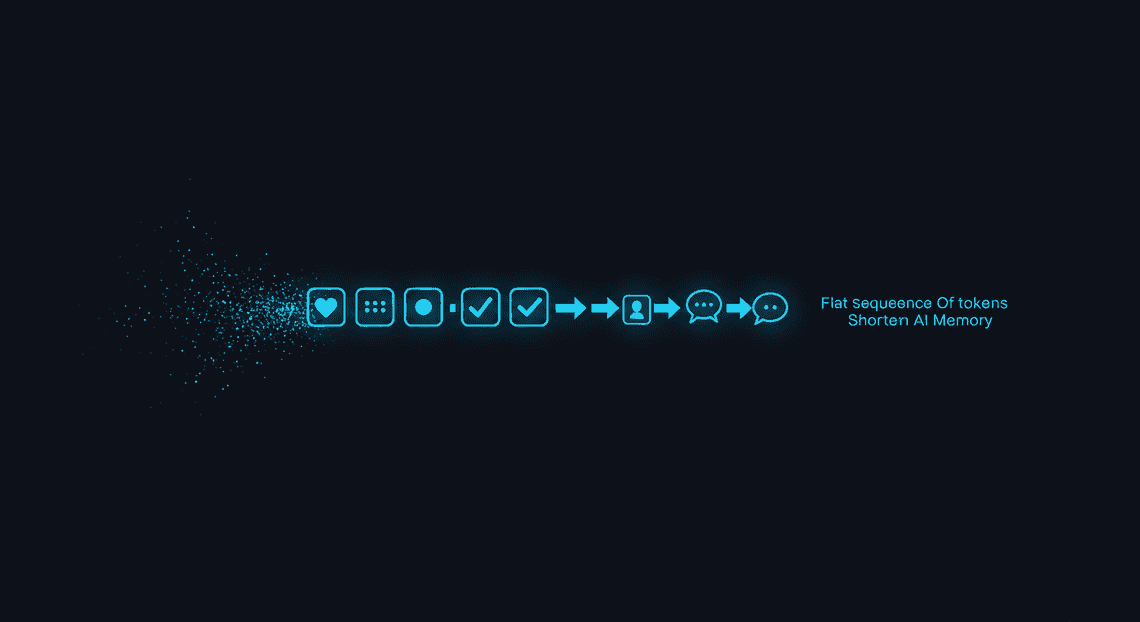
This creates a frustrating user experience. An agent might ask the same clarifying questions repeatedly across different sessions, fail to recall a user’s explicitly stated preferences, or be unable to build upon the results of a previous task. It’s like working with a brilliant consultant who has a severe case of anterograde amnesia—they can solve the problem right in front of them, but they’ll have no memory of you or your project five minutes later. The context window is simply the wrong tool for building long-term understanding.
The Solution: Architecting a Long-Term Memory Layer with RAG
To overcome the limitations of the context window, we need to give our agent an external brain—a dedicated, persistent long-term memory store. The architectural pattern perfectly suited for this task is Building a RAG Context Manager with Apps Script and Gemini Pro (RAG).
While often associated with querying documents, RAG is a powerful and flexible framework for memory management. Instead of just feeding an agent static documents, we can use RAG to dynamically provide it with its own “memories.” The process is elegant and effective:
-
Encode & Store: As the agent interacts with the world, its experiences—observations, user conversations, tool outputs, and internal conclusions—are captured. These experiences are processed, converted into a useful format (often text and vector embeddings), and stored in an external database.
-
Retrieve: When faced with a new task or query, the agent doesn’t act immediately. First, it queries its long-term memory. The query is designed to find the most relevant past experiences that could inform the current situation.
-
Augment: The retrieved memories are then dynamically injected into the agent’s context window, just-in-time. This provides the agent with the relevant historical context it needs to make a more intelligent, informed, and consistent decision.
This approach elegantly separates the agent’s short-term “working memory” (the context window) from its vast “long-term memory” (the external database). It keeps the context window lean and efficient, loading it only with the most pertinent information for the task at hand, enabling the agent to learn and evolve over countless interactions.
Our Blueprint: Firestore and [Building Self Correcting Agentic Workflows with Building Self-Correcting Agentic Workflows with Vertex AI](https://votuduc.com/building-self-correcting-agentic-workflows-with-vertex-ai-p-20260321542526) for Scalable Recall
Choosing the right components for this external brain is critical for building a system that is not just functional but also scalable, fast, and maintainable. Our blueprint leverages a powerful duo from the Google Cloud ecosystem: Firestore and Vertex AI Vector Search.
Firestore: The Structured Memory Core
Firestore acts as the agent’s structured, factual memory—the filing cabinet where individual memories are meticulously organized. As a serverless, highly scalable NoSQL database, it’s perfect for storing the “what, when, and who” of the agent’s experiences. We’ll use it to store records of conversations, user profiles, task histories, and metadata associated with each memory. Its real-time capabilities also mean we can update and access this structured memory with minimal latency.
Vertex AI Vector Search: The Semantic Recall Engine
If Firestore is the filing cabinet, Vertex AI Vector Search is the agent’s intuition. It provides the mechanism for semantic, or concept-based, recall. Every memory we store in Firestore will also have a corresponding vector embedding—a numerical representation of its meaning—stored in Vertex AI Vector Search.
This allows the agent to search for memories based on conceptual similarity, not just keywords. For example, if a user asks, “How can we reduce our cloud spending?”, the agent can retrieve a memory of a past conversation where it analyzed a “cost optimization report,” even if the exact phrase “cloud spending” was never used. Vertex AI Vector Search provides the blazingly fast, low-latency, and massively scalable infrastructure needed to search through potentially billions of memories in milliseconds to find the most relevant ones.
Together, Firestore and Vertex AI Vector Search form a comprehensive memory system. Firestore provides the ground truth and structured data, while Vector Search enables the fluid, context-aware recall that makes an agent feel truly intelligent. This dual-database architecture is the foundation upon which we will build a truly memorable AI agent.
Why Use Firestore as the Backbone for a Vector Store
When building a memory system for an AI agent, it’s tempting to focus solely on the vector database. After all, that’s where the magic of semantic search happens. However, the real power and flexibility of an agent’s memory come from the system that manages the data associated with those vectors. While Vertex AI Vector Search is our high-performance engine for finding relevant information, Firestore is the strategic choice for the chassis it’s built on.
Think of it this way: Vector Search tells you what memories are relevant based on semantic similarity. Firestore tells you everything else—the who, when, where, and why behind that memory. It transforms a simple list of vectors into a rich, queryable, and context-aware knowledge base. Let’s break down the three core reasons why this architectural pattern is so effective.
Beyond a NoSQL Database: Storing Rich Metadata
A vector embedding is a powerful but abstract representation of a piece of text. On its own, it lacks context. An AI agent needs more than just the text chunk; it needs metadata to reason effectively, filter information, and provide accurate attributions. This is where Firestore’s strength as a document-oriented NoSQL database shines.
For every text chunk we embed and store in Vertex AI Vector Search, we create a corresponding document in Firestore. This document acts as the “source of truth” and can hold a wealth of structured information.
Consider a typical Firestore document for a memory chunk:
// Firestore Document in 'memory_chunks' collection

{

"chunk_text": "The new 'Helios' deployment pipeline reduces build times by an average of 35% by optimizing container caching layers.",

"vector_id": "7318450284109851648", // The ID from Vertex AI Vector Search

"source_document_id": "doc_engineering_updates_q3",

"source_type": "internal_wiki",

"page_number": 12,

"author": "jane_doe",

"created_at": "2023-10-26T10:00:00Z",

"tags": ["devops", "helios", "ci-cd", "performance"],

"conversation_id": "conv_xyz_123"

}
With this structure, you unlock advanced retrieval capabilities that a pure vector store can’t handle alone:
-
Filtering: Before even performing a vector search, you can ask Firestore for all memories tagged with “devops” from a specific
source_document_id. This pre-filtering narrows the search space, improving both speed and relevance. -
Attribution: When the agent retrieves a memory, it can access the
source_document_idandpage_numberto cite its sources accurately. -
Temporal Queries: The agent can reason about time, retrieving memories created “in the last 24 hours” or “before this meeting.”
-
Multi-tenancy: By including a
user_idorsession_id, you can easily build memory systems that are securely partitioned for different users or conversations.
Firestore’s schemaless nature means you can evolve this metadata over time without painful database migrations, adding new fields as your agent’s capabilities grow.
Seamless Integration with the Google Cloud Ecosystem
Choosing Firestore isn’t just about the database itself; it’s about plugging into a powerful, event-driven ecosystem. The synergy between Firestore, Cloud Functions, and Vertex AI is what makes this architecture so elegant and scalable.
The core integration point is Cloud Functions. You can set up a Firestore trigger that automatically executes a function whenever a new document is created in your memory_chunks collection. This creates a fully automated, serverless ingestion pipeline:
-
Trigger: Your application writes a new document to Firestore containing the raw text and initial metadata.
-
Function Execution: The
onCreateevent in Firestore triggers a Cloud Function. -
Embedding Generation: The function takes the
chunk_textfrom the Firestore document and calls a Vertex AI embedding model (liketext-embedding-004) to convert it into a vector. -
Vector Upsert: The function then upserts this newly generated vector into Vertex AI Vector Search, using the unique Firestore document ID as the vector’s ID. This creates a direct, unbreakable link between the vector and its metadata.
-
(Optional) Update: The function can update the original Firestore document with a status flag or the final vector ID for easy reference.
This event-driven pattern decouples your application logic from the complex process of embedding and indexing. Your app just needs to save text to Firestore, and the Google Cloud backbone handles the rest. This also leverages unified IAM for security, allowing you to manage permissions for your database, functions, and AI services from a single control plane.
Cost-Effectiveness and Scalability for Document Chunks
An AI agent’s memory is not a single, monolithic file. It’s composed of thousands, or even millions, of small, discrete pieces of information—the document chunks. This workload pattern is a perfect match for Firestore’s architecture and pricing model.
Scalability:
Firestore is a fully managed, serverless database that scales automatically and transparently. Whether your agent is ingesting ten memories a day or ten thousand per minute, you don’t have to worry about provisioning servers, managing connections, or sharding data. It’s designed from the ground up to handle a massive number of small documents, which is exactly what our memory chunks are. This elasticity ensures your agent’s memory can grow without hitting performance bottlenecks or requiring manual intervention.
Cost-Effectiveness:
Firestore’s pricing model is based on usage (reads, writes, deletes, and storage), which aligns perfectly with the typical lifecycle of an agent’s memory.
-
Writes: You pay for each new memory chunk you ingest.
-
Storage: The cost of storing the text and metadata is minimal.
-
Reads: This is the key. After you perform a similarity search in Vertex AI Vector Search, you get back a list of IDs. You then use these IDs to perform highly-targeted, efficient document lookups in Firestore (
getDocumentcalls). You aren’t running expensive, wide-ranging queries; you’re just fetching the specific documents you already know you need.
This pay-as-you-go model, combined with a generous free tier, makes it incredibly affordable to get started and ensures that your costs scale predictably as your agent’s usage grows. You’re not paying for idle capacity; you’re paying only for the value you derive from the memory system.
The Core Architectural Pattern for AI Memory
At the heart of a persistent, intelligent AI agent lies a robust memory architecture. We’re not just throwing data into a black box; we’re designing a dual-component system that separates semantic meaning from structured metadata. This pattern leverages the distinct strengths of a vector database and a document database, creating a whole that is far greater than the sum of its parts.
Imagine your agent’s memory as a sophisticated library. Vertex AI Vector Search is the brilliant librarian who understands the meaning and concepts within books, able to find related ideas even if you don’t know the exact words. Firestore is the library’s meticulous card catalog, holding the precise, structured details: the book’s title, author, publication date, and its exact location on a shelf.
Our architecture connects these two systems, enabling the agent to first find conceptually relevant information (the “what”) and then retrieve the precise, factual context (the “where” and “who”). This Retrieval-Augmented Generation (RAG) pattern is the foundation for building agents that can reason over a custom knowledge base, providing grounded, accurate, and context-aware responses.
Let’s break down the four key steps of this architecture, from data ingestion to final answer generation.
Step 1: Ingesting and Chunking Workspace Documents
Before an agent can remember anything, we must feed it information. This initial phase, the ingestion pipeline, is critical for ensuring the quality of the data that forms the agent’s knowledge base. The source can be anything from internal wikis, project documentation, PDFs, or even transcripts from meetings.
The most crucial process in this step is chunking. Large Language Models (LLMs) have finite context windows; you cannot simply feed a 100-page document into a prompt. More importantly, feeding the model smaller, topically-focused chunks of text leads to far more relevant and accurate search results.
Why Chunking is Non-Negotiable:
-
Relevance: A user’s query about a specific feature is more likely to match a small chunk detailing that feature than the entire 50-page design document it’s a part of.
-
Performance: Smaller chunks mean less data to process for both the embedding model and the final LLM call, reducing latency and cost.
-
Contextual Precision: It prevents “drowning” the LLM in irrelevant information, allowing it to focus on the most pertinent facts during generation.
Common Chunking Strategies:
-
Fixed-Size Chunking: The simplest method. You split the text every
Ncharacters with some overlap to maintain context between chunks. It’s a blunt instrument but can be effective for unstructured text. -
Content-Aware Chunking: A more sophisticated approach. You split documents along logical boundaries like paragraphs (
\n\n), section headings (in Markdown), or other structural elements. This preserves the semantic integrity of the information. -
Recursive Chunking: An iterative version of content-aware chunking that tries to split based on a hierarchy of separators (e.g., first by section, then by paragraph, then by sentence) to keep related pieces of text together.
For our purposes, a content-aware strategy that splits by paragraph or section is an excellent starting point. The goal is to create self-contained chunks of information that can be embedded and retrieved effectively.
Step 2: Generating Embeddings with Gemini 2.5 Pro
Once we have our text chunks, we need to convert them into a format that a machine can understand in terms of semantic meaning. This is where embeddings come in. An embedding is a vector—a list of numbers—that represents the conceptual meaning of a piece of text. Chunks with similar meanings will have vectors that are “closer” together in multi-dimensional space.
We will use one of Google’s state-of-the-art models, accessed via the Vertex AI API, to generate these vectors. While a powerful generative model like Gemini 2.5 Pro can create embeddings, the best practice is to use a model specifically fine-tuned for retrieval tasks, such as text-embedding-004. These models excel at creating vectors optimized for similarity search.
The process is straightforward:
-
Initialize the Vertex AI client in your application.
-
For each text chunk generated in Step 1, make an API call to the embedding model.
-
The model returns a high-dimensional vector (e.g., a list of 768 floating-point numbers) for each chunk.
Here’s a conceptual JSON-to-Video Automated Rendering Engine snippet of what this looks like:
from vertexai.language_models import TextEmbeddingModel

def generate_embedding(text_chunk: str) -> list[float]:

"""Generates an embedding for a given text chunk."""

model = TextEmbeddingModel.from_pretrained("text-embedding-004")

embeddings = model.get_embeddings([text_chunk])

return embeddings[0].values

# Example usage:

my_chunk = "The agent's memory is a dual-component system using Firestore and Vector Search."

my_vector = generate_embedding(my_chunk)

# print(len(my_vector)) # Output: 768
This vector is the semantic fingerprint of our text chunk. It’s what we’ll use to find relevant information when the agent receives a query.
Step 3: Storing Vectors in Vertex AI and Metadata in Firestore
This is where our dual-component memory architecture takes shape. We store the two different types of information in the systems best suited for them.
In Firestore: The Source of Truth
For every chunk, we create a document in a Firestore collection (e.g., memory_chunks). This document acts as our canonical record and stores all the rich metadata associated with the chunk.
A typical Firestore document structure might look like this:
{

"chunk_id": "doc123_chunk_001",

"document_id": "doc123",

"document_name": "Q3_Financial_Report.pdf",

"chunk_text": "In the third quarter, revenue grew by 15% year-over-year, driven by strong performance in the APAC region...",

"source_url": "gs://my-company-docs/reports/Q3_Financial_Report.pdf",

"created_at": "2023-10-26T10:00:00Z",

"author": "finance-dept"

}
Why Firestore is perfect for this:
-
Rich Metadata Querying: You can easily query for all chunks from a specific document (
document_id) or by a certain author. -
Scalability and Reliability: It’s a fully managed, serverless database that scales effortlessly.
-
Real-time Sync: Changes can be propagated to applications in real-time if needed.
In Vertex AI Vector Search: The Semantic Index
The embedding vector we generated in Step 2 is stored in Vertex AI Vector Search. This is a purpose-built, highly optimized service for performing blazing-fast similarity searches over billions of vectors.
The crucial link between our two systems is the ID. When we “upsert” (insert or update) a vector into our Vector Search index, we assign it an ID. This ID must be the same as the chunk_id of the corresponding document in Firestore.
This simple but powerful convention is the glue that holds the entire architecture together. Vector Search knows nothing about the original text or its source; it only knows about vectors and their IDs. Firestore knows everything about the text and its metadata, indexed by that same ID.
Step 4: The RAG Retrieval Flow: From Agent Query to Enriched Prompt
Now, let’s see the architecture in action when the agent receives a user query. This is the “read” path, or the RAG flow.
-
Query Received: The user asks the agent, “How did the APAC region perform in Q3?”
-
**Embed the Query: The agent takes this raw question and, using the exact same embedding model (
text-embedding-004), converts it into a query vector. -
Search for Similar Chunks: The agent sends this query vector to the Vertex AI Vector Search index. The service performs an Approximate Nearest Neighbor (ANN) search to find the vectors in its index that are most similar to the query vector.
-
Retrieve Top-K IDs: Vector Search returns a list of the top
kresults (e.g., the top 5 most similar chunks), ranked by similarity score. What it returns are the IDs:["doc123_chunk_001", "doc098_chunk_015", ...]. -
Hydrate Context from Firestore: The agent now has a list of the most relevant
chunk_ids. It uses these IDs to perform a batch lookup in Firestore, retrieving the full documents, including the originalchunk_textand any other useful metadata (likedocument_name). -
Construct the Enriched Prompt: This is the “Augmented” part of RAG. The agent dynamically builds a new, comprehensive prompt for a powerful generative model like Gemini 2.5 Pro. The prompt is structured to guide the model’s response, grounding it in facts.
System Prompt: You are a helpful AI assistant. Answer the user's question based ONLY on the context provided below. If the context does not contain the answer, say "I do not have enough information to answer that question."

[CONTEXT]

Source: Q3_Financial_Report.pdf

Content: In the third quarter, revenue grew by 15% year-over-year, driven by strong performance in the APAC region.

Source: Q3_Earnings_Call_Transcript.txt

Content: The Asia-Pacific market, specifically, saw a 22% increase in new customer acquisition.

... (other retrieved chunks) ...

[/CONTEXT]

User Question: How did the APAC region perform in Q3?
- Generate the Final Answer: This final, enriched prompt is sent to Gemini 2.5 Pro. With the relevant, factual context placed directly in its prompt, the model can synthesize a precise and accurate answer, such as: “In the third quarter, the APAC region demonstrated strong performance with a 15% year-over-year revenue growth and a 22% increase in new customer acquisition.”
This flow ensures the agent isn’t just “remembering” from its training data but is actively retrieving and reasoning over your specific, up-to-date workspace documents, providing answers that are trustworthy and grounded in reality.
Implementation Deep Dive
With the high-level architecture established, let’s roll up our sleeves and dive into the technical specifics. This section breaks down the core components of our memory system, from data modeling in Firestore to the retrieval and hydration of context for our AI agent.
Defining the Firestore Data Model for Documents and Chunks
A robust and scalable data model is the foundation of our memory system. We’ll use two primary collections in Firestore to manage our source material and its vectorized components: documents and chunks. This separation allows us to track high-level metadata about the source while managing the granular, embeddable text fragments independently.
1. The documents Collection
This collection acts as a master record for each piece of knowledge ingested. It doesn’t store the raw text itself but rather the metadata associated with it.
-
Path:
/documents/{documentId} -
Purpose: To track the ingestion status and metadata of a source file (e.g., a PDF, a text file, a web page scrape).
-
Schema Example:
{

"sourceUri": "gs://my-knowledge-bucket/research-paper-01.pdf",

"uploadedBy": "user-abc-123",

"createdAt": "2023-10-27T10:00:00Z",

"status": "PROCESSED", // PENDING, PROCESSING, PROCESSED, ERROR

"metadata": {

"author": "Dr. Eva Rostova",

"title": "Quantum Entanglement in Complex Systems",

"wordCount": 7500

}

}
2. The chunks Collection
This is where the magic happens. Each document in this collection represents a small, digestible piece of text from a source document. The ID of each document in this collection is the critical link between our Firestore data and our Vector Search index.
-
Path:
/chunks/{chunkId} -
Purpose: To store the individual text fragments that will be converted into embeddings. The
{chunkId}is the unique identifier we will use as the datapoint ID in Vertex AI Vector Search. -
Schema Example:
{

"documentRef": "documents/auto-generated-doc-id", // Foreign key back to the source

"chunkIndex": 23, // The sequential order of this chunk in the original document

"chunkText": "The experiment demonstrated that particles remained correlated even when separated by a significant distance, a phenomenon Einstein famously called 'spooky action at a distance'. This correlation is the cornerstone of quantum mechanics...",

"embeddingStatus": "COMPLETED" // PENDING, COMPLETED, ERROR

}
This one-to-many relationship (documents to chunks) is highly efficient. It allows us to process large documents in parallel and provides the granular data structure needed for effective semantic search.
Automating Embedding Generation with Cloud Functions
Manually creating embeddings for every chunk is not scalable. We’ll automate this process using a Cloud Function that triggers whenever a new chunk is created in Firestore.
This Architecting an Event-Driven Workspace with PubSub Firebase and Gemini ensures that our Vector Search index is updated in near real-time as new knowledge is added.
The Workflow:
-
Trigger: A Cloud Function is configured with a Firestore trigger that listens for
onCreateevents on the/chunks/{chunkId}path. -
Extract Text: When a new chunk document is created, the function is invoked. It receives the document’s data and extracts the
chunkText. -
Generate Embedding: The function makes an API call to a Vertex AI embedding model (e.g.,
text-embedding-004). It’s crucial to use the same model for both indexing and querying to ensure the vectors exist in the same semantic space. -
Upsert to Vector Search: The returned embedding (a high-dimensional vector) is then “upserted” into our Vertex AI Vector Search index. Critically, the ID for this vector datapoint is the
chunkIdfrom the triggering Firestore document. This direct mapping is the key that connects our vector index back to our source data. -
Update Status: Finally, the function updates the
embeddingStatusfield in the Firestore chunk document fromPENDINGtoCOMPLETED. This prevents reprocessing and provides a clear status for monitoring.
Here is a simplified Python pseudo-code snippet illustrating the function’s logic:
# main.py for a Google Cloud Function

import google.cloud.firestore

from vertexai.language_models import TextEmbeddingModel

from google.cloud import aiplatform

# Initialize clients

db = firestore.Client()

embedding_model = TextEmbeddingModel.from_pretrained("text-embedding-004")

index_endpoint = aiplatform.MatchingEngineIndexEndpoint("YOUR_INDEX_ENDPOINT_ID")

def generate_and_upsert_embedding(event, context):

"""

Triggered by a new document in the 'chunks' collection.

Generates an embedding and upserts it to Vertex AI Vector Search.

"""

# Get the chunkId and data from the triggering event

chunk_id = context.resource.split('/')[-1]

chunk_data = event["value"]["fields"]

chunk_text = chunk_data["chunkText"]["stringValue"]

# 1. Generate the embedding

embeddings = embedding_model.get_embeddings([chunk_text])

vector = embeddings[0].values

# 2. Upsert the embedding to Vector Search using the chunk_id

index_endpoint.upsert_datapoints(

datapoints=[

{

"datapoint_id": chunk_id,

"feature_vector": vector

}

]

)

# 3. Update the status in Firestore

chunk_ref = db.collection("chunks").document(chunk_id)

chunk_ref.update({"embeddingStatus": "COMPLETED"})

print(f"Successfully processed and indexed chunk: {chunk_id}")
Querying Vertex AI Vector Search for Relevant Neighbors
Now that our knowledge is indexed, the agent can query it to find relevant context for a user’s prompt.
The Workflow:
-
**Embed the Query: The user’s input query (e.g., “What did Einstein think about quantum correlation?”) is first converted into an embedding using the exact same
text-embedding-004model. This transforms the query into a vector in the same semantic space as our indexed chunks. -
Perform the Search: This new query vector is sent to our Vertex AI Vector Search index endpoint. We use a
find_neighborsor similar method, specifying the query vector and the number of results we want (e.g., the top 5 most similar chunks). -
Receive Results: The API responds with a list of the nearest neighbors. Each neighbor includes the
datapoint_idand adistancescore, which indicates how semantically similar it is to the query.
Because we used the Firestore chunkId as our datapoint_id, the results we get back are a list of Firestore document IDs.
Here’s a sample Python snippet for querying:
# Example of querying the index

query = "What did Einstein think about quantum correlation?"

# 1. Embed the user's query

query_embedding = embedding_model.get_embeddings([query])[0].values

# 2. Find the nearest neighbors in the index

# num_neighbors is the 'k' in k-NN search

response = index_endpoint.find_neighbors(

queries=[query_embedding],

num_neighbors=5

)

# 3. Extract the IDs of the matching chunks

# response[0] contains the results for our first (and only) query

relevant_chunk_ids = [neighbor.id for neighbor in response[0]]

print(f"Found relevant chunk IDs: {relevant_chunk_ids}")

# Output might look like: ['abc123x', 'def456y', 'ghi789z', ...]
Hydrating Context from Firestore Using Retrieved Vector IDs
The list of chunkIds from Vector Search is just a set of pointers. The final step is to “hydrate” these IDs with the actual text content from Firestore to build the context for our LLM.
The Workflow:
-
Batch Read from Firestore: We take the list of
relevant_chunk_idsreturned by Vector Search. -
Fetch Documents: We perform an efficient batch read against our
chunkscollection in Firestore to retrieve the full documents corresponding to these IDs. Using aninquery is highly recommended for performance. -
Extract Text: From each retrieved document, we extract the
chunkText. -
Assemble Context: These text snippets are concatenated together to form a rich, relevant context block.
This context block is then prepended to the user’s original query in a prompt that is sent to a generative model (like Gemini). This grounds the LLM, enabling it to provide an accurate, detailed, and source-based answer instead of relying solely on its internal training data.
A Python snippet for this hydration step:
# relevant_chunk_ids is the list from the previous step

if not relevant_chunk_ids:

print("No relevant context found.")

# Handle this case appropriately

else:

# 1. Use an efficient 'in' query to fetch all documents at once

chunk_refs = [db.collection("chunks").document(id) for id in relevant_chunk_ids]

chunk_docs = db.getAll(chunk_refs)

# 2. Extract the text and assemble the context

context_snippets = [doc.to_dict()["chunkText"] for doc in chunk_docs if doc.exists]

full_context = "\n\n---\n\n".join(context_snippets)

# 3. Build the final prompt for the LLM

final_prompt = f"""

Use the following context to answer the question.

Context:

{full_context}

Question:

{query}

Answer:

"""

# Now, send this final_prompt to your generative model (e.g., Gemini)

print("Final prompt is ready for the LLM.")
Advanced Considerations and Optimization
Once you’ve established the basic pipeline from Firestore to Vertex AI Vector Search, the real-world complexities begin to surface. A production-grade AI memory system isn’t just about adding data; it’s about managing its entire lifecycle, refining retrieval with precision, and ensuring the architecture can scale gracefully. Let’s dive into the advanced strategies that transform a proof-of-concept into a robust, enterprise-ready solution.
Managing Data Synchronization: Updates and Deletions
A memory that can’t forget or adapt is a liability. In our initial setup, we used an on_create trigger, but what happens when a user edits a note or deletes a conversation? Your vector index will become stale, containing outdated or non-existent information, leading to irrelevant search results. We must implement a comprehensive synchronization strategy.
The core challenge is that most vector indexes, including Vertex AI’s, are built on immutable data structures like Approximate Nearest Neighbor (ANN) graphs. Modifying a single vector isn’t as simple as updating a database row; it often requires rebuilding parts of the index. Fortunately, Vertex AI provides APIs to manage this gracefully.
Our solution is to expand our use of Cloud Functions to handle on_update and on_delete events from Firestore.
Handling Updates:
When a document in Firestore is modified, the on_update trigger fires. The corresponding Cloud Function should perform an “upsert” operation. An upsert intelligently updates an existing data point if its ID is found in the index, or inserts it as a new one if it’s not.
-
Trigger: A Cloud Function triggered by
functions.firestore.document('...').onUpdate(). -
Logic: The function receives both the “before” and “after” state of the document. You can use this to check if the content that gets embedded has actually changed, preventing unnecessary API calls.
-
Action: Generate a new embedding for the updated text. Then, call the
upsertDatapointsmethod of the Vertex AI Index Endpoint. Crucially, you must use the Firestore Document ID as thedatapoint_id. This consistency is the key that links your source of truth (Firestore) to your searchable index (Vertex AI).
// Pseudo-code for an onUpdate Cloud Function

import { onDocumentUpdated } from "firebase-functions/v2/firestore";

import { IndexEndpointServiceClient } from "@google-cloud/aiplatform";

exports.syncVectorOnUpdate = onDocumentUpdated("memories/{docId}", async (event) => {

const docId = event.params.docId;

const newData = event.data.after.data();

const oldData = event.data.before.data();

// Optional: Prevent re-embedding if only metadata changed

if (newData.text === oldData.text) {

console.log("Text unchanged, skipping embedding update.");

return;

}

// 1. Generate new embedding for newData.text

const newEmbedding = await generateEmbedding(newData.text);

// 2. Upsert to Vertex AI Vector Search

const client = new IndexEndpointServiceClient();

await client.upsertDatapoints({

indexEndpoint: "YOUR_INDEX_ENDPOINT",

datapoints: [{

datapointId: docId,

featureVector: newEmbedding,

// ... include metadata restricts here ...

}],

});

console.log(`Upserted vector for document: ${docId}`);

});
Handling Deletions:
When a document is deleted from Firestore, the on_delete trigger fires. This is more straightforward: you simply instruct Vertex AI to remove the corresponding vector.
-
Trigger: A Cloud Function triggered by
functions.firestore.document('...').onDelete(). -
Logic: The function receives the ID of the deleted document.
-
Action: Call the
removeDatapointsmethod, passing the Firestore Document ID in the list of IDs to be removed.
This is an asynchronous operation. There might be a brief delay between the document’s deletion in Firestore and its removal from the vector index. For most applications, this is acceptable. If absolute consistency is required, your application logic should perform a post-retrieval check to ensure the document ID returned from the vector search still exists in Firestore before presenting it to the user.
Implementing Metadata Filtering for Hybrid Search
Semantic search is powerful, but it’s rarely enough on its own. Users don’t just ask, “What do I know about project planning?” They ask, “What were we discussing about project planning in the ‘Project Phoenix’ chat last week?” This fusion of semantic (vector) search and structured (metadata) filtering is called hybrid search.
Vertex AI Vector Search enables this through a powerful feature called restricts. When you upload a vector, you can attach key-value metadata to it. Later, when you query, you can instruct the index to only consider vectors that match specific metadata criteria.
Let’s see how this works with our Firestore data. Imagine your memories collection has this structure:
// Firestore document: /memories/abc-123

{

"text": "The final budget for Project Phoenix was approved in the steering committee meeting.",

"userId": "user-42",

"workspaceId": "proj-phoenix",

"createdAt": "2023-10-27T10:00:00Z",

"tags": ["budget", "approval", "finance"]

}
When your Cloud Function generates the embedding and upserts it to Vertex AI, you include this metadata in the restricts field. You define “namespaces” (like userId or tags) and provide the allowed values.
// Inside your upsert logic

const datapoint = {

datapointId: docId,

featureVector: embedding,

restricts: [

{ namespace: "userId", allowList: [newData.userId] },

{ namespace: "workspaceId", allowList: [newData.workspaceId] },

{ namespace: "tags", allowList: newData.tags } // e.g., ["budget", "approval"]

]

};
Now, when your AI agent needs to retrieve memory, it can construct a much more precise query. To find memories for user-42 about “budgets” within the proj-phoenix workspace, the query would look like this:
// Inside your query logic

const queryEmbedding = await generateEmbedding("project budget decisions");

const searchRequest = {

indexEndpoint: "YOUR_INDEX_ENDPOINT",

queries: [{

datapoint: {

featureVector: queryEmbedding

},

neighborCount: 5,

restricts: [

{ namespace: "userId", allowList: ["user-42"] },

{ namespace: "workspaceId", allowList: ["proj-phoenix"] }

]

}]

};

const [response] = await client.findNeighbors(searchRequest);
This query will perform a semantic search only within the subset of vectors that match the specified userId and workspaceId. This is a game-changer for building context-aware, multi-tenant AI applications, as it ensures the agent’s memory is scoped to the correct user and context, dramatically improving relevance and security.
Scaling the Architecture for Enterprise Workspaces
Moving from a personal project to a multi-tenant enterprise application introduces new scaling challenges related to data isolation, performance, and cost.
Data Isolation: Namespaces vs. Index-per-Tenant
How do you keep one customer’s data from appearing in another customer’s memory? You have two primary architectural patterns:
- Logical Separation (Namespace Filtering): This is the approach we just discussed. You use a single, large Vertex AI Index for all tenants. Every piece of data is tagged with a
tenantIdorworkspaceIdin its metadata. Every single query must include arestrictfilter for thattenantId.
-
Pros: Cost-effective, as you’re managing one index. Simpler infrastructure provisioning.
-
Cons: Security is entirely dependent on application logic. A single bug where the
restrictfilter is omitted could lead to a catastrophic data leak. It can also suffer from the “noisy neighbor” problem, where a very active tenant could impact the indexing latency or query performance for others.
- Physical Separation (Index-per-Tenant): In this model, you programmatically create a new, dedicated Vertex AI Vector Search Index for each tenant (or a group of tenants). Your application logic would maintain a mapping of
tenantIdto its correspondingIndexEndpointID.
-
Pros: The strongest possible data isolation. Performance is isolated, so there are no noisy neighbors. You can scale and configure resources (e.g., machine types) on a per-tenant basis.
-
Cons: Higher operational complexity—you need [Automated Job Creation in Real Time Jobber and Google Sheets Integration from Gmail](https://votuduc.com/Automated-Job-Creation-in-Jobber-from-Gmail-p115606) to create, monitor, and delete indexes as tenants are onboarded and offboarded. Can be more expensive if you have many tenants with very little data, as each deployed index has a baseline running cost.
Recommendation: A pragmatic approach is to start with logical separation using namespaces for its simplicity and cost-efficiency. As you onboard large, high-value enterprise customers who demand stricter SLAs and guaranteed performance, you can offer a premium tier that provisions them with a dedicated, physically separated index.
Performance and Cost Optimization at Scale:
-
Batching Writes: Firing a Cloud Function and making an API call for every single document change can become inefficient and costly under heavy load. A more robust pattern is to decouple the process. Instead of having the Firestore trigger call Vertex AI directly, have it publish a message to a Pub/Sub topic. A separate, time-triggered or batch-configured Cloud Function can then pull hundreds or thousands of messages from the topic at once and perform a single, efficient
upsertDatapointsorremoveDatapointsbatch request to Vertex AI. -
Intelligent Index Configuration: Vertex AI Vector Search isn’t one-size-fits-all. When creating an index, you choose its size, update method (batch or streaming), and algorithm. When deploying it to an endpoint, you select the machine type and the number of replicas. For read-heavy workloads, increase the replica count to improve query throughput and lower latency. For write-heavy workloads, ensure your batching mechanism is efficient and monitor indexing latency. Continuously evaluate your usage patterns to right-size your deployment for the optimal balance of performance and cost.
Conclusion: From Stateless Agents to Context-Aware Collaborators
We’ve journeyed from the conceptual to the concrete, architecting a system that elevates our AI agents from simple, stateless responders to sophisticated, context-aware collaborators. The distinction is crucial. A stateless agent answers a single question; a context-aware agent participates in an ongoing dialogue. By giving our agents a robust memory, we fundamentally change their nature. They are no longer just tools we query but partners that can learn, adapt, and build upon shared history to solve complex problems more effectively. This architecture isn’t just a technical upgrade; it’s a paradigm shift in how we build and interact with artificial intelligence.
Recap: The Power of Combining Firestore and Vector Search
The magic of the pattern we’ve explored lies in the powerful synergy between two purpose-built Google Cloud services. Let’s quickly revisit their complementary roles:
-
Firestore as the Transactional, Short-Term Memory: Serving as our system of record, Firestore provides fast, reliable, and structured storage for the “who, what, and when.” It excels at managing chat histories, user profiles, session state, and any explicit facts that require immediate, consistent access. Its serverless nature and real-time capabilities ensure the agent’s immediate context is always up-to-date.
-
Vertex AI Vector Search as the Semantic, Long-Term Memory: This is the agent’s deep knowledge repository, handling the “why” and “how.” By converting vast amounts of unstructured data into vector embeddings, it allows the agent to retrieve information based on conceptual meaning, not just keyword matches. This is how the agent recalls relevant passages from old conversations, finds the right document in a massive knowledge base, or connects disparate ideas to provide novel insights.
Together, they form a multi-layered memory system that mirrors human cognition. Firestore provides the crisp, episodic memory of recent events, while Vertex AI Vector Search delivers the sprawling, semantic memory of accumulated knowledge. The result is an agent that can maintain conversational continuity, personalize its responses, and ground its reasoning in a rich, retrievable knowledge base—transforming the user experience from frustratingly repetitive to genuinely helpful.
Next Steps: Implementing This Pattern in Your Environment
Theory is valuable, but implementation is where the real learning happens. As you look to integrate this memory architecture into your own projects, here’s a path forward:
-
Start with a Foundation: Don’t try to build the entire system at once. Begin by implementing the Firestore portion. Create a simple data model to store conversation history for a specific user or session. Get comfortable with reading from and writing to this transactional memory layer within your agent’s logic.
-
Layer in Semantic Recall: Once your agent can remember the immediate past, introduce Vertex AI Vector Search. Start with a small, focused dataset—perhaps your company’s product FAQs or a handful of key policy documents. Build the pipeline to embed this data and create an index. Then, modify your agent to query this index when it needs to answer questions that go beyond the immediate conversation.
-
**Explore the Code and Adapt: Dive into the companion code repository for this article. Use it as a boilerplate for your own Cloud Functions and data models. The key is to adapt the patterns to your specific data and use case. What information is critical for your agent to remember? Is it user preferences, project specifications, or support ticket histories?
-
Experiment and Iterate: The optimal configuration will depend on your needs. Experiment with different embedding models (like
textembedding-gecko) to see which best captures the nuance of your domain. Tune your Vector Search queries—how many neighbors should you retrieve to provide sufficient context without overwhelming the LLM? Measure the impact of these changes on response quality and user satisfaction.
By following these steps, you can progressively build an agent with a powerful, dual-component memory. You’ll be well on your way to creating applications that don’t just respond, but remember, reason, and truly collaborate.


Stop Doing Manual Work. Scale with AI.
Want to turn these blog concepts into production-ready reality for your team?
Table Of Contents
Portfolios
Related Posts
Quick Links
Legal Stuff