

The Digital Superintendent Automating Field Work with Google Chat


For the superintendent at the heart of a chaotic job site, the real challenge isn’t the work—it’s the daily grind of manual effort and communication breakdowns caused by the very tools meant to help.

The Daily Grind of On-Site Coordination
Step onto any active job site, and you’re met with a symphony of controlled chaos. The roar of machinery, the shouts of foremen, the constant movement of materials and people—it’s a high-stakes environment where progress is measured in hours and minutes. At the heart of this operation is the superintendent or field coordinator, the human hub responsible for directing the flow of work. Their effectiveness dictates the project’s pace, budget, and safety. Yet, the very tools meant to support them are often the source of the greatest friction, turning a complex coordination challenge into a daily grind of manual effort and communication breakdowns.
The Chaos of Manual Crew Dispatch
The traditional dispatch process is a masterclass in reactive problem-solving. It begins with a flood of information from disparate channels: an urgent email from the project manager, a text from a crew lead about a missing part, a voicemail from a subcontractor confirming their arrival time, and a stack of paper work orders for the day. The coordinator’s desk becomes mission control, but without the sophisticated systems.
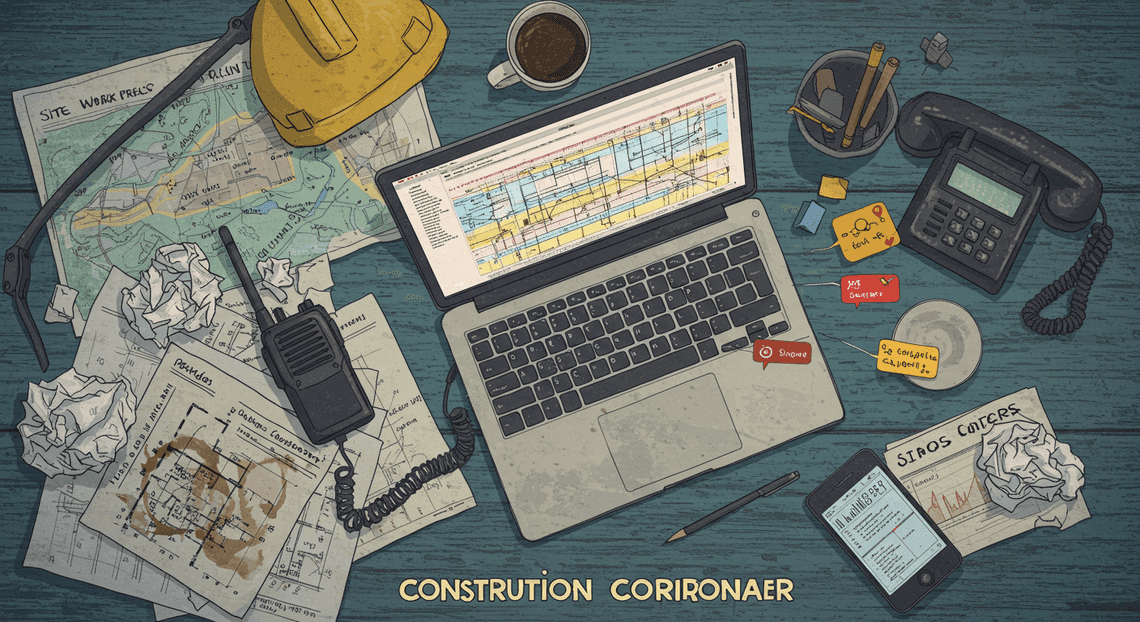
Their mind is a constantly churning database of variables:
-
Which crew has the certification for this specific task?
-
Is Unit 12 (the excavator) available, or is it still on the north side of the site?
-
Did the materials for the concrete pour arrive?
-
Which of the three “urgent” requests is the actual priority?
This manual juggling act is fraught with peril. A single missed text can lead to a crew sitting idle for hours. A misheard address over a crackling phone line sends a team to the wrong location, wasting fuel and time. Details are dropped, priorities are confused, and the coordinator spends their day putting out fires instead of proactively managing the project. The result is a system that breeds inefficiency and frustration, where every dispatch is a potential point of failure.
Why Phone Calls and Spreadsheets Are Bottlenecks
For decades, the phone and the spreadsheet have been the default tools for field coordination. While revolutionary in their time, in the modern, fast-paced work environment, they have become significant bottlenecks that hinder rather than help.
The Trouble with Phone Calls:
Phone calls are synchronous, demanding the immediate and undivided attention of both parties. This creates constant interruptions, breaking the coordinator’s focus and preventing them from tackling complex logistical planning. Furthermore, verbal communication is ephemeral. There is no searchable, persistent record of what was discussed, leading to “he said, she said” disputes and a lack of accountability. When the coordinator is on another call or temporarily unavailable, the entire information flow grinds to a halt, creating a single point of failure for the entire field operation.
The Limitations of Spreadsheets:
The master schedule, often a sprawling spreadsheet, is intended to be the single source of truth. In reality, it’s often a source of confusion. Version control is a chronic nightmare, with multiple copies (schedule_v4_final.xlsx, schedule_v5_final_JOHNS_EDITS.xlsx) circulating via email. The data is static; it’s outdated the moment a real-world event—like a weather delay or equipment failure—occurs. For field crews, accessing and interpreting a complex grid of cells on a mobile device under the bright sun is impractical at best and dangerous at worst. The spreadsheet shows what needs to be done, but it’s completely disconnected from the communication about the work, forcing teams to toggle between their schedule and their phone, hoping the two are in sync.
Introducing the Concept of a Chat-Based Superintendent
Imagine a different paradigm. What if we could take the repetitive, administrative, and error-prone tasks of coordination and embed them directly into the communication platform your teams already use? This is the core concept of the chat-based, or “digital,” superintendent.
This isn’t about replacing the invaluable experience and decision-making skills of a human superintendent. It’s about augmenting them. It’s about building an automated assistant that handles the logistical heavy lifting, freeing up the human expert to focus on what they do best: solving complex problems, ensuring quality, mentoring crews, and maintaining a safe work environment.
This digital superintendent lives inside a chat application like Google Chat and acts as a central, automated dispatcher.
-
It’s Centralized: All work requests, status updates, and confirmations happen in one structured, searchable place. No more hunting through texts, emails, and voicemails.
-
It’s Asynchronous: A crew lead can submit a request for materials or report a completed task via a simple chat command, without needing to interrupt the coordinator or wait for them to be free.
-
It’s Structured: Information is captured consistently every time. Instead of a vague text message, the system can prompt for required details like location, task number, and required equipment, eliminating ambiguity.
-
It’s a System of Record: Every interaction is automatically timestamped and logged, creating an unimpeachable audit trail of who requested what, when it was assigned, and when it was completed.
By shifting the coordination workload from a human’s memory and a static spreadsheet to an automated, chat-based workflow, we can begin to tame the chaos and build a more resilient, efficient, and transparent field operation.
The Blueprint: A No-Nonsense [Automated Job Creation in Real Time Jobber and Google Sheets Integration from Gmail](https://votuduc.com/Automated-Job-Creation-in-Jobber-from-Gmail-p115606) Workflow
At its core, Automated Quote Generation and Delivery System for Jobber is about identifying a repetitive, inefficient process and replacing it with a streamlined, reliable system. To build our digital superintendent, we first need to architect the workflow. This involves defining the problem with precision, conceptualizing the solution’s mechanics, and selecting the right tools for the job. This is the blueprint for turning conversational commands into structured, trackable work.
Core Problem: Inefficient Job Site Tasking
The modern construction site is a dynamic environment where tasks materialize in real-time. The conventional method for assigning these tasks is fundamentally broken. It relies on a fragile chain of communication:
-
Verbal Instructions: A project manager spots an issue, finds the relevant foreman, and gives a verbal command. This instruction is ephemeral, easily forgotten, misunderstood, or lost in the noise of the job site.
-
Text Messages & Phone Calls: While slightly better, this method scatters crucial information across individual devices. There is no central log, no easy way to track status, and it constantly interrupts the recipient’s workflow.
-
Lack of Traceability: When a task is missed, determining the point of failure is nearly impossible. Was the task communicated clearly? Was it acknowledged? Was it simply forgotten? Without a system of record, accountability is based on memory alone.
This ad-hoc process introduces significant operational drag. It creates delays, increases the risk of rework, and makes it difficult for management to get a clear, real-time picture of ground-level operations. The core problem is the conversion of an identified need into a formal, tracked task.
The Solution: A Chat-Driven Task Assignment Engine
The solution is to intercept task creation at the point of origin—the conversation—and inject it directly into a structured system. We will build a task assignment engine that lives inside the team’s primary communication tool, Google Chat.
The workflow operates on a simple, powerful principle: a structured command issued in a chat space triggers a series of automated actions.
- Initiation: A manager identifies a task on-site. Instead of making a phone call, they open a specific Google Chat space and type a slash command. For example:
/task @JaneDoe Secure perimeter fencing at grid A4 by 3 PM. Priority: High.
-
Processing: An Automated Work Order Processing for UPS platform, listening for this specific command in the designated space, immediately parses the message. It extracts key data points: the assignee (
@JaneDoe), the task description (Secure perimeter...), the deadline (3 PM), and the priority level (High). -
Record Creation: The automation engine then communicates with a backend database, creating a new, structured task record with all the extracted information. This record includes a unique ID, timestamp, creator, assignee, and status (defaulting to “New” or “Assigned”).
-
Confirmation & Notification: The system provides immediate feedback. A confirmation message is posted back to the Google Chat space, acknowledging that the task has been logged. Simultaneously, a direct notification (via chat, email, or a push notification) is sent to the assignee, Jane Doe, alerting her to the new task.
This chat-driven engine transforms a fleeting command into a durable, auditable piece of data. It eliminates ambiguity, provides instant confirmation, and establishes a clear chain of custody for every task.
The Tech Stack: Google Chat, Antigravity, and AI-Powered Invoice Processor
This workflow is brought to life by three distinct but interconnected components of the Google ecosystem, each playing a critical role.
-
Google Chat (The Frontend): This is the user interface for our entire system. It serves as the command-line interface for the job site. By leveraging a tool that teams already use for daily communication, we eliminate the need for new software training and ensure high adoption. Its support for bots and slash commands makes it the ideal entry point for our automation.
-
Antigravity (The Logic Layer): “Antigravity” represents the middleware or the automation engine that connects the frontend to the backend. In practice, this could be a sophisticated AI Powered Cover Letter Automation Engine project bound to the Chat space, a set of Google Cloud Functions triggered by webhooks, or a third-party integration platform (iPaaS). Its sole responsibilities are to:
-
Listen for and authenticate
/taskcommands from authorized users in Google Chat. -
Perform the natural language processing (NLP) or regex matching required to parse the command’s content.
-
Execute the business logic—making API calls to create the task record in the backend.
-
Handle feedback loops by sending confirmation and notification messages back through the Google Chat API.
-
AMA Patient Referral and Anesthesia Management System (The Backend & Mobile UI): This is our system of record and the structured interface for task management. Under the hood, a Google Sheet acts as the database—simple, accessible, and robust. AppSheetway Connect Suite sits on top of this sheet, transforming it into a full-fledged mobile application without writing a line of code. It provides:
-
A centralized database of all tasks, viewable by managers.
-
A user-friendly mobile app for field personnel to view their assigned tasks, update statuses (e.g., “In Progress,” “Completed”), and add supplementary information like photos of the finished work.
-
The formal record-keeping needed for reporting, analysis, and auditing.
Building the Automation Engine Step-by-Step
With the conceptual framework in place, we can now dive into the technical implementation. This section breaks down the construction of our automation engine into four distinct, manageable stages. Each step builds upon the last, culminating in a seamless workflow that transforms a simple chat message into a structured, actionable task. We’ll be connecting the user-facing simplicity of Google Chat with the backend power of a processing script, a Google Sheet database, and interactive response cards.
Step 1: Configuring the Google Chat API for Input
The Google Chat API is the front door to our entire system. It’s how our “Digital Superintendent” listens for commands from the field. Setting this up correctly is the foundational step for capturing user input.
-
Create a Google Cloud Project: All [Automatically create new folders in Google Drive, generate templates in new folders, fill out text automatically in new files, and save info in [Automated Web Scraping with [Multilingual Text-to-Speech Tool with SocialSheet Streamline Your Social Media Posting 123](https://votuduc.com/Multilingual-Text-to-Speech-Tool-with-Google-Workspace-p809282)](https://votuduc.com/Automated-Web-Scraping-with-Google-Sheets-p292968)](https://workspace.google.com/marketplace/app/auto_create_folder_and_files/430076014869) APIs are managed through Google Cloud. If you don’t have one already, create a new project in the Google Cloud Console. This project will house all the APIs, credentials, and services for this automation.
-
Enable the Google Chat API: Within your new project, navigate to the “APIs & Services” > “Library” section. Search for “Google Chat API” and enable it. This grants your project the ability to interact with Google Chat spaces and messages.
-
Configure the Chat App: In the Google Chat API configuration page, select the “Configuration” tab. This is where you define the identity of your bot:
-
App name: “Field Task Bot” or “Digital Superintendent”.
-
Avatar URL: A link to an image to serve as the bot’s profile picture.
-
Description: A brief explanation of what the bot does.
- **Set Up the Connection: The most critical part of this step is telling Google Chat where to send information when your bot is mentioned. Under the “Interactive features” section, enable interactivity and choose “App URL”. This URL must point to a publicly accessible endpoint capable of receiving POST requests. This is typically the trigger URL for a Google Cloud Function, an Apps Script web app, or your own custom server. This endpoint is the entry point to our processing logic, which we’ll cover in the next step.
When a user messages your bot (e.g., @DigitalSuperintendent /task ...), Google Chat sends a JSON payload to this App URL. A typical message event looks something like this:
{

"type": "MESSAGE",

"eventTime": "2023-10-27T10:00:00.123456Z",

"space": {

"name": "spaces/AAAA_xl-m2s",

"displayName": "Project Site A - Daily Log",

"type": "ROOM"

},

"message": {

"name": "spaces/AAAA_xl-m2s/messages/GFa2f5a.cAAAA",

"sender": {

"name": "users/12345678901234567890",

"displayName": "Jane Doe",

"email": "[email protected]"

},

"text": "/task Fix leaking pipe in Unit 402, high priority, needs plumbing team",

"createTime": "2023-10-27T10:00:00.054321Z"

},

"user": {

"name": "users/12345678901234567890",

"displayName": "Jane Doe",

"email": "[email protected]"

}

}
This payload contains everything we need: who sent the message, what they said, and where they said it.
Step 2: Leveraging Antigravity 2.0 to Process Commands
“Antigravity 2.0” is our codename for the core processing logic that acts as the brain of the operation. This is the service hosted at the “App URL” you configured in Step 1. For a robust and scalable solution, this is best implemented as a serverless function (e.g., Google Cloud Functions, AWS Lambda) written in a language like JSON-to-Video Automated Rendering Engine, Node.js, or Go.
The function’s sole purpose is to receive the JSON payload from Google Chat and execute a series of actions:
-
Receive and Validate: The function’s first job is to accept the incoming POST request from the Google Chat API and verify its authenticity (e.g., by checking a bearer token).
-
Parse the Command: This is where the magic happens. The script needs to parse the
message.textfield. A simple approach is to use string splitting or regular expressions to break the command into its constituent parts. For the command/task Fix leaking pipe in Unit 402, high priority, needs plumbing team, the logic would extract:
-
Command:
/task -
Description: “Fix leaking pipe in Unit 402”
-
Priority: “high”
-
Assignment: “plumbing team”
-
Enrich the Data: The script combines the parsed data with metadata from the JSON payload, such as
sender.displayName(Reported By) andspace.name(the source location for sending a reply). -
Structure for Database: Finally, the function assembles this information into a clean, structured object or dictionary, ready for the next step: writing it to our Google Sheet database. For example:
{ "description": "Fix...", "priority": "High", "assignedTo": "Plumbing Team", "reportedBy": "Jane Doe", "chatSpaceId": "spaces/AAAA_xl-m2s" }.
For more advanced use cases, this processing layer could incorporate Natural Language Processing (NLP) services like Google’s Dialogflow to understand more conversational requests, moving beyond rigid command structures.
Step 3: Structuring Your Task Database in Google Sheets
While not a traditional database, Google Sheets is an incredibly effective and accessible “source of truth” for this workflow. It’s easy to set up, easy for non-technical staff to view, and has a powerful API for programmatic access.
Your processing function from Step 2 will use the Google Sheets API to interact with this database. To prepare, create a new Google Sheet with a worksheet named “Tasks” and structure it with the following headers in the first row:
| TaskID | Status | Priority | Description | Location | AssignedTo | ReportedBy | TimestampCreated | TimestampCompleted | ChatSpaceID | ChatMessageID |
| :--- | :--- | :--- | :--- | :--- | :--- | :--- | :--- | :--- | :--- | :--- |
| | | | | | | | | | | |
Column Breakdown:
-
TaskID: A unique identifier. This can be generated by your script (e.g., a combination of timestamp and a random string).
-
Status: The current state of the task. It’s highly recommended to use Sheets’ “Data validation” feature on this column to create a dropdown list with controlled values like
New,In Progress,Blocked,Completed. -
Priority: The urgency, also a good candidate for a dropdown:
High,Medium,Low. -
Description, Location, AssignedTo, ReportedBy: These fields are populated directly from the parsed chat command.
-
TimestampCreated / Completed: Automatically generated timestamps to track task lifecycle.
-
ChatSpaceID / ChatMessageID: Crucial metadata for sending replies and updating messages back in the correct Google Chat space.
Your “Antigravity 2.0” function will authenticate with the Google Sheets API (ideally using a service account for security) and simply append a new row to this sheet with the structured data it prepared.
Step 4: Generating Actionable Task Cards with the OSD App Clinical Trial Management API
The final step is to close the loop and provide immediate, useful feedback to the user in Google Chat. A simple text response like “Task created” is functional, but a rich, interactive card is far more powerful. While AppSheet is fantastic for building a full-featured application on top of our Google Sheet, the direct generation of the response card is handled by the Google Chat API’s Card V2 format.
After your processing function successfully writes the new task to Google Sheets, it uses that same data to construct a JSON payload for a response card. This card confirms the task details and provides buttons for further interaction.
The card’s JSON structure defines its layout and content. Here is a simplified example of a card that could be generated:
{

"cardsV2": [

{

"cardId": "task-card-123",

"card": {

"header": {

"title": "New Task Created: TSK-1698325200",

"subtitle": "Reported by Jane Doe"

},

"sections": [

{

"widgets": [

{

"decoratedText": {

"topLabel": "Description",

"text": "Fix leaking pipe in Unit 402"

}

},

{

"decoratedText": {

"topLabel": "Priority",

"text": "High"

}

},

{

"decoratedText": {

"topLabel": "Assigned To",

"text": "Plumbing Team"

}

}

]

},

{

"widgets": [

{

"buttonList": {

"buttons": [

{

"text": "Acknowledge",

"onClick": {

"action": {

"function": "acknowledgeTask",

"parameters": [

{

"key": "taskId",

"value": "TSK-1698325200"

}

]

}

}

},

{

"text": "View in AppSheet",

"onClick": {

"openLink": {

"url": "https://www.appsheet.com/yourapp-link-here"

}

}

}

]

}

}

]

}

]

}

}

]

}
The processing function then sends this JSON payload in a POST request back to the Google Chat API, targeting the spaces/{space_id}/messages endpoint. The space_id is the ChatSpaceID we saved from the initial event.
The result is a professional, interactive card posted in the chat room, confirming the action and providing clear next steps, like a link to a full AppSheet interface for more detailed task management. This completes the automation cycle, turning a fleeting message into a persistent, trackable unit of work.
The System in Action: A Day on the Job Site
Theory is one thing, but the real test of any system is how it performs under the pressure of a live construction environment. Let’s walk through a typical morning to see how this integrated AC2F Streamline Your Google Drive Workflow solution transforms the chaotic flow of information into a streamlined, automated process. We’ll follow a digital-savvy superintendent, Sarah, as she orchestrates the day’s work from her site trailer.
Morning Briefing: Issuing Directives in Google Chat
The day begins at 6:00 AM. Instead of a flurry of individual text messages, scattered phone calls, and scribbled notes on a whiteboard, Sarah opens a dedicated Google Chat space named “Site-123 Daily Tasks”. This space includes her crew leads and, crucially, our custom-built TaskBot.
She types a series of clear, structured messages. The syntax is simple and intuitive, designed for a human to write but a machine to understand. Each message is a distinct directive.
@TaskBot assign "Install rebar for south-side foundation pour" to @ConcreteCrew at "Area B" by 12:00 PM

@TaskBot assign "Inspect and sign-off on plumbing rough-in" to @Mike_Foreman at "Building 3, 1st Floor" by 10:00 AM

@TaskBot log "Material delivery: 20 pallets of drywall arriving at 9:00 AM at the main gate."
This single action kicks off the entire workflow. The Chat space serves as a permanent, timestamped log of all directives issued. There’s no ambiguity about who was told to do what or when the instruction was given. It’s the single source of truth for the day’s plan.
The Bot Takes Over: Parsing and Assigning Work
The moment Sarah hits “Enter”, the TaskBot springs into action. Running on Genesis Engine AI Powered Content to Video Production Pipeline and triggered by new messages in the Chat space, the bot performs several key steps in milliseconds:
-
Receives the Payload: The bot ingests the full message content, including the sender (Sarah), the timestamp, and the text.
-
Parses the Command: It uses regular expressions to parse the structured command. It identifies the action verb (
assign,log), the task description (the text in quotes), the assignee (@ConcreteCrew), the location (Area B), and the deadline (12:00 PM). -
Interacts with the Backend: The bot connects to a central Google Sheet that acts as our project’s lightweight database. It creates a new row in the “Tasks” tab, populating columns for
TaskID,Description,AssignedTo,Location,DueDate,Status, andAssignedBy. TheStatusis automatically set to “New”. -
Provides Feedback: To close the loop and confirm receipt, the bot immediately posts a reply in the same Chat thread.
The Chat space now looks like this:
Sarah [6:01 AM]

@TaskBot assign "Inspect and sign-off on plumbing rough-in" to @Mike_Foreman at "Building 3, 1st Floor" by 10:00 AM

TaskBot [BOT] [6:01 AM]

✅ Task #T-481 created and assigned to @Mike_Foreman.
Within seconds, the directive has been parsed, stored in a structured database, and acknowledged. Sarah can continue issuing commands without breaking her flow, confident that the system is capturing everything.
Real-Time Field Updates and Progress Tracking in AppSheet
Out in the field, Mike, the plumbing foreman, doesn’t need to check Google Chat. Instead, he opens a custom AppSheet application on his company-issued tablet. This app is connected directly to the Google Sheet that TaskBot just updated.
On his home screen, he sees a new card under “My Tasks” for task #T-481. He taps on it to see the full details Sarah entered.
As his team completes the rough-in, Mike updates the task directly in the AppSheet app:
-
He changes the status from “New” to “In Progress”.
-
Once the work is done, he uses the tablet’s camera to take several photos of the completed installation, which are automatically attached to the task record.
-
He adds a quick note: “All pipes pressure tested and passed. Ready for inspection.”
-
Finally, he marks the status as “Complete”.
Every change he makes in the AppSheet app instantly updates the corresponding row in the master Google Sheet.
Back in the trailer, Sarah isn’t chasing Mike for an update. She has a dashboard view in her own version of the AppSheet app (or a Looker Studio dashboard connected to the same Sheet). She can see in real-time that task #T-481 has moved from “New” to “In Progress” and finally to “Complete”. She can even click into the task to view the photos Mike uploaded, providing immediate visual verification without ever leaving her desk. The communication loop is complete—fast, efficient, and fully documented.
The Payoff: Precision, Efficiency, and Control
Transitioning from traditional, analog field communication to an automated system built on Google Chat isn’t just a technological upgrade; it’s a fundamental shift in how a project is managed. The chaotic symphony of phone calls, text messages, and handwritten notes is replaced by a structured, data-rich environment. This move pays immediate dividends by introducing a new level of precision to communications, driving operational efficiency, and handing unprecedented control back to project leadership. Let’s break down these core benefits.
Eliminating Ambiguity with Clear Digital Records
On any active job site, ambiguity is the enemy of progress. Verbal instructions can be misheard, text messages get buried, and memories of a quick conversation are notoriously unreliable. This leads to rework, disputes, and costly delays.
By channeling field reporting through a Google Chat bot, you create an immutable, timestamped, and easily searchable digital ledger for every critical interaction.
-
Single Source of Truth: When a foreman reports the completion of a concrete pour via the Chat bot, that entry is logged instantly. There’s no debate about when the report was made or what it said. It becomes the official record.
-
Dispute Resolution: Imagine a subcontractor dispute over a change order notification. Instead of a “he said, she said” scenario, you can instantly pull the exact message, complete with the date and time it was sent and acknowledged. This transforms potential conflicts into simple, factual verifications.
-
Data Integrity for Analysis: This clean, structured data is invaluable. It forms a reliable foundation for post-project reviews, productivity analysis, and even legal documentation. You’re no longer relying on fragmented notes but on a comprehensive log of the project’s life.
Gaining Real-Time Visibility into Project Velocity
The traditional project status update is a lagging indicator. A superintendent might get a full picture at the end of the day or during a weekly meeting, long after a potential problem has started to fester. Automation provides a live, dynamic view of project velocity.
As updates flow from the field through Google Chat, they can simultaneously populate a central dashboard, a Google Sheet, or a project management tool. This means management is no longer flying blind between status meetings. You can see, moment by moment:
-
Task-Level Progress: Track the percentage completion for specific scopes of work as they happen.
-
Visual Verification: Foremen can attach photos of completed work directly in their Chat updates, providing immediate visual confirmation that standards are being met.
-
Early Warning System: The system can be configured to flag keywords like “issue,” “blocker,” or “inspection” to immediately alert relevant managers. A potential delay is no longer a surprise at the end of the day; it’s an actionable alert in real-time.
This continuous stream of information replaces the “fog of war” on the job site with a clear, data-driven picture, allowing for proactive adjustments instead of reactive fire-fighting.
Freeing Up Managers for High-Impact Decisions
Perhaps the most significant payoff is the liberation of your most valuable resource: the time and cognitive energy of your project managers and superintendents. When automation handles the relentless, low-value task of chasing down information and manually compiling reports, it fundamentally changes the manager’s role.
Instead of spending their day as information collectors, they are elevated to data-driven strategists.
-
From Chasing to Analyzing: A superintendent no longer needs to walk ten acres to ask five different foremen for a status update. They can glance at a live dashboard and spend their time analyzing the data to identify which crew is falling behind or where a bottleneck is likely to form tomorrow.
-
From Mediating to Mentoring: With digital records minimizing disputes, managers can focus their interpersonal skills on higher-value activities like mentoring junior staff, strengthening subcontractor relationships, and managing client expectations.
-
From Reporting to Planning: The time saved from manually building daily reports is now available for forward-looking activities—planning three steps ahead, optimizing resource allocation, and ensuring the project has the materials and manpower it needs for the coming week, not just the coming hour.
The Chat bot doesn’t replace the superintendent; it becomes their most reliable administrative assistant, a force multiplier that allows them to apply their experience and judgment where it matters most.
Build a More Scalable Operation
The true power of the Digital Superintendent isn’t just in solving today’s communication gaps; it’s in building a framework for tomorrow’s growth. Scalability in field operations means expanding your capacity—taking on more projects, managing larger teams, and covering wider territories—without a proportional increase in administrative overhead. When your core operational processes rely on manual check-ins, fragmented text messages, and delayed email reports, every new project adds a linear, and often exponential, layer of complexity.
By embedding an automated assistant directly into your team’s workflow via Google Chat, you replace these fragile, manual systems with a robust, consistent, and infinitely repeatable process. This digital backbone ensures that whether you have ten field agents or a thousand, the method for submitting a site report, requesting materials, or logging a safety observation remains identical. This standardization is the bedrock of a truly scalable operation, enabling faster onboarding, reducing human error, and providing leadership with a consistent, real-time data stream for strategic decision-making.
Recap The Power of an Automated Field Assistant
Throughout this exploration, we’ve seen how a simple Google Chat bot transforms from a mere messaging tool into a powerful operational hub. Let’s briefly revisit the core advantages:
-
Instantaneous Data Sync: Field observations, photos, and reports are instantly captured, processed, and stored in your designated cloud repository (like Google Drive and BigQuery), eliminating data entry lag and information silos.
-
Structured & Searchable Communication: Conversations become queryable data. Instead of scrolling through endless, unstructured text threads, you can instantly retrieve critical information, filter reports by project, or track progress against milestones.
-
Automated Workflows & Approvals: The assistant can trigger next steps automatically, such as notifying a procurement manager of a material request or escalating a safety issue to the appropriate supervisor, reducing decision-making latency.
-
Reduced Cognitive Load: Your superintendents and project managers are freed from the constant cycle of chasing updates. They can shift their focus from administrative firefighting to strategic oversight, confident that the system is capturing the necessary data.
Ready to scale your architecture? Book a GDE discovery call with Vo Tu Duc to audit your specific business needs.
The framework we’ve outlined provides a powerful blueprint, but every organization has unique workflows, legacy systems, and specific integration requirements. A generic solution can only take you so far. To unlock maximum efficiency and build a truly resilient system, you need an architecture tailored to your precise operational DNA.
This is where expert guidance becomes invaluable. Vo Tu Duc, a Google Developer Expert specializing in Google Cloud and Workspace automation, offers a complimentary discovery call to audit your current processes. In this session, you can move beyond the theoretical and discuss your specific challenges, from integrating with your existing ERP to designing custom data dashboards. The goal is to co-create a strategic roadmap for deploying a Digital Superintendent that not only solves your immediate pain points but also serves as a scalable foundation for future innovation.


Stop Doing Manual Work. Scale with AI.
Want to turn these blog concepts into production-ready reality for your team?
Table Of Contents
Portfolios
Related Posts
Quick Links
Legal Stuff