

Architecting Stateful Business Processes with GCP Workflows and Google Workspace


Integrating Google Cloud Platform’s robust infrastructure with Google Workspace’s collaborative tools often creates frustrating architectural friction. Discover how to bridge this gap and orchestrate seamless, automated business processes across your entire enterprise ecosystem.
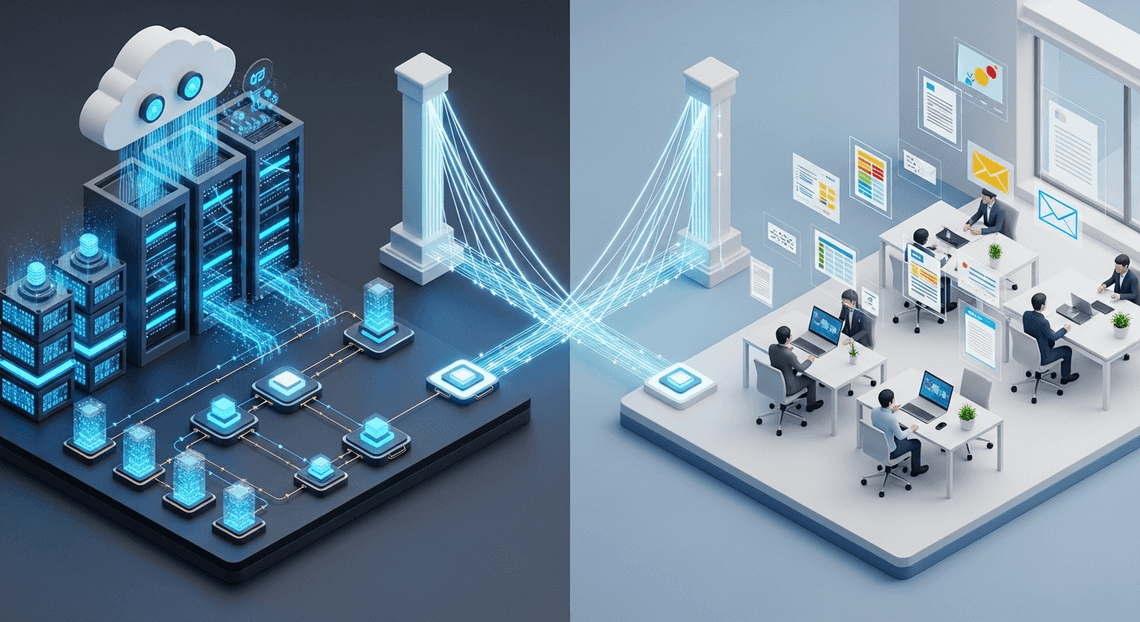
The Challenge of Cross Platform Business Processes
In today’s enterprise landscape, business processes rarely exist in a vacuum. A typical operational workflow might originate in a backend microservice, require human intervention via an email approval, log data into a shared spreadsheet, and finally trigger a data processing pipeline. For organizations leveraging Google’s ecosystem, this often means bridging the gap between the robust, scalable infrastructure of Google Cloud Platform (GCP) and the collaborative, user-centric environment of Automatically create new folders in Google Drive, generate templates in new folders, fill out text automatically in new files, and save info in Google Sheets.
While both platforms are exceptionally powerful on their own, orchestrating a seamless flow of data and control between them introduces significant architectural friction. Cloud engineers are tasked with unifying asynchronous human actions—like filling out a Google Form, modifying a Google Sheet, or approving a Google Doc—with the synchronous, high-throughput demands of cloud-native applications. This intersection of human-in-the-loop processes and automated cloud infrastructure creates a unique set of distributed systems challenges.
Managing Stateful Logic Across Cloud Environments
The most daunting hurdle in cross-platform orchestration is managing state. Unlike standard stateless microservices that execute a quick computation and immediately return a response, business processes are inherently stateful and often long-running. An employee onboarding workflow, for example, might need to provision a user in Cloud Identity, generate a customized welcome packet using the Google Docs API, email it via the Gmail API, and then pause execution for several days until the new hire responds.
Tracking the progress of these distributed transactions across GCP and Workspace is highly complex.
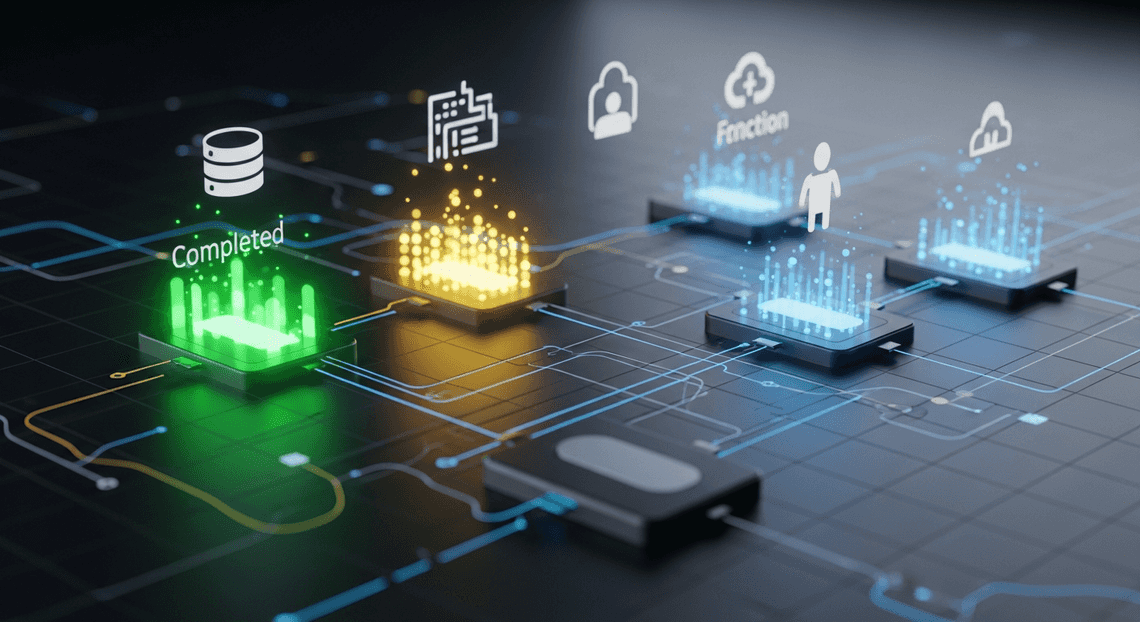
When stateful logic is scattered across different environments—partially living in Cloud Functions, partially in AI Powered Cover Letter Automation Engine, and partially tracked in a Cloud SQL database—the system becomes an opaque black box. Maintaining data consistency, execution context, and fault tolerance across these boundaries requires robust mechanisms for state persistence and execution tracking that standard stateless architectures simply do not provide.
The Limitations of Point to Point Integrations
Faced with the immediate need to connect GCP services to Workspace applications, development teams often default to the path of least resistance: point-to-point integrations. In this model, a Cloud Pub/Sub message might trigger a Cloud Function, which uses the Gmail API to send an email, which contains a link to an Apps Script web app, which in turn writes to a Google Sheet and makes a REST call back to a Cloud Run service.
While this approach might suffice for a quick proof-of-concept, it rapidly degrades into an architectural anti-pattern often referred to as “spaghetti integration.” Point-to-point architectures are tightly coupled and notoriously brittle. If a AC2F Streamline Your Google Drive Workflow API experiences a transient error, or if a downstream Cloud Run service is temporarily unavailable, the direct dependencies cause cascading failures across the entire business process.
Furthermore, point-to-point integrations lack centralized visibility and orchestration. When a workflow inevitably breaks, there is no single pane of glass to diagnose the issue. Developers are forced to stitch together fragmented logs across GCP Cloud Logging and Automated Client Onboarding with Google Forms and Google Drive. Admin audit trails just to figure out where the process stalled. As the business scales and workflows become more intricate, the maintenance overhead of these hardcoded, point-to-point connections becomes unsustainable, severely stifling agility and compounding technical debt.
Architectural Overview of GCP Workflows
At the heart of any modern, event-driven architecture lies the need for reliable orchestration. Google Cloud (GCP) Workflows is a fully managed, serverless orchestration engine designed to execute services in a defined order. Unlike choreography—where services react to events independently—orchestration centralizes the control flow, providing a single source of truth for the state and progress of a business process.
GCP Workflows acts as the connective tissue between disparate systems. It seamlessly integrates Google Cloud services, external third-party APIs, and human-centric applications like Automated Discount Code Management System. Because it is entirely serverless, it requires no infrastructure provisioning, scales automatically, and maintains the execution state under the hood, making it an ideal foundation for architecting complex, stateful business processes.
Core Concepts of Workflow Orchestration
To effectively leverage GCP Workflows, it is essential to understand the foundational building blocks that govern its execution and state management:
-
Steps and Execution Flow: Workflows are defined declaratively using YAML or JSON. A workflow is composed of a series of “steps.” By default, execution flows sequentially from one step to the next, but you can implement complex branching logic using conditional jumps (switch statements) and loops.
-
State Management and Variables: As a workflow progresses, it needs to maintain state. Variables are used to store data retrieved from API responses, manipulate payloads, and pass context between steps. This built-in statefulness eliminates the need for external databases just to track where a process left off.
-
HTTP Integrations and Native Connectors: Workflows can make standard HTTP requests to any publicly accessible endpoint, making it universally adaptable. Furthermore, it offers native connectors for many Google Cloud services (like Cloud Storage, Pub/Sub, and Cloud Functions). When interacting with Automated Email Journey with Google Sheets and Google Analytics APIs (such as Docs, Sheets, or Gmail), Workflows handles the complex OAuth 2.0 authentication flows natively via Google Cloud IAM.
-
**Callbacks (Wait for Event): This is arguably the most critical concept for stateful business processes. A callback allows a workflow to pause execution and wait for an external system or human to respond. For example, a workflow can generate a Google Doc, email a link to a manager for approval, and then suspend itself. It will only resume when the manager clicks an approval link that triggers the callback endpoint.
-
Resilience and Error Handling: Distributed systems are prone to transient failures. GCP Workflows provides robust error handling mechanisms, including
try/catchblocks, customizable retry policies, and exponential backoff, ensuring that temporary API limits or network blips do not derail a critical business process.
Evaluating GCP Workflows for Enterprise Use Cases
When enterprise architects design stateful business processes, they must evaluate tools against strict criteria: scalability, security, maintainability, and cost. GCP Workflows excels across these dimensions, particularly when bridging backend cloud infrastructure with Automated Google Slides Generation with Text Replacement.
1. Serverless Scalability and Zero Maintenance
Enterprises are increasingly moving away from managing orchestration infrastructure. Unlike Apache Airflow (Cloud Composer), which requires a constantly running cluster, GCP Workflows is entirely serverless. It scales from zero to thousands of concurrent executions instantly, meaning teams spend time designing business logic rather than patching servers.
2. Enterprise-Grade Security and Identity
Security is paramount when automating processes that touch sensitive business data in Automated Order Processing Wordpress to Gmail to Google Sheets to Jobber. GCP Workflows integrates deeply with Cloud IAM. Every workflow executes under a specific Service Account, enforcing the principle of least privilege. Furthermore, it supports VPC Service Controls, allowing enterprises to orchestrate internal APIs within a secure, private perimeter without exposing endpoints to the public internet.
3. Predictable and Efficient Cost Model
GCP Workflows operates on a pay-per-step pricing model. You are charged only for the steps executed, not for the time a workflow spends waiting. This is highly advantageous for stateful business processes that involve human-in-the-loop approvals. A workflow can wait days or weeks for a Automated Payment Transaction Ledger with Google Sheets and PayPal user to review a document, and you incur zero compute costs during that waiting period.
4. The Microservices and API Orchestration Sweet Spot
It is important to position GCP Workflows correctly within the enterprise toolkit. While Cloud Composer is the undisputed champion for heavy-duty data engineering and ETL pipelines, GCP Workflows is the superior choice for microservices orchestration and API integration. Its lightweight nature, sub-second startup times, and seamless ability to parse and pass JSON payloads make it the perfect engine for driving stateful, multi-step operations across Google Cloud and Google Docs to Web environments.
Designing the Integration Architecture
Bridging the gap between Google Cloud Platform (GCP) and SocialSheet Streamline Your Social Media Posting 123 requires a thoughtful architectural approach. GCP Workflows acts as the stateful, serverless orchestrator, maintaining the lifecycle of your business processes, while SocialSheet Streamline Your Social Media Posting serves as the human-in-the-loop interface where users interact with emails, documents, and spreadsheets. To build a resilient system, we must design an architecture that seamlessly routes data between these two environments using native APIs, custom scripting, and robust identity management.
Connecting GCP Workflows to Gmail and Drive REST APIs
GCP Workflows excels at orchestrating HTTP-based services. Because Speech-to-Text Transcription Tool with Google Workspace exposes comprehensive REST APIs, Workflows can interact with Workspace services directly via native HTTP callouts without requiring intermediary microservices.
When integrating with the Gmail API, Workflows can be configured to send automated notifications, parse incoming approval threads, or manage labels. For example, a workflow step can use an http.post call to the gmail.users.messages.send endpoint to dispatch an approval request. Because Workflows maintains state, it can pause execution using callbacks, waiting for a user to reply to that specific Gmail thread before resuming the process.
Similarly, the Google Drive API allows Workflows to manage the lifecycle of business artifacts. A typical architectural pattern involves Workflows dynamically creating folder structures for new client onboarding, uploading generated contracts, and modifying file permissions via the drive.files.create and drive.permissions.create endpoints.
A major advantage of using GCP Workflows for these REST integrations is its built-in error handling. Workspace APIs enforce strict quota limits. Workflows allows you to declaratively implement exponential backoff and retry policies directly in your YAML or JSON definition, ensuring that transient 429 Too Many Requests errors from Drive or Gmail do not cause your stateful business process to fail.
Leveraging Apps Script for Custom Workspace Logic
While the Workspace REST APIs are powerful for atomic operations, they can become cumbersome when executing complex, multi-step manipulations within a specific document or spreadsheet. This is where Genesis Engine AI Powered Content to Video Production Pipeline becomes a critical architectural component.
Instead of making dozens of REST calls from Workflows to format a Google Sheet or generate a complex Google Doc from a template, you can encapsulate that bespoke logic within an Apps Script project. Workflows can then trigger this logic by calling the Apps Script API (scripts.run).
In this architecture, Apps Script acts as a serverless execution environment specifically tailored for Workspace DOM manipulation. For instance, if your business process requires aggregating data from a BigQuery job, formatting it into a pivot table, and generating a PDF report, Workflows can orchestrate the BigQuery extraction and then pass the resulting data payload to an Apps Script function. The Apps Script function handles the heavy lifting of the Sheets manipulation and PDF generation, returning the final Drive File ID back to Workflows. This separation of concerns keeps your Workflows definitions clean and delegates Workspace-native rendering to the tool best suited for the job.
Establishing Secure Authentication and IAM Roles
The linchpin of this cross-platform architecture is security. GCP operates on Service Accounts, while Google Workspace operates on human user identities. Bridging this identity gap securely requires a precise configuration of Identity and Access Management (IAM) and OAuth 2.0.
To allow GCP Workflows to interact with Workspace APIs, you must attach a dedicated Service Account to the workflow. Within the Workflows HTTP callout definition, you utilize the native auth block to generate OAuth 2.0 tokens dynamically.
However, Service Accounts cannot natively access a user’s Gmail inbox or Drive files without explicit permission. To solve this, the architecture relies on Domain-Wide Delegation (DwD).
-
The Service Account is granted a specific Client ID.
-
A Workspace Super Admin configures DwD in the Google Workspace Admin Console, authorizing that Client ID to access strictly defined OAuth scopes (e.g.,
https://www.googleapis.com/auth/gmail.send). -
Within the Workflows HTTP step, the
authblock is configured to impersonate a specific Workspace user (e.g.,[email protected]).
Furthermore, strict IAM roles must be enforced on the GCP side. The Service Account executing the workflow requires the roles/iam.serviceAccountTokenCreator role to perform the impersonation. By adhering to the principle of least privilege—restricting the Service Account to specific workflows, limiting the OAuth scopes in the Admin Console, and isolating the impersonated Workspace user—you ensure that your stateful business processes are both highly automated and cryptographically secure.
Building a Multi Step Business Process
When architecting business processes that span across Google Cloud and Google Workspace, orchestration is the linchpin of success. A multi-step process is rarely just a linear sequence of API calls; it is a state machine that must reliably transition from one phase to the next. Whether you are automating employee onboarding, orchestrating document approvals, or generating dynamic reports, Google Cloud Workflows provides a serverless execution engine designed to stitch disparate APIs into a cohesive, stateful journey.
Defining Workflow Steps and State Management
In Google Cloud Workflows, your business logic is defined as a series of discrete steps using YAML or JSON. Each step represents a specific operation—such as generating a Google Doc from a template, sending an email via the Gmail API, or invoking a Cloud Function to process data.
State management is handled natively by declaring variables and passing them between these steps. Because Workflows is stateful by design, it maintains the execution context throughout the lifecycle of the process. For example, if your first step creates a new file in Google Workspace, it can assign the resulting documentId to a variable. Subsequent steps can then reference this state to update sharing permissions via the Google Drive API or email the link to a specific user.
Here is an example of how state is defined and passed between steps:
main:

steps:

- init_variables:

assign:

- workspace_domain: "example.com"

- template_id: "1A2B3C4D5E6F7G8H9I"

- create_document:

call: http.post

args:

url: https://docs.googleapis.com/v1/documents

auth:

type: OAuth2

body:

title: "New Onboarding Document"

result: doc_response

- extract_doc_id:

assign:

- new_doc_id: ${doc_response.body.documentId}

- share_document:

call: http.post

args:

url: ${"https://www.googleapis.com/drive/v3/files/" + new_doc_id + "/permissions"}

auth:

type: OAuth2

body:

role: "writer"

type: "domain"

domain: ${workspace_domain}
For long-running business processes—such as waiting for a manager’s approval via a Google Form or an email click—Workflows supports callbacks. This powerful feature allows the workflow to pause execution, persist its current state in memory, and resume only when an external HTTP request triggers the callback endpoint, ensuring you aren’t paying for idle compute time while waiting for human interaction.
Implementing Resilient Error Handling and Retries
Distributed systems are inherently prone to transient failures, and interacting with Google Workspace APIs is no exception. At scale, you will inevitably encounter rate limits (such as HTTP 429 Too Many Requests) or temporary service unavailability (HTTP 500/503). A robust cloud architecture must anticipate and gracefully handle these hiccups without failing the entire business process.
GCP Workflows offers native, granular control over error handling. By utilizing try/except blocks, you can catch specific HTTP status codes and execute fallback logic. For instance, if a step fails to create a Google Calendar event, the except block can route the workflow to send a notification to an administrator via Google Chat.
More importantly, Workflows allows you to define custom retry policies. Instead of failing immediately on a quota error, you can configure exponential backoff, instructing the workflow engine to wait and retry the API call automatically.
- robust_workspace_api_call:

try:

call: http.get

args:

url: https://www.googleapis.com/admin/directory/v1/users

auth:

type: OAuth2

result: directory_response

retry:

predicate: ${http.default_retry_predicate}

max_retries: 5

backoff:

initial_delay: 2

max_delay: 60

multiplier: 2

except:

as: e

steps:

- handle_failure:

call: sys.log

args:

text: ${"Failed to fetch users. Error: " + e.message}

severity: ERROR

- fail_workflow:

raise: ${e}
Monitoring and Auditing Execution Logs
Once your stateful process is deployed, observability becomes critical. You need to know exactly where a workflow is in its lifecycle, especially if it involves sensitive Workspace operations like modifying document permissions, provisioning user accounts, or sending external communications.
GCP Workflows integrates seamlessly with Google Cloud Logging. By default, you can enable call logging to automatically capture the inputs and outputs of every step. However, for true business-level auditing, you should leverage the sys.log standard library function.
Using sys.log, you can emit structured JSON logs at critical state transitions. This allows you to translate technical API executions into readable business events.
- log_business_event:

call: sys.log

args:

json:

event: "Document_Shared"

documentId: ${new_doc_id}

targetDomain: ${workspace_domain}

status: "SUCCESS"

severity: INFO
Emitting structured logs provides a clear, auditable trail. These logs can be queried in the Logs Explorer using standard SQL-like syntax, used to trigger log-based alerts in Cloud Monitoring, or exported via log sinks to BigQuery for long-term compliance auditing and business intelligence reporting. Furthermore, the Google Cloud Console provides a visual execution history for Workflows, allowing engineers to inspect the exact state, variables, and step durations of historical runs, drastically reducing the mean time to resolution (MTTR) when debugging complex orchestrations.
Scaling Your Workflow Architecture
Designing a stateful business process that works perfectly for a dozen executions a day is a great milestone. However, when that same process needs to handle thousands of concurrent executions—spanning across Google Cloud Platform (GCP) and Google Workspace—the architectural paradigm shifts. While GCP Workflows is inherently serverless and scales automatically to meet demand, Google Workspace APIs (like Gmail, Drive, Docs, and Sheets) are bound by strict rate limits and user quotas.
To achieve true enterprise scale, your architecture must gracefully bridge the infinite scalability of Google Cloud with the finite, human-centric constraints of Google Workspace.
Best Practices for High Throughput Processes
When engineering high-throughput workflows that interact with Workspace APIs, a defensive, highly optimized approach is required. Here are the core best practices to ensure your stateful processes remain resilient, performant, and cost-effective at scale:
-
Master Retry Policies and Exponential Backoff: Google Workspace APIs will inevitably return
HTTP 429 (Too Many Requests)errors during sudden spikes in traffic. GCP Workflows has built-in support for custom retry policies. Instead of failing the entire state machine, configure your HTTP call steps with exponential backoff. This allows the workflow to pause and retry the Workspace API call dynamically without losing the current state. -
Leverage Callbacks for Human-in-the-Loop (HITL) Steps: Stateful business processes often require human intervention, such as a manager approving a document via Gmail or Google Chat. Never use polling mechanisms to wait for these actions. Instead, utilize GCP Workflows’ Callback endpoints. A workflow can generate a unique callback URL, send it to the user via a Workspace integration, and suspend itself. The workflow consumes zero compute resources while waiting, and instantly resumes execution the moment the user clicks the approval link.
-
Batch Your Workspace API Operations: Chatting with the Google Sheets or Google Docs API row-by-row or paragraph-by-paragraph is a fast track to quota exhaustion. Always use
batchUpdatemethods. By aggregating multiple modifications into a single API payload within your workflow, you drastically reduce network latency and preserve your Workspace API quotas for other critical processes. -
Implement Parallel Execution (Fan-Out/Fan-In): If your workflow needs to provision a Google Drive folder, generate a Google Doc from a template, and update a Google Sheet simultaneously, do not execute these sequentially. Use the
parallelstep in GCP Workflows to fan-out these independent tasks. This drastically reduces the overall execution time of the workflow and improves the end-user experience. -
Externalize Long-Term State to Firestore: While GCP Workflows is excellent at maintaining state during active execution (up to one year), highly complex or globally shared state should be mirrored in a fast, NoSQL database like Cloud Firestore. This allows external dashboards, microservices, or Workspace Add-ons to query the real-time status of a business process without needing to interrogate the Workflows API directly.
Audit Your Business Needs with a GDE Discovery Call
Reading about best practices is one thing; architecting them to fit the nuanced realities of your specific organization is another. Every enterprise has unique compliance requirements, legacy systems, and internal processes that dictate how Google Cloud and Google Workspace should interact.
If you are planning to migrate critical business operations to this architecture, or if your current workflows are hitting performance bottlenecks, it is time to bring in expert guidance. Booking a discovery call with a Google Developer Expert (GDE) in Cloud and Workspace can save your engineering team weeks of trial and error.
During a GDE discovery call, we will typically:
-
Map Your Architecture: Review your current stateful processes and identify exactly where GCP Workflows can replace fragile, legacy orchestration.
-
Analyze Quota and Throughput: Evaluate your anticipated volume against Google Workspace API limits and design custom batching or queueing strategies (like integrating Cloud Tasks) to prevent throttling.
-
Review Security and IAM: Ensure that your service accounts, OAuth scopes, and Domain-Wide Delegation are configured with the principle of least privilege, keeping your Workspace data secure.
-
Build an Actionable Roadmap: Walk away with a concrete, phased architectural plan to build, test, and deploy your scalable workflow solution.
Scaling stateful processes doesn’t have to be a guessing game. By aligning your business needs with proven cloud engineering patterns, you can build automated systems that are as robust as they are scalable.


Stop Doing Manual Work. Scale with AI.
Want to turn these blog concepts into production-ready reality for your team?
Table Of Contents
Portfolios
Related Posts
Quick Links
Legal Stuff