

Building a PLC Config Audit Bot in Google Chat with Gemini


You trust your Git repository as the “golden image” for your PLC configurations, but a silent threat known as configuration drift means the reality on the factory floor could be dangerously out of sync.
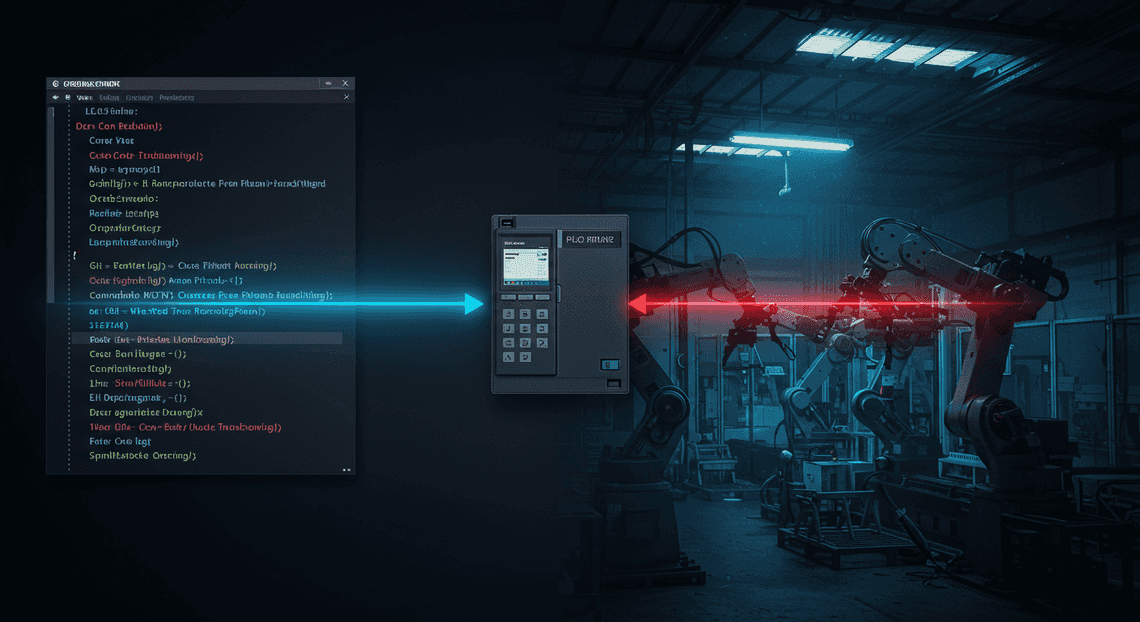
The Silent Threat of PLC Configuration Drift in Industrial [Automated Job Creation in Real Time Jobber and Google Sheets Integration from Gmail](https://votuduc.com/Automated-Job-Creation-in-Jobber-from-Gmail-p115606)
In the world of industrial Automated Quote Generation and Delivery System for Jobber, the factory floor is a symphony of precision. Robots, conveyors, and sensors operate in perfect concert, orchestrated by Programmable Logic Controllers (PLCs). For a Site Reliability Engineer (SRE), this environment represents the ultimate stateful system, where uptime is measured in physical output and downtime costs are astronomical. We place immense trust in our version-controlled, peer-reviewed PLC configurations stored neatly in a Git repository. This repository is our source of truth, our “golden image.” But what happens when the truth on the factory floor silently diverges from the truth in our code? This divergence is known as configuration drift, and it’s one of the most insidious threats to industrial reliability.

Defining Configuration Drift and Its Impact on SREs
Configuration drift is the unrecorded, unauthorized, or untracked alteration of a system’s configuration, leading to a discrepancy between the live production environment and the documented source of truth. In the context of PLCs, this could be a maintenance technician manually overriding a timer value on the HMI to clear a jam, an emergency hotfix applied directly to a controller at 3 AM that never gets committed back to the repository, or even a firmware update that silently changes a default network parameter.
For an SRE, whose primary directive is to maintain reliability and operational excellence, drift is a nightmare. Its impact is felt across every core principle of the discipline:
-
Increased MTTR (Mean Time to Recovery): When a drifted system fails, the playbook is useless. Engineers waste critical time troubleshooting a system that no longer matches its own documentation. The
git logtells one story, while the PLC’s memory tells another. This ambiguity turns a 15-minute fix into a multi-hour forensic investigation. -
Erosion of Reliability and Predictability: The entire purpose of Infrastructure as Code (IaC) and version control is to create predictable, repeatable systems. Drift reintroduces manual, ad-hoc changes, making the system’s behavior unpredictable. A change that worked perfectly in staging can fail catastrophically in production because of a single, undocumented parameter tweak on the live PLC.
-
Security and Compliance Breaches: An unauthorized change could involve disabling a firewall rule on a PLC’s network interface or changing a user’s permissions, opening a critical vulnerability in the OT (Operational Technology) network. For regulated industries, this drift is a direct compliance violation, leading to failed audits and hefty fines.
-
The “Golden Signals” Become Unreliable: How can you trust your metrics for latency, traffic, errors, and saturation if the underlying configuration is a black box? An unexplained spike in motor errors might not be a code bug, but the result of a technician lowering a torque limit a week ago to compensate for a mechanical issue. Drift pollutes your observability data.
Why Manual Audits and Traditional Git Workflows Fall Short
The conventional wisdom for combating drift often involves two approaches: periodic manual audits and strict adherence to Git workflows. Unfortunately, both methods are fundamentally flawed in the high-stakes, high-pressure environment of industrial Automated Work Order Processing for UPS.
Manual Audits are the equivalent of taking a single photograph of a moving train.
-
They Don’t Scale: Manually connecting to hundreds or thousands of PLCs, extracting their configurations, and performing a line-by-line comparison is an impossibly tedious and error-prone task.
-
They Are Infrequent: Audits are typically performed quarterly or annually. Drift can occur minutes after an audit is completed, leaving a massive window of vulnerability. By the time the next audit detects the change, its origin and purpose are long forgotten.
-
They Are Prone to Human Error: The sheer monotony of comparing massive ladder logic or structured text files guarantees that subtle but critical changes will be missed.
Traditional Git Workflows, while essential, are only half of the equation. They represent a one-way street of good intentions.
-
**The “Last Mile” Problem: Git is a phenomenal tool for managing the intended state. It has zero visibility into the actual running state of the hardware on the factory floor. The workflow breaks down at the physical interface.
-
They Rely on Perfect Human Discipline: A GitOps workflow assumes that every single person, under any circumstance, will follow the process: clone, branch, change, commit, push, merge request. This assumption shatters during a high-pressure outage where the immediate goal is to get the line moving again, not to perfect a commit message. The “I’ll commit it later” promise is the birthplace of configuration drift.
-
They Create a False Sense of Security: An SRE team can look at their pristine
mainbranch, see a history of peer-reviewed and CI-validated commits, and believe the system is in a known-good state. This provides a dangerous illusion of control while the physical reality has already drifted far from this ideal.
Introducing a ChatOps Solution: An AI-Powered Audit Bot
To truly solve this problem, we need to close the loop. We need an automated, intelligent system that bridges the gap between the source of truth in Git and the physical reality on the factory floor. This is where a ChatOps-driven solution comes in—specifically, an AI-powered audit bot integrated into our daily communication tools like Google Chat.
The concept is simple yet powerful:
-
Automated Polling: The bot continuously and automatically connects to the fleet of PLCs, fetching their current, live configurations.
-
Continuous Verification: It then compares this live state against the configuration stored in the
mainbranch of your Git repository—the designated source of truth. -
**AI-Powered Analysis: This is the game-changer. Instead of just dumping a raw, overwhelming
diffinto a chat channel, the bot leverages a Large Language Model (LLM) like Gemini. It analyzes the changes and provides a concise, human-readable summary. It can identify the intent behind a change (e.g., “This change increases the timeout for Sensor B4, likely to prevent nuisance trips”) and assess its potential impact (“WARNING: This change disables a critical safety interlock on the main press”). -
Real-time, Actionable Alerts: When drift is detected, the bot immediately sends a notification to the designated Google Chat space. This alert contains the raw diff, the AI-generated summary, and links to the relevant PLC and commit hash.
This approach transforms drift from a silent, insidious threat into a transparent, real-time, and actionable event. It moves the audit process from a periodic, manual chore to a continuous, automated background task. By integrating this intelligence directly into the team’s chat client, we empower engineers to detect, understand, and remediate configuration drift in minutes, not months.
System Architecture: A High-Level Overview
Before we start wiring up APIs and writing JSON-to-Video Automated Rendering Engine scripts, let’s zoom out and look at the blueprint for our system. A solid architecture is the foundation of a reliable and scalable tool. Our design philosophy is simple: leverage managed services where possible, create a clear and auditable data flow, and decouple components to make the system resilient.
At its core, our bot is an event-driven system that connects three major services. Think of it as a relay race: Google Chat starts the race by handing a file to our server, the server passes the critical data to Gemini for the main event, and finally, the server brings the results back to the finish line in Chat, storing a permanent record along the way.
Core Components: Google Chat, Workspace, MCP Server, and Gemini
Our architecture is built upon four key pillars, each with a distinct and vital role.
-
Google Chat & Workspace: This is our user interface (UI) and interaction layer. Users will interact with the bot directly within a Google Chat space. The bot itself is a “Google Chat App” registered within the [Automatically create new folders in Google Drive, generate templates in new folders, fill out text automatically in new files, and save info in [Automated Web Scraping with [Multilingual Text-to-Speech Tool with SocialSheet Streamline Your Social Media Posting 123](https://votuduc.com/Multilingual-Text-to-Speech-Tool-with-Google-Workspace-p809282)](https://votuduc.com/Automated-Web-Scraping-with-Google-Sheets-p292968)](https://workspace.google.com/marketplace/app/auto_create_folder_and_files/430076014869) environment. Workspace handles the crucial aspects of user identity, authentication, and provides the API hooks that allow our bot to receive messages and files.
-
Middleware and Control Plane (MCP) Server: This is the central nervous system of our operation. It’s a custom application (which we’ll build using a framework like Flask or FastAPI) running on a service like Google Cloud Run. It doesn’t perform the audit itself; instead, it orchestrates the entire process. Its responsibilities include:
-
Listening for webhook events from the Google Chat API.
-
Securely downloading the PLC configuration file uploaded by the user.
-
Managing the data flow between services.
-
Constructing the precise, context-rich prompts for the AI model.
-
Posting status updates and final reports back to the user in Google Chat.
-
Gemini API: This is the intelligence engine. We leverage one of Google’s powerful Gemini models through its API to perform the heavy lifting of the configuration audit. The MCP server will send it the relevant PLC configuration data along with a carefully engineered prompt that contains the audit rules and desired output format. Gemini’s role is to analyze the data against the rules and return a structured, machine-readable report of its findings.
-
Google Cloud Storage (GCS): This is our system’s persistent memory and our single source of truth. It’s much more than just a file drop. We use it to store both the original, unmodified PLC configuration files and the detailed audit reports generated by Gemini. This creates an immutable audit trail and decouples our data storage from our application logic.
Data Flow: From File Upload in Chat to Audit Report in GCS
Understanding the journey of a single file from a user’s desktop to a completed audit report is the best way to grasp how these components work together.
-
Initiation: A user drags and drops a PLC configuration file (e.g.,
Project_Main_v1.L5X) into a Google Chat space where the Audit Bot is a member and mentions the bot (e.g.,@PLC-Audit-Bot audit this file). -
Webhook Event: Google Chat recognizes the mention and file upload. It fires a webhook, sending a JSON payload to a predefined HTTPS endpoint on our MCP Server. This payload contains metadata about the message, the user, and, most importantly, a temporary, authenticated download URL for the attached file.
-
Secure Ingestion: The MCP Server receives the webhook, validates the request, and uses the temporary URL to download the PLC file directly into its memory or a temporary local volume.
-
Persistence (Upload): The first action the MCP server takes with the file is to upload it to a designated “uploads” bucket in Google Cloud Storage. The file is typically named using a unique identifier or a combination of the original filename and a timestamp (e.g.,
uploads/2023-10-27T10:00:00Z-Project_Main_v1.L5X). This ensures we have a pristine copy of what was submitted before any processing occurs. -
AI Prompting: The server preprocesses the file content. For an
.L5Xfile, this might involve parsing the XML to extract specific sections like controller logic, I/O configuration, or safety tasks. It then constructs a detailed prompt for the Gemini API, bundling the extracted data with the audit criteria. -
Analysis via Gemini: The MCP Server makes a secure API call to the Gemini API, sending the prepared prompt. Gemini processes the request, running the configuration data against the rules defined in the prompt.
-
Report Generation: Gemini returns a structured response, typically in JSON or Markdown format, detailing its findings. This response includes identified issues, severity levels, and recommendations for remediation.
-
Persistence (Report): The MCP Server receives the raw report from Gemini and immediately saves it to a “reports” bucket in GCS, linking it to the original upload (e.g.,
reports/2023-10-27T10:00:00Z-Project_Main_v1.json). This is now the official, immutable record of the audit. -
User Notification: Finally, the MCP Server formats a user-friendly summary of the audit report. It then uses the Google Chat API to post this summary as a reply in the original message thread, often including a secure link to the full report stored in GCS. The loop is now complete.
The Role of Google Cloud Storage as the Single Source of Truth
It’s tempting to think of GCS as just a hard drive in the cloud, but in this architecture, its role is far more strategic. We treat GCS as the single source of truth for our entire audit process.
-
Auditability and Compliance: Chat messages can be deleted, and server logs can be ephemeral. The objects in our GCS buckets are the permanent, unchangeable record. By storing both the input file and the output report, we create a complete, verifiable audit trail. We can prove exactly what file was submitted at a specific time and what the resulting analysis was. Enabling GCS Object Versioning adds another layer of protection against accidental deletion or modification.
-
Decoupling and Statelessness: Our MCP Server doesn’t need to worry about long-term file storage. It processes a request and then can essentially forget about it. This allows us to build the server as a stateless application, which is a fundamental principle for creating scalable and resilient systems (e.g., running on Cloud Run, where instances can be spun up or down on demand). If a server instance crashes mid-process, the data isn’t lost, and another instance can potentially resume the job.
-
Centralized Data Hub: By centralizing our data in GCS, we avoid data silos. The official audit report doesn’t live in a chat message or on a server’s disk; it lives in GCS. This means other systems—a future web-based dashboard, a long-term analytics pipeline, or a security alert system—can all access the same, definitive data without having to query the Chat API or the MCP server.
-
Granular Security: We use Google Cloud’s Identity and Access Management (IAM) to enforce strict permissions on our GCS buckets. The MCP server’s service account can be granted the precise permissions it needs (e.g.,
storage.objects.createandstorage.objects.get), while human access can be restricted to read-only for auditors or completely locked down, ensuring data integrity.
Step 1 Building the Google Chat Bot Frontend
The “frontend” of our Google Chat bot isn’t a traditional web UI; it’s the bot’s presence and interaction model within the Google Chat ecosystem itself. This step involves configuring the bot in Google Cloud, defining how it receives data like file uploads, and designing the user interface—in this case, interactive cards—that users will see. Think of this as building the storefront before stocking the shelves.
Setting Up Your Workspace & GCP Server for Chat Integration
Before our bot can interact with users, we need to register it with AC2F Streamline Your Google Drive Workflow and establish a secure communication channel. This is done through a Google Cloud Platform (GCP) project.
- Enable the Google Chat API:
Navigate to the Google Cloud Console for your project. In the search bar, find and enter the “API Library”. Search for “Google Chat API” and enable it. This action provisions the necessary permissions and endpoints for your project to interact with the Chat service.
- Configure the Chat App:
Once enabled, go to the Google Chat API configuration page. Here, you’ll define your bot’s identity.
-
App Name: Choose a clear and descriptive name, like “PLC Config Auditor”.
-
Avatar URL: Provide a publicly accessible URL to a square image (e.g., a company logo or a relevant icon). This small detail significantly improves the user’s perception of the bot’s legitimacy.
-
Description: A brief summary of the bot’s purpose, such as “Audits PLC configuration files for security vulnerabilities and best practices using AI.”
- Define Functionality and Connection:
Under the “Functionality” section, enable “Receive 1:1 messages” as this is our primary interaction model.
The most critical part is the “Connection settings”. You must provide an App URL. This is the publicly accessible HTTPS endpoint where Google Chat will send all events (like messages and file uploads) related to your bot.
Your App URL: https://your-backend-service-url.a.run.app
This endpoint will be the entry point to our backend logic (which we’ll build in the next step). For now, you can use a placeholder, but this will eventually point to a Cloud Run service, Cloud Function, or any other server capable of processing POST requests. Google secures this communication by sending a JSON Web Token (JWT) in the Authorization header of every request, which your backend must validate.
Handling File Upload Events via the Google Chat API
Our bot’s core function begins when a user uploads a PLC configuration file (e.g., an .L5X file). Google Chat encapsulates this action into a MESSAGE event and sends a detailed JSON payload to the App URL you configured.
When a user uploads a file and sends it to the bot, the payload your server receives will look something like this:
{

"type": "MESSAGE",

"eventTime": "2023-11-20T21:31:01.129338Z",

"space": {

"name": "spaces/AAAAAAAAAAA",

"type": "DM"

},

"user": {

"name": "users/12345678901234567890",

"displayName": "Jane Doe",

"type": "HUMAN"

},

"message": {

"name": "spaces/AAAAAAAAAAA/messages/BBBBBBBBBBB.BBBBBBBBBBB",

"sender": {

"name": "users/12345678901234567890",

"displayName": "Jane Doe",

"type": "HUMAN"

},

"createTime": "2023-11-20T21:31:01.129338Z",

"text": "Please audit this file.",

"attachment": [

{

"name": "spaces/AAAAAAAAAAA/messages/BBBBBBBBBBB.BBBBBBBBBBB/attachments/CCCCCCCCCCC",

"contentName": "FactoryFloor_Line3_Config.L5X",

"contentType": "application/xml",

"attachmentDataRef": {

"resourceName": "//chat.googleapis.com/v1/media/...",

"attachmentUploadToken": "..."

},

"downloadUri": "https://chat.googleapis.com/v1/media/...?token=..."

}

]

}

}
Your backend’s first job is to parse this JSON. The key object is message.attachment. It’s an array, as users can upload multiple files, but for our use case, we’ll focus on the first element.
The two most important fields within the attachment object are:
-
contentName: The original filename provided by the user. We’ll use this for user-facing messages. -
downloadUri: A temporary, authenticated URL. Your backend service will make a GET request to this URI to fetch the actual file content for analysis.
The workflow is straightforward:
-
Receive the
MESSAGEevent POST request from Google Chat. -
Validate the authorization token.
-
Parse the JSON body to locate the
message.attachment[0].downloadUri. -
Use an HTTP client in your backend code to download the file from this URI.
-
Pass the downloaded file content to the Gemini analysis service.
Designing Interactive Cards for User Feedback and Results
A simple text response is functional, but it lacks clarity and professionalism. Google Chat’s Card V2 format allows us to create rich, widget-based responses that are far more effective for presenting structured data like an audit report.
We will design two primary cards: one for providing immediate feedback and another for displaying the final results.
1. The “Processing” Card
As soon as the file is received, the bot should acknowledge it and inform the user that the audit is underway. This prevents the user from wondering if the bot is broken. We can do this by sending a card with a loading indicator.
Here is the JSON for a clean, effective “in-progress” card:
{

"cardsV2": [

{

"cardId": "processing-card",

"card": {

"header": {

"title": "PLC Audit in Progress",

"subtitle": "Your request is being processed.",

"imageUrl": "https://www.gstatic.com/images/icons/material/system/2x/update_gm_blue_48dp.png",

"imageType": "CIRCLE"

},

"sections": [

{

"widgets": [

{

"decoratedText": {

"startIcon": {

"knownIcon": "CLOCK"

},

"text": "Please wait a moment while I analyze your file: <b>FactoryFloor_Line3_Config.L5X</b>. This can take up to a minute."

}

}

]

}

]

}

}

]

}
This card immediately confirms receipt and sets expectations. When our backend sends this card as a response to the initial file upload event, it will also receive the messageId of this card message. We must save this messageId to update it later with the results.
2. The “Results” Card
Once the Gemini-powered analysis is complete, we’ll replace the “Processing” card with a detailed results card. This card uses various widgets to present the findings in a structured and easy-to-digest format.
Here is an example of a results card displaying a few issues:
{

"cardsV2": [

{

"cardId": "results-card",

"card": {

"header": {

"title": "Audit Complete: 3 Issues Found",

"subtitle": "FactoryFloor_Line3_Config.L5X",

"imageUrl": "https://www.gstatic.com/images/icons/material/system/2x/task_alt_gm_green_48dp.png",

"imageType": "CIRCLE"

},

"sections": [

{

"header": "<b>Summary</b>",

"widgets": [

{

"textParagraph": {

"text": "The audit identified 1 critical vulnerability, 1 warning, and 1 notice. Please review the details below and take appropriate action."

}

}

]

},

{

"collapsible": true,

"widgets": [

{

"decoratedText": {

"startIcon": {

"iconUrl": "https://www.gstatic.com/images/icons/material/system/2x/error_red_24dp.png"

},

"topLabel": "CRITICAL: Unused Routine",

"text": "The routine '<b>Old_Testing_Logic</b>' is defined but not called by any JSR instruction. Unused code can be a security risk and should be removed."

}

},

{

"decoratedText": {

"startIcon": {

"iconUrl": "https://www.gstatic.com/images/icons/material/system/2x/warning_amber_24dp.png"

},

"topLabel": "WARNING: Missing Tag Description",

"text": "The tag '<b>Pressure_Sensor_Raw</b>' lacks a description, which harms maintainability. Consider adding a comment explaining its purpose and units."

}

},

{

"decoratedText": {

"startIcon": {

"iconUrl": "https://www.gstatic.com/images/icons/material/system/2x/info_blue_24dp.png"

},

"topLabel": "NOTICE: Inefficient Logic",

"text": "Rung 7 in the '<b>MainRoutine</b>' uses multiple ONS instructions where a single timer could be more efficient."

}

}

]

},

{

"widgets": [

{

"buttonList": {

"buttons": [

{

"text": "Start New Audit",

"onClick": {

"openLink": {

"url": "https://chat.google.com/..."

}

}

}

]

}

}

]

}

]

}

}

]

}
By using the messageId from the “Processing” card, our backend can use the messages.update method of the Chat API to seamlessly replace the loading card with this detailed report. This creates a polished, single-window experience for the user, avoiding unnecessary chat clutter.
Step 2: Implementing the Gemini Intelligence Core
With our Cloud Function ready to receive PLC configuration files, it’s time to build the “brain” of our audit bot. This is where we leverage the generative power of Gemini to perform a semantic diff—an analysis that goes beyond a simple line-by-line comparison to understand the meaning and impact of the changes. We’ll craft a precise prompt, integrate the Gemini API, and parse the structured output into a usable format.
Crafting the Optimal Prompt for PLC Configuration Analysis
The quality of our audit depends almost entirely on the quality of our prompt. A generic “what’s different?” query will yield a generic, unhelpful response. We need to guide the model with a carefully engineered prompt that establishes context, defines the task, and specifies the output format.
Our [Prompt Engineering for Reliable Autonomous Workspace Agents for Reliable Autonomous Workspace Agents](https://votuduc.com/prompt-engineering-for-reliable-autonomous-workspace-agents-p-20260319404106) strategy has four key pillars:
-
Persona Assignment: We instruct the model to act as an expert in a specific domain. This primes it to use the correct terminology and analytical framework.
-
Contextual Framing: We provide the “before” and “after” configurations, clearly delineated with tags (e.g.,
<old_config>and<new_config>). This structured input prevents ambiguity. -
**Explicit Instructions: We tell the model exactly what to do: identify additions, modifications, and deletions, and, most importantly, to analyze the potential impact of each change. We ask it to assign a risk level to focus the human reviewer’s attention.
-
Structured Output Enforcement: We demand a specific JSON schema as the output. This is non-negotiable for a reliable automation pipeline, as it allows for deterministic parsing in our code.
Here is the system prompt we’ll use. It incorporates all four principles to transform Gemini into a specialized PLC configuration auditor.
You are an expert industrial automation engineer specializing in PLC (Programmable Logic Controller) systems and safety protocols. Your task is to perform a detailed semantic audit of changes between two versions of a PLC configuration file.
Analyze the differences between the <old_config> and the <new_config> provided below. Do not just list the textual differences. Instead, interpret the changes in the context of an industrial control system.
For each meaningful change you identify, provide the following:
1. `change_type`: Classify the change as "ADDITION", "MODIFICATION", or "DELETION".
2. `path`: The specific location of the change (e.g., "MainProgram.Rung[5].Coil.Address", "SafetyLogic.Timer[T4:2].Preset").
3. `summary`: A concise, one-sentence technical summary of what changed.
4. `impact`: A brief analysis of the potential impact on the system's logic, performance, or safety.
5. `risk_level`: Assign a risk level of "Low", "Medium", or "High" based on the potential for unintended consequences. "High" risk should be reserved for changes affecting safety circuits, critical interlocks, or core operational logic.
Your final output MUST be a single, valid JSON object containing a single key "changes" which is an array of objects, each representing one identified change. Do not include any explanatory text or markdown formatting before or after the JSON object.
<old_config>
{{old_config_data}}
</old_config>
<new_config>
{{new_config_data}}
</new_config>
This prompt effectively creates a specialized API endpoint out of a general-purpose language model. By defining the persona, task, and output format so rigidly, we drastically increase the reliability and utility of the model’s response.
Integrating the Gemini 1.5 API for Semantic Diffing
Now that we have our prompt, let’s write the Python code within our Cloud Function to interact with the Gemini API. We’ll use Google’s google-generativeai SDK, which provides a clean interface for this task.
First, ensure the library is included in your requirements.txt file:
functions-framework==3.*

google-cloud-storage==2.*

google-generativeai==0.5.*
Next, we’ll create a function that takes the two configuration strings, injects them into our prompt template, and calls the Gemini API. We’ll use gemini-1.5-flash, the latest speed and efficiency-focused model, which is perfect for this kind of structured data analysis. We’ll also explicitly configure it to return JSON.
import google.generativeai as genai

import os

import json

# It's best practice to configure the API key via environment variables

# In Cloud Functions, you can set this in the runtime environment variables

GEMINI_API_KEY = os.getenv('GEMINI_API_KEY')

genai.configure(api_key=GEMINI_API_KEY)

# Define the prompt template as a constant

PROMPT_TEMPLATE = """

You are an expert industrial automation engineer specializing in PLC (Programmable Logic Controller) systems and safety protocols. Your task is to perform a detailed semantic audit of changes between two versions of a PLC configuration file.

Analyze the differences between the <old_config> and the <new_config> provided below. Do not just list the textual differences. Instead, interpret the changes in the context of an industrial control system.

For each meaningful change you identify, provide the following:

1.  `change_type`: Classify the change as "ADDITION", "MODIFICATION", or "DELETION".

2.  `path`: The specific location of the change (e.g., "MainProgram.Rung[5].Coil.Address", "SafetyLogic.Timer[T4:2].Preset").

3.  `summary`: A concise, one-sentence technical summary of what changed.

4.  `impact`: A brief analysis of the potential impact on the system's logic, performance, or safety.

5.  `risk_level`: Assign a risk level of "Low", "Medium", or "High" based on the potential for unintended consequences. "High" risk should be reserved for changes affecting safety circuits, critical interlocks, or core operational logic.

Your final output MUST be a single, valid JSON object containing a single key "changes" which is an array of objects, each representing one identified change. Do not include any explanatory text or markdown formatting before or after the JSON object.

<old_config>

{old_config_data}

</old_config>

<new_config>

{new_config_data}

</new_config>

"""

def get_semantic_diff(old_config: str, new_config: str) -> str:

"""

Uses Gemini to perform a semantic diff on two PLC configurations.

Args:

old_config: A string containing the old configuration data.

new_config: A string containing the new configuration data.

Returns:

A string containing the JSON output from the Gemini API.

"""

try:

# We use gemini-1.5-flash for its speed and cost-effectiveness

# Enforcing JSON output via GenerationConfig is more reliable

model = genai.GenerativeModel(

'gemini-1.5-flash',

generation_config=genai.GenerationConfig(

response_mime_type="application/json"

)

)

# Populate the prompt template with the actual config data

prompt = PROMPT_TEMPLATE.format(

old_config_data=old_config,

new_config_data=new_config

)

# Make the API call

response = model.generate_content(prompt)

return response.text

except Exception as e:

print(f"An error occurred while calling the Gemini API: {e}")

# Return a structured error message in JSON format

error_payload = {

"error": "Failed to get analysis from Gemini API.",

"details": str(e)

}

return json.dumps(error_payload)
This function encapsulates the entire interaction with the Gemini API. It’s robust, uses a modern model, and includes basic error handling to prevent the entire process from crashing if the API call fails.
Parsing Gemini’s JSON Output into a Structured Audit Log
The get_semantic_diff function returns a raw JSON string. The final piece of our intelligence core is to parse this string into a structured, usable format within our application. Working with native Python objects is far cleaner and less error-prone than manipulating raw strings.
We’ll create a simple dataclass to represent a single audit entry. This provides type hinting and a clear structure for each change identified by the AI. Then, we’ll write a parsing function that takes the raw JSON string and converts it into a list of these AuditEntry objects.
from dataclasses import dataclass

from typing import List, Dict, Any

@dataclass

class AuditEntry:

"""Represents a single, structured change identified by the audit."""

change_type: str

path: str

summary: str

impact: str

risk_level: str

def parse_gemini_output(json_string: str) -> List[AuditEntry]:

"""

Parses the JSON output from Gemini into a list of AuditEntry objects.

Args:

json_string: The raw JSON string from the get_semantic_diff function.

Returns:

A list of AuditEntry objects, or an empty list if parsing fails.

"""

try:

# The core parsing step

data = json.loads(json_string)

# Check for our top-level 'changes' key as defined in the prompt

if "changes" not in data or not isinstance(data["changes"], list):

print("Error: JSON output is missing the 'changes' array.")

return []

# Check for API-level errors we defined in the previous function

if "error" in data:

print(f"Error from Gemini API wrapper: {data.get('details')}")

# You could create a special AuditEntry to represent the error

return [AuditEntry(

change_type="ERROR",

path="API",

summary=data.get("error", "Unknown API error."),

impact=data.get("details", ""),

risk_level="High"

)]

audit_log = []

for item in data["changes"]:

# Basic validation to ensure the item is a dictionary with expected keys

if all(k in item for k in ["change_type", "path", "summary", "impact", "risk_level"]):

entry = AuditEntry(

change_type=item["change_type"],

path=item["path"],

summary=item["summary"],

impact=item["impact"],

risk_level=item["risk_level"],

)

audit_log.append(entry)

else:

print(f"Skipping malformed audit item: {item}")

return audit_log

except json.JSONDecodeError:

print(f"Error: Failed to decode JSON from Gemini response.")

# Return a single entry indicating a fatal parsing error

return [AuditEntry(

change_type="ERROR",

path="JSON Parser",

summary="Failed to parse the response from the AI model.",

impact="The model may have produced invalid JSON. Check the API logs.",

risk_level="High"

)]

except Exception as e:

print(f"An unexpected error occurred during parsing: {e}")

return []
With these two functions, get_semantic_diff and parse_gemini_output, we have a complete, self-contained intelligence core. It takes two raw text files as input and produces a clean, structured List[AuditEntry] as output. This list is now perfectly primed for the final step: formatting it into a human-readable card and posting it to our Google Chat space.
Step 3 Connecting the Backend Logic and Storage
With our core analysis engine prototyped, it’s time to build the connective tissue. This step is all about orchestration: creating the central function that receives requests from Google Chat, fetches the necessary data from a persistent store, invokes the Gemini model, and handles the entire lifecycle of an audit request. We’ll use Google Cloud Storage as our single source of truth for configuration files and implement the robust error handling necessary for a production-ready service.
Authenticating and Interacting with the Cloud Storage API
Before our bot can compare a user’s submitted PLC configuration, it needs access to two things: the “golden” or “master” configuration file, and the file the user just uploaded. Storing these in Google Cloud Storage (GCS) is a scalable and secure solution. Our Cloud Function needs a way to authenticate and interact with the GCS API.
The most secure and recommended way to do this within the Google Cloud ecosystem is by leveraging Application Default Credentials (ADC). When our Cloud Function executes, it automatically assumes a service account identity. By granting this service account the necessary IAM roles (like Storage Object Viewer and Storage Object Creator), our code can authenticate seamlessly without needing to manage or embed API keys.
Let’s look at the Python code to handle file operations with GCS.
First, we’ll instantiate the client. The storage.Client() call will automatically use ADC when run in a Google Cloud environment.
# main.py

import os

from google.cloud import storage

# Initialize the Cloud Storage client

# ADC will be used automatically when deployed in a Google Cloud environment

storage_client = storage.Client()

# Get bucket names from environment variables for flexibility

GOLDEN_CONFIG_BUCKET = os.environ.get("GOLDEN_CONFIG_BUCKET")

USER_UPLOADS_BUCKET = os.environ.get("USER_UPLOADS_BUCKET")

def download_blob_as_string(bucket_name, source_blob_name):

"""Downloads a blob from the bucket and returns its content as a string."""

try:

bucket = storage_client.bucket(bucket_name)

blob = bucket.blob(source_blob_name)

print(f"Attempting to download gs://{bucket_name}/{source_blob_name}")

# The download_as_string method is deprecated, use download_as_bytes

# and then decode to a string.

blob_content_bytes = blob.download_as_bytes()

blob_content_string = blob_content_bytes.decode("utf-8")

print("Download successful.")

return blob_content_string

except Exception as e:

print(f"Error downloading blob: {e}")

raise

def upload_blob_from_memory(bucket_name, file_content_bytes, destination_blob_name):

"""Uploads a file from a bytes object to the bucket."""

try:

bucket = storage_client.bucket(bucket_name)

blob = bucket.blob(destination_blob_name)

print(f"Attempting to upload to gs://{bucket_name}/{destination_blob_name}")

blob.upload_from_string(

file_content_bytes,

content_type='application/octet-stream' # Or a more specific content type

)

print("Upload successful.")

except Exception as e:

print(f"Error uploading blob: {e}")

raise
These two helper functions form our GCS interaction layer. download_blob_as_string will fetch our master configuration, and upload_blob_from_memory will be used to temporarily store the user’s submitted file for processing.
The Main Function Triggering the End-to-End Audit Workflow
This is the heart of our backend—the orchestrator. In a serverless architecture like Cloud Functions, this is the handler function that gets invoked by the HTTP trigger from Google Chat. Its job is to manage the entire workflow, from receiving the event to posting the final analysis.
The logical flow of the main handler looks like this:
-
Receive and Validate: Get the event payload from Google Chat. Verify it’s a valid event we can process (e.g., it contains a file attachment).
-
Extract Data: Parse the event to get the user’s file content (as bytes), the filename, and the
space/nameto know where to reply. -
Store User File: Call our
upload_blob_from_memoryfunction to save the user’s config to a temporary location in GCS. This decouples the function from the incoming request and is good practice for handling larger files. -
Fetch Golden Config: Call our
download_blob_as_stringfunction to retrieve the master configuration from GCS. -
Build the Prompt: Construct a detailed prompt for the Gemini model, including the full text of both the golden config and the user’s config.
-
Invoke Gemini: Send the request to the Gemini API for analysis.
-
Format the Response: Take the raw text output from Gemini and format it into a clear, readable message for Google Chat, likely using cards or simple text formatting.
-
Reply to User: Post the formatted response back to the originating Google Chat space.
-
Cleanup (Optional): Delete the user’s uploaded file from the temporary GCS bucket.
Here’s a high-level skeleton of what this main handler function might look like. Note that we’re referencing functions for Gemini and Chat interactions that we’ll define elsewhere.
# main.py - (continued)

# Assume gemini_analyzer.py and chat_messenger.py contain the necessary functions

from gemini_analyzer import get_config_audit

from chat_messenger import post_message_to_space

import uuid

def process_audit_request(request):

"""

Main handler for the Cloud Function.

Orchestrates the entire PLC config audit workflow.

"""

# 1. Receive and Validate the request from Google Chat

event_data = request.get_json()

if not event_data or 'attachment' not in event_data:

print("Invalid payload: No attachment found.")

return "Request must contain an attachment.", 400

try:

# 2. Extract Data

attachment = event_data['attachment']

file_bytes = download_attachment(attachment['downloadUri']) # Assumes a helper to fetch bytes

original_filename = attachment['name']

space_name = event_data['space']['name']

# Generate a unique name for the uploaded file to avoid collisions

unique_id = uuid.uuid4()

user_config_blob_name = f"uploads/{unique_id}-{original_filename}"

# 3. Store User File in GCS

upload_blob_from_memory(

USER_UPLOADS_BUCKET,

file_bytes,

user_config_blob_name

)

# 4. Fetch Golden Config from GCS

golden_config_content = download_blob_as_string(

GOLDEN_CONFIG_BUCKET,

"master_config.txt" # The name of our golden config file

)

# 5 & 6. Build Prompt and Invoke Gemini

user_config_content = file_bytes.decode('utf-8')

audit_result = get_config_audit(golden_config_content, user_config_content)

# 7 & 8. Format and Reply to User

post_message_to_space(space_name, audit_result)

# 9. Cleanup (Best practice)

# delete_blob(USER_UPLOADS_BUCKET, user_config_blob_name)

return "Audit complete.", 200

except Exception as e:

# Error handling is critical - see next section

print(f"FATAL: An unhandled exception occurred: {e}")

# Optionally, try to send an error message back to the user

# post_message_to_space(space_name, "An unexpected error occurred.")

return "An internal error occurred.", 500
Implementing Robust Error Handling and System Logging
In a real-world application, things go wrong. APIs can be temporarily unavailable, files might be in the wrong format, or permissions might be misconfigured. A resilient system anticipates these failures, handles them gracefully, and provides visibility for developers to debug them.
Robust Error Handling
Our main handler function should be wrapped in a try...except block to catch any unexpected exceptions. This is our safety net. Instead of letting the function crash and return an unhelpful 500 Internal Server Error, we can catch the error, log it, and potentially send a more user-friendly message back to the chat.
For example, if the download_blob_as_string function fails because the master config file is missing, the exception will be caught by our main handler’s except block.
# A snippet from the main handler showing better error handling

try:

# ... main workflow logic ...

golden_config_content = download_blob_as_string(

GOLDEN_CONFIG_BUCKET,

"master_config.txt"

)

# ... rest of the logic ...

except FileNotFoundError:

print("CRITICAL: Master configuration file not found in GCS.")

post_message_to_space(space_name, "Error: The master configuration file is missing. Please contact an administrator.")

return "Configuration file missing.", 500

except Exception as e:

# General catch-all for any other errors

print(f"An unhandled exception occurred: {e}")

post_message_to_space(space_name, "An unexpected error occurred while processing your request. The team has been notified.")

return "Internal error.", 500
This approach provides a much better user experience. The user gets a clear message about the problem, and we get a detailed log to diagnose the root cause.
System Logging
The print() statements we’ve been using are a basic form of logging. In Google Cloud, these automatically route to Cloud Logging (formerly Stackdriver), which is a powerful tool for monitoring and debugging. To make our logs even more useful, we should adopt structured logging. This means logging data in a consistent, machine-readable format (like JSON), which makes searching, filtering, and creating alerts much easier.
The standard Python logging library can be easily configured to output structured logs.
# structured_logging_setup.py

import logging

import sys

from google.cloud.logging.handlers import CloudLoggingHandler

import google.cloud.logging

def setup_logging():

"""Sets up structured logging for Google Cloud Logging."""

# Instantiates a client

client = google.cloud.logging.Client()

# Retrieves a Cloud Logging handler based on the environment

# and attaches it to the Python root logger

handler = CloudLoggingHandler(client)

# Configure the root logger

logging.basicConfig(

level=logging.INFO,

handlers=[handler, logging.StreamHandler(sys.stdout)],

format="%(asctime)s [%(levelname)s] %(message)s"

)

# In main.py, you would call this at the start

# from structured_logging_setup import setup_logging

# setup_logging()

# Now you can use the logging module throughout your code

# logging.info(f"Received request for space: {space_name}")

# logging.warning("Attachment content type was not as expected.")

# logging.error(f"Failed to invoke Gemini API: {error_details}")
By replacing print() with logging.info(), logging.error(), etc., we enrich our application logs with severity levels and timestamps. When an error occurs, we can easily filter our Cloud Logging dashboard to see all ERROR or CRITICAL level logs, quickly pinpointing the request that failed and the sequence of events that led to the failure.
Conclusion and Future Enhancements
We’ve successfully bridged the operational technology (OT) world of PLCs with the collaborative, modern IT paradigm of ChatOps, using the powerful natural language capabilities of Gemini. This isn’t just a technical novelty; it’s a foundational step toward building more responsive, transparent, and efficient industrial control systems. By bringing critical operational data into the conversational platforms where teams already work, we dismantle information silos and accelerate decision-making.
Recap: The Benefits of Automated PLC Auditing via ChatOps
Moving the PLC configuration audit process from a specialized, isolated task to a conversational command in Google Chat unlocks several immediate and impactful advantages:
-
Democratized Access: Engineers no longer need a dedicated laptop with licensed software and a direct network connection to perform a simple but critical check. Anyone with the right permissions can query the system’s state from their phone or desktop, drastically reducing the mean time to discovery (MTTD) for potential issues.
-
Unshakeable Consistency: The bot executes the same logic every single time, eliminating the “it works on my machine” problem and the risk of human error during a manual inspection. This provides a single, reliable source of truth for configuration status that the entire team can trust.
-
Enhanced Visibility and Collaboration: Audits performed in a shared chat space are visible to the entire team. This creates a real-time log of system checks and fosters a culture of shared ownership and awareness. Junior engineers can learn by observing, and senior engineers can quickly validate findings without switching context.
-
Intuitive Interaction: By leveraging Gemini, we replace rigid command-line syntax with natural language. Asking “What’s the checksum for the main production line PLC?” is far more intuitive and accessible than remembering
!get-plc-config --name=prod-line-main --param=checksum. This lowers the barrier to entry and encourages more frequent system checks.
Potential Next Steps: Proactive Alerts and Automated Rollbacks
What we’ve built is a powerful reactive tool. The true transformation begins when we evolve it into a proactive and even autonomous system.
Proactive Alerts:
Instead of waiting for a user to ask, the system can be configured to monitor PLC configurations independently. Imagine a cloud function that periodically polls the PLC, calculates the configuration checksum, and compares it to the last known-good value stored in a database like Firestore. If a mismatch is detected—indicating an unscheduled or unauthorized change—the bot could immediately post a high-priority alert to a dedicated security or operations channel in Google Chat. This shifts the paradigm from manual auditing to real-time anomaly detection.
Automated Rollbacks:
This is the next frontier, requiring careful implementation with safety as the paramount concern. When the bot flags an unauthorized change, the alert message in Google Chat could include interactive buttons: “Acknowledge” or “Initiate Rollback”. An authorized engineer could then trigger a secure, automated workflow that pushes the last-known-good configuration from a repository (like a Git repo or Google Cloud Storage bucket) back to the PLC.
This capability introduces immense power but also risk. A production-grade implementation would require:
-
Strict, role-based access control (IAM) to determine who can authorize a rollback.
-
A “human-in-the-loop” confirmation step to prevent accidental triggers.
-
Comprehensive logging of who initiated the rollback and when.
-
A deep understanding of the underlying industrial process to ensure a rollback is always a safe operation.
Scaling Your Industrial Automation Architecture
This single bot is a proof-of-concept that can serve as the cornerstone of a much larger, more sophisticated industrial automation platform. As you move from monitoring one PLC to managing a fleet across multiple facilities, consider the following architectural evolutions:
-
Centralized Device Registry: Instead of hardcoding PLC connection details, use a centralized service (like Google Cloud IoT Core’s registry features or a simple Firestore collection) to manage device metadata, credentials, and network information. Your bot would query this registry to find and connect to any PLC in your fleet.
-
Architecting an Event-Driven Workspace with PubSub Firebase and Gemini: Decouple the components of your system. When a PLC configuration is fetched, have the poller publish the data to a Pub/Sub topic. From there, multiple subscriber services can react: one service archives it to BigQuery for historical analysis, another updates a real-time dashboard, and a third service performs the anomaly detection logic.
-
Bridging IT and OT Workflows: Fully integrate this ChatOps tool into your broader IT and operational workflows. A detected change could automatically generate a ticket in ServiceNow or Jira. A successful deployment via an industrial CI/CD pipeline in GitLab could trigger a notification from the bot into the relevant chat space, closing the loop between development, deployment, and operational monitoring.
By thinking in terms of a scalable platform rather than a single-purpose tool, you can transform this PLC audit bot into the central nervous system for your entire industrial control environment.


Stop Doing Manual Work. Scale with AI.
Want to turn these blog concepts into production-ready reality for your team?
Table Of Contents
Portfolios
Related Posts
Quick Links
Legal Stuff