

Building an AI Observability Pipeline in BigQuery for Enterprise Audits


As generative AI moves into mission-critical production, traditional monitoring tools are proving entirely insufficient for tracking the unpredictable nature of Large Language Models. Discover why specialized enterprise AI observability is essential to look inside the black box, detect real-time hallucinations, and keep your business workflows reliable.

The Critical Need for Enterprise AI Observability
As organizations transition generative AI from experimental sandboxes to mission-critical production environments, the operational paradigm shifts dramatically. Traditional software engineering relies on deterministic systems where a specific input reliably produces a specific output. In contrast, Large Language Models (LLMs) are inherently probabilistic. When you deploy AI at an enterprise scale, you are essentially integrating a non-deterministic reasoning engine into your core business workflows.
This fundamental difference renders traditional Application Performance Monitoring (APM) tools insufficient. Tracking CPU utilization, memory spikes, and HTTP 500 errors is no longer enough. Enterprise AI observability requires deep visibility into the “black box” of the model’s behavior: understanding prompt construction, tracking token consumption, measuring semantic relevance, and detecting hallucinations in real-time. Without a robust observability pipeline, engineering teams are flying blind, unable to debug complex model failures or optimize the delicate balance between cost, latency, and response quality.
Challenges in Monitoring Agentic AI Systems
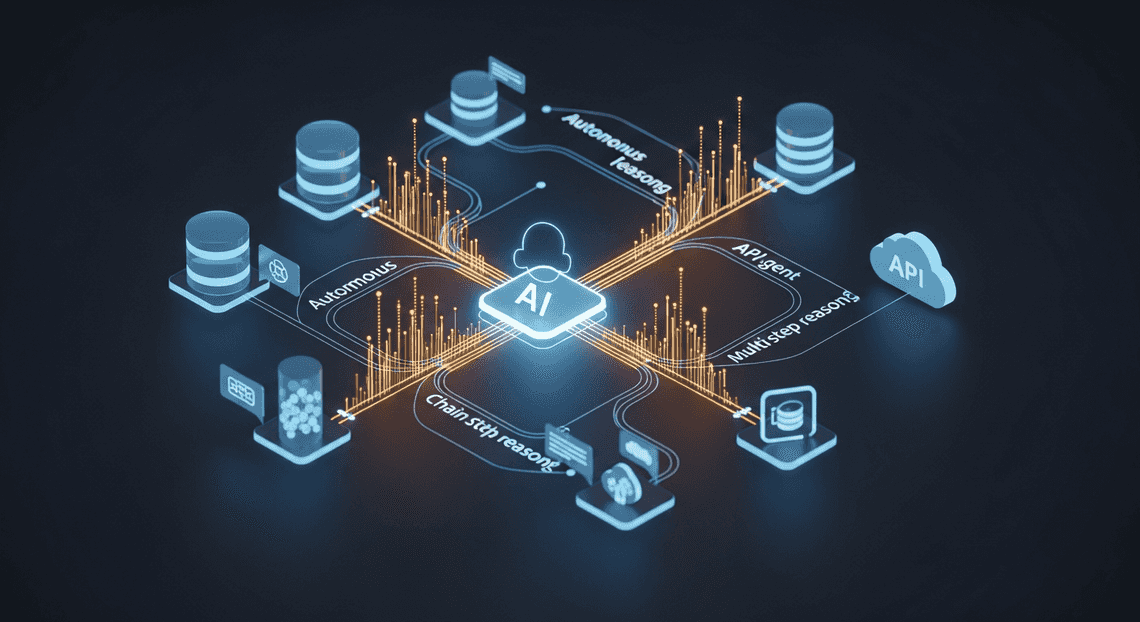
The observability gap widens significantly when we move from simple request-response chatbots to Agentic AI systems. AI agents do not just generate text; they execute autonomous loops, formulate plans, and interact with external systems—such as querying a Cloud SQL database, drafting a document via Automatically create new folders in Google Drive, generate templates in new folders, fill out text automatically in new files, and save info in Google Sheets APIs, or triggering a CI/CD pipeline.
Monitoring these multi-step, tool-using agents introduces a unique set of engineering challenges:
-
Complex Execution Graphs: An agent’s workflow is rarely linear. A single user prompt might trigger a chain of thought (CoT) that involves multiple LLM calls, intermediate data retrievals (RAG), and conditional tool executions. If an agent provides an incorrect final answer, pinpointing the exact node in the execution graph where the logic derailed requires distributed tracing tailored for AI payloads.
-
Non-Deterministic Failure Modes: Unlike a traditional microservice that fails with a clear stack trace, an AI agent might fail “silently” by misinterpreting a tool’s JSON schema, falling into an infinite reasoning loop, or suffering from context degradation as the conversation history exceeds optimal token limits.
-
Dynamic Cost and Latency: Agentic workflows can be computationally expensive. An agent might decide to retry a failed API call multiple times or summarize massive payloads of retrieved context, leading to unpredictable spikes in token usage and latency. Correlating these dynamic costs back to specific user sessions or business units is a massive hurdle without specialized telemetry.
Capturing this telemetry requires logging not just the final output, but the intermediate reasoning steps, the exact tools invoked, the payloads exchanged, and the model parameters (like temperature and top-K) used at every step of the agent’s journey.
Why Accountability Matters at Enterprise Scale
Beyond operational debugging, the most pressing driver for AI observability in the enterprise is accountability. When an autonomous AI system interacts with customer data, makes financial recommendations, or modifies internal AC2F Streamline Your Google Drive Workflow configurations, the stakes are exponentially higher.
At an enterprise scale, accountability is not just a best practice; it is a strict legal and regulatory requirement. Frameworks like the EU AI Act, HIPAA, and SOC 2 demand rigorous data governance and auditability. If an AI agent hallucinates a policy and authorizes an incorrect customer refund, or inadvertently exposes PII retrieved from a vector database, the enterprise must be able to answer three critical questions: What exactly happened? Why did the model make that decision? How do we prevent it from happening again?
Achieving this level of accountability necessitates an immutable, highly structured audit trail. Enterprises must maintain a historical ledger of:
-
The exact prompt provided by the user.
-
The specific system instructions and guardrails active at the time.
-
The exact version of the foundational model (e.g., Gemini 1.5 Pro) utilized.
-
The precise context injected into the prompt via RAG.
-
The raw, unfiltered output generated by the model before any post-processing.
By treating AI telemetry as critical audit data, organizations can transition from reactive troubleshooting to proactive governance. This level of granular accountability builds the foundational trust required for stakeholders, compliance officers, and users to confidently adopt AI-driven Automated Job Creation in Jobber from Gmail across the enterprise.
Architecting the Observability Pipeline
To build a robust AI observability pipeline, we need an architecture that is scalable, secure, and seamlessly integrated into the enterprise workflow. The goal is to create a frictionless mechanism that intercepts AI interactions, extracts necessary metadata, and routes it to an immutable ledger for auditing and analysis. By leveraging the native synergies within the Google Cloud ecosystem, we can construct a serverless, event-driven architecture that handles high throughput without adding noticeable latency to the end-user experience.
Core Components: Apps Script, BigQuery, and Building Self Correcting Agentic Workflows with Vertex AI
At the heart of our observability architecture lies a triad of powerful Google technologies, each serving a distinct purpose in the telemetry lifecycle:
-
AI Powered Cover Letter Automation Engine (The Interceptor): For enterprises heavily invested in Automated Client Onboarding with Google Forms and Google Drive., Apps Script acts as the perfect lightweight, serverless integration layer. Whether users are generating text in Google Docs, summarizing emails in Gmail, or analyzing data in Sheets, Apps Script intercepts the user’s AI request. It acts as the orchestration engine, routing the prompt to the AI model while simultaneously packaging the interaction data for our logging pipeline.
-
Vertex AI (The Intelligence Engine): This is where the actual generative work happens. By utilizing Vertex AI’s robust APIs (such as the Gemini model family), we ensure enterprise-grade security, data residency, and compliance. In our pipeline, Vertex AI not only processes the primary prompt but can also be utilized to evaluate its own outputs—running secondary checks for safety attributes or PII extraction before the final log is written.
-
BigQuery (The Immutable Ledger): The ultimate destination for our observability data is BigQuery. Acting as a highly scalable, serverless enterprise data warehouse, BigQuery is the perfect repository for audit logs. By streaming our AI telemetry directly into BigQuery partitioned tables, we create a centralized, tamper-evident record. This enables compliance teams to run complex SQL queries, build Looker dashboards for FinOps, and trigger alerts on anomalous behavior at petabyte scale.
Defining Telemetry Data: Prompts, Tokens, and Sentiment
An observability pipeline is only as valuable as the data it captures. To satisfy both compliance audits and operational monitoring, we must define a comprehensive, structured telemetry schema. Every AI interaction logged to BigQuery should capture three critical dimensions:
-
Prompts and Responses (The Payload): Storing the exact input prompt and the generated output is fundamental for auditing. This allows security teams to scan for Data Loss Prevention (DLP) violations—such as an employee pasting proprietary code or PII into a prompt—and ensures the model’s responses adhere to corporate guidelines. Along with the payload, essential metadata like
user_email,timestamp,workspace_application(e.g., Docs, Sheets), andmodel_versionmust be captured to maintain a strict chain of custody. -
Tokens (The FinOps Metric): Generative AI costs are directly tied to token consumption. Our pipeline must meticulously log both
prompt_token_count(input) andcandidates_token_count(output). By aggregating this telemetry in BigQuery, Cloud Engineering and FinOps teams can perform granular chargebacks to specific departments, forecast future cloud spend, and identify inefficient, overly verbose prompts that waste compute resources. -
Sentiment and Safety (The Governance Layer): Beyond just the raw text, enterprise audits require qualitative context. By passing the prompt and response through a lightweight How to build a Custom Sentiment Analysis System for Operations Feedback Using Google Forms AppSheet and Vertex AI or capturing Vertex AI’s built-in safety attribute confidence scores, we can log the toxicity, bias, and overall sentiment of the interaction. If a user repeatedly submits hostile prompts, or if the model begins hallucinating toxic responses, this telemetry allows administrators to set up automated BigQuery alerts and intervene before a minor issue becomes a major compliance breach.
Streaming Agent Logs Directly to BigQuery
To achieve true AI observability, batch processing logs at the end of the day simply isn’t enough. When an enterprise AI agent hallucinates, leaks sensitive data, or experiences severe latency, administrators need to know immediately. Streaming your AI agent’s telemetry directly into BigQuery provides a real-time, highly queryable foundation for enterprise audits, dashboards, and alerting mechanisms.
By leveraging Google Cloud’s serverless architecture alongside Automated Discount Code Management System extensibility, we can build a lightweight, highly scalable ingestion pipeline that captures every interaction without adding noticeable latency to the end-user experience.
Structuring the BigQuery Schema for AI Telemetry
The foundation of any robust observability pipeline is its data model. AI telemetry is fundamentally different from traditional application logging; alongside standard metrics like latency and HTTP status, you must capture token consumption, model versions, and the actual natural language payloads (prompts and completions).
To optimize for both query performance and cost, your BigQuery table should be partitioned by day on the timestamp and clustered by high-cardinality fields like user_email and model_name.
Here is a recommended schema structure for your AI telemetry table:
| Field Name | Type | Mode | Description |
| :--- | :--- | :--- | :--- |
| timestamp | TIMESTAMP | REQUIRED | The exact time the AI request was initiated. Used for table partitioning. |
| trace_id | STRING | REQUIRED | A unique UUID for the session/interaction to stitch multi-turn conversations together. |
| user_email | STRING | REQUIRED | The authenticated Workspace user interacting with the agent. Used for clustering. |
| model_name | STRING | REQUIRED | The specific foundational model used (e.g., gemini-1.5-pro). |
| prompt_payload | STRING | NULLABLE | The sanitized input text or system prompt sent to the model. |
| response_payload| STRING | NULLABLE | The text generated by the model. |
| prompt_tokens | INTEGER | NULLABLE | Token count for the input, crucial for cost auditing. |
| completion_tokens| INTEGER | NULLABLE | Token count for the generated output. |
| latency_ms | INTEGER | REQUIRED | Time taken for the model to return the complete response. |
| status_code | STRING | REQUIRED | Success (OK) or error codes (e.g., RESOURCE_EXHAUSTED). |
Pro Tip: For advanced use cases, consider changing prompt_payload and response_payload to JSON data types. This allows you to store complex multi-modal inputs (like base64 image references or function-calling arguments) and query them natively using BigQuery’s JSON functions.
Writing the Apps Script Integration Layer
If your AI agent lives within Automated Email Journey with Google Sheets and Google Analytics (for example, as a Google Chat app, a Docs add-on, or a custom AI-Powered Invoice Processor automation), Genesis Engine AI Powered Content to Video Production Pipeline serves as the perfect serverless integration layer.
To stream data into BigQuery from Apps Script, we utilize the BigQuery Advanced Service, which wraps the BigQuery REST API. We will use the tabledata.insertAll method to stream records directly into the storage buffer, making them available for analysis almost instantly.
Below is a robust Apps Script function designed to construct the payload and stream it to BigQuery:
/**

* Streams AI telemetry data directly to BigQuery.

*

* @param {Object} telemetryData - The telemetry payload matching the BQ schema.

*/

function streamAILogsToBigQuery(telemetryData) {

const projectId = 'your-gcp-project-id';

const datasetId = 'ai_observability';

const tableId = 'agent_telemetry';

// Construct the streaming insert payload

const request = {

ignoreUnknownValues: true,

skipInvalidRows: false,

rows: [

{

insertId: telemetryData.trace_id, // Prevents duplicate inserts on retries

json: {

timestamp: new Date().toISOString(),

trace_id: telemetryData.trace_id,

user_email: telemetryData.user_email,

model_name: telemetryData.model_name,

prompt_payload: telemetryData.prompt_payload,

response_payload: telemetryData.response_payload,

prompt_tokens: telemetryData.prompt_tokens,

completion_tokens: telemetryData.completion_tokens,

latency_ms: telemetryData.latency_ms,

status_code: telemetryData.status_code

}

}

]

};

try {

const response = BigQuery.Tabledata.insertAll(request, projectId, datasetId, tableId);

// Check for row-level insertion errors

if (response.insertErrors && response.insertErrors.length > 0) {

console.error('BigQuery Insert Errors:', JSON.stringify(response.insertErrors));

// Implement fallback logging (e.g., to Google Cloud Logging or a Sheet) here

} else {

console.log(`Successfully streamed trace ${telemetryData.trace_id} to BigQuery.`);

}

} catch (error) {

console.error('Failed to communicate with BigQuery API:', error.message);

}

}
Notice the use of insertId. By passing the trace_id as the insertId, BigQuery automatically handles deduplication. If a network hiccup causes Apps Script to retry the execution, BigQuery will recognize the duplicate ID and prevent double-counting your token usage or latency metrics.
Configuring the BigQuery API for Reliable Ingestion
Code is only half the equation; the underlying Google Cloud configuration is what ensures this pipeline remains reliable, secure, and scalable under enterprise loads. To get the Apps Script integration layer working flawlessly, you must configure the environment correctly.
1. Link a Standard GCP Project:
By default, Apps Script runs in a hidden, default Google Cloud project. To use Advanced Services like BigQuery and manage IAM permissions properly, you must link your Apps Script project to a Standard GCP Project. Navigate to Project Settings in the Apps Script editor and swap the default project number with your dedicated GCP project number.
2. Enable APIs and Assign IAM Roles:
In your linked GCP project, ensure the BigQuery API is enabled. The service account or the authenticated user executing the Apps Script must have the roles/bigquery.dataEditor role at the dataset level. If you are deploying the script as a web app or a Chat app executing under a specific service account, assign this role directly to that identity to enforce the principle of least privilege.
3. Handle Quotas and Implement Retries:
While BigQuery’s streaming API is incredibly robust, it is subject to quotas (e.g., maximum rows per second per project). In a high-throughput enterprise environment where hundreds of users might query an AI agent simultaneously, you should wrap your Apps Script API calls in an exponential backoff retry mechanism.
If the BigQuery.Tabledata.insertAll call fails due to a 429 Too Many Requests or a 503 Service Unavailable error, the script should pause briefly and try again. For absolute mission-critical audits where zero data loss is acceptable, consider having your catch block write failed payloads to a Pub/Sub topic or a fallback Google Sheet, which can be reconciled into BigQuery via a nightly batch job.
Building a Robust Performance Audit Log
Once your raw AI telemetry data is flowing into BigQuery, the next critical step is transforming that raw firehose into a structured, highly performant audit log. A robust audit log is the backbone of AI observability; it bridges the gap between opaque LLM interactions and transparent, actionable engineering metrics.
In BigQuery, this typically involves creating a unified, partitioned, and clustered table or materialized view. By partitioning your audit log by timestamp and clustering by trace_id or application_id, you ensure that subsequent analytical queries are both cost-effective and lightning-fast. The goal is to flatten complex nested JSON payloads—containing prompts, completions, and metadata—into a schema that supports rapid forensic analysis and continuous monitoring.
Querying Agentic Decisions for Performance Insights
Modern enterprise AI applications are rarely simple prompt-and-response mechanisms; they are complex, agentic systems that make autonomous routing decisions, invoke external APIs, and execute multi-step reasoning chains. Auditing these agentic decisions is paramount for debugging performance bottlenecks and ensuring compliance.
BigQuery shines in this arena thanks to its native support for semi-structured data. Using BigQuery’s robust JSON functions, you can extract specific decision-making criteria directly from your agent’s execution traces. For instance, you might want to analyze which external tools your agent is calling, how long those calls take, and whether the agent’s internal confidence score correlates with successful outcomes.
Consider the following BigQuery SQL snippet, which extracts agent routing decisions and calculates average latency per tool:
SELECT

JSON_VALUE(agent_metadata, '$.tool_invoked') AS tool_name,

COUNT(trace_id) AS invocation_count,

ROUND(AVG(CAST(JSON_VALUE(agent_metadata, '$.latency_ms') AS INT64)), 2) AS avg_latency_ms,

ROUND(AVG(CAST(JSON_VALUE(agent_metadata, '$.confidence_score') AS FLOAT64)), 3) AS avg_confidence

FROM

`your-project.ai_observability.raw_telemetry`

WHERE

DATE(execution_timestamp) >= CURRENT_DATE() - 7

AND JSON_VALUE(agent_metadata, '$.step_type') = 'tool_execution'

GROUP BY

tool_name

ORDER BY

avg_latency_ms DESC;
By querying the audit log in this manner, Cloud Engineers can instantly identify if a specific RAG (Retrieval-Augmented Generation) endpoint is degrading system performance, or if an agent is caught in a repetitive loop of failed API calls. This level of granular querying transforms a black-box AI model into a fully observable software component.
Visualizing Token Usage and Sentiment Trends
While SQL queries are excellent for deep-dive diagnostics, enterprise stakeholders require high-level, visual dashboards to monitor the health and cost-efficiency of AI deployments. By connecting BigQuery to visualization platforms like Looker or Looker Studio, you can democratize access to these critical insights.
Tracking Token Usage for FinOps
LLM costs scale directly with token consumption. A well-structured observability pipeline must aggregate input (prompt) and output (completion) tokens. By creating a materialized view in BigQuery that rolls up token counts by model_version, department, or user_tier on an hourly basis, you can power real-time FinOps dashboards. Visualizing these metrics as time-series area charts allows teams to spot anomalous spikes in usage—such as a runaway script or a sudden surge in complex user queries—before they result in billing shocks.
Correlating Sentiment with Performance
Beyond operational metrics, understanding user experience is vital. If your pipeline includes a lightweight sentiment analysis step (either via a secondary NLP model or extracted from user feedback loops), you can join this data with your performance logs.
Visualizing sentiment trends alongside technical metrics reveals powerful correlations. For example, a dual-axis line chart in Looker Studio might plot Average Response Latency against User Sentiment Score. Often, you will visually detect that as latency creeps past a certain threshold, or as a specific agentic tool fails, user sentiment sharply declines. Tracking these trends historically provides product and engineering teams with the empirical evidence needed to prioritize performance optimizations, refine system prompts, or implement stricter guardrails for enterprise AI interactions.
Ensuring Long-Term AI Reliability
Deploying an AI observability pipeline into BigQuery is a massive milestone, but in the realm of enterprise machine learning, day-one deployment is merely the starting line. Models are living artifacts; their performance degrades as real-world data evolves, user behaviors shift, and underlying business logic changes. To satisfy rigorous enterprise audits and maintain user trust, your architecture must evolve from a passive logging system into an active, self-healing ecosystem. Ensuring long-term AI reliability requires a strategic focus on continuous validation and expert-guided scalability.
Continuous Monitoring and Model Optimization
With your inference logs, prediction requests, and ground-truth feedback streaming into BigQuery, you now possess a centralized, high-fidelity system of record. The next step is leveraging this data lakehouse to power continuous monitoring and automated model optimization.
In a robust Google Cloud architecture, this is achieved by tightly coupling BigQuery with Vertex AI Model Monitoring and downstream MLOps pipelines. Here is how you can engineer this continuous feedback loop:
-
Automated Drift and Skew Detection: By writing scheduled BigQuery SQL routines, you can continuously compare serving data distributions against your original training baselines. You can calculate statistical deviations—such as Kullback-Leibler divergence or Wasserstein distance—on a rolling window. When feature skew (differences between training and serving data) or concept drift (changes in the underlying relationships) exceeds an acceptable enterprise threshold, the system flags it for audit.
-
Performance Degradation Alerting: Reliability isn’t just about accuracy; it’s about system health. By analyzing latency metrics, token generation rates (for LLMs), and error codes stored in BigQuery, Cloud Monitoring can trigger alerts via Pub/Sub. If an endpoint starts timing out or returning malformed JSON responses, your engineering team is notified before it impacts the end-user experience.
-
Triggering Automated Retraining: Observability should directly inform optimization. When BigQuery detects a sustained drop in model confidence scores or an uptick in user-submitted corrections, Eventarc can automatically trigger a Vertex AI Pipeline. This pipeline can fetch the latest audited dataset from BigQuery, initiate a retraining job, and deploy a challenger model for A/B testing—creating a truly autonomous MLOps lifecycle.
-
Audit-Ready Dashboards: Raw data is rarely sufficient for compliance officers. By connecting Looker directly to your BigQuery observability datasets, you can build real-time, governed dashboards. These dashboards provide a single pane of glass for stakeholders to verify model fairness, track bias mitigation, and prove compliance with internal AI governance frameworks.
Scale Your Architecture with a GDE Discovery Call
As your AI footprint expands from a single predictive model to a fleet of generative AI agents and microservices, the complexity of your observability pipeline will scale exponentially. You will face advanced engineering challenges: managing BigQuery compute costs (slot reservations), optimizing streaming ingestion rates, enforcing granular row-level security for sensitive audit logs, and ensuring cross-region compliance.
Navigating these enterprise-scale challenges doesn’t have to be a solo endeavor. To ensure your architecture is built on a foundation of Google Cloud best practices, the most effective next step is to schedule a discovery call with a Google Developer Expert (GDE) in Cloud.
A GDE Discovery Call acts as a strategic accelerator for your engineering team. During this session, an industry-recognized cloud guru will conduct a comprehensive Well-Architected review of your BigQuery observability pipeline. You can expect to cover:
-
Cost Optimization Strategies: Learning how to implement BigQuery table partitioning, clustering, and automated lifecycle management to move aging audit logs into cold Cloud Storage without sacrificing queryability.
-
Security and Compliance: Validating your IAM architectures, VPC Service Controls, and data masking techniques to ensure your AI logs meet strict regulatory standards like SOC2, HIPAA, or GDPR.
-
Future-Proofing: Discussing how to integrate emerging Google Cloud capabilities, such as Gemini-powered log analysis or BigQuery continuous queries, to keep your observability pipeline at the cutting edge.
By partnering with a GDE, you ensure that your AI observability pipeline isn’t just functional for today’s audits, but is resilient, cost-effective, and infinitely scalable for tomorrow’s enterprise demands.


Stop Doing Manual Work. Scale with AI.
Want to turn these blog concepts into production-ready reality for your team?
Table Of Contents
Portfolios
Related Posts
Quick Links
Legal Stuff