

Automating Customer Returns A Scalable Google Chat Solution


A clunky returns process is more than just a line item; it’s a vortex of hidden costs that drains your resources and erodes customer trust.

The High Cost of Inefficient Customer Returns
Customer returns are more than just a line item on a balance sheet; they are a critical, and often painful, touchpoint in the customer journey. While a smooth returns process can build loyalty and even recover a sale, a clunky, manual one creates a vortex of hidden costs. It’s not just about the value of the returned goods. It’s about the hours of manual labor, the risk of human error, the erosion of customer trust, and the operational drag that prevents your team from focusing on growth. Let’s dissect the anatomy of a broken returns process and lay the groundwork for a more intelligent, automated future.
Identifying the Problem: Manual Processing Bottlenecks
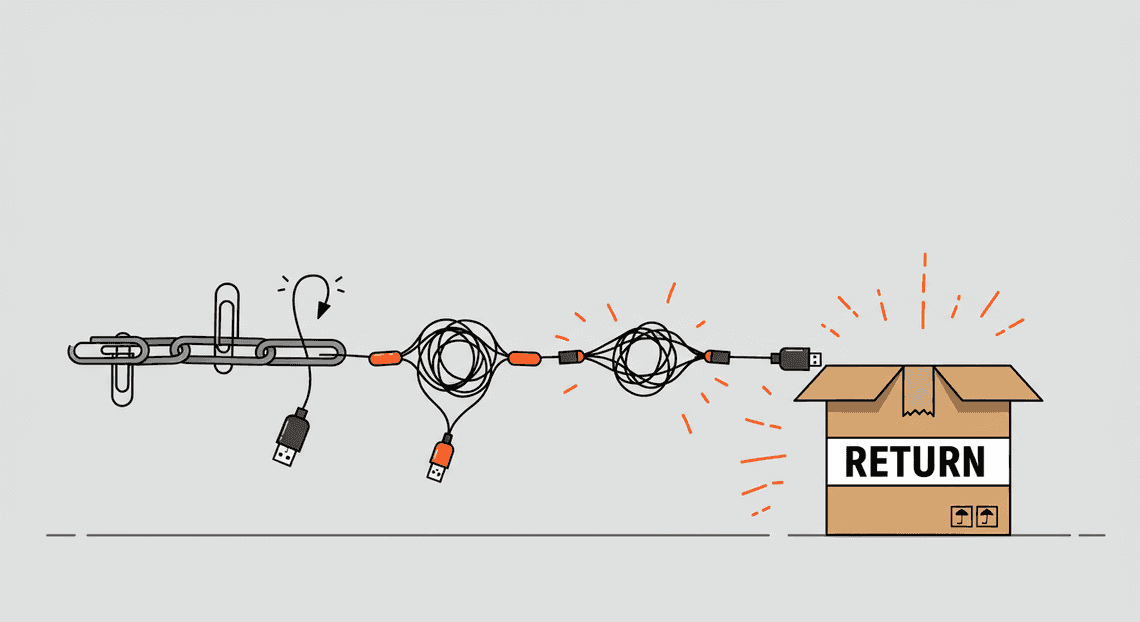
For many growing businesses, the returns process is a fragile chain of manual handoffs, each link representing a potential point of failure. Consider this all-too-common workflow:
-
A customer emails your support team to initiate a return. (Latency: 1-24 hours)
-
A support agent finds the original order in your e-commerce platform (e.g., Shopify, Magento). (Context Switch #1)
-
The agent manually verifies the return eligibility based on a policy document. (Potential for Error)
-
They log the return request in a shared spreadsheet. (Context Switch #2)
-
The agent uses a shipping portal to generate a return label and emails it to the customer. (Context Switch #3)
-
The warehouse receives the package and a staff member inspects the item. (Physical Bottleneck)
-
The warehouse team updates the shared spreadsheet with the item’s condition. (Data Entry)
-
A member of the finance or support team sees the update and manually processes the refund in the payment gateway. (Context Switch #4, Latency)
Every arrow in this flow represents a delay and an opportunity for something to go wrong. A typo in an order number can send the entire process sideways. An agent on vacation can halt all returns they’re managing. The customer, left in the dark, sends follow-up emails, further taxing your support team. This isn’t a system; it’s a series of disconnected tasks held together by hope and spreadsheets.
Why Traditional Spreadsheet Methods Fail to Scale
The shared spreadsheet is the unsung hero of many startups, but it quickly becomes the villain as your business scales. What begins as a simple, flexible tool for tracking returns inevitably morphs into a complex, unmanageable bottleneck.
-
Data Integrity Collapse: Without enforced validation, your data becomes a mess. Is the status “Approved,” “approved,” or “aproved”? Are dates formatted as MM/DD/YYYY or DD-MM-YY? This inconsistency makes accurate reporting and analysis impossible. You can’t answer simple questions like, “What’s our average return processing time?” because the data is too dirty to trust.
-
Concurrency and Version Control Chaos: When multiple team members from support, warehouse, and finance are in the same sheet, chaos ensues. Accidental data overwrites are common. People create their own copies (
Returns_Master_FINAL_v2.xlsx), leading to fragmented sources of truth. The system grinds to a halt not because of a technical failure, but because no one knows which data is correct. -
Lack of an Audit Trail: Who changed a return’s status from “Received” to “Refunded”? Why was a partial refund issued instead of a full one? A spreadsheet can’t answer these questions. This lack of accountability and visibility is a significant liability, especially when dealing with financial transactions.
-
Performance Degradation: A spreadsheet with tens of thousands of returns becomes painfully slow to load, filter, and edit. It becomes a productivity sinkhole, wasting precious minutes every time an employee needs to update a single cell.
A spreadsheet gives you a canvas, but you need a system. It tracks what you tell it, but it can’t enforce rules, automate actions, or provide intelligent insights.
Introducing the Automated Returns Auditor Concept
To escape this manual trap, we need to rethink the entire process. Instead of a series of human-driven tasks, we need a central, automated system that acts as the single source of truth and the engine for the entire workflow. Let’s call this system the Automated Returns Auditor.
This isn’t just another piece of software; it’s a new paradigm for handling returns. The core principles are:
-
Centralization: It replaces the spreadsheet entirely. All data—from the initial request to the final refund confirmation—lives in one structured, reliable place.
-
Integration: The Auditor acts as a hub, connecting to your other systems via APIs. It talks to your e-commerce platform to fetch order details, your shipping provider to generate labels, and your payment gateway to process refunds.
-
[Automated Job Creation in Real Time Jobber and Google Sheets Integration from Gmail](https://votuduc.com/Automated-Job-Creation-in-Jobber-from-Gmail-p115606): It listens for events and acts on them without human intervention. When a return is delivered to your warehouse (an event triggered by a carrier scan), the Auditor can automatically notify the right people and update the return’s status.
-
**Proactive Communication: Instead of your team pulling information by constantly checking a spreadsheet, the Auditor pushes critical updates and action items to them.
Imagine a world where, instead of juggling five different browser tabs, your team manages the entire returns lifecycle from a single, interactive interface—a command center. This is where Google Chat comes in. By integrating our Automated Returns Auditor with a collaborative tool your team already uses, we can transform returns from a reactive, time-consuming chore into a streamlined, transparent, and scalable operation.
System Architecture The [Automatically create new folders in Google Drive, generate templates in new folders, fill out text automatically in new files, and save info in [Automated Web Scraping with [Multilingual Text-to-Speech Tool with SocialSheet Streamline Your Social Media Posting 123](https://votuduc.com/Multilingual-Text-to-Speech-Tool-with-Google-Workspace-p809282)](https://votuduc.com/Automated-Web-Scraping-with-Google-Sheets-p292968)](https://workspace.google.com/marketplace/app/auto_create_folder_and_files/430076014869) Solution
To build a robust, scalable, and cost-effective Automated Quote Generation and Delivery System for Jobber system, we’re not venturing outside the AC2F Streamline Your Google Drive Workflow ecosystem. This isn’t about vendor lock-in; it’s about leveraging the deep, native integration between services you likely already use. By combining a database, a user interface, and a communication layer, we create a cohesive whole that is greater than the sum of its parts. The architecture is designed for clarity and maintainability, treating each component as a specialized tool for a specific job.
Core Components: Google Sheets, AI-Powered Invoice Processor, and Google Chat
At the heart of our solution are three pillars of the Automated Client Onboarding with Google Forms and Google Drive. environment. Each plays a distinct and critical role, forming a triumvirate of data, interface, and communication.
- Google Sheets: The Single Source of Truth
Forget thinking of it as just a spreadsheet. For this system, Google Sheets acts as our lightweight, accessible, and surprisingly powerful database. It’s the central repository where every piece of data about a customer return lives—from the initial request to the final resolution. Every status update, every note, every timestamp is logged here. Its grid-based nature makes it auditable at a glance, and its native integration with Apps Script makes it the perfect foundation for our Automated Work Order Processing for UPS engine.
- AMA Patient Referral and Anesthesia Management System: The Structured Human Interface
While Sheets is our database, we don’t want team members editing rows directly. That’s a recipe for typos, broken formulas, and inconsistent data. Enter AppSheetway Connect Suite. It sits directly on top of our Google Sheet, transforming it into a polished, no-code application. Customer service and logistics teams interact with the data through a clean, form-based UI on desktop or mobile. OSD App Clinical Trial Management enforces data validation (e.g., ensuring status fields are chosen from a dropdown, not typed freely), provides different views for different roles, and ensures that all interactions with our “database” are structured and safe.
- Google Chat: The Real-Time Notification & Action Hub
Email is where notifications go to die. For an operation that requires timely action, we need a communication layer that’s immediate and interactive. Google Chat is our system’s voice. It’s not just for broadcasting alerts; it’s for presenting actionable information. Using interactive cards, the system pushes new return requests directly to the relevant team’s Chat space, complete with all necessary details and simple one-click action buttons like “Approve” or “Deny”. This transforms a passive notification into an active decision point, dramatically reducing response times.
The Engine: Antigravity 2.0 for Workflow Orchestration
The magic that binds these components together isn’t a third-party service like Zapier or Make; it’s a custom-built AI Powered Cover Letter Automation Engine project we’ve dubbed “Antigravity 2.0”. This script is bound directly to our master Google Sheet, making it the central nervous system of the entire workflow.
Antigravity 2.0 is responsible for all the heavy lifting and business logic:
-
API Endpoint: It’s deployed as a Web App, exposing a secure URL that acts as a webhook receiver. When a customer submits a return request from your website, the form data (as a JSON payload) is sent directly to this endpoint.
-
Data Processing & Validation: The
doPost(e)function within the script catches the incoming data, parses it, performs essential validation, and then carefully writes a new, properly formatted row into the Google Sheet. -
State Management: The script manages the lifecycle of a return. It’s responsible for setting the initial status (
PENDING_REVIEW) and programmatically updating it based on triggers and user interactions. -
Chat Integration: It leverages the Google Chat API to dynamically construct and send rich, interactive card messages to the designated Chat space. It knows what data to show and what buttons to include.
-
Interaction Handling: When a user clicks a button on a Chat card, Google sends an event payload back to the script. Antigravity 2.0 receives this event, identifies which return the action corresponds to, and executes the necessary logic—like changing a cell value from
PENDING_REVIEWtoAPPROVED.
By centralizing the logic in Apps Script, we keep the system transparent, highly customizable, and entirely within the Google security perimeter.
Mapping the Automated Data Flow from Request to Resolution
Let’s trace a single return request as it moves through our automated system. Understanding this flow is key to grasping the architecture’s elegance.
Website Form → Apps Script → Google Sheet → Google Chat → Human Action → Apps Script → Google Sheet → AppSheet
-
Initiation: A customer fills out the return request form on your website. On submission, the form sends a
POSTrequest with the customer’s data in a JSON body to the Antigravity 2.0 Web App URL. -
Ingestion: The Apps Script
doPost(e)function receives the request. It parses the JSON, creates a unique ID for the return, and appends a new row to the Google Sheet with the status set toPENDING_REVIEW. -
Notification: Immediately after writing to the Sheet, the script’s next task is to alert the team. It formats the return details into a Google Chat card, complete with “Approve” and “Deny” buttons, and posts it to the
#returns-teamChat space. -
Triage & Action: A team member sees the notification in Chat. They review the details directly on the card. They don’t need to open the spreadsheet or another app. They click “Approve”.
-
Callback & Update: The button click sends an interaction event back to the Antigravity 2.0 script. The script’s
onCardClickhandler identifies the return ID from the event data and updates the corresponding row in the Google Sheet, changing the status cell toAPPROVED. -
Synchronization & Fulfillment: The moment the Google Sheet is updated, the change is reflected in the AppSheet application. A logistics team member, who might be working from the Building an AI Powered Business Insights Dashboard with AppSheet and Looker Studio, now sees this return in their “Approved for Processing” queue and can proceed with the next steps of the physical return process. All subsequent status updates (e.g.,
ITEM_RECEIVED,REFUND_PROCESSED) can be managed through the structured AppSheet interface, ensuring the Google Sheet remains the pristine source of truth.
Building Your Automated Returns Bot Step-by-Step
With our architecture mapped out, it’s time to roll up our sleeves and build this thing. We’ll move methodically through each component, starting with the data foundation and layering on the automation until we have a fully functional workflow. Follow these four steps to bring your automated returns bot to life.
Step 1: Structuring Your Google Sheet as the Single Source of Truth
Before we can automate anything, we need a reliable, centralized place to track every return. A Google Sheet is the perfect candidate—it’s accessible, collaborative, and serves as an excellent database for our automation triggers. This sheet will be the definitive record for every return request.
First, create a new Google Sheet. Let’s name it “Customer Returns Log”. Now, set up the following columns. The specific names are important, as our automation tools will reference them later.
| Column Header | Data Type | Purpose |
| :--- | :--- | :--- |
| OrderID | Text/Number | The unique identifier for the original customer order. |
| CustomerName | Text | The full name of the customer initiating the return. |
| CustomerEmail | Text | The customer’s email address. Critical for sending notifications. |
| ProductName | Text | A description of the item(s) being returned. |
| ReasonForReturn | Text | The reason provided by the customer. |
| ReturnStatus | Text | The most important column for our automation. This tracks the return’s lifecycle. |
| ReturnSlipURL | URL | This will be populated automatically with a link to the generated PDF. |
| RequestTimestamp | Timestamp | Automatically records when the return request was created. |
| InternalNotes | Text | A space for your team to add comments or context. |
For the ReturnStatus column, it’s a best practice to use Data Validation to create a dropdown list. This ensures consistency and prevents typos that could break the automation. Use the following values:
-
Pending Approval -
Approved -
Slip Generated -
Awaiting Shipment -
Item Received -
Refunded -
Rejected
Our entire workflow will pivot on the ReturnStatus column. When a team member changes the status from Pending Approval to Approved, it will kick off the first part of our automation.
Step 2: Creating the AppSheet App to Generate Return Slips
Next, we need a mechanism to automatically generate a professional, printable return slip in PDF format. AppSheet, Google’s no-code development platform, is perfect for this. It can read data from our Google Sheet, create a file based on a template, and write the file’s location back to the sheet.
-
Connect Your Data: Go to AppSheet and start a new app, selecting “Start with your own data”. Connect it to the “Customer Returns Log” Google Sheet you just created. AppSheet will automatically generate a basic mobile app interface, but we’re primarily interested in its backend automation capabilities.
-
Create an Automation Bot: Inside the AppSheet editor, navigate to the
Automationtab on the left sidebar and create a new Bot. Give it a descriptive name like “Generate Return Slip”. -
Configure the Event (The Trigger):
-
The event that starts this bot is a data change. Configure the event to trigger on
Updates only. -
Set the
Tableto your returns log table. -
Add a
Conditionexpression. This is crucial. We only want this to run when a return is approved. The expression should be something like:[ReturnStatus] = "Approved". This tells AppSheet to only act when that specific status is set.
- Create the PDF Generation Process:
-
Add a step to your bot’s process. Choose the task type
Create a new file. -
Create a Template: AppSheet uses Google Docs or Microsoft Word documents as templates. Create a new Google Doc for your return slip. Design it with your branding, return address, and placeholders for dynamic data. The placeholders use chevrons, like
<<CustomerName>>and<<OrderID>>. -
Configure the Task: In AppSheet, link to your Google Doc template. Set the output file name to be dynamic, for example:
Return-Slip-<<OrderID>>. This ensures each PDF has a unique, identifiable name.
- Add a Data-Update Step:
-
After the PDF is generated, we need to update our Google Sheet. Add a final task to the process:
Run a data action. -
Choose the action
Set the values of some columns in this row. -
Set the
ReturnSlipURLcolumn to the URL of the file you just created. AppSheet provides an output variable for this. -
Set the
ReturnStatuscolumn to the static value"Slip Generated".
When this bot runs, it will take an “Approved” return, generate a custom PDF, save it to your Google Drive, and update the corresponding row in the Google Sheet with the PDF link and the new status. This status change is the signal for our next step.
Step 3: Configuring the Antigravity 2.0 Trigger
With return slips being generated automatically, we now turn to Antigravity 2.0 (our central automation platform) to orchestrate the notifications. This step involves creating a trigger that watches our Google Sheet for the exact moment a return slip is ready.
-
Create a New Workflow: Log in to your Antigravity 2.0 dashboard and create a new workflow. Name it “Customer Returns Notification”.
-
Select the Google Sheets Trigger: The first node in your workflow will be the trigger. Choose the Google Sheets app and select the
On Row Updatedevent. -
Connect and Configure:
-
Authenticate your Google account and select the “Customer Returns Log” spreadsheet and the specific worksheet.
-
**Set the Filter Condition: This is the most critical part of the configuration. We do not want this workflow to run every time a cell is edited. We need it to run only when the
ReturnStatuscolumn is updated to"Slip Generated". -
Add a filter where
Column: ReturnStatusCondition: Text is exactlyValue: Slip Generated.
This configuration creates a highly specific listener. It patiently waits, ignoring all other activity in the sheet, and springs into action only when AppSheet has finished its job. When it triggers, it will pull in all the data from that updated row (OrderID, CustomerEmail, ReturnSlipURL, etc.) and make it available for the subsequent steps in the workflow.
Step 4: Designing the Google Chat Notification and Customer Email
Now that our Antigravity 2.0 workflow is successfully triggered, we can perform the final actions: notifying our internal team and delivering the return slip to the customer.
Action 1: Internal Google Chat Notification
This action provides immediate visibility to your customer service team, letting them know the system has handled the request and the ball is in the customer’s court.
-
Add a Google Chat Action: In your Antigravity 2.0 workflow, add a new action step. Select the Google Chat app and the
Send Messageaction. -
Select the Space/Room: Choose the Google Chat space where your customer service or logistics team coordinates.
-
Craft the Message: Use data from the Google Sheets trigger to create a dynamic and informative message. A well-designed Google Chat Card is highly effective here. You can use a JSON payload to structure the card.
Here is a sample JSON payload for a clean, actionable notification card:
{

"cardsV2": [

{

"cardId": "return-slip-card",

"card": {

"header": {

"title": "✅ Return Slip Generated",

"subtitle": "Order: {{1.OrderID}}",

"imageUrl": "https://your-company-cdn.com/icons/return-icon.png",

"imageType": "CIRCLE"

},

"sections": [

{

"header": "Customer & Item Details",

"collapsible": false,

"widgets": [

{

"decoratedText": {

"topLabel": "Customer",

"text": "{{1.CustomerName}} ({{1.CustomerEmail}})"

}

},

{

"decoratedText": {

"topLabel": "Product",

"text": "{{1.ProductName}}"

}

}

]

},

{

"widgets": [

{

"buttonList": {

"buttons": [

{

"text": "View Return Slip",

"onClick": {

"openLink": {

"url": "{{1.ReturnSlipURL}}"

}

}

}

]

}

}

]

}

]

}

}

]

}
Note: The {{1.ColumnName}} syntax represents variables from the trigger step in Antigravity 2.0.
Action 2: External Customer Email
This is the final and most customer-facing step. It delivers the return slip and instructions directly to their inbox.
-
Add a Gmail / Email Action: Add another action step to your workflow, parallel to or after the Chat notification. Choose your email provider (e.g., Gmail, SendGrid, Outlook).
-
Configure Email Fields:
-
To: Use the
CustomerEmailvariable from the trigger step.{{1.CustomerEmail}} -
From: Use a support address like
[email protected]. -
Subject: Make it clear and dynamic. Example:
Your Return Instructions for Order #{{1.OrderID}}
- Write the Email Body:
-
Craft a clear, helpful, and professional email. Use HTML for better formatting.
-
Personalize the greeting with the
CustomerNamevariable. -
Provide clear, step-by-step instructions on how to print the slip and package the item.
-
Most importantly, include a prominent link or button that points to the
ReturnSlipURLvariable.
Here’s a sample HTML body template:
<p>Hi {{1.CustomerName}},</p>

<p>We've processed your return request for order #{{1.OrderID}}. Please find your personalized return shipping slip attached and ready to print.</p>

<p><strong>Your next steps are simple:</strong></p>

<ol>

<li>Click the button below to download and print your return slip.</li>

<li>Securely package the item: {{1.ProductName}}.</li>

<li>Affix the printed slip to the outside of the package.</li>

<li>Drop it off at any authorized shipping location.</li>

</ol>

<br />

<a href="{{1.ReturnSlipURL}}" style="background-color: #007bff; color: white; padding: 12px 20px; text-decoration: none; border-radius: 5px; font-weight: bold;">Download Your Return Slip</a>

<br /><br />

<p>Thank you,<br />The YourCompany Team</p>
Once you save and activate this workflow, your automated returns system is officially live. A simple status change in a Google Sheet now triggers a cascade of perfectly orchestrated actions, saving your team valuable time and providing your customers with a seamless experience.
Measuring the Impact Key Benefits for Operations Managers
Implementing a new system is not just about adopting new technology; it’s about driving measurable business outcomes. For an operations manager, the true value of automating the returns process with Google Chat lies in its ability to transform key performance indicators across the board. The shift from a manual, reactive process to an automated, proactive one yields tangible benefits in cost, customer experience, and operational intelligence.
Drastically Reducing Labor Costs and Human Error
The most immediate and quantifiable benefit of this automation is the significant reduction in manual effort. Consider the traditional returns workflow: a support agent must constantly switch contexts between their email client, the e-commerce platform, a shipping provider’s portal, and potentially a spreadsheet for tracking. Each return involves a series of repetitive, low-value tasks: finding the order, verifying eligibility, copy-pasting customer details, generating a label, and manually updating the status.
This automation collapses that entire sequence into a single, streamlined workflow.
-
Reclaimed Hours: By handling the initial data collection, validation, and label generation, the Google Chat bot frees up your support team from hours of tedious administrative work. This allows you to reallocate valuable human resources to more complex, value-added activities such as handling nuanced customer escalations, improving support documentation, or analyzing return patterns.
-
Elimination of Costly Errors: Manual data entry is a primary source of operational friction. A single transposed digit in an order number or an incorrect address can lead to a cascade of costly problems, from shipping a replacement to the wrong location to issuing an incorrect refund amount. Our Google Chat solution mitigates this risk by pulling data directly from source systems via API calls. The process is governed by logic, not by manual input, ensuring a high degree of accuracy and eliminating the financial and reputational cost of human error.
Improving Customer Satisfaction with Speed and Consistency
In today’s competitive e-commerce landscape, the returns experience is a critical touchpoint that heavily influences customer loyalty and lifetime value. A slow, confusing, or inconsistent returns process can permanently damage a customer relationship. Automation directly addresses these pain points.
-
From Days to Minutes: Instead of a customer waiting 24-48 hours for an email response, they can initiate a return and receive a shipping label via Google Chat in under a minute, any time of day, any day of the week. This near-instantaneous resolution meets the expectations of the modern consumer and transforms a potential point of frustration into a surprisingly positive and frictionless experience.
-
Standardized Excellence: Manual processes are inherently variable; the quality of service can differ depending on the agent handling the request. An automated system provides a consistent, high-quality experience for every customer, every time. The bot follows the same predefined business rules for return eligibility, communication, and processing, ensuring fairness and predictability. This consistency builds brand trust and reinforces the perception of a professional, well-run operation.
Gaining Real-Time Visibility into Your Returns Pipeline
One of the most significant challenges for operations managers is the lack of a clear, up-to-the-minute view of the reverse logistics pipeline. Data is often fragmented across multiple systems, making it difficult to track trends, identify bottlenecks, or forecast inventory and staffing needs.
The Google Chat solution centralizes this entire process, effectively turning a “black box” into a transparent “glass pipeline.”
-
Centralized Data Hub: Every return initiated through the chat interface is a structured data point that is logged automatically. This data can be seamlessly pushed to a Architecting a Centralized HQ Dashboard with Google Sheets and Apps Script, such as a Google Sheet or a business intelligence tool like Looker Studio.
-
Actionable Insights: With this real-time data stream, you can move from reactive problem-solving to proactive management. You can instantly visualize:
-
The total volume of returns in real-time.
-
The status of every return (e.g., initiated, label sent, in transit, received, refunded).
-
The most common reasons for returns, providing invaluable feedback to product and marketing teams.
-
Average processing time at each stage, highlighting potential bottlenecks in your warehouse receiving process.
This level of visibility empowers you to make smarter, data-driven decisions to optimize inventory, manage warehouse staffing, and continuously improve your end-to-end returns process.
Scale Your Operations Beyond Returns
You’ve just built a powerful, event-driven system to handle a critical business function directly within Google Chat. But the true value of this architecture isn’t just in solving the returns problem—it’s in the blueprint it provides for future automation. The components you’ve assembled—a conversational UI, a serverless function, and a service-specific backend—form a reusable pattern for integrating countless other business processes into your team’s primary communication hub.
Think of the returns bot not as a finished product, but as your first module in a much larger operational ecosystem. You’ve done the heavy lifting of establishing the secure connection between Automated Discount Code Management System and Google Cloud. Now, you can leverage that foundation to bring more of your workflows into the conversational fold, reducing context switching and empowering your teams with data and actions at their fingertips.
Adapting the Architecture for Other Business Processes
The architecture we’ve implemented is inherently modular. This design is not accidental; it’s the key to its scalability. Let’s break down how each component can be generalized:
-
The Google Chat Interface: The frontend is a universal entry point. Slash commands (
/) are not hardcoded to a single function. You can register new commands like/inventory,/ticket, or/ptoto trigger entirely different workflows. The interactive cards are just as flexible, capable of displaying data from any system, not just your e-commerce platform. -
The Cloud Function Trigger: This acts as the central router. Your function is designed to parse an incoming event payload from Google Chat. By inspecting the command name or action data within that payload, it can intelligently route the request to the appropriate backend logic. The core of your Cloud Function remains the same; you simply add new
if/elseorswitchcases to handle new commands. -
The Pluggable Backend Logic: This is the most critical piece. Your current backend logic is a “Returns Service” that communicates with your e-commerce API. To automate a new process, you simply write a new “service” module and have your Cloud Function call it. This new module could talk to a completely different API—a CRM, an HRIS, a project management tool, or an internal database.
Here’s a conceptual view of how you can expand the system by adding new backend modules:
┌───────────────────────────┐

│   Google Chat Interface   │

│ (/returns, /ticket, /pto) │

└────────────┬──────────────┘

│ (Event Payload)

▼

┌───────────────────────────┐

│   Cloud Function (Router) │

└────────────┬──────────────┘

│ (Routes based on command)

┌──────────────────────┼──────────────────────┐

│                      │                      │

▼                      ▼                      ▼

┌───────────────────┐  ┌───────────────────┐  ┌───────────────────┐

│  Returns Service  │  │ IT Support Service│  │    HR Service     │

│ (e-commerce API)  │  │   (Jira API)      │  │   (BambooHR API)  │

└───────────────────┘  └───────────────────┘  └───────────────────┘
The possibilities are vast. Consider these potential use cases:
| Department | Slash Command Example | Action |
| :--- | :--- | :--- |
| IT Support | /ticket critical Web server is down | Creates a high-priority ticket in Jira or ServiceNow. |
| Sales | /lead_status acmecorp.com | Queries Salesforce for the latest activity on the Acme Corp account. |
| HR | /pto 2024-12-20 2024-12-28 | Submits a time-off request to your HR Information System (HRIS). |
| Finance | /expense 49.99 "Team Lunch" | Logs an expense report entry in Expensify or SAP Concur. |
| Operations | /inventory SKU-12345 | Checks real-time stock levels from your Warehouse Management System (WMS). |
Each of these is a distinct workflow, yet they all share the same robust, scalable, and secure architectural pattern you’ve already built.
Ready to Audit Your Business Needs
With a clear understanding of the technical flexibility, the next step is to identify the highest-impact opportunities for automation within your organization. A systematic audit of your internal processes will reveal the pain points that are prime candidates for a ChatOps solution.
Gather your team leads and stakeholders and work through these questions:
- What are our most repetitive, low-value tasks?
Look for actions that require employees to routinely copy-paste information between systems, manually look up a status, or fill out a simple form. These are often the easiest wins and provide immediate time savings.
- Where are the information bottlenecks?
Does a sales representative have to ask an engineer for a feature status? Does a support agent need to ask finance about a customer’s payment history? A chat command can democratize access to this data, pulling it from the source system instantly and securely.
- Which processes rely on email or direct messages for approvals?
These workflows are often slow and difficult to track. A chat bot can formalize the process, presenting an interactive card with “Approve” and “Deny” buttons that log the decision in the system of record.
- Which of our core platforms have APIs?
The feasibility of any integration hinges on API availability. Make a list of your critical business systems (CRM, ERP, project management tools, etc.) and investigate their API documentation. A system with a well-documented REST or GraphQL API is a green light for automation.
- What is the “cost of context switching”?
Quantify the time lost when an employee has to leave Google Chat, open a new browser tab, log in to another system, navigate to the right page, and find the information they need. Eliminating even a few of these switches per day per employee adds up to a significant productivity gain.
Your returns automation project was the proving ground. It demonstrated the value and viability of integrating core operations into your conversational workspace. Now is the time to build on that success, transforming your Google Chat from a simple communication tool into a powerful command center for your entire business.


Stop Doing Manual Work. Scale with AI.
Want to turn these blog concepts into production-ready reality for your team?
Table Of Contents
Portfolios
Related Posts
Quick Links
Legal Stuff